
01Who this is for
- Agency admins can delete entire pipelines and later restore them, keeping all stages and opportunities intact.
- Account admins have the same authority to delete and restore pipelines, ensuring control over the sales structure.
02Deleting and restoring opportunities and pipelines, explained
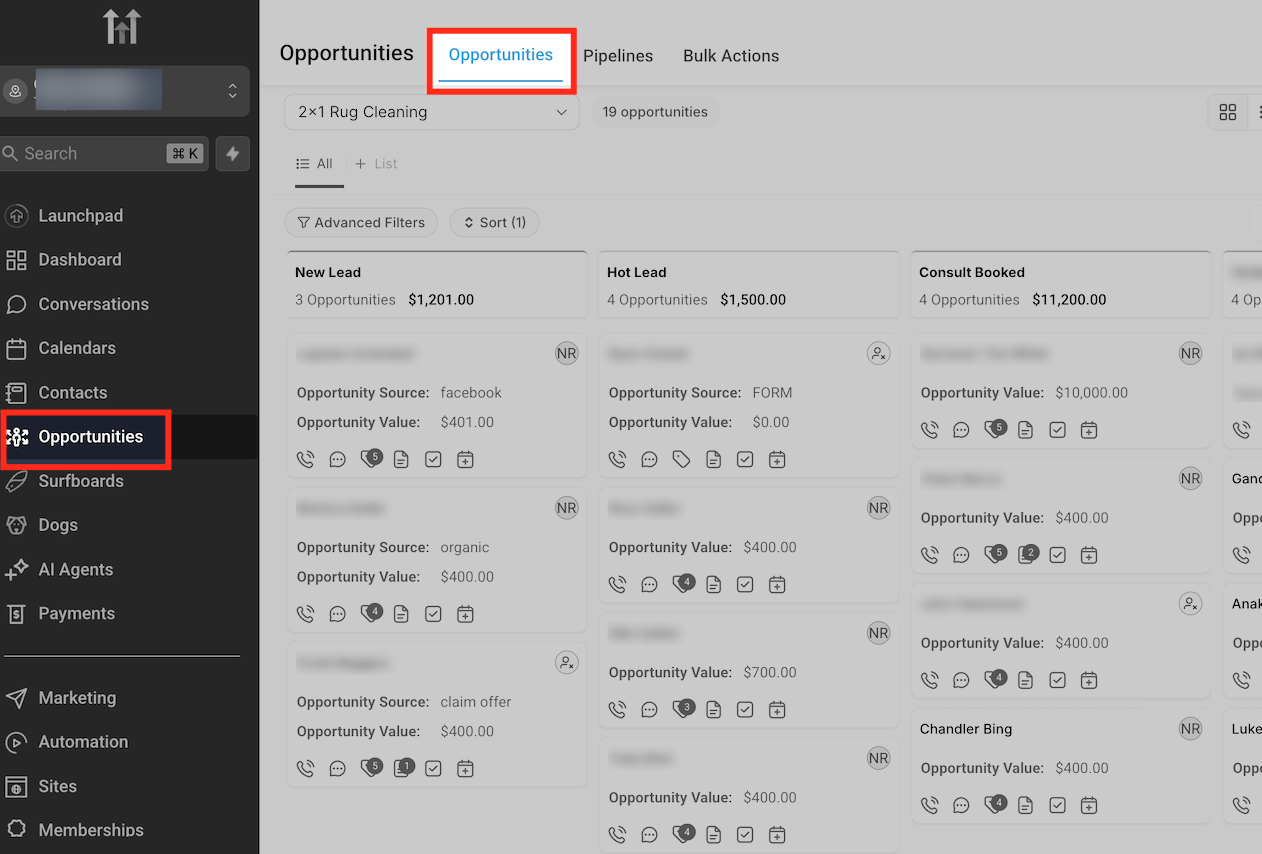
Opportunities represent individual deals inside a pipeline. When you delete an opportunity, it disappears from the active list but stays in the system for up to 60 days, allowing later recovery. The deletion tools live in the Opportunities section of the left sidebar.
Restoration can be done through bulk actions or the Audit Logs. Bulk actions let you reverse a recent delete with a few clicks, while Audit Logs provide a detailed history for any deletion in the last 60 days. Restoring a pipeline brings back all its stages and linked opportunities.
Only agency admins or account admins can delete or restore pipelines. All restoration actions require confirmation and respect the 60 day retention window.
03How businesses use deleting and restoring opportunities and pipelines
- Real estate agency. The agency bulk deletes sold property deals from Opportunities, confirming the action by typing DELETE. If a deal needs to be reinstated, they use the Bulk Actions view to select the delete entry and click Restore.
- Marketing agency. After a campaign ends, the agency removes the entire pipeline via the Pipelines tab and confirms the permanent deletion. When the client requests a restart, the agency opens Settings, accesses Audit Logs, finds the pipeline entry and restores it, bringing back all stages and opportunities.
- SaaS startup. The startup deletes an outdated lead by opening its detail page in Opportunities and clicking the Delete icon, then confirming. Later, they recover the lead by navigating to Settings, opening Audit Logs, filtering for Deleted opportunities, and selecting Restore on the specific entry.
04The numbers and rules that matter
- Deleted opportunities and pipelines are recoverable for up to 60 days.
05Before you start
- User must have agency admin or account admin permissions to delete or restore pipelines.
- Access to the Opportunities section and Settings menu is required for the respective actions.
06How to set up and use deleting and restoring opportunities and pipelines in HighLevel
Delete a single opportunity
- Open Opportunities from the left sidebar.
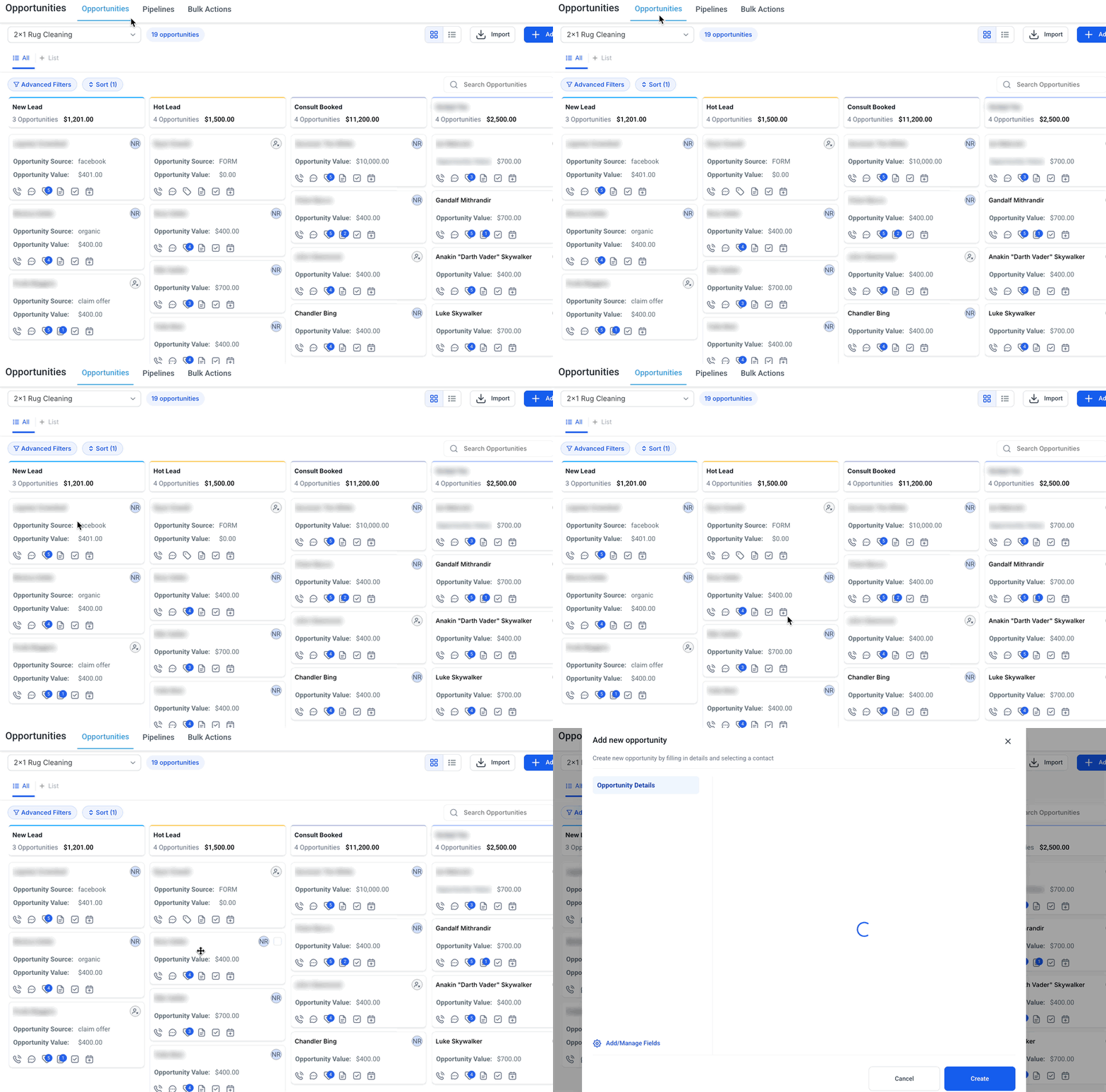
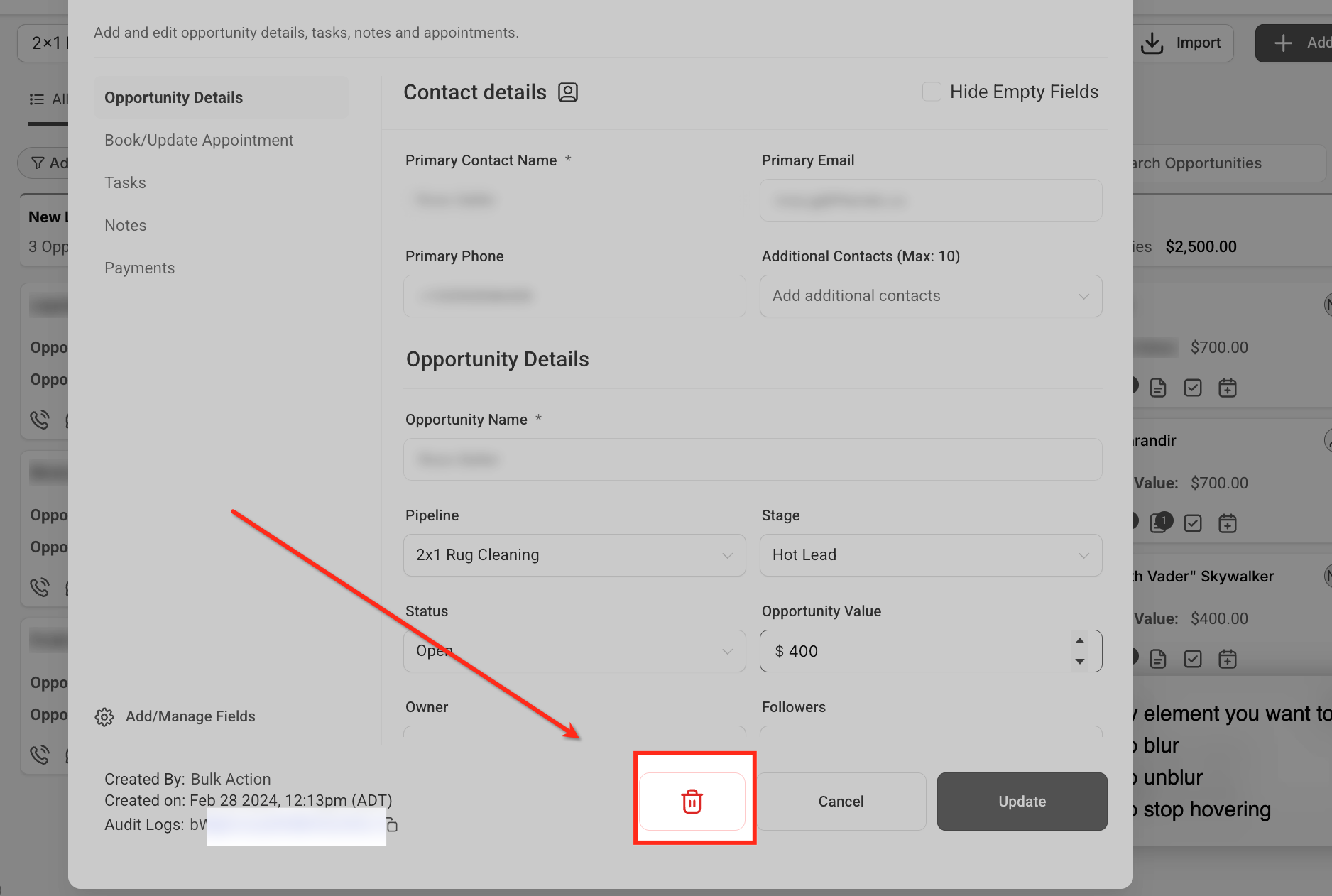
- Select the opportunity you want to remove.
- Click the Delete icon on the bottom row.
- Confirm the deletion when prompted.
Bulk delete opportunities
- Navigate to Opportunities.
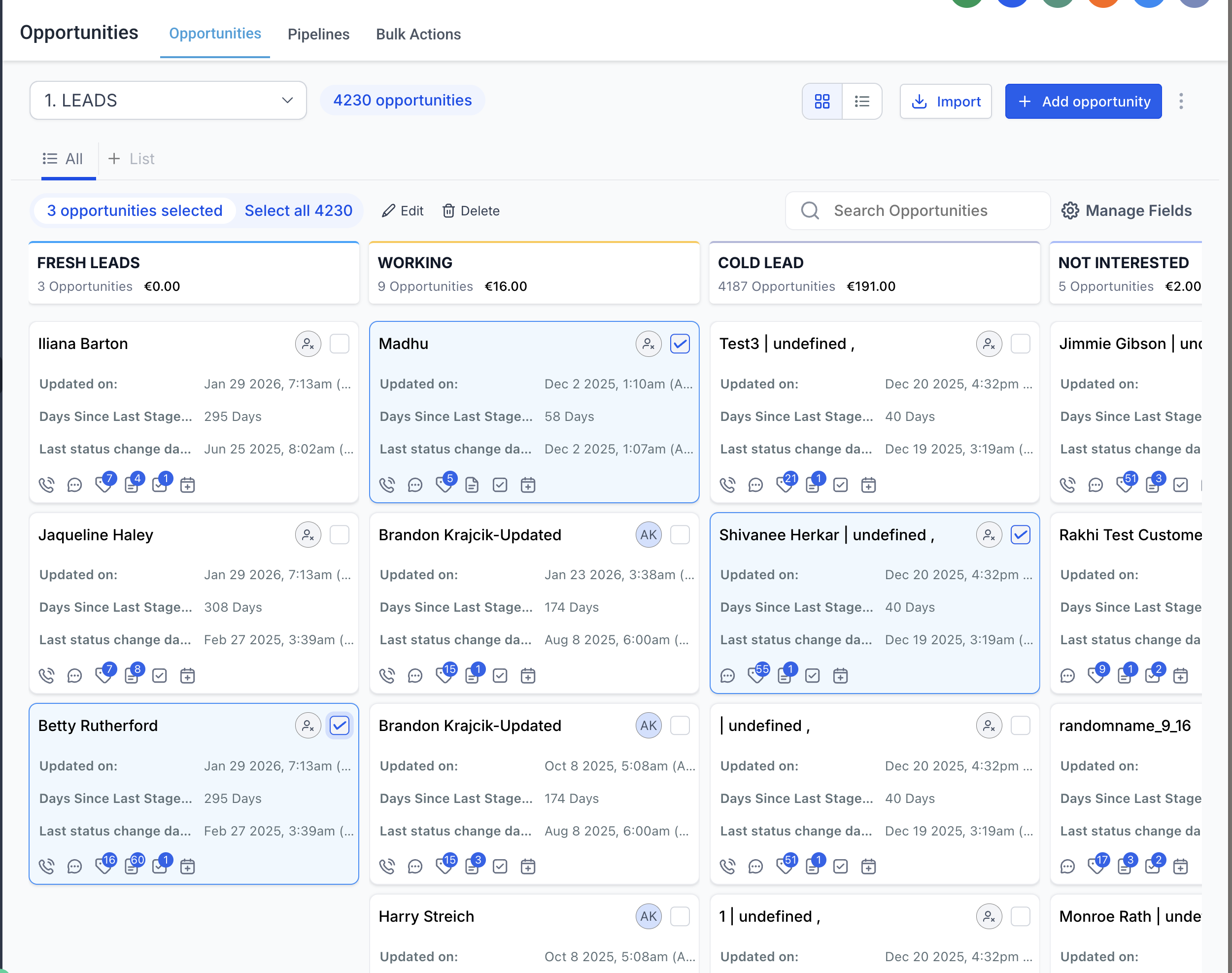
- Check the boxes next to each opportunity to delete.
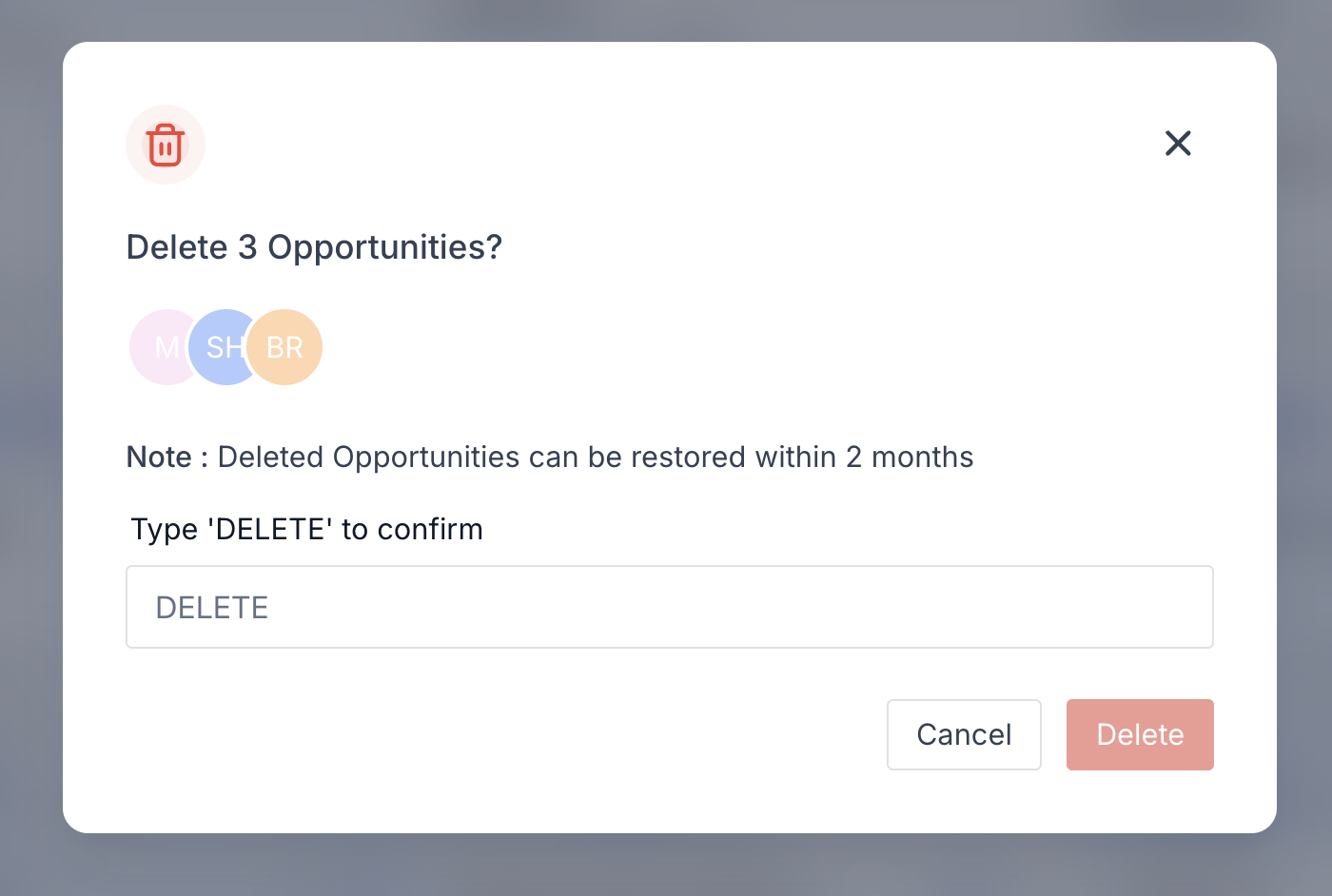
- Click Delete on the bulk actions bar.
- Type DELETE to confirm the operation.
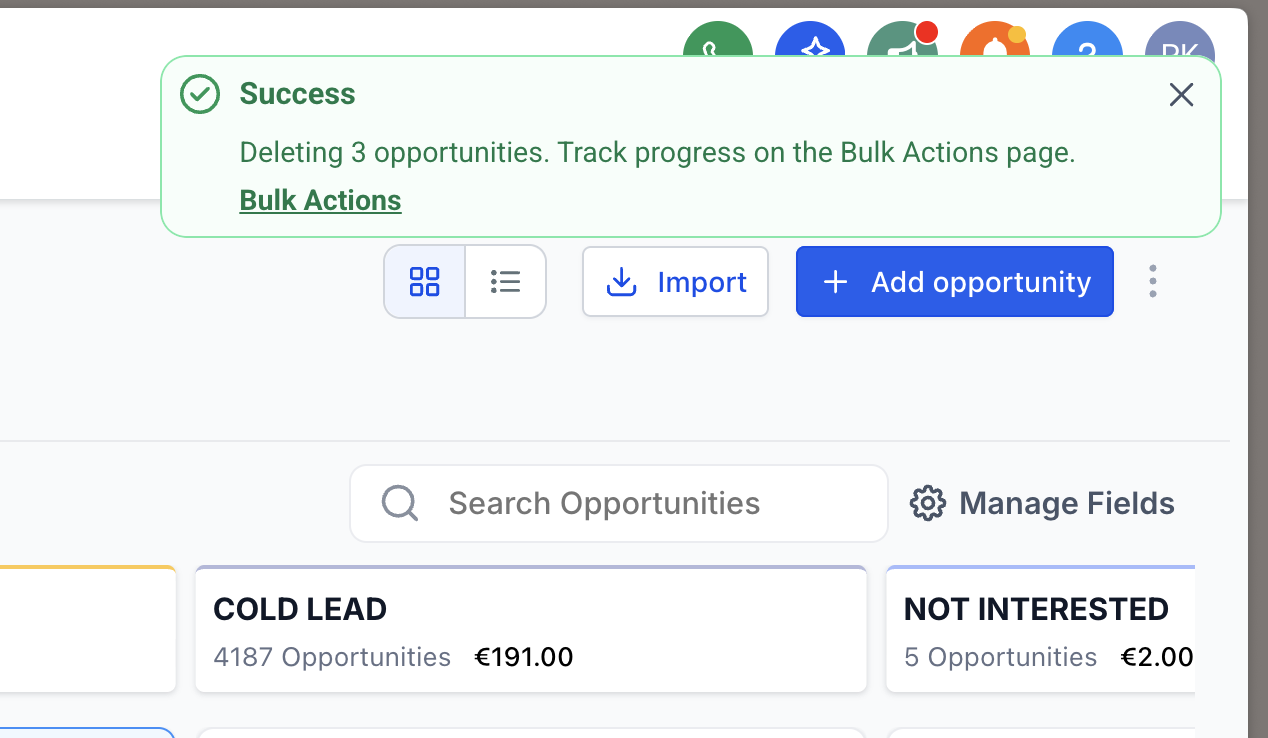
- Wait for the asynchronous process to finish and view the success link on the Bulk Actions page.
Restore opportunities via bulk actions
- Go to Bulk Actions from the Opportunities section.
- Find the delete action you wish to reverse.
- Click the ellipsis (⋮) and select Restore.
- Confirm the restore action.
Restore opportunities via audit logs
- Click Settings in the bottom left of the sidebar.
- Select Audit Logs from the Settings menu.
- Set the Action filter to Deleted and the Module filter to Opportunity.
- Locate the opportunity to recover and click the ellipsis beside it.
- Choose Restore to place the opportunity back in its original pipeline and stage.
Delete a pipeline
- Open Opportunities and click the Pipelines tab at the top.
- Click the trash icon next to the pipeline you want to delete.
- Confirm the prompt to permanently remove the pipeline, its stages, and its opportunities.
Restore a pipeline
- Navigate to Settings from the left sidebar.
- Open Audit Logs.
- Find the entry for the deleted pipeline.
- Click the ellipsis (three dots) beside the entry and select Restore.
- Confirm the restoration to bring back the pipeline, its stages, and its opportunities.
07What it looks like in HighLevel
08Settings that matter
- Audit Logs. Shows a complete history of user actions, including deletions, and provides options to restore deleted opportunities or pipelines.
09Things to know before you rely on it
- Deleted opportunities and pipelines can be restored only within 60 days of deletion; after that they are permanently removed.
- Opportunities linked to contacts that have been deleted cannot be restored.
- Only agency admins or account admins are authorized to delete or restore pipelines.
- Bulk deletions are processed asynchronously; progress is displayed on the Bulk Actions page.
- Restoring a pipeline also restores all its stages and any opportunities that were associated with it.
10How it connects to the rest of HighLevel
- Learn the fundamentals of opportunities and how they fit into your sales process. Understanding opportunities
- Set up pipelines and stages before using delete or restore functions. Create pipelines
- Review plan options to ensure you have admin permissions needed for pipeline management. Pricing and plans
Michael's take

Most people think once they hit delete the record is gone forever. The reality is HighLevel keeps a hidden copy for up to 60 days, so you can pull it back if you change your mind. Instead of panicking, I’d first check the Bulk Actions page or Audit Logs to see if a quick restore is available.
If I were cleaning up a cluttered pipeline, I’d remove the dead opportunities, then verify the restore path works by restoring a single test item. That gives me confidence the process is solid before I start bulk deletions.