Home/HighLevel/Features/Opportunities & Pipelines/Understanding opportunities in HighLevel

CRM and Pipelines

Understanding opportunities in HighLevel

In short

Opportunities in HighLevel represent potential sales or deals and move through pipeline stages, giving teams a central place to track, automate, and forecast revenue.

AreaOpportunities & Pipelines · Introduction to Opportunities
Used forCentralized tracking, Stage based forecasting, Automation triggers
Guide typeOverview
Last updatedNovember 3, 2026

01Opportunities, explained

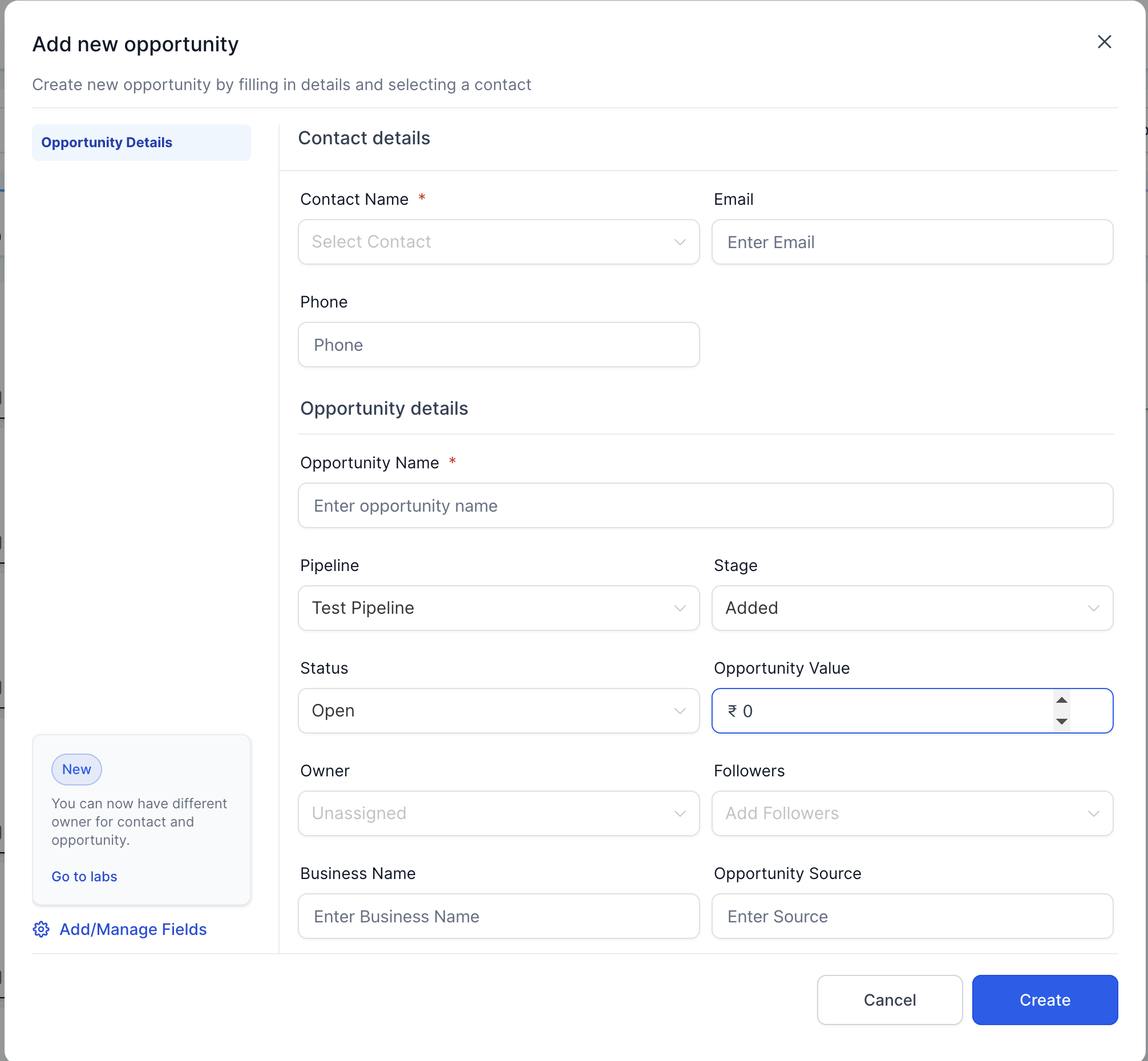
Opportunities are records that represent a potential sale or deal at any point in your pipeline. Each opportunity stores the prospect’s contact information, deal value, and historical notes.

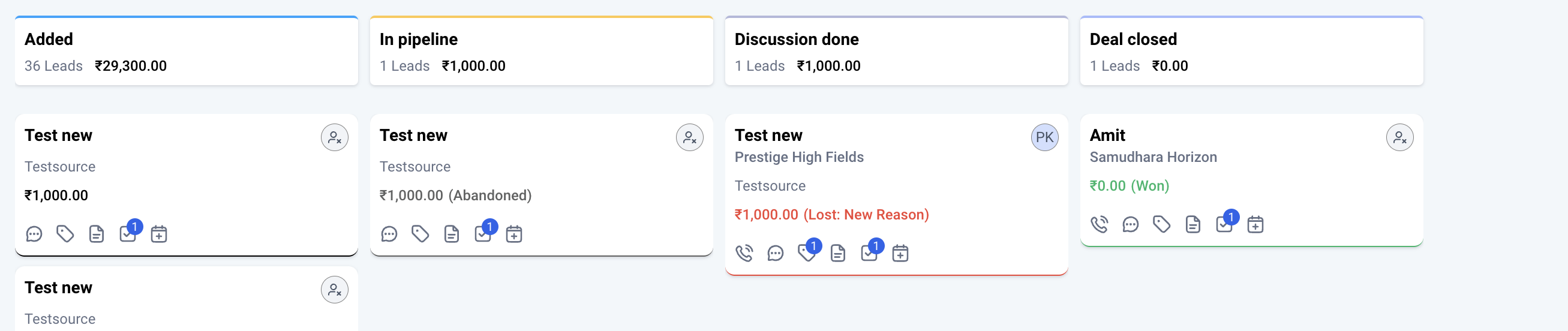
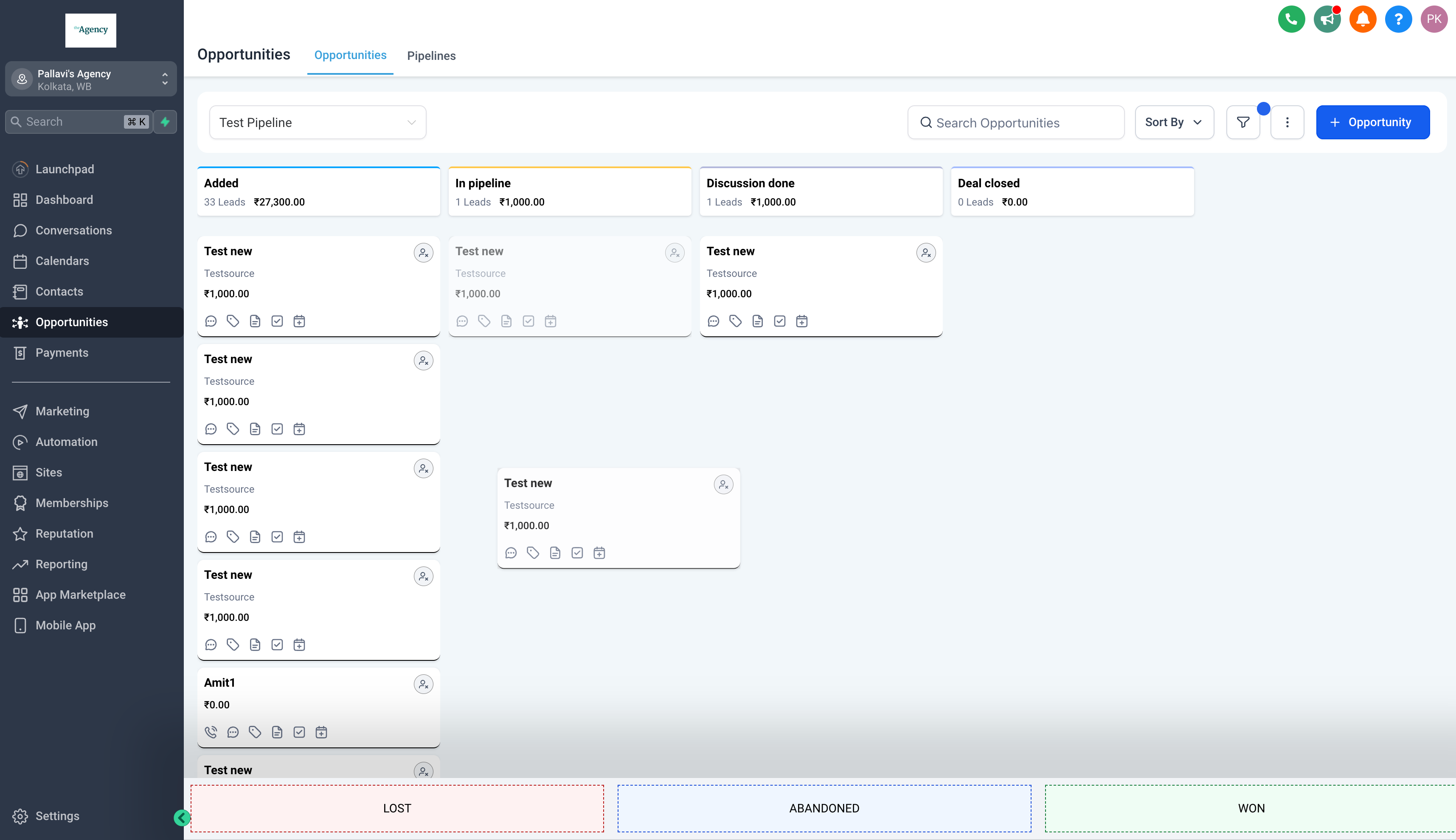
Opportunities advance through defined stages inside a pipeline, such as Prospecting, Qualification, Proposal, and Negotiation. Their status, Open, Won, Lost, or Abandoned. Can be used to prepare filters.

02How businesses use the Opportunities

  • Centralized tracking. All notes, tasks, and communications live on the opportunity card, eliminating data silos.
  • Stage based forecasting. Predict revenue by looking at how many deals sit in each stage and their expected values.
  • Automation triggers. Fire workflows when an opportunity is created, moves stages, or changes status. Saving hours of manual work.
  • Team collaboration. Assign owners, tag teammates, and track activity history without endless email threads.

03What it looks like in HighLevel
Michael's take

Michael Reimer
Michael ReimerFounder of CRM Pros, HighLevel Commander and Certified Admin

Opportunities keep everything in one place, which makes it easier to stay organized.

Get More InformationOpens on HighLevelPublished November 2, 2026 · Updated November 3, 2026

Common questions

Common questions about the Opportunities.

What are opportunities in HighLevel?

Opportunities are records that represent a potential sale or deal at any point in your pipeline. Each opportunity stores the prospect’s contact information, deal value, and historical notes.

What status options are available for opportunities?

Open, Won, Lost and Abandoned are opportunity status which are present by default.

How can opportunities be used for automation?

Automation Triggers: Fire workflows when an opportunity is created, moves stages, or changes status. Saving hours of manual work.

Next step

Pick the features that matter. Then get the plan that unlocks them.

Explore the features you want, start with the five at the top, and upgrade through my link when you are ready. The bonuses and the team come with it.

The features directory explains every HighLevel feature in plain English. Browse it to see what the platform can do.

Back to the FeaturesSee the full details
⌃

Site preview

Explore the next page

This destination is reserved in the page inventory and is not built yet.