
01Who this is for
- Sales managers who need to reorganize their sales flow without losing active deals, ensuring continuity for their team.
- Service business owners who want to trim unnecessary stages in their onboarding pipeline while preserving client records.
- Automation specialists who rely on stage based triggers and must keep those triggers functional after a stage is removed.
02Pipelines, explained
The pipeline feature visualizes the progress of leads, deals, or customers as they move through a series of stages. Each opportunity occupies one stage at a time and advances left to right as work is completed.
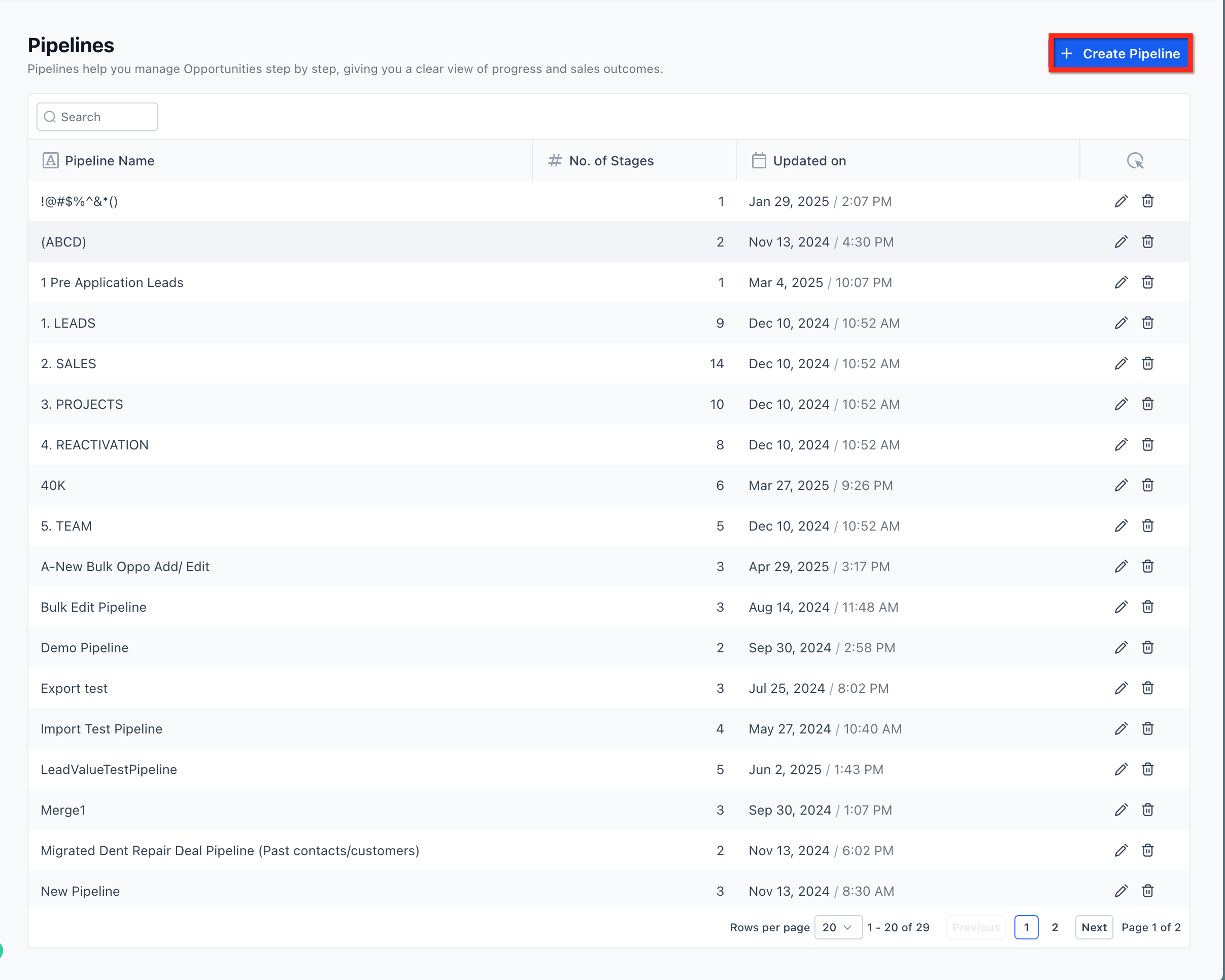
The stage list lives under the Opportunities section of a subaccount. From the Pipelines page you can rename, reorder, add, or delete stages. When you delete a stage, the system prompts you to pick another stage to receive all opportunities that were in the removed stage, preventing data loss.
The updated Pipelines experience, which uses the HighRise design system, is optional and is enabled via Subaccount > Labs. Enabling it changes the UI but does not alter core pipeline functionality or existing automations.
03How businesses use pipelines
- Real estate agency. When a property showing stage becomes redundant, the agent opens the pipeline, deletes the stage, and selects the "Offer" stage as the new destination. All active property leads automatically move to the chosen stage, keeping the sales flow intact.
- Coaching business. If the "Program Selected" stage is merged into "Payment", the coach navigates to Opportunities > Pipelines, removes the old stage, and redirects opportunities to the payment stage. This streamlines the client journey without dropping any prospect records.
- Digital marketing agency. When the agency decides to combine "Proposal" and "Agreement" stages, it deletes the proposal stage in the pipeline, chooses the agreement stage as the fallback, and confirms. All proposals in progress shift to the agreement stage, preserving the automation triggers tied to that stage.
04Before you start
- You must have access to the Opportunities > Pipelines area in the subaccount.
- The pipeline that contains the stage you want to delete must already exist.
05How to set up and use pipelines in HighLevel
Delete a pipeline stage
- Navigate to Opportunities > Pipelines.
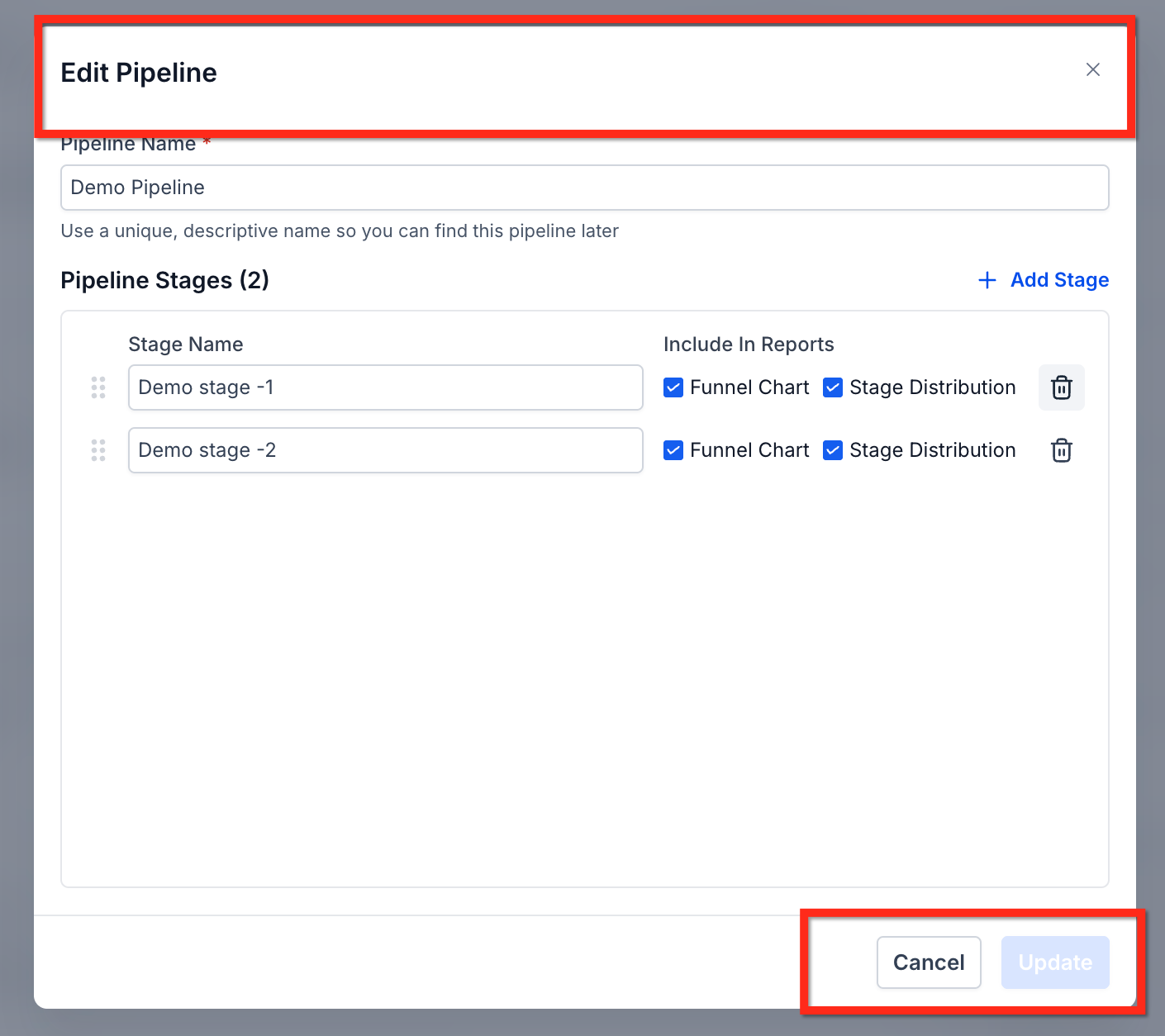
- Open the pipeline that contains the stage you wish to remove.
- Click the delete icon located next to the target stage.
- Choose another stage to receive the existing opportunities.
- Confirm the deletion to complete the process.
06What it looks like in HighLevel
07Settings that matter
- Updated Pipelines Experience (Labs). Enables the new HighRise styled pipeline interface; it does not change underlying pipeline logic.
08Things to know before you rely on it
- Core pipeline functionality remains unchanged; only the user interface is updated.
- Too many stages can slow workflow and reduce clarity, so keep stage count to only what is essential.
- The updated Pipelines experience is optional and must be turned on via Subaccount > Labs.
09How it connects to the rest of HighLevel
- Learn how opportunities work alongside pipelines in HighLevel. Understanding opportunities
- Step by step guide for creating pipelines and stages. Create pipelines
- Automation options that trigger on stage changes. Pipeline automations
Michael's take

The first setting I would get right is turning on the updated Pipelines experience in Subaccount > Labs. It gives you a clean UI and the safety net for editing stages, which makes day to day management smoother.