
01Who this is for
- Marketers running cold outreach campaigns benefit from varied greetings that reduce repetition.
- Automation specialists can test multiple messaging styles in a single workflow, saving time on copy creation.
02Spintax email variations, explained
Spintax is a formatting syntax that inserts several alternatives inside curly braces prefixed by the keyword SPIN. Each block returns a single randomly chosen option when the email is dispatched. The feature works inside the email editor, whether you are building a one off message, a bulk action, a workflow step, or a conversation reply.
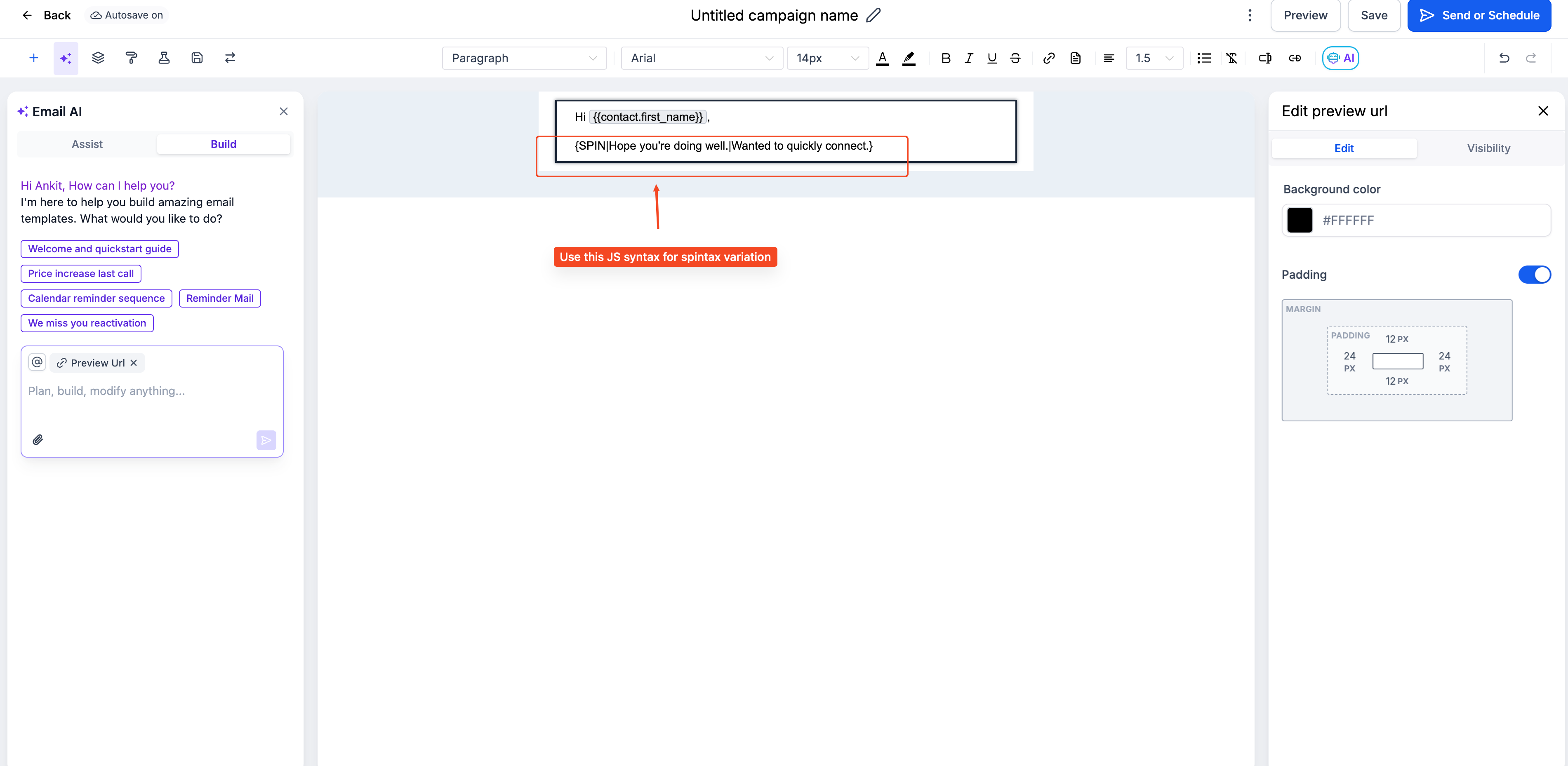
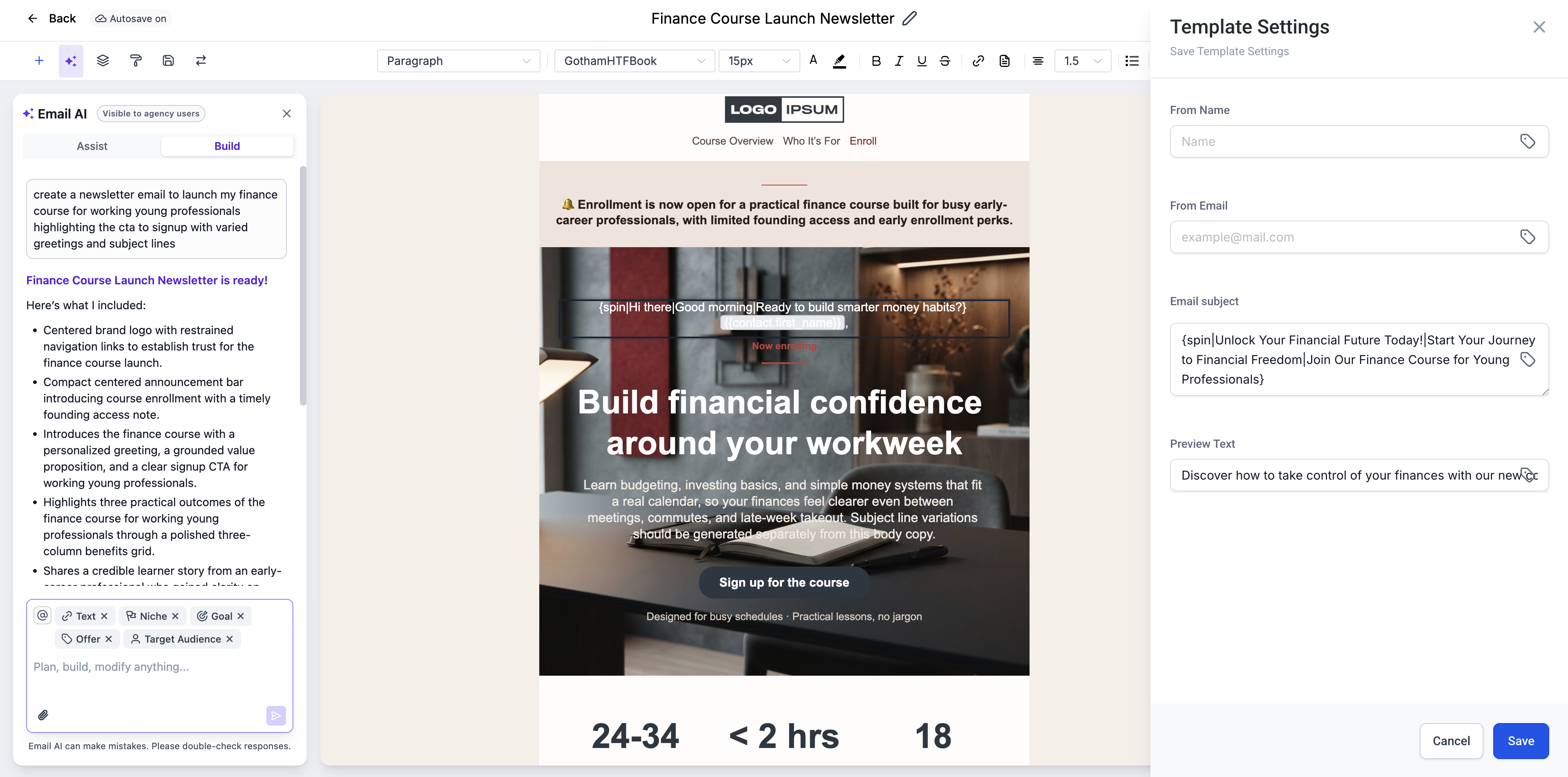
To use it, you write the block like {SPIN|Option 1|Option 2|Option 3}. You can also place merge fields or Custom Values inside the alternatives, allowing each variation to show a different name, product, or custom attribute. The platform selects an option at send time; several recipients may still receive the same wording.
03How businesses use spintax email variations
- SaaS startup. In the email builder, the startup adds a SPIN block with three different onboarding greetings. It saves the template and sends a test to confirm the block works before launching the welcome series.
- Real estate agency. The agency creates a bulk action email that includes a SPIN block featuring several call to action phrases. Custom Values for property type are placed inside each phrase to personalize the outreach.
- Fitness coaching business. A coach sets up a workflow email that mixes motivational sentences using SPIN syntax and inserts the client’s first name via a merge field. The email is previewed and a test is sent to verify variation selection.
04The numbers and rules that matter
- Supported in Conversations, Bulk Actions, Workflows, Email Builder.
- Basic syntax: {SPIN|Option1|Option2|Option3}.
05How to set up and use spintax email variations in HighLevel
Add Spintax to an email
- Open the email editor within HighLevel.
- Insert a SPIN block by typing a left brace, the word SPIN, a pipe, each alternative separated by pipes, and close with a right brace.
- Use full phrases or sentences rather than single word swaps for more effective variation.
- Save the draft or template after the block is added.
- Preview and send a test email to confirm that a variation is selected.
- When the email is sent, HighLevel randomly chooses one alternative from each SPIN block.
06What it looks like in HighLevel
07Things to know before you rely on it
- Spintax works only in the email editors for Conversations, Bulk Actions, Workflows, and the Email Builder.
- Simple word swaps have limited effect on deliverability; use full phrases or sentences for better variation.
- The platform selects one option per block at send time, so multiple recipients can still see the same version.
- Preview tools may not display every possible variation; testing with real sends is recommended.
08How it connects to the rest of HighLevel
- Learn the difference between email templates and campaigns. Email templates vs campaigns
- Send or schedule a regular email campaign in HighLevel. Schedule email campaign
- Explore the HighLevel pricing and plans for access details. Pricing and plans
Michael's take

Spintax can feel like a gimmick if you overuse it; simple word swaps won’t fool modern inbox filters and can make your copy look forced. Treat it as a supplement, not a replacement for solid copywriting and proper list hygiene.
When used wisely, it lets you generate many natural sounding variations without writing each one from scratch.