
01Email templates, explained
The process starts in ActiveCampaign, where you copy a share link for the template you want.
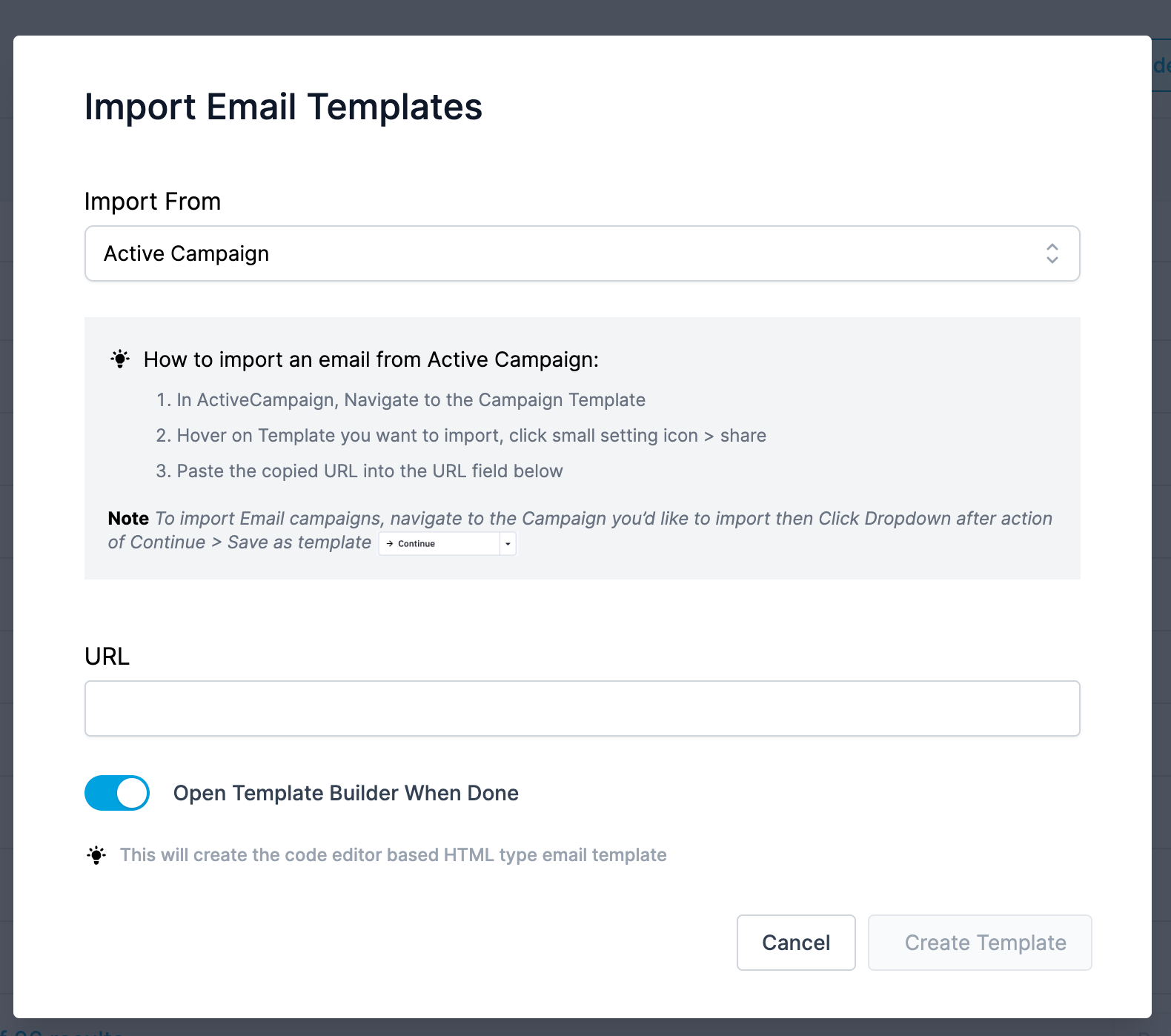
In HighLevel you create a new template, paste the share link, preview the content, and click Create Template to save a Code Editor HTML template.
02Before you start
- Log in to your ActiveCampaign account before continuing this page.
03How to set up and use email templates in HighLevel
Import email template
- In ActiveCampaign, click Campaigns > Campaign Templates.
- Hover over the desired template and click the gear icon.
- Select Share and copy the share link from the modal.
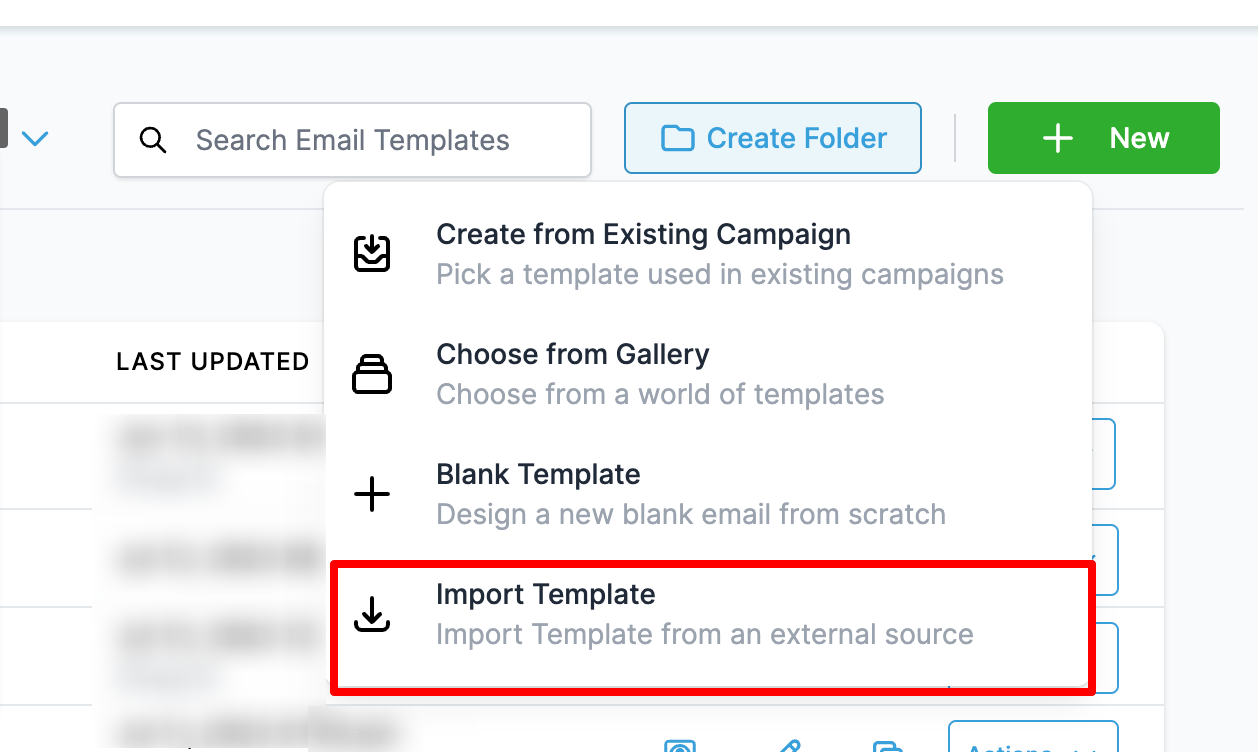
- In HighLevel, go to Emails > Email Templates.
- Click Create New Templates and choose Import Template.
- Paste the ActiveCampaign share link into the import field.
- Check the preview of the imported template.
- Click Create Template to finish the import.
04What it looks like in HighLevel
Michael's take

Michael ReimerFounder of CRM Pros, HighLevel Commander and Certified Admin
Getting a consistent look across your email campaigns can be a hassle when you’re juggling multiple platforms. The quickest win is to make sure the share link you copy from ActiveCampaign is the exact one you paste into HighLevel’s import field.
Once the link is correct, the import creates an HTML version you can tweak or send straight away. I’d verify the preview matches the original before committing the template.
Get More InformationOpens on HighLevelPublished November 2, 2026 · Updated November 3, 2026