
01Who this is for
- Marketing managers: they can automate followups and cut down manual outreach.
- Email specialists: they gain a clear view of pending resends and can adjust timing quickly.
- Small business owners: they can boost open rates without extra staffing.
02Resend campaign visibility & control, explained
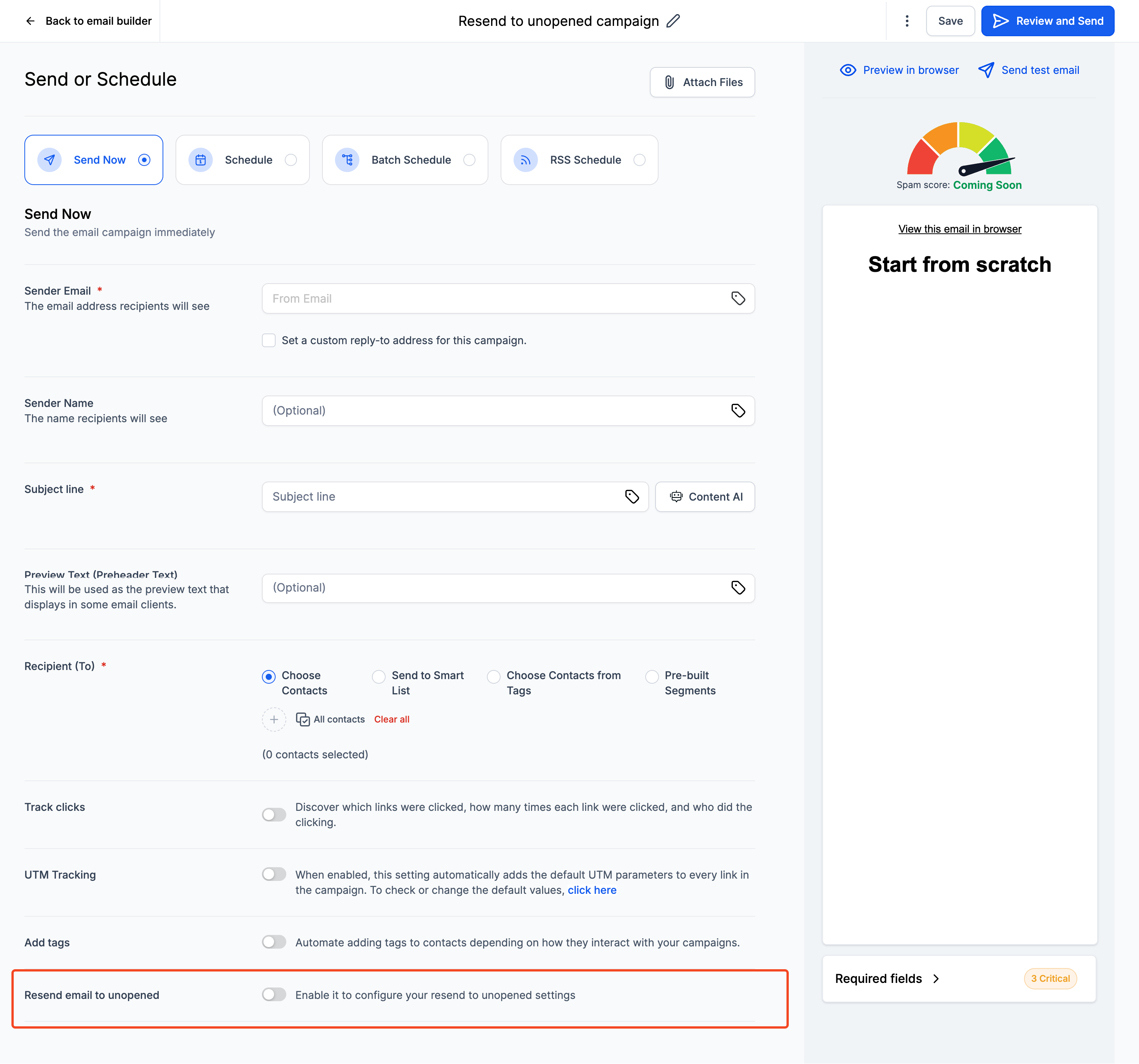
The feature adds a resend option directly in the email campaign builder. When you toggle the resend control, you specify how many days to wait before sending a second email and provide a different subject line for that followup. The platform then schedules the resend automatically.
In the campaign list a pending resend appears with a “Waiting” label, making it easy to spot. From the three dot menu you can edit the delay, change the subject, or cancel the resend entirely. The same controls work for batch sent and RSS driven campaigns, but only contacts who did not open the original email are targeted.
03How businesses use resend campaign visibility & control
- SaaS startup. During campaign creation the team enables resend, sets a two day delay and a new subject line. They watch for the “Waiting” status to ensure the followup is queued, and adjust the timing if a launch date shifts.
- Local gym. The gym creates a weekly newsletter, turns on the resend feature, and chooses a three day delay with a subject that highlights a new class. Staff can cancel the resend from the campaign view if the class fills up early.
- Nonprofit organization. When sending a donor appeal, the nonprofit enables a resend for unopened emails, sets a one day delay, and adds a subject that emphasizes impact. They monitor the campaign list for the “Waiting” label and edit the delay before the followup goes out.
04How to set up and use resend campaign visibility & control in HighLevel
Activate resend campaign
- Open the Email Campaigns dashboard and create a new campaign or open an existing one.
- Click the Send or Schedule button to start building the email.
- Toggle the Resend Settings option to turn the feature on.
- Enter the desired duration before resend and the new subject line for the followup.
- Send the campaign; the platform now schedules the resend automatically.
- In the campaign list, look for the Waiting label and use the three dot menu to edit or cancel the resend if needed.
05What it looks like in HighLevel
06Settings that matter
- Enable Resend Settings. Activates the option to schedule an automatic followup email for contacts who do not open the original.
- Duration before resend. Specifies how many days to wait after the first email before sending the resend.
- New subject line for the resend. Allows you to define a different email subject for the followup message.
07Things to know before you rely on it
- The resend feature works with both batch and RSS email campaigns.
- Only contacts who never opened the original email are eligible for the resend.
- If the original email is cancelled, the scheduled resend is also cancelled.
08How it connects to the rest of HighLevel
- Learn how to send or schedule a regular email campaign before adding a resend. Send or schedule email
- Use batch scheduling to set up multiple campaigns that can also use resend settings. Batch schedule campaigns
- View email statistics to measure the impact of resend campaigns. Email statistics
Michael's take

Resend Campaign Visibility & Control can feel risky if you let it run without a clear plan; a stray follow up could annoy contacts who already saw the content elsewhere. Keep an eye on the “Waiting” label so you know exactly which emails are queued.
When used wisely it reduces a lot of manual labor. It provides an easy way to give missed messages a second chance, which can lift open rates without extra effort from the team.