
01Who this is for
- Digital marketers at small businesses who need a single platform to run both Facebook and Instagram ads.
- Social media managers at agencies that handle multiple client pages and must keep Instagram identities linked to each Facebook Page.
02Instagram ads, explained
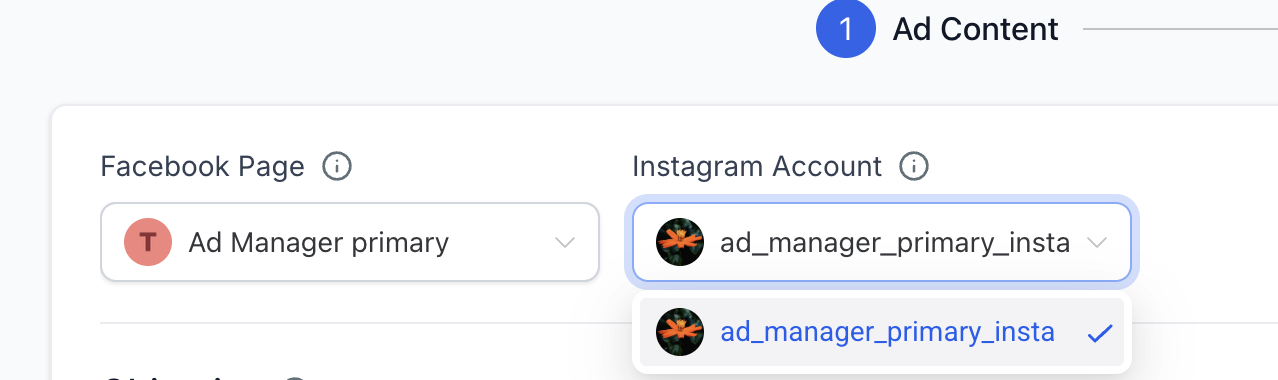
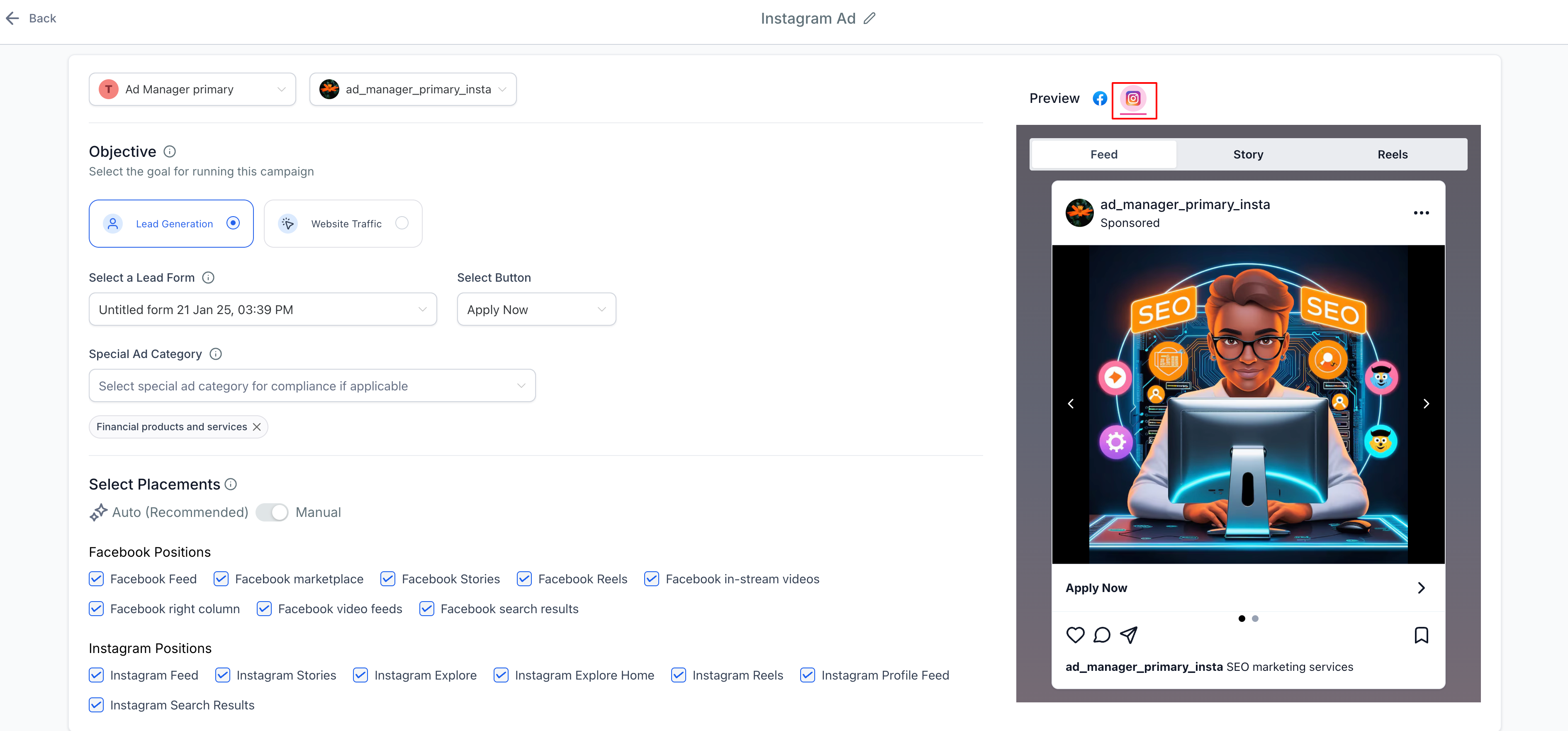
The Instagram ads feature lives inside the HighLevel Ad Manager. When you create a Meta campaign, the builder offers controls for the Instagram account and for Instagram specific placements. If an Instagram Business account is linked to the selected Facebook Page, the ad uses that account’s name, profile picture and follower count. If no Instagram account is linked, the ad falls back to the Facebook Page identity.
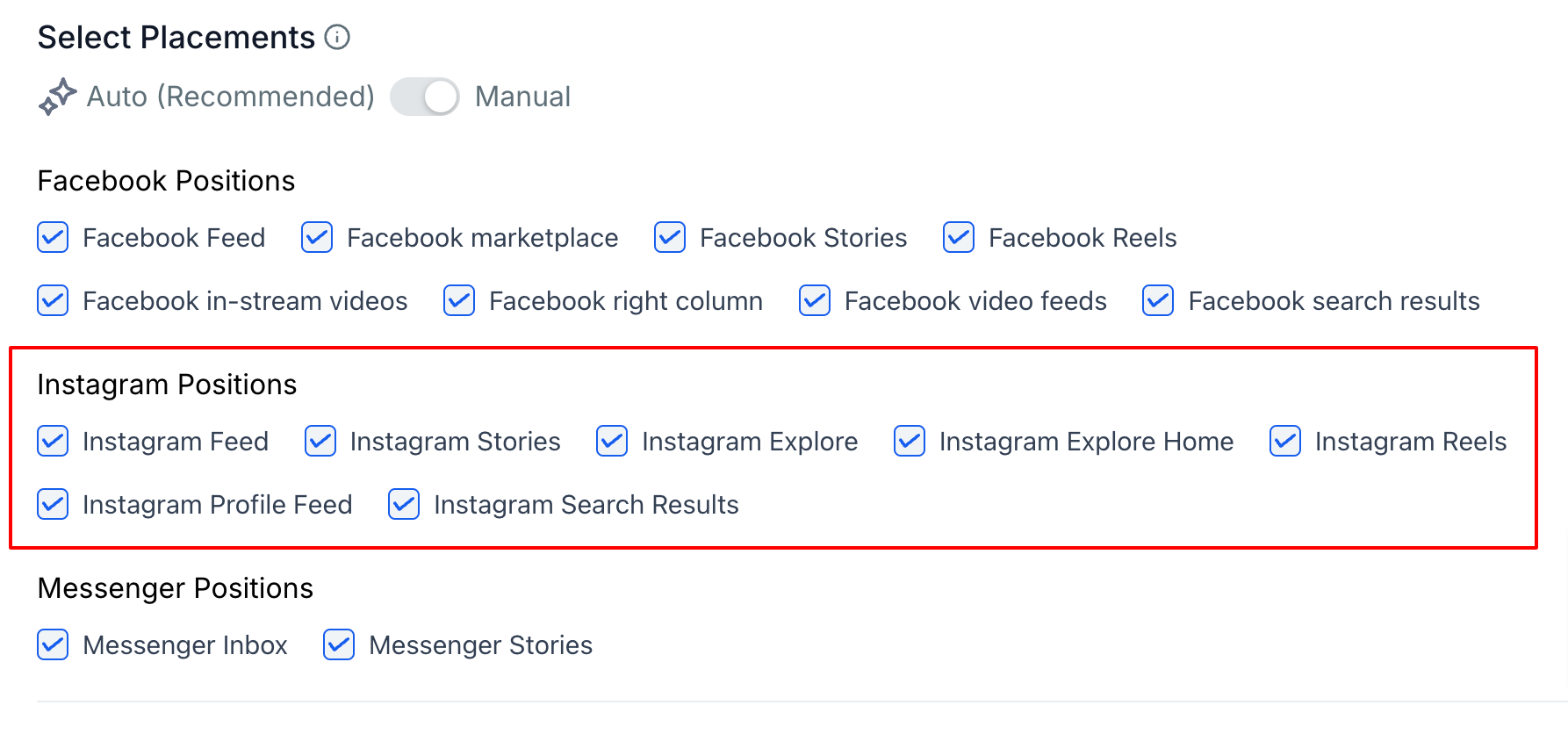
Placement choices appear in the Manual Placements area of the ad set. You can tick any supported Instagram placement; the Explore Feed option is no longer offered. A preview pane lets you switch to an Instagram tab to see exactly how the creative will appear. After publishing, Instagram metrics appear in the same statistics view used for Facebook ads.
03How businesses use Instagram ads
- Boutique clothing store. The owner links the store’s Instagram Business account to the brand’s Facebook Page. In Ad Manager they create a campaign, pick the Instagram identity, select Instagram Stories as the placement, upload lookbook images, set a budget and publish. They then preview the story to confirm the visual layout.
- Fitness studio. The studio’s marketer connects the studio’s Instagram account, builds a Meta campaign, chooses the Instagram carousel placement, adds class schedule videos, defines a local audience, and launches the ad. The preview tab shows how the carousel will look on Instagram before it goes live.
- Real estate agency. The agency links its Instagram Business profile, creates a new campaign, selects the Facebook Page identity when no Instagram account is attached, picks Instagram Feed placement, adds property photos and copy, publishes, and uses the preview to ensure branding matches the Facebook page.
04Before you start
- An Instagram Business or Creator account must exist.
- A Facebook Page that you own or manage is required.
- Admin access to both the Instagram account and the Facebook Page is needed.
05How to set up and use Instagram ads in HighLevel
Connect Instagram account to Facebook page
- If needed, switch the Instagram profile to a Business or Creator account through the Instagram app Settings > Account type and tools > Switch to professional account.
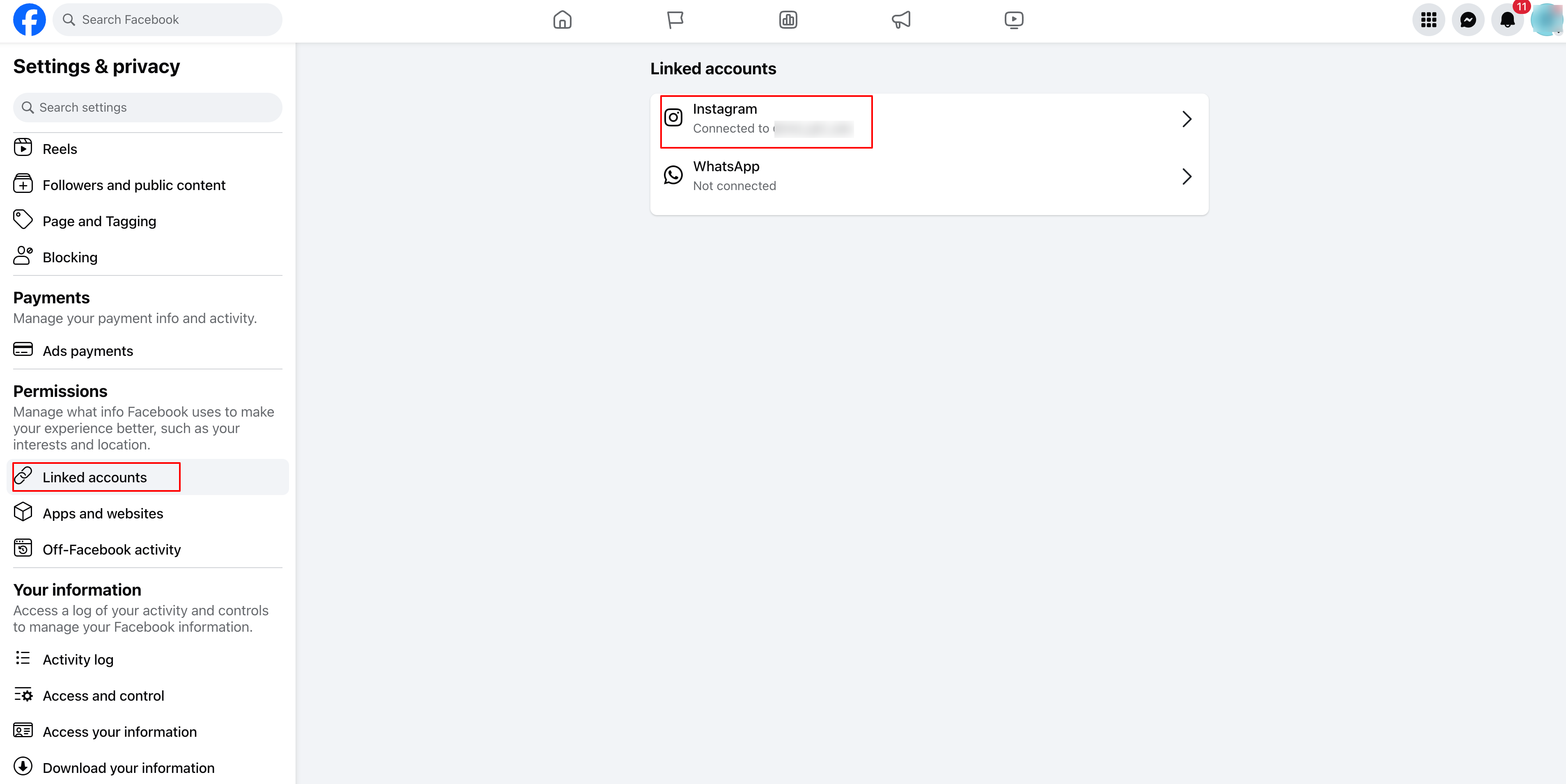
- Open the Facebook Page, go to Settings (left sidebar), choose Linked Accounts > Instagram, click Connect Account, log in to the Instagram account, and enable Allow Access to Messages & Connected Experiences.
- Alternatively, in the Instagram app go to Edit Profile > Public Business Information > Page, then Connect or create a Facebook Page and save.
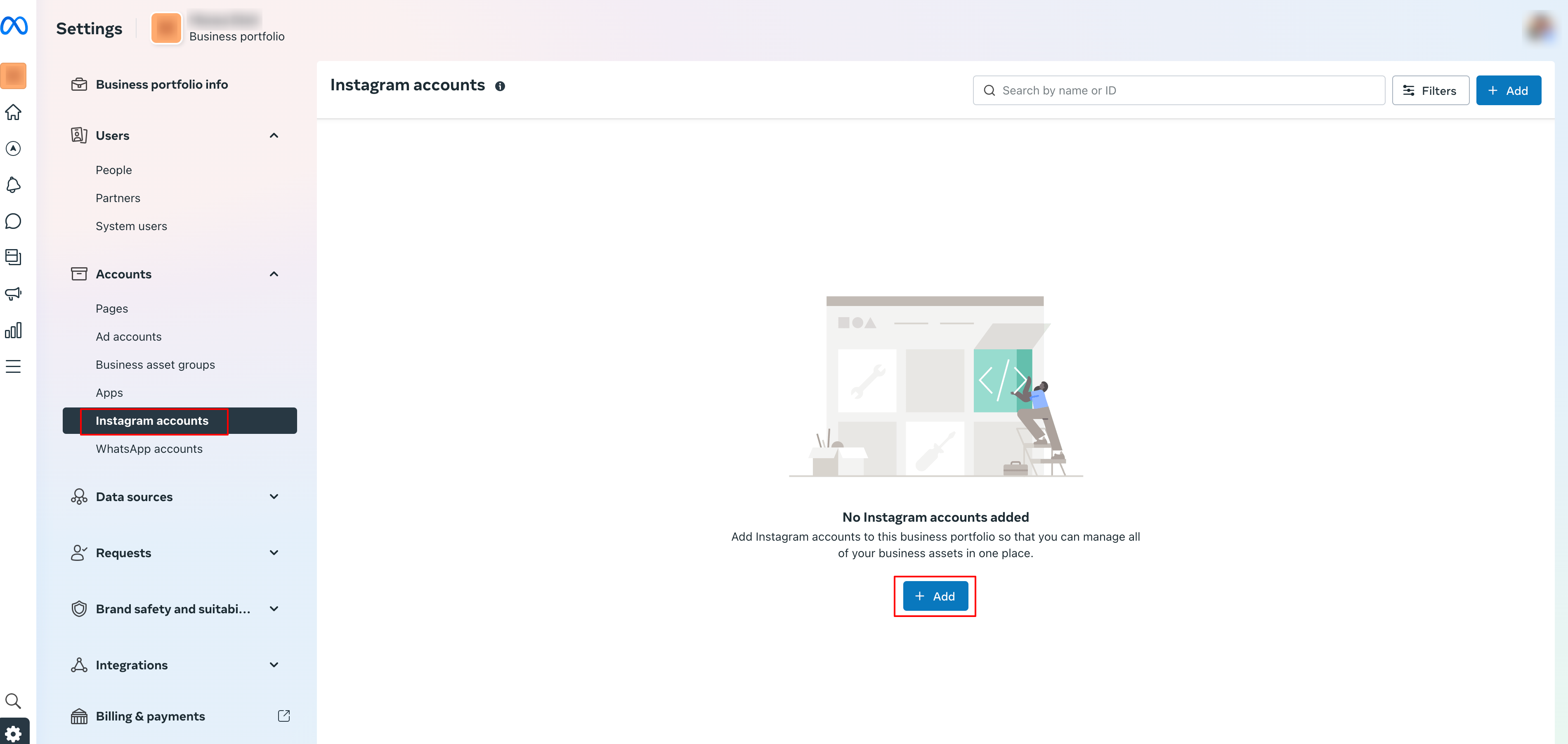
- Open Meta Business Suite (business.facebook.com), navigate to Settings > Instagram Accounts, and verify that the Instagram account appears; add it if missing.
- Perform the final check: the Instagram profile is professional, it is linked to the correct Facebook Page, and it is visible in Business Suite.
Publish ads on Instagram
- In HighLevel Ad Manager, click Create Campaign to start a new Meta campaign.
- Select the Facebook Page that will own the ad.
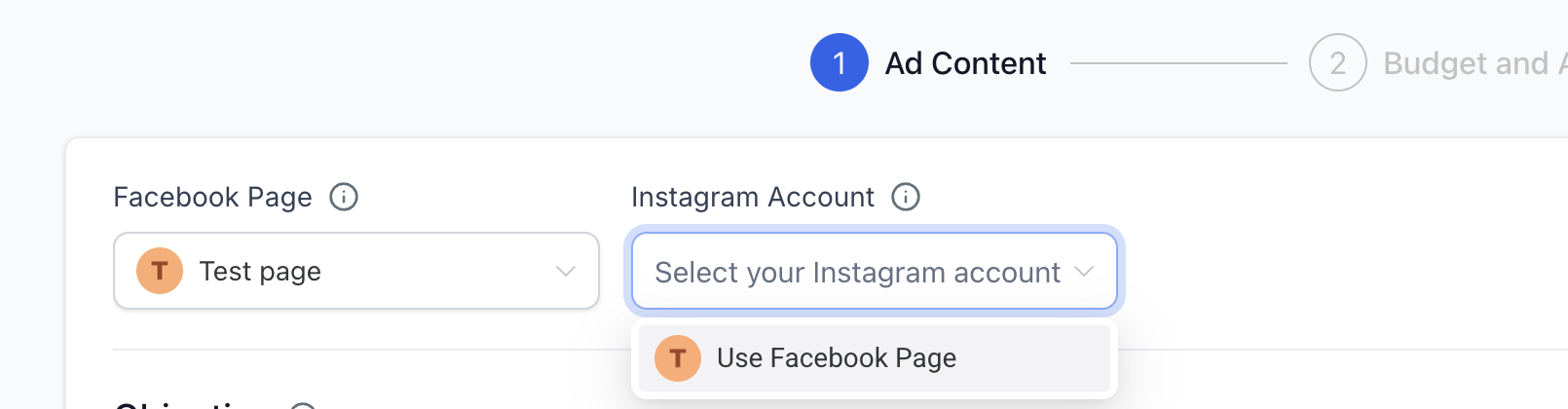
- Choose the Instagram account from the dropdown, or select the Facebook Page option if no Instagram account is linked.
- Open Manual Placements and tick the desired Instagram placements; note that Instagram Explore Feed cannot be chosen.
- Enter ad copy, upload media, set budget, define audience, and configure any additional campaign settings.
- Press Publish to launch the ad to both Facebook and Instagram.
- Open the preview window, select the Instagram tab, and review how the ad appears on Instagram.
06What it looks like in HighLevel
07Settings that matter
- Allow Access to Messages & Connected Experiences. Grants permission for the Instagram account to receive messages and to be used in integrated ad experiences.
- Instagram Accounts (Meta Business Suite Settings). Determines which Instagram Business account is linked to the selected Facebook Page.
- Manual Placements. Enables selection of specific Instagram placements for the ad; you can turn individual placements on or off.
- Instagram account dropdown (Ad Set level). Controls whether the ad uses a linked Instagram Business account or falls back to the Facebook Page identity.
08Things to know before you rely on it
- Only one Instagram Business account can be linked to a single Facebook Page.
- Instagram Explore Feed is no longer available as a selectable placement.
- An Instagram account must be professional (Business or Creator) to connect.
09How it connects to the rest of HighLevel
- Creating Meta campaigns in Ad Manager also includes Facebook ad setup. Create Facebook ad campaigns
- Targeting for Instagram ads is set in the audience controls of the campaign. Audience controls
- Performance data for Instagram ads appears in the statistics view alongside Facebook metrics. Ad manager statistics
Michael's take

Many Founders find it challenging to reach the younger, visual crowd that spends most of its time on Instagram.
The first setting I would lock down is the Instagram identity. Make sure the correct Instagram Business account is linked to the Facebook Page, or deliberately choose the Page identity if you prefer. A clean connection avoids surprises when the ad goes live.