
01Who this is for
- Marketing managers can reuse audience data across multiple retargeting ads, saving time building new segments.
- Ecommerce owners can target visitors who spent the most time on product pages, improving ad relevance.
- Lead generation firms can create audiences from completed lead forms to nurture prospects with follow up ads.
02Custom Audiences, explained
The feature lets you assemble audience groups inside HighLevel by pulling data from supported sources such as your website pixel, a Facebook Page, a lead form, or a CSV/Smart List of customers. Once Meta validates the list and marks it as Ready, the audience becomes selectable for any retargeting campaign that supports it.
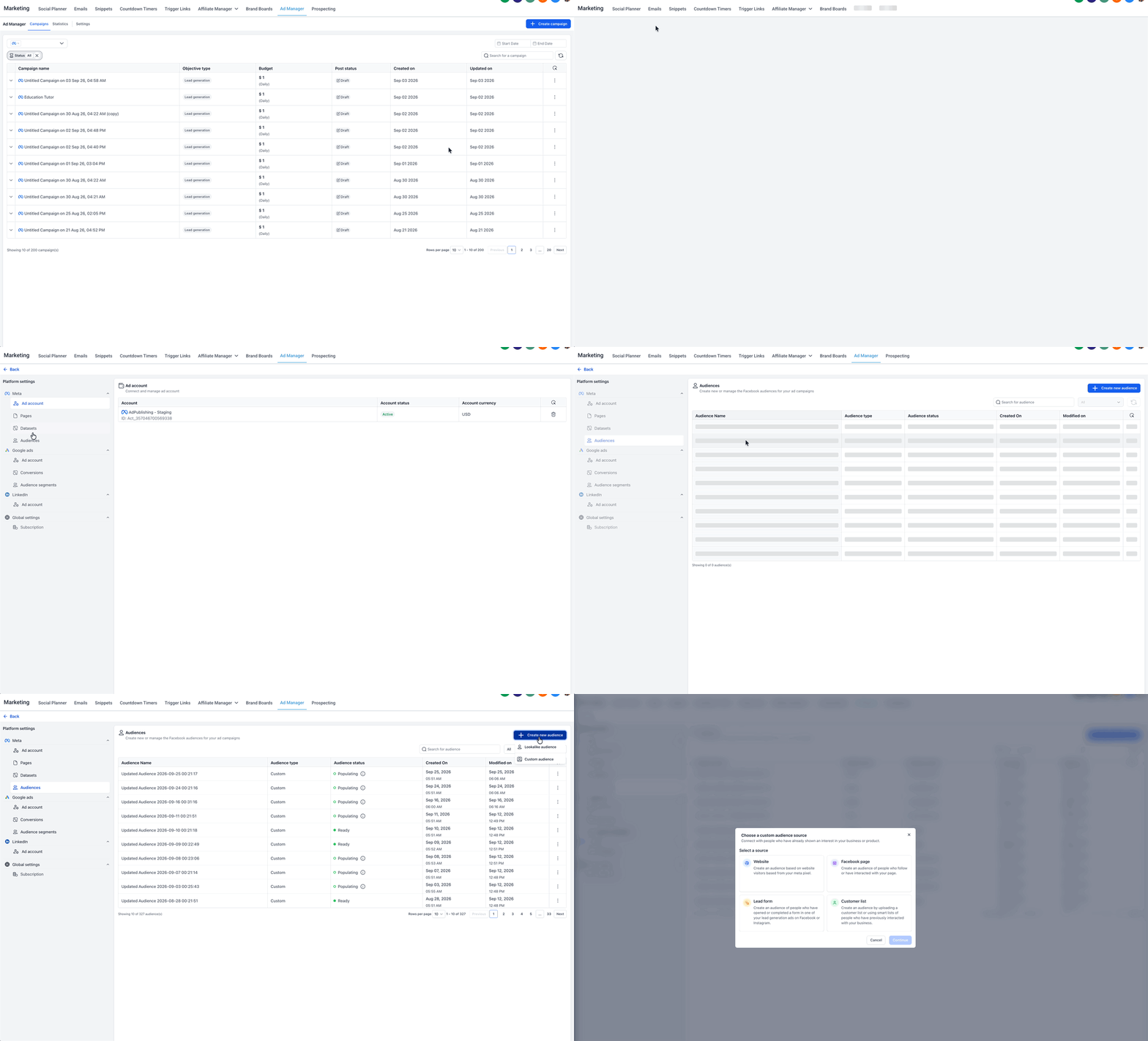
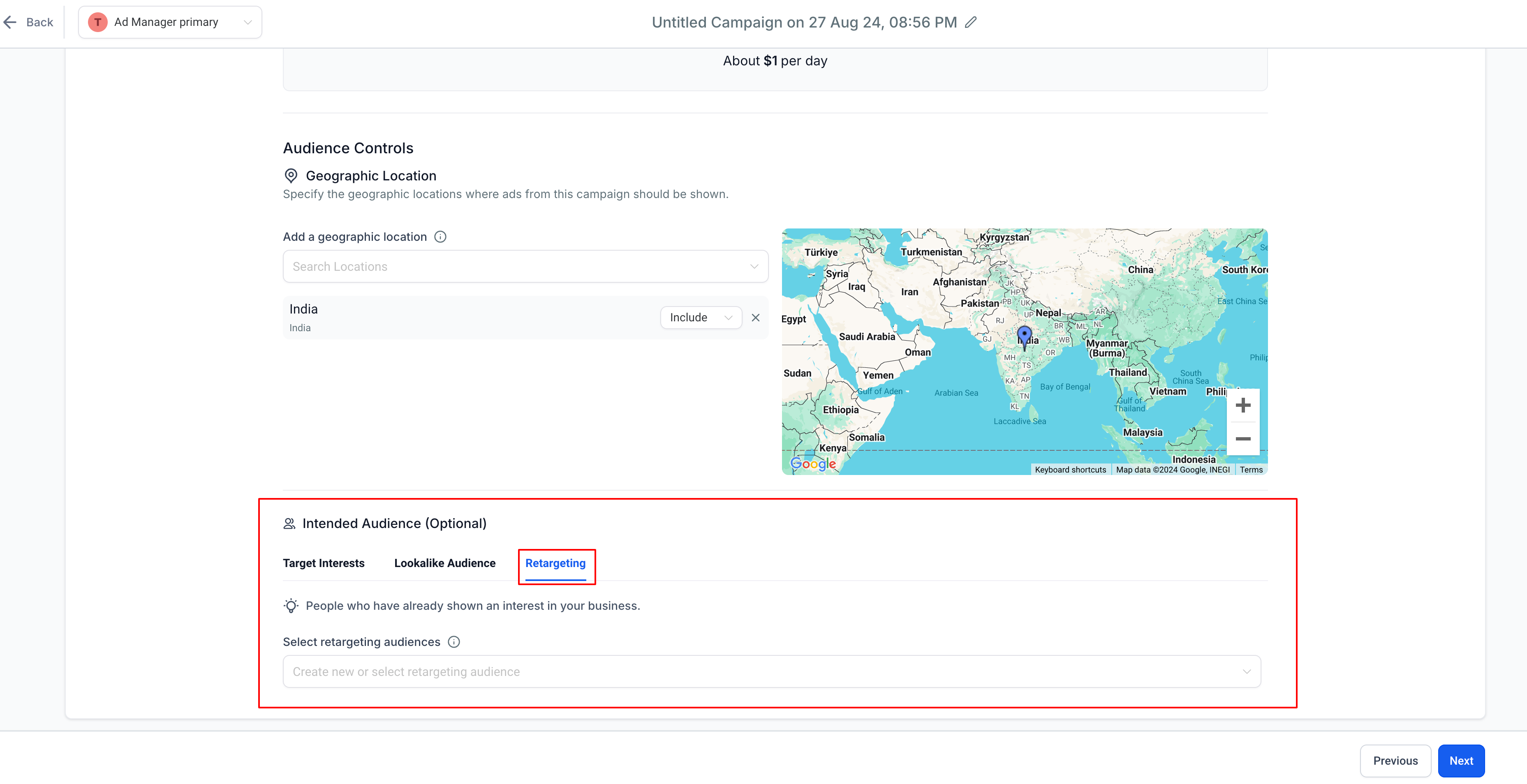
You access the creation tools either from the Ad Manager Settings area or directly while setting up the Retargeting audience on an ad set. The workflow stays inside the platform, so you never need to switch to another tool to define or edit the audience.
03How businesses use Custom Audiences
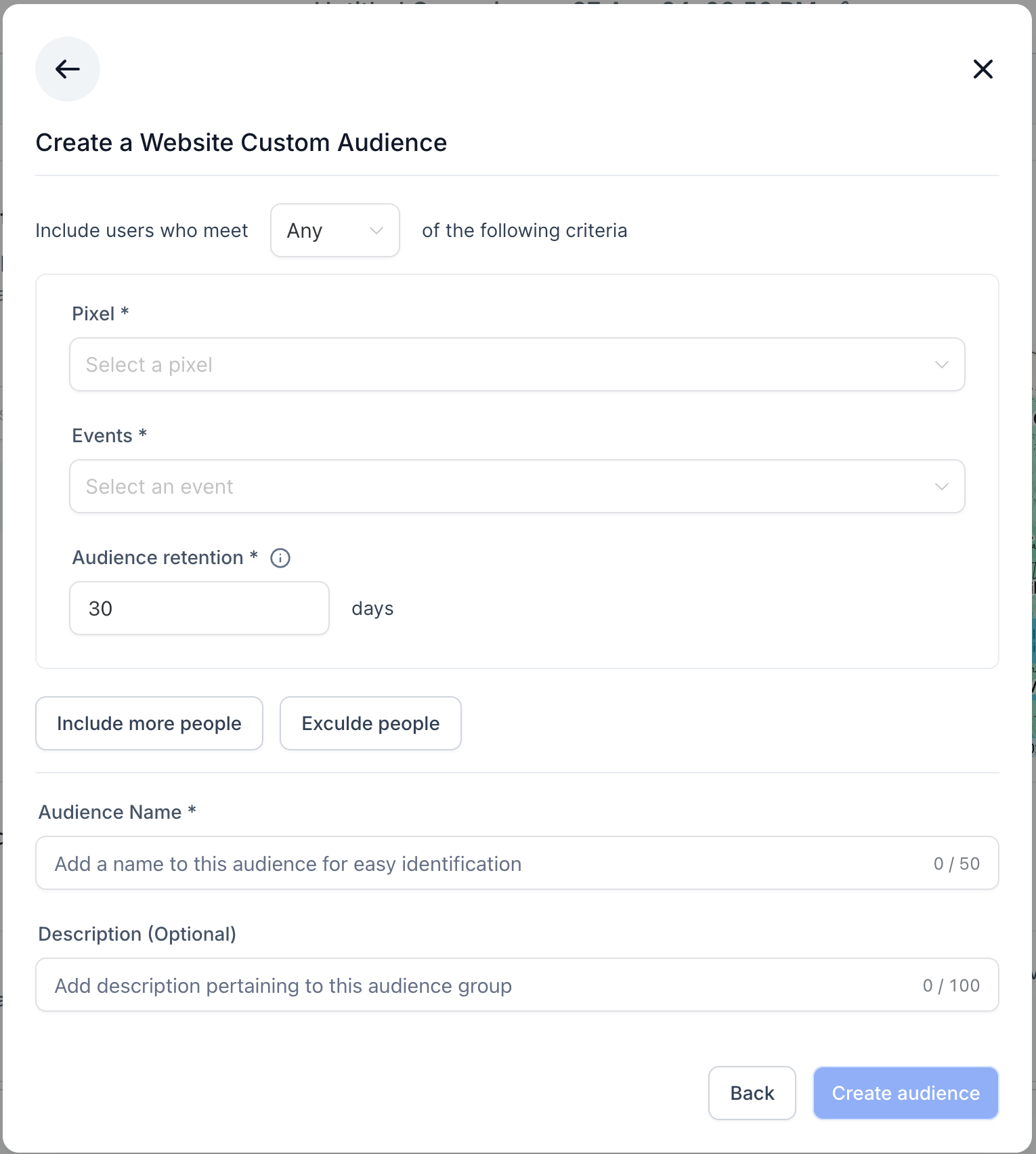
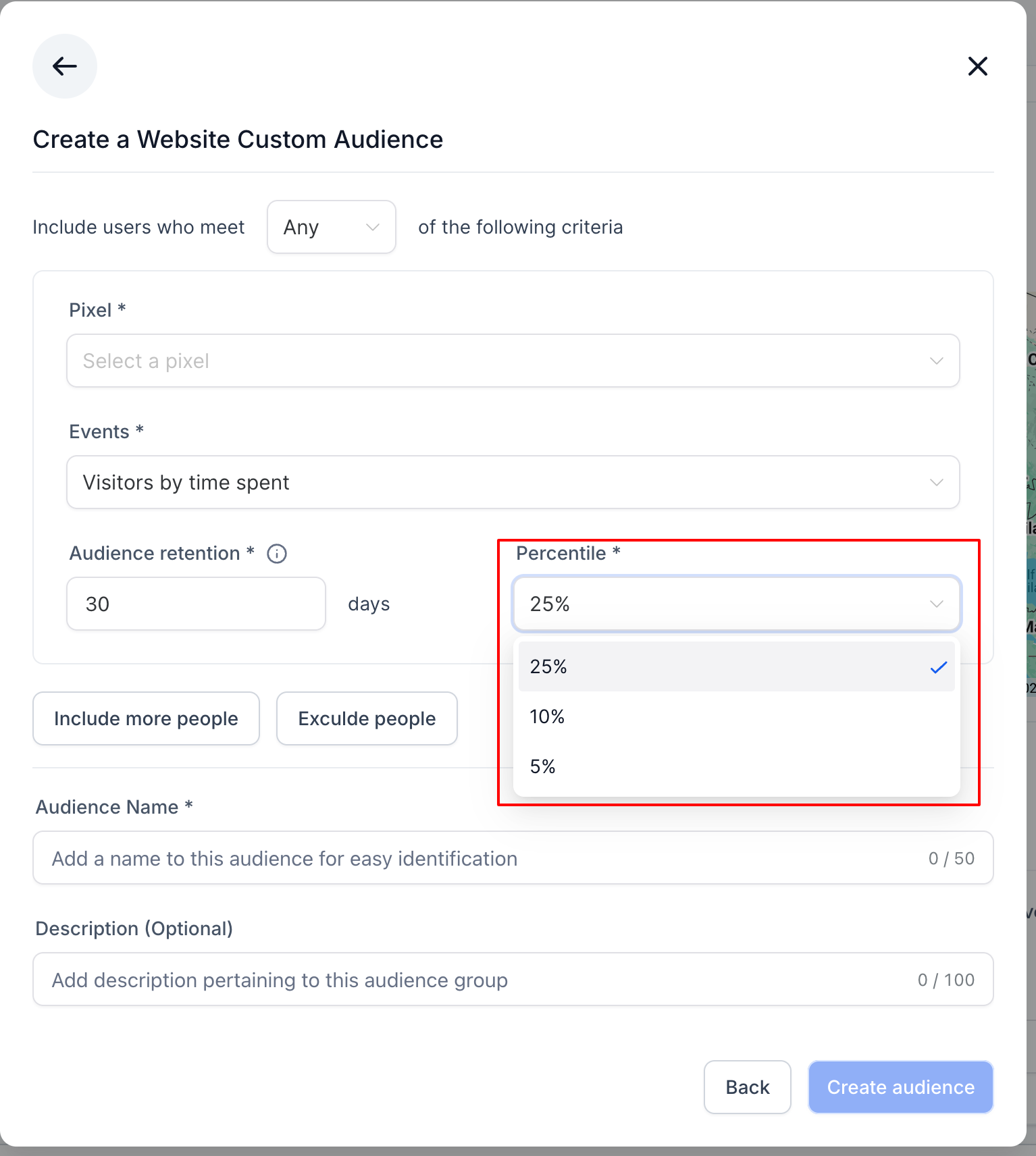
- Website source. Select the website source, choose the pixel that tracks visits, pick the event for all visitors or a top percentile, set a retention period up to 30 day, name the audience and apply it when retargeting site visitors.
- Facebook Page source. Choose the Facebook Page source, select the desired page, pick an engagement event, set a retention period up to 365 day, optionally add inclusion or exclusion clauses, and use the audience for page follower retargeting.
- Customer List source. Upload a CSV file or link a Smart List, set a retention period up to 90 day, give the audience a clear name, and apply it to reach known contacts across Meta platforms.
04The numbers and rules that matter
- Website audience retention maximum 30 days.
- Facebook Page audience retention maximum 365 days.
- Lead Form audience retention maximum 90 days.
- Up to 15 Retargeting audiences can be selected.
05Before you start
- A Facebook Page must be linked to Ad Manager.
- Website pixel(s) need to be created in the platform.
- Lead forms should exist on the connected page if using that source.
- A Smart List is required for Dynamic Customer List audiences.
06How to set up and use Custom Audiences in HighLevel
Create a custom audience
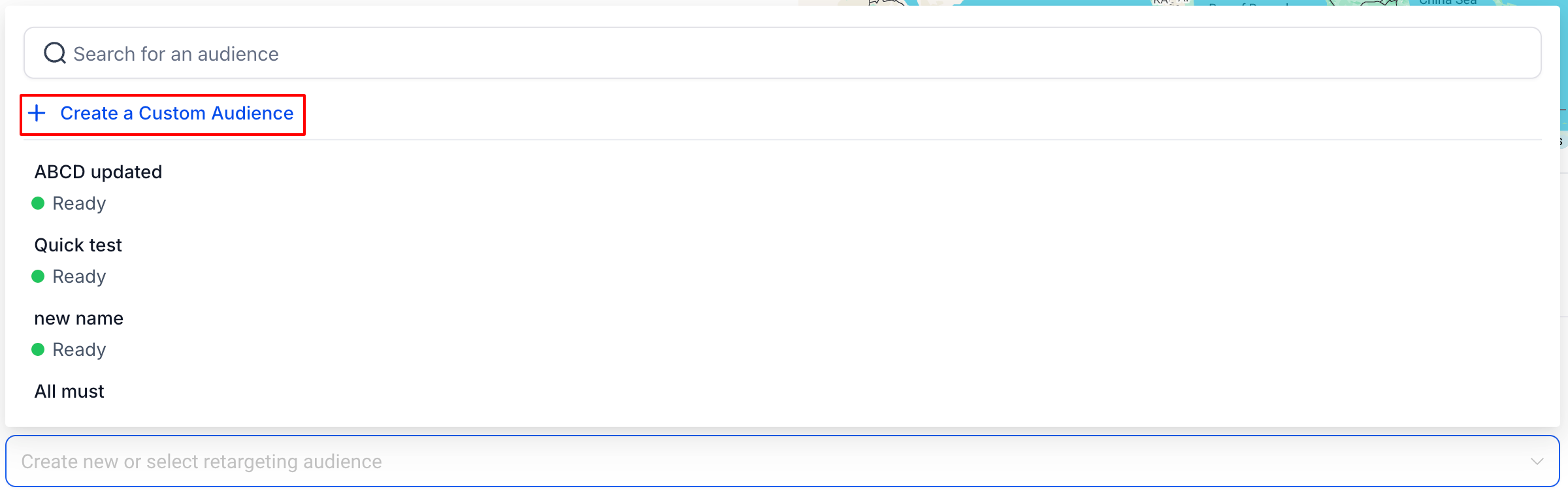
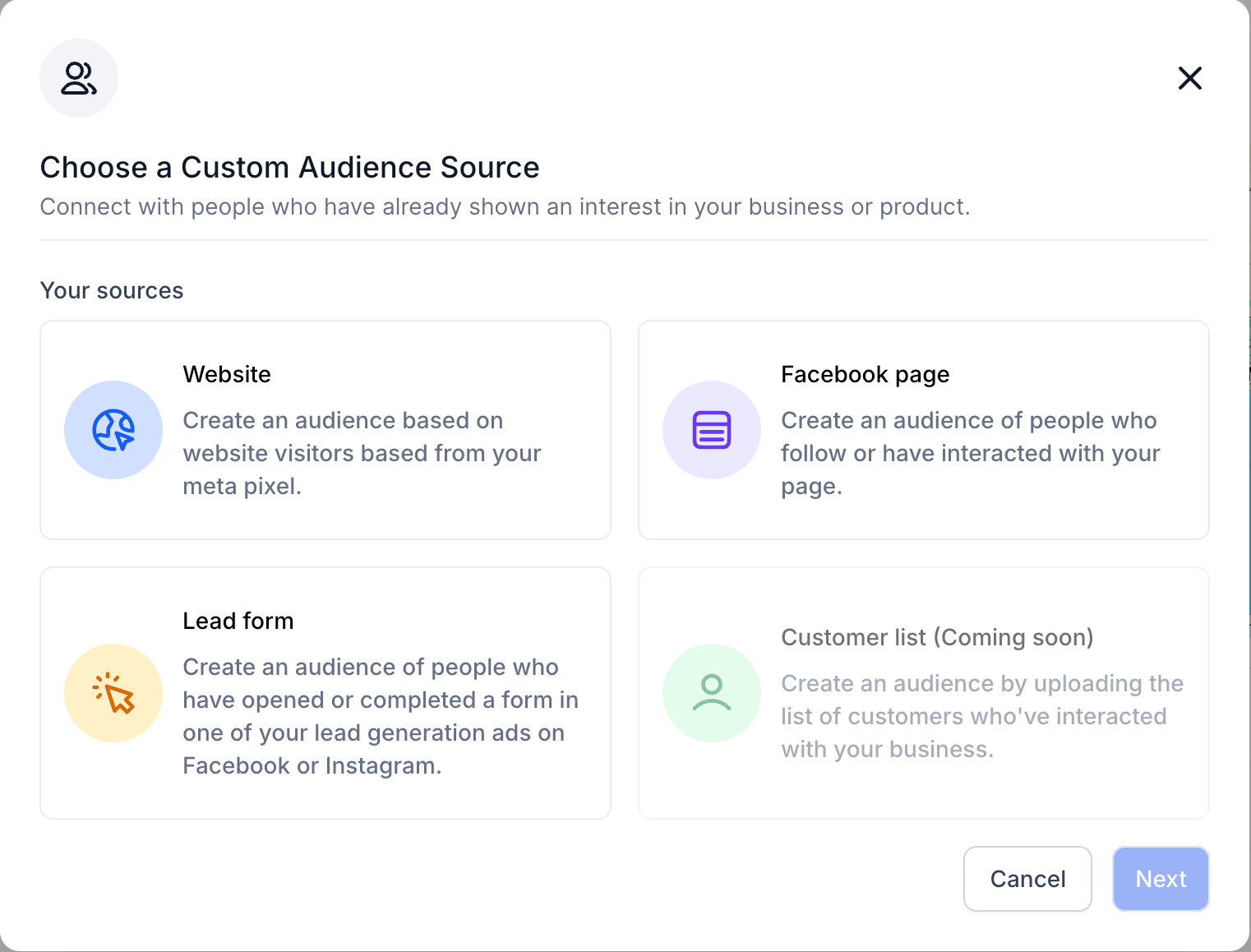
- Press the Create a Custom Audience button to open the source selection dialog.
- Pick the desired source, Website, Facebook Page, Lead Form, or Customer List.
- Click Next to move to the configuration screen for the chosen source.
- Choose source specific options such as pixel, page, event, or CSV file.
- Set the number of days the audience will stay active, respecting the source limit.
- Optionally add up to four additional inclusion or exclusion clauses.
- Enter a distinct name and optional description for the audience.
- Save the audience and wait for its status to change to Ready before using it.
07What it looks like in HighLevel
08Settings that matter
- Pixel. Selects which website tracking pixel provides visitor data for the audience.
- Events. Determines the action that qualifies a user for inclusion, such as all visitors or top percentile spenders.
- Page. Specifies the Facebook Page whose followers or engagers will form the audience.
- Lead form. Identifies the particular lead form whose respondents are to be included.
- Audience retention. Defines how long a user remains in the audience after the qualifying interaction.
- Include more people. Adds another condition that adds users to the audience beyond the default rule.
- Exclude people. Adds a condition that removes users from the audience even if they meet the default rule.
- Audience name. Provides a label for easy identification of the audience in lists.
- Audience description. Allows extra notes to clarify the audience’s purpose or composition.
09Things to know before you rely on it
- Website audiences can retain users for a maximum of 30 day.
- Facebook Page audiences allow up to 365 day of retention.
- Lead Form audiences permit a retention period of up to 90 day.
- You may add up to four extra inclusion or exclusion clauses per audience.
- The platform supports selecting as many as 15 retargeting audiences per campaign.
- Meta may block audiences that breach its policy restrictions.
10If something goes wrong
- Newly created audience is not selectable. Wait until the audience status changes to Ready before using it in a campaign.
11How it connects to the rest of HighLevel
- Explore other audience controls in Ad Manager Audience controls
- Learn how to build a Customer List Custom Audience Customer List audience
- Use templates to speed up campaign creation Ad manager templates
Michael's take

Custom Audiences are a direct way for a small business to recycle its own data for precise Meta retargeting, turning website visits, page fans, form leads, or a CSV list into ready to use ad groups without leaving the campaign flow.
Don’t try to use an audience before its status switches to Ready.