
01Who this is for
- Marketing agencies benefit because they can collect ad leads and automatically store them in HighLevel for follow up.
- Small businesses running Meta Lead Generation ads gain a simple way to map ad responses to their contact fields.
- Consultants who need custom data fields can add HighLevel contact custom fields and map them during form creation.
02Facebook lead forms, explained
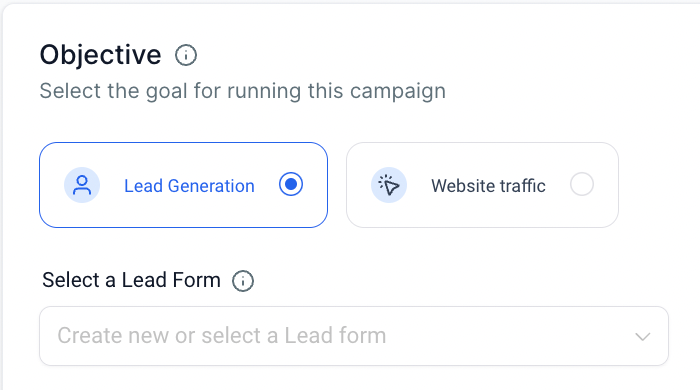
Facebook Lead Forms let you gather information from people who answer a Meta Lead Generation ad. In HighLevel Ad Manager you either select an existing form or create a new one while setting up the campaign. Each field you add to the form can be linked to a contact field in HighLevel, so submitted answers appear in the appropriate contact columns.
The form lives in the Ad level of a Lead Generation campaign. After you save the form, HighLevel stores the mapping configuration. You can later open the form from the campaign setup, preview its content, update field mappings, or duplicate the form to reuse its structure for another campaign.
03How businesses use Facebook lead forms
- Dental practice. The practice creates a new Facebook Lead Form while building a lead generation ad. It adds custom fields for patient insurance details and maps those to HighLevel contact custom fields. When a prospect submits the form, the data appears in the contact record for scheduling follow up.
- Real estate agency. Agents select an existing lead form that already captures property interest and contact info. From the campaign interface they click the edit icon, review the field mappings, and duplicate the form to adjust the headline for a new neighborhood promotion. The duplicated form saves as a separate lead form.
- Online course provider. The provider builds a new lead form that includes a custom question about the learner’s skill level. During form creation they map the answer to a HighLevel custom field. After the ad runs, each submission creates a contact with the skill level stored for segmenting email campaigns.
04Before you start
- A Meta campaign with the Lead Generation objective must be set up.
- Your Facebook profile needs access to the required Meta assets.
- A privacy policy URL appropriate to your business must be ready.
05How to set up and use Facebook lead forms in HighLevel
Create a new Facebook lead form
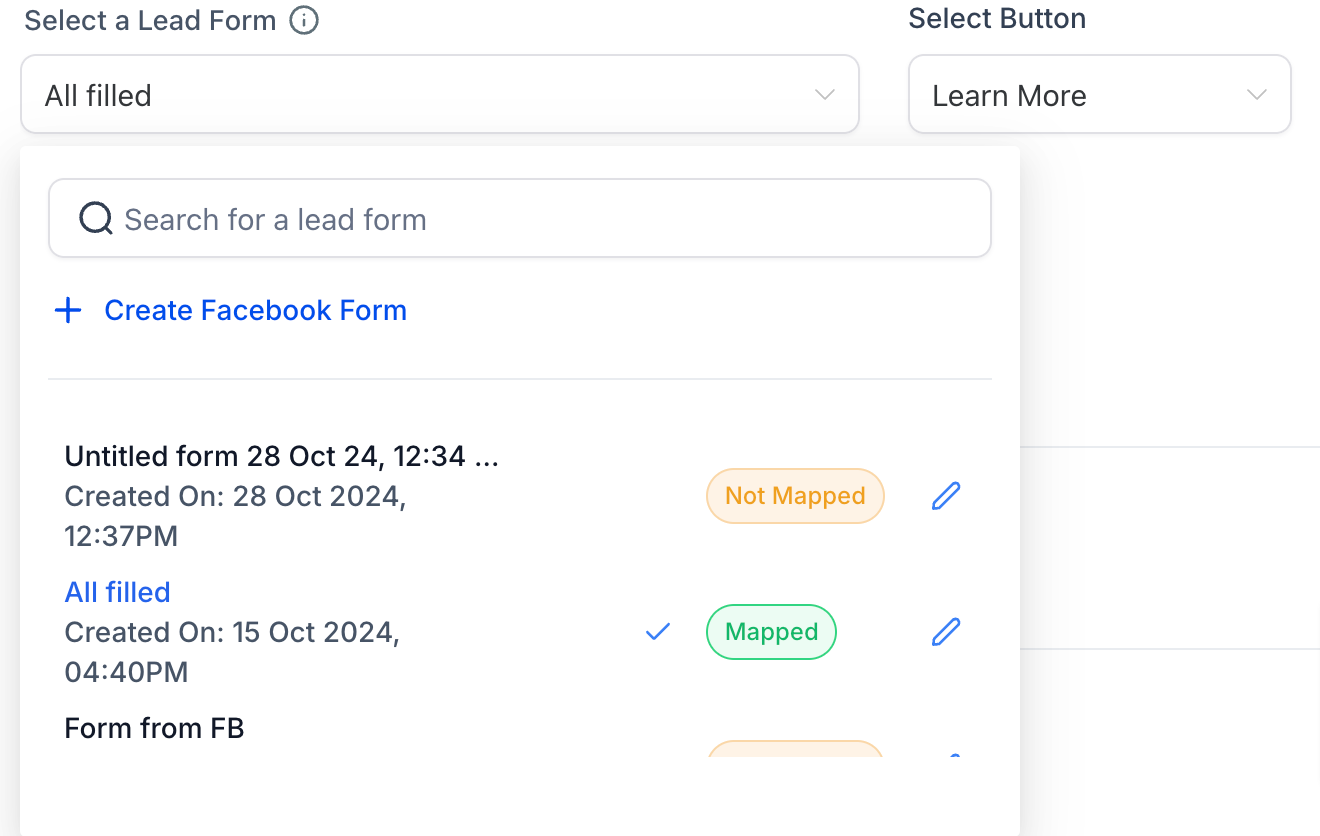
- Click the dropdown to create a new lead form or select an existing Lead form.
- Choose “Create Facebook Form”.
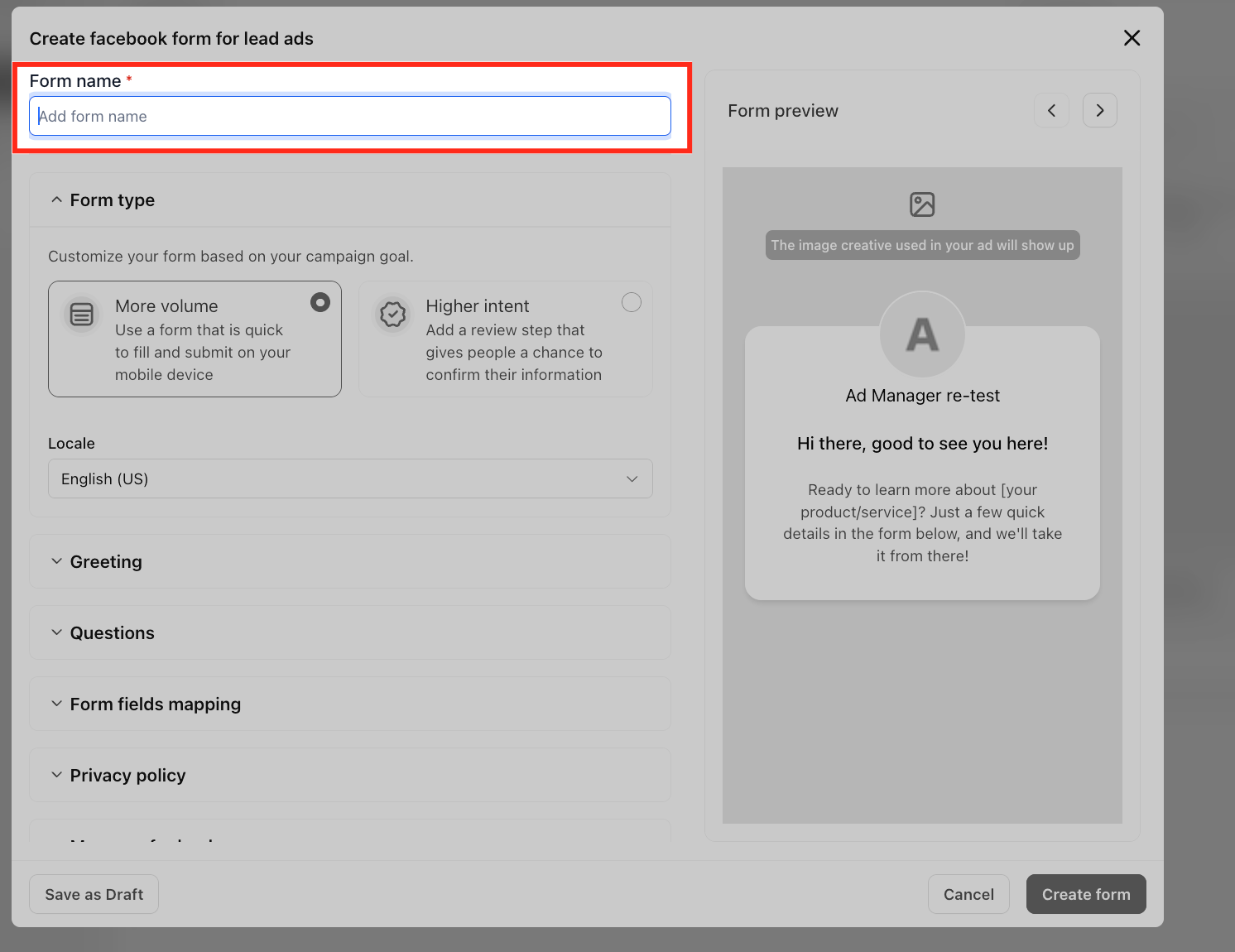
- Enter a name for the Facebook form.
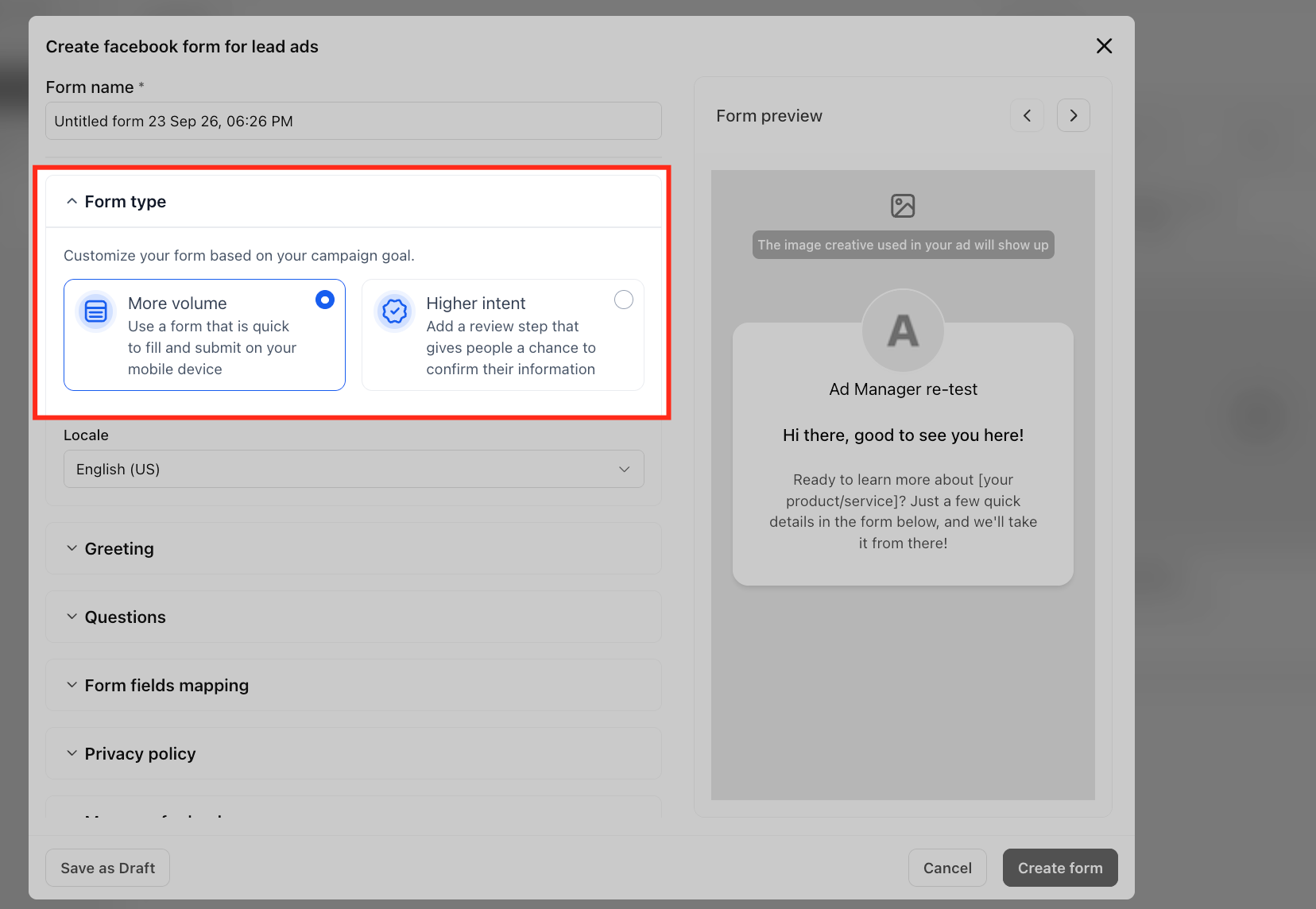
- Select the form type, either More Volume or Higher Intent.
- Add a greeting, including a required headline and optional paragraph or list.
- Add questions, choosing the type of information to collect and adding any custom short answer or multiple choice items.
- Enable Form Field Mapping to link the form fields to HighLevel contact fields.
- Provide a link to your business privacy policy page.
- Add a post submission message with headline, description, and a call to action.
- Save the form to complete the lead generation ad setup.
Review, map or duplicate an existing Facebook lead form
- In the Lead Generation campaign setup, click the pencil/edit icon next to the selected form name.
- A modal opens where you can preview the form content and access the field mapping screen.
- To duplicate, click the “Duplicate Form” button, adjust any fields, and then click Create Form to save the copy.
- If the form shows a “map now” prompt, click it to open the mapping interface and assign Facebook fields to HighLevel contact fields.
06What it looks like in HighLevel
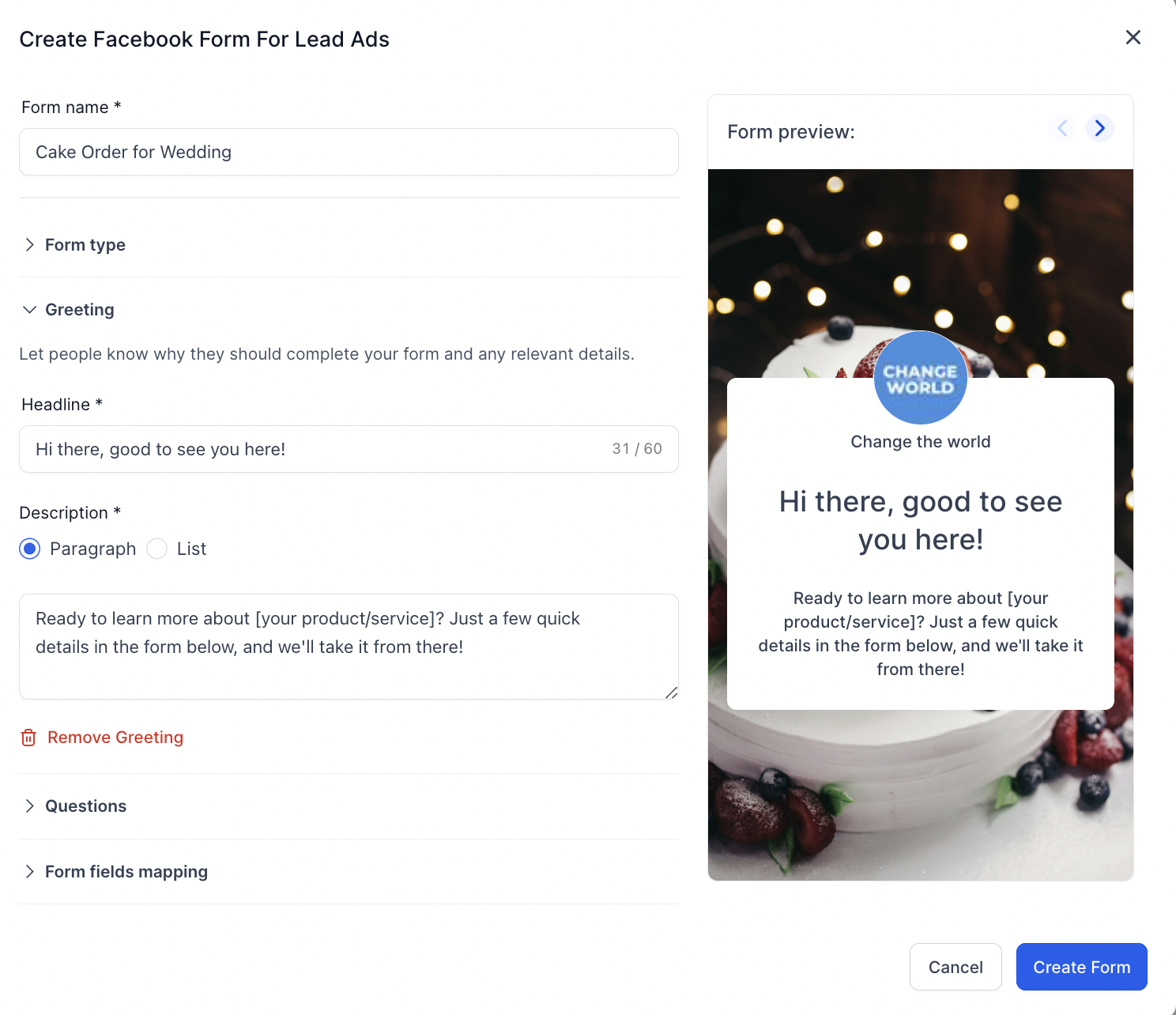
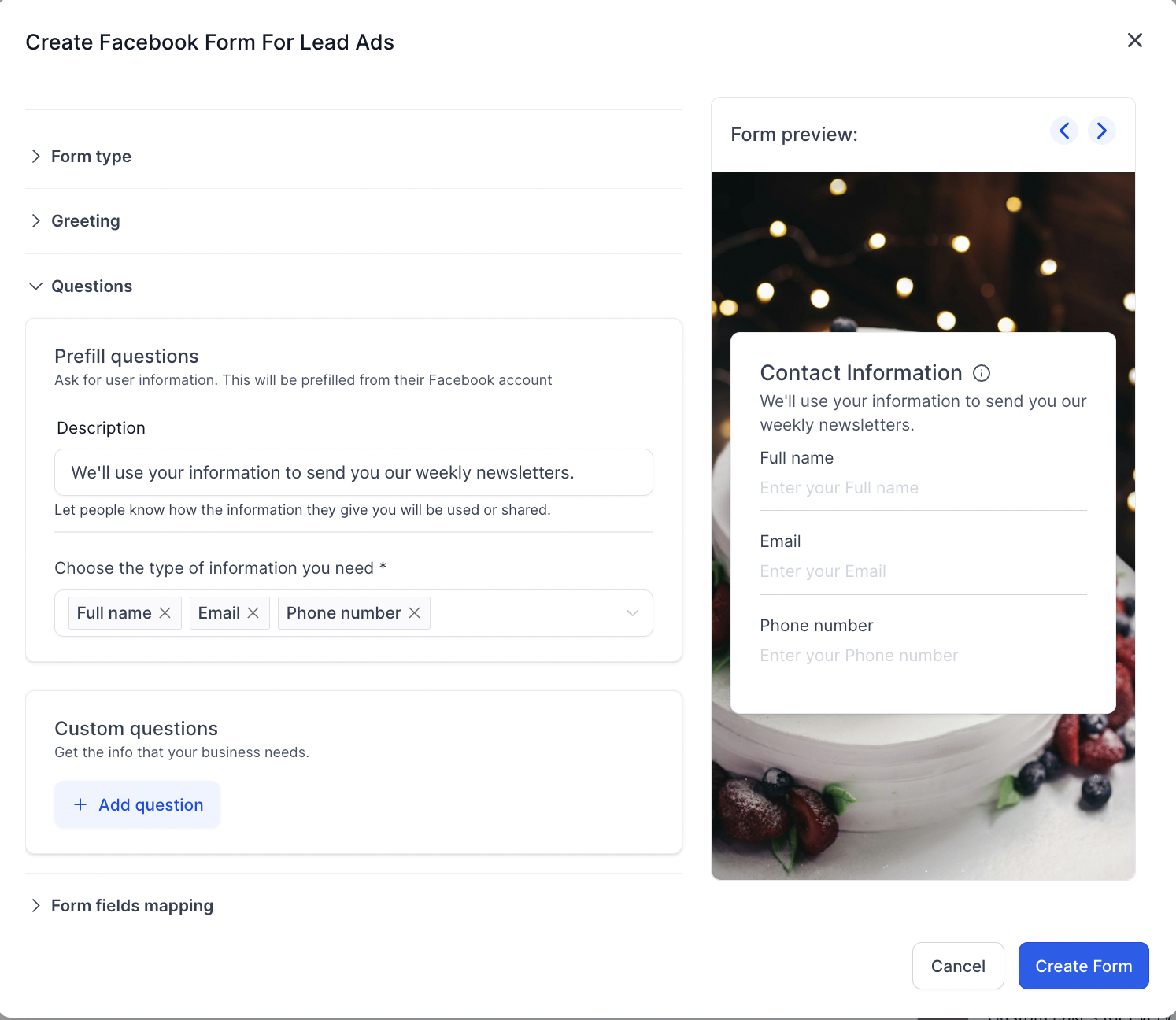
07Settings that matter
- Form type. Chooses between a higher volume form and a higher intent form, the latter adding a review step for respondents.
- Form Field Mapping. Controls which Facebook form responses are stored in which HighLevel contact fields.
08Things to know before you rely on it
- Form creation works only for campaigns that use the Lead Generation objective; other objectives use different destinations.
- A privacy policy URL must be supplied; you may use your own policy or the LeadConnector policy as a reference.
09How it connects to the rest of HighLevel
- Create Facebook ad campaigns in HighLevel Ad campaign guide
- Start a 30 day HighLevel trial Free trial
Get More InformationOpens on HighLevelPublished November 2, 2026 · Updated November 16, 2026