
01Who this is for
- Founders who want to re engage existing customers through precise ad targeting.
- Marketers who need to segment contacts based on recent purchases or high value status.
- Advertising teams that require compliance with GDPR while using first party data.
02Customer List Custom Audiences, explained
The feature creates a Meta Customer List Custom Audience inside HighLevel's Ad Manager. It stores identifiers from a CSV file or from one or more Smart Lists. After the list is created, Meta matches the identifiers to its own user profiles, making the audience selectable in ad sets.
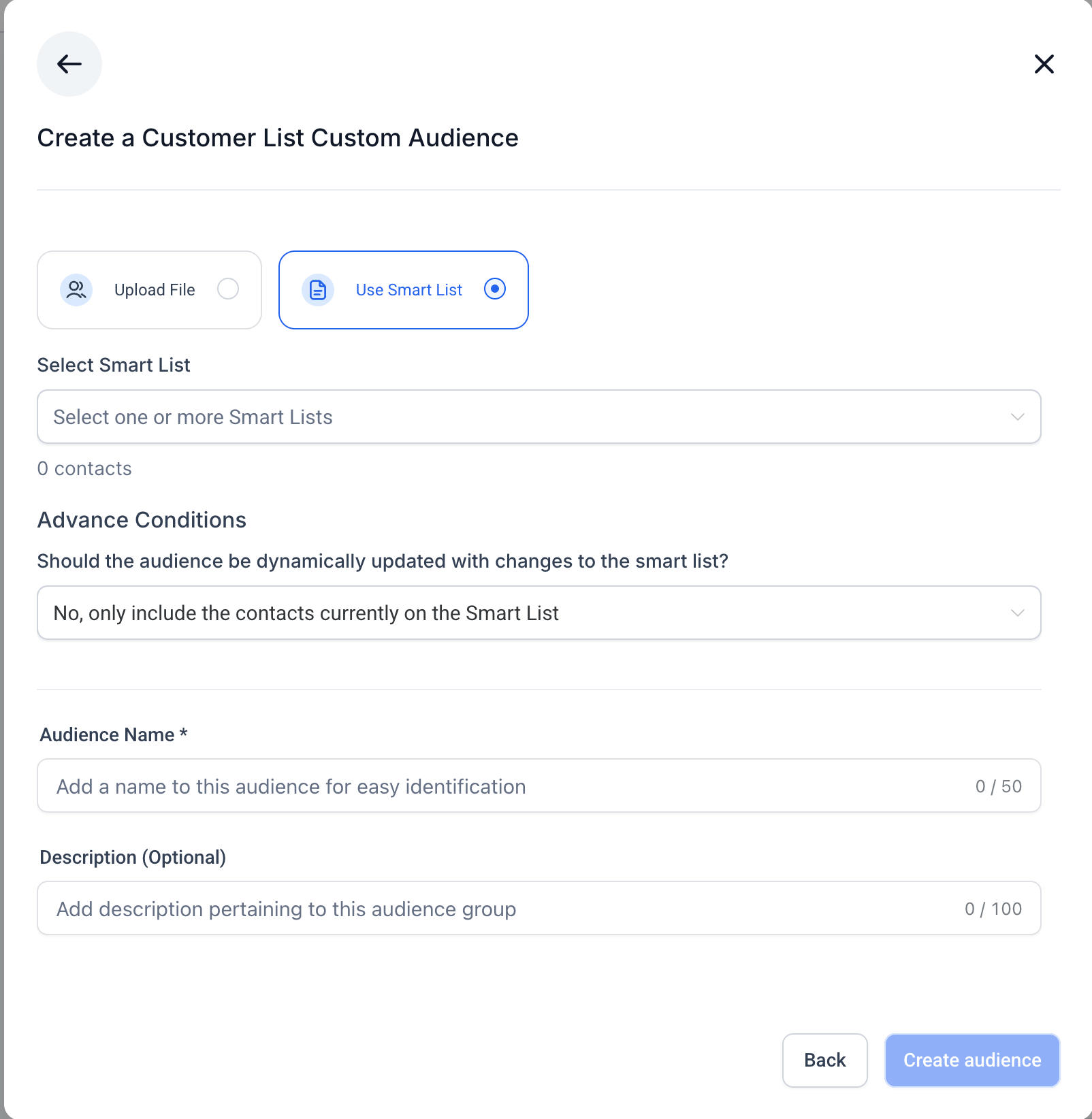
When you use a Smart List, you decide whether the audience remains fixed at creation (static) or updates automatically as the Smart List changes (dynamic). A static audience includes only the contacts present at the moment of creation, while a dynamic audience adds or removes contacts in real time.
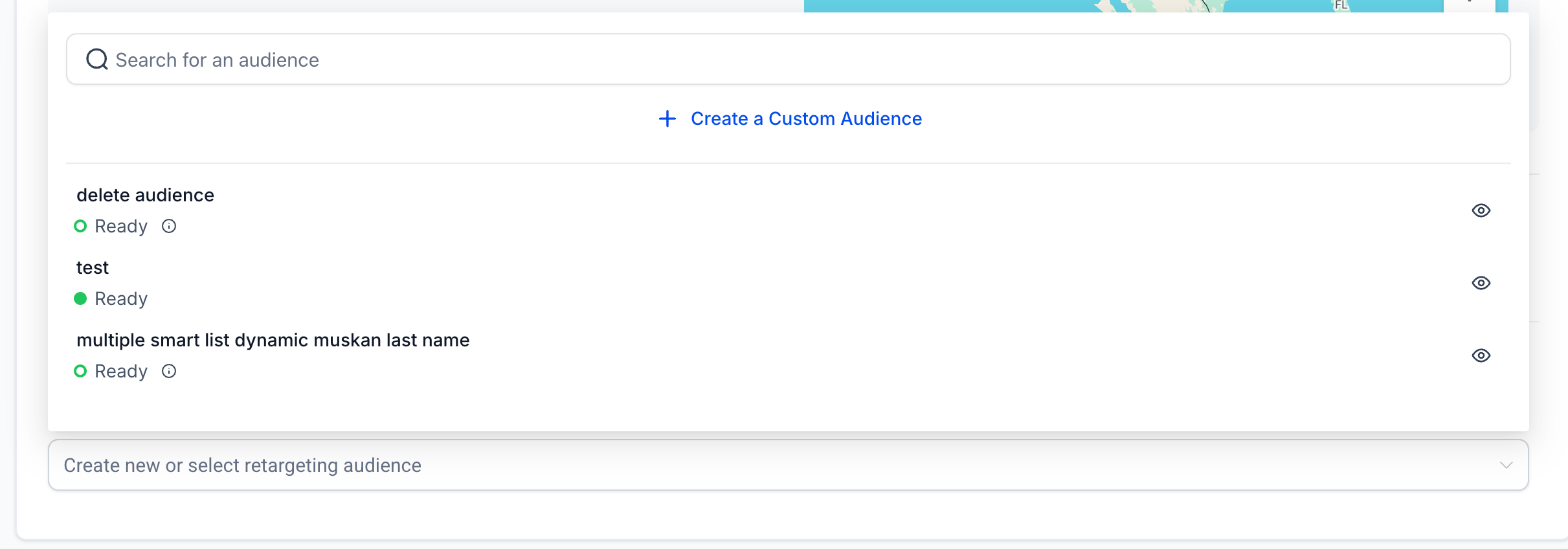
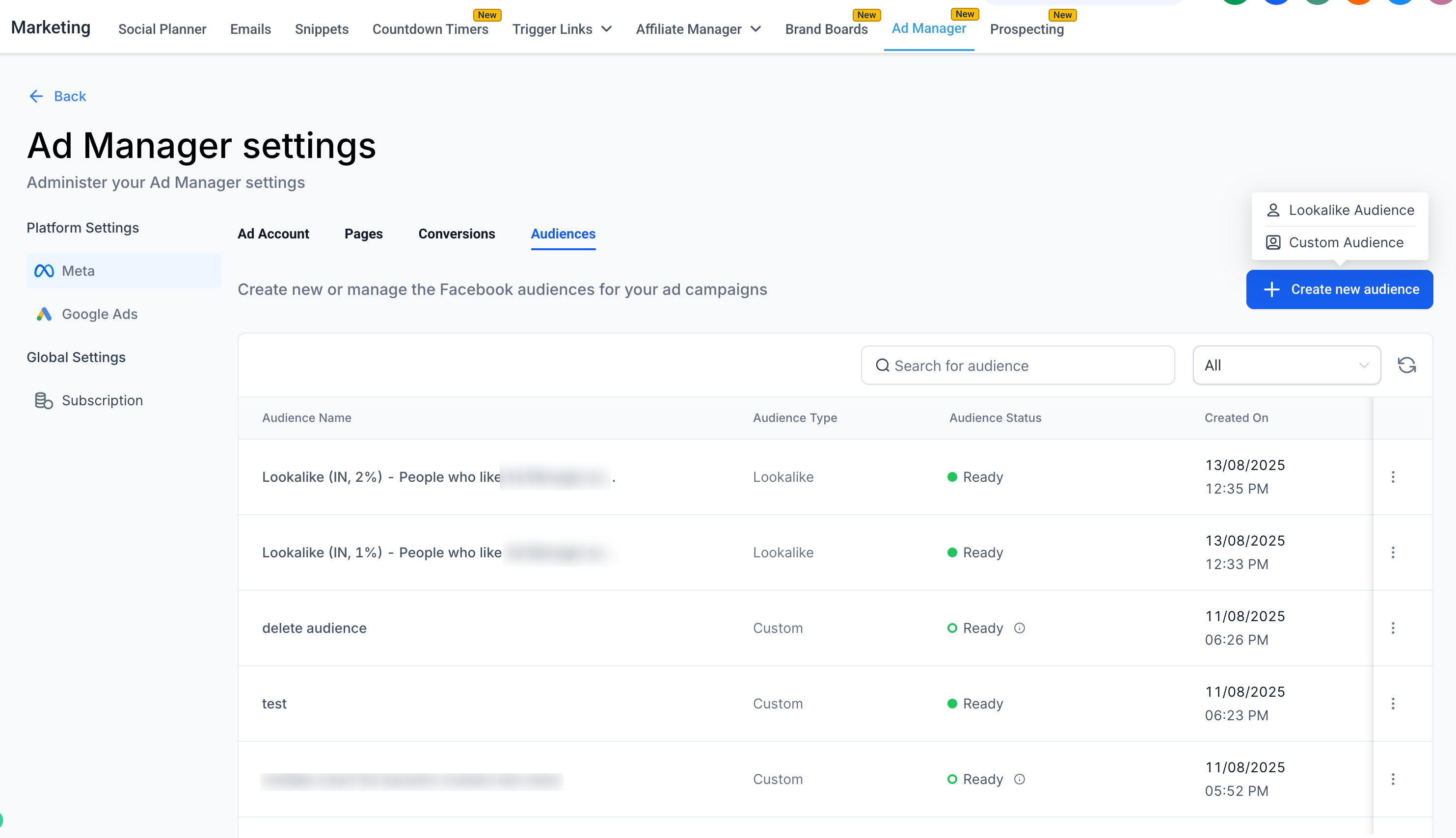
The audience appears in the Retargeting Audience dropdown during campaign setup and in the Audiences tab for later use. Before you can create an audience you must accept Meta’s Customer List Custom Audience Terms of Service.
03How businesses use Customer List Custom Audience
- Fitness studio. Upload a CSV of members who have attended classes in the last month. The studio then targets those members with a promotion for a new class series, using the created audience during a Facebook ad campaign.
- Dental practice. Select a Smart List of patients who have completed a recent cleaning. Choose the static option so the audience stays constant while a special offer for whitening is advertised.
- Ecommerce store. Create a dynamic audience from a Smart List of high spending customers. As new high value shoppers are added to the list, they automatically join the audience for ongoing retargeting ads.
04The numbers and rules that matter
- Minimum audience size requirements apply for campaign use.
05Before you start
- Accept Meta’s Customer List Custom Audience Terms of Service.
- Have at least one Smart List pre created in the Contacts section if you plan to use Smart Lists.
06How to set up and use Customer List Custom Audience in HighLevel
Create audience during campaign flow
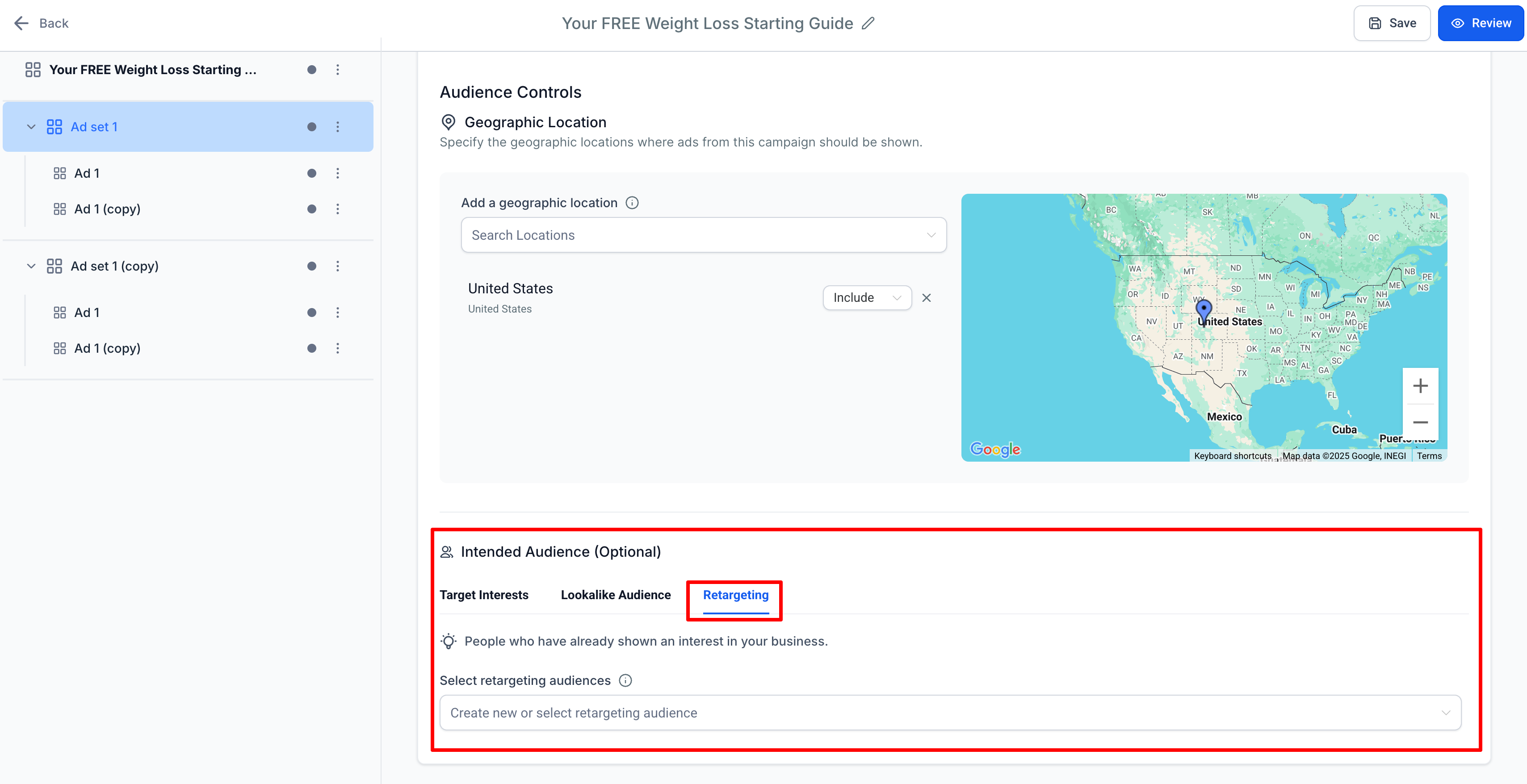
- Navigate to the ad set level and open Audience Controls, then go to the Intended Audience section.
- In the Retargeting tab, open the dropdown for “Create new or select retargeting audience” and choose Create a Custom Audience.
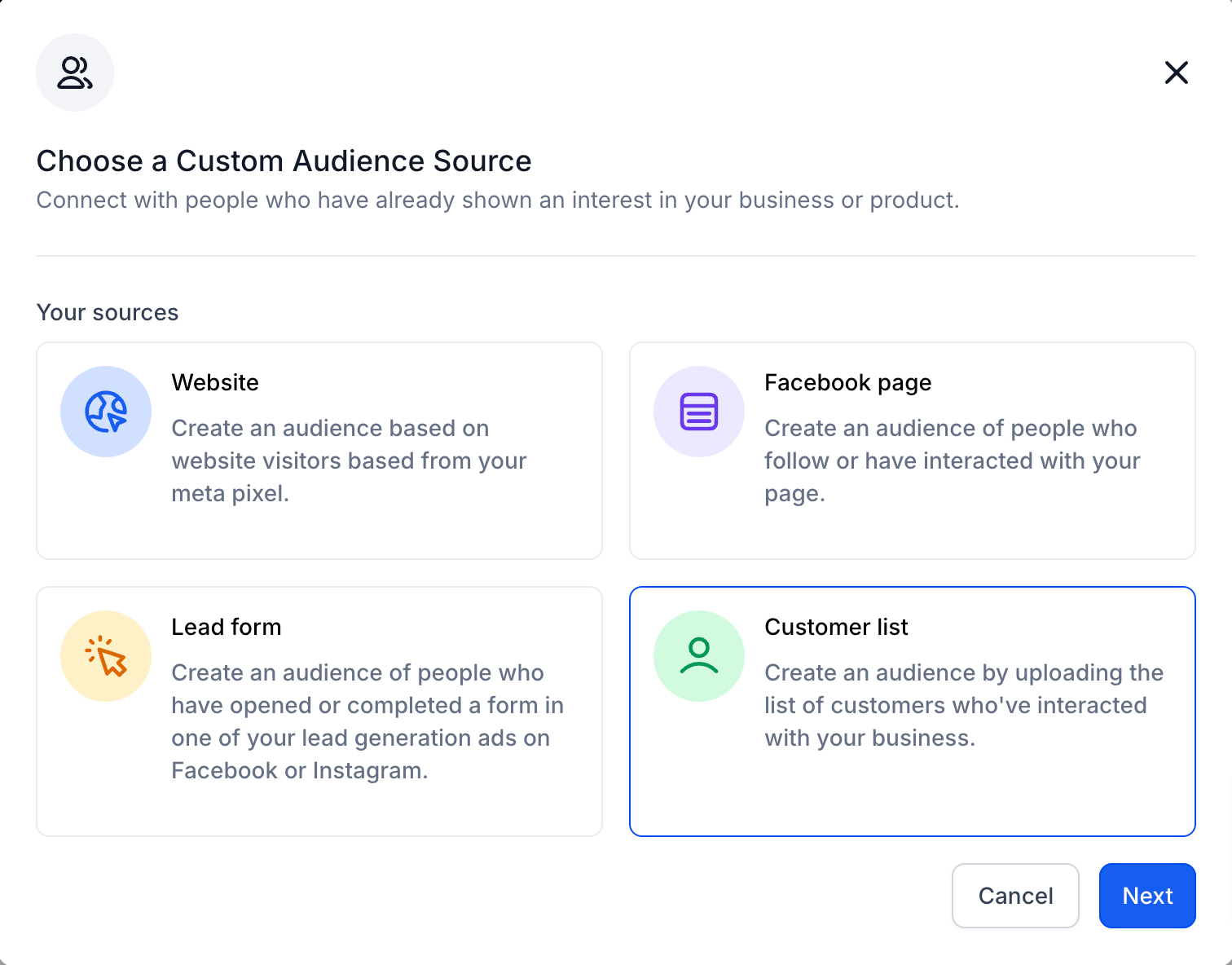
- Select Customer List as the source and continue with the chosen upload method.
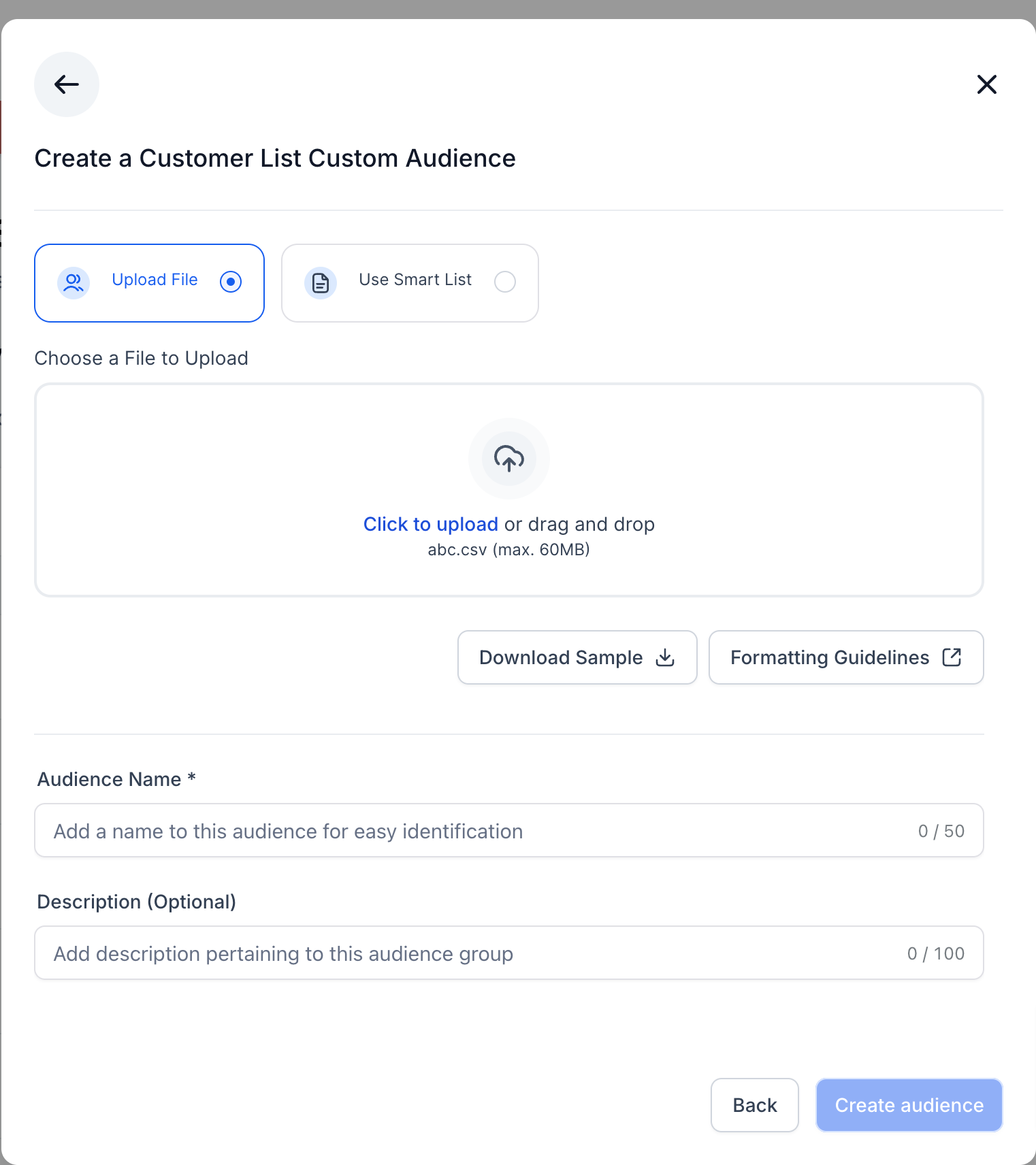
Create audience with CSV upload
- Click Create a Custom Audience from the campaign flow or the Audiences tab.
- Choose Customer List as the audience source.
- Upload a CSV file that contains the customer identifiers.
- Make sure the file follows Meta’s formatting guidelines.
- Use the provided sample file to verify correct column layout.
- Review the preview and click Create Audience to finish.
Create audience with Smart Lists
- Click Create a Custom Audience from the campaign flow or the Audiences tab.
- Select Customer List as the source.
- Choose the option Use Smart List.
- Pick one or more pre created Smart Lists from the dropdown menu.
- In Advanced Conditions, select No for a static audience or Yes for a dynamic audience.
- Check the total contacts count shown.
- Enter an audience name and an optional description.
- Press Create Audience; the summary will indicate whether the audience is static or dynamic.
07What it looks like in HighLevel
08Settings that matter
- Use Smart List. Determines that the audience will be built from contacts stored in a Smart List instead of a CSV file.
- Advanced Conditions. Controls whether the audience remains static or updates dynamically when the underlying Smart List changes.
09Things to know before you rely on it
- A minimum audience size is required before the audience can be used in a campaign.
- CSV files must follow Meta’s formatting rules; incorrect formatting triggers an upload error.
- Only Smart Lists that already exist in the Contacts section can be selected.
- The static or dynamic choice set at creation time defines how the audience behaves after it is created.
10If something goes wrong
- CSV upload fails with an error.. Check the file against Meta’s formatting guidelines and correct any invalid columns before re uploading.
11How it connects to the rest of HighLevel
- Create Meta custom audiences in HighLevel Ad Manager Meta custom audiences
- Ad manager audience controls guide Audience controls
- HighLevel pricing and plans Pricing
Michael's take

Hook the audience to a Smart List and pick the dynamic option so the audience refreshes on its own.
If I were setting this up, I’d start with a Smart List that captures recent purchasers, mark it as dynamic, and then use that audience for a retargeting campaign. I’d double check the CSV format only if I needed to supplement the list, because a formatting slip throws an error and halts the flow.