
01Who this is for
- Agency account managers, they can sort client work into separate branches, reducing search time.
- Ecommerce marketers, they can group promotional, transactional and seasonal emails by product line.
- SaaS Founders, they can separate onboarding, renewal and product update sequences for each product.
02Nested folders, explained
The feature adds a folder hierarchy to the Email Marketing section. At the top level, called Home, you see all first level folders. Inside any folder you can create additional subfolders, allowing several layers of organization. The same structure appears in Campaigns, Templates and Sequences, so the layout is uniform across all email assets.
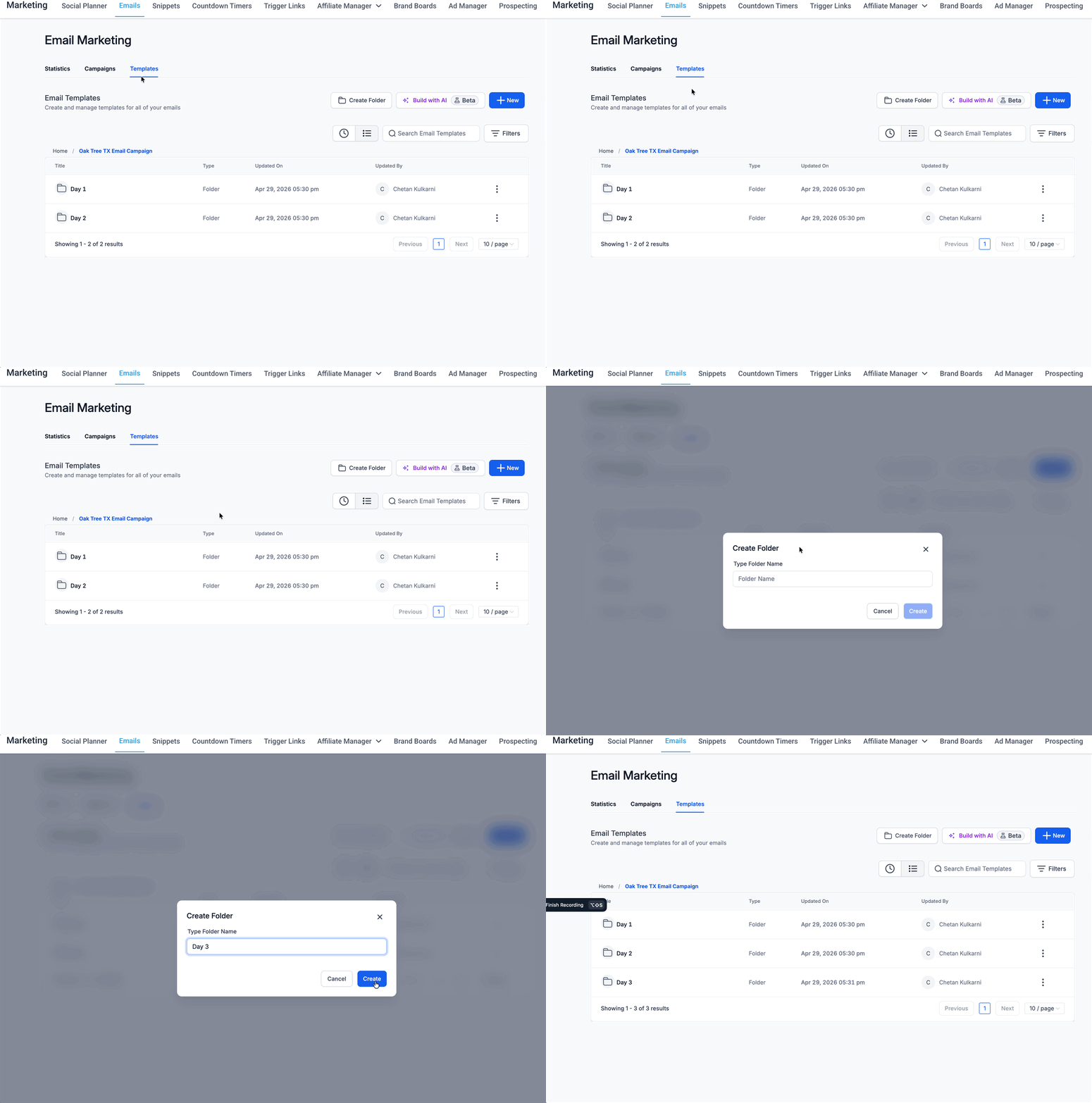
Folder paths appear as breadcrumbs at the top of the page. Clicking any segment moves you to that parent folder. Assets remain in their original location until you move them via the actions menu. Permissions are unchanged; the folders only affect how items are displayed.
03How businesses use nested folders for campaigns, templates & sequences
- Digital agency. The agency opens the Email Marketing area, creates a top level folder for each client, then adds subfolders such as Newsletters and Promotions. Existing campaigns are moved into the appropriate client folder using the Move to Folder option.
- Online retailer. The retailer sets up a top level folder for each brand, then creates subfolders for Seasonal and Clearance campaigns. Email templates are stored under the same brand folders, making design selection quick when building a new send.
- SaaS startup. The startup builds a folder tree that reflects the user lifecycle, Onboarding, Retention, Upsell. Multi step sequences are placed in the matching lifecycle folder, allowing the team to see all steps in one place.
04The numbers and rules that matter
- More than 5 levels are supported, but shorter paths are easier to manage.
05How to set up and use nested folders for campaigns, templates & sequences in HighLevel
Set up nested folders for campaigns, templates & sequences
- Plan the hierarchy you want, such as client > product > quarter.
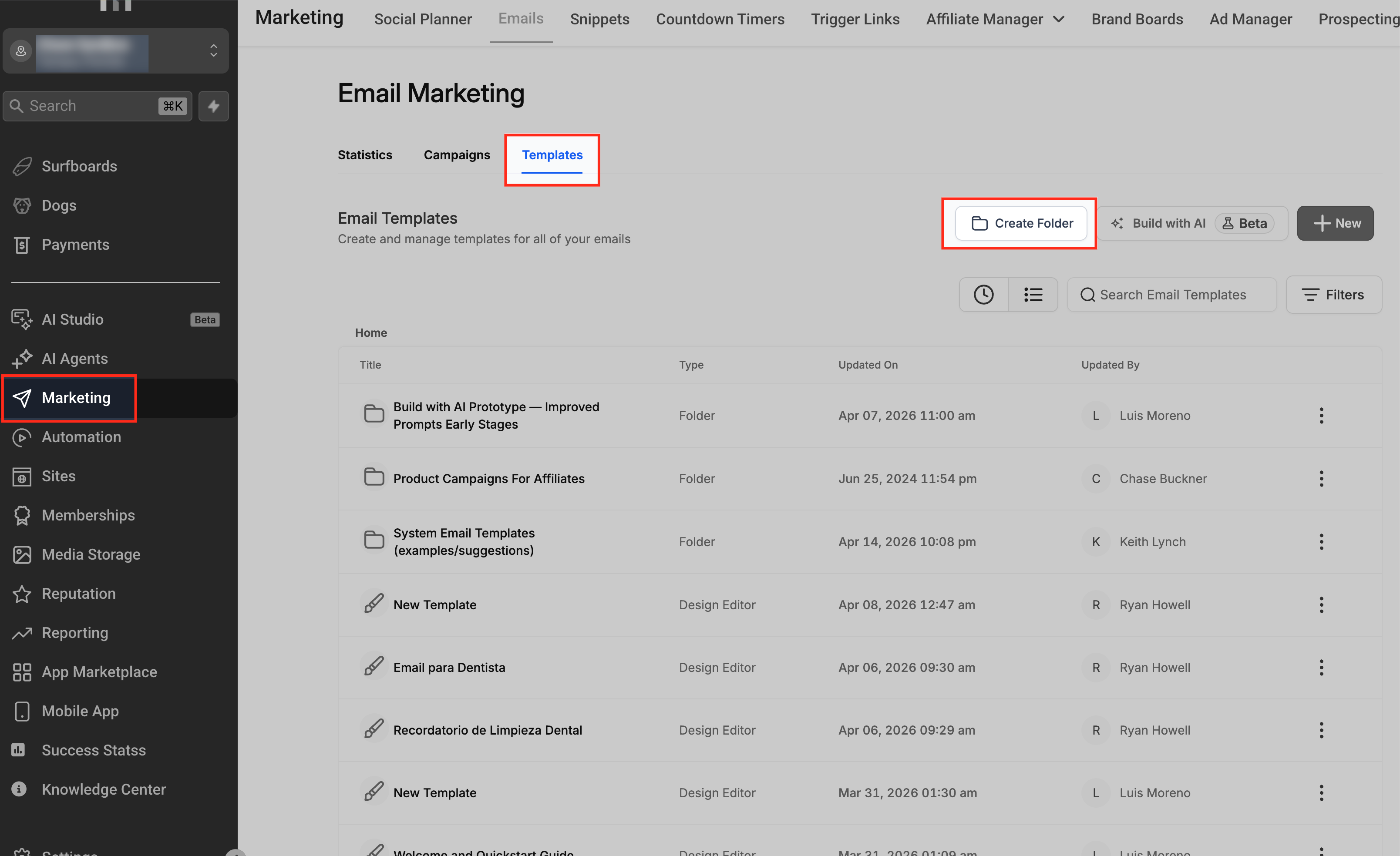
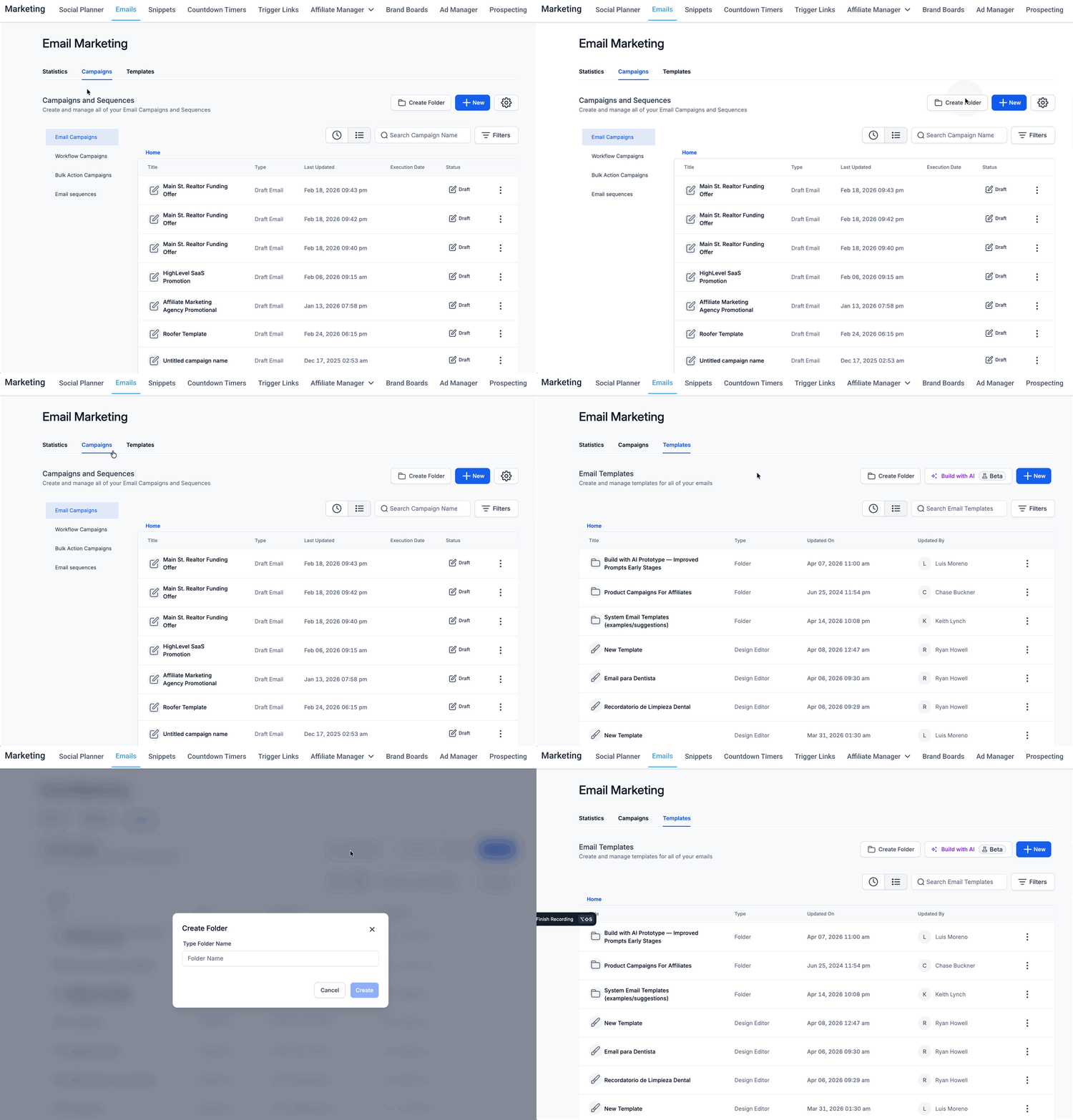
- Open Email Marketing, go to Campaigns, Templates or Sequences, and click New Folder at the Home level.
- Enter a name for the top level folder and save it.
- Open an existing folder, click New Folder, name the subfolder, and save; repeat to add more levels.
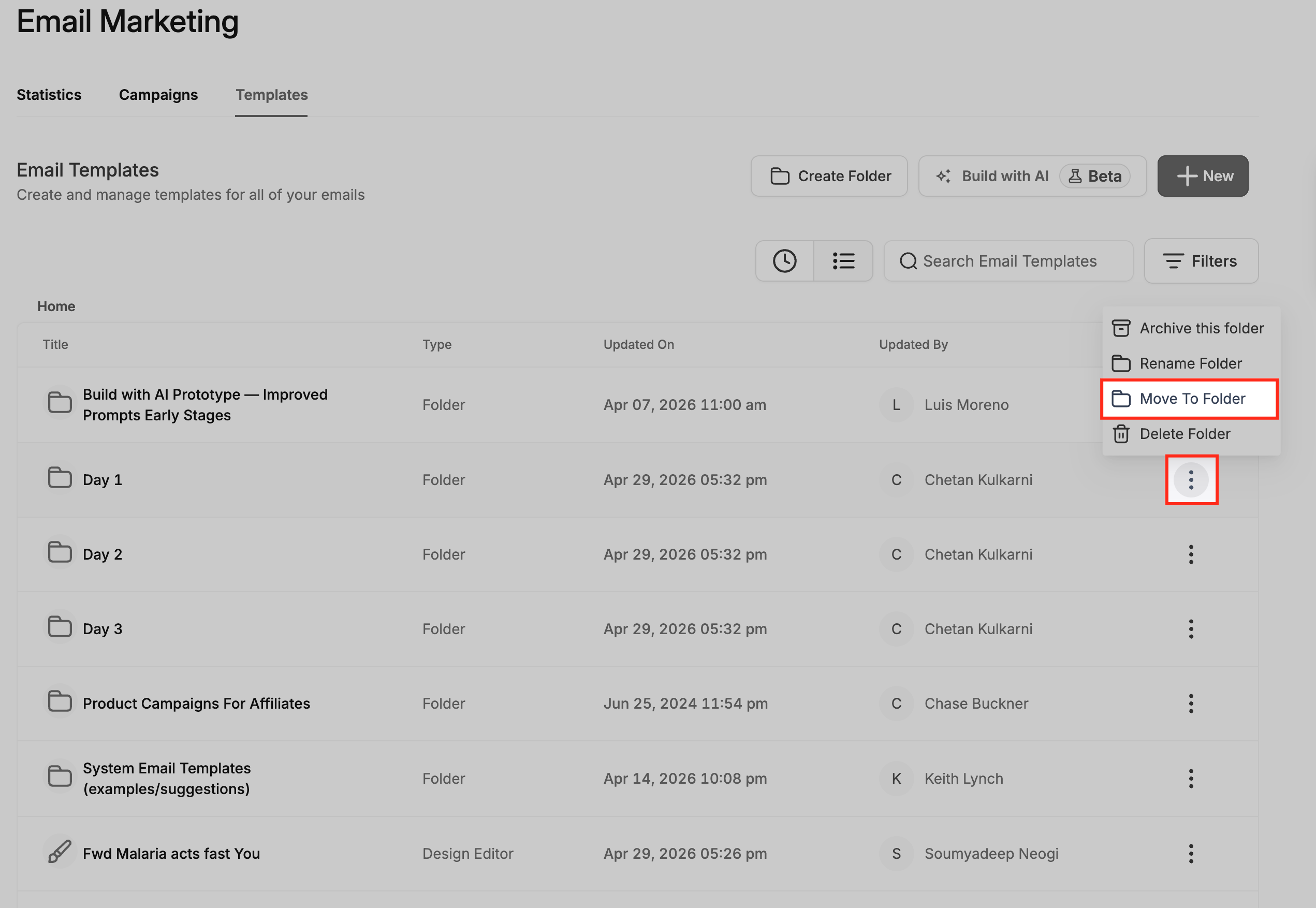
- Find an existing campaign, template or sequence, open its three dot actions menu, choose Move to Folder, pick the destination, and confirm.
- Open a folder’s actions menu, select Move Folder, choose a new parent folder, and confirm the change.
06What it looks like in HighLevel
07Things to know before you rely on it
- More than five nesting levels are supported, but shorter paths are easier to manage.
08How it connects to the rest of HighLevel
- See how email templates differ from campaigns in HighLevel. Email templates vs campaigns
- Learn to send or schedule a regular email campaign after organizing it. Send or schedule campaign
- Review plan options if you need additional users or storage for many folders. Pricing and plans
Michael's take

Nested folders can be especially useful for agencies managing multiple clients or brands with several product lines. The ability to drop a campaign into a clearly labeled folder reduces the need to scroll through long lists.
A boutique marketing agency that builds newsletters, promos and onboarding flows for several SaaS clients could map a simple two level tree. Client then funnel stage. And then move existing assets into the appropriate folders. Checking the breadcrumb navigation lets the team verify that assets are placed correctly.