
01Who this is for
- Event coordinators can register walk in guests without asking them to fill out an online form.
- Sales teams can log phone orders or partner allocations directly into the system.
- Customer support staff can issue complimentary tickets for VIPs while keeping inventory accurate.
02Manual attendee registrations, explained
The feature lives on the Registrations page inside the Events section. From there you open a manual registration workflow and enter ticket details, attendee information and payment data. HighLevel creates the registration record, updates ticket counts and adds the contact to your HighLevel account.
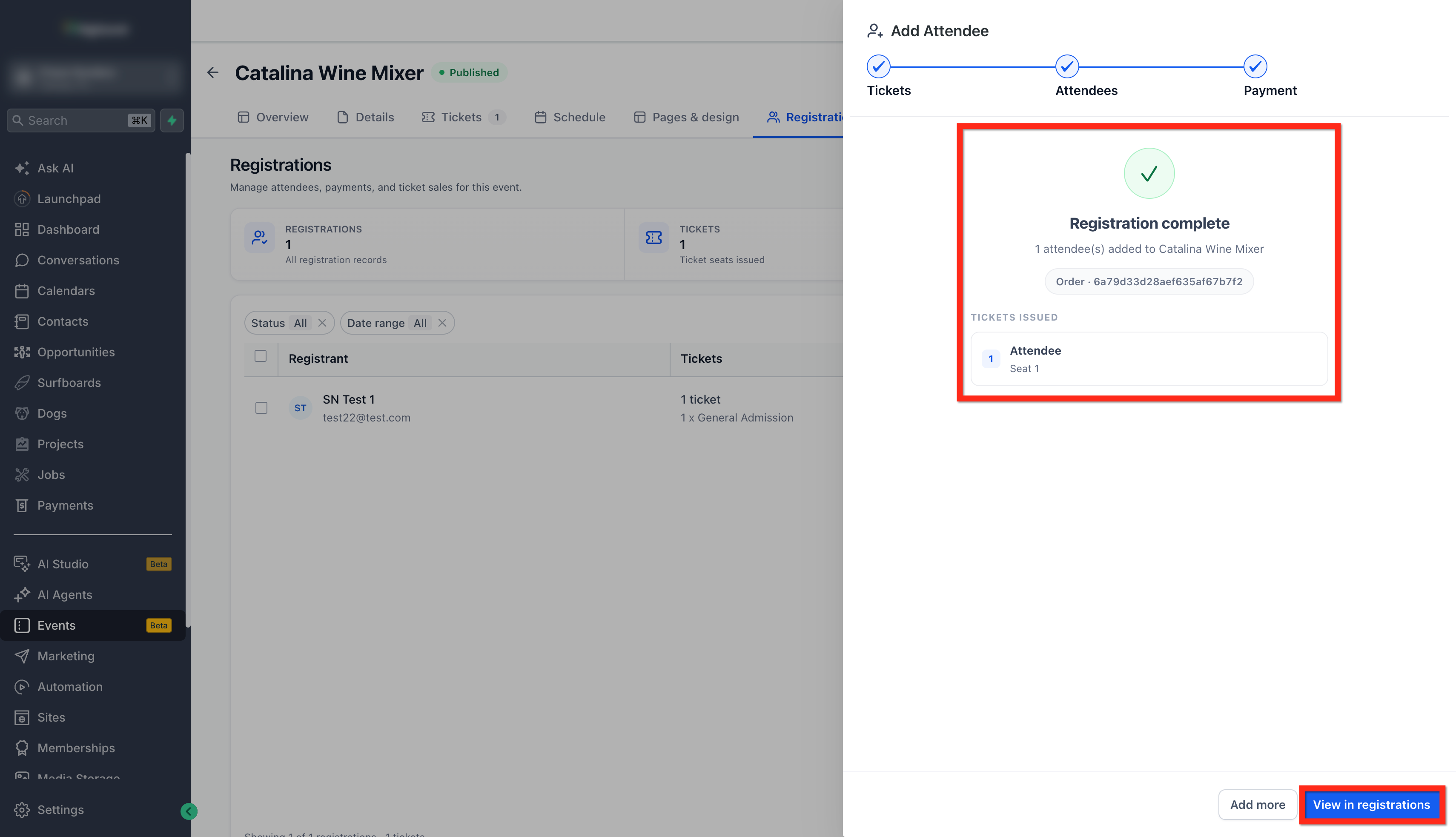
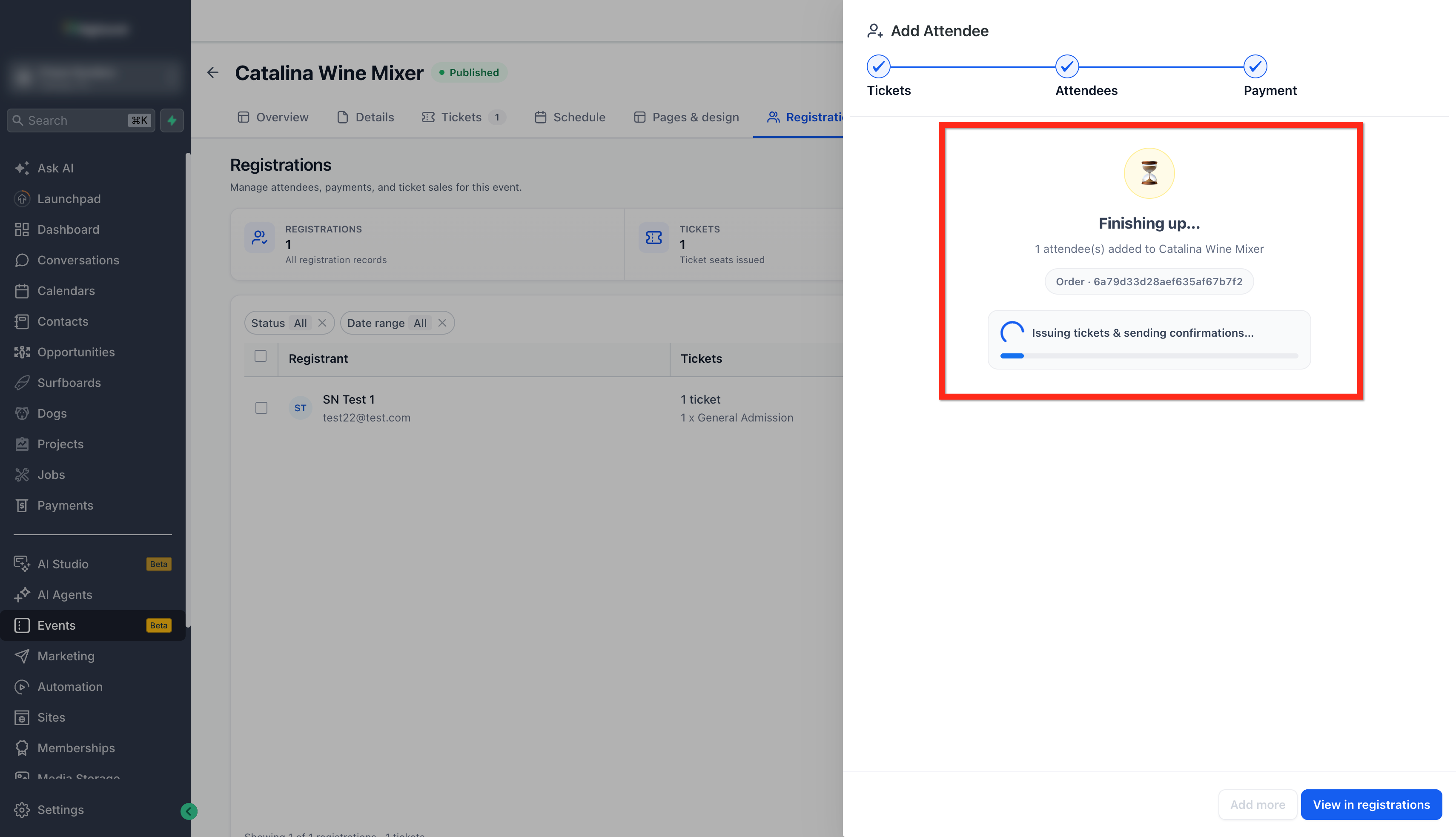
When you finish, the platform right away generates tickets with unique IDs and QR codes. It also sends the predefined confirmation email to each attendee. All data appears in the Registrations dashboard with a full audit trail.
03How businesses use manual attendee registration
- Fitness studio. The studio staff can register members who sign up at the front desk. They pick the class ticket, select the member’s contact record or create a new one, record cash payment if needed, and the system sends a class pass email immediately.
- Conference organizer. The organizer can add corporate group attendees after the conference reaches capacity. They choose the appropriate ticket types, copy the same company contact info across tickets, record an offline invoice, and tickets are issued with QR codes for check in.
- Wedding planner. The planner can allocate complimentary seats for the wedding party. They select the free ticket type, create a new contact for each guest, skip payment, and HighLevel emails each guest their personalized invitation and ticket.
04Before you start
- An event must already exist in HighLevel.
- You need access to the Events > Registrations page.
- A connected payment provider is required if you plan to charge cards.
05How to set up and use manual attendee registration in HighLevel
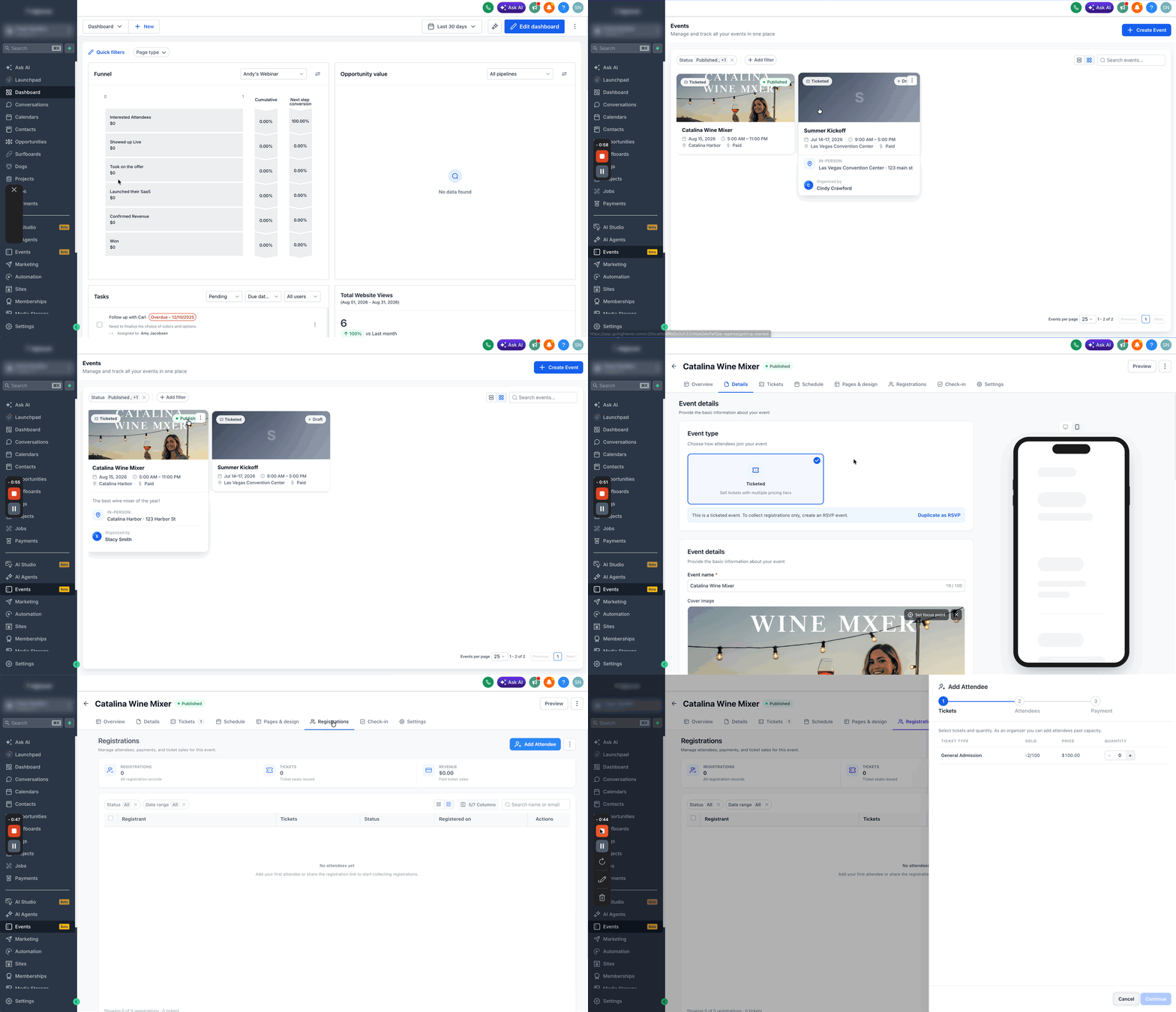
Manually add attendees to an event
- Open Events > Registrations, select the event, and click Add Attendee.
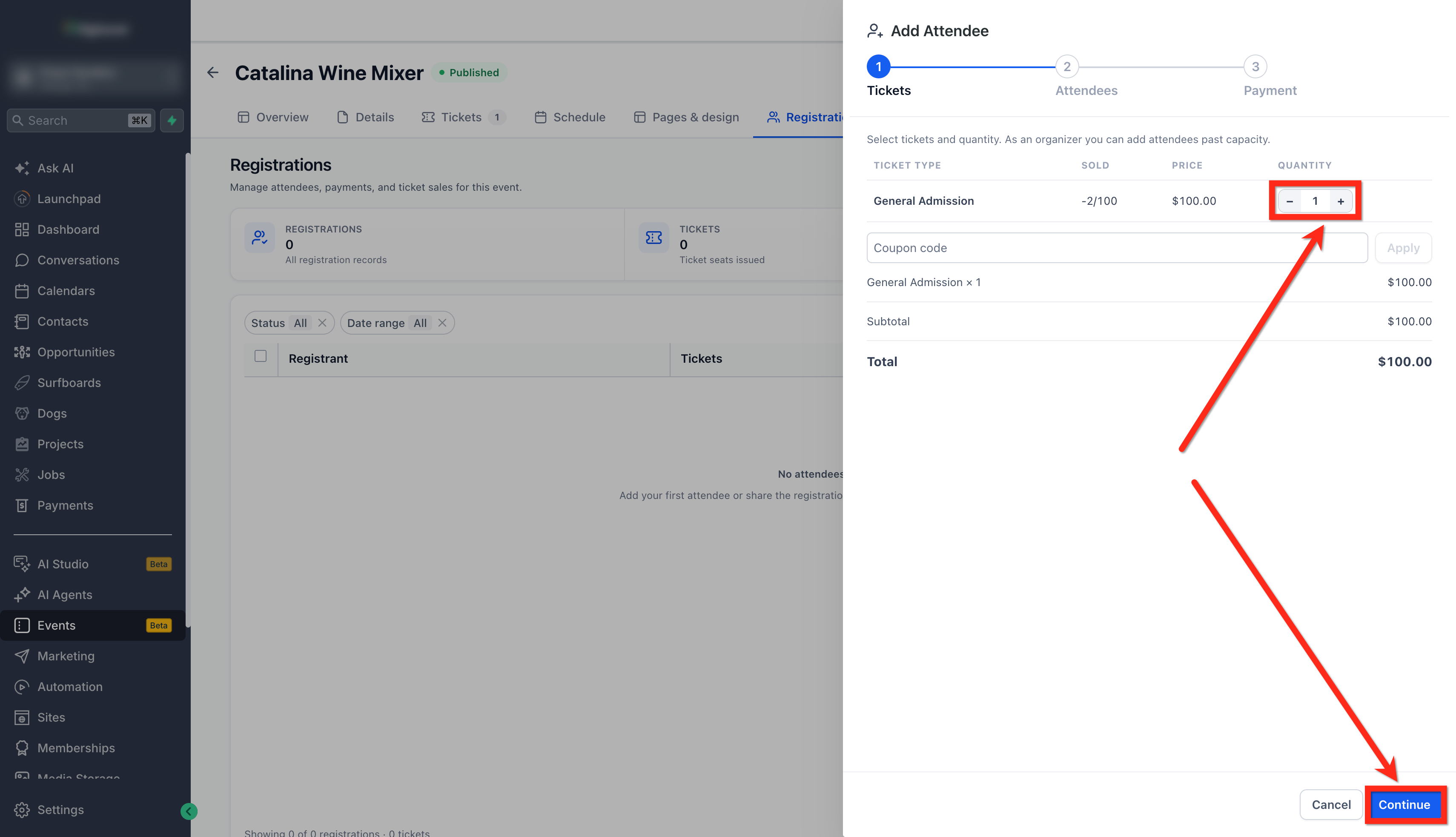
- Pick one or more ticket types and enter the quantity for each, then press Continue.
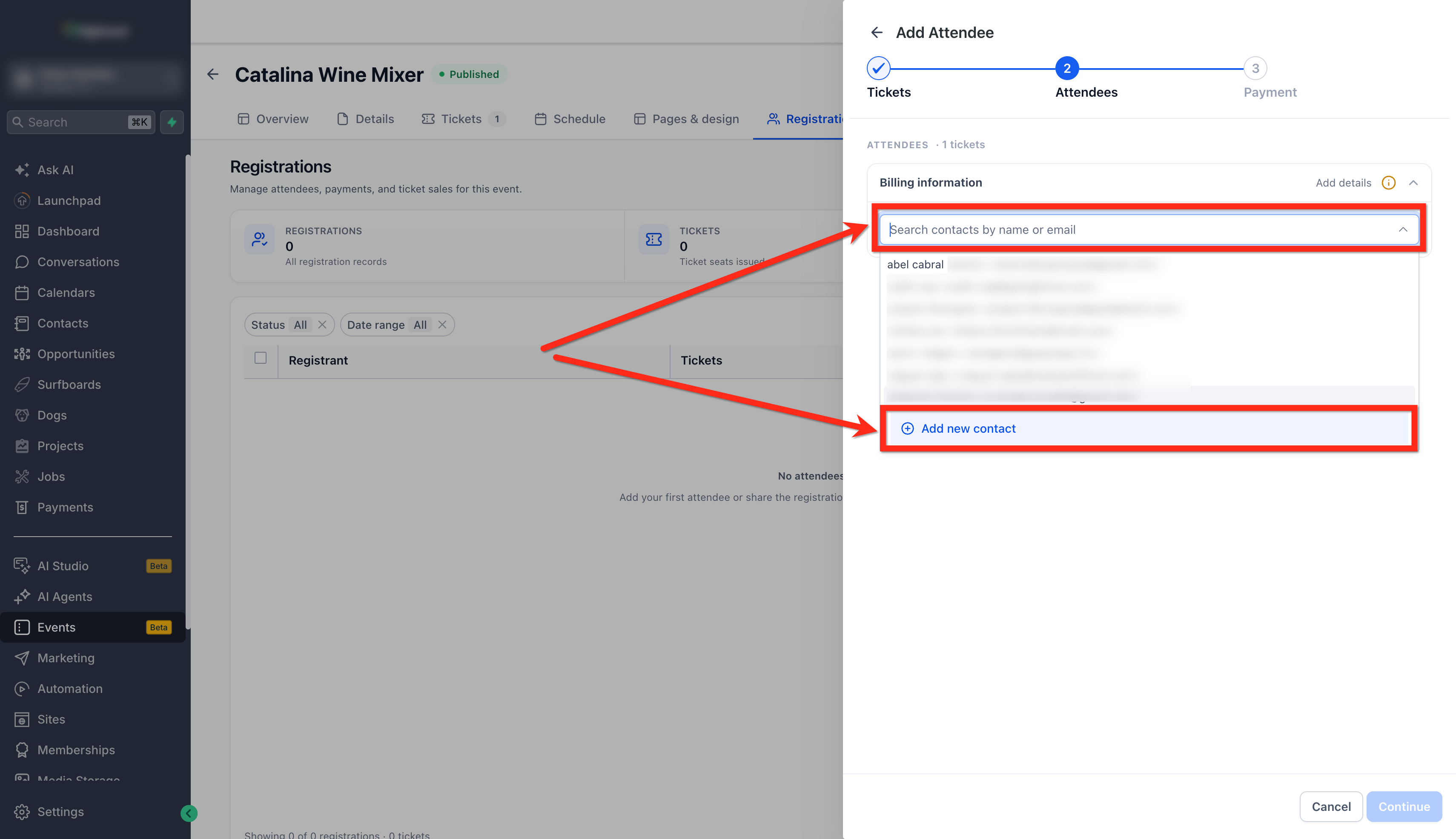
- Choose an existing contact or create a new one for each ticket and fill required fields.
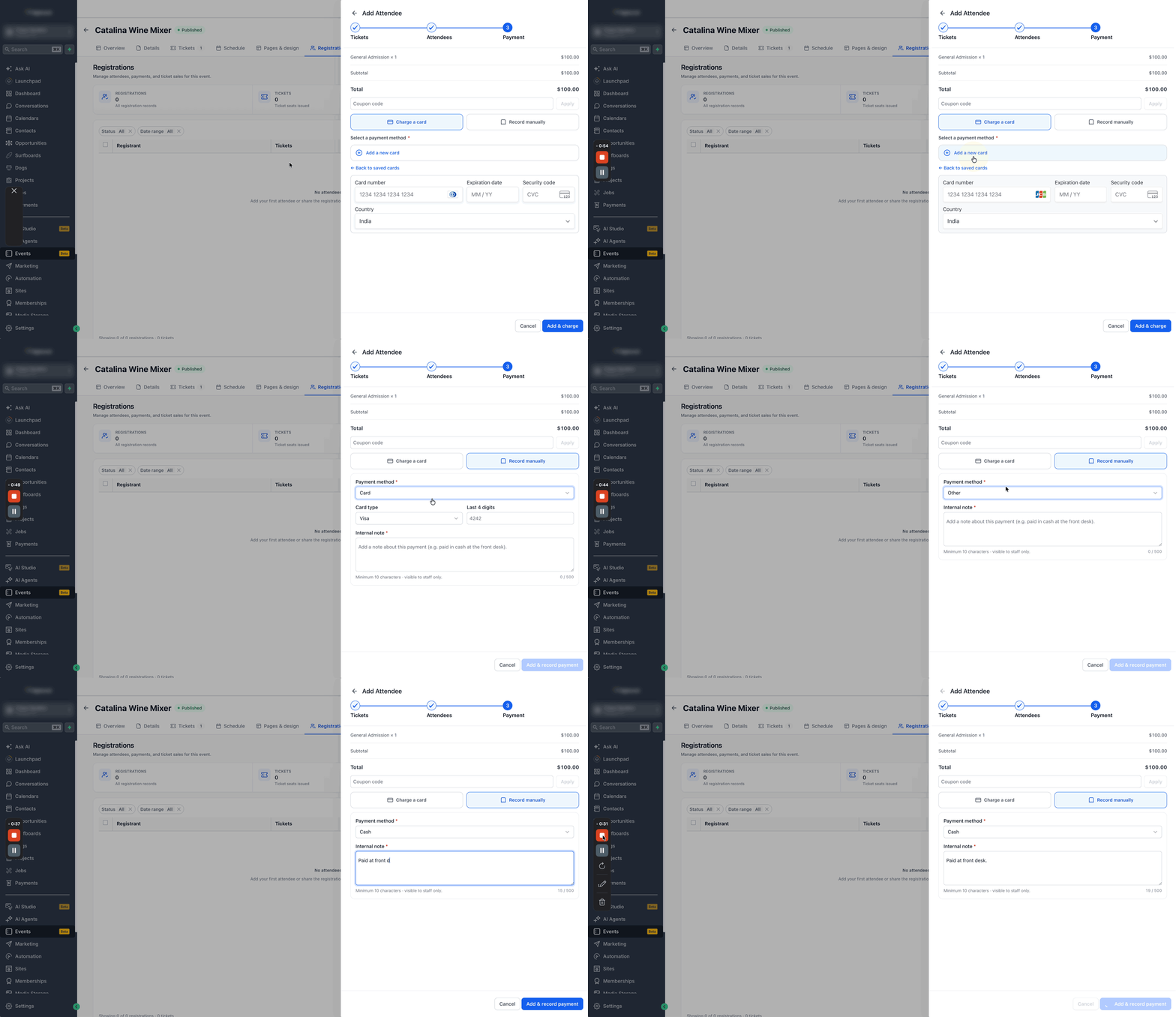
- Select a payment method, either charge a card through the provider or record an offline payment, then click Add & Record Payment.
- Confirm the registration; tickets are created and confirmation emails are sent automatically.
06What it looks like in HighLevel
07Settings that matter
- Ticket Types. Controls which ticket categories can be assigned during manual registration.
- Payment collection method. Determines whether a card is charged through the provider or an offline payment is logged.
- Email templates. Defines the content of the automatic confirmation emails sent to attendees.
08Things to know before you rely on it
- Manual registration can be used even when ticket capacity shows sold out, allowing you to override the limit.
- Offline payment records do not process a transaction through a payment gateway.
09How it connects to the rest of HighLevel
- Create and manage events in HighLevel Event creation guide
- Set up event and workflow integration Workflow integration
- Embed HighLevel event pages on any website Embedding events
Michael's take

Wondering how to handle a guest who walks in after you’ve sold out? You can add them right from the Registrations screen, pick their ticket, capture payment or note it as cash, and the system will issue a QR coded ticket and fire off the email confirmation immediately.
If I were setting up a live workshop, the first step would be to sync my contact list so any walk in or phone booking automatically enriches HighLevel. That way I never lose a follow up opportunity.