
01Who this is for
- Founders running webinars can keep sign ups on their main site, reducing visitor loss.
- Marketing managers can embed events on landing pages to maintain brand consistency during promotion.
- Small business owners can display workshops on blog posts, allowing readers to register without leaving the article.
02Event embedding, explained
Event embedding adds an iframe that shows a public HighLevel event page inside any web page. The embed includes all event details, schedules, and the registration form, so visitors never leave the host site.
The feature lives in the Events section of the platform. After selecting an event, the Share Event modal provides an Embed Code tab that generates the iframe snippet for copy and paste.
03How businesses use event embedding
- Coaching business. Create a public coaching session event, generate the embed code, and paste it on the company website so clients can sign up directly without navigating to a separate URL.
- Conference organizer. Add the embed code to a HighLevel funnel step dedicated to the conference, letting attendees register while progressing through the funnel.
- Online course provider. Place the embed code inside a blog post that announces a live Q&A, enabling readers to register from the article page.
04How to set up and use event embedding in HighLevel
Embed an event page on a website
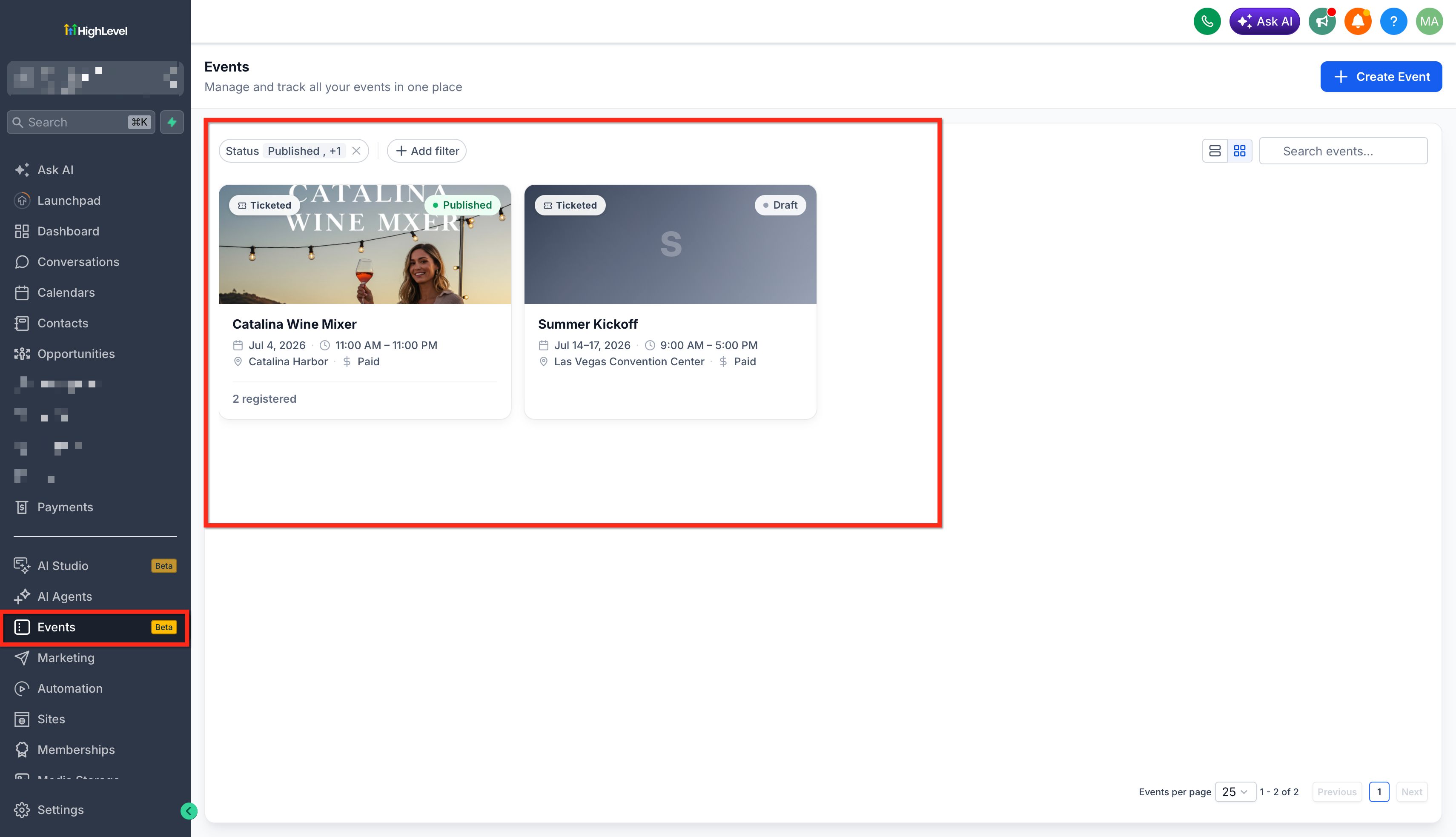
- Navigate to the Events section and select the public event you want to embed.
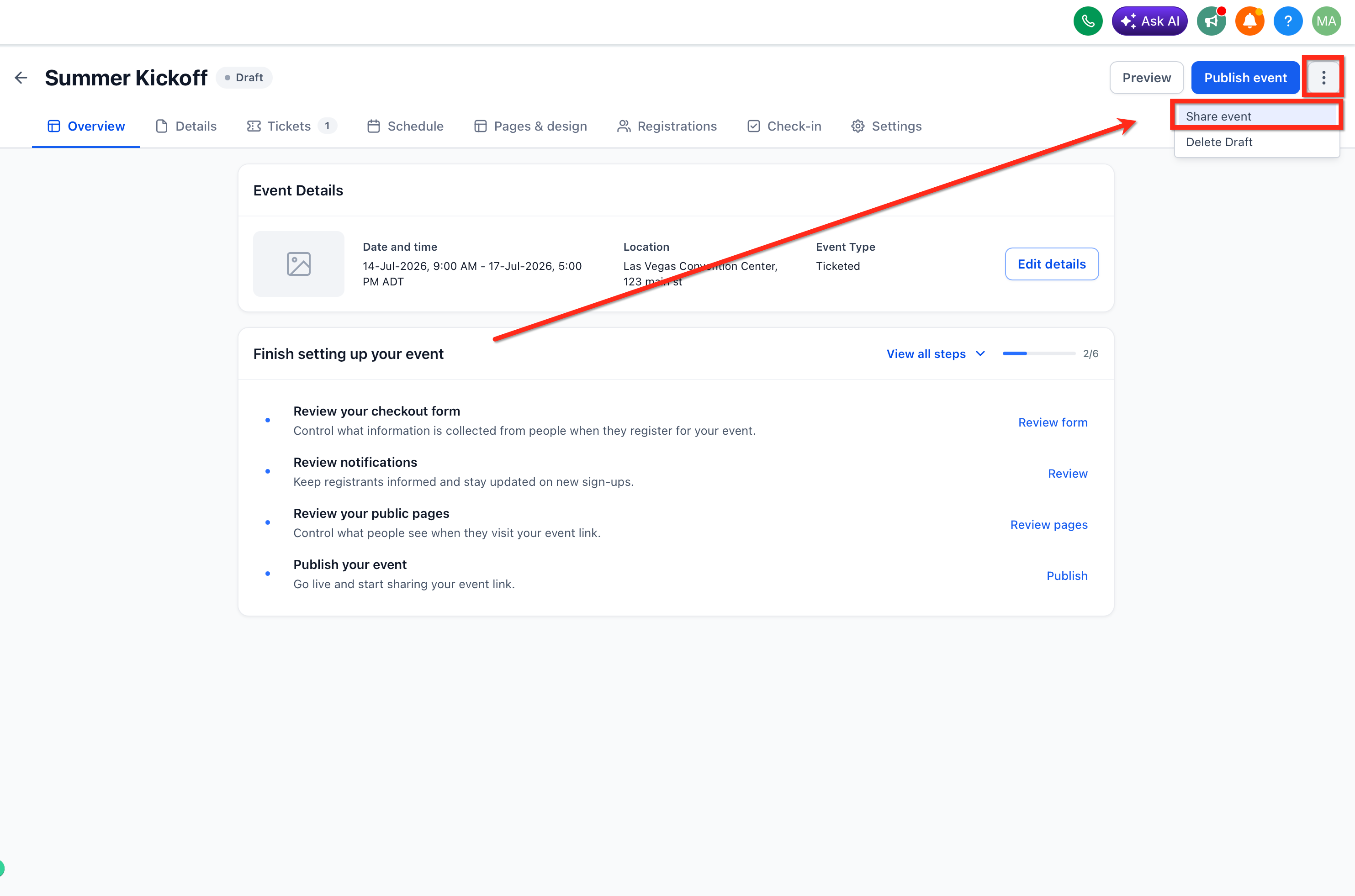
- Click the Share Event button to open the sharing modal.
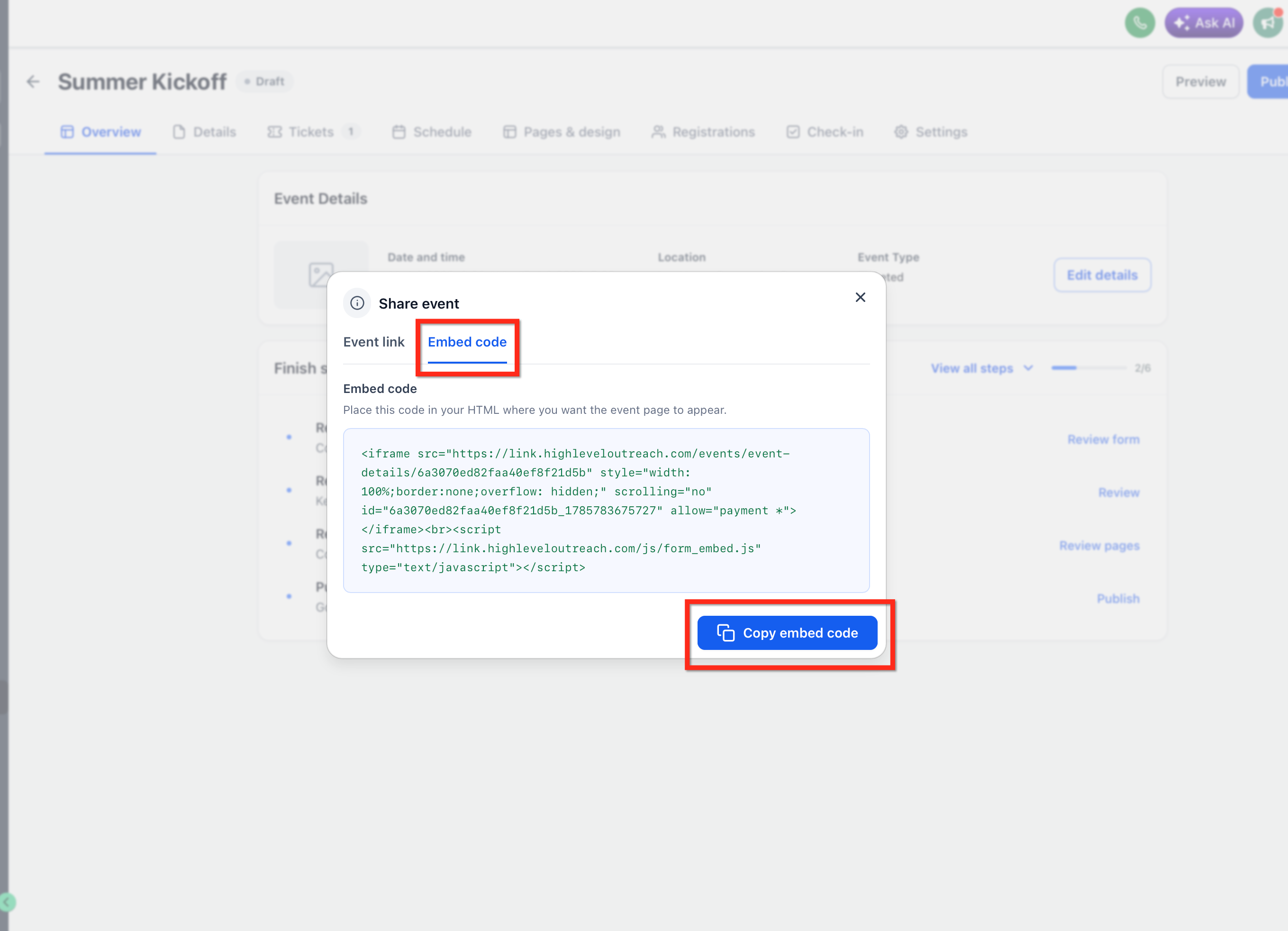
- Select the Embed Code option inside the modal.
- Click the Copy button to copy the generated iframe code.
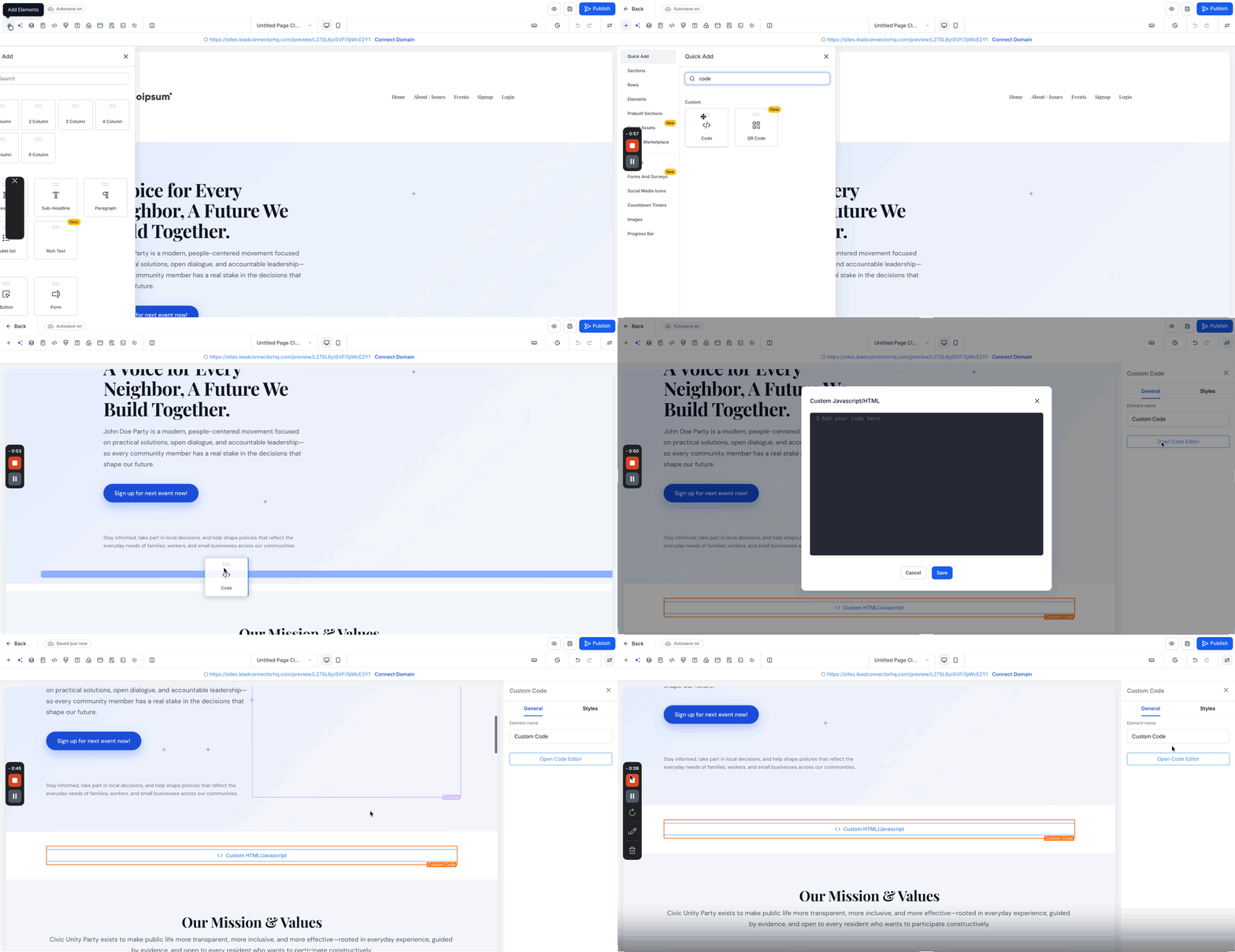
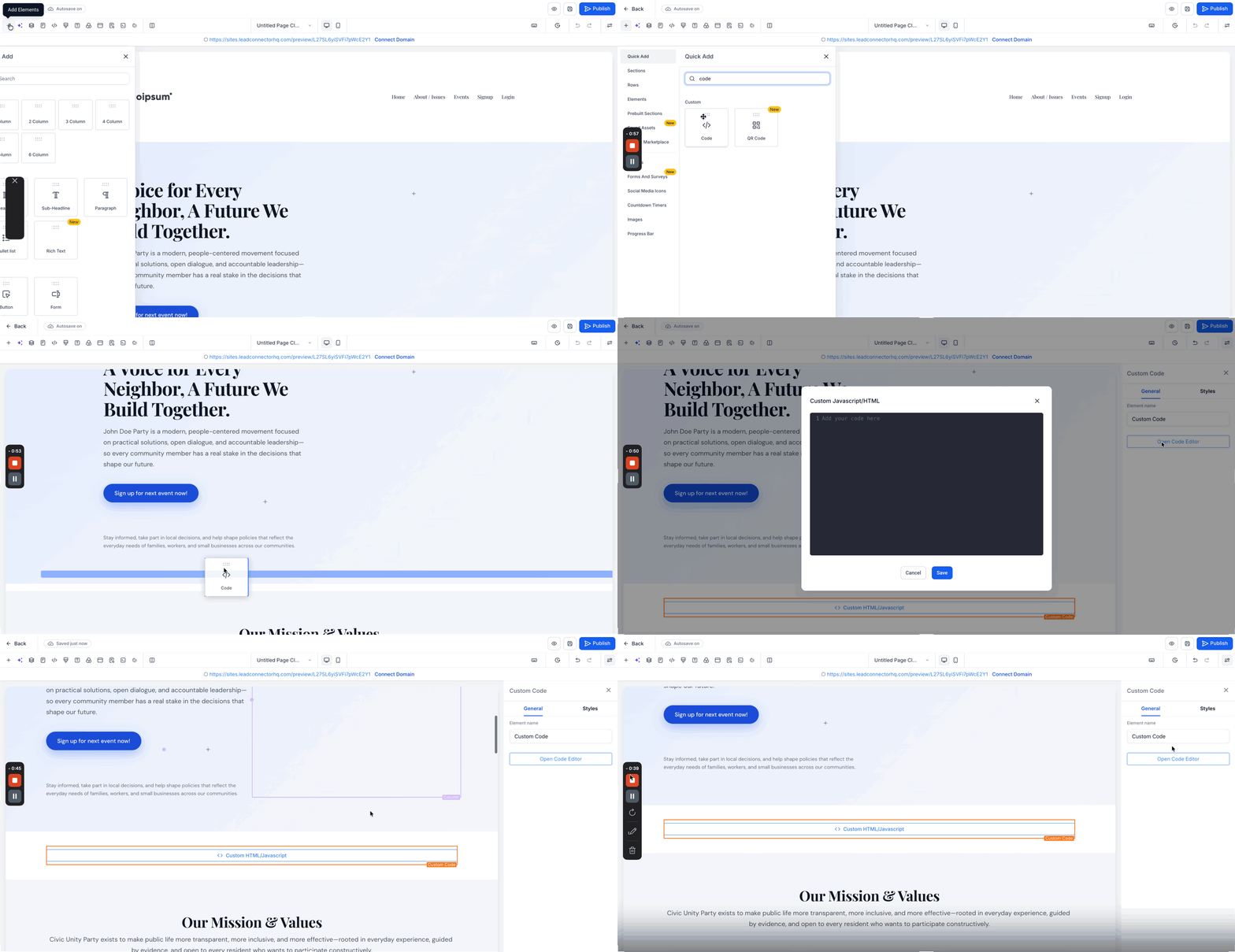
- Paste the code into the custom HTML area of your website or funnel and publish the page.
05What it looks like in HighLevel
06Settings that matter
- Embed Code. Controls the generation of an iframe snippet that displays the full public event page within any HTML container.
07Things to know before you rely on it
- Only public events provide an embed code; private or restricted events may not be suitable for embedding.
- The code works on any platform that accepts custom HTML or iframe elements.
08How it connects to the rest of HighLevel
- Create and edit your event before embedding Create events
- Tie the embedded event registrations to workflows for follow up Event workflow integration
- Adjust the look of the embedded page with custom CSS Custom CSS for events
Michael's take

Embedding the event keeps the registration flow on your own page, maintaining brand consistency and avoiding redirects. I start by ensuring the event’s branding is set up in HighLevel so the embedded iframe matches the site’s look. Then I copy the single click embed code and place it in the custom code area of the landing page or blog post; the registration works there, and any updates you make later appear automatically.