
01Who this is for
- Marketing managers benefit because they can turn ad leads into event registrants automatically.
- Coaches and trainers gain value by enrolling class participants through RSVP actions without manual entry.
- Sales teams use event triggers to create opportunities and assign tasks when prospects check in.
02Events and Workflows Integration, explained
The feature creates a bridge between the Events module and Workflow Builder. When a contact registers for an event or checks in, the chosen trigger launches a workflow. Within that workflow you can send emails, SMS, add tags, or schedule actions relative to the event date.
The integration lives under Automation > Workflows. Triggers appear as "Event Registration" or "Event Checked In". Actions named "Register for Ticketed Event" and "Register for RSVP Event" let you enroll contacts directly from a workflow step. Event data such as name, dates, ticket type or location is available to conditionally branch or personalize messages.
03How businesses use events and Workflows Integration
- Marketing agency. The agency creates a workflow that captures leads from a Facebook Lead Ad, adds a Register for Ticketed Event action for a client run webinar, then sends a confirmation email. This moves leads directly into the client’s event roster.
- Online coaching business. After a form submission for a free onboarding session, the business adds a Register for RSVP Event action in the workflow, then schedules a reminder SMS using an event relative Wait before the session starts.
- Fitness studio. When a member checks in at a class, the Event Checked In trigger starts a workflow that sends a welcome message and adds a tag for follow up offers, all without manual entry.
04How to set up and use events and Workflows Integration in HighLevel
Set up an event registration or check in trigger
- Navigate to Automation > Workflows.
- Create a new workflow or open an existing one.
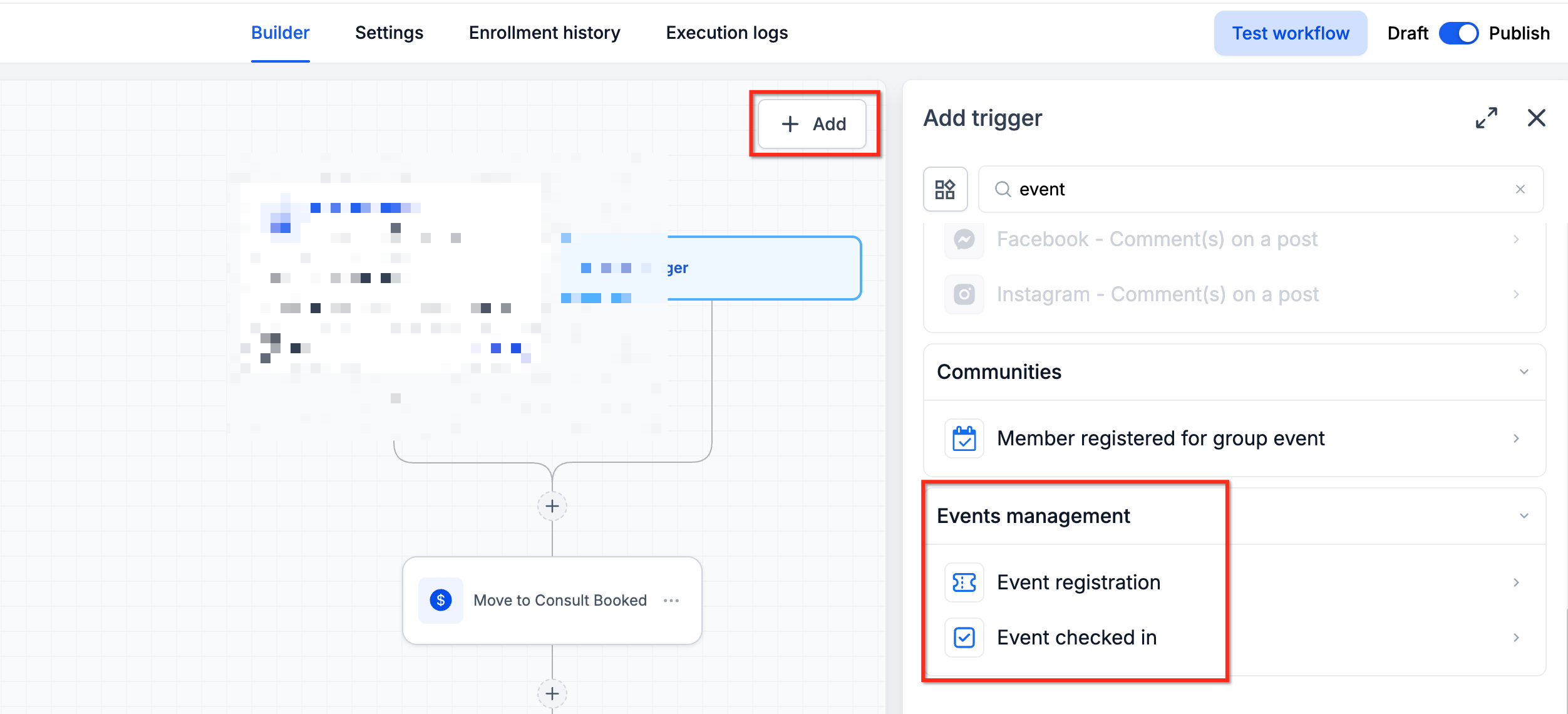
- Click Add Trigger and select Event Registration or Event Checked In.
- Configure any event filters you need.
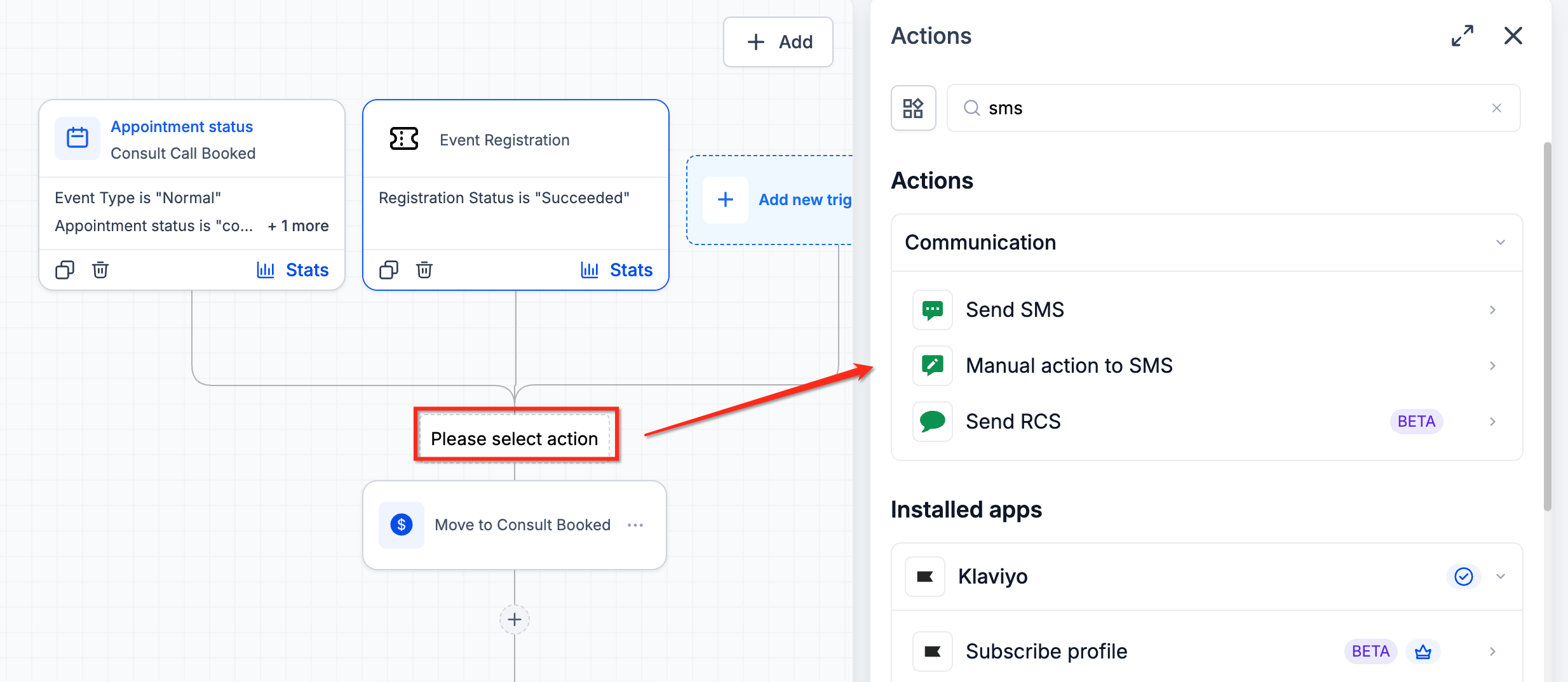
- Add actions such as Send Email, Send SMS, or Add Tag.
- Add conditions or event relative Wait actions if required.
- Test the workflow and then publish it.
Set up the Register for Ticketed Event action
- Navigate to Automation > Workflows.
- Create or open a workflow and set its trigger.
- Click the + icon to add an action.
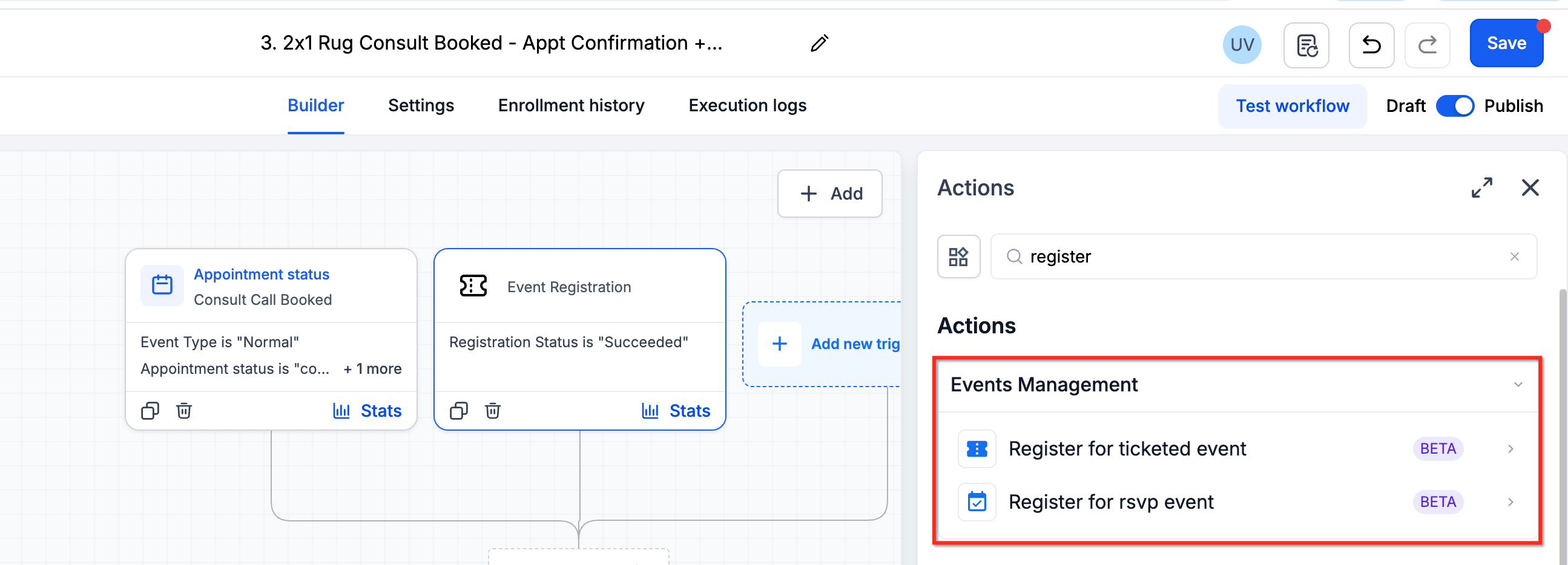
- Select Register for Ticketed Event.
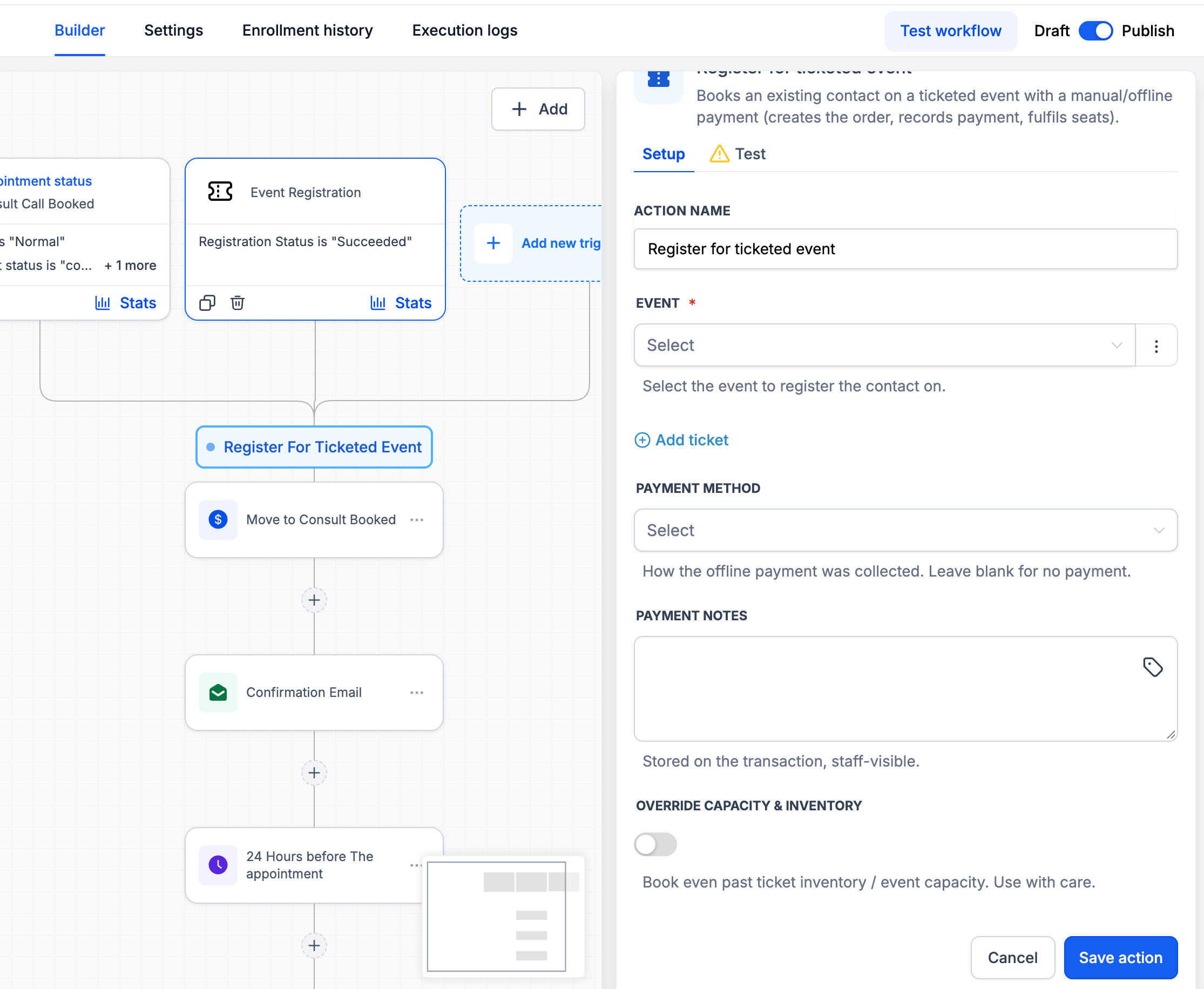
- Choose the target event and fill in the registration settings.
- Save the action and run a test registration.
- Publish the workflow once verification is complete.
Set up the Register for RSVP Event action
- Open a workflow and configure its trigger.
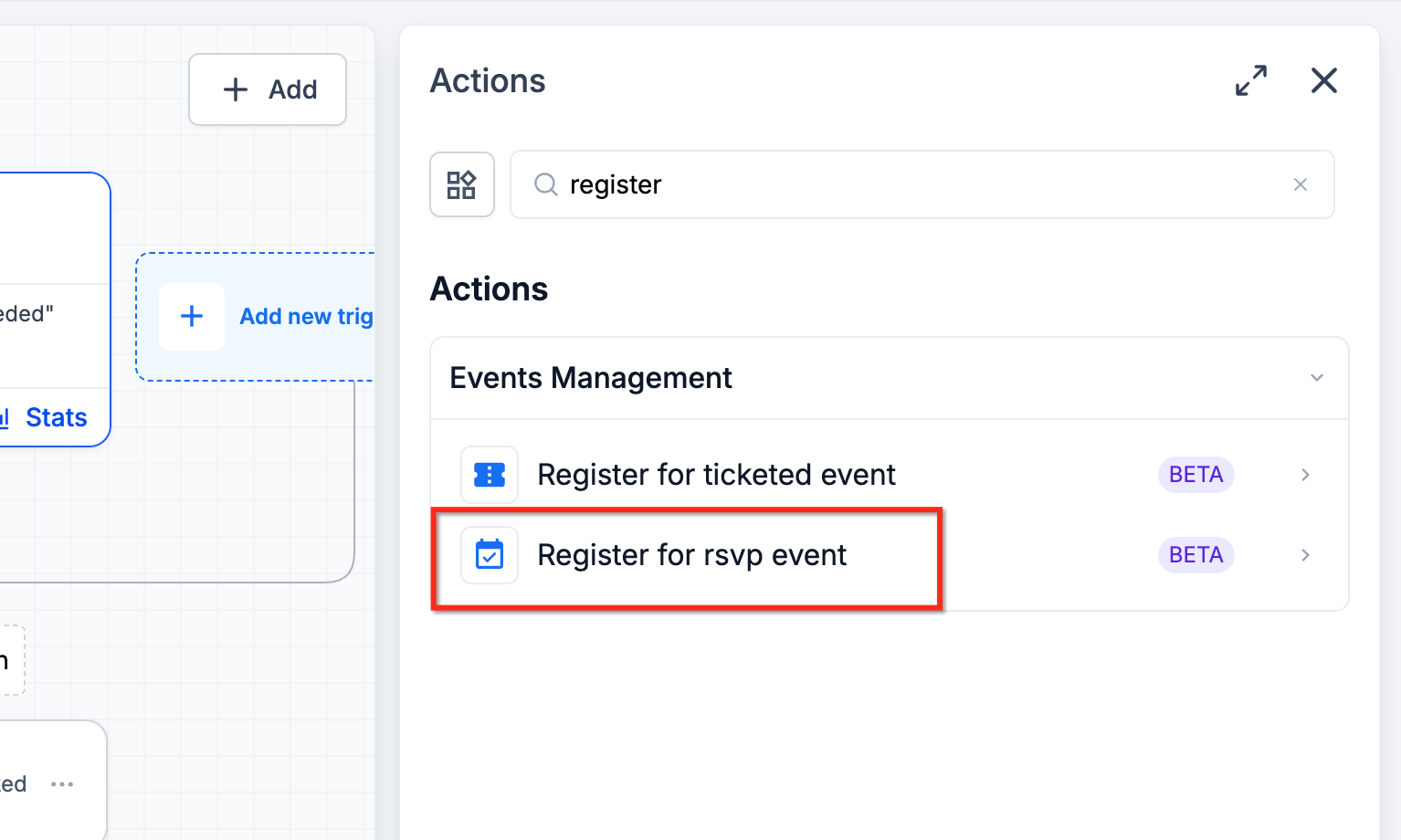
- Click the + icon and select Register for RSVP Event.
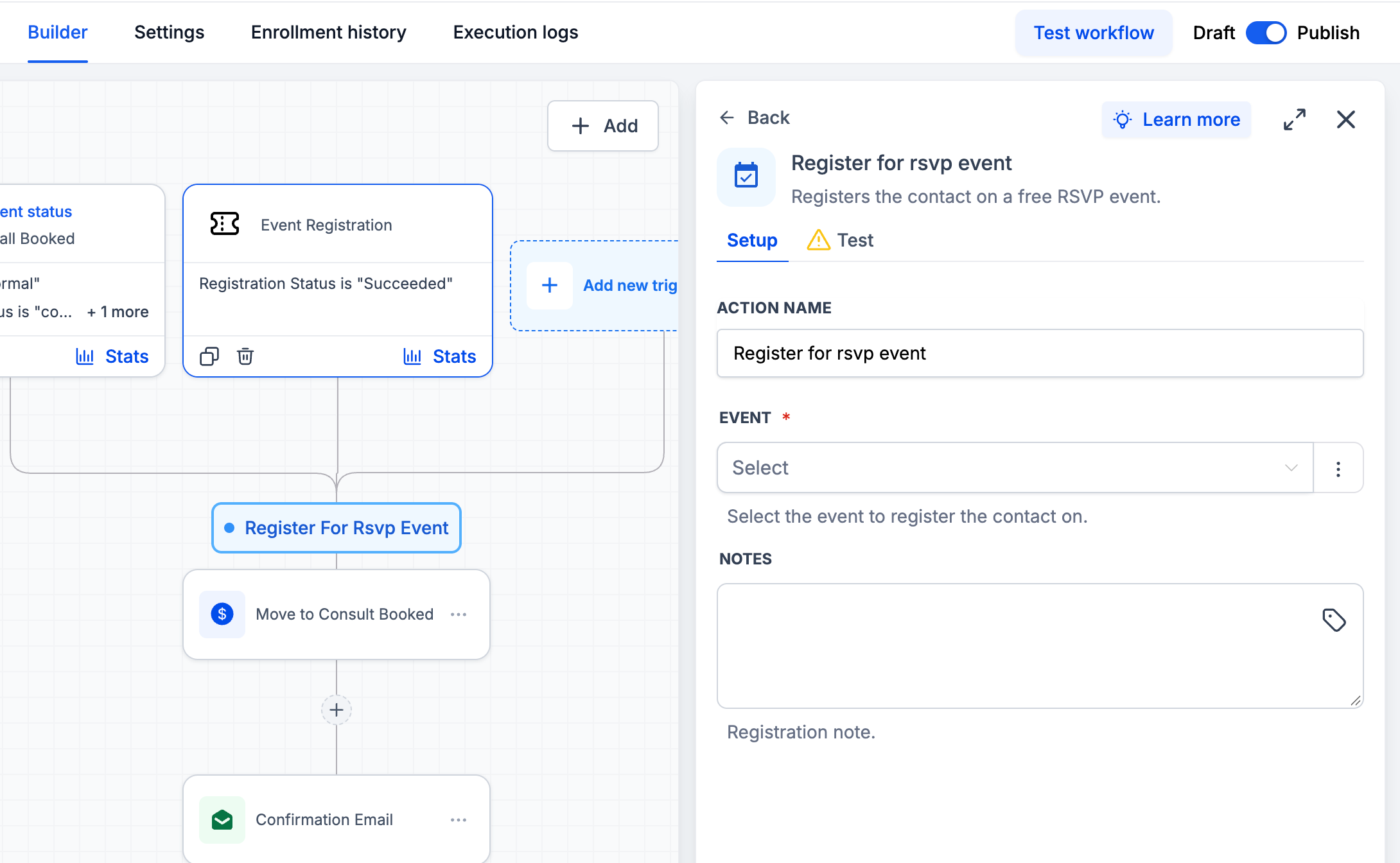
- Pick the RSVP event and complete the provided settings.
- Save the action.
- Test with a contact and verify the registration appears in Events.
- Publish the workflow.
05What it looks like in HighLevel
06Settings that matter
- Event Registration. Triggers a workflow when a contact registers for any event.
- Event Checked In. Triggers a workflow when an attendee checks in to an event.
- Register for Ticketed Event. Adds a contact to a ticketed event automatically from within a workflow.
- Register for RSVP Event. Enrolls a contact in an RSVP only event via a workflow action.
07Things to know before you rely on it
- Ticketed events may be free or paid; verify payment handling and ticket availability before using automated registration for paid tickets.
- Test for duplicate registrations, event capacity limits, and required contact fields before enabling live registration workflows.
08How it connects to the rest of HighLevel
- Create and edit events in HighLevel Create events
- Set up in person event check in experience Check in experience
- Add Meta Pixel tracking to event pages Meta Pixel tracking
Michael's take

In my experience, the automation reduces the need to manually add each attendee and can keep communications consistent across the event lifecycle. The benefit you see will depend on how many events you run and how you configure the workflows.