
01Who this is for
- Marketing agencies can build client search campaigns quickly, using the same interface they use for other services.
- Local service businesses can target specific cities and languages to reach nearby customers.
- Ecommerce brands can control daily spend and keywords while keeping ad copy in one place.
02Google Search ad campaigns, explained
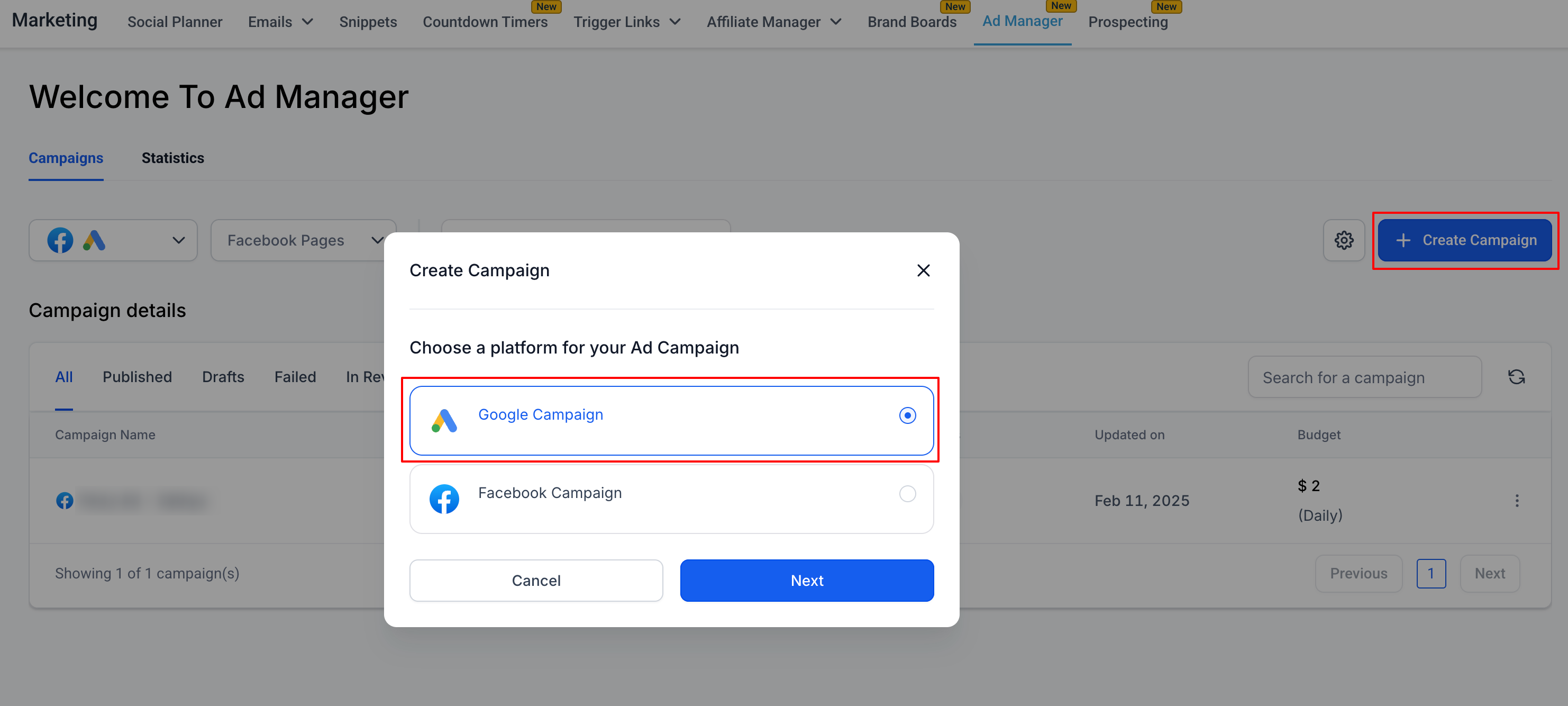
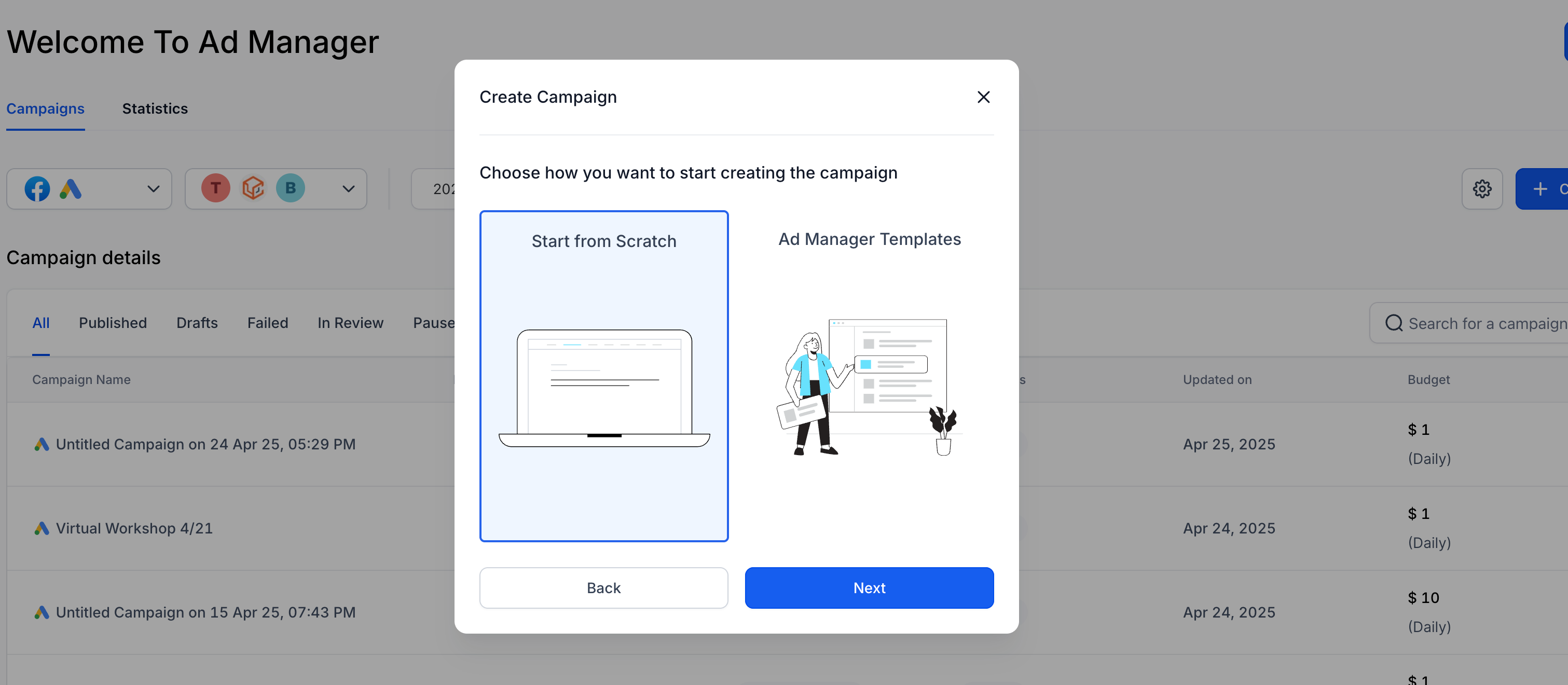
The feature creates and manages Google Search campaigns inside HighLevel. It lives under Marketing > Ad Manager where you start a new campaign, choose Google, and move through a three level hierarchy, campaign, ad group and ad. Each level has its own settings that you fill out before moving to the next.
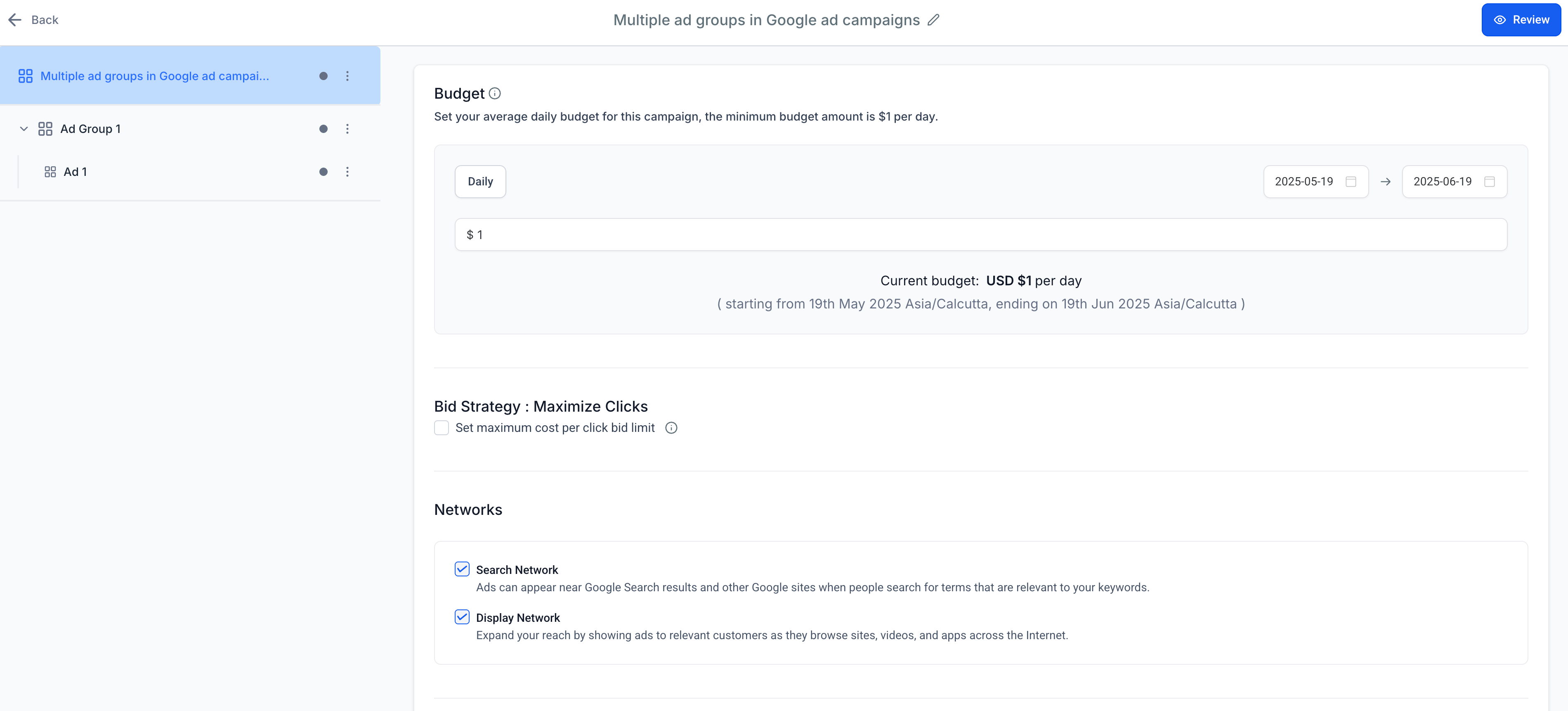
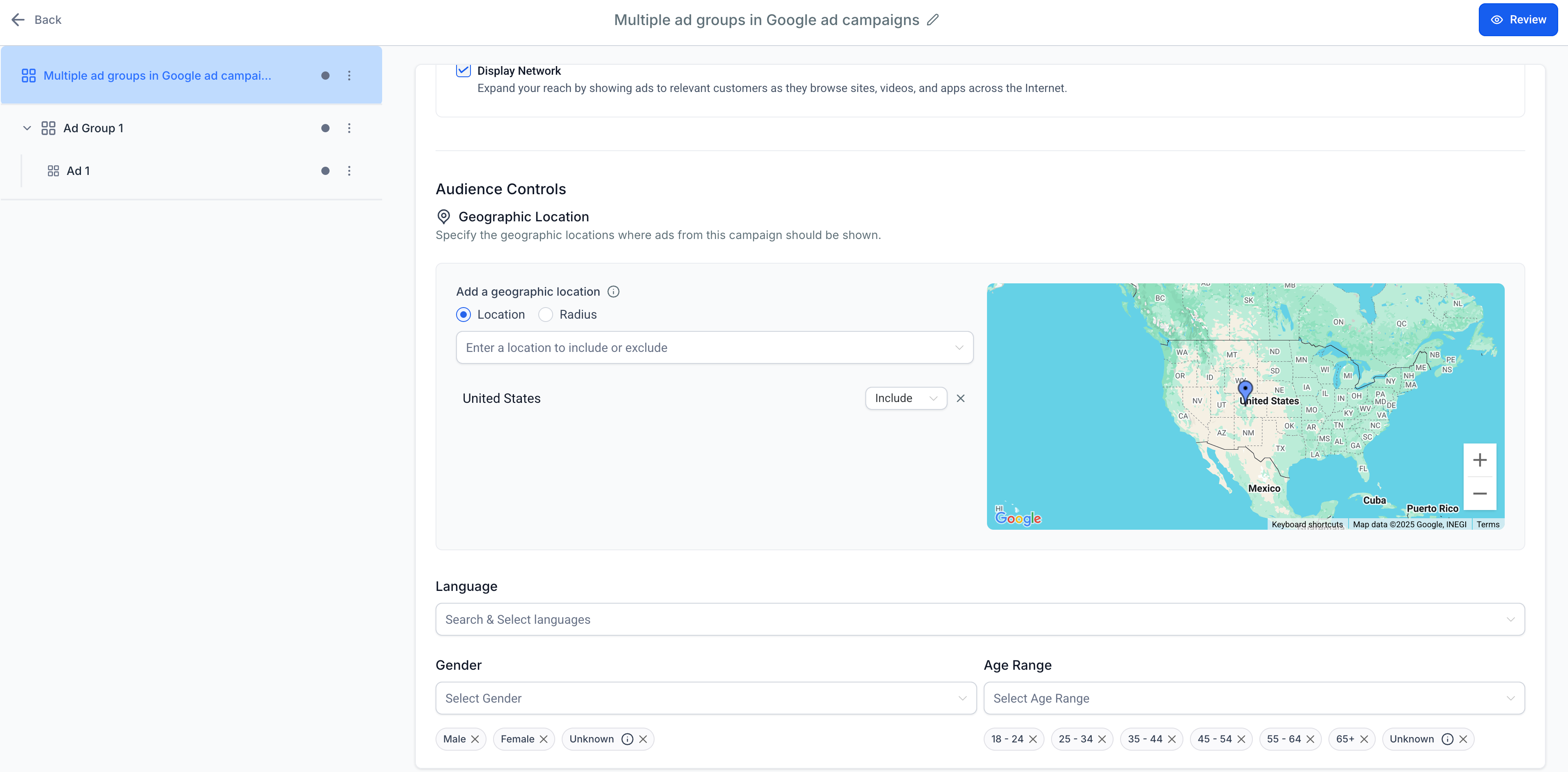
At the campaign level you set the name, bid strategy, daily budget, dates, geographic location, language and EU political ad declaration. Optional assets such as logos or sitelinks can also be added. The ad group level lets you name the group, supply a base URL, and add positive or negative keywords with match types. The ad level lets you create up to three ads per group, each with up to 15 headlines, four descriptions, a final URL and optional display paths.
After configuring all levels you click Review, verify required items, and Publish. Publishing sends the campaign to Google for approval; costs are billed through the linked Google Ads account, not HighLevel.
03How businesses use Google Search ad campaigns
- Local plumbing company. The plumber creates a campaign targeting the city they serve, sets a modest daily budget, adds keywords like "emergency plumber" and writes multiple headlines. All steps happen inside HighLevel, then they publish to reach local searches.
- Online boutique. The boutique selects English and Spanish languages, uploads its logo as an additional asset, and builds ad groups for different product categories. Keywords are added from the base URL, and three ad variations test different offers.
- Political advocacy group. The group must answer the EU Political Ads question, choose "Yes" if applicable, then set geographic targeting to specific EU regions. They finish the campaign in HighLevel before publishing for Google review.
04The numbers and rules that matter
- Optional toggle to set a maximum CPC limit.
- Age ranges: 18, 24 through 65+, and Unknown.
- Up to 10 ad groups per campaign.
- Keyword limit of 40 per type has been removed.
- Each keyword can contain up to 80 characters.
05Before you start
- Ad Manager must be enabled for the subaccount and any reselling settings configured.
- The user needs Ad Manager permission set in Settings > My Staff/Teams > Permissions.
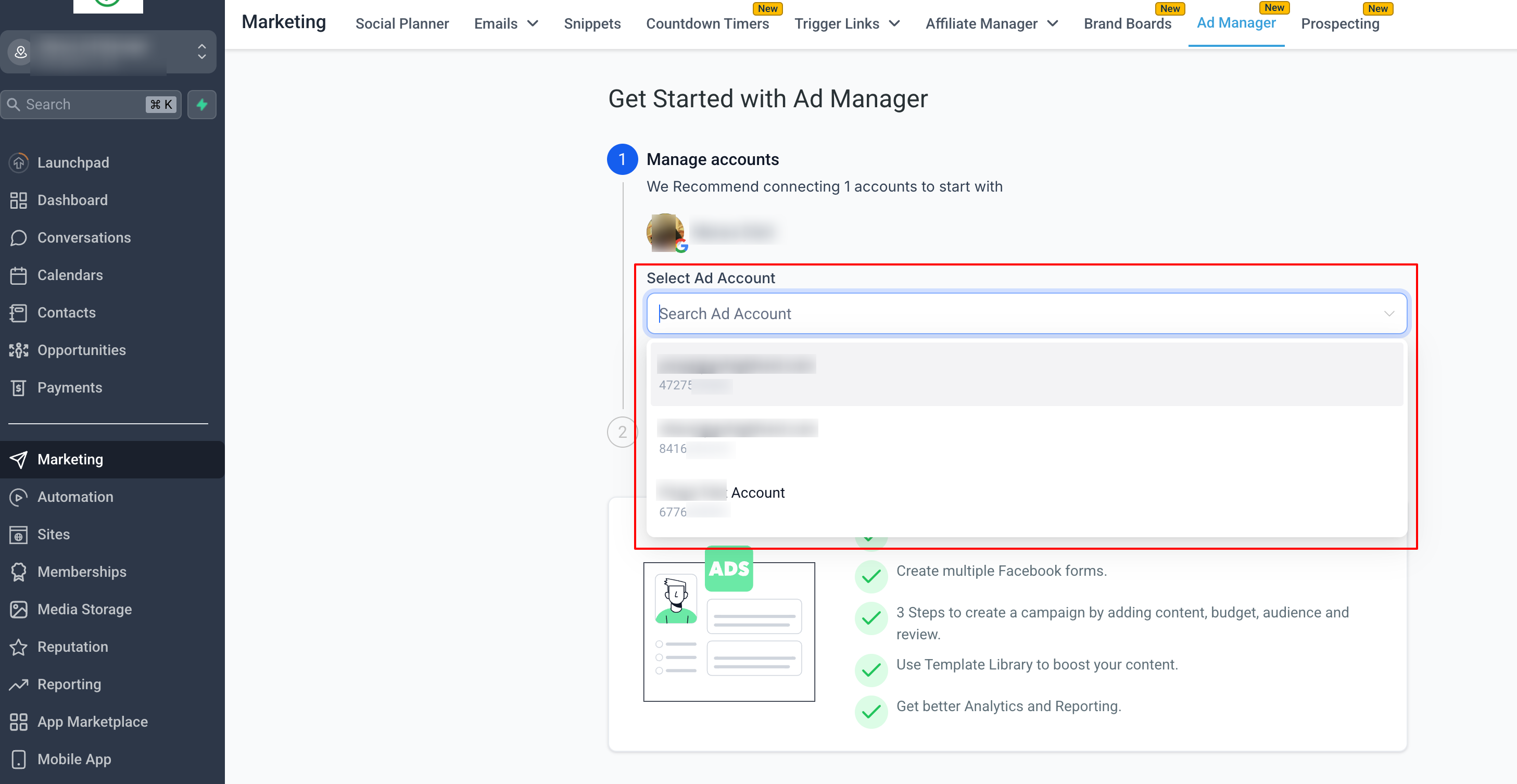
- A Google account with an eligible Google Ads account must be connected via the LeadConnector authorization flow.
06How to set up and use Google Search ad campaigns in HighLevel
Create a Google Search ad campaign
- Open Marketing > Ad Manager.
- Click Create Campaign and select Google as the advertising platform.
- Enter campaign level details such as name, bid strategy, daily budget, dates, location, language and EU political ad selection.
- Create at least one ad group, name it, add a base URL, and enter positive and negative keywords with match types.
- Add an ad to the group with headlines, descriptions, final URL and optional display paths.
- Click Review, ensure the campaign has at least one ad group and each group has at least one ad, then click Publish.
07What it looks like in HighLevel
08Settings that matter
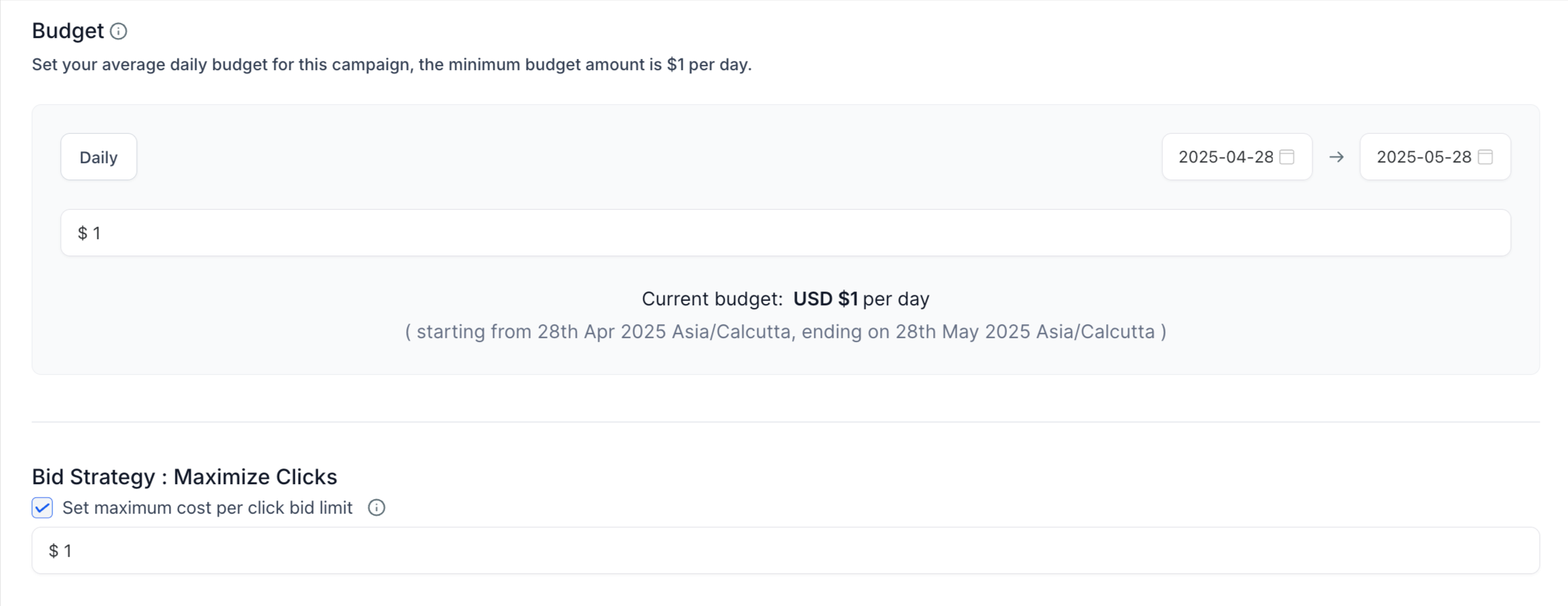
- Bid strategy. Chooses how Google optimizes bids; the default is Maximize Clicks and you may set an optional maximum CPC limit.
- Daily budget. Defines the average amount to spend each day; start and end dates can also be set.
- Geographic Location. Targets or excludes specific places; you can use location or radius targeting depending on the mode.
- EU Political Ads. Requires a Yes or No answer to indicate whether the campaign contains political content for the European Union.
- Language. Selects one or more languages that the audience speaks.
- Additional Assets. Optional items such as business logos, image assets, call extensions or sitelinks that appear with the ad.
09Things to know before you rely on it
- Maximize Clicks is the default bid strategy for Website Traffic Search campaigns.
- Maximum CPC can be set optionally when using Maximize Clicks.
- Geographic radius mode does not support separate include/exclude controls.
- The previous limit of 40 positive and 40 negative keywords per ad group has been removed; each keyword may be up to 80 characters.
- Each ad group can hold up to 3 ads, each with up to 15 headlines (30 characters each) and up to 4 descriptions (90 characters each).
- A campaign must have at least one ad group and each ad group must contain at least one ad before publishing.
10How it connects to the rest of HighLevel
- Connect a Google Ads account to Ad Manager How to Connect Google Ads to Ad Manager
- Manage multiple ad groups and ads after creating a campaign Multiple Ad Groups and Ads
- Add audience segments at the campaign level Audience Segments for Google Ads
Michael's take

The EU political ads declaration and the keyword eligibility rules are required steps in the campaign setup.
When everything’s in place, Ad Manager gives you a clean way to launch Search ads without leaving HighLevel. I like that I can set the budget, craft multiple headlines and descriptions, and tweak location targeting all in one place before sending it off to Google.