
01Who this is for
- Marketing managers at agencies gain a single place to build visual rich campaigns for multiple clients.
- Ecommerce owners can reach shoppers early in the funnel with image ads on YouTube and Discover.
- SaaS Founders can use Customer Match to re engage existing leads while prospecting with lookalike audiences.
02Google Demand Gen campaigns, explained
The Demand Gen flow lives inside HighLevel Ad Manager. After you enable Ad Manager for a subaccount and connect a Google Ads account, the workflow guides you through platform selection, goal choice, budget, ad group settings, placement, audience and creative. Google retains its delivery and optimization engine, while HighLevel provides the interface for setup.
You create a campaign, pick a goal such as Conversions, Clicks or YouTube Engagements, set a daily or total budget, define where ads appear, choose audience segments like Customer Match or Lookalike, and upload single image, single video or carousel assets. When you review the summary and publish, the campaign is sent to Google for delivery.
03How businesses use Google Demand Gen campaigns
- Dental practice. The practice selects the Conversions goal, uploads a short video of a patient testimonial, and targets a Customer Match list of existing patients. The workflow lets the practice set a daily budget and publish the Demand Gen campaign without leaving HighLevel.
- Ecommerce retailer. The retailer chooses the Clicks goal, adds up to 20 product images as single image ads, and selects Manual placements that include YouTube Shorts and Google Discover. Audience targeting uses Interest Segments to reach shoppers interested in related categories.
- SaaS startup. The startup opts for YouTube Engagements, uploads up to five YouTube video URLs, and enables Target CPA. It defines a Lookalike Segment based on website visitors and publishes the campaign to reach new prospects on YouTube inventory.
04The numbers and rules that matter
- Supported ad formats: Single Image Ads, Single Video Ads, Carousel Ads.
- Videos must be at least 10 seconds long.
- Upload up to 20 images for single image ads.
- Upload up to 5 business logos (required) for single image ads.
- Add up to 5 headlines and 5 descriptions for single image ads.
- Add up to 5 YouTube video URLs for single video ads.
- Carousel ads require a minimum of 2 cards and up to 10 cards.
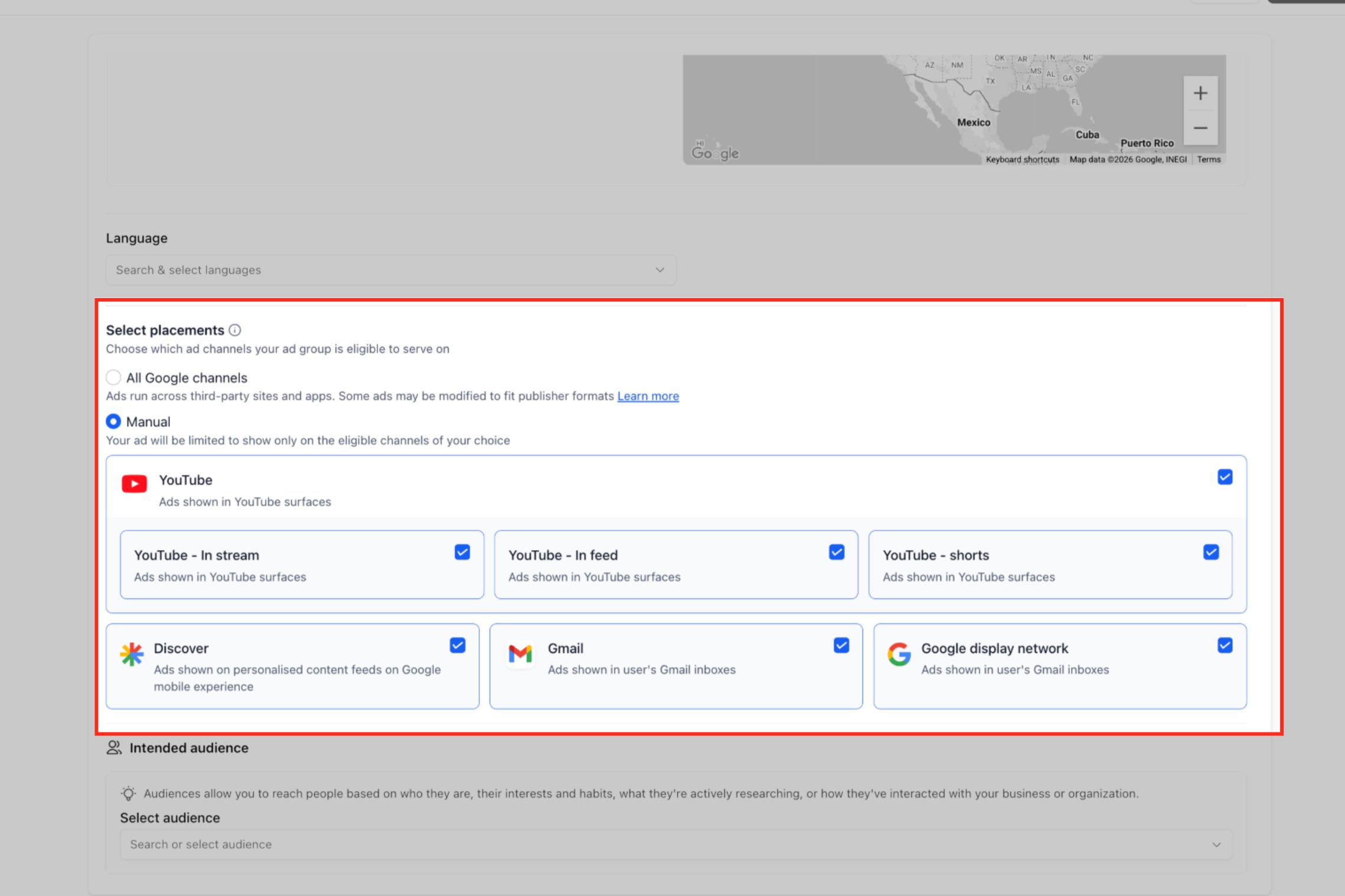
- Manual placement options include YouTube (In stream, In feed, Shorts), Google Discover, Gmail, Google Maps, Google Display Network.
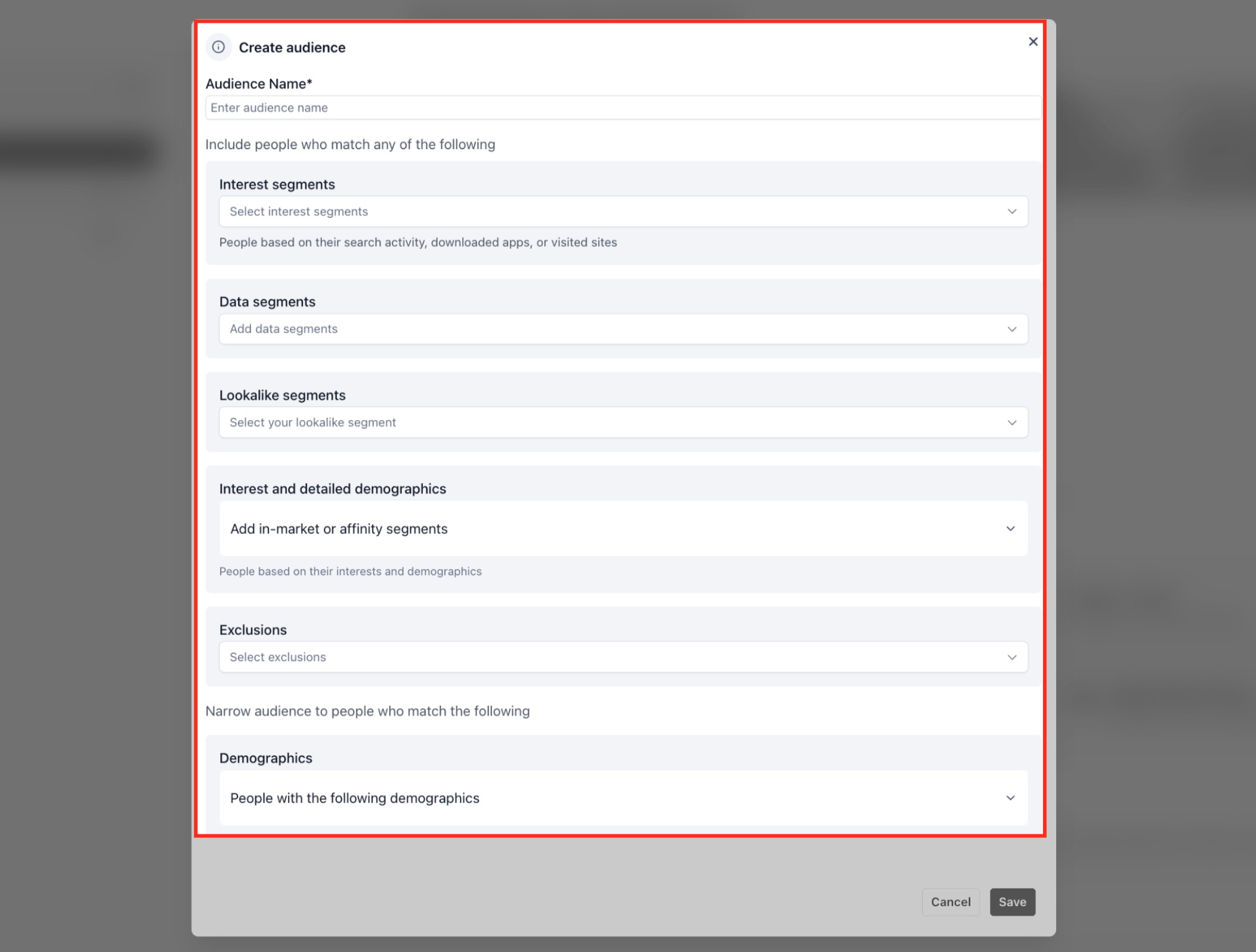
- Audience segment types include Customer Match, Website Visitors, Interest Segments, Lookalike Segments.
05Before you start
- Ad Manager must be enabled for the subaccount and the user must have permission to access it.
- A Google account and Google Ads account must be connected through HighLevel’s onboarding flow.
- If the campaign goal is Conversions, the required Google Ads conversion actions must already exist.
06How to set up and use Google Demand Gen campaigns in HighLevel
Set up a Google Demand Gen campaign
- Confirm Ad Manager access in HighLevel.
- Ensure Ad Manager is enabled for the subaccount and visible to the correct user.
- Connect your Google account and Google Ads account.
- Prepare any required conversion actions.
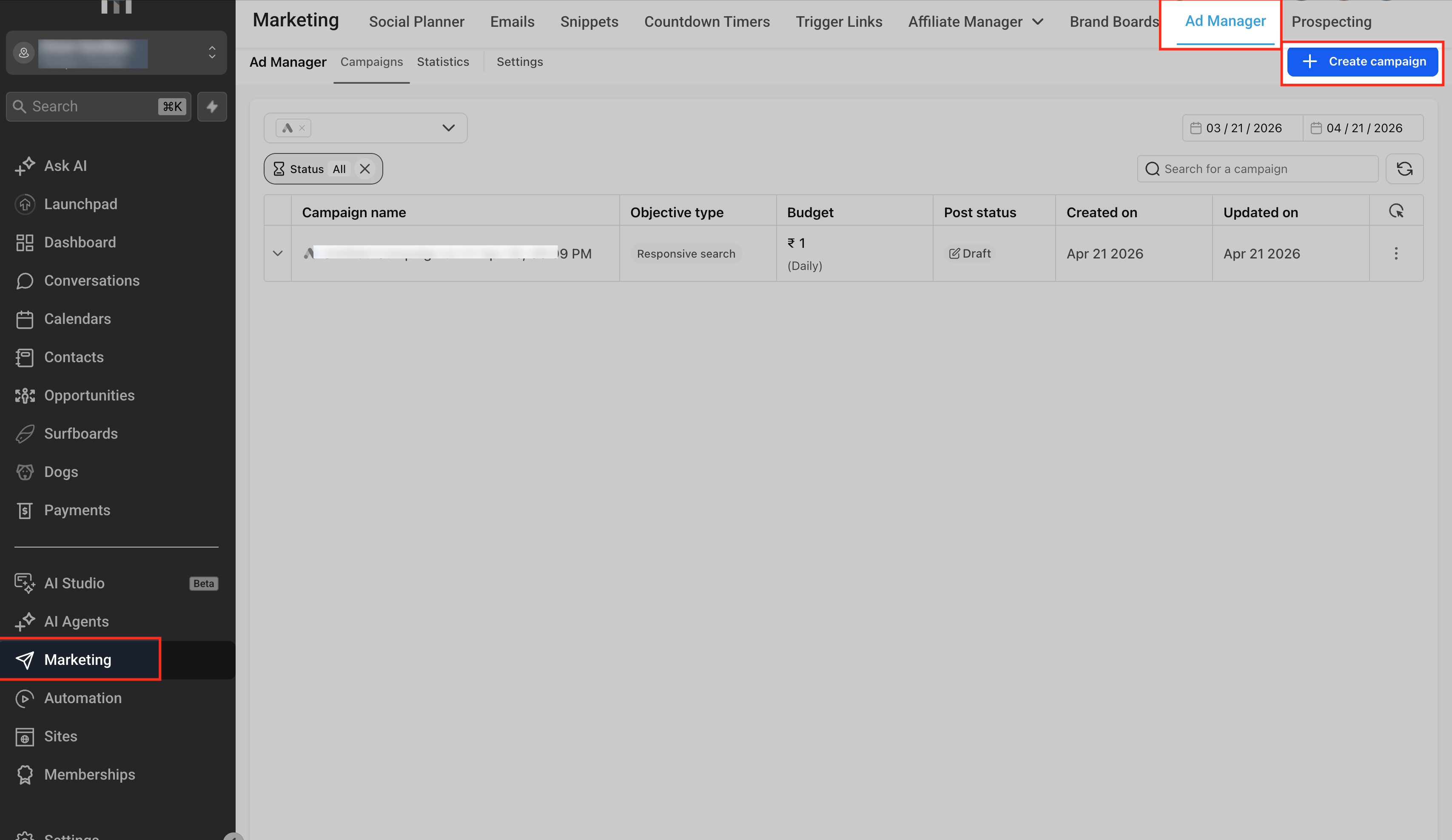
- Open Ad Manager and create a new campaign.
- Select Google as the advertising platform.
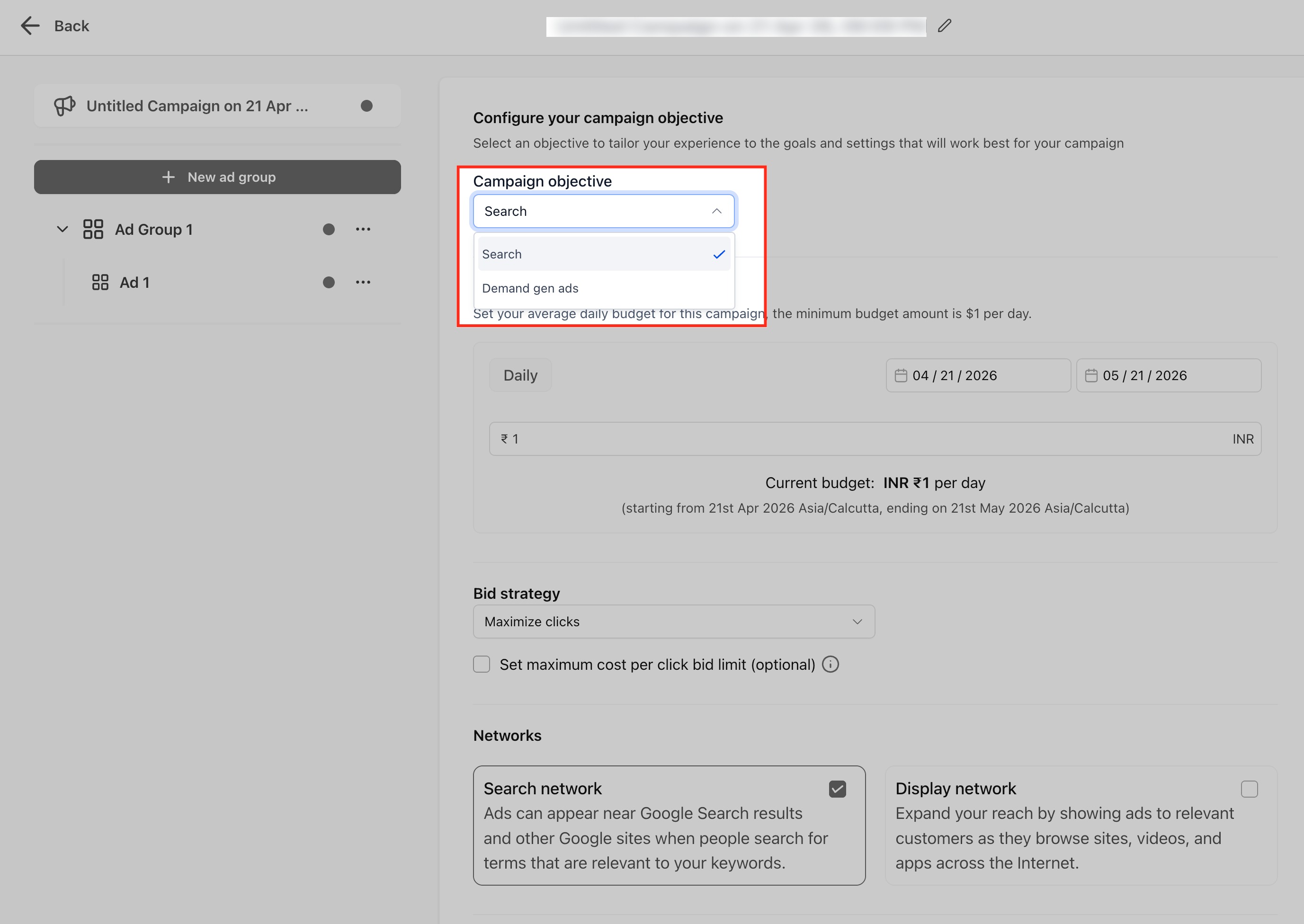
- Choose Demand Gen Ads as the campaign objective.
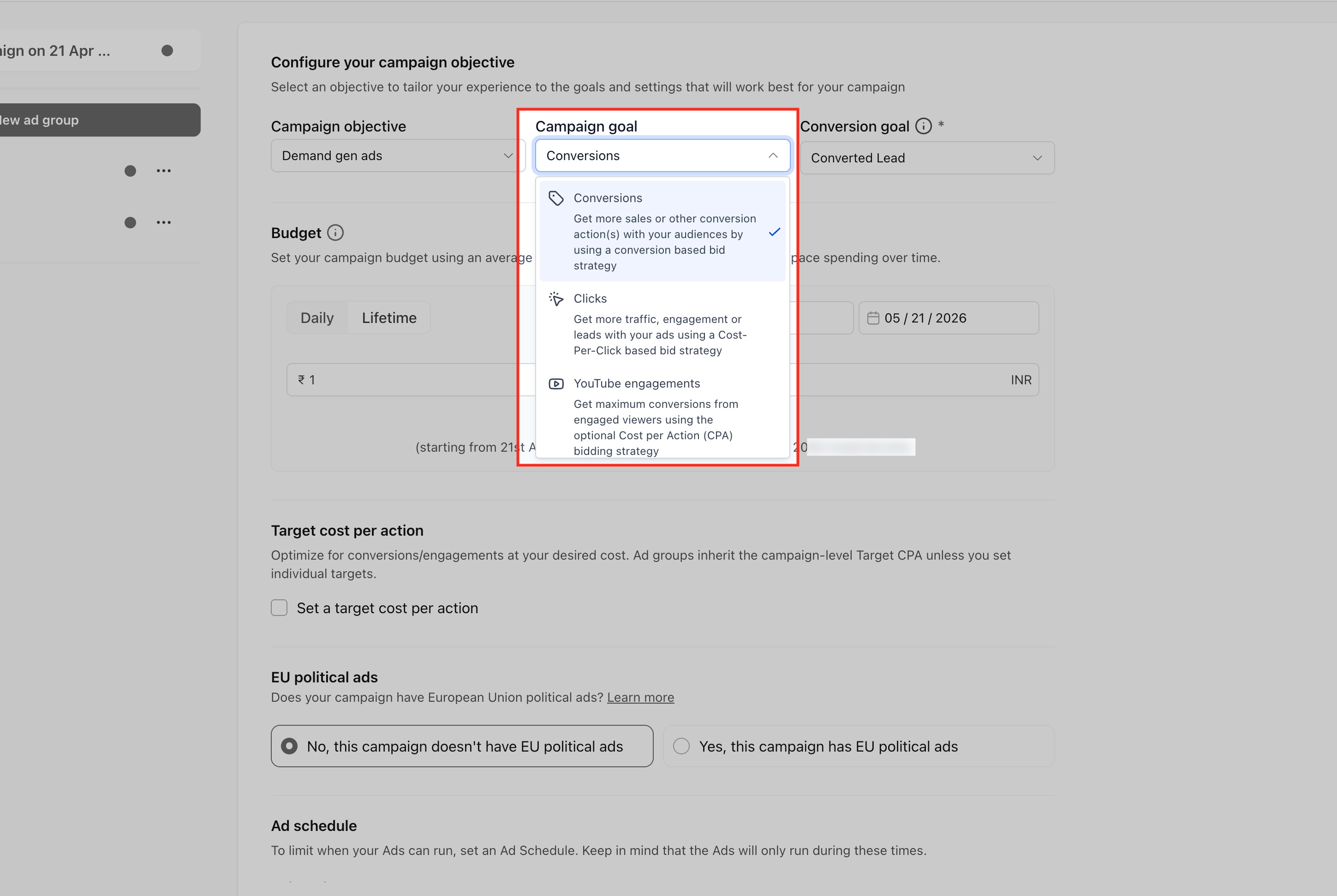
- Choose your campaign goal (Conversions, Clicks or YouTube Engagements).
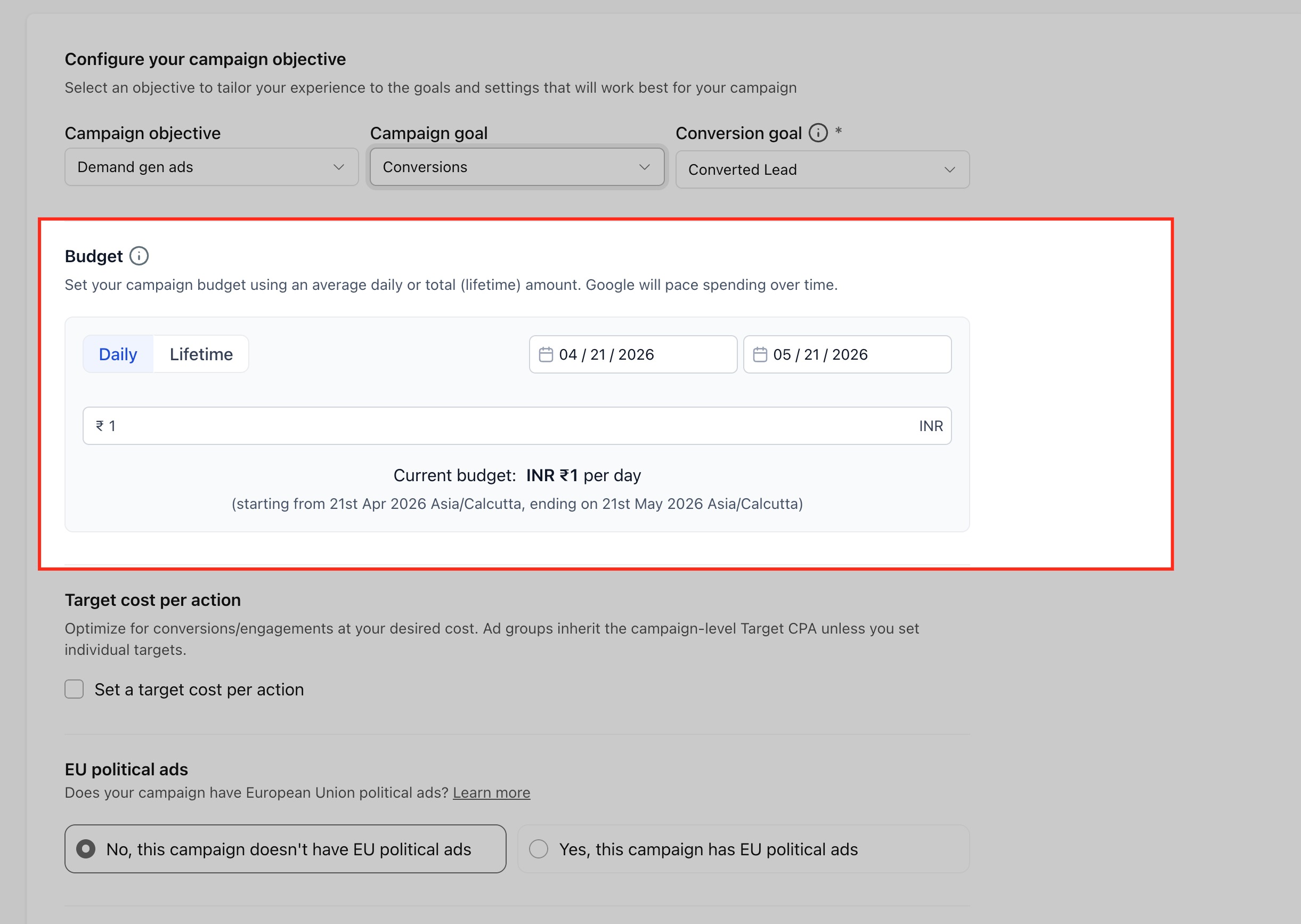
- Set the campaign budget and schedule.
- Configure ad group settings such as location and language targeting.
- Choose where your ads can appear (all Google channels or manual placement).
- Define the audience segment (Customer Match, Website Visitors, Interest or Lookalike).
- Create a Single Image Ad by uploading images, logos, headlines and a CTA.
- Create a Single Video Ad by adding YouTube video URLs, logos and copy.
- Create a Carousel Ad by adding between two and ten cards with images and headlines.
- Verify that creative format matches the selected goal, especially video for YouTube Engagements.
- Review the campaign summary and publish the campaign.
07What it looks like in HighLevel
08Settings that matter
- Goal. Determines whether Google optimizes for conversions, clicks or YouTube engagements.
- Budget. Controls how much the campaign can spend each day or for its entire run.
- Schedule. Sets the start and end dates for campaign delivery.
- Location targeting. Limits ad delivery to specific geographic regions.
- Language targeting. Restricts ads to users who speak selected languages.
- Placement selection. Chooses either automatic placement across all Google channels or manual selection of specific surfaces.
- Audience segment. Selects the type of Google audience (Customer Match, Website Visitors, Interest, Lookalike) used for targeting.
- Creative format. Specifies whether the ad uses a single image, single video or carousel layout.
- Target CPA. Optional bid strategy used when the goal is Conversions.
- Target CPC. Optional bid strategy used when the goal is Clicks.
09Things to know before you rely on it
- Video assets must be at least 10 seconds long and up to five YouTube URLs can be added.
- Single Image Ads allow up to 20 images and up to 5 business logos.
- Carousel Ads require a minimum of 2 cards and a maximum of 10 cards; each card needs one image, a headline and a final URL.
- YouTube Engagements can only serve on YouTube inventory and requires video creative and a linked YouTube channel.
- Google account connection is mandatory before publishing any Demand Gen campaign.
- Lookalike Segments are transitioning to an audience suggestion model during 2026; behavior may vary based on rollout status.
10If something goes wrong
- No conversion goal appears during setup. Check that the required Google Ads conversion actions are configured and available in the connected account.
- Cannot access Ad Manager in a subaccount. Confirm that Ad Manager is enabled for the subaccount and that the user has the appropriate permissions.
11How it connects to the rest of HighLevel
- Enable Ad Manager and connect Google Ads Connect Google with Ad Manager
- Create and manage offline conversion actions Offline conversions
- Use Google Ads audience segments inside Ad Manager Audience segments
- Configure campaign level assets such as logos and sitelinks Campaign assets
Michael's take

How do I know if a visual first campaign is worth the effort? If you want to reach people before they type a search, the Demand Gen flow gives you a single place to set up those ads, pick a goal and let Google handle the delivery. It’s especially handy if you’re already using HighLevel for funnel building and don’t want to juggle another dashboard.
I would begin with connecting your Google account, then decide whether you need conversions, clicks or YouTube engagement. Once the goal is set, pull together the matching creative. An image, a video or a carousel. And let HighLevel push the campaign live. Just double check that any conversion actions you need are already in Google Ads before you publish.