
01Who this is for
- Social media managers can keep TikTok followers engaged right away, reducing the need for round the clock staffing.
- Lead generation teams benefit from automated qualification of prospects who reach out via TikTok DMs.
- Service based businesses, such as clinics, can let customers schedule appointments directly inside TikTok conversations.
02TikTok channel support, explained
The feature adds TikTok to the roster of channels that a Conversations AI bot can monitor. Once enabled, the bot watches incoming TikTok messages and applies the same AI logic used for SMS, WhatsApp or email. Replies, tag actions, workflow triggers and handoffs happen inside the platform.
Configuration lives in the Deploy tab of a bot’s settings. A channel card for TikTok appears alongside other platforms, and a toggle activates the connection. After activation you select which TikTok accounts the bot serves and optionally limit handling with tag based filters.
All AI capabilities that exist for other channels, intelligent replies, knowledge based answers, lead qualification, appointment booking, action execution, human handoff and after hours engagement, are also available on TikTok. Conversations are shown in the unified Conversations inbox together with messages from the rest of the ecosystem.
03How businesses use TikTok channel support
- Retail brand. The brand enables the TikTok channel, picks its official store account, and lets the AI answer product related questions. When a user asks about sizes, the bot replies from the knowledge base, and if the user wants to buy, it guides them toward a checkout link.
- Dental practice. The practice activates TikTok for its office account, applies a tag filter so only contacts marked "new patient" are handled, and uses the AI to collect name, phone and preferred visit time, then passes the lead to a scheduler.
- Fitness studio. The studio turns on TikTok, selects all connected accounts, and configures the bot to propose class slots. When a prospect selects a time, the bot confirms the appointment directly within the TikTok chat.
04The numbers and rules that matter
- Supported AI capabilities include Intelligent Conversation Responses, Knowledge Based Question Answering, Lead Qualification, Appointment Booking, Supported Conversation Actions, Human Handoff, After Hours Engagement.
05Before you start
- A TikTok integration must already be set up and active in the HighLevel account.
- At least one TikTok channel must be connected before enabling it for the bot.
- A Conversations AI bot with its knowledge base, personality and behavior settings must exist.
06How to set up and use TikTok channel support in HighLevel
Enable TikTok channel support
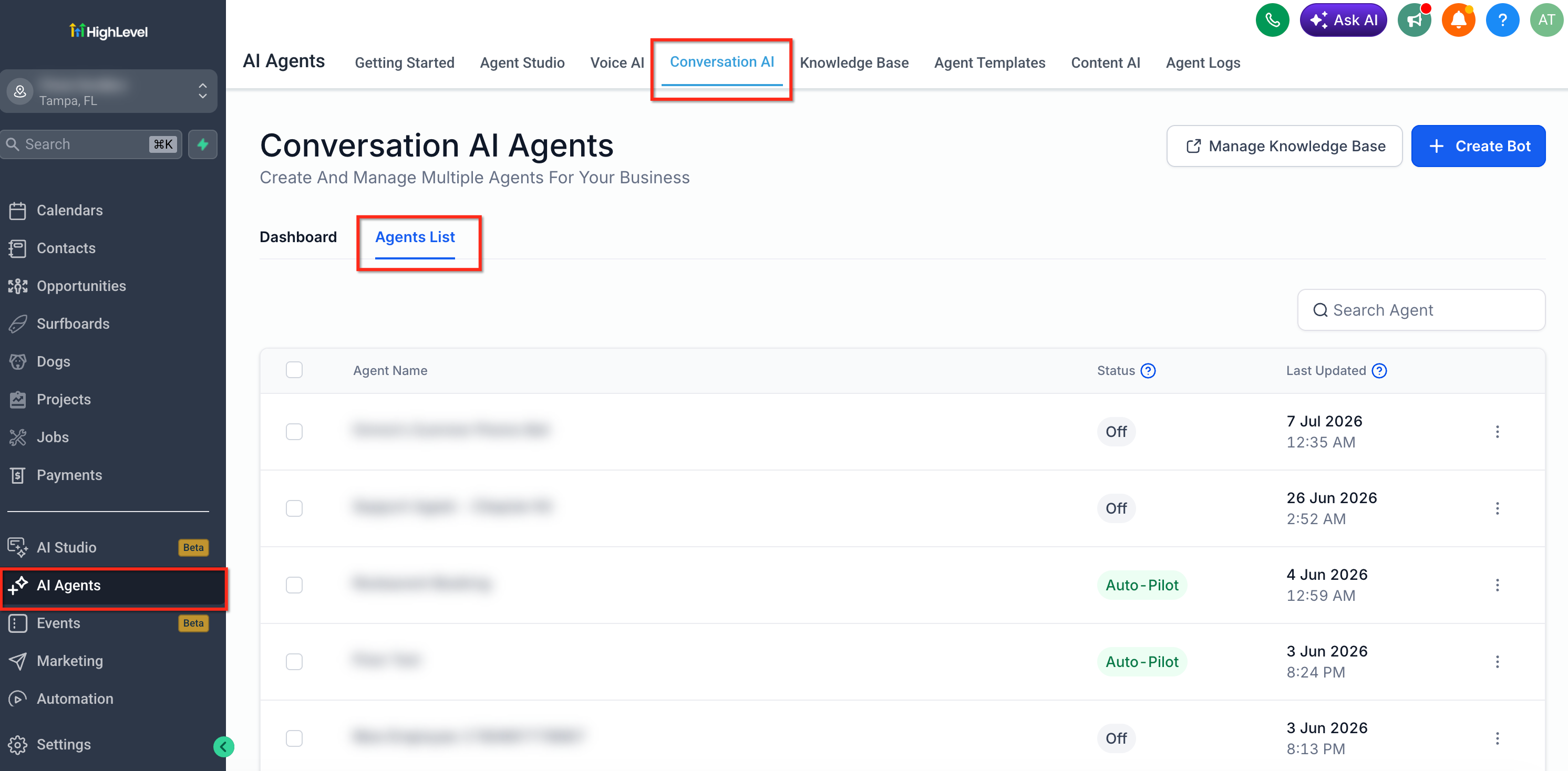
- Open AI Agents from the left navigation and choose the Conversation AI tab.
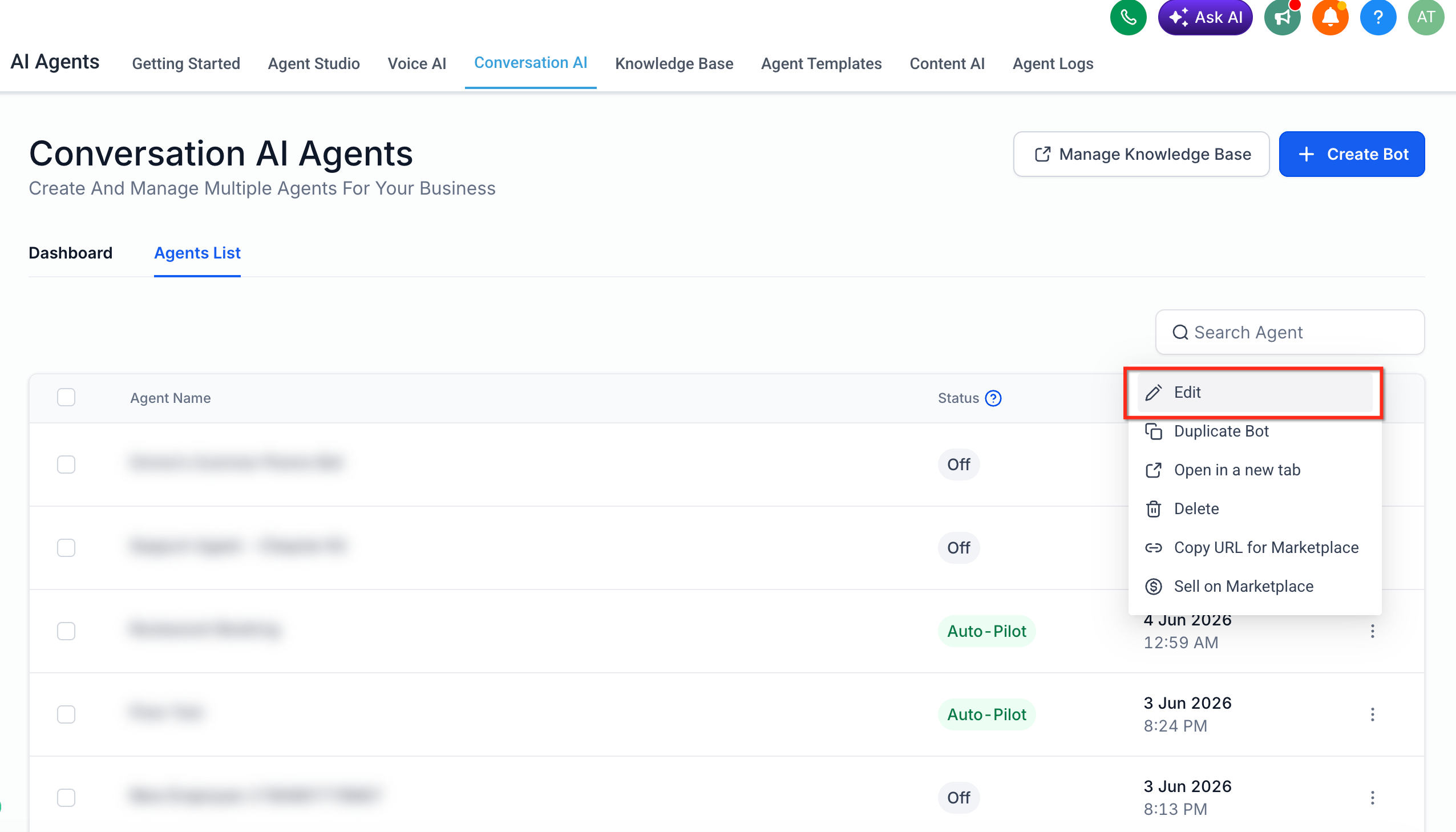
- Select the bot you wish to modify via the three dot menu and click Edit, or create a new bot.
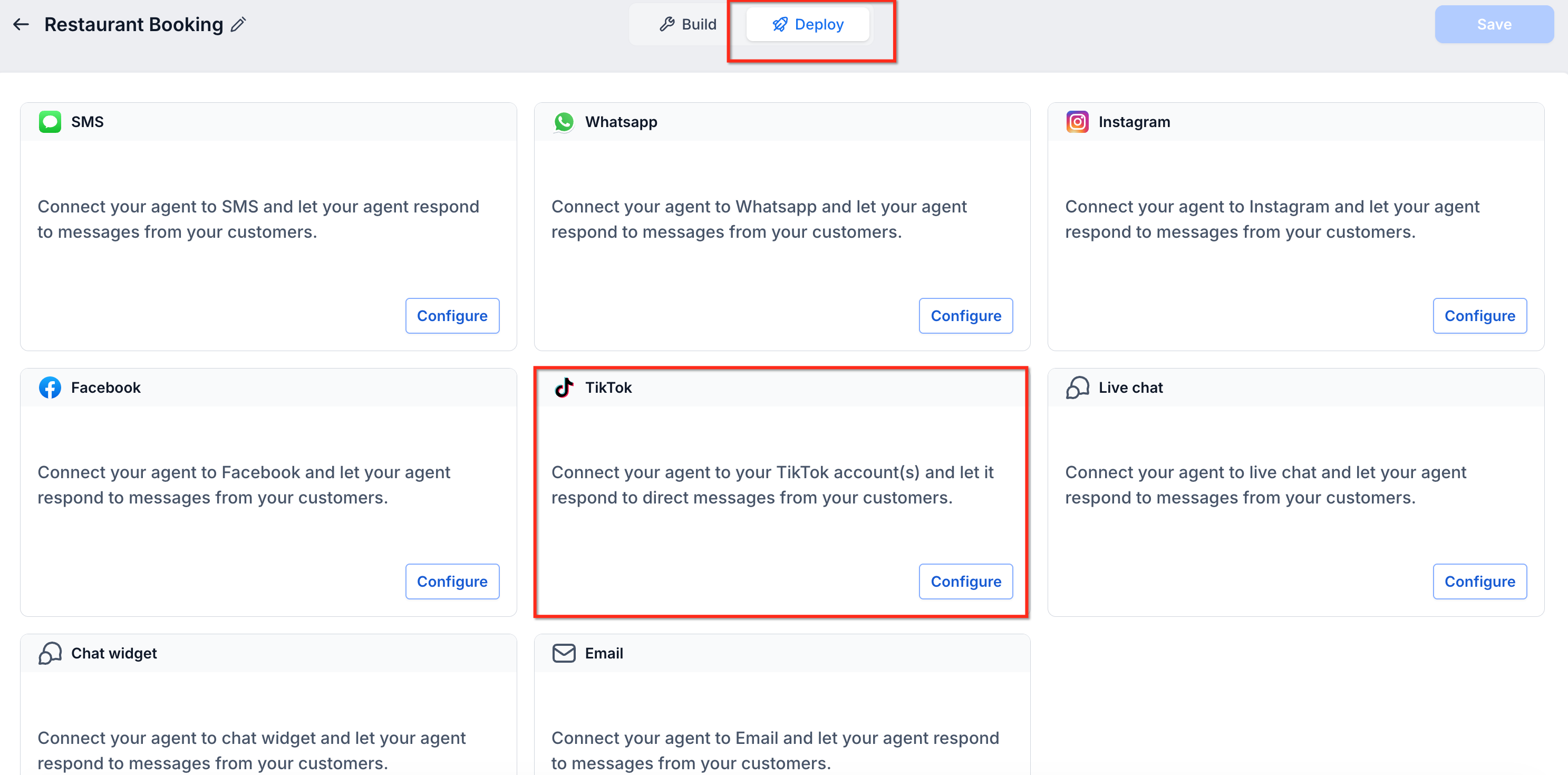
- Within the bot editor, click the Deploy tab to reach channel options.
- Review the displayed channel cards that list all available platforms.
- Locate the TikTok card and press its Configure button.
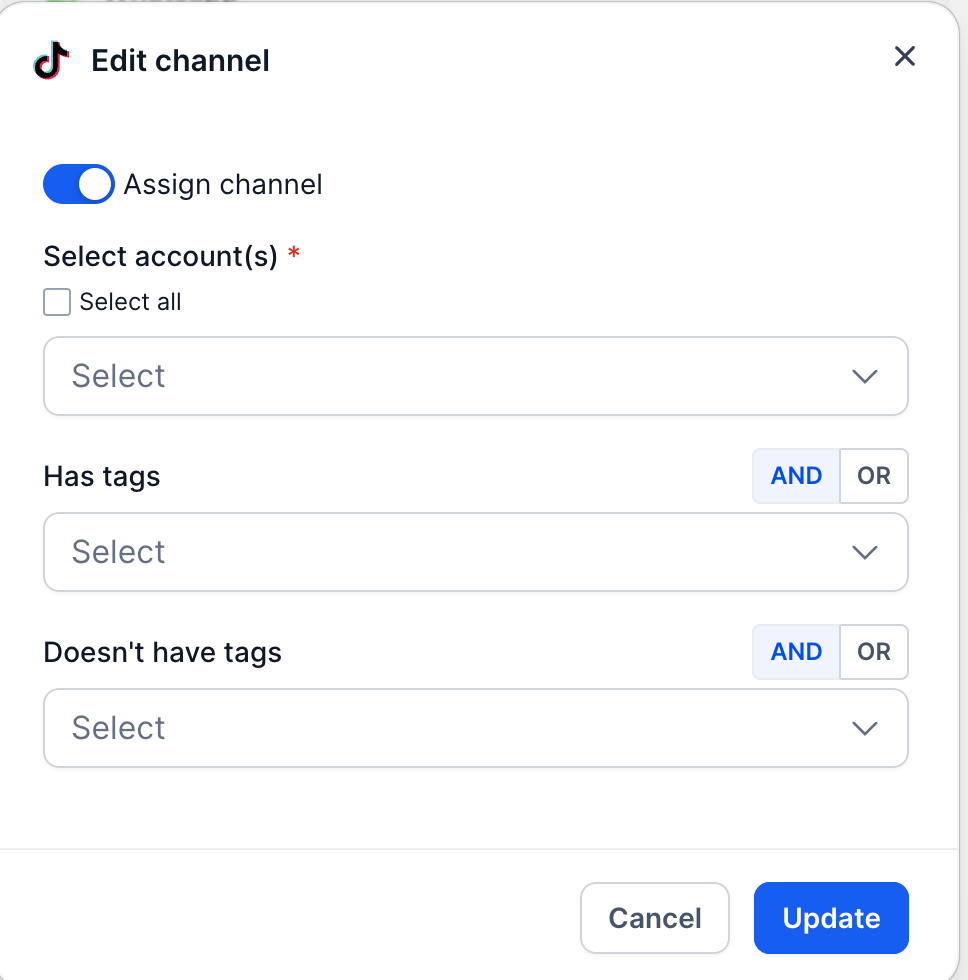
- Switch the Assign channel toggle to the on (blue) position.
- In the required Select account(s) dropdown, pick the desired TikTok account(s) or use Select all.
- Optionally, add Has tags or Doesn’t have tags filters and set the desired AND/OR logic.
- Click Update to save the TikTok channel settings.
- Finally, click Save at the top right of the bot editor to apply the changes.
07What it looks like in HighLevel
08Settings that matter
- Assign channel. Enables or disables the bot’s connection to the TikTok channel.
- Select account(s). Specifies which connected TikTok accounts the bot will respond to.
- Has tags. Filters incoming TikTok conversations so the bot only engages contacts that have the chosen tags.
- Doesn't have tags. Excludes contacts with certain tags from being handled by the bot on TikTok.
09Things to know before you rely on it
- TikTok channel appears only after a TikTok integration is active in the account.
- Tag based filters are optional; without them the bot handles every eligible TikTok message.
- All AI capabilities available on other channels are also usable on TikTok.
10How it connects to the rest of HighLevel
- Learn how to bring TikTok lead ads into HighLevel for capture TikTok Lead Ads integration
- Set up automated comment and direct message replies on TikTok TikTok messaging automation
- Explore all integration options available in HighLevel All Integrations
Michael's take

TikTok’s rapid growth can lure teams into thinking every message needs a live person, but the volume can quickly outpace capacity.
Relying on manual replies risks missed opportunities and slower response times, especially after hours.
When you add TikTok channel support to Conversations AI, you get instant replies, lead qualification and appointment booking as part of the automation. The bot works alongside your existing channels, keeping every conversation in one inbox and freeing your team to focus on high value interactions.