
01Private integrations, explained
Private integrations let you connect HighLevel to external applications without publishing a public Marketplace app. You generate a Private Integration Token, assign specific scopes, and use the token in the Authorization header of API calls. This gives you fine grained control over which data and actions an external system can reach.
The feature works at both the agency level and the subaccount level, so each part of your organization can have its own set of tokens. Tokens can be rotated, edited, or deleted from Settings, helping you keep credentials fresh and secure.
02How businesses use private integrations
- Custom app integration. Create a token with the needed scopes and give it to a developer building a custom dashboard. The app calls HighLevel endpoints using the token, letting the dashboard read contacts or create appointments.
- Automate subaccount creation. With a Founder level plan, generate a token that includes the Create SubAccount scope. Your internal tool can then call the API to spin up new subaccounts automatically as part of a client onboarding flow.
- Agency SaaS enablement. Use a token that includes the Enable SaaS for SubAccount scope to programmatically turn on SaaS features for a subaccount, allowing you to manage white label services from a single place.
03The numbers and rules that matter
- Starter plan price $97.
- Unlimited plan price $297.
- Founder Plan price $497.
- Up to 20 Private Integration Tokens can be created at agency and subaccount levels.
- 90 day rotation schedule is recommended.
- API V1 end of support on December 31 2025.
04Before you start
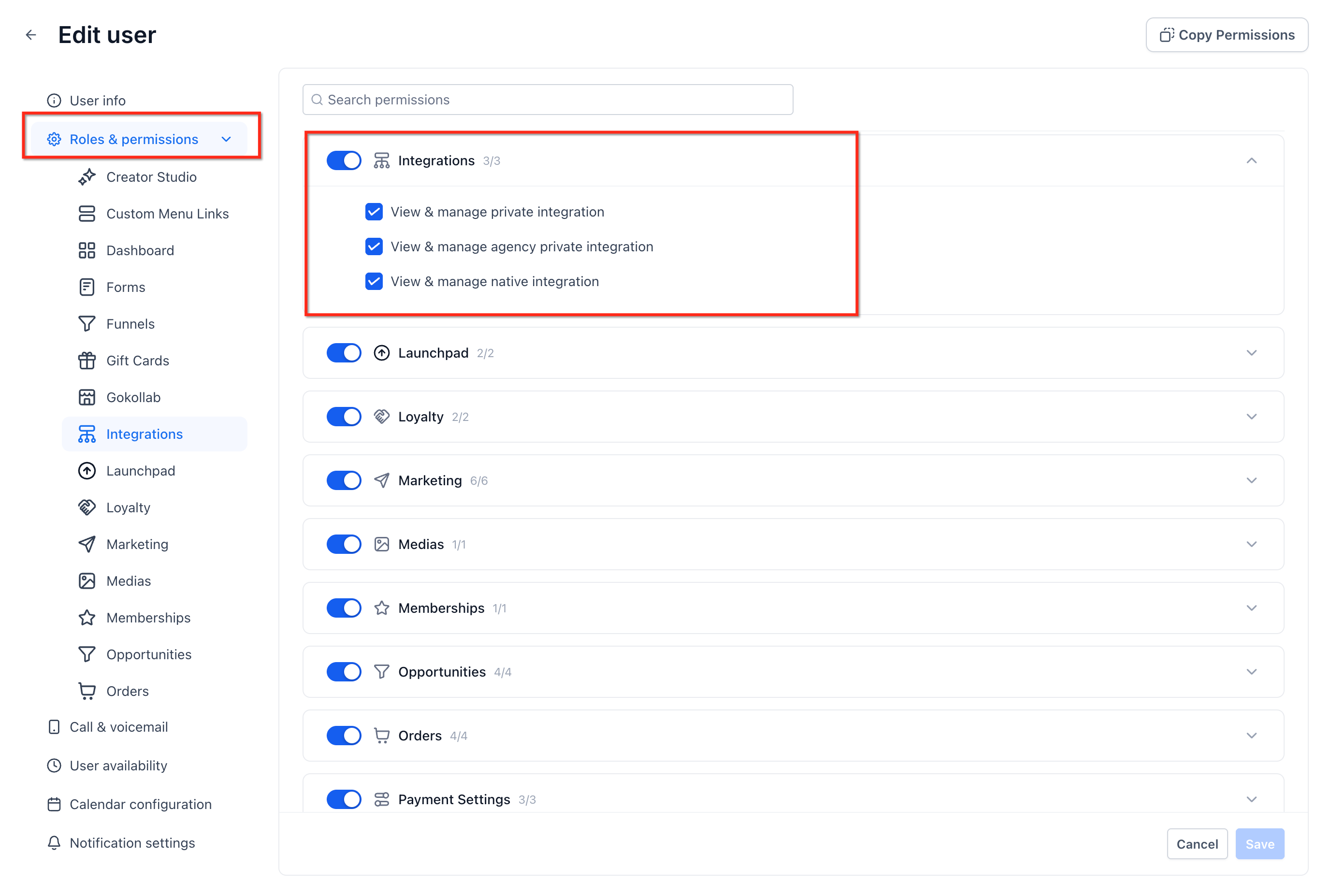
- Agency admin permission to access Settings > Private Integrations.
- Appropriate subscription plan for any restricted endpoint.
05How to set up and use private integrations in HighLevel
Create a private integration token
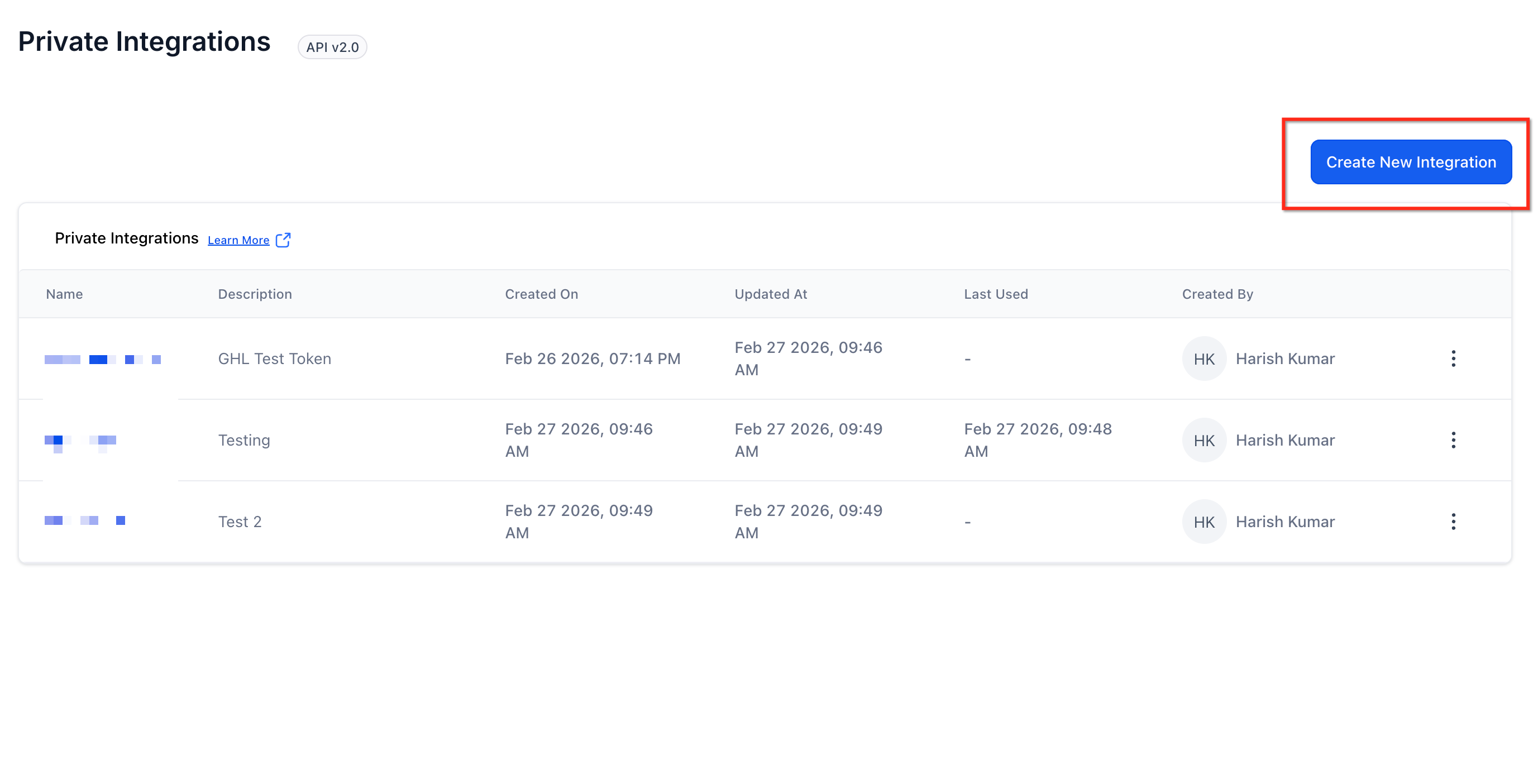
- Navigate to Settings > Private Integrations.
- Click Create New Integration.
- Enter a name and description.
- Select the required scopes and permissions.
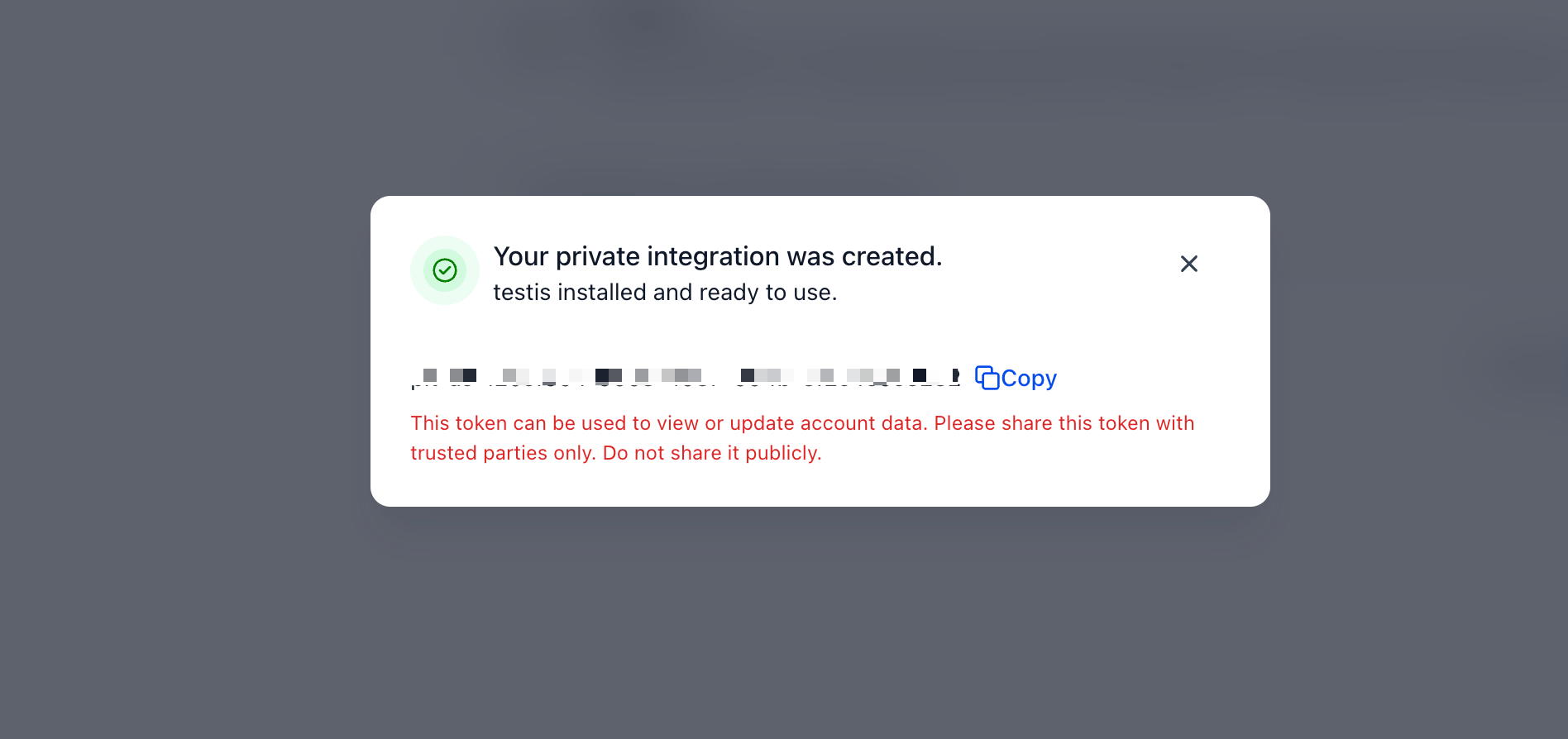
- Generate the Private Integration Token.
- Copy and securely store the token.
Rotate a private integration token
- Navigate to Settings > Private Integrations.
- Select the integration.
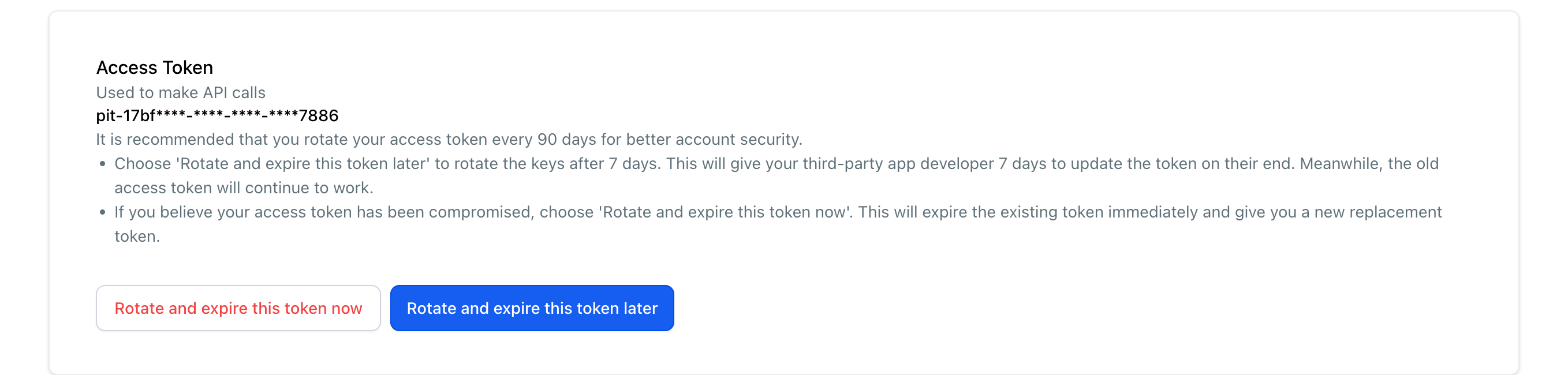
- Click Rotate and expire this token later.
- Confirm the rotation.
- Copy the new token and update your connected application.
Edit private integration permissions
- Navigate to Settings > Private Integrations.
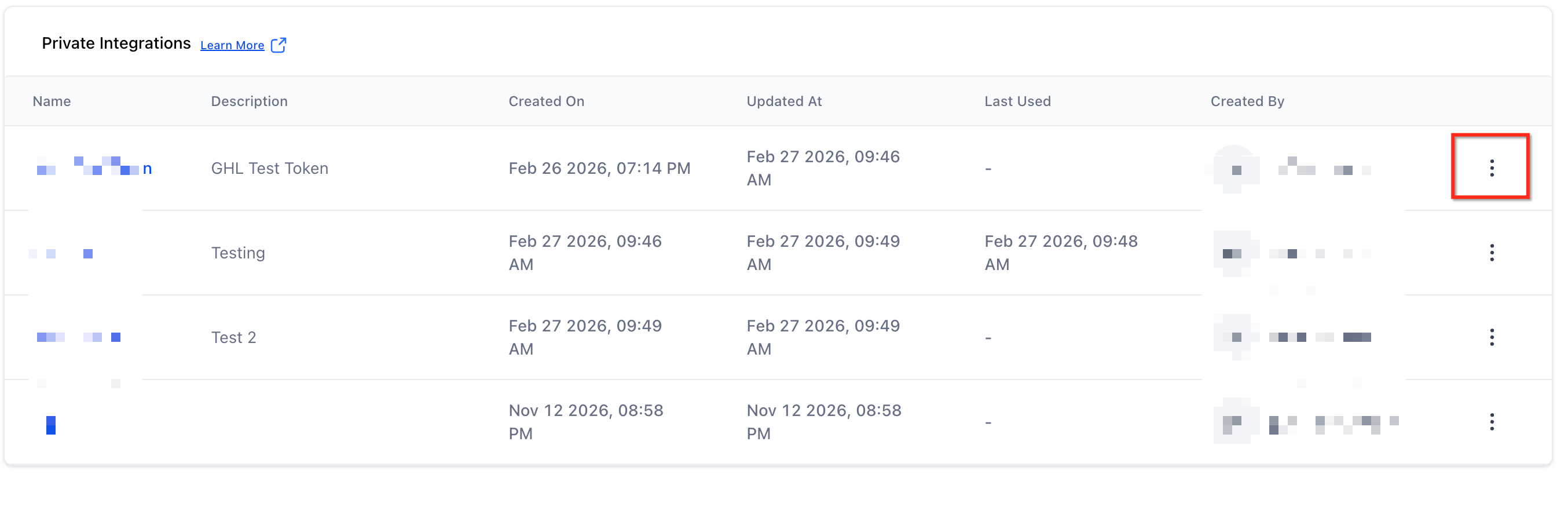
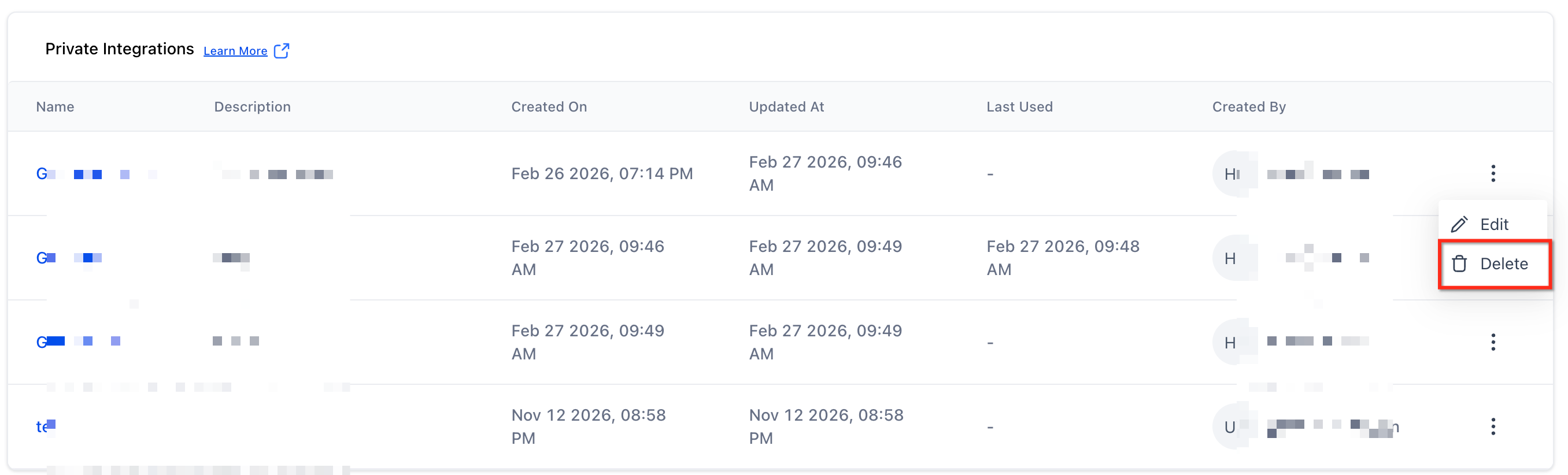
- Select Edit from the three dot menu.
- Update the name, description, or scopes.
- Click Update to save changes.
Delete a private integration
- Navigate to Settings > Private Integrations.
- Locate the integration.
- Select Delete from the three dot menu.
- Confirm the deletion.
06What it looks like in HighLevel
07Settings that matter
- Scopes and permissions. You choose which API capabilities the token can use when creating or editing a private integration.
08Things to know before you rely on it
- You can create up to 20 Private Integration Tokens at agency and subaccount levels.
- The generated token may only be displayed once.
- Higher tier restricted endpoints require the Founder Plan or higher.
- During token rotation both old and new tokens stay active for seven days.
09If something goes wrong
- Token compromised. Open Settings > Private Integrations, select the affected integration, click Rotate and expire this token now, confirm, and update the connected application with the new token.
Michael's take

Private integrations feel like a small convenience that can turn into a real shift for agencies that need to sync client data without building a public app. The ability to generate a token, lock down exact permissions, and rotate it on a schedule gives you tight security while keeping automation simple.
A marketing agency that runs campaigns for dozens of clients will love this. They can give each client’s reporting tool its own token, limit it to appropriate scopes, and rotate the keys every 90 days. If I were setting it up, I’d start with a single token for a reporting dashboard, test the scopes, then expand to more complex workflows.