
01Who this is for
- Social media managers can streamline responses to TikTok comments, reducing manual effort.
- Ecommerce owners can capture leads from TikTok DMs and automatically follow up inside HighLevel.
- Marketing agencies can build client specific TikTok engagement workflows without leaving the platform.
02TikTok messaging integrations, explained
The feature adds two trigger types for TikTok: a new comment on a reel and a customer reply in the messenger. Each trigger can be filtered by account, post type, and matching phrase. When a trigger fires, you attach an action, either a comment reply or an interactive messenger message, that HighLevel sends on your behalf.
All settings live in the workflow builder. Triggers appear under the Communication or Events categories, and actions are found in the Communications section. The system saves any contact that enters through a trigger, recording first and last names automatically.
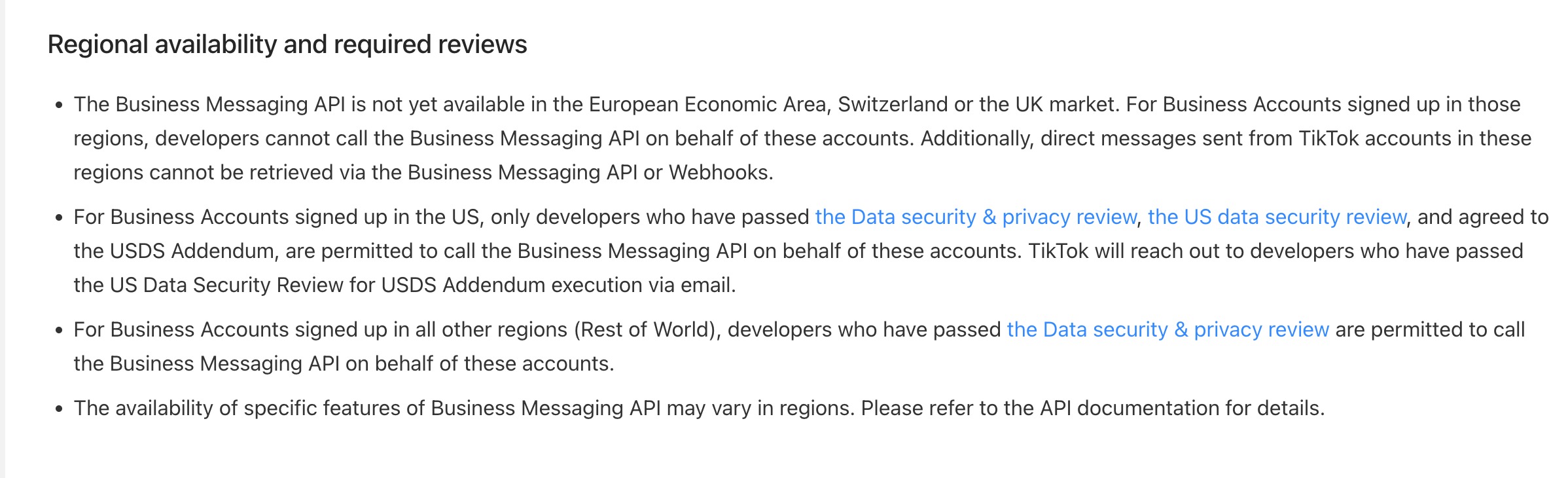
The automation runs only for TikTok business accounts that are integrated at the subaccount level and are located in the United States. It does not yet support reply type selection, templates, attachments, buttons, or quick replies for messenger messages.
03How businesses use TikTok messaging integrations
- Ecommerce store. Create a workflow that watches for comments containing “price” on product reels. When the phrase is detected, HighLevel posts one of ten pre written replies as a comment, guiding the shopper to a landing page.
- Fitness coach. Set up a DM automation that triggers when a prospect replies to a coaching offer in TikTok messenger. The workflow sends an interactive message with the next steps, capturing the lead as a new contact.
- Local restaurant. Configure a comment trigger for the restaurant’s TikTok post. If a comment includes the phrase “reservation”, HighLevel automatically replies in the comment thread with a booking link.
04The numbers and rules that matter
- Feature is not yet available in the European Economic Area, Switzerland, or the United Kingdom.
- Users can configure up to 10 reply comments, which will be randomly selected during execution.
05Before you start
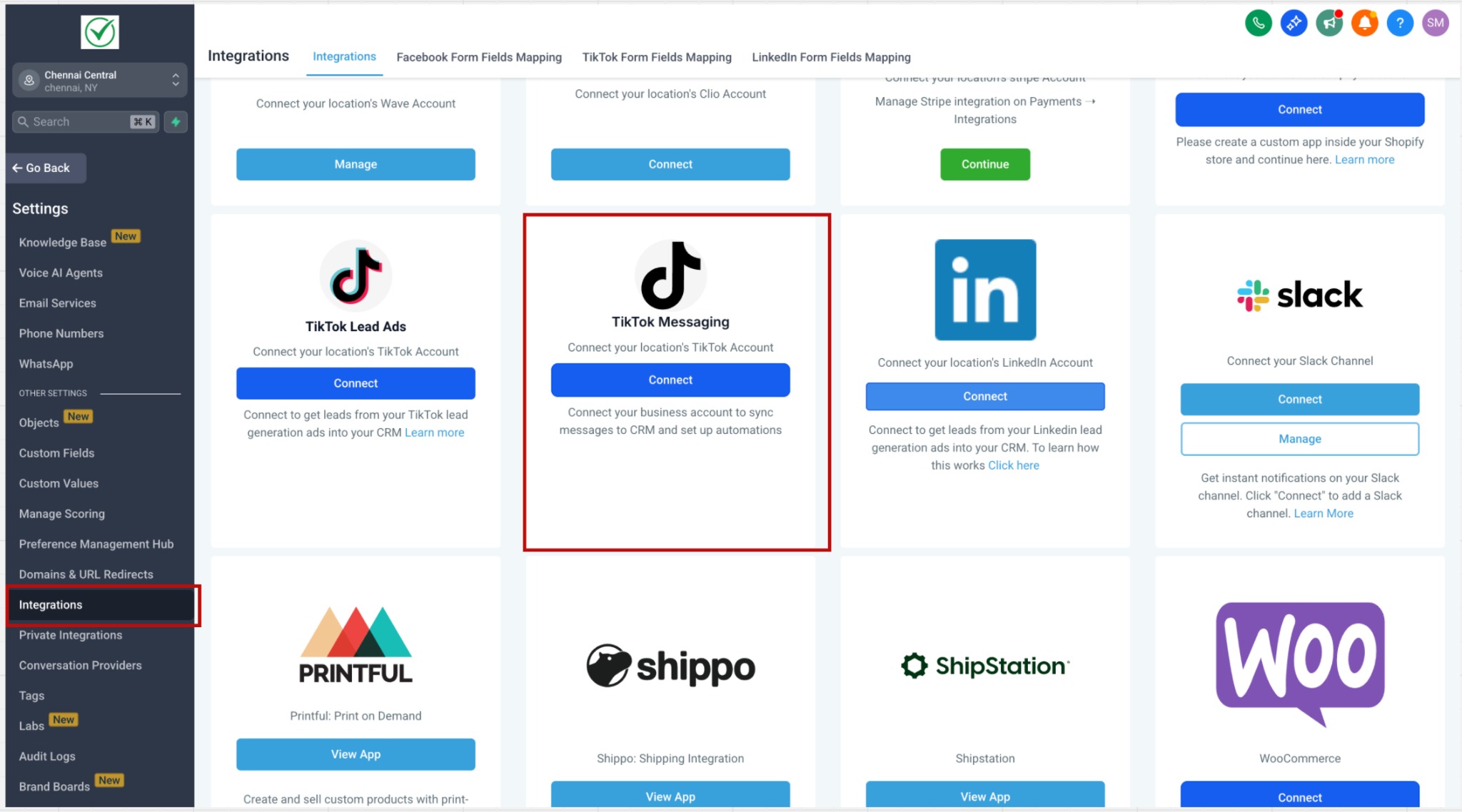
- Integrate the TikTok account with the relevant subaccount via Subaccount > Settings > Integrations > TikTok.
- Confirm the business account is registered in the United States, as the feature is not available in the EEA, Switzerland, or the United Kingdom.
06How to set up and use TikTok messaging integrations in HighLevel
Set up comment automation trigger
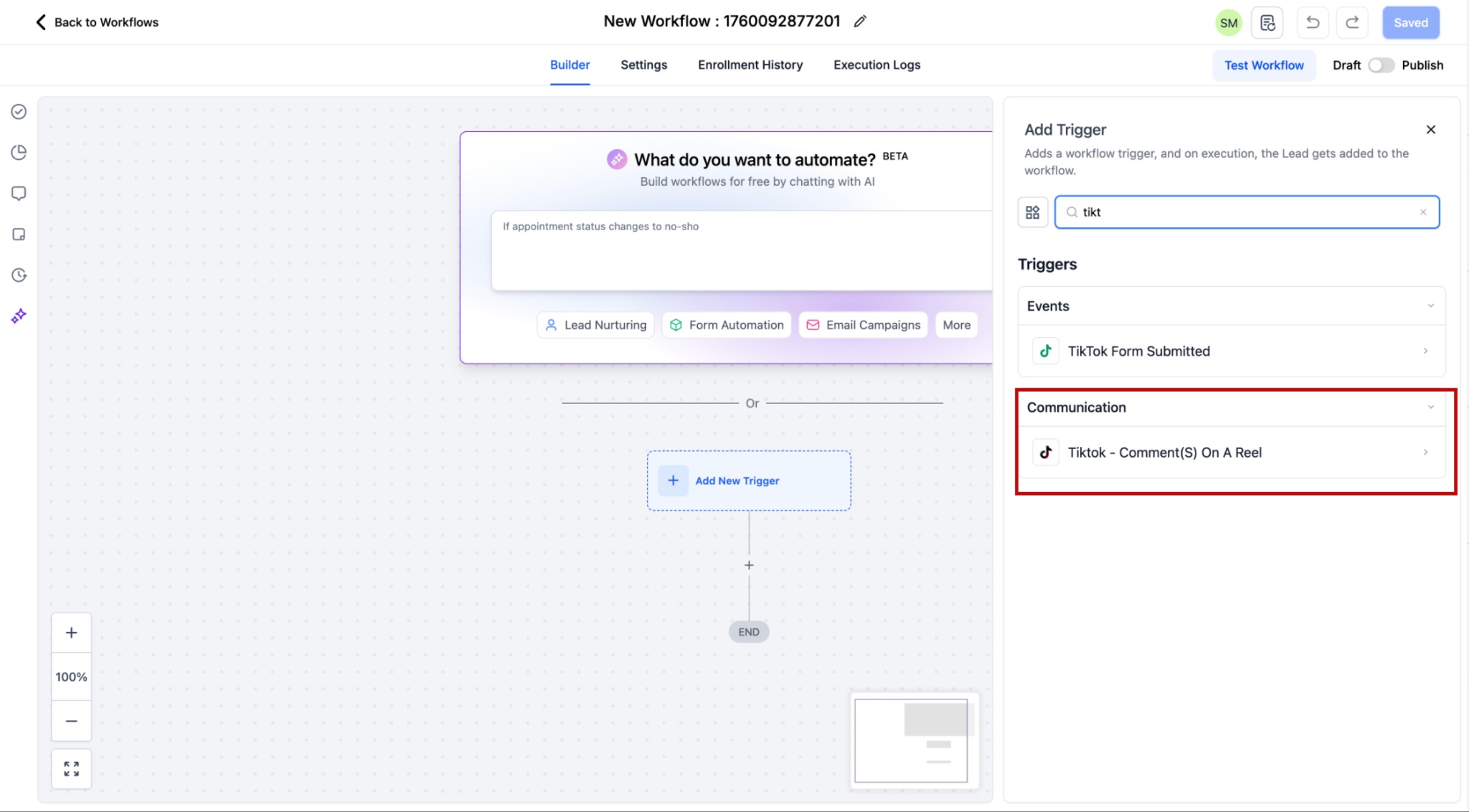
- In a workflow, click Add Trigger and open the Communication category.
- Select the TikTok, Comment(s) on a Post trigger.
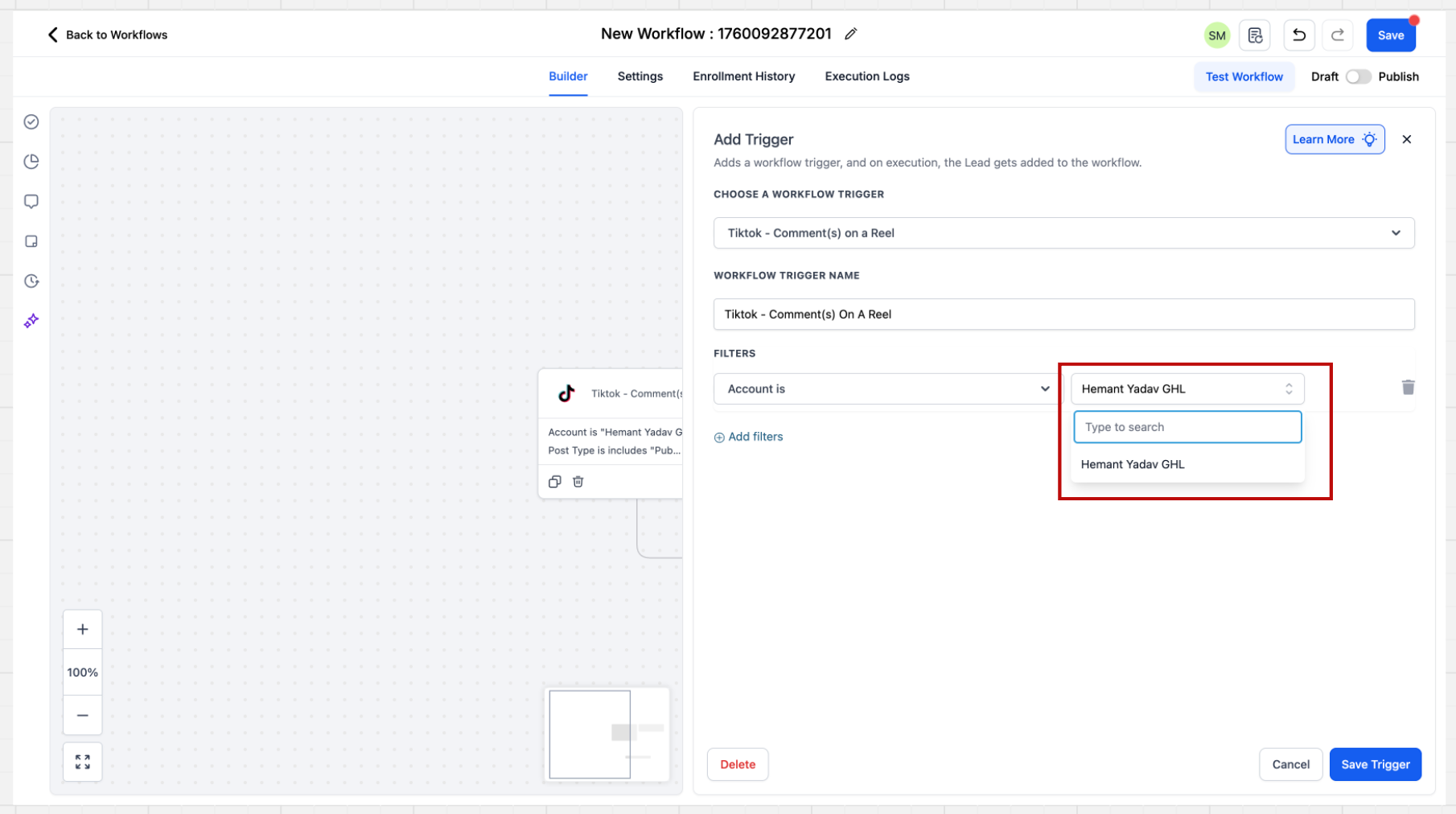
- Choose the Account filter for the TikTok account to monitor, or leave it blank to include all integrated accounts.
- Set the Post Type to Published or Custom and pick or enter the desired post.
- Define the comment condition by selecting Contains Phrase or Exact Match and typing the target text.
Set up comment reply action
- Within the same workflow, click Add Action and go to the Communications section.
- Choose Reply in Comments as the action.
- Enter up to ten reply comments; the system will pick one at random when the trigger runs.
- Save the action to complete the comment automation.
Set up DM automation trigger
- Open a workflow and click Add Trigger, then locate the Customer replied trigger in the Events category.
- Select the Customer replied trigger.
- In the sidebar, set the Reply channel filter to TikTok.
- Add a matching condition such as Contains Phrase or Exact Match Phrase for inbound messages.
Set up DM reply action
- In the workflow, click Add Action and open the Communications category.
- Select TikTok Interactive messenger as the action.
- Enter the message you want to send when the DM trigger fires.
- Save the action to activate the direct message automation.
07What it looks like in HighLevel
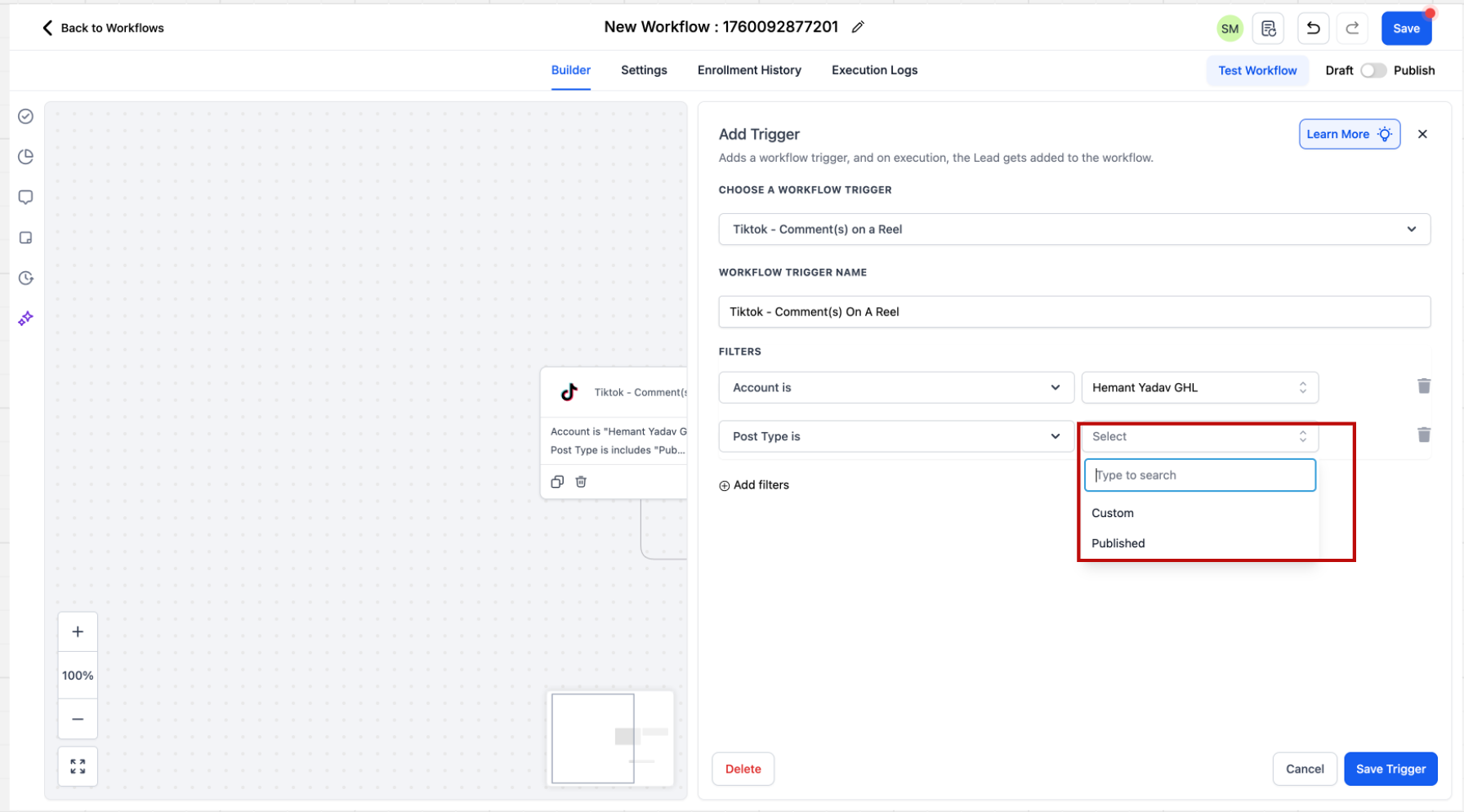
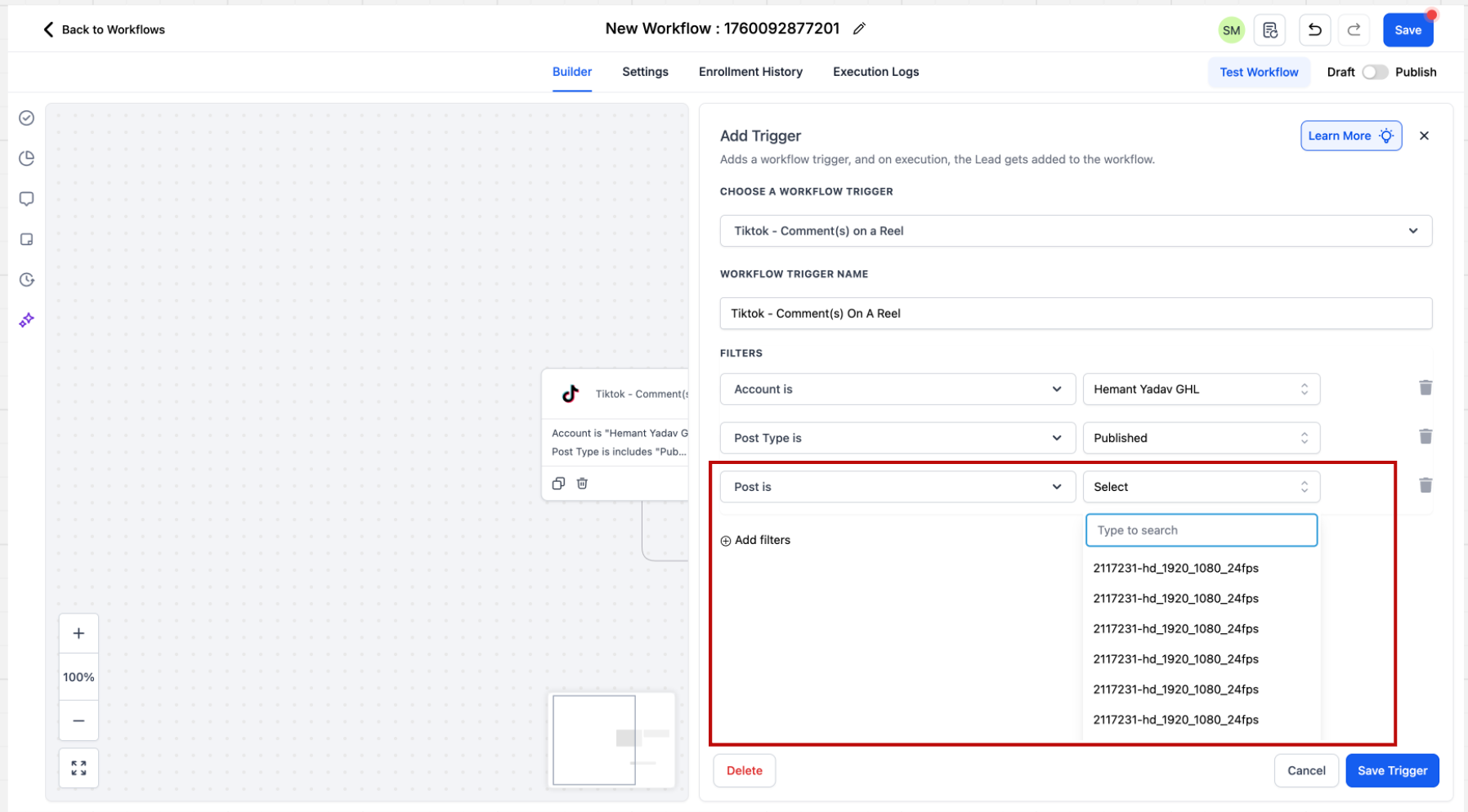
08Settings that matter
- Account. Selects which integrated TikTok account the comment trigger applies to.
- Post Type. Determines whether the automation uses all published posts or a single custom post defined by URL.
- Contains Phrase. Matches comments or messages that include the specified text fragment.
- Exact Match. Matches comments or messages that exactly equal the specified text.
- Reply channel. Filters the Customer replied trigger to use TikTok as the messenger channel.
- TikTok Interactive Messenger. Sends a direct message reply defined in the workflow.
- Reply in Comments. Posts a reply comment under the original TikTok comment.
09Things to know before you rely on it
- The feature is unavailable in the European Economic Area, Switzerland, and the United Kingdom.
- Only TikTok business accounts registered in the United States can use the automation.
- TikTok Interactive Messenger does not currently support reply type selection, templates, attachments, buttons, or quick replies.
- Reply in Comments allows a maximum of ten different comments, chosen randomly at execution.
10How it connects to the rest of HighLevel
- Learn how to connect TikTok Lead Ads for lead capture in HighLevel. TikTok Lead Ads integration
- Explore all integration options available in the platform. All Integrations
- Read about TikTok channel support in Conversations AI. TikTok Channel Support
Michael's take

TikTok messaging integrations give a small business a way to capture leads from a platform that otherwise offers no CRM tools, turning comments and DMs into contacts you can nurture. It’s a practical way to keep the conversation in HighLevel without manually copying information.
Don’t assume you can use templates or quick replies in TikTok DMs yet.