
01Who this is for
- Digital marketers who run TikTok lead generation ads can capture prospects directly in HighLevel without manual export.
- Small agencies managing multiple client ad accounts need a secure, centralized place to view and map TikTok leads.
02TikTok Lead Ads integration, explained
The integration connects TikTok lead generation forms to the HighLevel platform. When a lead submits a TikTok instant form, the data syncs to the selected subaccount and appears as a contact record. A workflow trigger called “TikTok Form Submitted” lets you start follow up actions automatically.
The connection uses the new Marketplace architecture, which adds enhanced authentication and a dedicated section for managing TikTok accounts, ad accounts, and form field mappings. Existing connections keep working, and the migration does not require any re configuration of current workflows.
03How businesses use TikTok Lead Ads integration
- Real estate agency. The agency links its TikTok Business account, selects the ad account that runs property tour ads, and maps the “Phone” and “Email” fields to HighLevel. When a prospect fills the form, a workflow sends a personalized follow up text.
- Fitness studio. The studio creates a TikTok instant form for class sign ups, maps the “Name” and “Preferred class” fields, and activates the TikTok Form Submitted trigger to add the lead to an email nurture sequence.
- Consulting firm. The firm connects its TikTok ad account, selects the lead gen form that asks for “Company” and “Contact role,” maps those fields, and uses a workflow to assign the new lead to a sales rep.
04Before you start
- Access to the TikTok Business account you intend to connect.
- A TikTok advertising account linked to that business.
- An instant form built in TikTok for lead generation.
- Access to the HighLevel subaccount that will receive the leads.
05How to set up and use TikTok Lead Ads integration in HighLevel
Connect TikTok Lead Ads
- Enable the Marketplace integration for TikTok Lead Ads in Labs during early access.
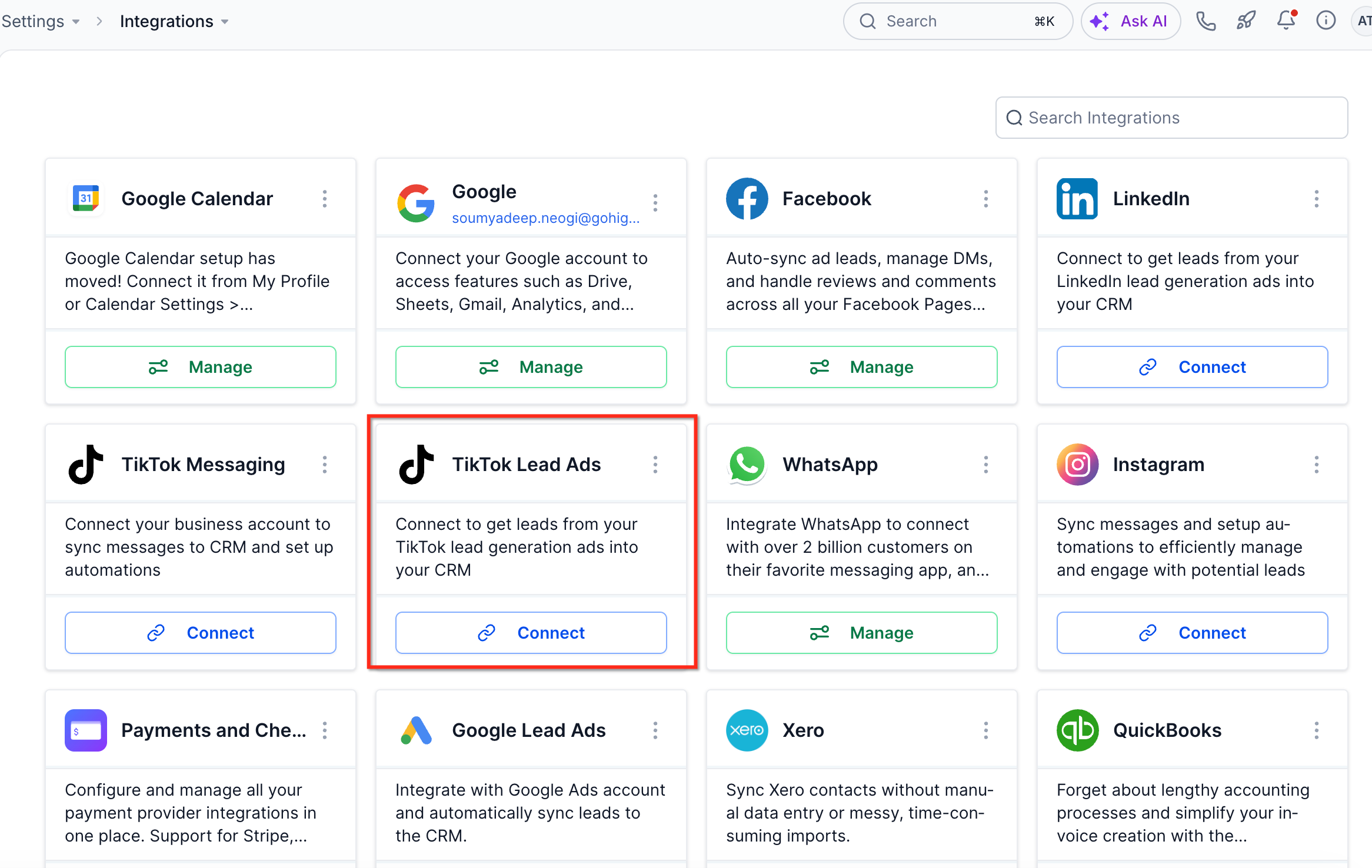
- Open Settings > Integrations in the chosen HighLevel subaccount.
- Locate TikTok Lead Ads and click Connect to start linking the account.
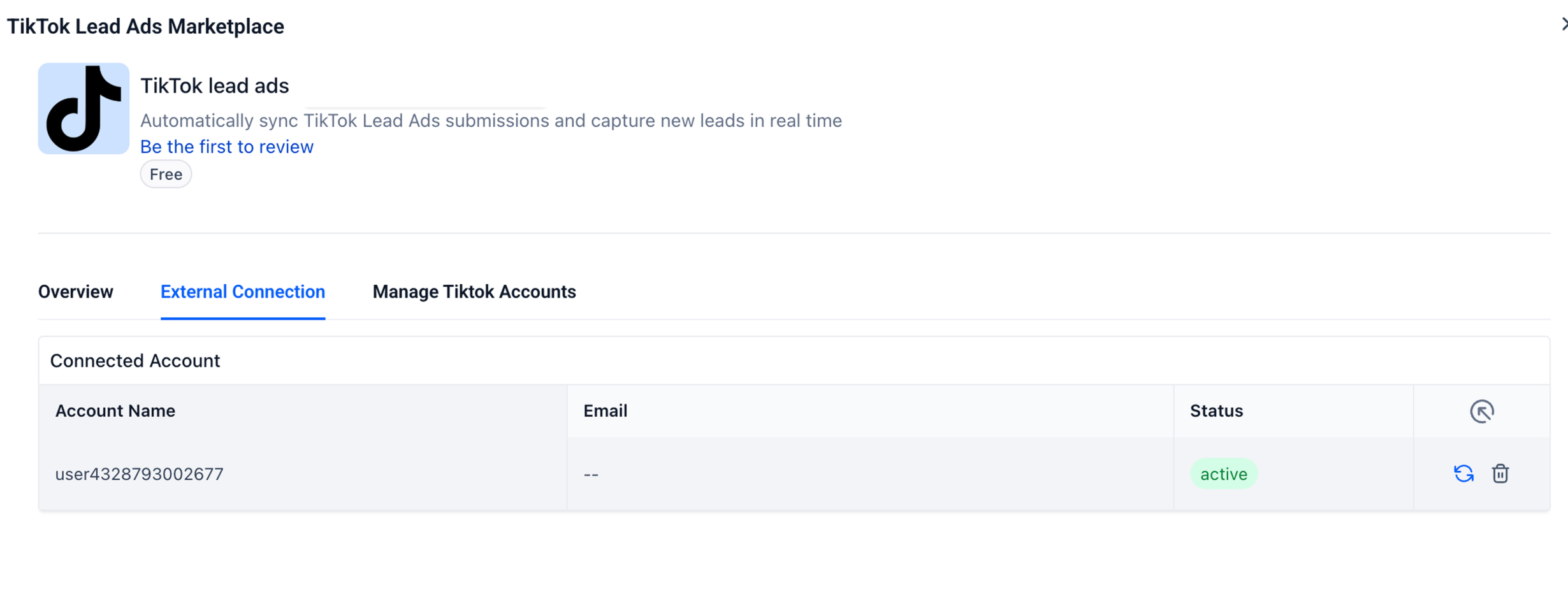
- Open External Connection to verify the TikTok account name, email, and connection status.
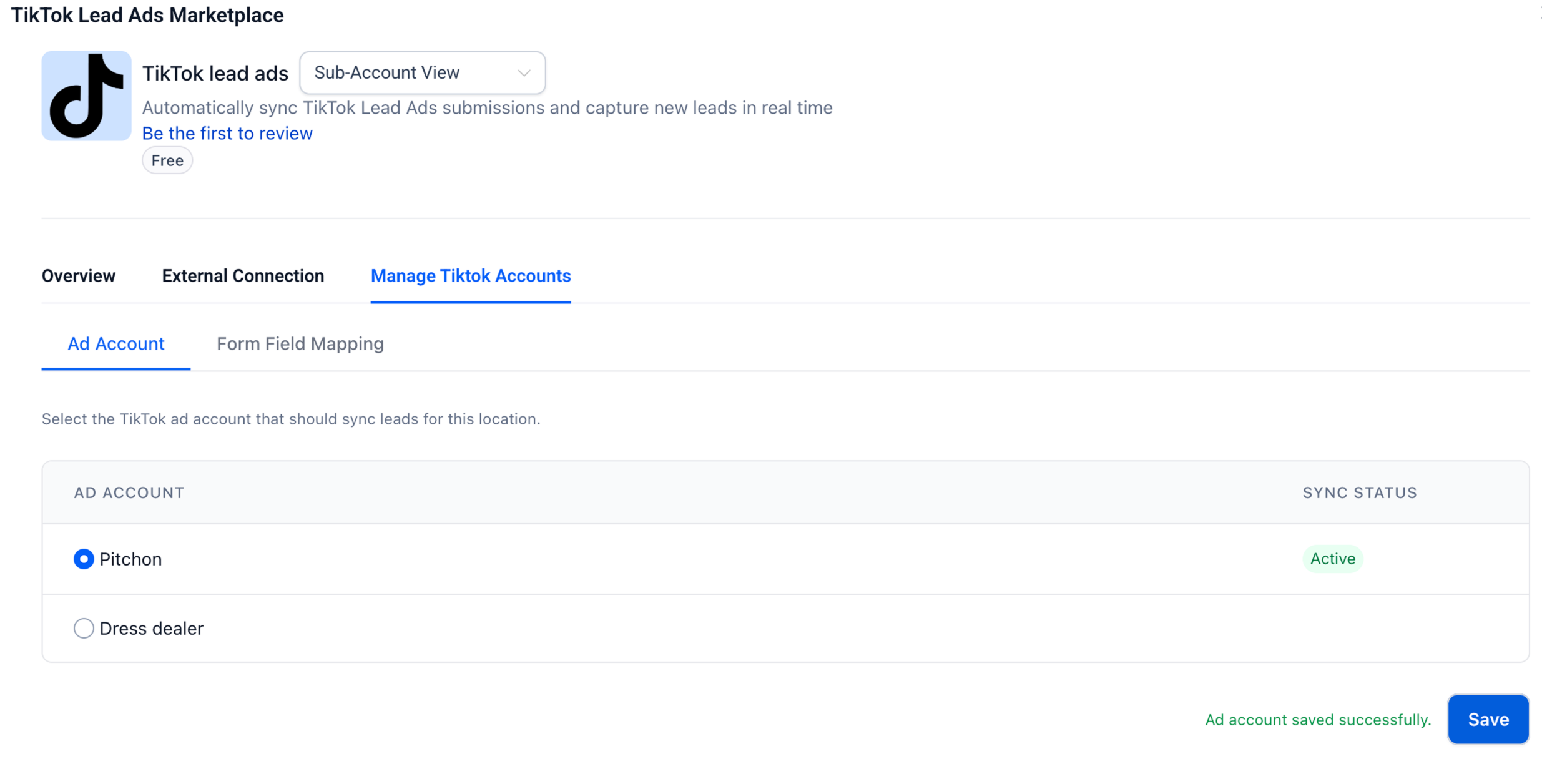
- Select Manage Tiktok Accounts > Ad Account, choose the advertising account, and click Save.
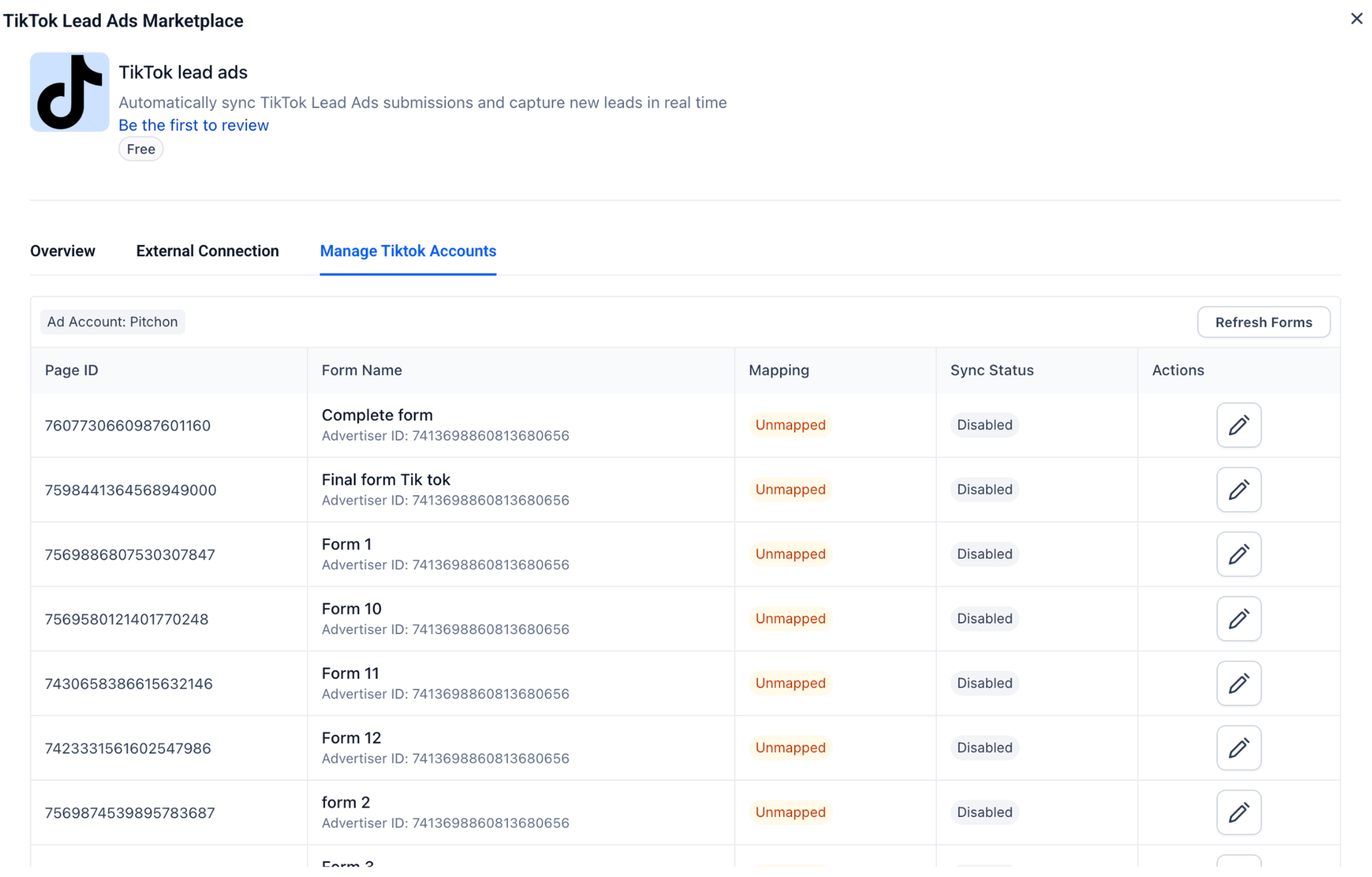
- Open Manage Tiktok Accounts > Form Field Mapping and click Refresh Forms to load available forms.
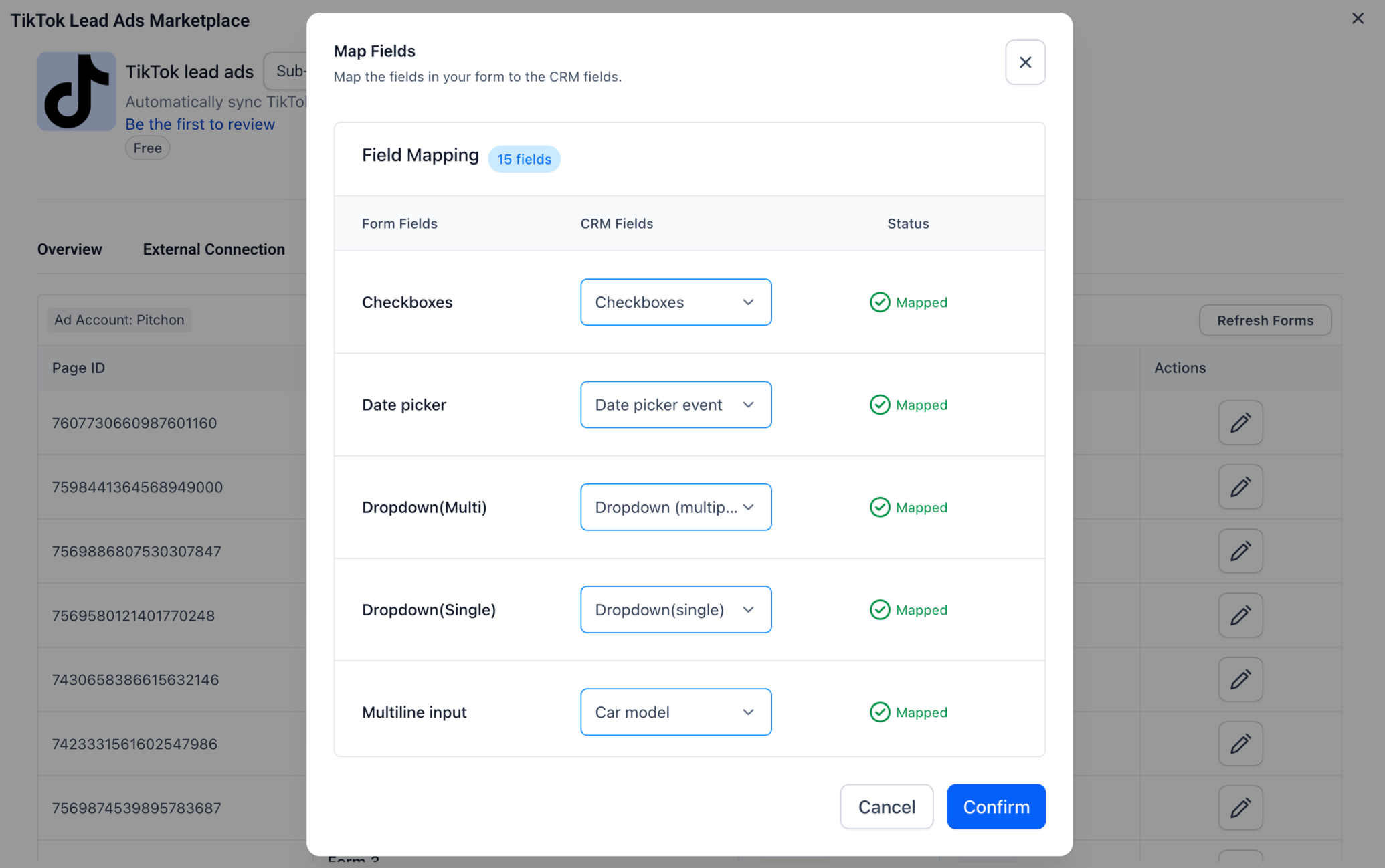
- Click the edit icon under Actions for a form, match each TikTok field to a CRM field in the dropdowns, and click Confirm.
06What it looks like in HighLevel
07Settings that matter
- External Connection. Shows the connected TikTok account’s name, email address, and current connection status.
- Manage Tiktok Accounts → Ad Account. Lets you pick which TikTok advertising account will sync lead data to HighLevel.
- Manage Tiktok Accounts → Form Field Mapping. Provides a list of TikTok lead forms and lets you map each form field to a HighLevel field.
08Things to know before you rely on it
- Multi account support within a single HighLevel location is a planned enhancement and is not available in the current release.
- The Marketplace integration is in early access Labs; older connections remain on the previous architecture until migration occurs automatically after Labs ends.
09How it connects to the rest of HighLevel
- TikTok comment and DM automation TikTok messaging integration
- TikTok channel support in Conversations AI Conversations AI TikTok
- All integrations overview HighLevel integrations
Michael's take

The TikTok Lead Ads integration sends instant form submissions into HighLevel, where you can trigger follow up workflows automatically.
The first setting I would lock down is the field mapping. Make sure each TikTok form field lines up with the correct HighLevel field before you go live, so the data lands exactly where you expect it.