
01Who this is for
- Founders of service businesses that collect payments through Quickbooks and want a consistent request for reviews after a first sale.
- Marketing managers at small firms who need an automated way to ask for feedback without building a workflow.
- Customer support teams that handle invoicing in Quickbooks and want to trigger a review request automatically.
02QuickBooks automatic review requests, explained
When a contact’s first Quickbooks invoice reaches a zero balance, HighLevel sends a prebuilt review request via email or SMS. The automation runs without any workflow trigger and uses the message set in the Review Request feature.
The request is sent only for the first invoice that is paid in full. It does not react to invoices paid directly in HighLevel, only those reported by the Quickbooks integration.
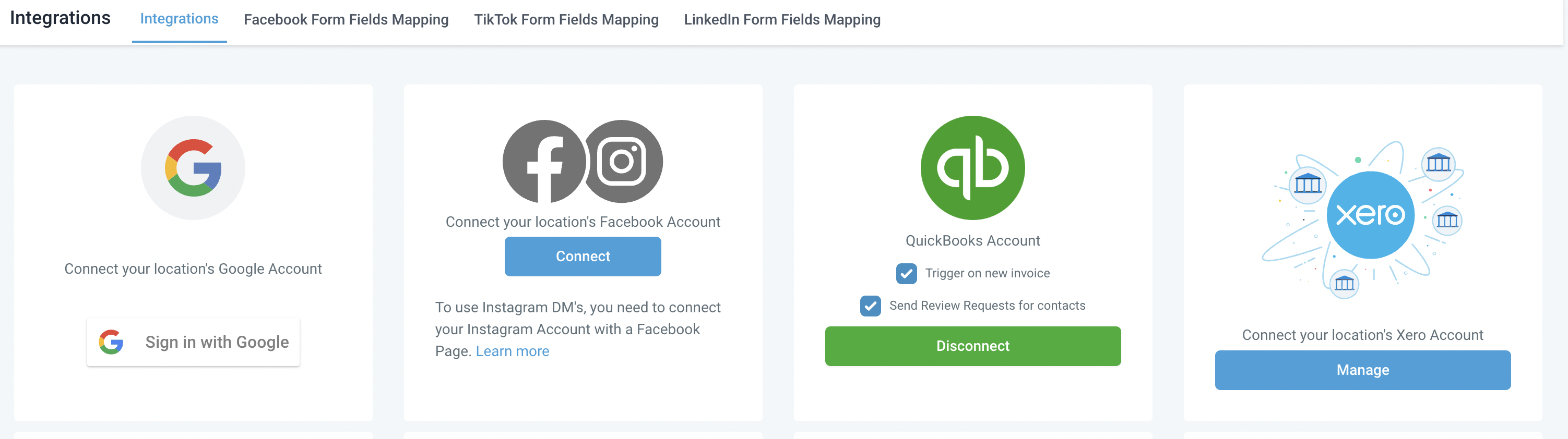
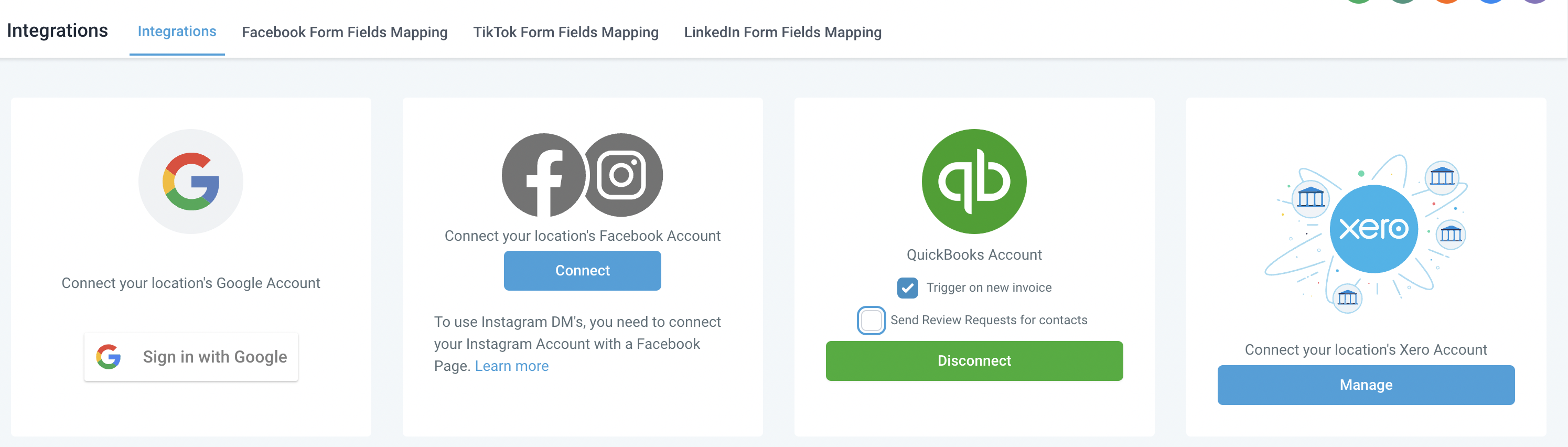
The toggle for this automation lives inside the Quickbooks integration settings of each subaccount. Selecting or deselecting the option controls whether the automatic request is sent.
03How businesses use QuickBooks automatic review requests
- Dental practice. The practice connects Quickbooks to HighLevel, enables the automatic review request, and customizes the message to ask patients for a review after their first paid invoice. The request is sent without manual effort.
- Home cleaning service. The service links its Quickbooks account, disables the automatic request if they prefer to ask for reviews later, and uses the setting to turn the feature back on for future campaigns.
- Consulting firm. The firm customizes the review request content in HighLevel, keeps the automation enabled, and relies on the first invoice payment notification from Quickbooks to trigger the request.
04The numbers and rules that matter
- Built in automation sends a Review Request when the first invoice balance drops to $0 (per HighLevel's help center, checked November 2026).
05Before you start
- The Quickbooks integration must already be connected to the subaccount.
06How to set up and use QuickBooks automatic review requests in HighLevel
Enable or disable the Quickbooks automatic review request
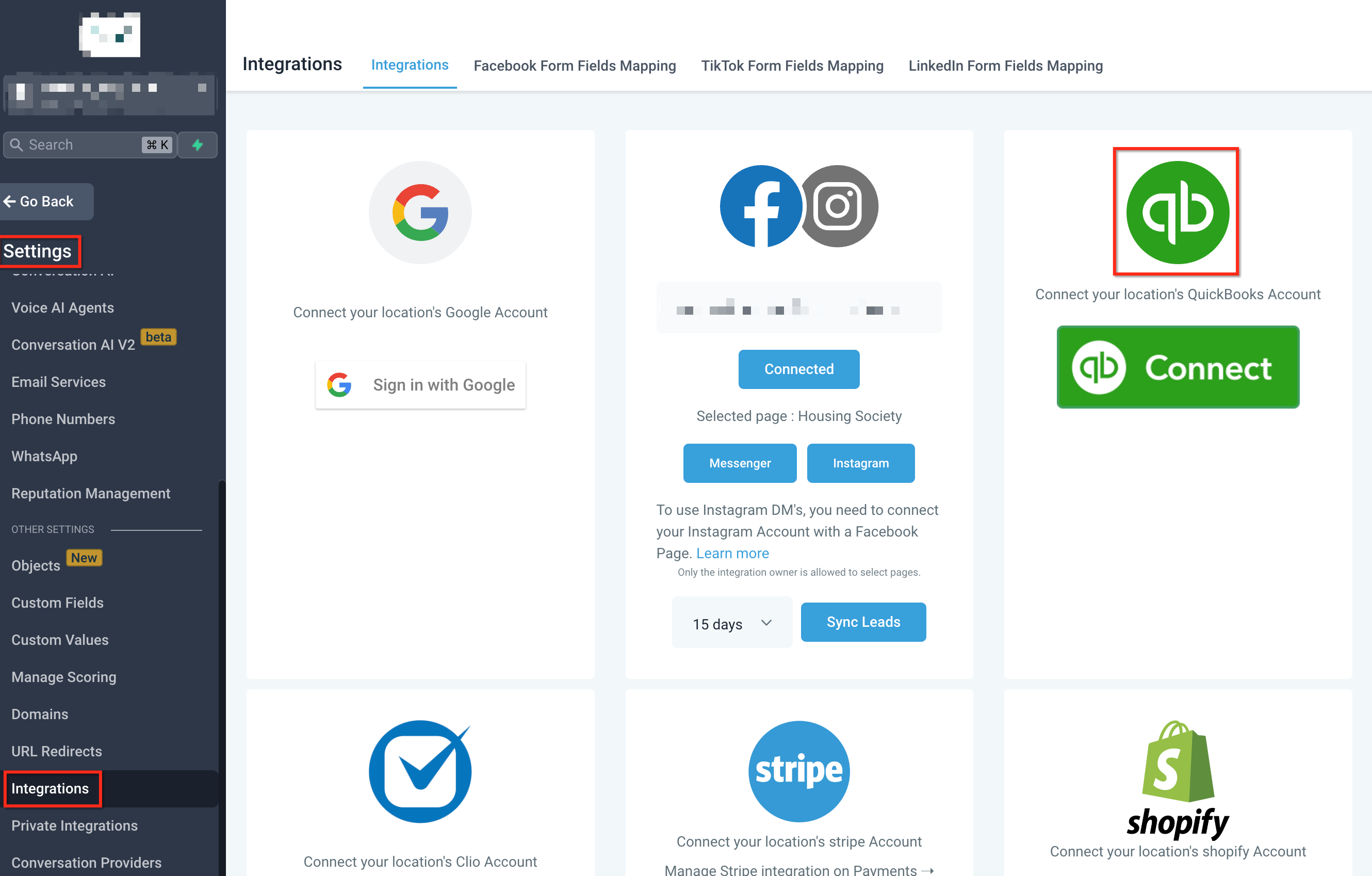
- Open the subaccount where the Quickbooks integration is active.
- Select Settings from the subaccount menu.
- Choose Integrations, open Quickbook Integration, then check or deselect the option "Send Review Requests for contacts".
07What it looks like in HighLevel
08Settings that matter
- Send Review Requests for contacts. Controls whether a review request is automatically sent when a contact’s first Quickbooks invoice is paid to zero.
09Things to know before you rely on it
- The automation triggers only on the first invoice that reaches a zero balance.
- It does not use HighLevel workflow triggers; the workflow trigger for Invoice Paid reacts only to invoices paid in HighLevel.
- The ability to disable the automatic request was added in October 2024.
10How it connects to the rest of HighLevel
- Explore other integrations available in HighLevel. All Integrations features
- Review pricing options to ensure your plan includes the Quickbooks integration. HighLevel pricing and plans
- Start a trial to test the Quickbooks automatic review request before committing. Start a 30 day HighLevel trial
Michael's take

The QuickBooks automatic review request is handy for anyone who already pulls invoices into HighLevel.
If you prefer full control over every review ask, or you don’t use QuickBooks, you can skip it.