
01Who this is for
- Agency owners who manage multiple subaccounts need separate credentials for each client’s domain to keep sending reputation isolated.
- Marketing managers can generate passwords for their team's email tools without sharing agency level login details.
- IT administrators benefit from per domain limits that prevent a single domain from exhausting the account’s daily send capacity.
02SMTP credentials, explained
The SMTP credential feature provides a username, password, and server details that tie directly to a dedicated sending domain. Credentials are stored under the subaccount’s SMTP Settings page and are not shared across domains or at the agency level.
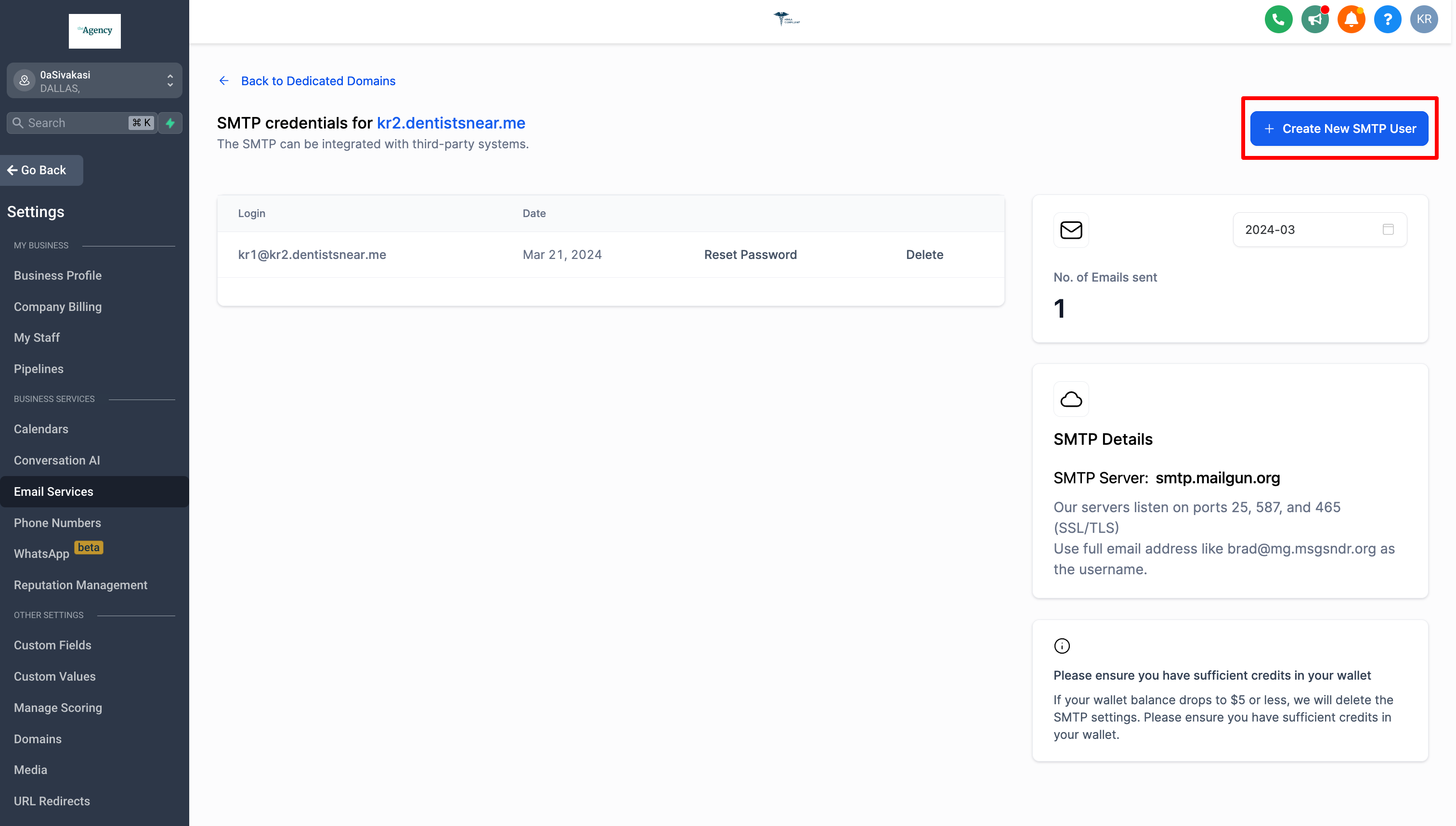
When creating a credential you choose a username and password, then use the server address smtp.mailgun.org with one of the supported ports (25, 465, 587, 2525). The platform enforces an automated approval system, so only eligible subaccounts see the Create New SMTP User button.
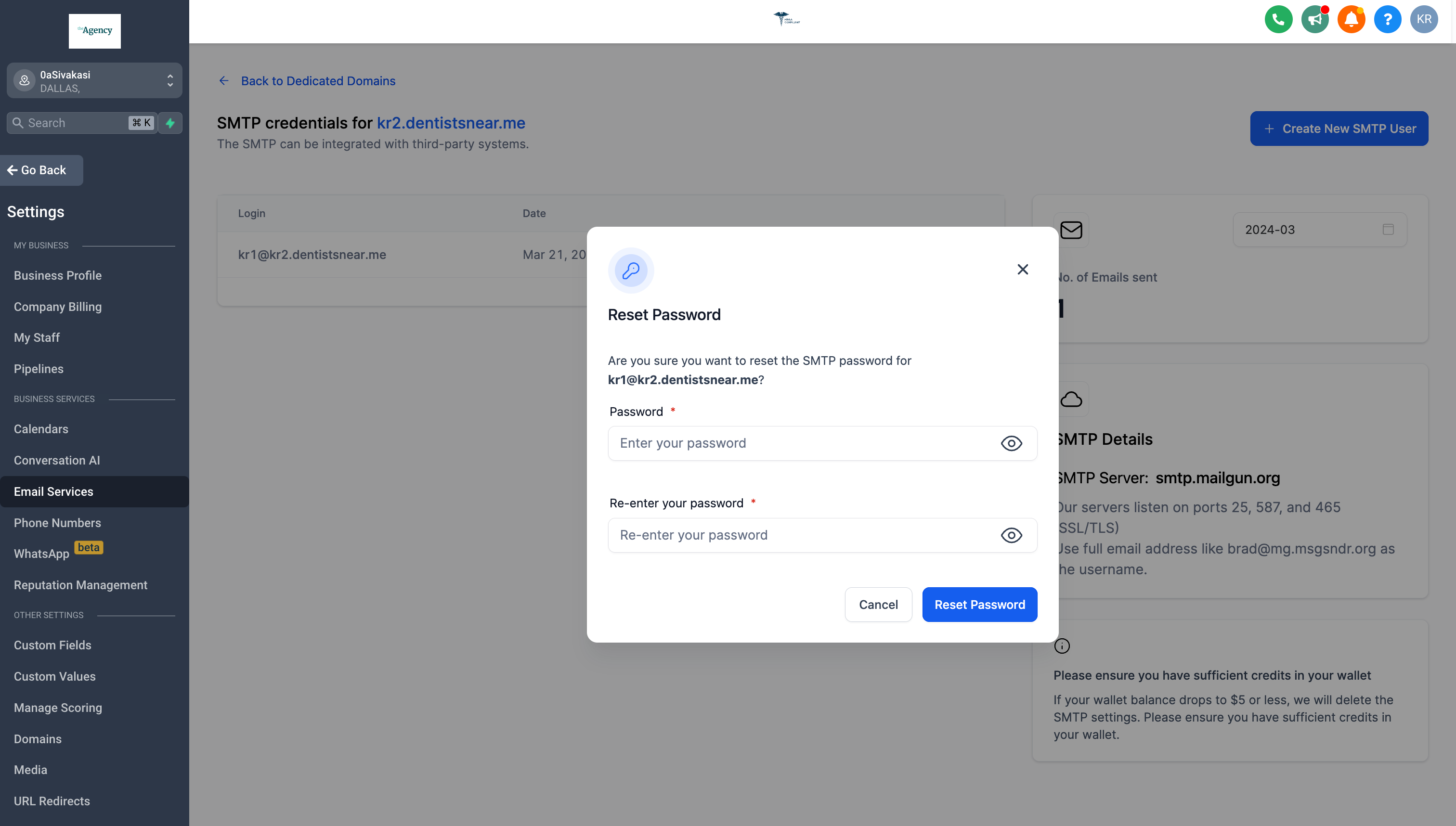
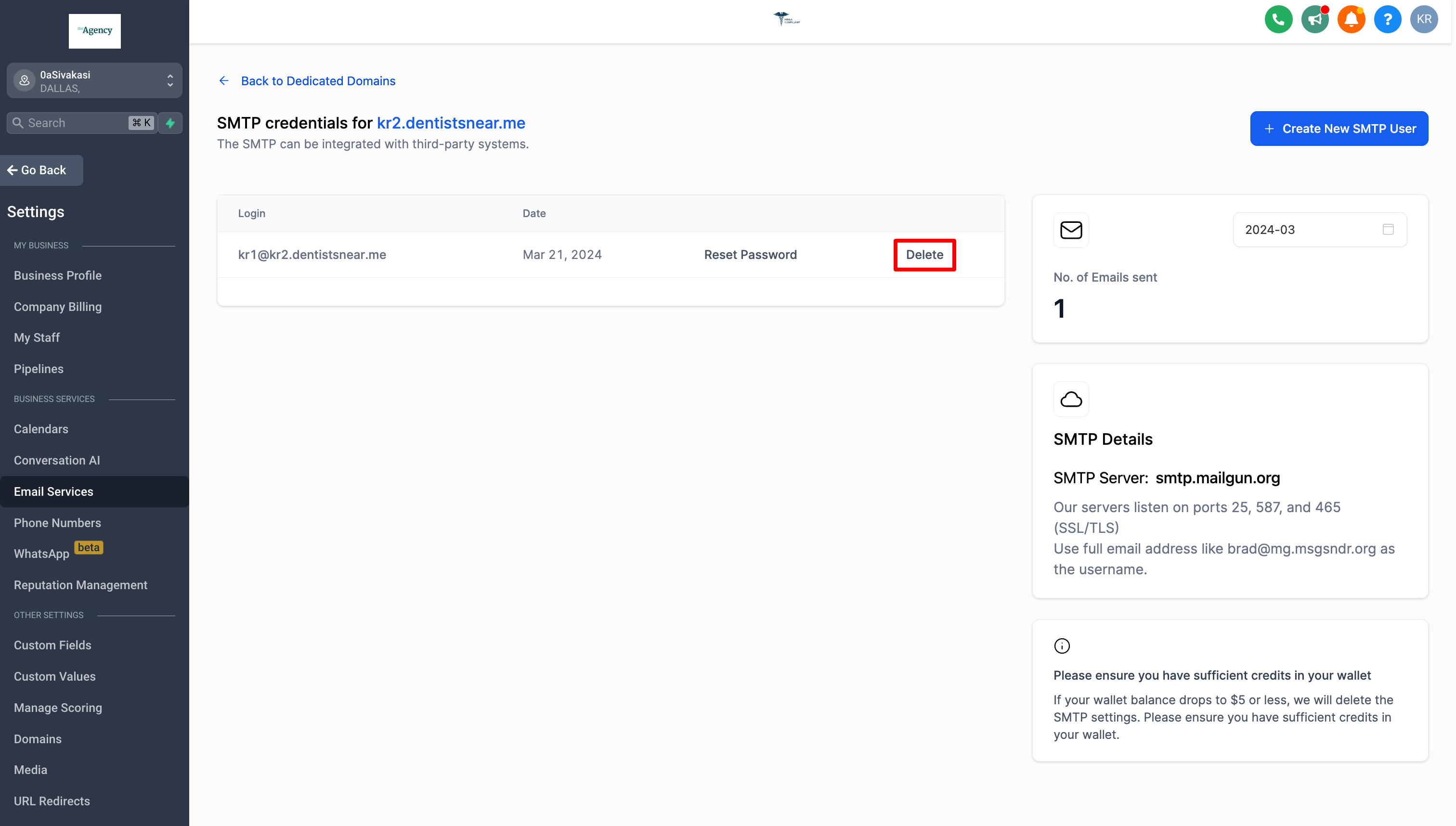
Credentials can be reset or deleted from the same SMTP Settings view. Resetting opens a confirmation modal, while deletion removes the credential after a second confirmation. All actions happen in real time and affect only the selected domain.
03How businesses use SMTP credentials
- Digital marketing agency. The agency creates a unique SMTP user for each client’s dedicated domain, then distributes the username and password to the client’s email client or WordPress plugin. When a password needs updating, the agency resets it from the SMTP Settings page.
- Ecommerce store. The store generates a credential tied to its storefront domain, configures the email client to use port 587 with STARTTLS, and sends order confirmations. If a staff member leaves, the owner resets the password to protect the sending reputation.
- Consulting firm. The firm adds a credential for its consulting domain, uses it in a third party email client to send newsletters, and later deletes the credential when the consulting project ends, ensuring no leftover access remains.
04The numbers and rules that matter
- Supported ports: 25, 465 (SSL/TLS), 587 (STARTTLS), 2525.
- 5 credentials per dedicated domain.
- 1,500 emails per day per account.
- Price: $0.675 per 1,000 emails (per HighLevel's help center, checked November 2026).
05Before you start
- A subaccount must exist with a dedicated sending domain already added.
- The subaccount must be eligible for SMTP access; otherwise the Create New SMTP User button will be disabled.
06How to set up and use SMTP credentials in HighLevel
Create SMTP credentials
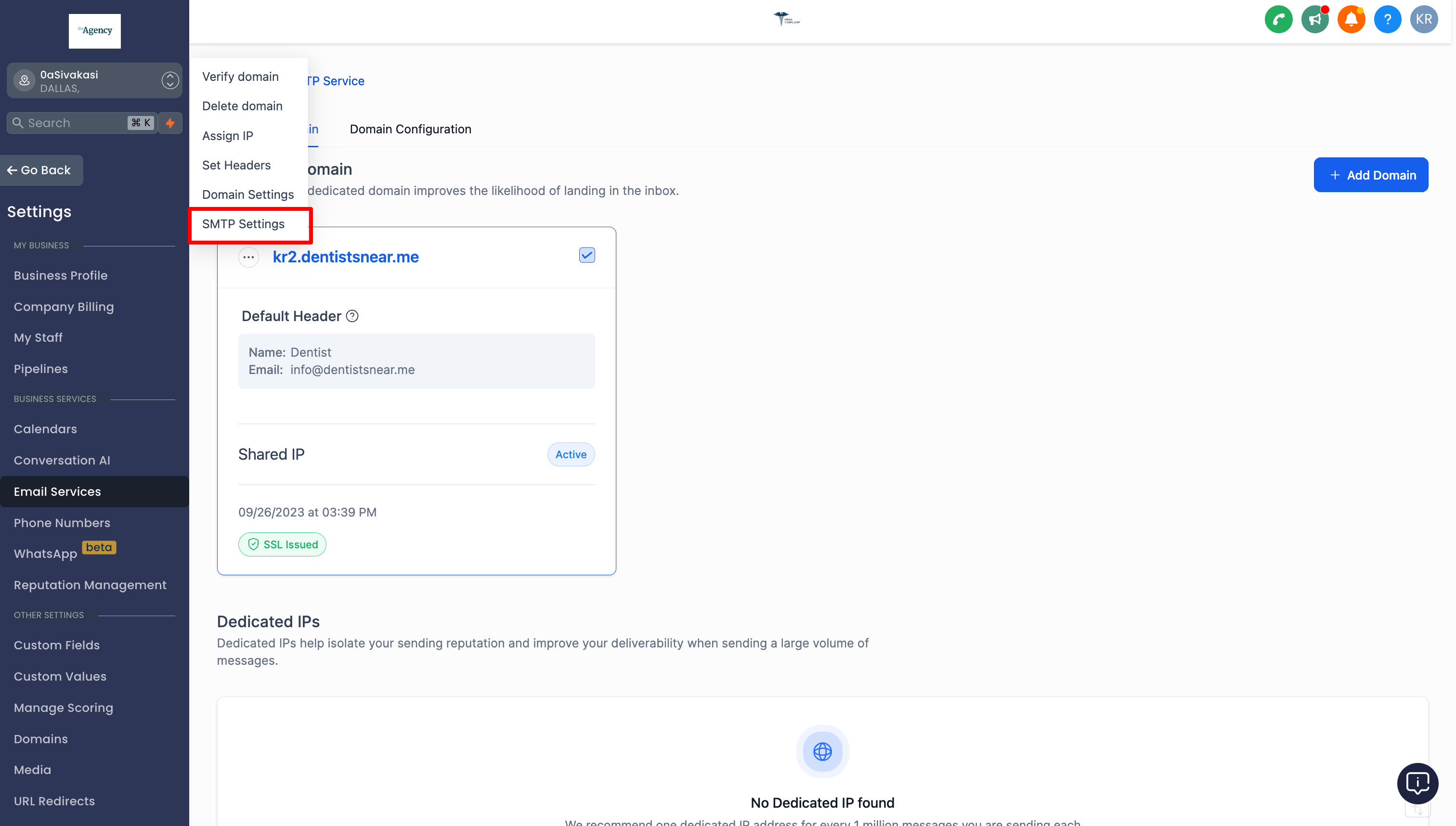
- Open Subaccount Settings and navigate to Email Service > SMTP Service > Dedicated Domain and IP > SMTP Settings for the chosen domain.
- Select Create New SMTP User.
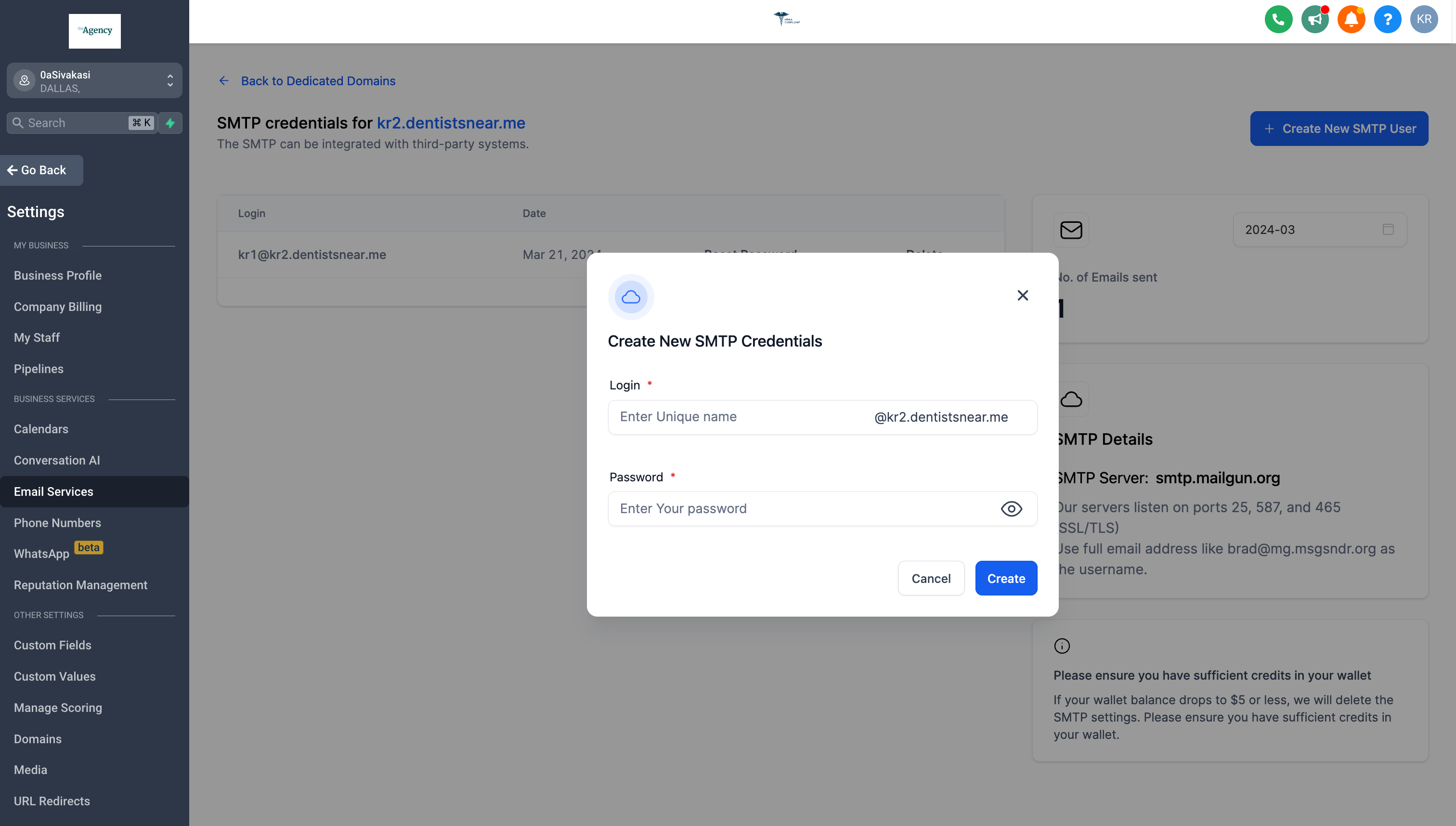
- Enter a username and a password for the new credential.
- Save the entry; the platform will generate the full SMTP settings (server address, ports, etc.).
Reset SMTP password
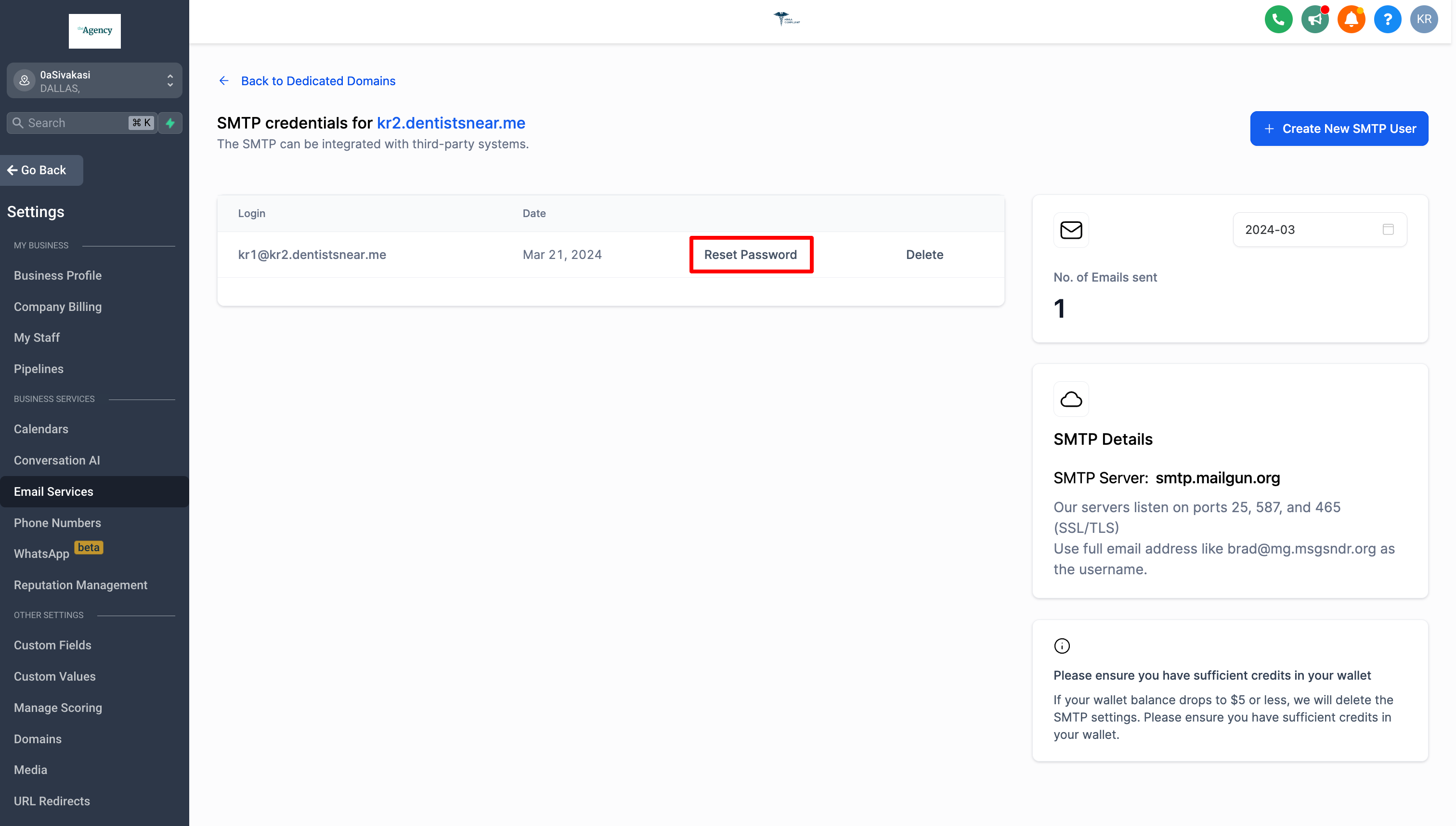
- In the domain’s SMTP Settings, locate the row for the credential you wish to change.
- Click the reset option on that row.
- Confirm the change in the pop up modal to generate a new password.
Delete SMTP credential
- Find the credential in the domain’s SMTP Settings list.
- Click Delete on the corresponding row.
- Confirm the deletion in the modal that appears.
07What it looks like in HighLevel
08Settings that matter
- SMTP Server Address. The host name used for sending email (smtp.mailgun.org).
- Secure Connection. Specifies whether TLS/SSL is used, based on the client or plugin configuration.
- SMTP Username. The email address format of the credential (e.g., user@domain.com).
- SMTP Password. The secret key that authenticates the SMTP user.
- SMTP Ports. Port numbers that the server listens on: 25, 465 (SSL/TLS), 587 (STARTTLS), and 2525.
09Things to know before you rely on it
- A maximum of five SMTP credentials can be created for each dedicated domain.
- Each account can send up to 1,500 emails per day; every recipient (To, CC, BCC) counts toward this total.
- If the daily email limit is exceeded, all SMTP credentials on the account are automatically deleted.
- SMTP credentials cannot be used for IMAP or POP retrieval; mailbox hosting is not provided by the platform.
10If something goes wrong
- Unable to create SMTP user, button disabled or warning appears. Contact Support with the subaccount ID, the sending domain, and a screenshot of the warning to request SMTP access.
11How it connects to the rest of HighLevel
- Add and verify a sending domain before creating SMTP credentials Add domain guide
- Review per email pricing for LC Email LC Email pricing
- Set up third party SMTP providers for alternative sending options SMTP provider setup
Michael's take

SMTP credentials are essential only if you need a dedicated sending address per subaccount.
If you run a multiclient agency and each client uses their own domain, skip this feature.