
01Who this is for
- Agency admins who need to protect the sender reputation of multiple subaccounts.
- Subaccount owners who want to verify their own contact lists before campaigns.
- Founders who wish to pass verification costs to clients via rebilling.
02LC Email verification, explained
Email Verification is a background service that validates an address’s syntax, MX records and mailbox existence before the first send. When it is active, the platform automatically runs the check for any new or unverified contact.
If the 90 day reverification option is turned on, a verification older than 90 days expires and the address is rechecked before the next email is sent. The service works with LC Email and Mailgun providers only.
The feature lives in the Settings area of both the Agency dashboard and each Subaccount. Billing details appear in the Agency Billing Wallet.
03How businesses use LC Email verification
- Real estate brokerage. The brokerage enables verification for each agent’s subaccount. New leads are checked automatically, and the agency can rebill the verification cost to each office. Reverification every 90 days keeps the growing lead list clean.
- Online coaching business. The coach turns on verification in their own account settings. When a new client signs up, their email is validated before any welcome sequence runs. The coach can view usage in the Billing Wallet to monitor expenses.
- Ecommerce store. The store’s marketing manager activates verification at the agency level for the store’s subaccount. All promotional emails are sent only to verified addresses, and the manager can set up 90 day reverification to maintain list health.
04The numbers and rules that matter
- $2.50 per 1,000 Email Verifications. Available on all plans (per HighLevel's help center, checked November 2026).
- Unlimited plan: Fixed markup only (1.05x).
- Pro plan: Variable markup (1.05x, 10x).
05Before you start
- LC Email or Mailgun must be configured as the email provider.
- You must have access to Agency Settings or Subaccount Settings depending on where you enable the feature.
06How to set up and use LC Email verification in HighLevel
Enable email verification at agency level
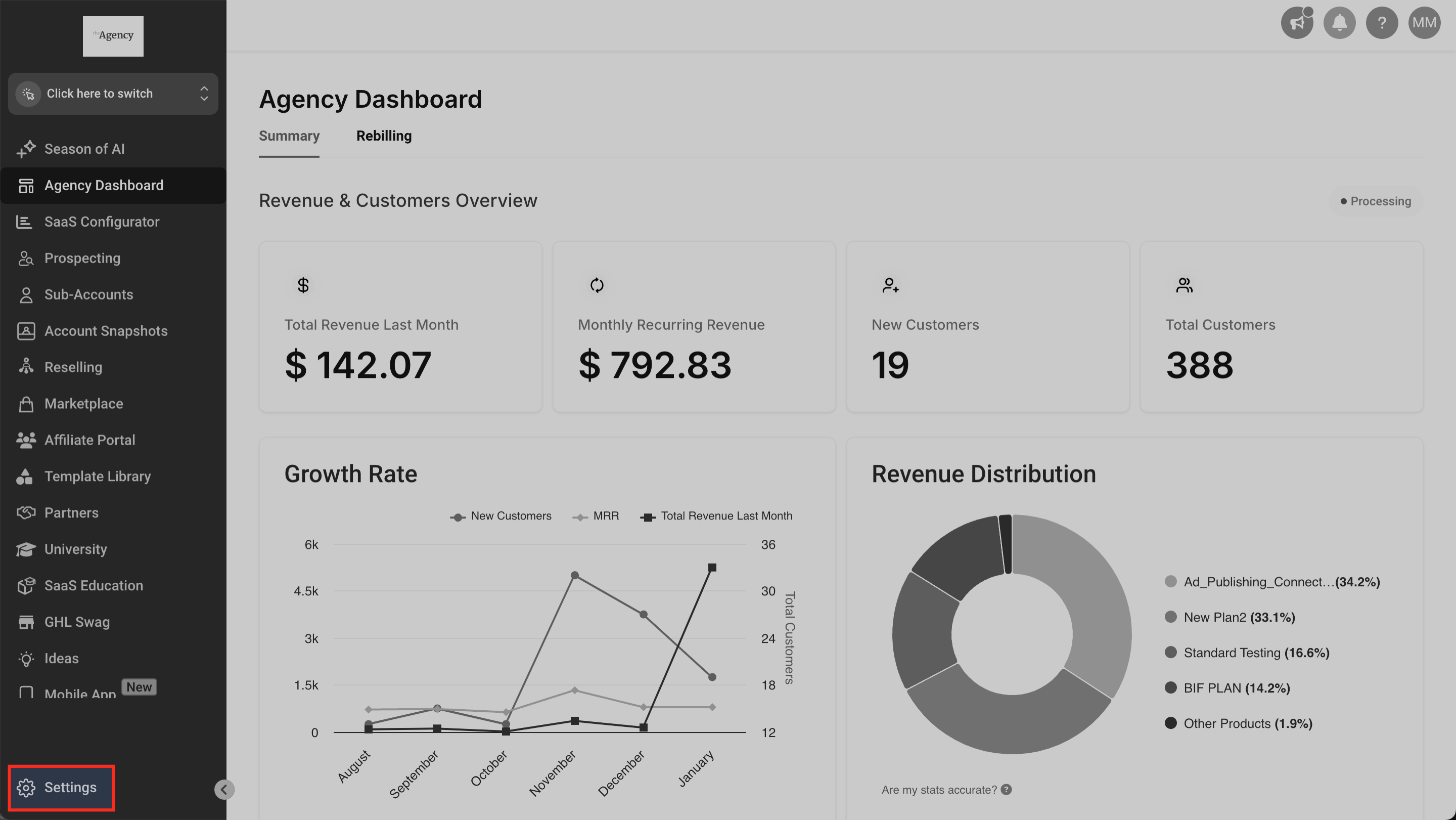
- Navigate to Agency > Settings.
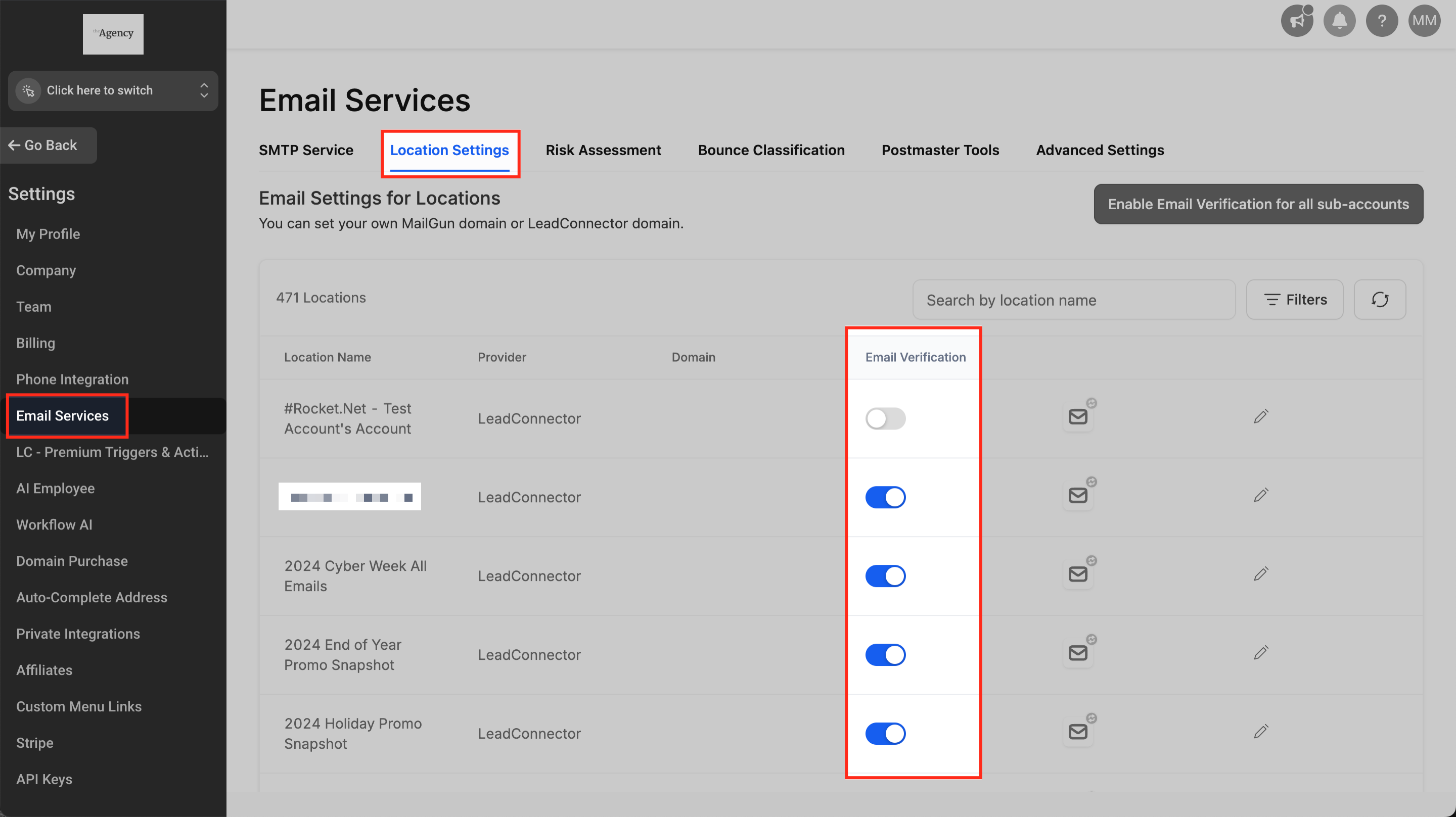
- Navigate to Email Services > Location Settings > Email Verification.
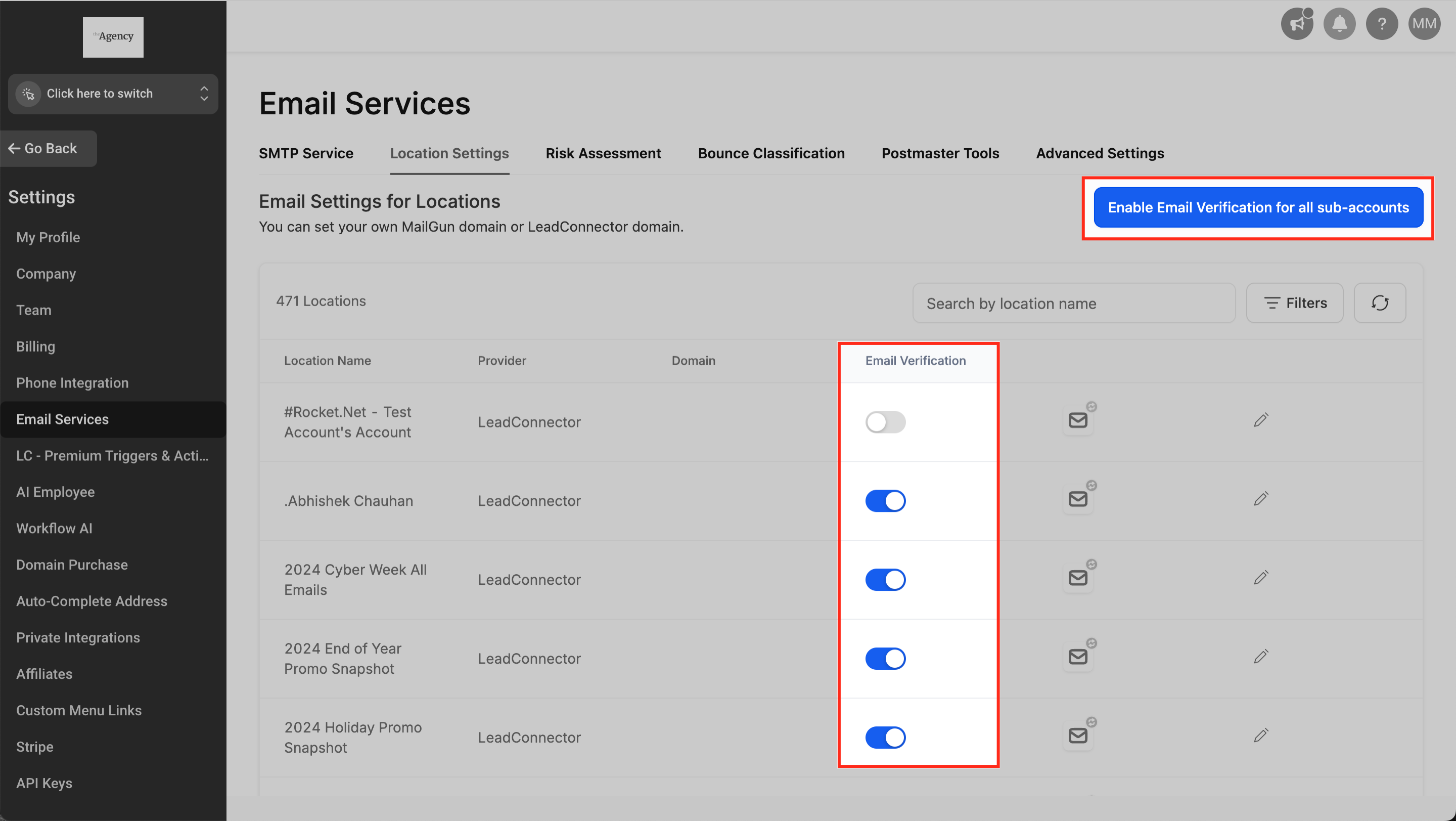
- Toggle Email Verification on or off for each subaccount, or use the bulk toggle to apply the setting across all subaccounts.
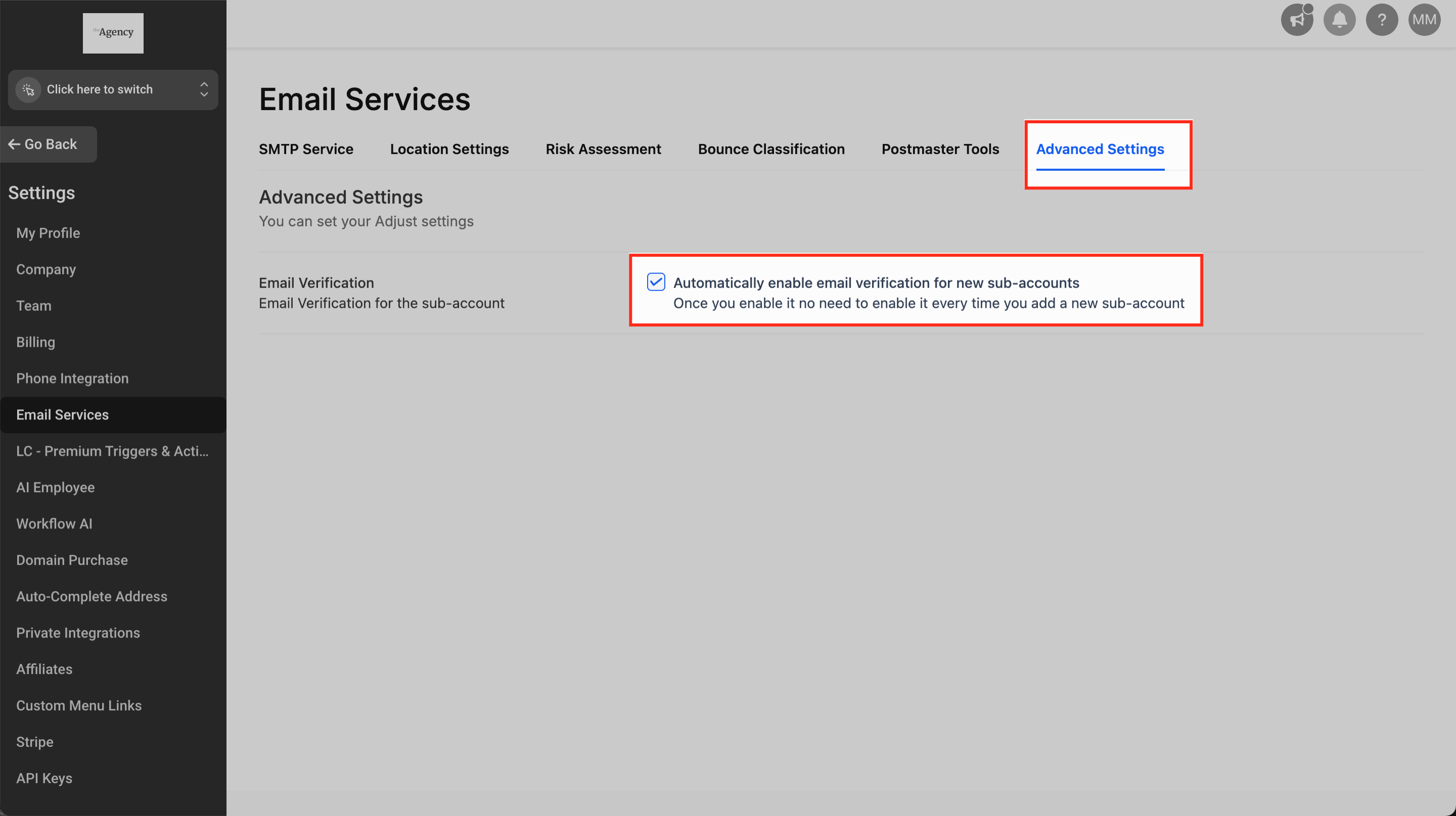
- Optional: In Advanced Settings, check or uncheck “Automatically enable email verification for new Subaccounts” to set the default for newly created subaccounts.
Enable email verification at subaccount level
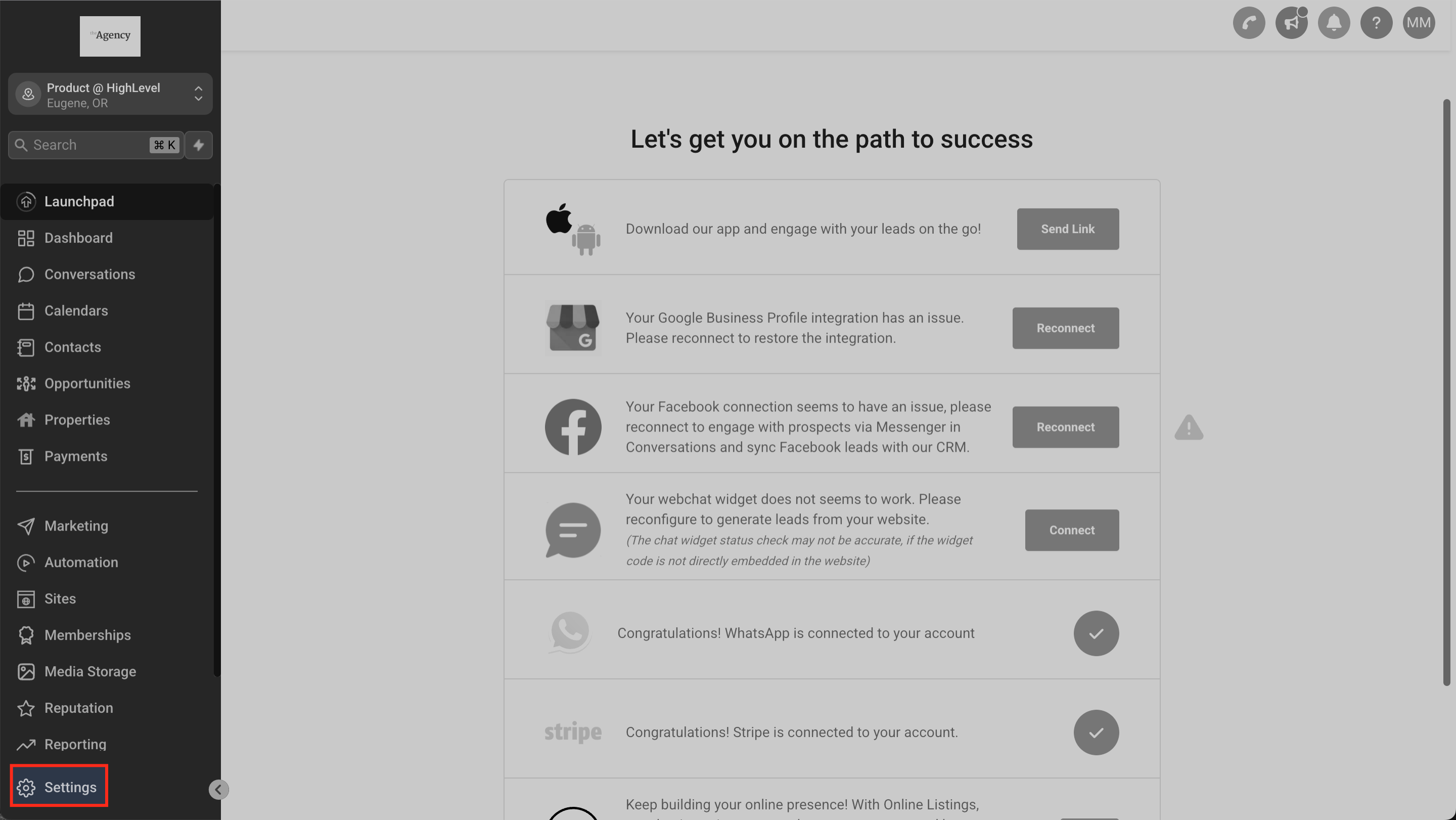
- Navigate to Subaccount > Settings.
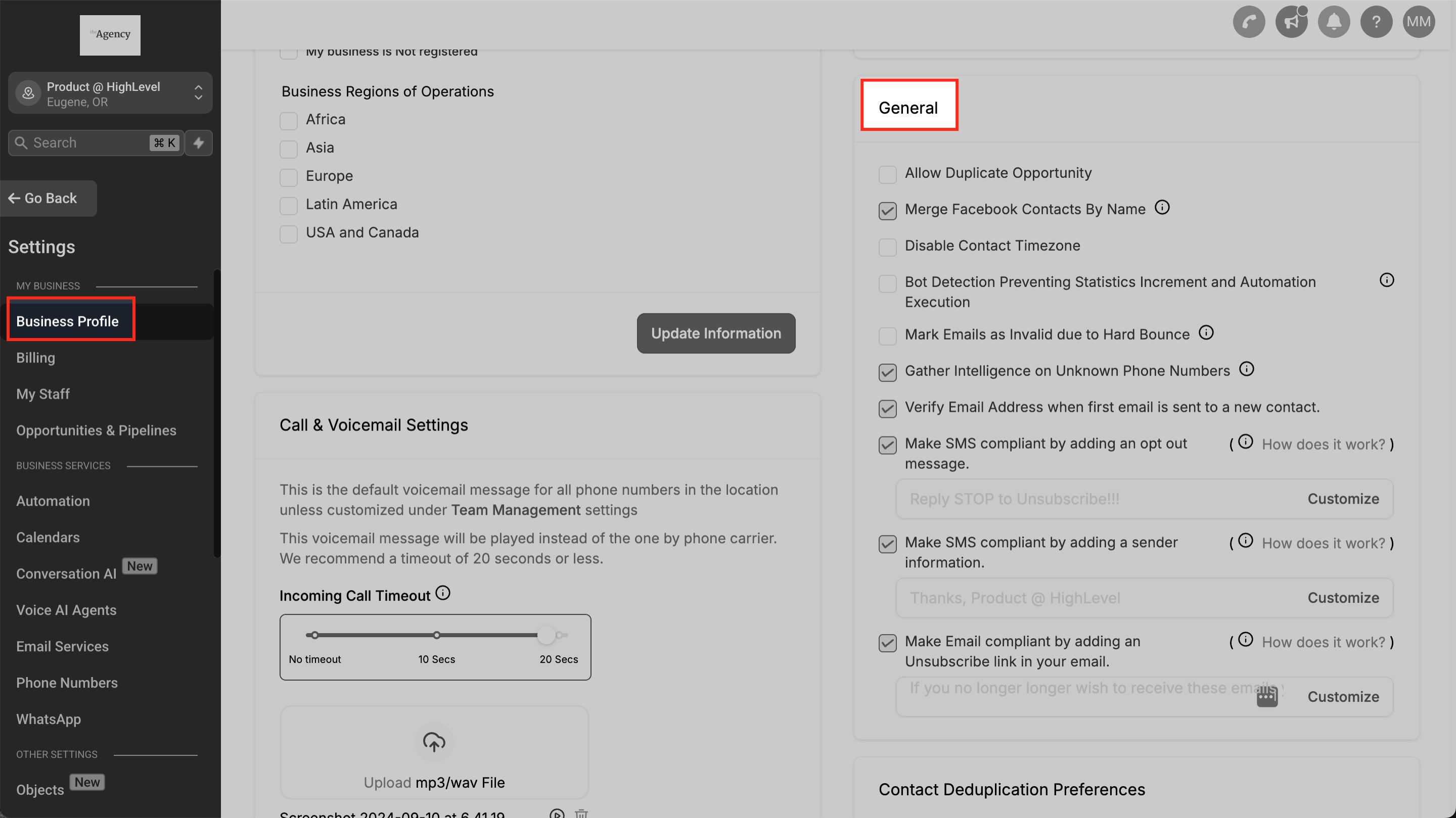
- Navigate to Business Profile > General.
- Check or uncheck the Verify Email checkbox to turn verification on or off.
Review verification usage and charges
- Navigate to Agency > Settings.
- Navigate to Billing > Wallet & Transactions > Detailed Transactions.
- Filter to Email Verification and review each transaction for a full breakdown.
View or manually trigger verification for a contact
- Navigate to Subaccount > Contacts.
- Click a contact to open its detail view.
- Expand the Contact section inside the detail panel.
- Scroll to the Email field to see the current verification status.
07What it looks like in HighLevel
08Settings that matter
- Email Verification. Turns the background validation on or off for each subaccount.
- Automatically enable email verification for new Subaccounts. Sets the default behavior so new subaccounts start with verification active.
- Verify Email. A checkbox in a subaccount that enables or disables verification for that account.
- Enable Re, verification for 90 days. When checked, addresses older than 90 days are revalidated before the next send.
- Rebilling. Controls whether verification costs are passed to clients and at what markup.
09Things to know before you rely on it
- The service costs $2.50 per 1,000 verifications and is available on all plans. (per HighLevel's help center, checked November 2026)
- Rebilling is not available on the Starter plan; Unlimited allows a fixed 1.05× markup; Pro permits a variable markup between 1.05× and 10×.
- Verification works only with LC Email and Mailgun providers.
- A verified status does not guarantee delivery; emails can still bounce after verification.
10How it connects to the rest of HighLevel
- Adjust LC Email sending limits LC Email limits
- Add and verify a sending domain Domain verification
- HighLevel pricing and plans Pricing page
- Start a 30 day trial Trial
Michael's take

Ever wonder if the extra cost of Email Verification is worth it for your agency? It’s a low price safeguard that keeps your sender reputation healthy by weeding out bad addresses before they ever hit a recipient’s inbox.
If I were setting up a new client, I’d turn on verification right away, add the 90 day recheck, and enable rebilling with a modest markup. That way the client pays only for the checks they actually use.