
01Who this is for
- Email marketers who send newsletters benefit because the header gives recipients an easy opt out, lowering complaint rates.
- Small business owners using HighLevel for promotional campaigns benefit as the header supports compliance and can improve inbox placement.
- Digital agencies that manage client email lists benefit because the automatic header reduces the need to build custom unsubscribe links for each campaign.
02List unsubscribe header, explained
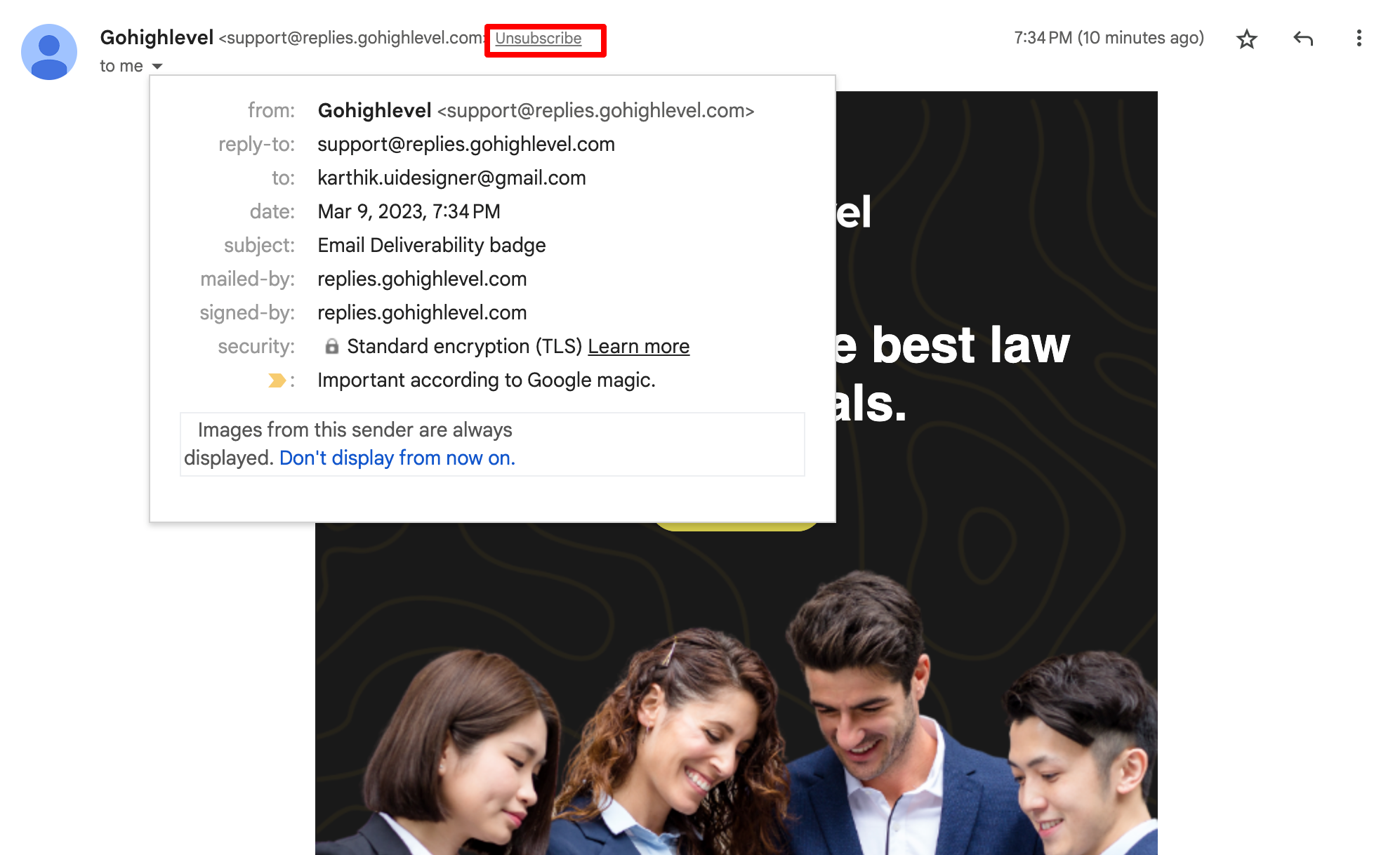
The list unsubscribe header is an email standard field that can be included in outgoing messages. When an email client detects the header, it displays a prominent "Unsubscribe" button in the message header, allowing the recipient to stop future mail with one click.
The header cannot be turned off; it is part of the email standard and is always included when supported. Its visibility depends on the sender’s reputation, providers such as Gmail and Outlook only show the button for domains they trust.
Even with the header, you should keep the traditional in body unsubscribe link. Both methods update the contact’s subscription status in the platform.
03How businesses use list unsubscribe header
- Ecommerce store. When the store sends promotional newsletters, the header gives shoppers a quick way to leave the list, helping keep complaint rates low. The platform automatically processes the opt out and removes the contact from future mailings.
- Digital marketing agency. An agency running campaigns for multiple clients relies on the header to provide a consistent unsubscribe experience across clients. The header is added to each email, so the agency does not need to create separate links for every campaign.
- Fitness studio. The studio sends class updates and offers via email. With the header enabled, members can unsubscribe from the studio’s messages directly in Gmail or Outlook, ensuring the studio respects preferences without extra workflow steps.
04The numbers and rules that matter
- The header follows RFC 2369 / RFC 8058.
05Before you start
- A sender must have a sufficiently high sending reputation for email providers to display the header level unsubscribe button.
06How to set up and use list unsubscribe header in HighLevel
Understand the list unsubscribe header
- Read the definition of the header and how email clients surface it as an unsubscribe button.
Recognize its deliverability benefit
- Note that the header reduces spam complaints and supports better inbox placement.
Acknowledge that the header cannot be disabled
- Know that the feature is always included in outgoing emails and cannot be turned off.
Check why the option may not appear
- Ensure your sending reputation is high enough; improve reputation by sending only to engaged contacts and honoring opt outs.
07What it looks like in HighLevel
08Things to know before you rely on it
- The header cannot be disabled; it is built into the email infrastructure.
- Providers only display the unsubscribe button for senders with sufficient reputation.
- Not all email clients support the header; Gmail, Outlook, and some Apple Mail configurations do.
- The header does not replace the in body unsubscribe link required for compliance.
09If something goes wrong
- Header unsubscribe button not visible in inbox. Build sender reputation by sending to engaged subscribers, removing hard bounces promptly, honoring opt out requests, and avoiding sudden large volume spikes.
10How it connects to the rest of HighLevel
- Read about general email deliverability factors that affect inbox placement. Email deliverability guide
- Explore preference management features for handling unsubscribe requests within HighLevel. Preference management
- Learn how to set up a dedicated sending domain to improve trust with email providers. Dedicated sending domain
Michael's take

I think the list unsubscribe header is important for inbox placement.
If you’re not sending marketing emails at all, you can skip worrying about it.