
01Who this is for
- Email senders who must meet Google and Yahoo authentication requirements.
- Marketers responsible for ensuring unsubscribe links and keeping spam rates low.
02Email sender requirements, explained
Domain based Message Authentication, Reporting & Conformance (DMARC) adds a policy layer to SPF and DKIM. It lets inbox providers decide whether to deliver, quarantine, or reject messages that fail authentication. HighLevel does not store the DMARC record; it resides in your DNS.
To be compliant, you create a TXT record at the root of your sending domain. The record specifies the DMARC version, a policy (such as p=none), and optional reporting addresses. Google recommends tightening the policy over time after confirming delivery.
The DMARC setting affects every email sent through HighLevel that uses your dedicated sending sub domain. It does not change the content of your messages but influences how providers treat them.
03How businesses use email sender requirements
- Maintain brand reputation. Add a DMARC record so that recipients see emails that genuinely come from your domain, preventing spoofed messages that could harm trust.
- Achieve compliance for bulk campaigns. Create the required DMARC TXT entry to satisfy Google and Yahoo sender policies before sending large volumes of email.
- Protect the domain from phishing. Implement DMARC so inbox providers know how to handle messages that fail SPF or DKIM, reducing the chance of phishing attempts using your domain.
04The numbers and rules that matter
- February 2024 is the enforcement date for Google and Yahoo requirements.
- DMARC is required for senders of more than 5,000 emails per day (aggregated across subaccounts using a shared sending domain).
- Warm up period after enabling a dedicated sending subdomain is 2 to 4 weeks.
- Spam rate must stay below 0.30%.
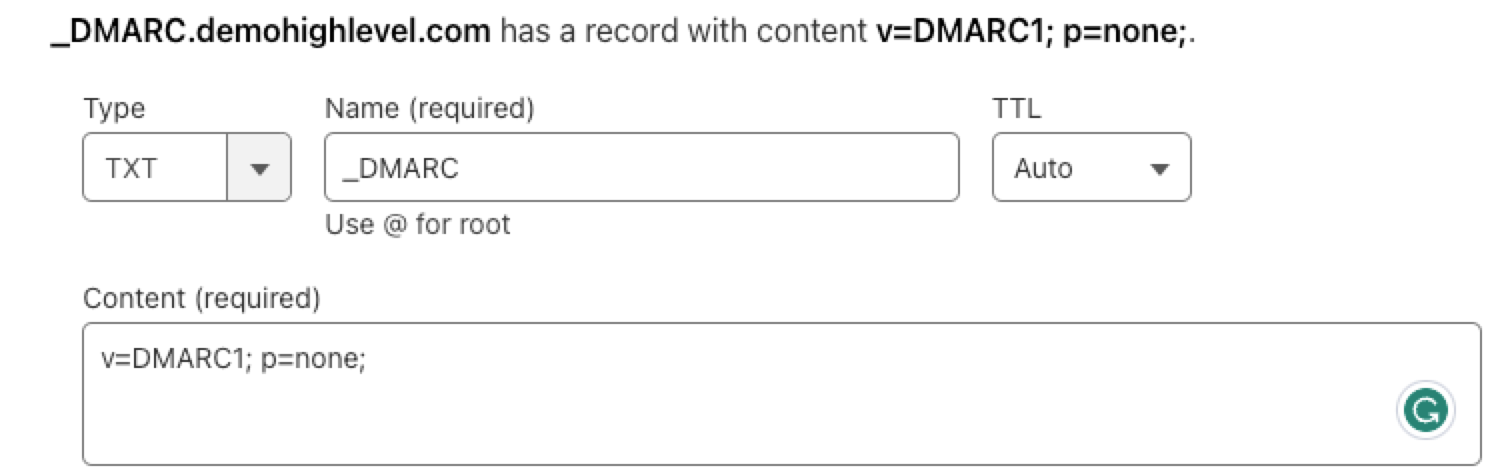
- DMARC TXT record values: Record type TXT, Host _dmarc, Content v=DMARC1; p=none;.
- One click unsubscribe link is added automatically to the header of every email except 1:1 messages.
05Before you start
- Senders who transmit more than 5,000 emails per day on a shared sending domain must add a DMARC record.
- Access to your DNS hosting provider is required to create a TXT record.
06How to set up and use email sender requirements in HighLevel
Add a DMARC TXT record to authenticate your sending domain
- Use a free DMARC checker, enter your root domain, and verify whether a DMARC record already exists.
- Log in to your DNS hosting provider and start creating a new DNS record.
- Set the record type to TXT, the host/name to _dmarc, and the content/value to v=DMARC1; p=none;.
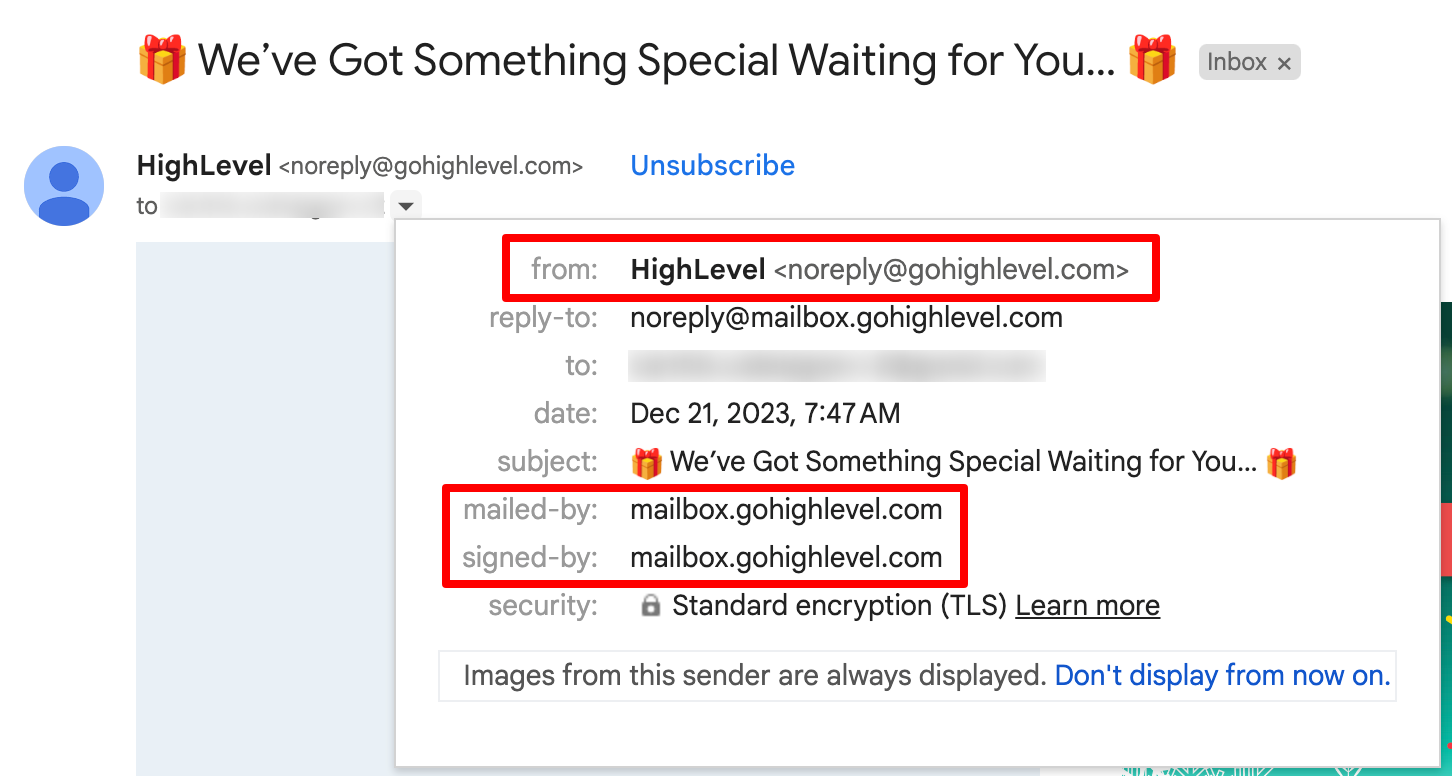
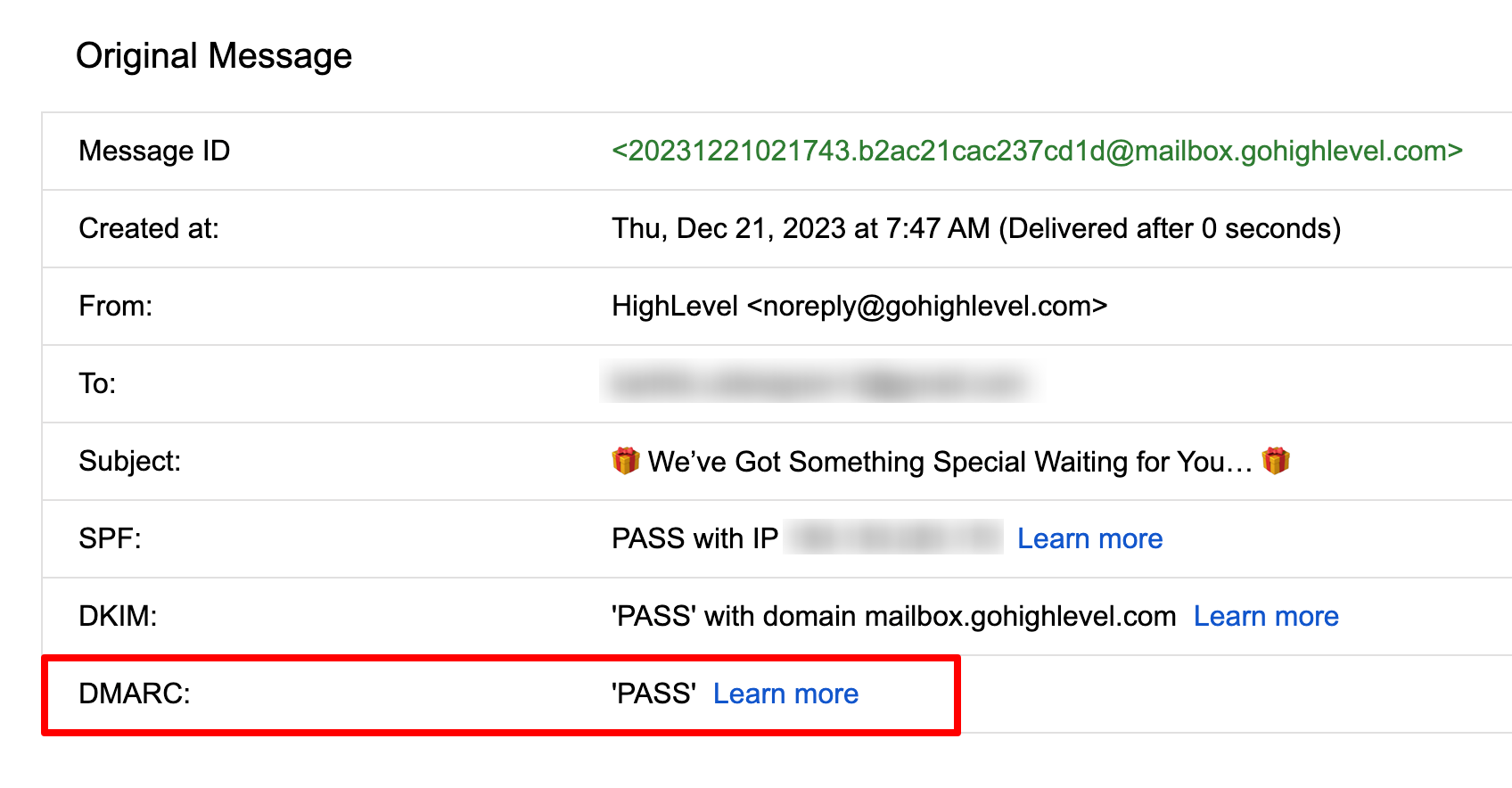
- Save the record and use the DMARC checker again to confirm propagation; optionally send a test email and view the header in Gmail.
07What it looks like in HighLevel

08Settings that matter
- Record type. Specifies the DNS entry format; for DMARC it must be a TXT record.
- Host / Name. Defines the sub domain for the DMARC policy, always _dmarc.
- Content / Points to. Contains the DMARC policy string, such as v=DMARC1; p=none;.
09Things to know before you rely on it
- A DMARC record is required only if you send more than 5,000 emails per day using a shared sending domain.
- The initial policy in the example is p=none; you should tighten the policy over time according to Google’s recommendations.
- Propagation of the TXT record may take a few minutes; verification is necessary before assuming compliance.
10If something goes wrong
- DMARC record does not appear in the checker after saving.. Wait a few minutes, then re run the DMARC checker to confirm propagation. Ensure the host is exactly _dmarc and the record type is TXT.
11How it connects to the rest of HighLevel
- Set up a branded sending sub domain Dedicated sending domain guide
- Learn best practices for warming up a new sending domain Email warm up guide
- Review how to add automatic unsubscribe links Unsubscribe link details
Michael's take

When your emails get stuck in spam or never arrive, the core issue is often missing authentication or unclear unsubscribe options.
The first thing I get right is the DMARC record. A simple TXT entry that tells inbox providers how to treat failed checks.