
01Who this is for
- Marketing managers at SaaS companies, because they need to know which messages reach the primary inbox to maintain subscriber engagement.
- Ecommerce owners, because inbox placement affects order confirmations and promotional offers.
- Coaching or consulting Founders, because credibility hinges on clients receiving emails promptly.
02Email deliverability, explained
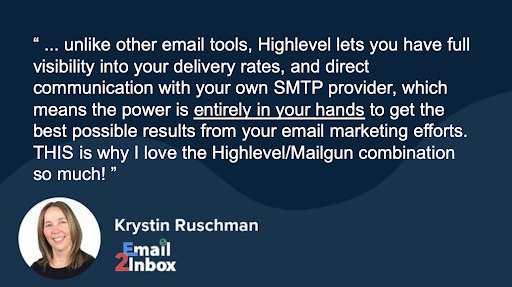
Email deliverability is the percentage of sent messages that appear in the recipient's primary inbox. It is not displayed directly by email service providers, so you infer it from delivery rates, open rates, complaint metrics, and postmaster tools. HighLevel reports delivery statistics and integrates with your SMTP provider, giving you clear visibility.
The platform lets you influence deliverability by managing IP and domain reputation, authentication records (SPF, DKIM, DMARC, MX), sending volume, content quality, and list hygiene. By controlling these elements within HighLevel, you can improve the likelihood that your emails land where recipients actually see them.
03How businesses use email deliverability
- Marketing campaigns. Marketers track delivery, bounce, and complaint stats in HighLevel to gauge how many messages reach recipients and adjust content or sending patterns accordingly.
- Customer support communications. Support teams verify that transactional emails such as password resets are delivered and diagnose issues by reviewing delivery and engagement metrics.
- Newsletter distribution. Newsletter publishers monitor domain reputation and authentication settings in HighLevel to keep inbox placement high and reduce spam folder hits.
04The numbers and rules that matter
- Good Delivery Rate is 98%+.
- General text to HTML ratio rule is 60:40.
05Before you start
- Confirm that SPF, DKIM, and DMARC DNS records are correctly configured for your sending domain.
- Verify that your MX records are pointing to the proper mail servers.
06What it looks like in HighLevel

07Things to know before you rely on it
- A good delivery rate is 98% or higher.
- The article does not list specific numeric limits for sending volume, domains, or other settings.
08How it connects to the rest of HighLevel
- What influences inbox placement and how to improve it Inbox placement guide
- How to diagnose why emails might be going to spam Spam diagnosis guide
- Set up a dedicated sending domain for better reputation Dedicated domain setup
- View HighLevel pricing and plan options Pricing page
Michael's take

Email deliverability can feel like a black box. You see that a message was delivered, but you have no clue if it actually reached the inbox or vanished into spam. That uncertainty can make it hard to trust your campaigns.
When you can see the numbers behind delivery and focus on engagement, you steer the ship toward the inbox. Clean lists, proper authentication, and consistent sending volumes help improve deliverability.