
01Who this is for
- Email marketers who must track subscriber choices to meet compliance requirements.
- Founders of multi location businesses that need separate email categories for each office.
- Customer support teams that handle opt out requests and need a clear view of each contact’s preferences.
02Preference Management, explained
Preference Management is a feature that stores each contact’s consent for specific types of marketing email. It works at the location level, so each office can define its own set of categories such as newsletters or promotions. When a contact unsubscribes from a category, the platform automatically prevents that contact from receiving any future campaign linked to the same category.
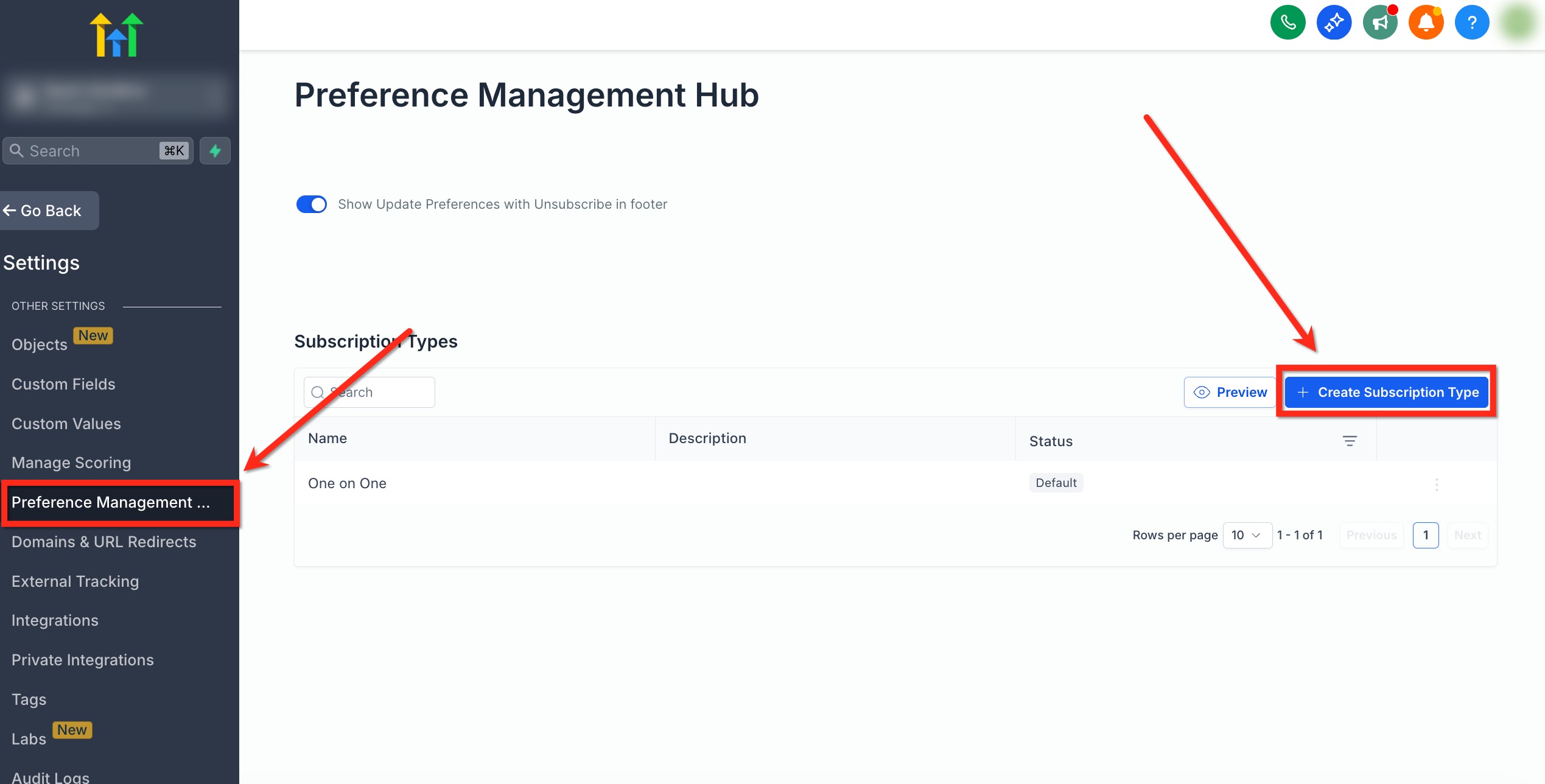
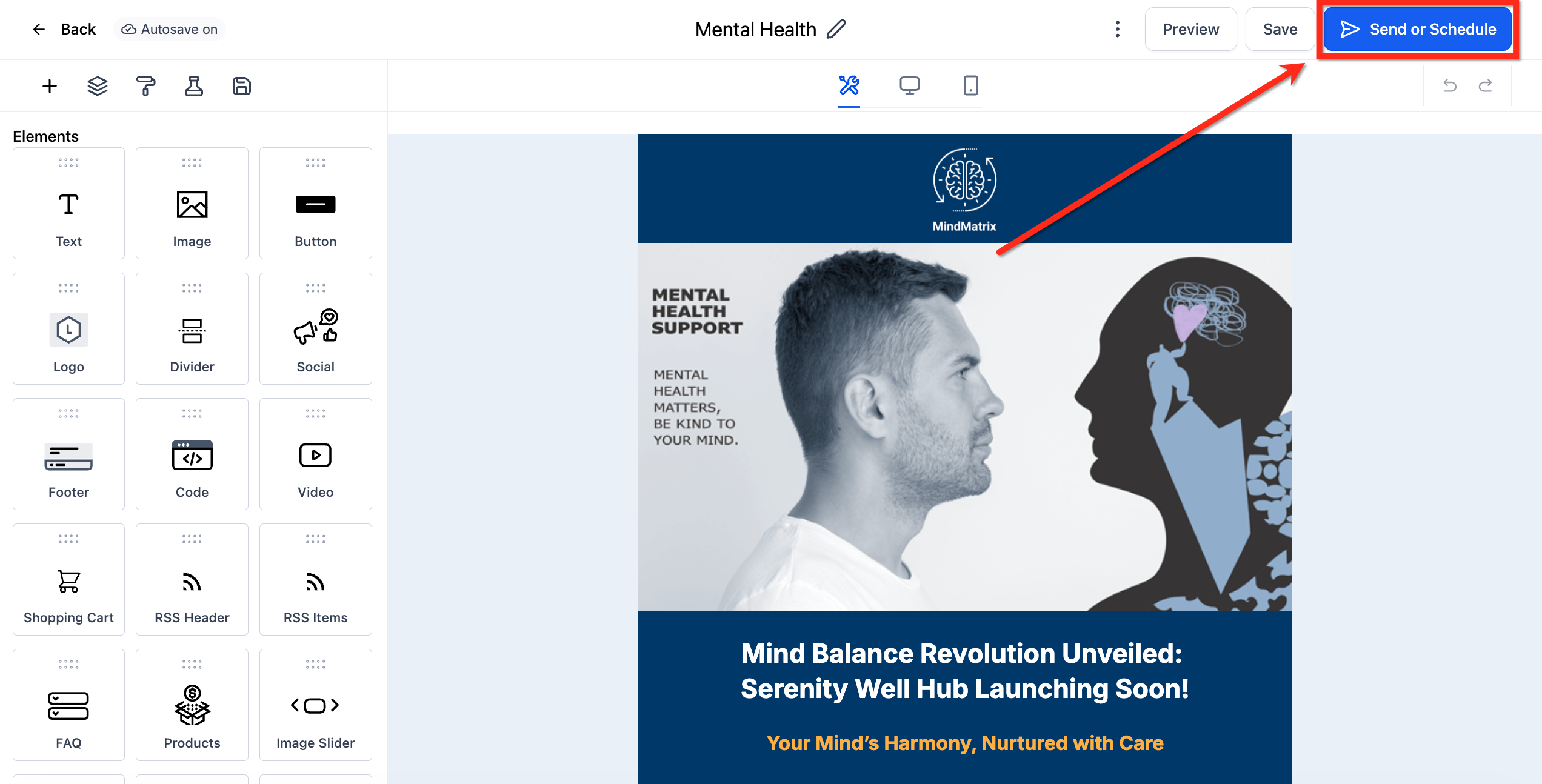
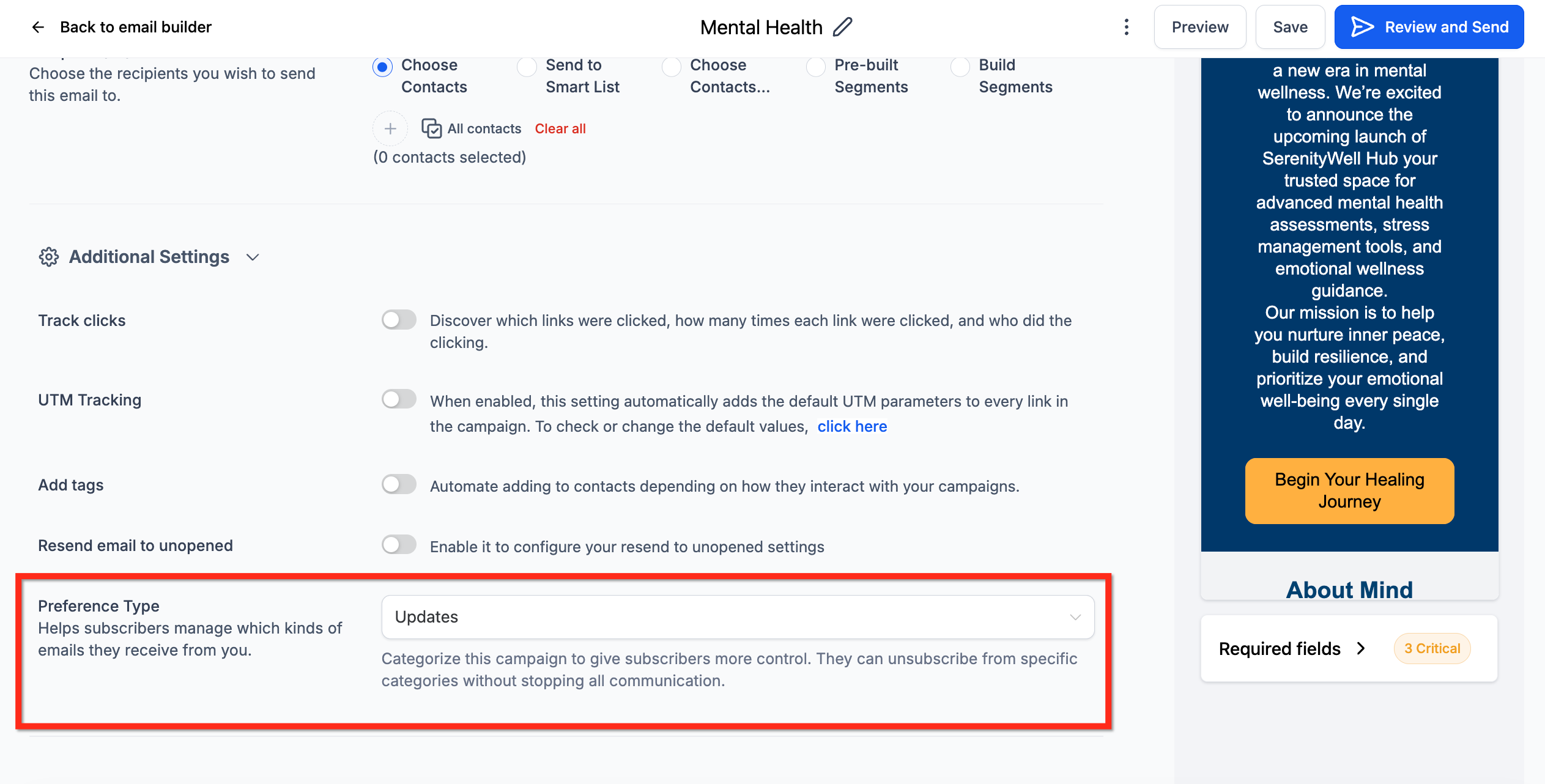
The feature lives under Settings > Preference Management Hub. Inside the hub you can create, edit, disable or archive subscription types. Campaigns are then linked to a category from the Email Builder, allowing the system to filter audiences before sending. Any change to a contact’s subscription status is logged in the Conversations tab for reference.
03How businesses use preference management
- Fitness studio. The studio creates categories for class updates, promotional offers, and health tips. It links each email campaign to the appropriate category so members who opt out of promotions never receive those messages, while still getting class schedules.
- Ecommerce retailer. The retailer defines categories for product launches, seasonal sales, and order notifications. By assigning campaigns to these categories, customers who unsubscribe from sales emails remain on order notifications, keeping essential communication intact.
- Legal services firm. The firm sets up categories for legal updates, webinar invites, and firm news. It updates each contact’s preferences from the Contact Details page, ensuring that clients only receive the updates they have elected to receive.
04The numbers and rules that matter
- Create up to 5 active subscription types per subaccount.
- Subscription category names support up to 100 characters.
05How to set up and use preference management in HighLevel
Set up preference management
- Navigate to Settings > Preference Management Hub for the desired location.
- Click the + Create Subscription Type button.
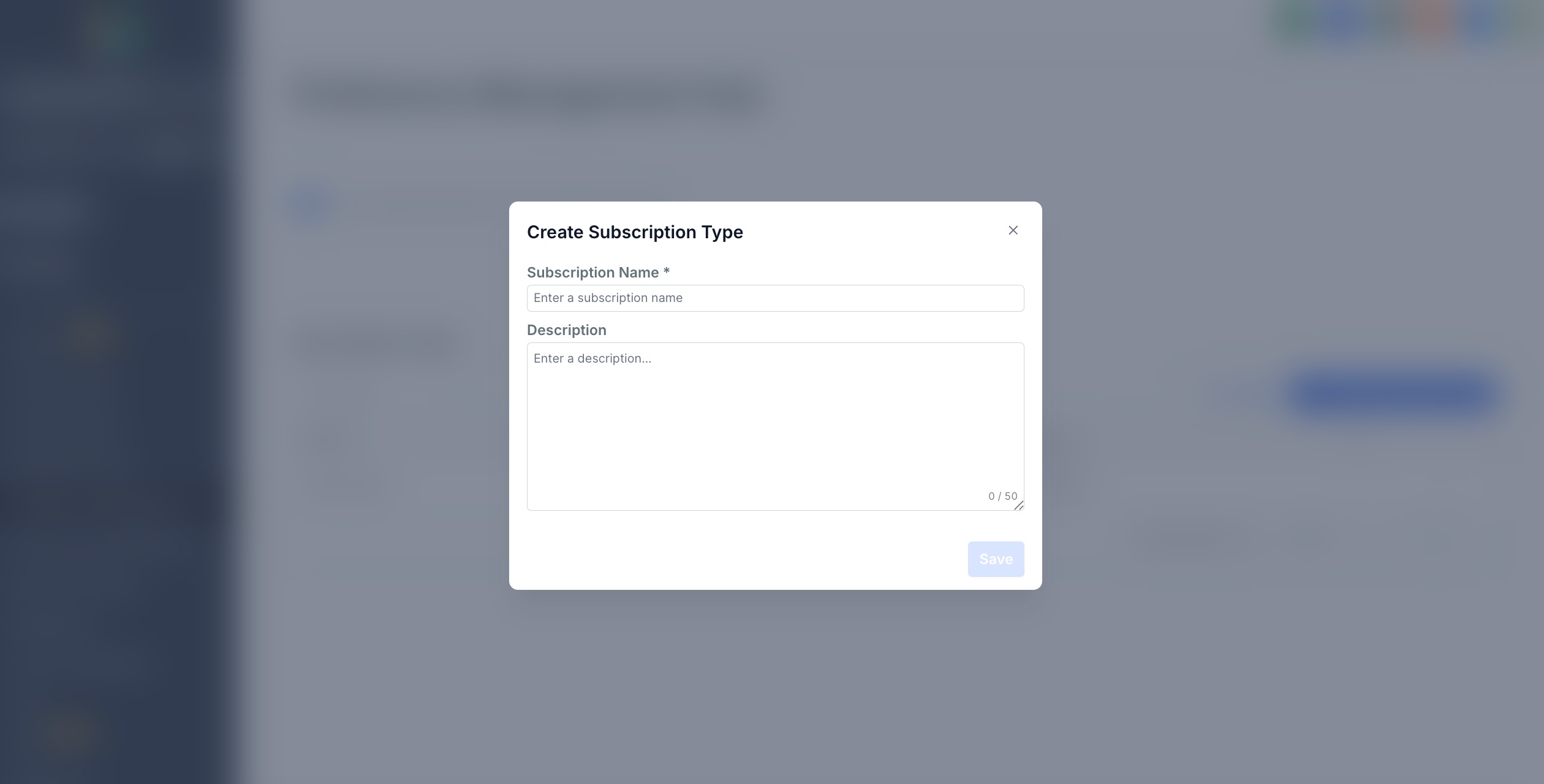
- Enter a name and description for the new subscription category.
- Choose a clear title that contacts will understand, keeping it under 100 characters.
- Save the entry and confirm the creation when prompted.
- Repeat the process for any additional categories you need.
Manage preferences at the contact level
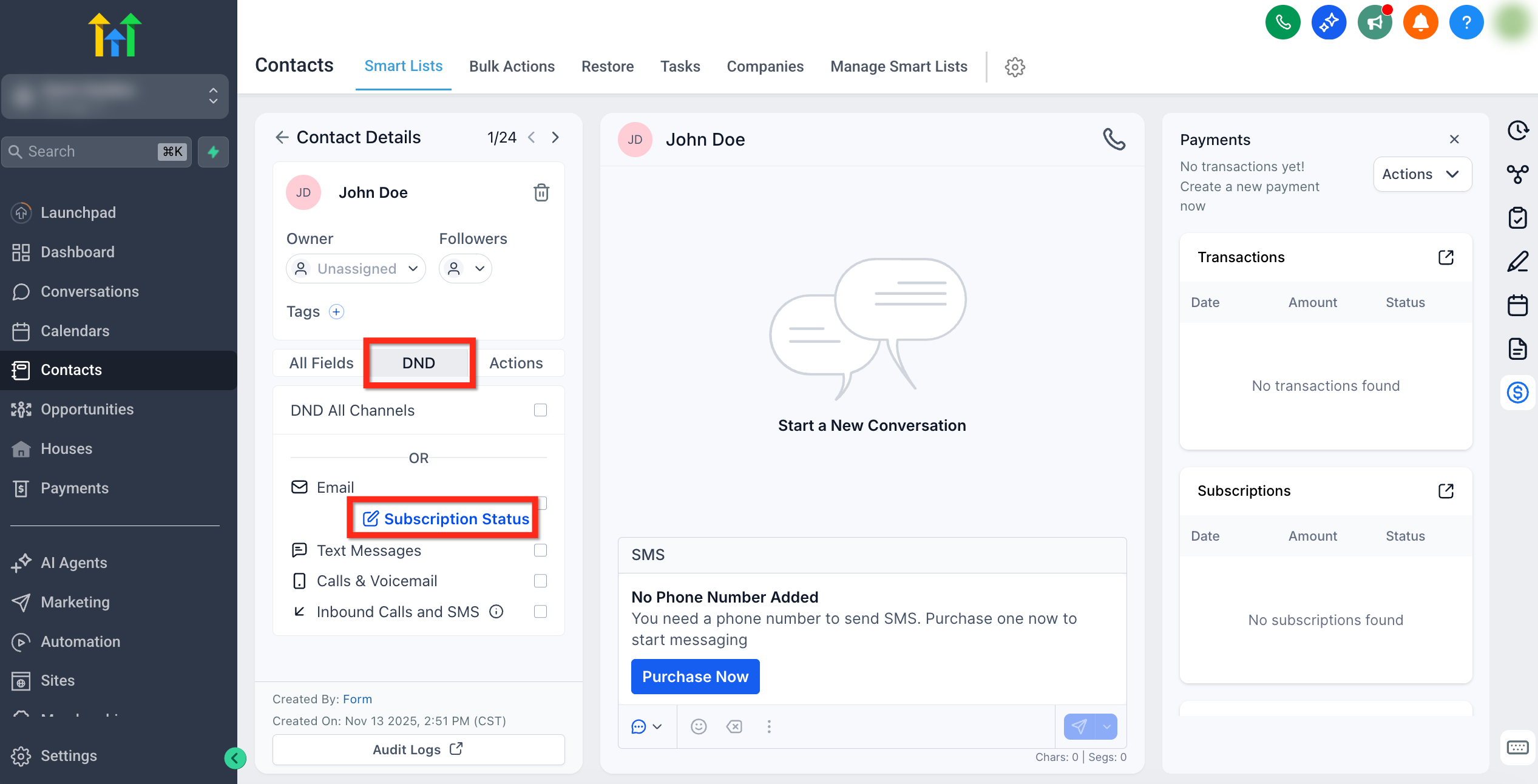
- Open Contacts, select the target contact, go to the DND tab, and click Subscription Status.
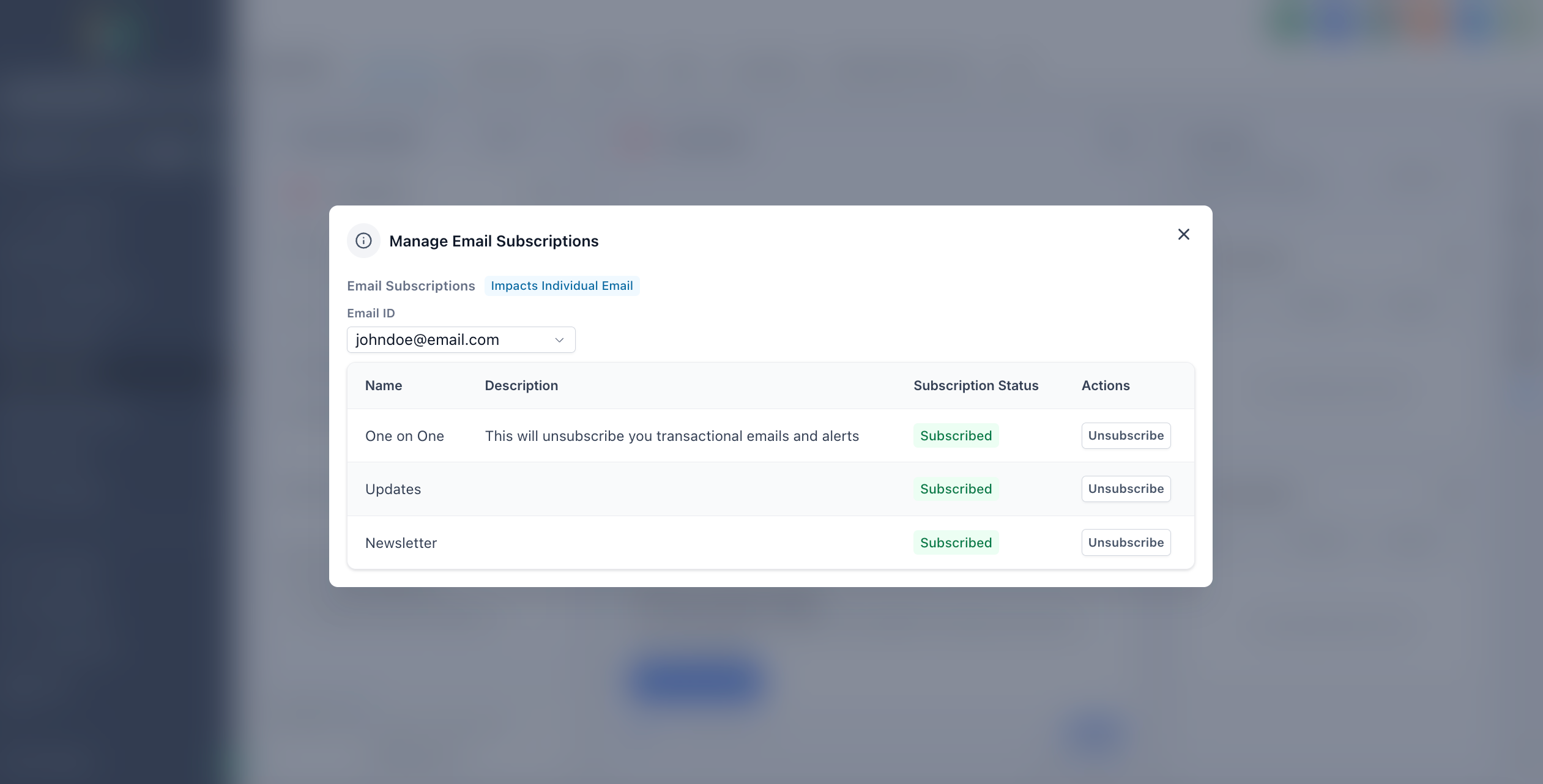
- In the Manage Email Subscriptions popup, set each Preference Type to Subscribed or Unsubscribed as needed.
- If a category is marked Unsubscribed, provide a legal basis before the contact can be resubscribed.
06What it looks like in HighLevel
07Settings that matter
- Preference Management Hub. The hub where you create, edit, archive, or delete subscription categories for a location.
08Things to know before you rely on it
- Create up to five active subscription types per subaccount; archive an existing type to add a new one.
- Category names can be up to 100 characters long.
- No default "One on One" category is added when you first enable the feature.
- Once Preference Management is enabled, it cannot be disabled.
- If all categories are archived, the interface shows a guided zero state prompting you to create or restore a category.
09How it connects to the rest of HighLevel
- Custom unsubscribe links can include a Manage Preferences link that works with Preference Management. Custom unsubscribe links
- The List Unsubscribe header improves deliverability when contacts use the preference link. List Unsubscribe header
Michael's take

Beware of enabling Preference Management before you’re ready. Once you turn it on, you can’t turn it off, and you’ll need to keep the category structure consistent across your location.
When you have it set up, contacts only receive the emails they want, you stay compliant, and your sender reputation is protected.