
01Who this is for
- Founders who need to protect their sender reputation from hard bounces caused by mistyped domains.
- Marketing managers who run campaigns and want to avoid wasted sends to invalid addresses.
- Support teams that must ensure critical business contacts are reachable before outreach.
02Restricted domain blocking, explained
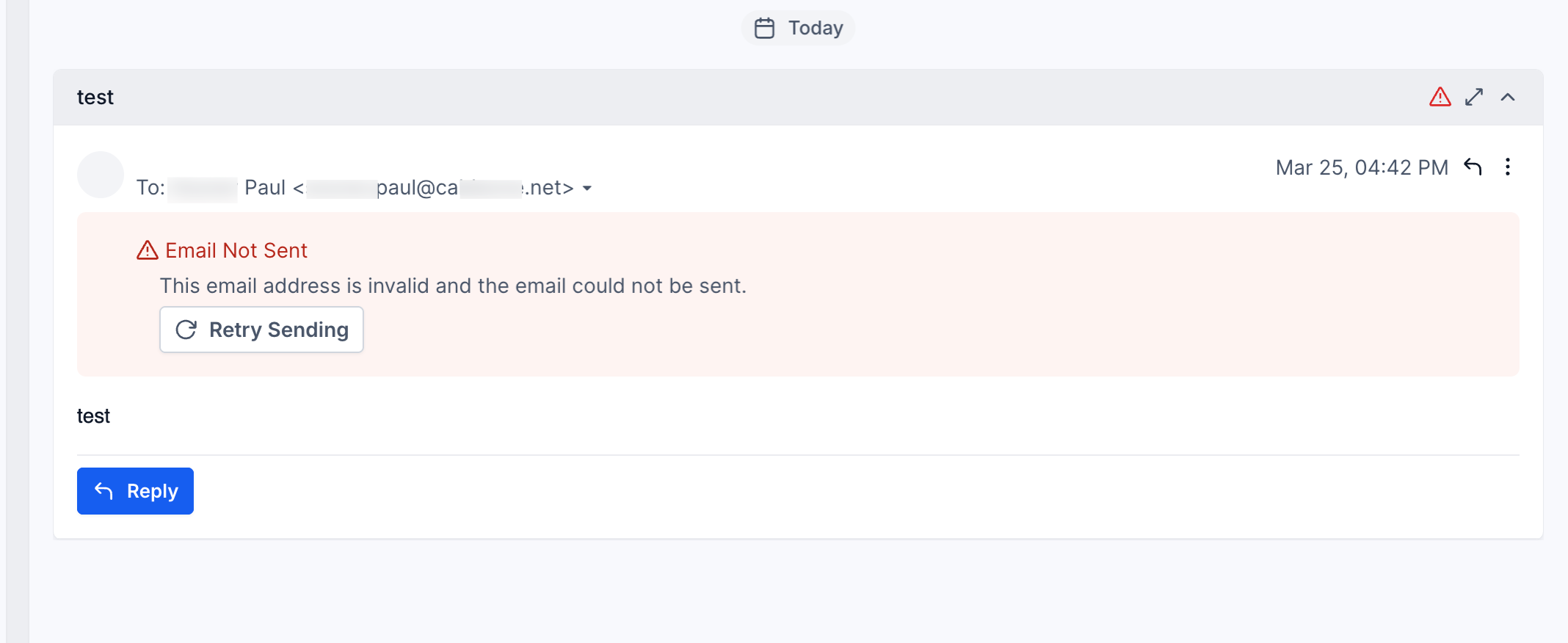
The feature validates the domain part of a contact’s email address before any outbound email leaves HighLevel. If the domain does not exist or is on a restricted list, the send is blocked.
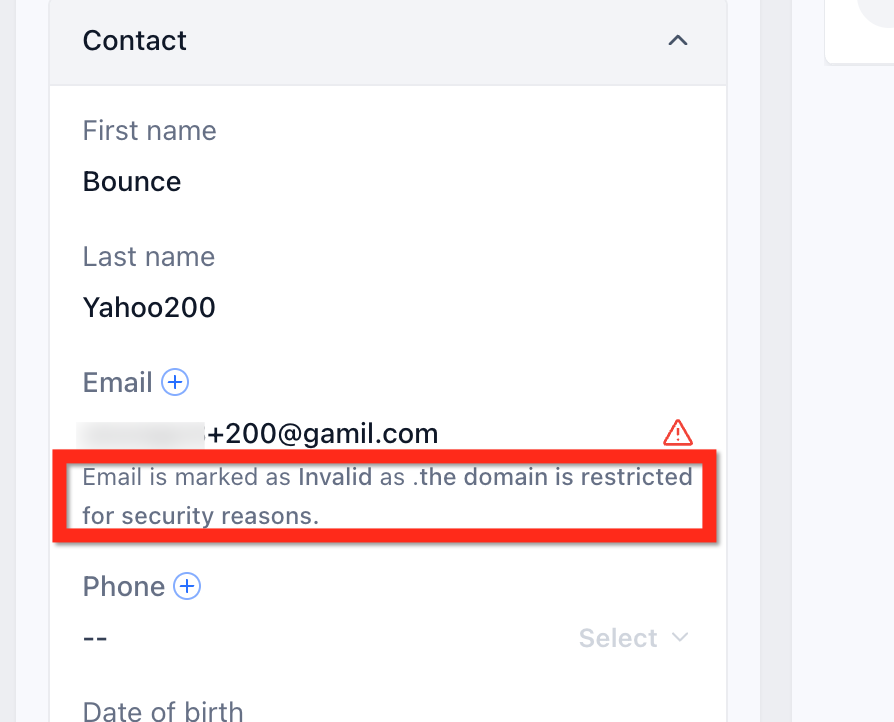
When a block occurs, an inline warning appears beneath the Email field in the contact record, and no delivery attempt is made by any sending method, including LC Email, Mailgun, or custom SMTP.
The blocked address cannot be used for any campaign, workflow, or manual send until the contact is updated with a valid, permitted domain.
03How businesses use restricted domain blocking
- SaaS startup. When a prospect’s email bounces, the user sees the warning, corrects the typo in the domain, and resumes the onboarding drip campaign. If the prospect’s domain is truly restricted, they open a Support ticket with the required details.
- Dental practice. Staff enters a new patient email during intake. If the domain is flagged, they verify the spelling, update the record, and ensure appointment reminders can be sent without interruption.
- Real estate agency. Agents load lead lists for a property blast. Any blocked addresses show the warning; agents edit the emails or request Support for essential contacts, preventing failed sends and protecting their reputation.
04How to set up and use restricted domain blocking in HighLevel
Resolve blocked email
- Check the email address for typing errors, especially after the @ symbol.
- Edit the contact record and replace the address with a valid email on an allowed domain.
- If the domain is essential, submit a Support ticket including the domain, where the warning appeared, the subaccount ID, and the sending method.
05What it looks like in HighLevel
06Things to know before you rely on it
- There is no in app option to bypass the block; the address must be corrected.
- The validation runs for every sending method, whether LC Email, Mailgun, or a custom SMTP integration.
- Blocked emails do not generate a bounce, so they do not affect bounce rate metrics.
07If something goes wrong
- Email is blocked with a warning about a restricted domain. Confirm the address is correct, update the contact with a permitted email, or open a Support ticket if the domain is required.
08How it connects to the rest of HighLevel
- Learn how to verify sender email addresses for campaigns Email verification guide
- View the list of all outgoing system generated emails System email reference
- Set up SMTP providers for sending from HighLevel SMTP setup
- Start a 30 day HighLevel trial Free trial
- Review HighLevel pricing and plans Pricing page
Michael's take

Michael ReimerFounder of CRM Pros, HighLevel Commander and Certified Admin
Restricted domain blocking is a solid safety net for any HighLevel user who sends email.
Teams that never send outbound email can skip it.
Get More InformationOpens on HighLevelPublished November 2, 2026 · Updated November 17, 2026