
01Who this is for
- Marketing agencies that manage multiple client domains benefit because warmup safeguards deliverability for each dedicated domain.
- Subaccount users in a larger agency can protect their own sending reputation without affecting other accounts.
- Businesses that have recently added a new sending domain avoid spam flags by following the automated warmup schedule.
02Domain warmup, explained
The domain warmup feature gradually increases the number of emails a dedicated domain may send each day. It follows a fixed stage model where each stage defines a daily sending limit. A domain moves to the next stage only after it has reached the full limit for the current stage.
The system tracks only the emails sent through the warming domain. There are no hourly caps, only the daily limits per stage. Progress stops if the daily quota is not met, but sending continues without interruption.
Warmup is automatically active for newly created and verified domains. For existing domains, you must turn it on manually, after which the platform reviews past sending activity and any Google Postmaster data to suggest a suitable starting stage.
03How businesses use domain warmup
- Marketing agency. The agency adds the client’s dedicated domain, verifies it, then enables warmup from Agency Settings. The agency sends client campaigns daily, watching the stage limits to ensure steady reputation growth.
- SaaS startup. The startup creates a new sending domain, verifies it, and lets warmup start automatically. It sends onboarding emails each day, staying within the daily limit until the domain reaches the final stage.
- Real estate brokerage. The brokerage uses a dedicated domain for property alerts, enables warmup from Subaccount Settings, and maintains consistent daily sends. The stage progression helps keep alerts out of spam folders.
04The numbers and rules that matter
- Stage 1 daily limit 1,000.
- Stage 2 daily limit 2,500.
- Stage 3 daily limit 5,000.
- Stage 4 daily limit 6,500.
- Stage 5 daily limit 8,000.
- Stage 6 daily limit 10,000.
- Stage 7 daily limit 14,000.
- Stage 8 daily limit 20,000.
- Stage 9 daily limit 25,000.
- Stage 10 daily limit 35,000.
- Stage 11 daily limit 50,000.
- Stage 12 daily limit 80,000.
05Before you start
- A dedicated sending domain must be added to the platform and verified.
- You need access to Agency Settings or Subaccount Settings depending on where the domain resides.
06How to set up and use domain warmup in HighLevel
Enable warmup for an agency domain
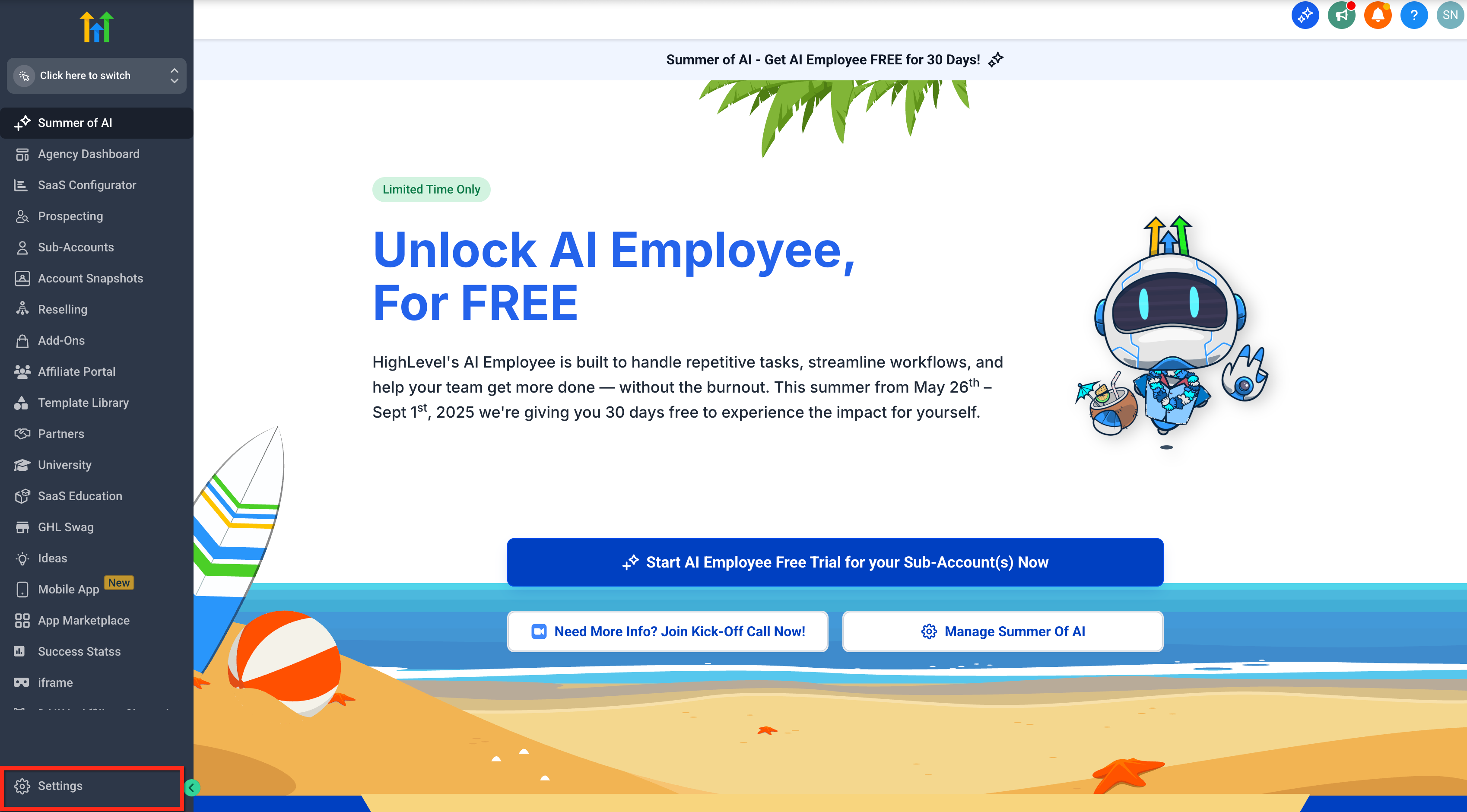
- Open Agency Settings.
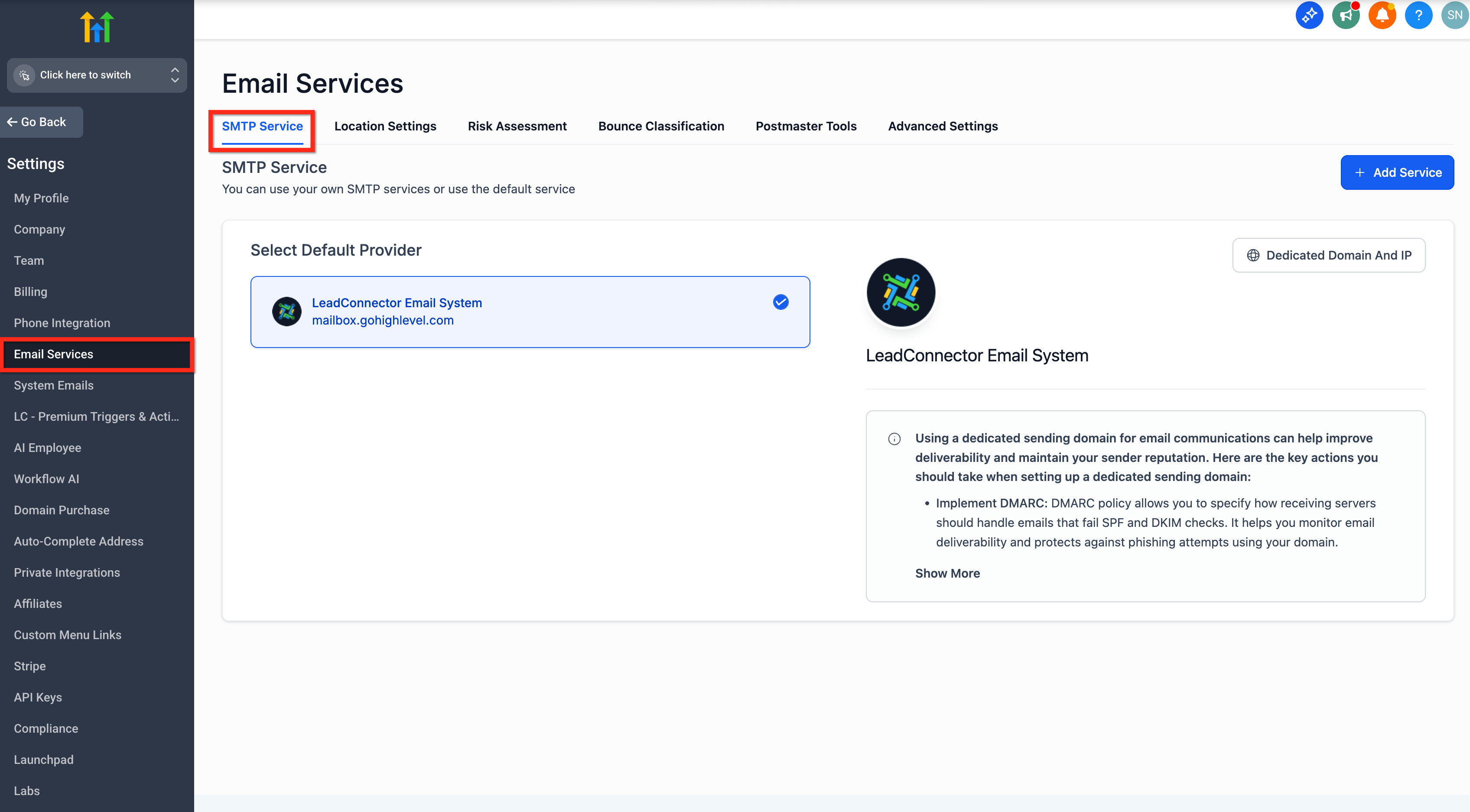
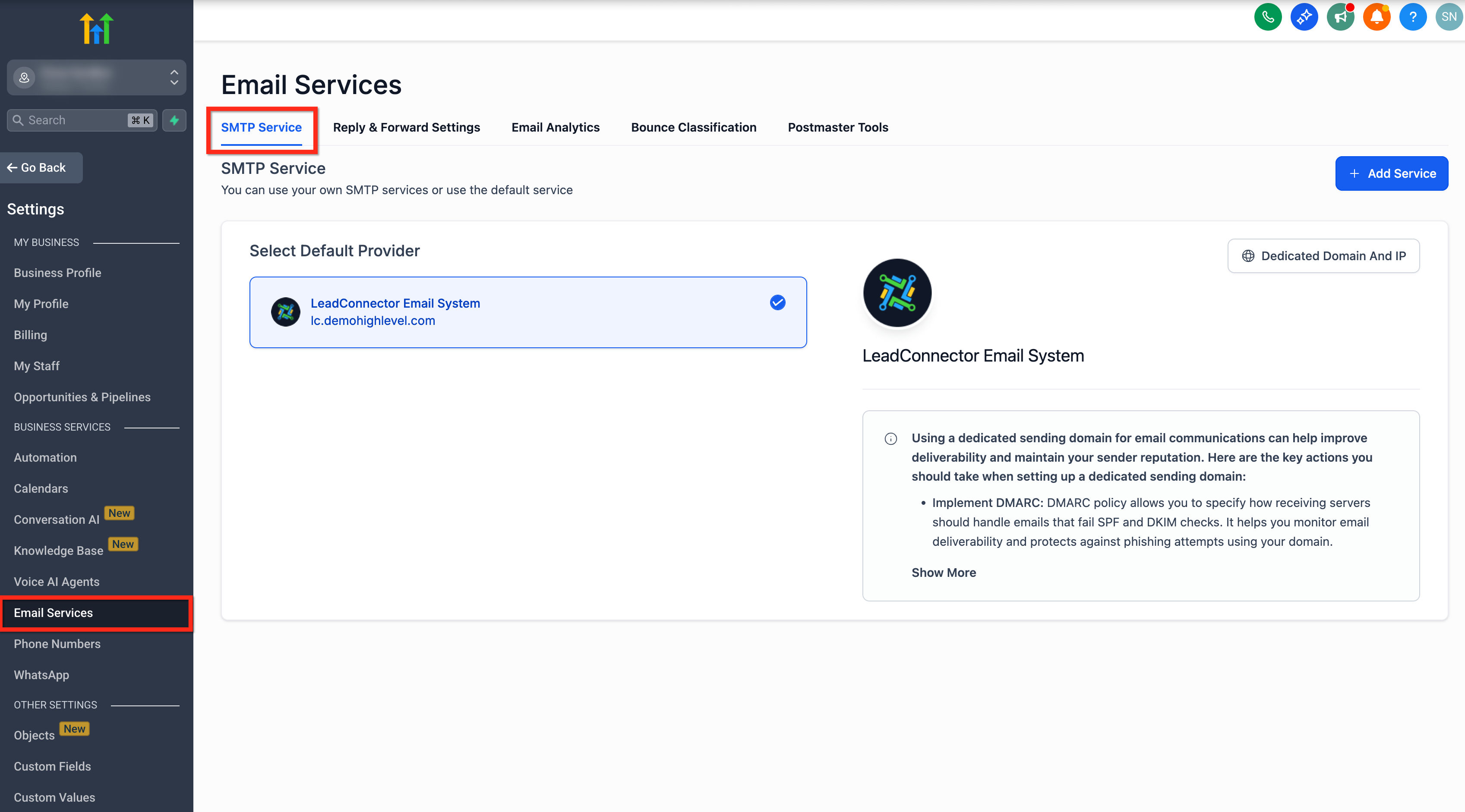
- Select Email Services and then choose SMTP Service.
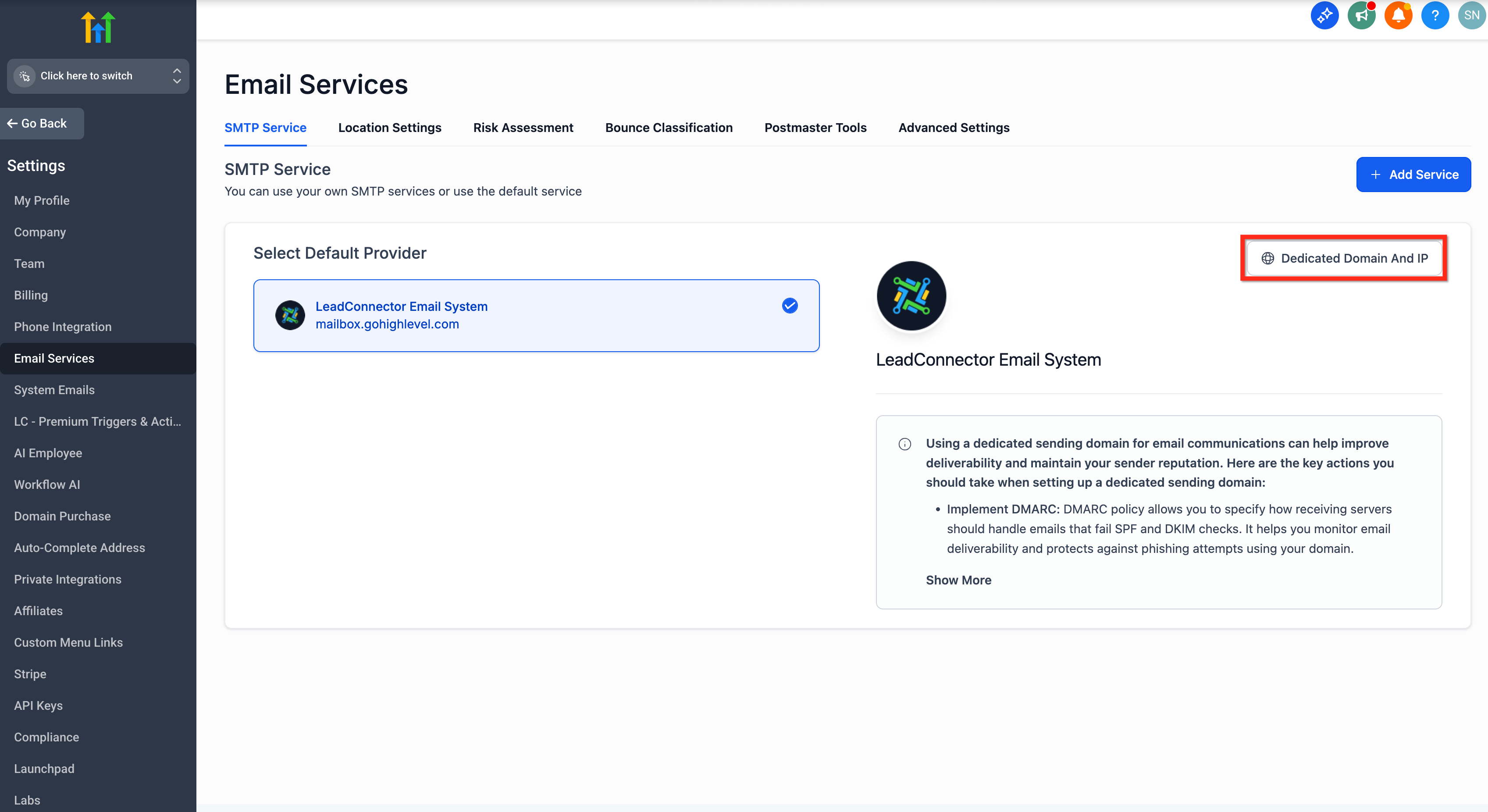
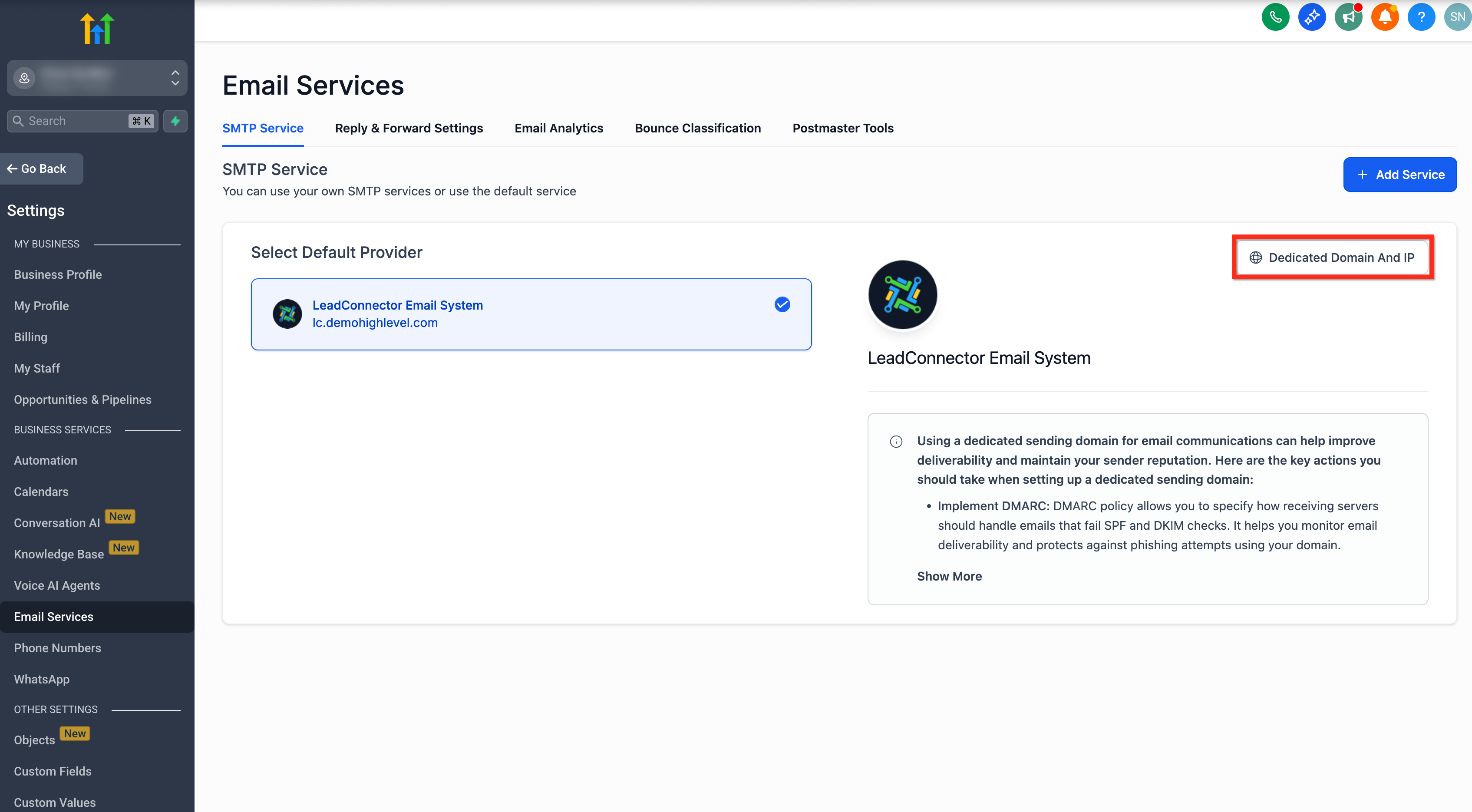
- Open the Dedicated Domain and IP tab.
- Pick the domain and click Start Warmup.
Enable warmup for a subaccount domain
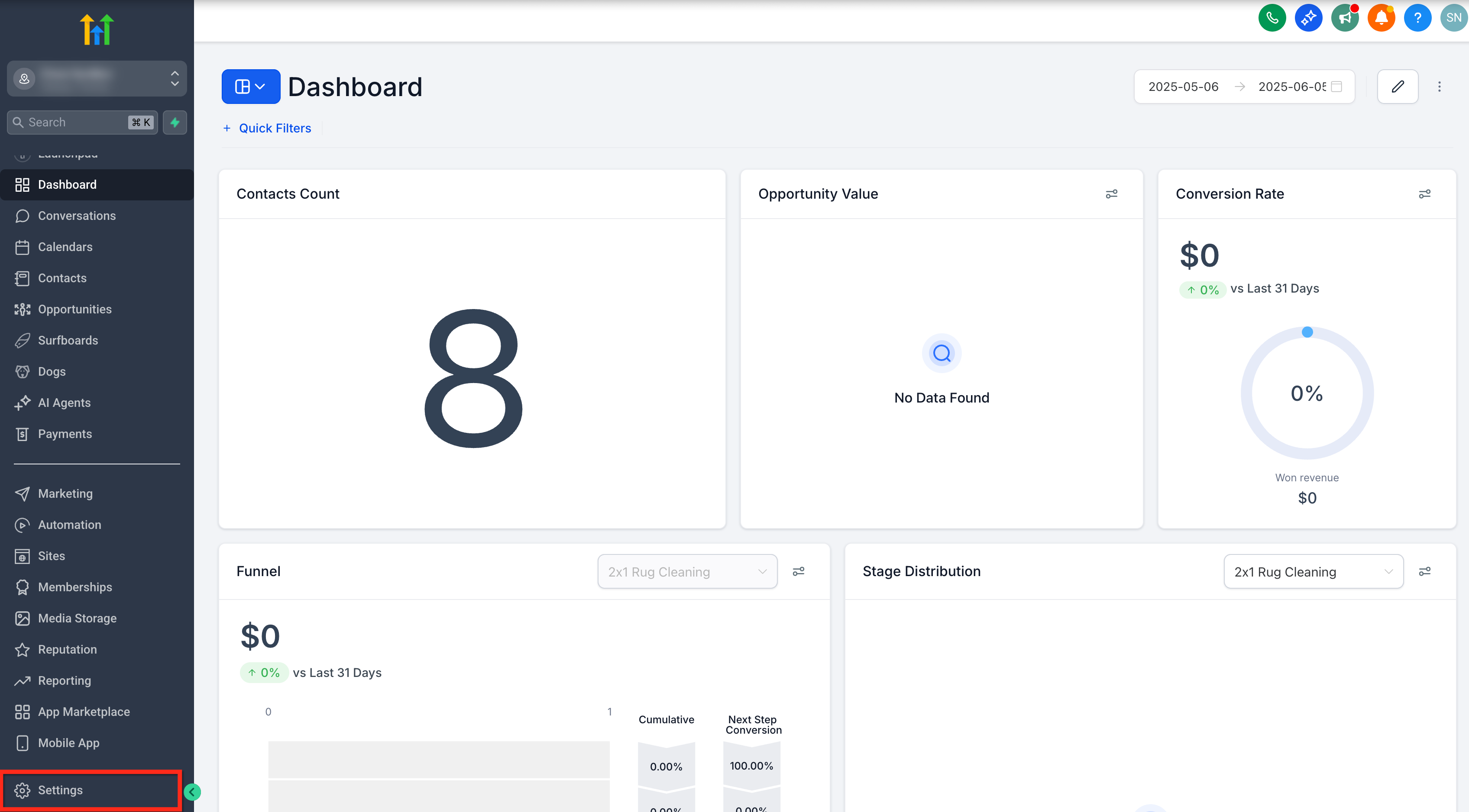
- Open Subaccount Settings.
- Select Email Services and then choose SMTP Service.
- Open the Dedicated Domain and IP tab.
- Pick the domain and click Start Warmup.
07What it looks like in HighLevel
08Settings that matter
- Dedicated Domain and IP tab. Lets you choose which verified domain will undergo the warmup process.
- SMTP Service. Specifies the email sending method used for the warmup domain.
09Things to know before you rely on it
- Stage 1 allows up to 1,000 emails per day; each subsequent stage raises the daily cap up to 250,000 at Stage 15.
- Progression occurs only after the full daily limit for the current stage is reached; missing a day pauses progress but does not reset the stage.
- No hourly sending limits are imposed.
- Warmup applies only to dedicated domains; shared domains are excluded.
10How it connects to the rest of HighLevel
- Guide to adding and verifying a sending domain Add domain guide
- Dedicated email sending domains overview and setup Dedicated domain overview
- HighLevel email warm up and DMARC guide for reliable delivery Warm up guide
Michael's take

New domains often get ignored by inbox providers until they see a steady sending pattern. The first setting I would get right is the daily limit stage that matches your current sending history, so the domain can progress without hitting a wall.
Once that’s set, I would keep an eye on daily sends and avoid any sudden spikes. Consistency is the key to a smooth warmup and better deliverability.