
01Who this is for
- Team members who need to approve quotes while away, because they can review and send from their phone.
- Agents who must deliver contracts to prospects in real time, using pre built templates on the mobile app.
02Documents and contracts, explained
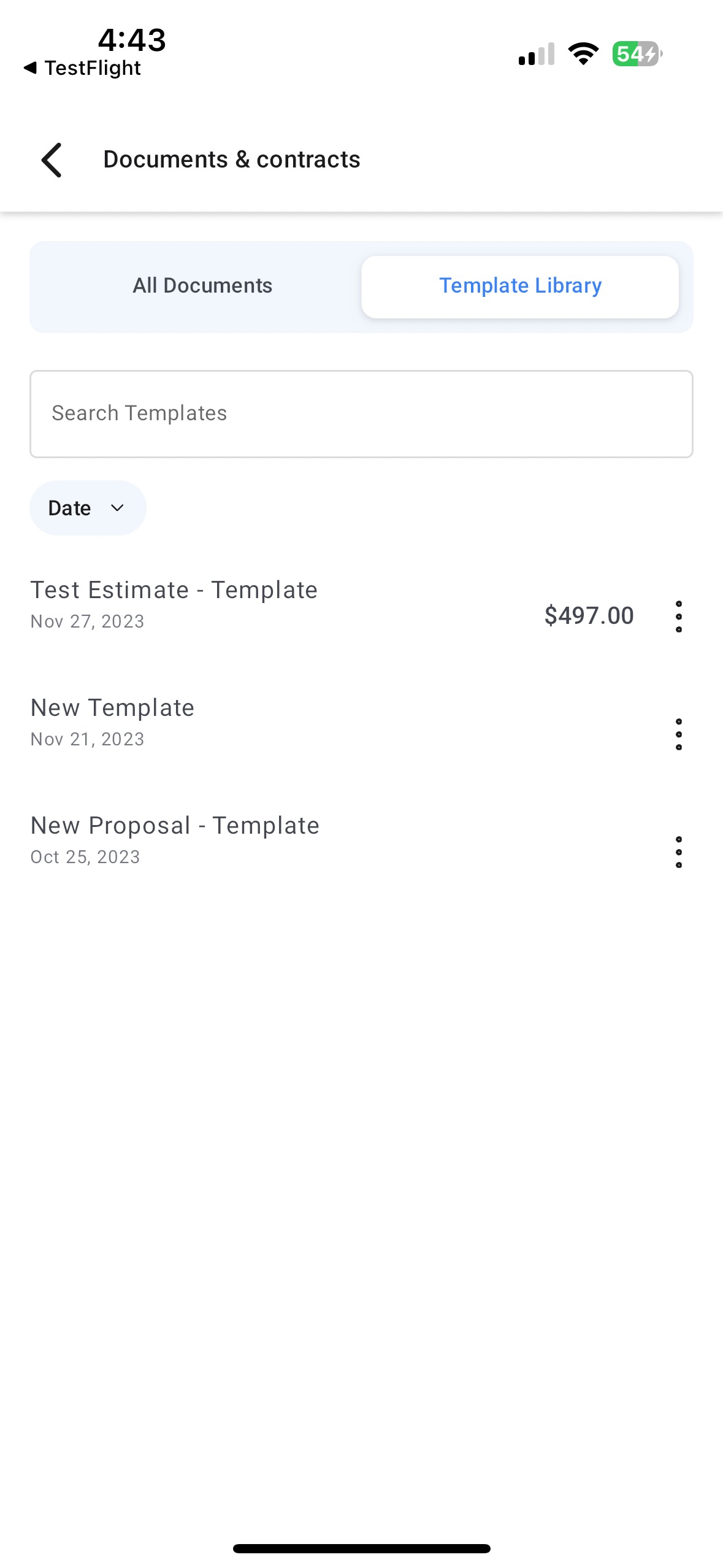
HighLevel stores document templates created on the web platform. The mobile app accesses these templates so users can generate new documents without building them from scratch on the device.
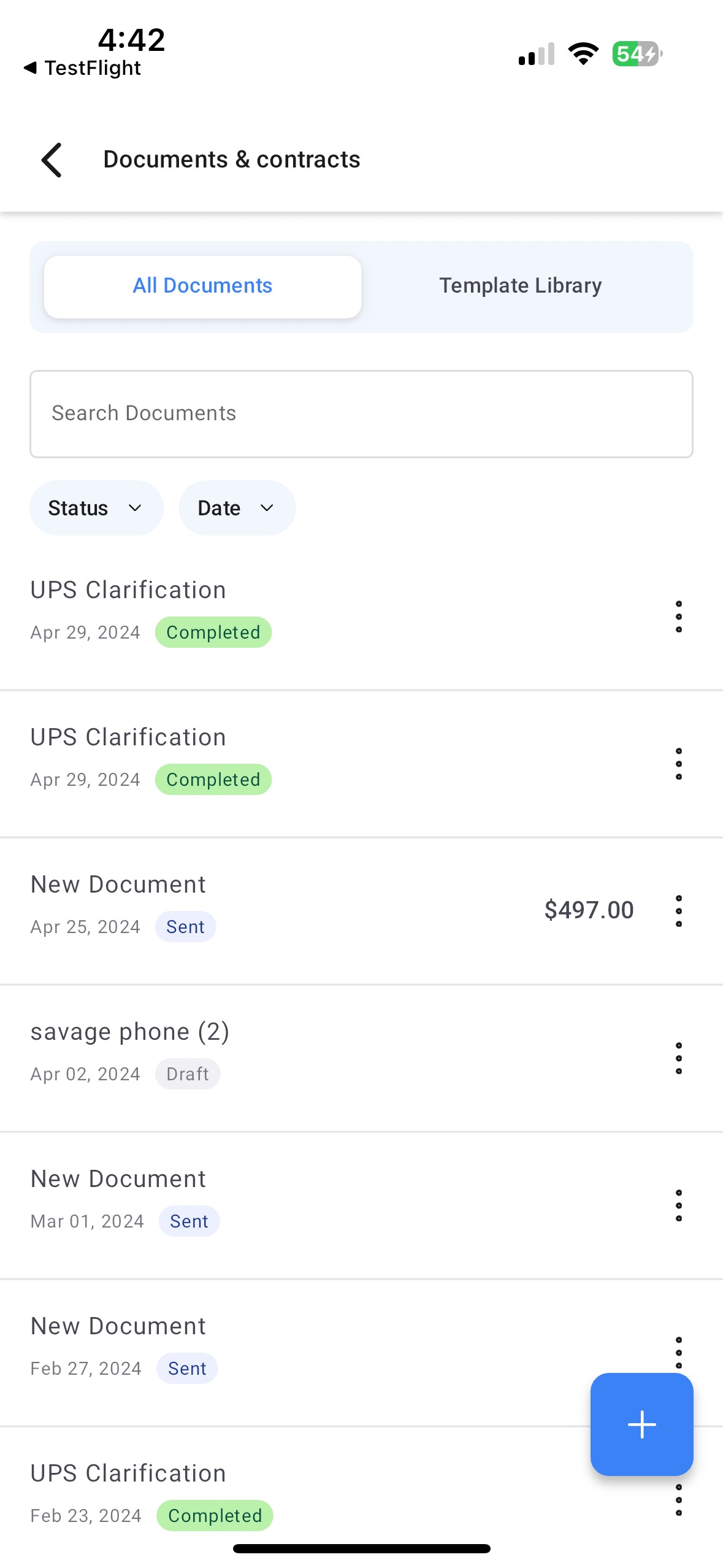
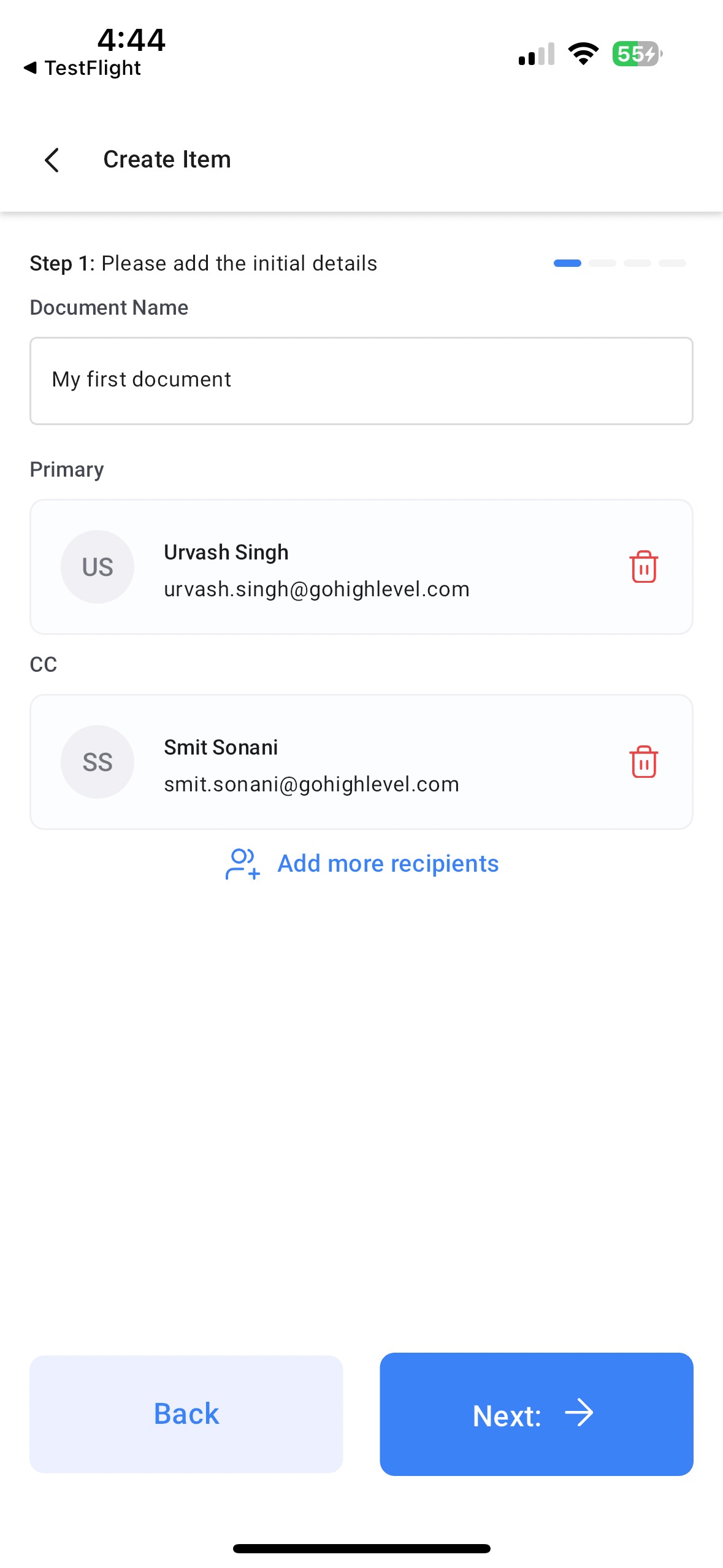
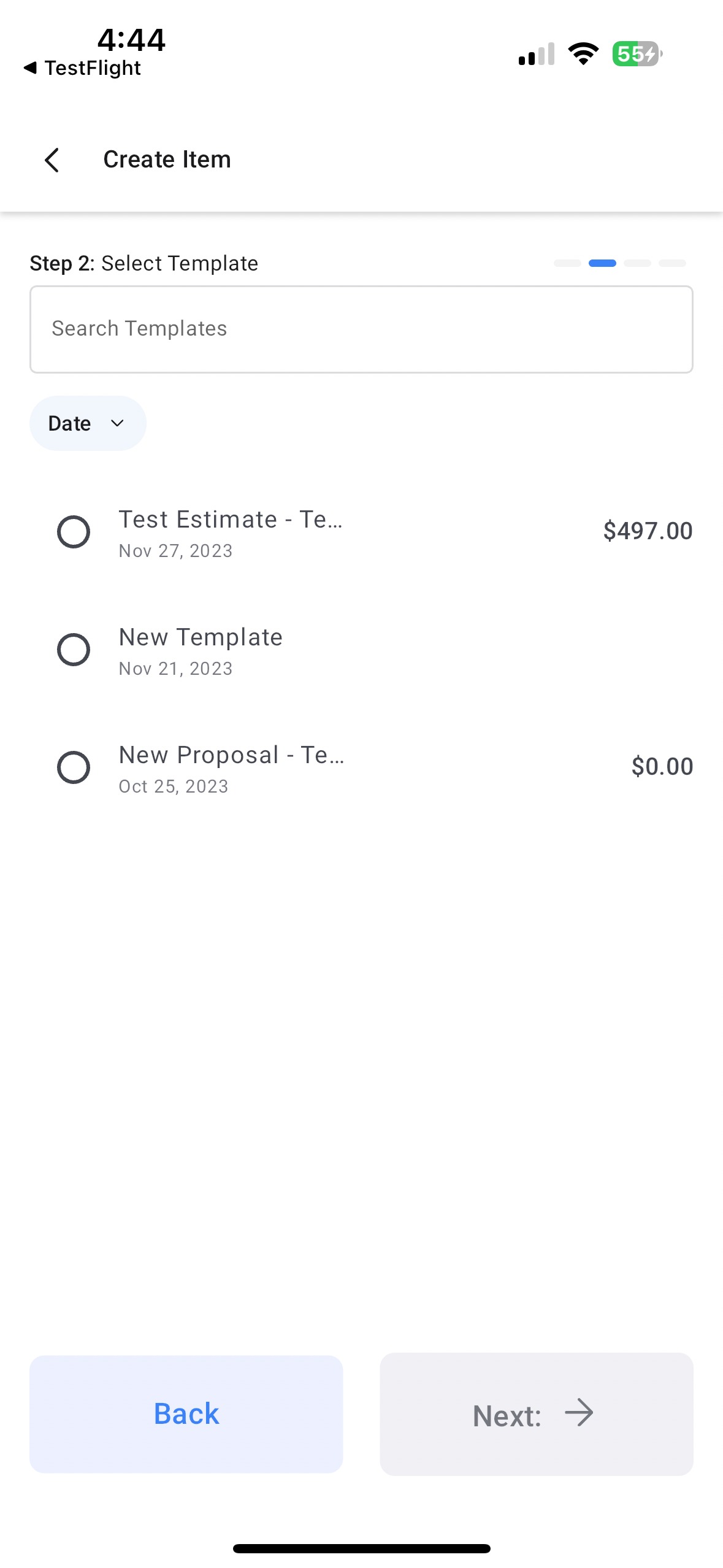
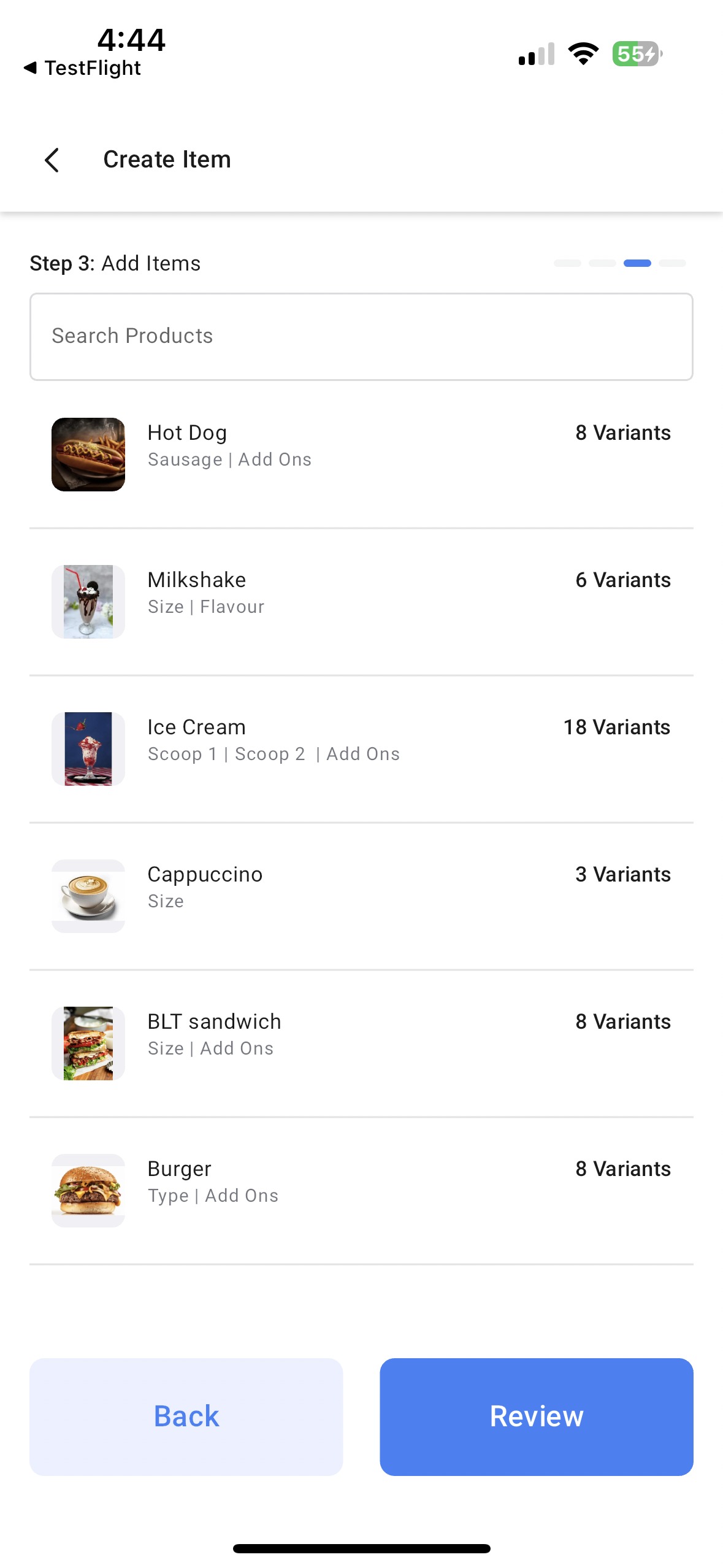
When a user launches the Documents and Contracts section, they can see drafts, sent items, and the library of saved templates. A floating button starts a new document flow, prompting contact selection, template choice, optional product items, and final review.
After reviewing, the document can be sent directly via email or by creating a unique link that recipients can open to view and sign.
03How businesses use documents and contracts
- Real estate brokerage. An agent opens the HighLevel app, selects a lease template, adds the buyer's contact, optionally includes listed property fees from the product catalog, reviews the lease, and sends a link to the client for signature.
- Dental practice. The office manager picks a treatment consent template, attaches the patient's contact, skips the product catalog, checks the details, and emails the consent form directly from the mobile device.
- Freelance graphic designer. The designer selects a proposal template, adds the client as a contact, includes optional line items for design assets, reviews the estimate, and shares a unique link with the client for approval.
04Before you start
- Save at least one document template on the HighLevel web platform.
- Have the HighLevel mobile app installed and a subaccount selected.
05How to set up and use documents and contracts in HighLevel
Send a document from mobile
- Open the HighLevel mobile app and choose the desired subaccount.
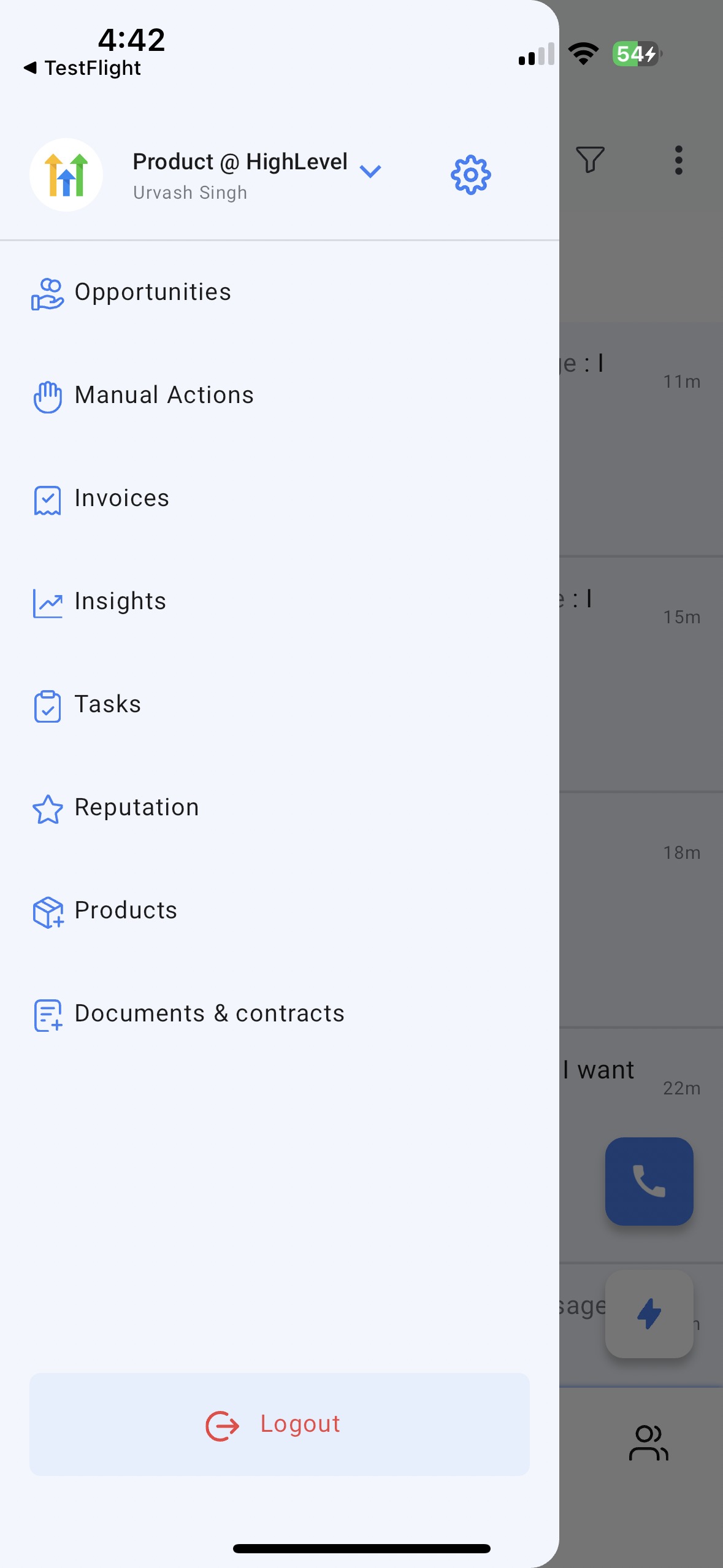
- Tap Documents and Contracts in the left side navigation.
- View the All documents list or switch to the Templates tab to see saved templates.
- Tap the floating “+” button located at the bottom right of the screen.
- Add the contact or contacts that will receive the document.
- Select the appropriate document template to use.
- Optionally add items from the product catalog if a quote or estimate is needed.
- Review all details of the document for accuracy.
- Send the document by email or generate a unique link for the recipient.
06What it looks like in HighLevel
07Things to know before you rely on it
- Mobile does not allow creating a new document template; templates must exist on the web platform first.
- Adding items from the product catalog is optional and can be skipped.
08How it connects to the rest of HighLevel
- Learn how to create and edit document templates on the web platform. Create, clone and send documents
- See how to add multiple signers and CCs to a document. Multiple recipient support
- Explore workflow automation for sending documents automatically. Automated document workflows
Michael's take

People try to build a fresh contract on their phone and get stuck because the mobile app only works with presaved templates. The app isn’t a full document creator yet, so you end up with a blank screen and no way forward.
If I were using it, I’d first make sure every contract or quote template I need lives on the web platform. Then, from my phone I’d pull the right template, add the client, toss in any catalog items, and fire it off with a link. That way I stay productive while on the go without hitting a dead end.