Home/HighLevel/Features/Documents & Contracts/Managing documents and contracts in HighLevel contacts

Payments and Sales

Managing documents and contracts in HighLevel contacts

In short

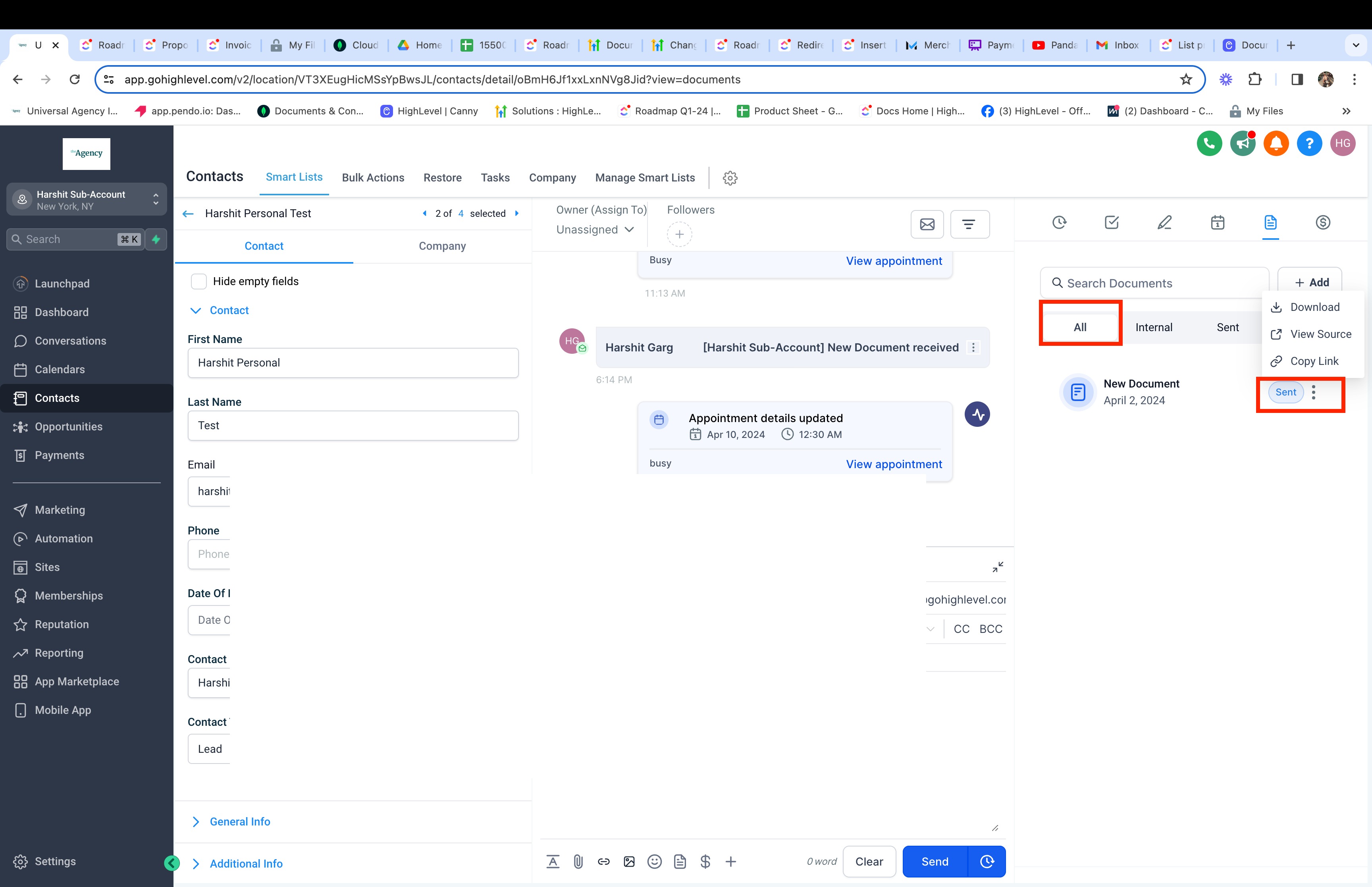
Documents and contracts in HighLevel appear in the document management area of a contact record. The view shows all sent and completed files irrespective of the criteria that the contact was a primary or a secondary recipient. Users can download the PDF, view the source, or copy a link for sent documents.

AreaDocuments & Contracts · Documents and Contracts
Used forDocuments & Contracts
Setup steps4 steps in 1 task
Last updatedNovember 3, 2026

01Documents and contracts, explained

Documents and Contracts will now be available in the document management section under Contacts.

This will list documents associated with the contact irrespective of the criteria that the contact was a primary or a secondary recipient.

Sent and Completed documents will be listed here.

Users will be able to download the PDF, view source of documents, copy link in case of sent documents.

02How to set up and use documents and contracts in HighLevel

View documents for a contact

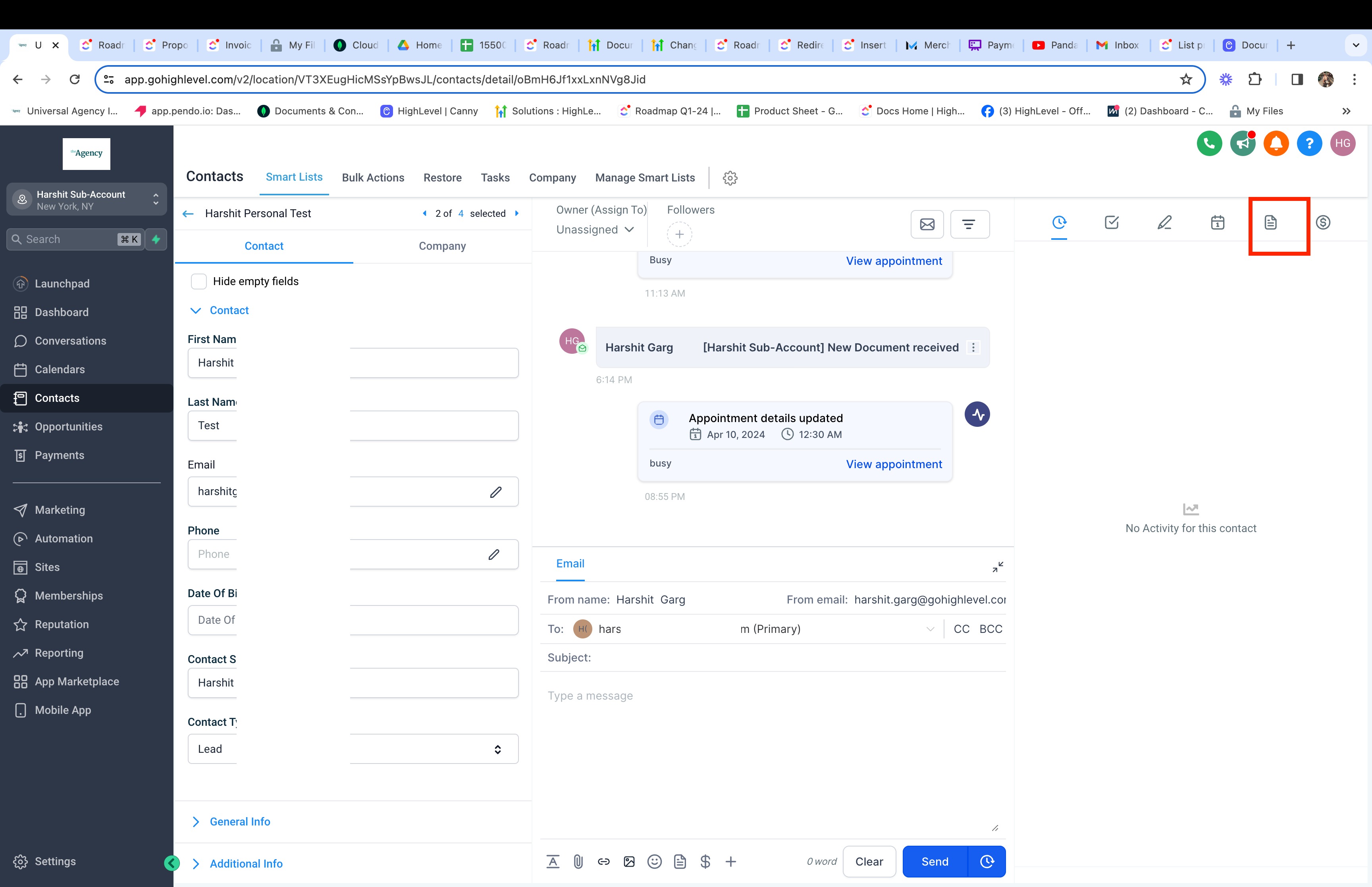
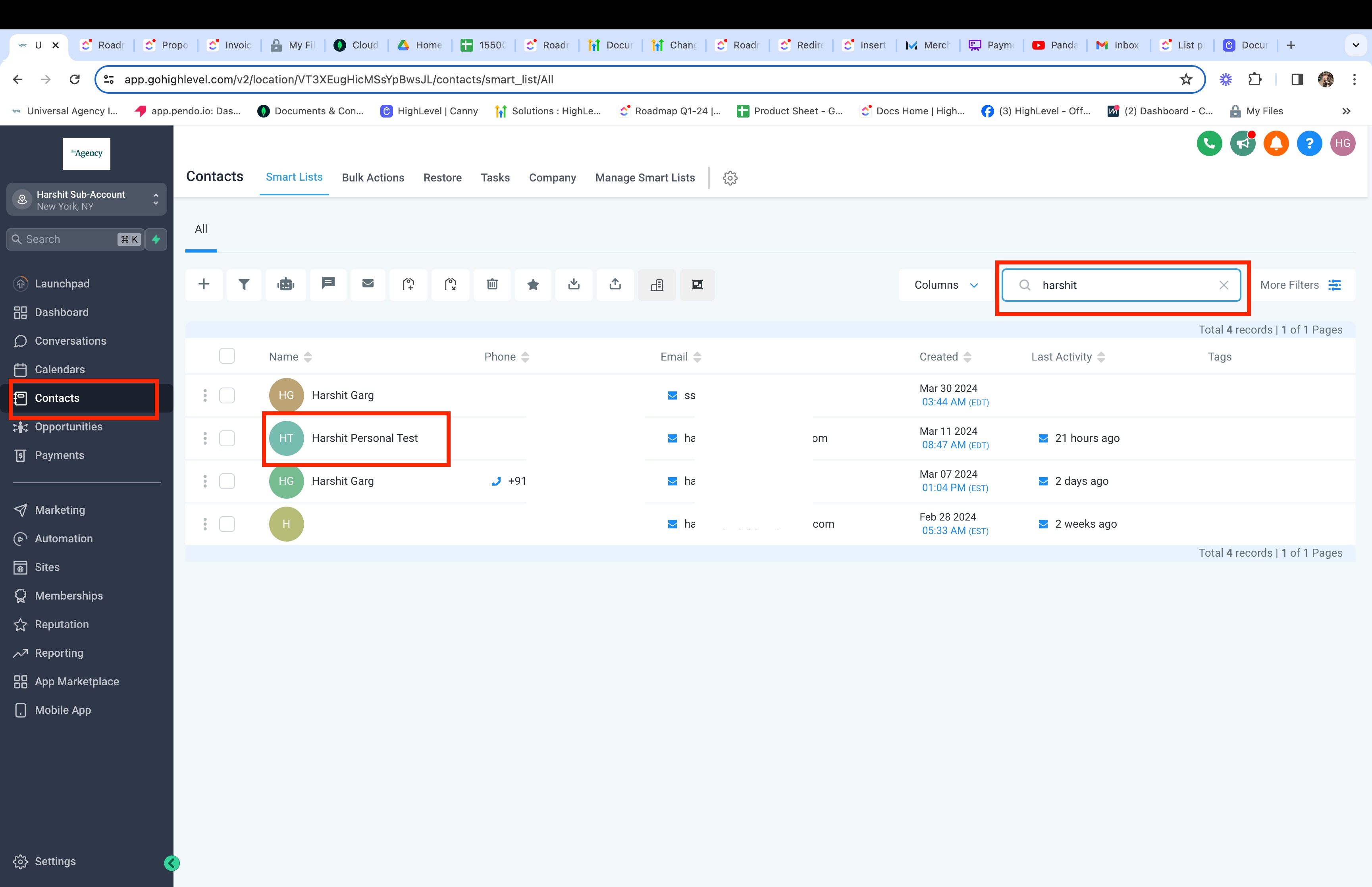
  1. Go to a Contact.
  2. Click on the Document Management Icon.
  3. Under All tab: View Documents and their status. Also, get the ability to Download, View the source in the editor and copy link in case of sent documents.
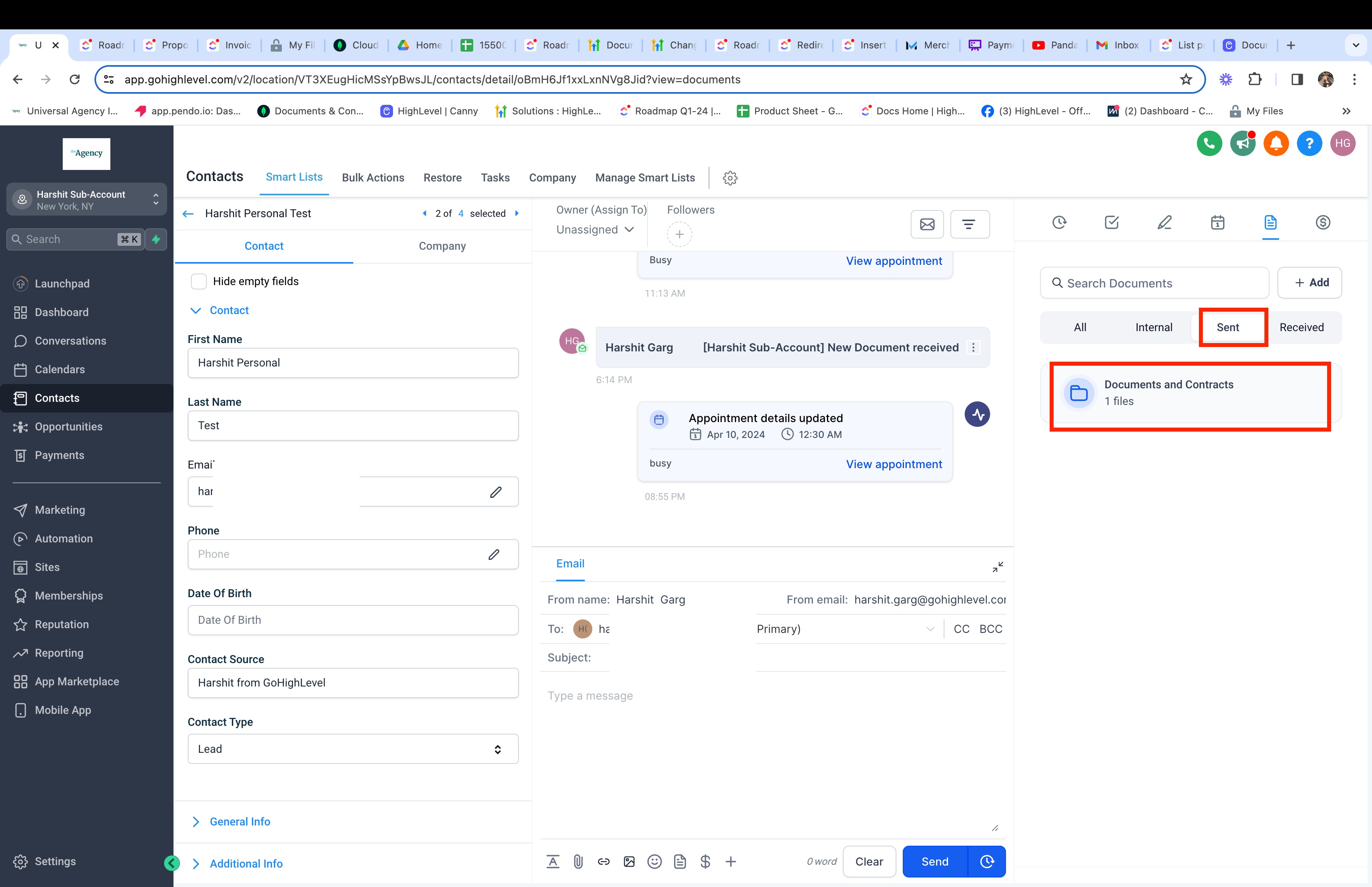
  4. Get all documents in a folder within Sent Tab.

03What it looks like in HighLevel
Michael's take

Michael Reimer
Michael ReimerFounder of CRM Pros, HighLevel Commander and Certified Admin

When a client’s paperwork lives scattered across emails and shared drives, it’s hard to keep track of what’s signed and what’s pending. The first setting I would get right is making sure the Document Management icon is visible on every contact page so the team can pull up all related files in one place.

Once the icon is there, I’d confirm that the download and link copy actions work for a couple of test contracts. That quick check confirms the team can actually retrieve and share the documents without hunting around.

Get More InformationOpens on HighLevelPublished November 2, 2026 · Updated November 3, 2026

Common questions

Common questions about documents and contracts.

Where can I find documents attached to a contact?

Documents and Contracts will now be available in the document management section under Contacts.

What types of documents are displayed?

Sent and Completed documents will be listed here.

Next step

Pick the features that matter. Then get the plan that unlocks them.

Explore the features you want, start with the five at the top, and upgrade through my link when you are ready. The bonuses and the team come with it.

The features directory explains every HighLevel feature in plain English. Browse it to see what the platform can do.

Back to the FeaturesSee the full details
⌃

Site preview

Explore the next page

This destination is reserved in the page inventory and is not built yet.