
01Who this is for
- Founders who need to automate contract delivery, because the APIs allow sending documents without manual effort.
- Developers building integrations for SaaS products, as the endpoints provide direct access to document data and actions.
- Operations managers of agencies that handle many client contracts, because bulk sending and listing can be scripted.
02Documents & contracts: Public apis, explained
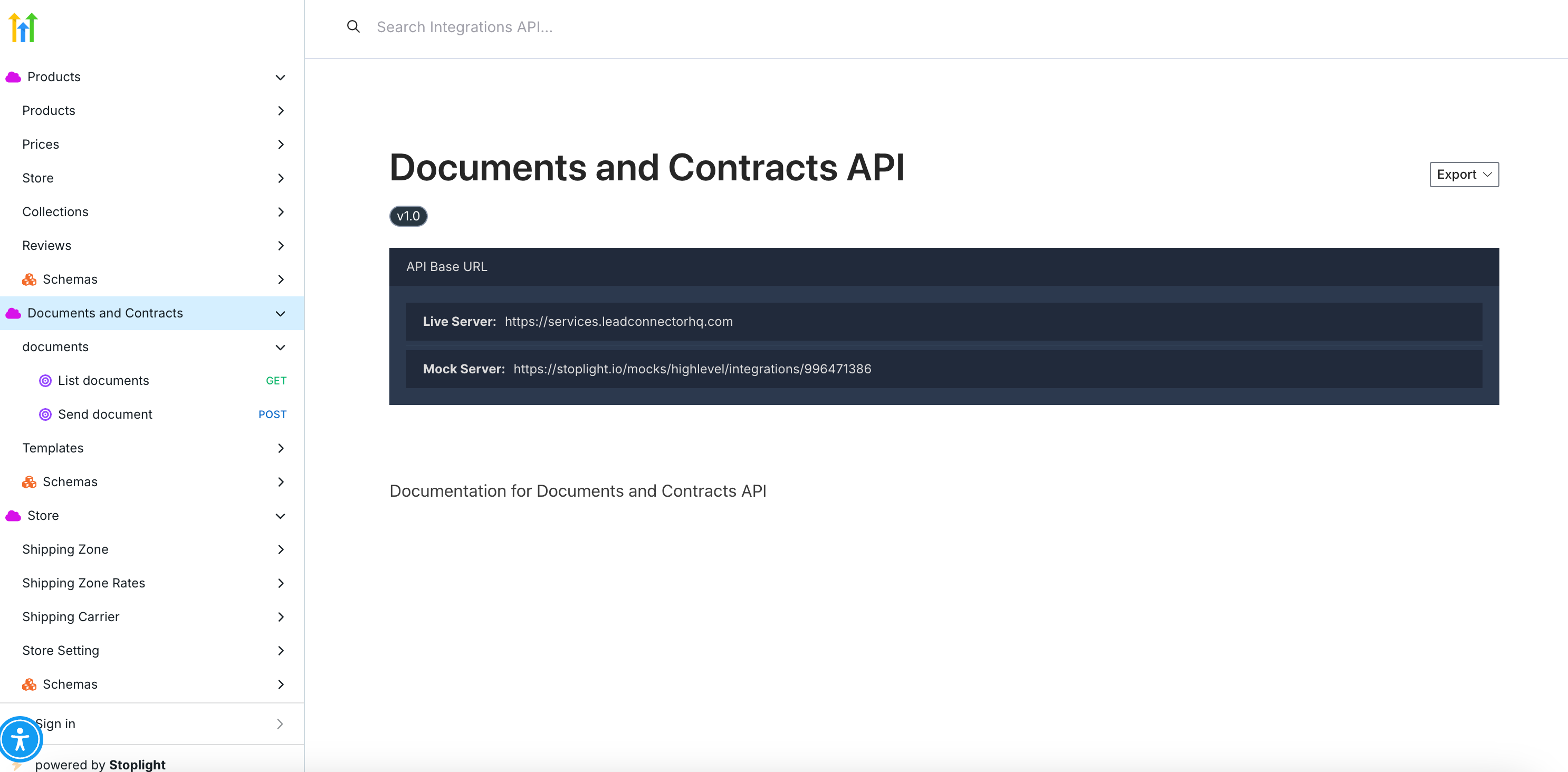
The public APIs expose four main endpoints: List Documents, Send Document, List Templates, and Send Template. List Documents returns a JSON array of every document stored in a HighLevel location. Send Document lets a caller specify a document ID and one or more contact IDs to deliver the file. List Templates pulls all template definitions that are available for generating new documents. Send Template combines creation from a template and immediate delivery in one request.
These endpoints are accessed over HTTPS with a bearer token. The token is generated in Agency Settings > Private Integrations and can be scoped to limit which actions the external system may perform. Responses are returned as JSON, showing success or error details.
The API configuration lives within the agency account’s private integration settings. Once the token is created, developers can test calls with tools like Postman, embed them in custom scripts, or trigger them from HighLevel workflows that react to document related events.
03How businesses use documents & contracts: Public apis
- Real estate brokerage. The brokerage can use the List Documents endpoint to keep an external property management system synchronized with all lease agreements stored in HighLevel. When a new lease is needed, the Send Template endpoint creates the lease from a template and sends it to the buyer and seller in one call.
- SaaS startup. The startup can call Send Document from its onboarding automation to deliver a welcome agreement to each new user automatically, using the contact IDs gathered during sign up.
- Healthcare clinic. The clinic can fetch the latest consent form templates via List Templates and embed the IDs in its patient portal, allowing the portal to generate and email signed consent forms through the Send Template endpoint.
04How to set up and use documents & contracts: Public apis in HighLevel
Configure Documents & Contracts public APIs
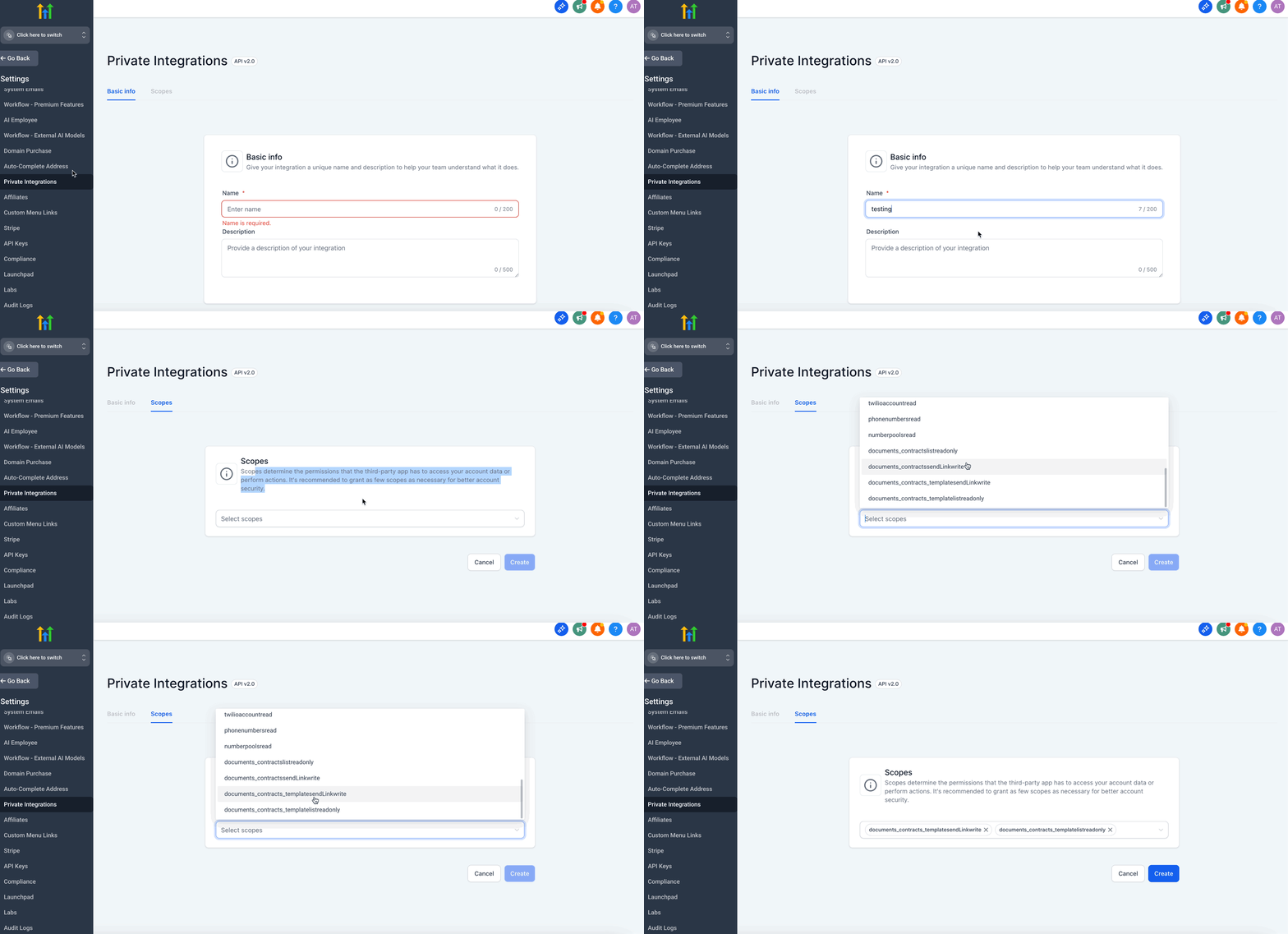
- Open Agency Settings and navigate to Private Integrations.
- Create a Private Integration token, selecting only the scopes needed for your workflow.
- IMPORTANT: Grant as few scopes as necessary; scopes define the permissions the token has and limiting them improves security.
- Open the Public API documentation portal and locate the endpoints you will use.
- Use Postman (or similar) to make a sample request, adding an Authorization header with the bearer token.
- Check the JSON response to confirm the call returns the expected data or success status.
- Store the token securely, rotate it periodically, and monitor usage to stay within rate limits.
05What it looks like in HighLevel
06Settings that matter
- Private Integration token. Controls authentication for API calls; the token is passed in the Authorization header as a bearer token.
- Scopes. Define which API actions the token can perform, limiting access to only the needed endpoints.
07Things to know before you rely on it
- Only the permissions granted by the selected scopes are allowed; excess actions will be blocked.
- Rate limits apply to API usage; monitor calls to avoid exceeding allowed thresholds.
- Private Integration tokens are recommended over API keys for better security and access control.
08How it connects to the rest of HighLevel
- All Documents & Contracts features overview Documents & Contracts features
- HighLevel pricing and plans Pricing
- Start a 30 day HighLevel trial Free trial
Michael's take

When the volume of contracts or client paperwork grows, automating document sending can reduce manual effort.
If you only send a few documents each month, a manual upload or built in HighLevel workflow may be simpler.