
01Who this is for
- SaaS Founders who need to charge customers immediately at contract signing.
- Service agencies that sell a mix of one time projects and recurring retainers.
- Real estate brokers who require a deposit invoice at the time a lease document is signed.
02Automatically generate invoices, explained
HighLevel links documents and contracts with the Payments module. When a document includes a product list, the platform determines the invoice type based on product tags. One time products produce a single invoice, while recurring products set up a schedule that can start at signing or later.
The invoice settings let users decide whether the primary signer is sent to the payment page right after signing, whether the invoice is emailed automatically, and whether recurring payments are auto charged. These options are configured per document or template.
All status information, document signing, invoice generation, and payment results, appears in the Payments > Documents & Contracts and Payments > Invoices sections for quick tracking.
03How businesses use automatically generate invoices
- SaaS startup. The startup creates a contract with a recurring subscription product. It enables Direct Payment and Auto Payment so that the primary signer is taken to the payment page after signing and future invoices are charged automatically.
- Marketing agency. The agency adds a one time onboarding fee to a proposal document. By turning on Send Invoice, the invoice is emailed as soon as the client signs, allowing immediate payment without extra steps.
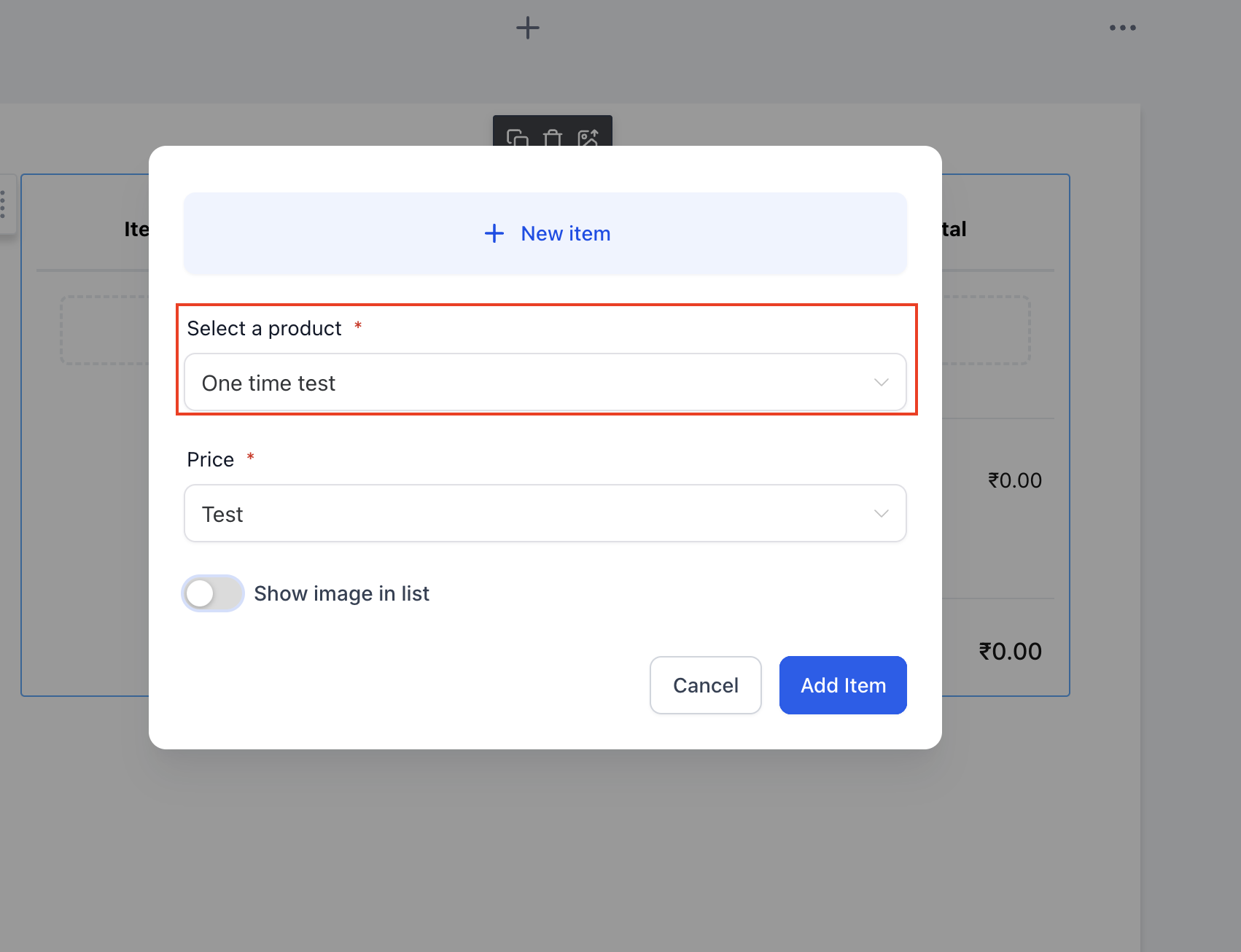
- Real estate office. The office builds a lease template that includes an optional security deposit. The deposit is marked optional, and the client can select it during signing; the platform then generates a one time invoice for the chosen amount.
04How to set up and use automatically generate invoices in HighLevel
Send invoice from a new document
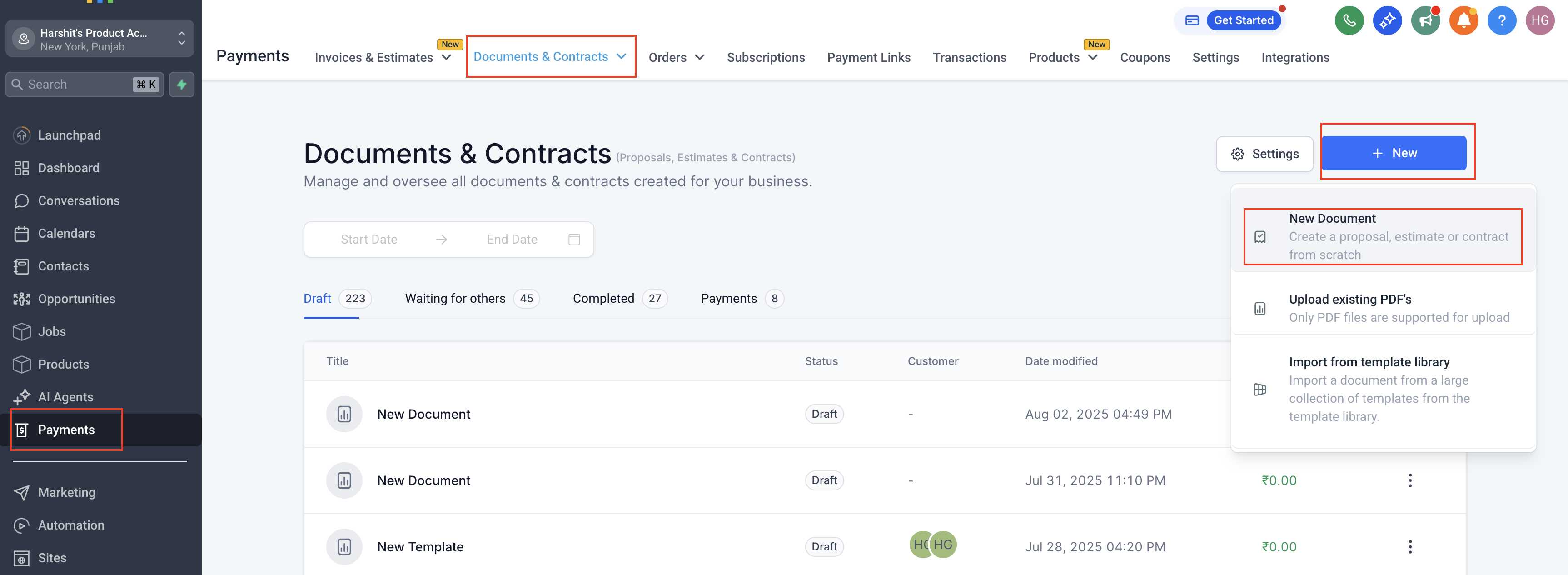
- Navigate to Payments > Documents & Contracts > New Document.
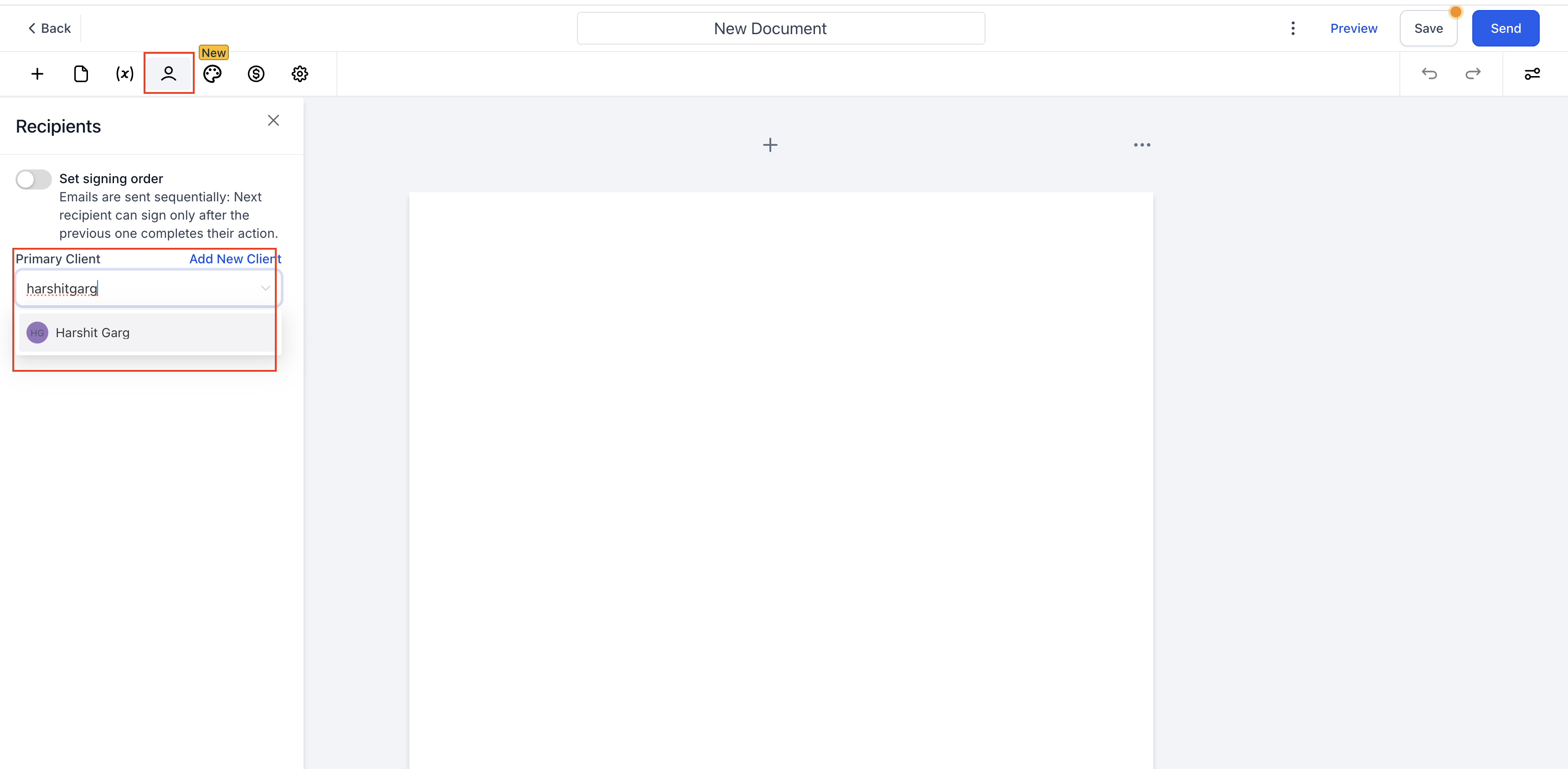
- Add the primary signer to the document.
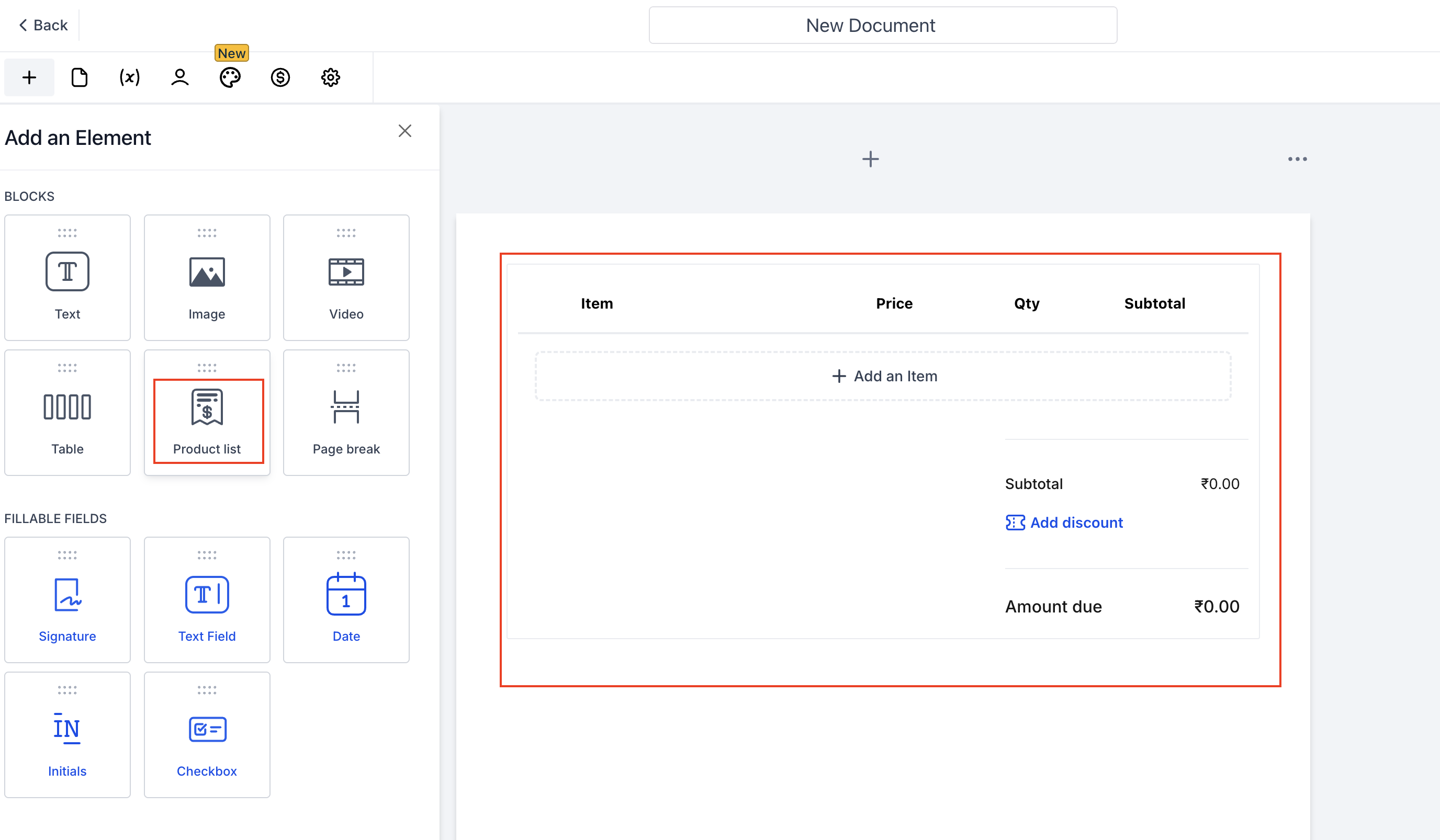
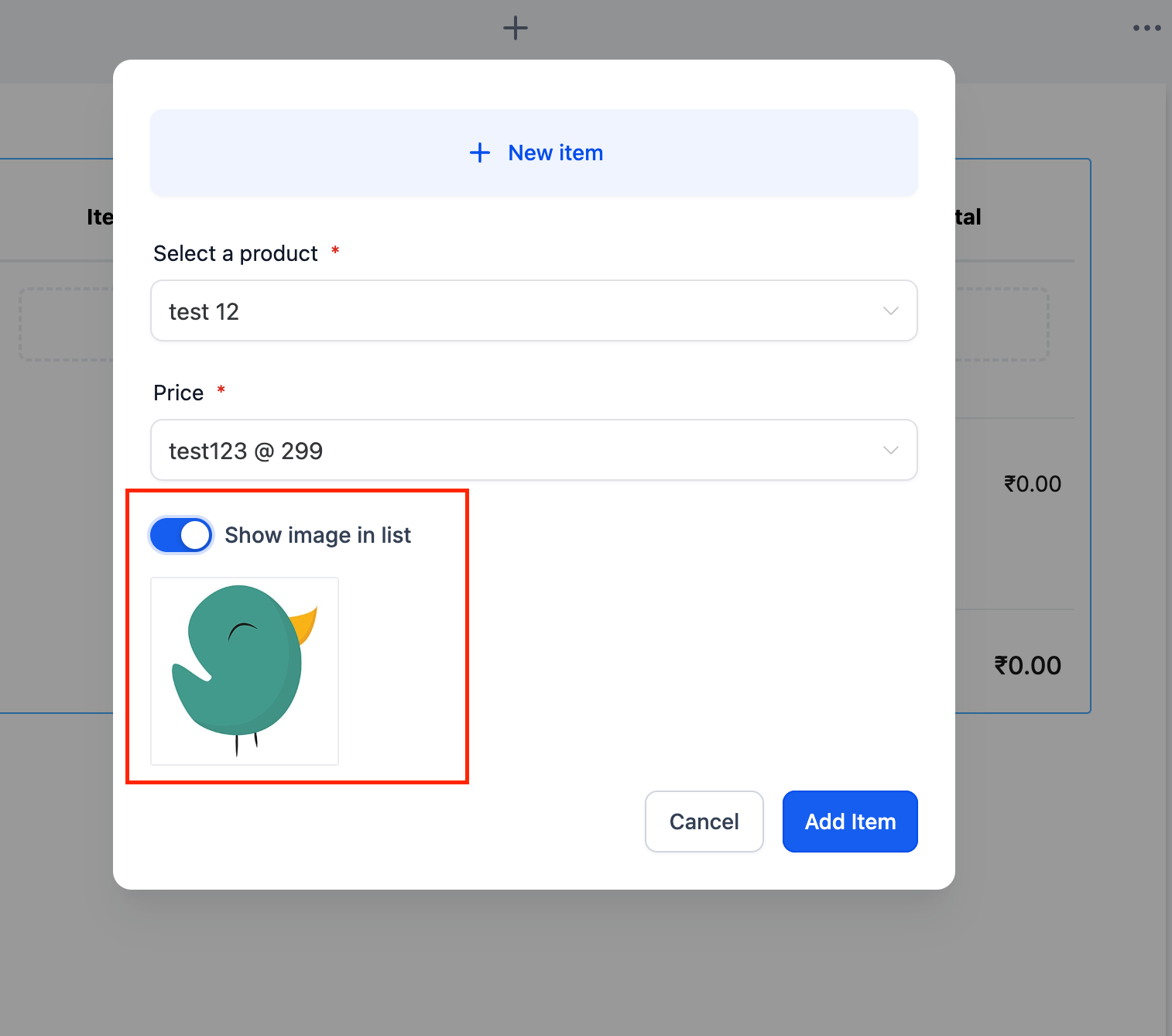
- Insert a product list and select the appropriate product types.
- If only one time products are chosen, the document will generate a one time invoice.
- If any recurring product is selected, the document will generate a recurring invoice.
- When optional one time and recurring products are present, the invoice type follows the recipient’s selections.
- Set a single recurring frequency in the invoice settings if a recurring product is used; a document can use only one recurring frequency.
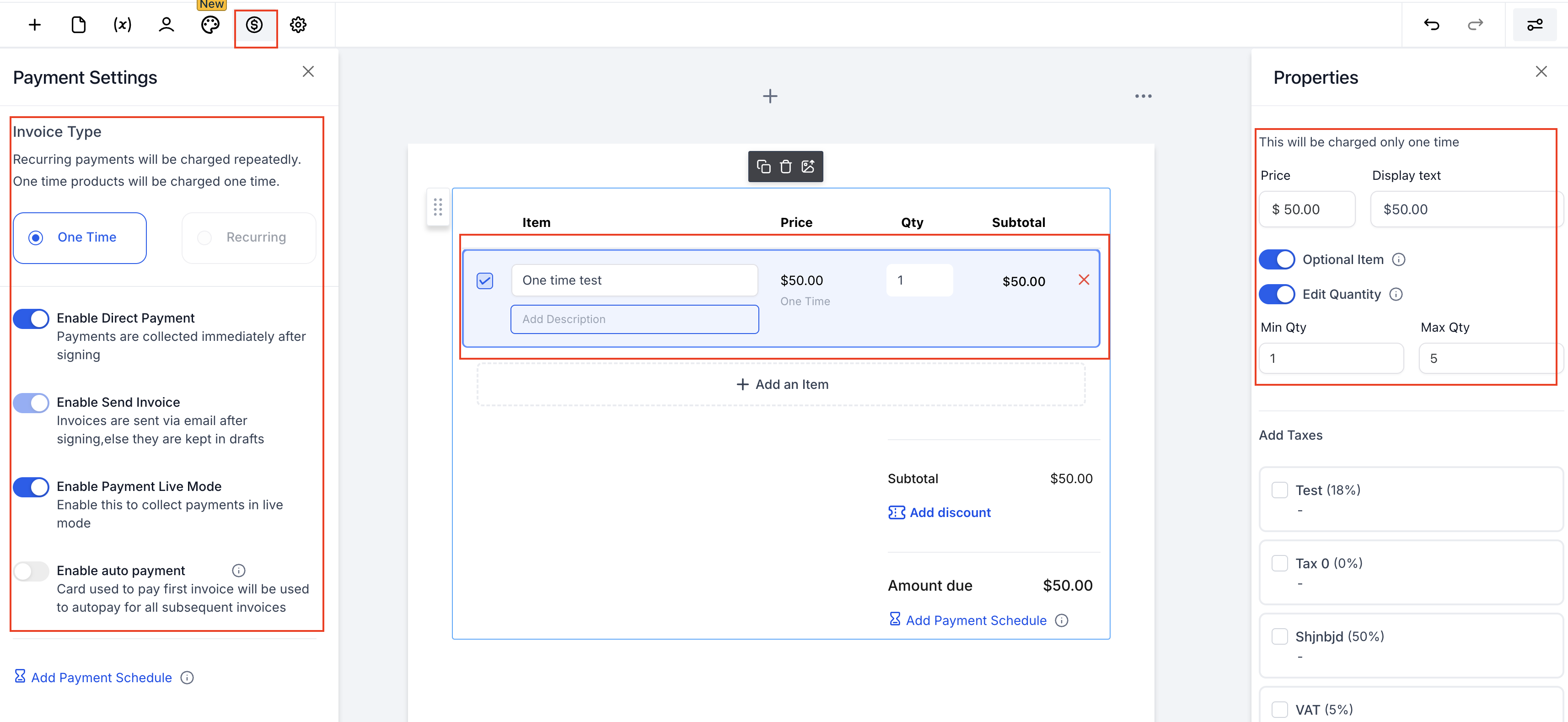
- Configure Direct Payment, Send Invoice, and Auto Payment toggles as needed.
- Submit the document for signing. Only the primary signer will be redirected to the payment page; other signers just sign.
Automate 2 in 1 documents
- Open Payments > Documents & Contracts > Templates > New Template.
- Add signature fields and a product list with auto tagged product types.
- Choose the start point for a recurring schedule, at signing or a future date.
- Set Direct Payment, Send Invoice, and Auto Payment options according to the workflow.
- Save the completed template.
- In Workflows, add an Action to Send Documents & Contracts, select the saved template, and activate the workflow.
05What it looks like in HighLevel
06Settings that matter
- Direct Payment. When ON, the primary signer is taken to the invoice page immediately after signing if an invoice exists; when OFF, no redirect occurs.
- Send Invoice. When ON, the generated invoice is emailed automatically; when OFF, the invoice stays in draft for manual review and sending.
- Auto Payment. When ON, supported payment gateways store the card and charge future recurring invoices automatically; when OFF, each invoice must be paid manually.
- Live Mode. Templates do not provide a Live Mode toggle; test versus live payments must be handled by the payment gateway configuration.
07Things to know before you rely on it
- A document can contain only one recurring frequency; the frequency is set in the invoice settings.
- Only the primary signer receives a payment redirect; additional signers only sign the document.
- Documents & Contracts templates lack a Live Mode toggle, so test payments require separate gateway settings.
08If something goes wrong
- Client was not redirected after signing. Enable Direct Payment and ensure the invoice is set to generate at signing for recurring products.
- Invoice was not generated from a payment schedule. Set the first payment to "Upon primary signature" so the schedule aligns with the invoice creation.
09How it connects to the rest of HighLevel
- Create and send document templates automatically in a workflow Workflow automation
- Set up a Documents & Contracts trigger in HighLevel Trigger guide
- HighLevel pricing and plans Pricing
Michael's take

In my experience, the feature can streamline billing when contracts are used frequently. If contracts are rarely used, the automation may add little value.