Home/HighLevel/Features/Dashboards/Removing a widget in HighLevel dashboards

Reporting and Dashboards

Removing a widget in HighLevel dashboards

In short

Removing a widget in HighLevel deletes a chosen widget from a custom dashboard. The change is saved after you confirm the edit.

AreaDashboards · Dashboard Widgets
Used forDashboards
Plan$497 plan and beyond
Setup steps5 steps in 1 task
Last updatedNovember 3, 2026

01Removing a widget, explained

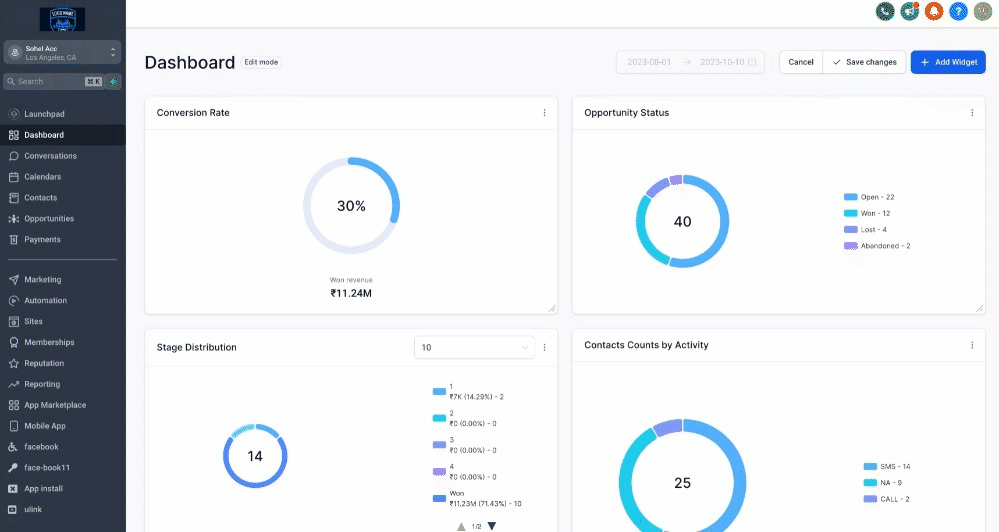
To remove a widget, switch to Edit Mode, open the widget’s three dot menu, select DELETE, and then click Save Changes to apply the change.

02The numbers and rules that matter

  • Customizable Dashboard is available exclusively for the $497 plan and beyond.
  • Custom dashboards on $497+ plans can be accessed by Agency Admins and Agency users.

03Before you start

  • Be on the $497 plan or higher to have access to customizable dashboards.

04How to set up and use removing a widget in HighLevel

Delete a widget

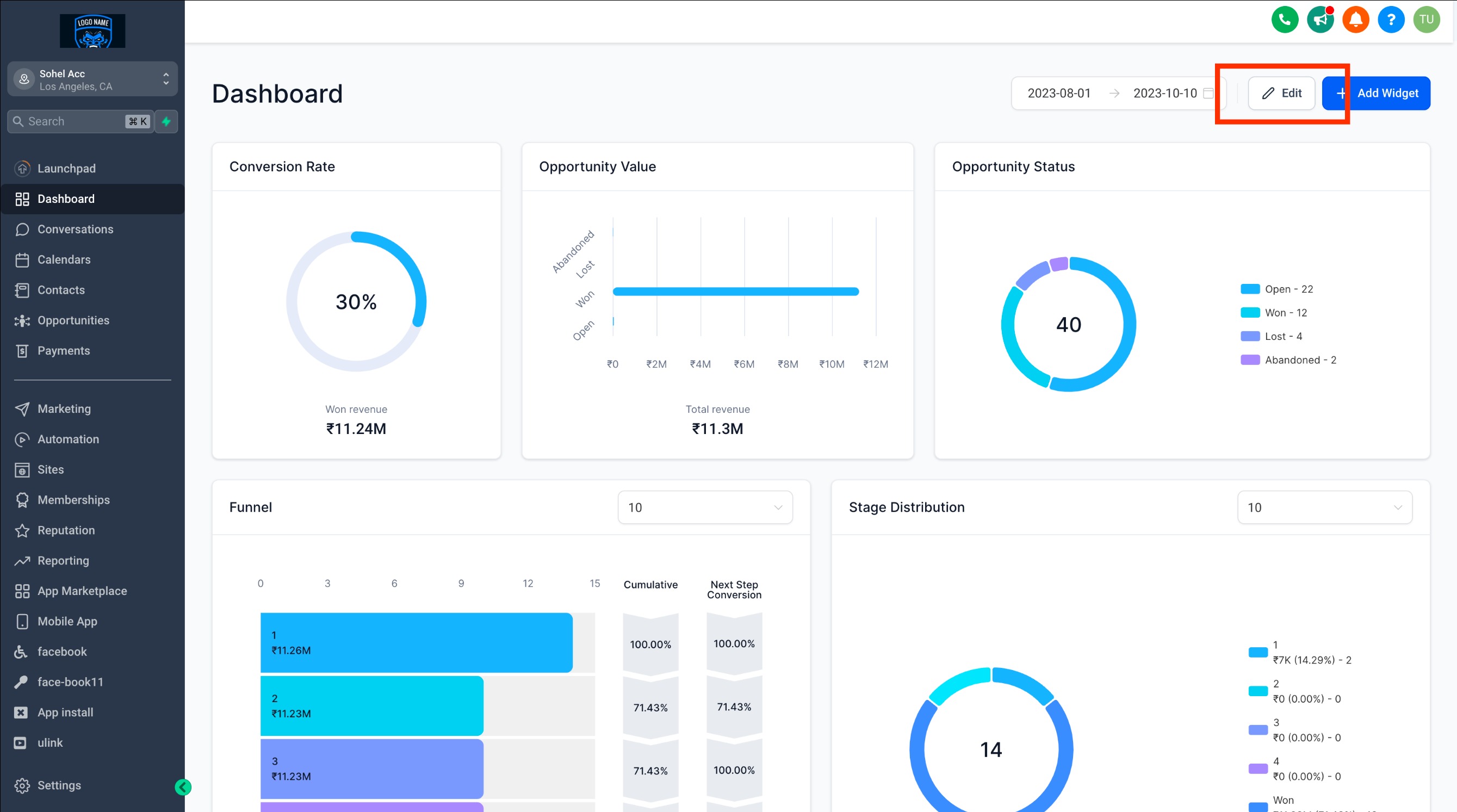
  1. Switch to Edit Mode by clicking the EDIT button on the dashboard.
  2. Locate the three dot menu in the upper right corner of the widget you wish to remove.
  3. Click the three dot menu to reveal a dropdown menu.
  4. Select DELETE.
  5. Click Save Changes at the top right corner to save your dashboard with the widget removed.

05What it looks like in HighLevel
Michael's take

Michael Reimer
Michael ReimerFounder of CRM Pros, HighLevel Commander and Certified Admin

Removing widgets can feel risky if you’re still polishing a dashboard layout. Deleting the wrong piece could hide data you later need, so double check that the widget really isn’t serving a purpose.

When the layout is set, pruning unused widgets keeps the view clean and makes room for new insights. It’s a quick way to keep the dashboard relevant without rebuilding it from scratch.

Get More InformationOpens on HighLevelPublished November 2, 2026 · Updated November 3, 2026

Common questions

Common questions about removing a widget.

How do I delete a widget from a HighLevel dashboard?

Enter edit mode, open the widget’s three dot menu, choose DELETE, then click Save Changes to confirm the removal.

Which HighLevel plan includes customizable dashboards?

Customizable dashboards are available only on the $497 plan and any higher plan.

Who can access custom dashboards on $497+ plans?

Agency Admins and Agency users can access custom dashboards when the account is on a $497 or higher plan.

Next step

Pick the features that matter. Then get the plan that unlocks them.

Explore the features you want, start with the five at the top, and upgrade through my link when you are ready. The bonuses and the team come with it.

The features directory explains every HighLevel feature in plain English. Browse it to see what the platform can do.

Back to the FeaturesSee the full details
⌃

Site preview

Explore the next page

This destination is reserved in the page inventory and is not built yet.