
01Who this is for
- Marketing managers can monitor contact source distribution and activity at a glance.
- Sales team leads can see how many contacts are assigned to each representative.
- Business analysts can track contact growth trends over selected date ranges.
- Agency owners can generate client ready reports showing contact breakdowns.
02Contacts widgets, explained
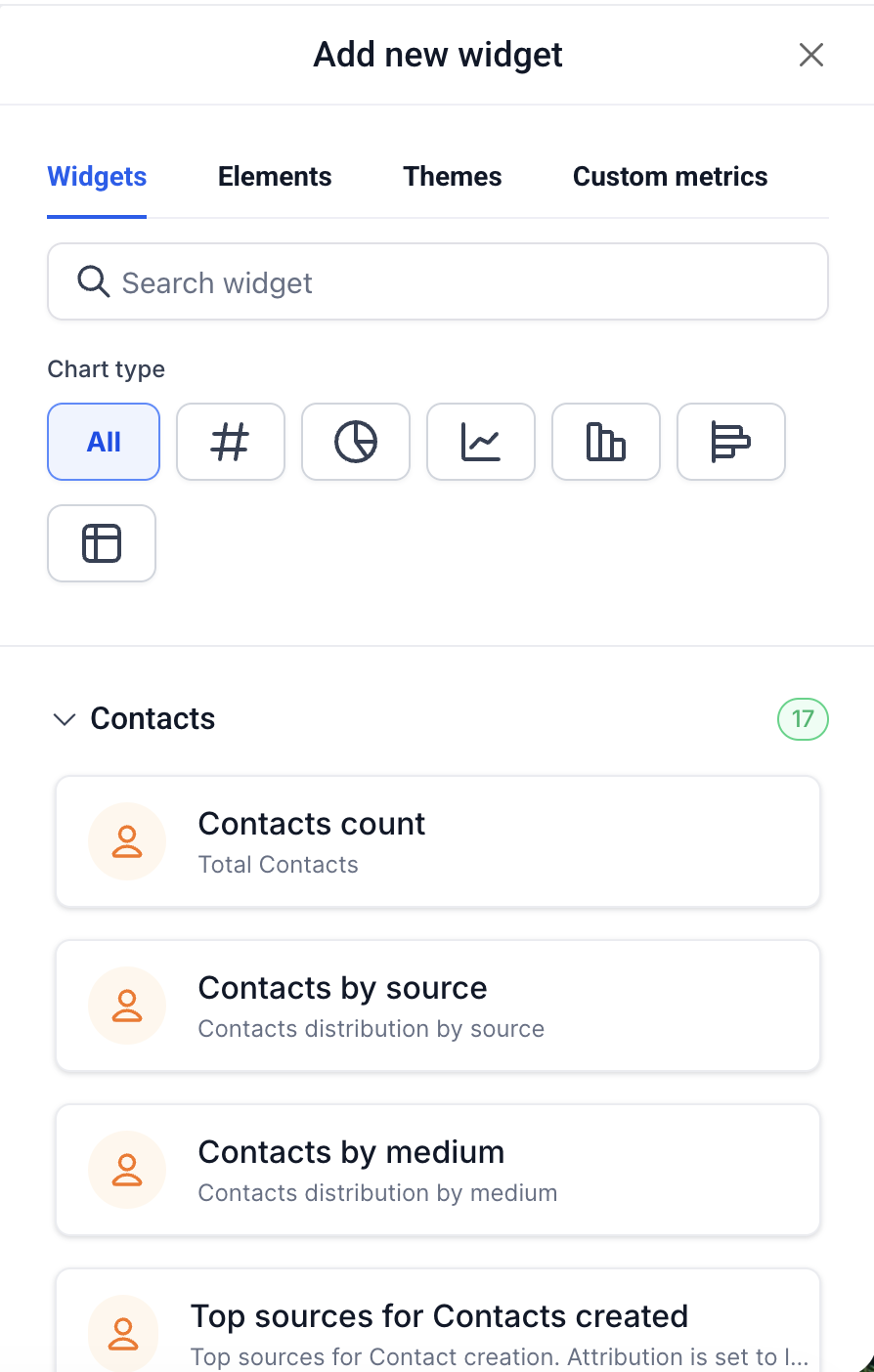
Contacts Widgets are visual components that appear on HighLevel dashboards and on custom report pages. They pull contact records from the platform and present the data as numbers, donuts, bars, lines, tables or other chart types.
Each widget has a default chart but you can switch to any supported chart type in its settings. The widgets respect the dashboard’s global date range unless they use a fixed scope, such as the This Month or Till Date widgets.
You can narrow the data with Conditions, apply Group By dimensions, select a Date Property, and add Attribution filters. Quick Filters set at the dashboard level further refine any widget that already has its own conditions.
03How businesses use contacts widgets
- Dental practice. Add a Contacts Counts by Tags widget, choose the Donut chart, and set a Condition for the tag “Pediatric”. The widget will show the proportion of pediatric patients within the selected date range.
- Real estate agency. Create a Contacts Count Over Time widget, switch to a Line chart, and apply a Group By of Source. This displays lead acquisition trends by marketing channel over time.
- Ecommerce store. Place a Top Sources for Contacts Created widget, keep the default Bar chart, and use the built in attribution filter to rank the marketing channels that generate the most new contacts.
04The numbers and rules that matter
- 17 Contacts widgets are available.
- Widgets #16 and #17 use a fixed date scope (This Month, Till Date).
- Widgets #9, #10 and #15 include a built in Latest Attribution filter.
- Group By is available on widgets #3, #10 and #15.
- Date properties include Created On, Updated On, Birth Date, Last Activity.
- 24 condition fields are available, split into Standard and Attribution filters.
- Widget #2 (Contacts Count, Logged in user) is scoped to the authenticated user.
05What it looks like in HighLevel
06Settings that matter
- Group By. Controls which field the widget uses to split contacts into categories when a breakdown dimension is enabled.
- Date Property. Determines which timestamp (Created On, Updated On, Birth Date, Last Activity) the widget uses to apply the dashboard date range.
- Conditions. Filters the contacts displayed in the widget based on selected fields and operators.
- Attribution. Selects First Attribution or Latest Attribution and enables related fields (Medium, Session Source, UTM parameters) for further filtering.
07Things to know before you rely on it
- Widgets #16 and #17 have a fixed date scope and do not respond to the dashboard’s global date range selector.
- Widgets #9, #10, and #15 contain a built in Latest Attribution filter, so they only show contacts that have attribution data.
- Widget #2 (Contacts Count, Logged in user) is limited to the currently authenticated user; in scheduled reports it reflects the report owner’s data.
- Group By options are only available on widgets #3 #10 and #15.
- All widgets can be switched to any of the supported chart types: Number, Donut, Bar, Line, Horizontal Bar, and Table.
08If something goes wrong
- Contacts by Source shows only a subset of contacts. The widget includes a built in Latest Attribution filter; ensure contacts have attribution data or use a custom widget without that filter.
- Cannot remove the Latest Attribution filter from Contacts by Source. Switch to the General widget category and build a custom contacts breakdown using Group By to avoid the default filter.
- Total Contacts Count (This Month) does not change when adjusting the dashboard date range. This widget uses a fixed This Month date scope; use the regular Contacts Count widget for a date range responsive count.
- Dashboard Quick Filters do not affect a widget. Quick Filters apply on top of widget level Conditions; ensure the widget has no conflicting condition that overrides the filter.
09How it connects to the rest of HighLevel
- Add and customize widgets Add and customize widgets
- Create dashboard widgets Create dashboard widgets
- Dashboard permissions Dashboard permissions
Michael's take

Contacts widgets are useful for teams that need live contact metrics without leaving HighLevel.
If you never look at contact counts or breakdowns in a dashboard, you can skip them.