
01Who this is for
- Community managers, they can control which activity updates reach members and avoid over messaging.
- Course providers, they can decide if certificate and course related alerts are sent by email or push.
- Portal owners, they can set default rules for likes and enforce consistent notification behavior across all users.
02Client Portal notifications, explained
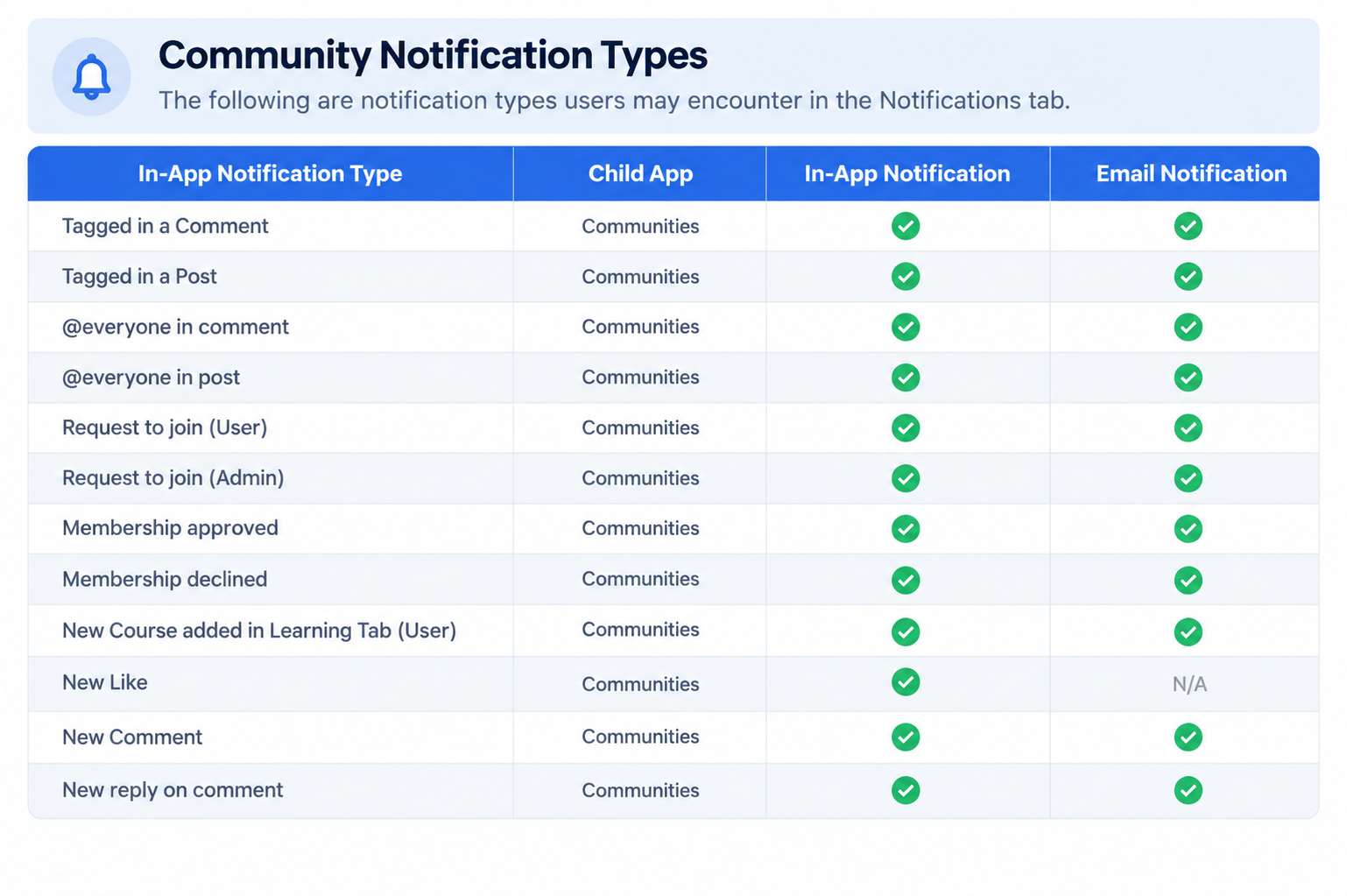
HighLevel stores every portal related alert, including those from child apps such as Courses and Communities, on a dedicated Notifications tab. Selecting an entry opens its full details or the associated action.
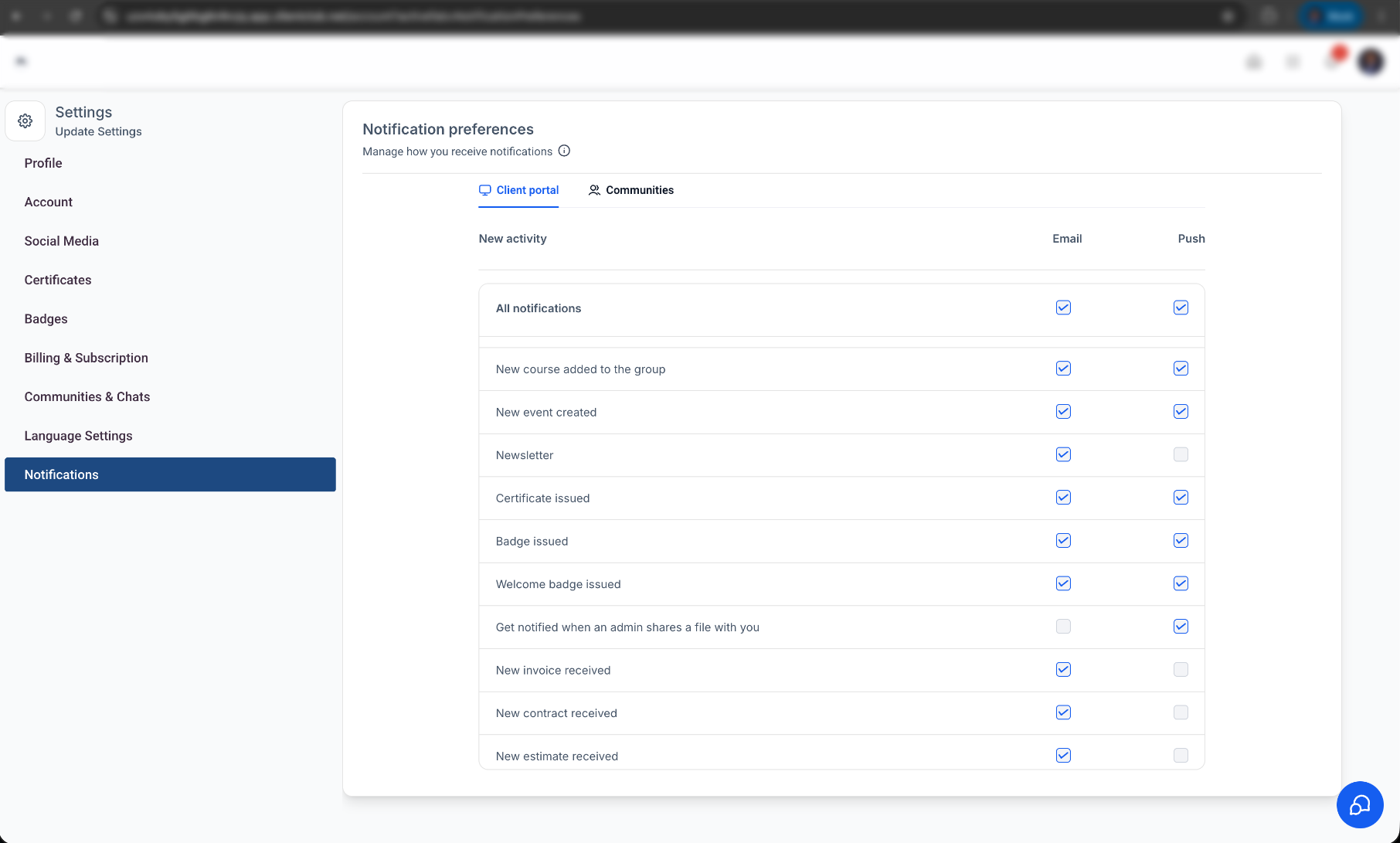
Each user can open the notification settings from the account menu and toggle email or mobile push delivery for specific event types. The portal owner can lock certain like related email options, which then show a tooltip explaining the restriction.
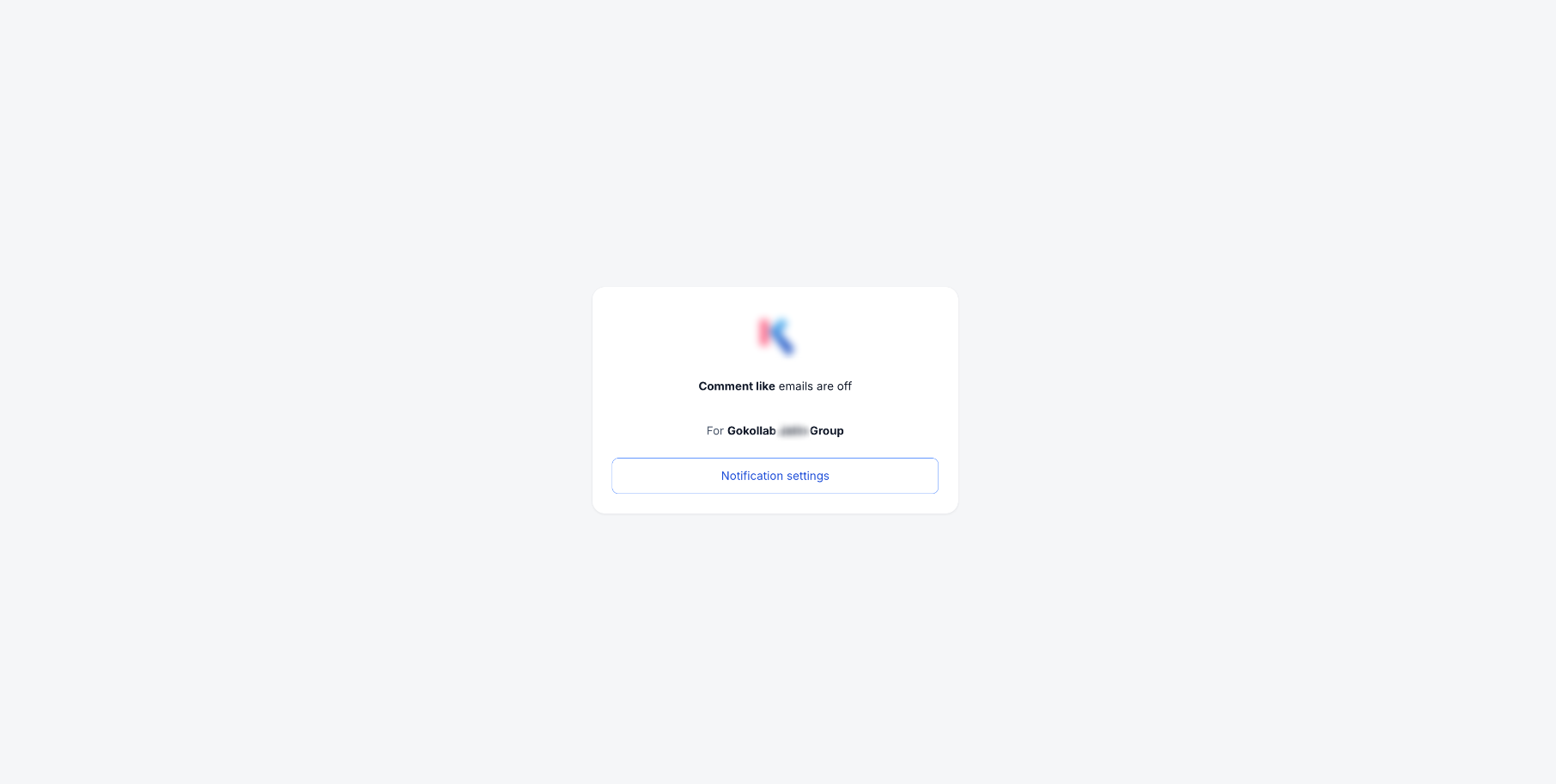
If a community email includes an unsubscribe link, members may stop that single type of email for the originating community while other emails stay active. An invalid or expired link leaves preferences unchanged.
03How businesses use Client Portal notifications
- Online coaching business. Coaches open the Notifications tab to see client activity from courses and community posts. They then adjust email and push toggles so clients receive only course completion alerts and not every community like.
- Membership site. Site admins review the consolidated list of member notifications, click a notification to read the full community post, and use the unsubscribe link to stop a specific community newsletter without affecting other community emails.
- Digital product retailer. Retailers enable push alerts for new product releases in the portal while disabling email updates for comment likes, keeping their inbox clean but keeping mobile users informed.
04How to set up and use Client Portal notifications in HighLevel
Access notifications
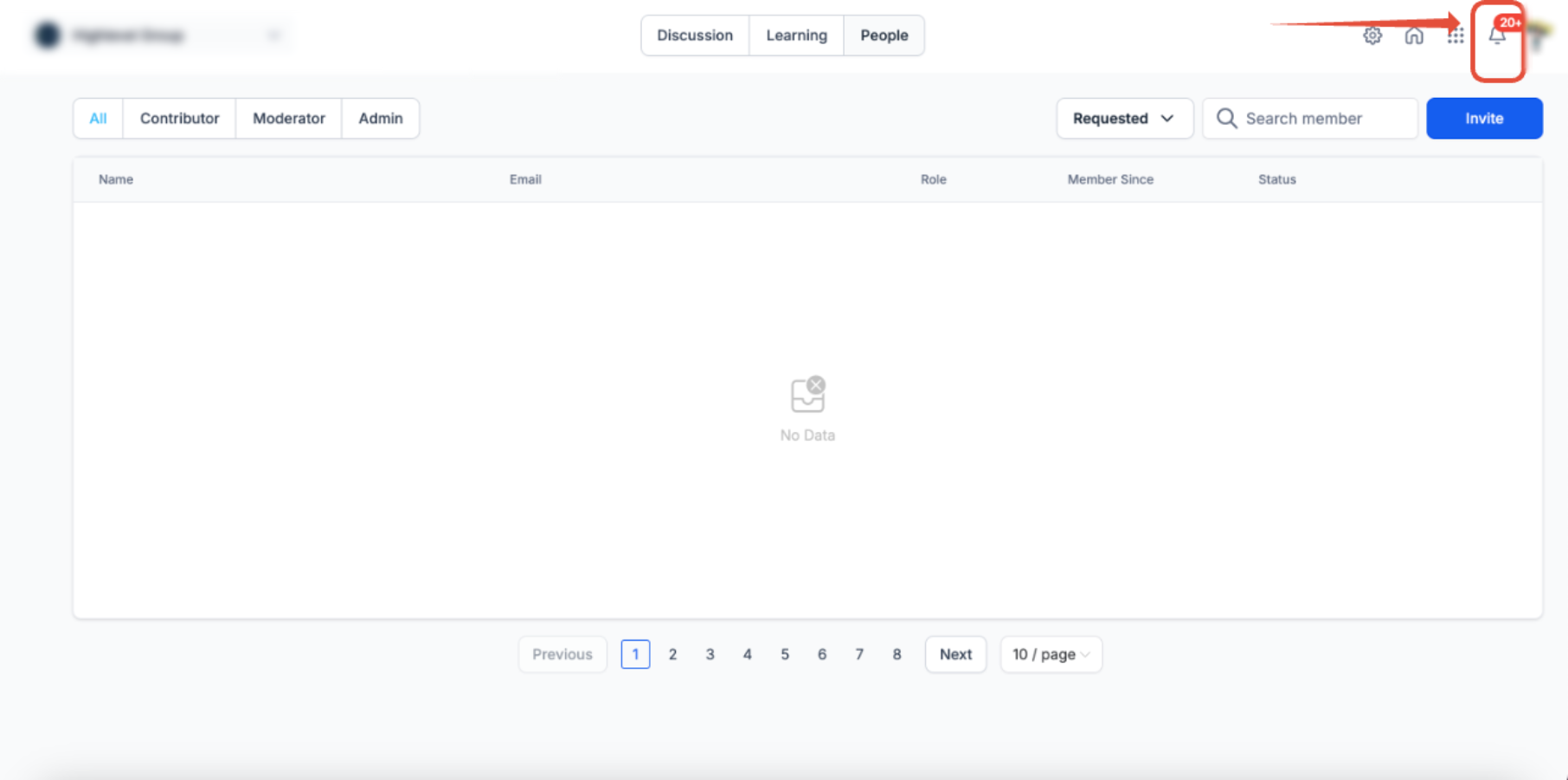
- Click the bell icon at the top of the interface.
- Observe the combined list of alerts from the portal and its child apps.
- Select a notification to open its details or perform the linked action.
Manage notification preferences
- Go to the Client Portal, Communities, or Courses section.
- Tap the profile picture in the upper right corner.
- Choose Manage Your Account from the menu that appears.
- Pick Notifications from the left hand navigation.
- Flip each toggle to turn email or push delivery on or off for the desired events.
Unsubscribe from a specific community email
- Read the community name and notification type shown on the confirmation screen.
- Click the Unsubscribe button to confirm the choice.
- Check that future emails for that community and type no longer arrive.
- Confirm that other notification types from the same or different communities remain active.
05What it looks like in HighLevel
06Settings that matter
- Enabling or disabling email notifications for post likes. Controls whether users receive an email each time a post receives a like; the portal owner may lock this option.
- Enabling or disabling email notifications for comment likes. Determines if an email is sent when a comment is liked; the setting can be managed centrally by the portal owner.
07Things to know before you rely on it
- All alerts generated through the Client Portal, including those from Communities, incur a charge.
- Granular unsubscribe is only available for supported Community email types.
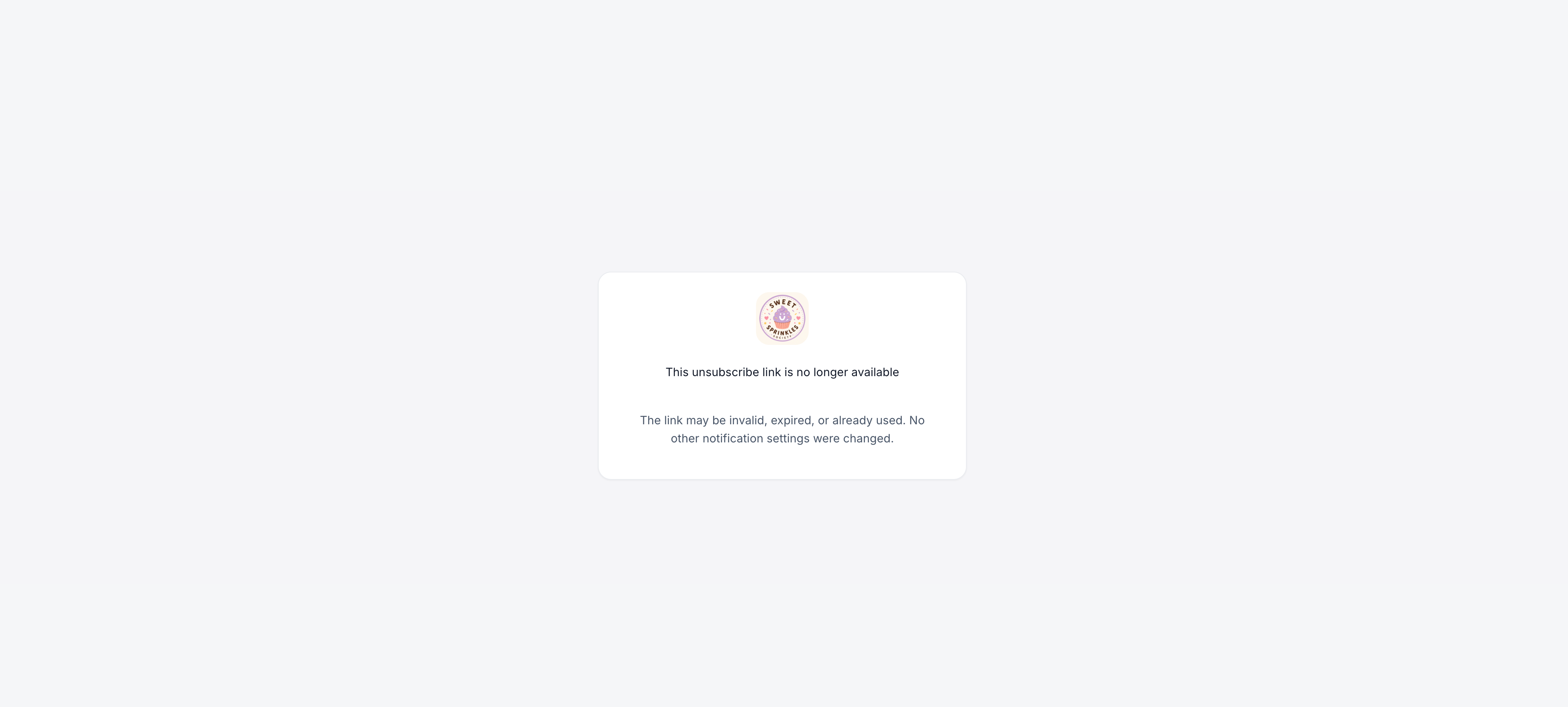
- If an unsubscribe link is invalid, already used, or expired, no changes are applied to notification settings.
08If something goes wrong
- Unsubscribe link is invalid, expired, or already used. No preferences are altered; open the notification settings page to review or modify the choices manually.
09How it connects to the rest of HighLevel
- Manage invites and magic links from the portal dashboard Portal dashboard
- Explore courses and offers that generate notifications Courses and offers
- Set up subscription handling that may trigger portal alerts Subscription management
Michael's take

The biggest risk with this feature is assuming every alert is free. All portal generated notifications, even those from Communities, carry a charge, so it’s easy to let noise build up and increase costs without noticing. Keep an eye on what’s being sent and trim the list where possible.
When you control the flow, the benefit is huge. Users get the updates they need. Email for important certificates, push for real time likes. While the rest of the noise stays out of their inbox.