
01Who this is for
- Owners who share invoices, estimates, or contracts and need automated email alerts.
- Clients who want to control which document related emails they receive from the portal.
02Email notifications, explained
The feature adds email alerts tied to three document types: invoices, estimates and contracts. When a document is shared in the client portal, the platform can send a ready made email to the intended recipient. Owners control the activation of each alert and can replace the default message with a custom template.
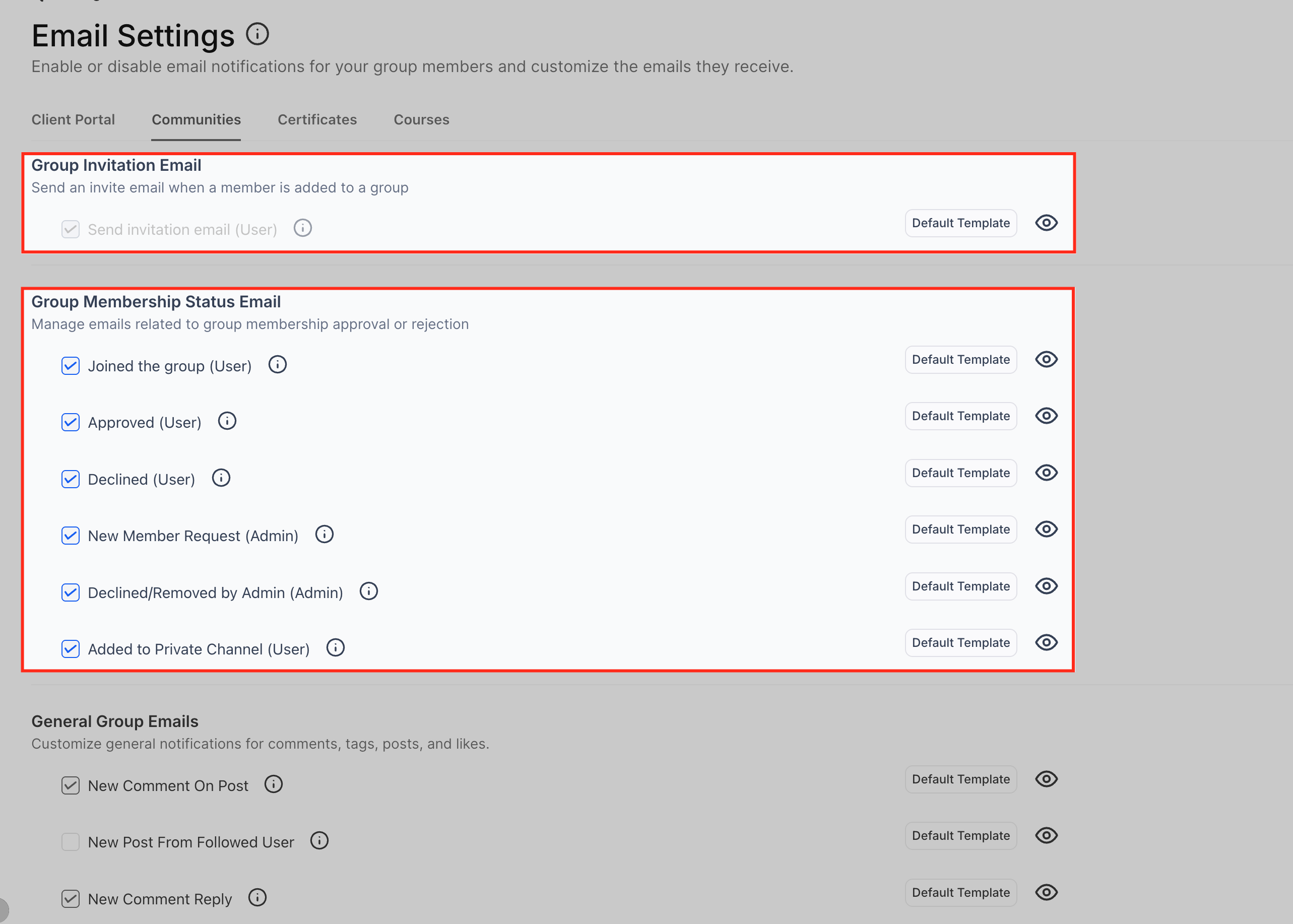
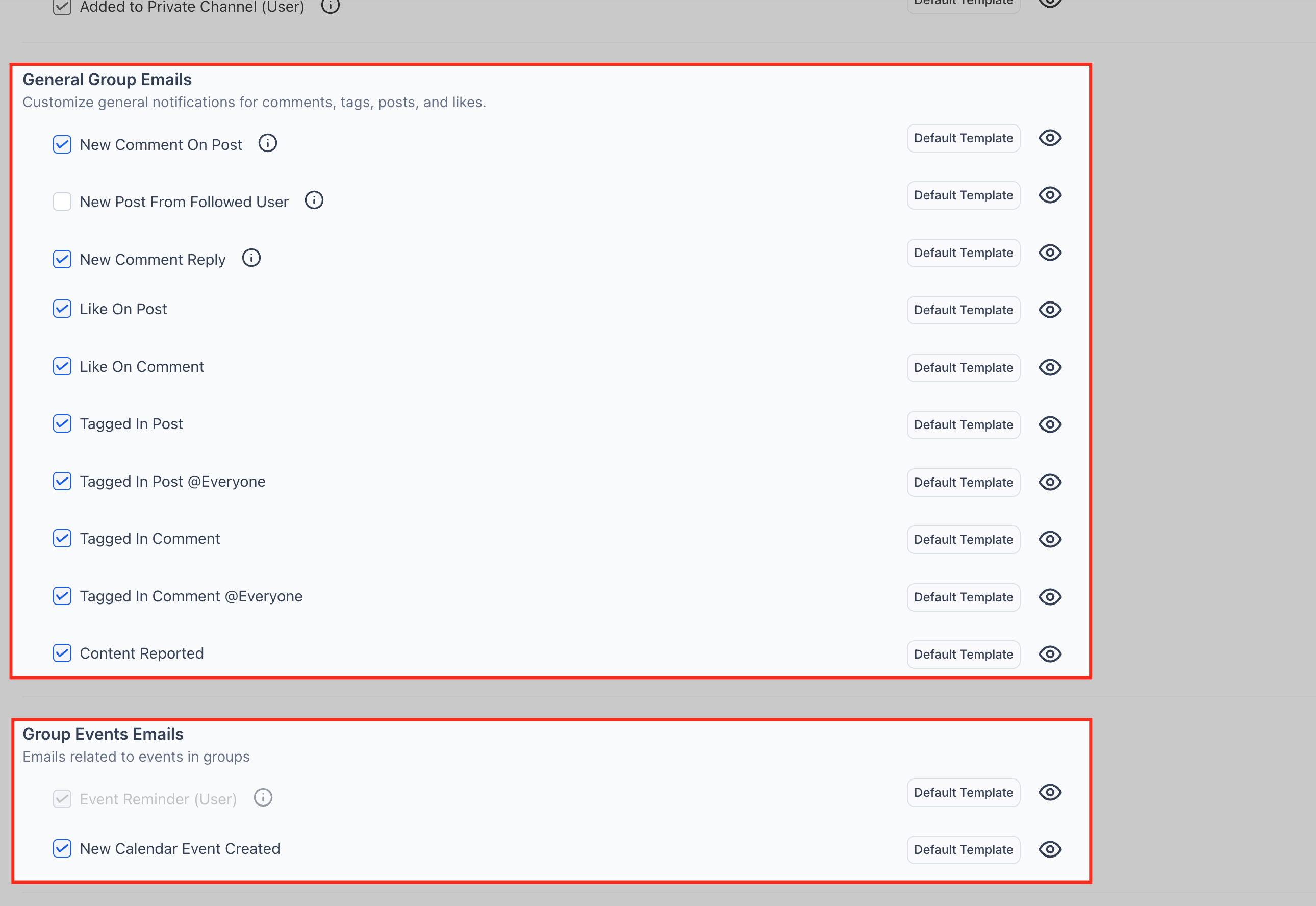
All settings are located inside the client portal area of HighLevel. The owner opens the portal’s Settings page, selects Email Settings, and switches the notifications for each document type. A preview button lets the owner view the current email layout, and a template button opens the editor for a new design.
Users see a separate section in their portal where they can enable or disable each alert. Their choices affect only the emails they receive, leaving the owner’s global settings unchanged.
03How businesses use email notifications for invoices, estimates & contracts
- Consulting agency. The agency owner opens the portal settings, turns on invoice alerts, and replaces the default email with the firm’s branded version. When a new invoice is posted, the client automatically gets the custom email.
- Fitness studio. The studio shares membership contracts through the portal. The owner disables contract alerts for members who prefer to view contracts directly in the portal, preventing unnecessary email traffic.
- Online education platform. A course provider enables estimate notifications for prospective students. When a pricing estimate is uploaded, the platform sends an email using a template that includes a link to the estimate in the portal.
04How to set up and use email notifications for invoices, estimates & contracts in HighLevel
Enable email alerts for owners
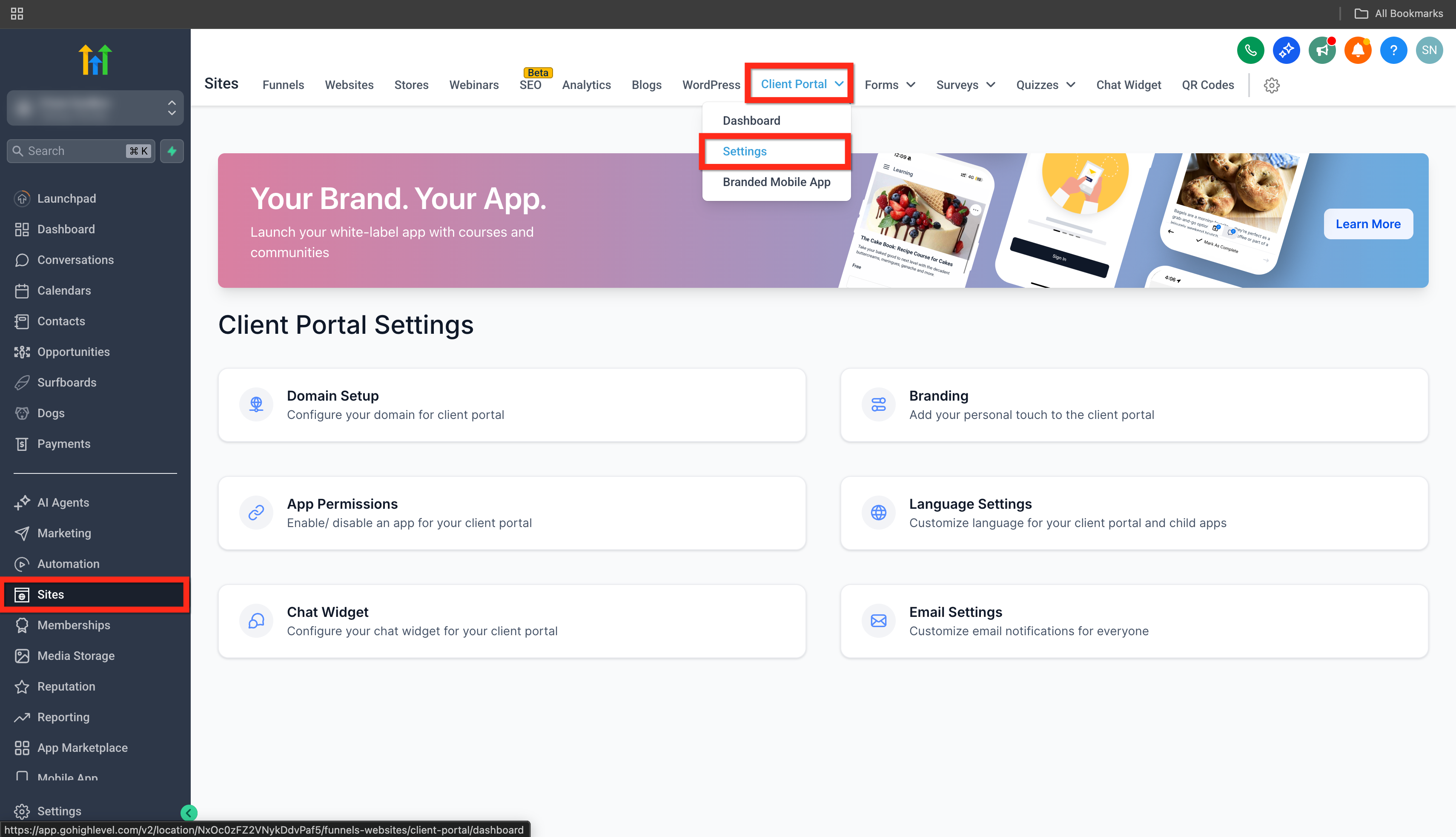
- Navigate to Sites > Client Portal > Settings.
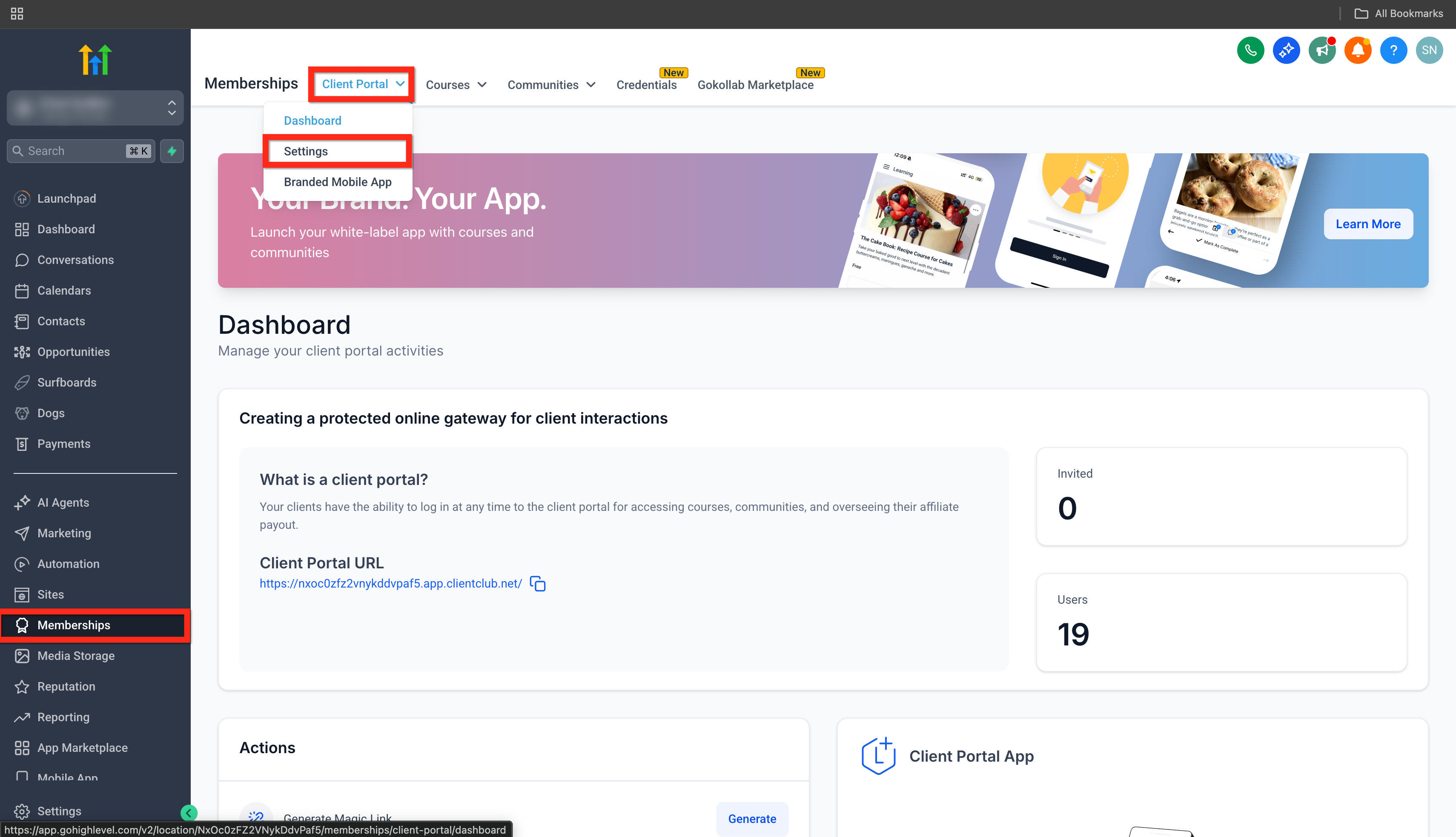
- Or go to Memberships > Client Portal > Settings.
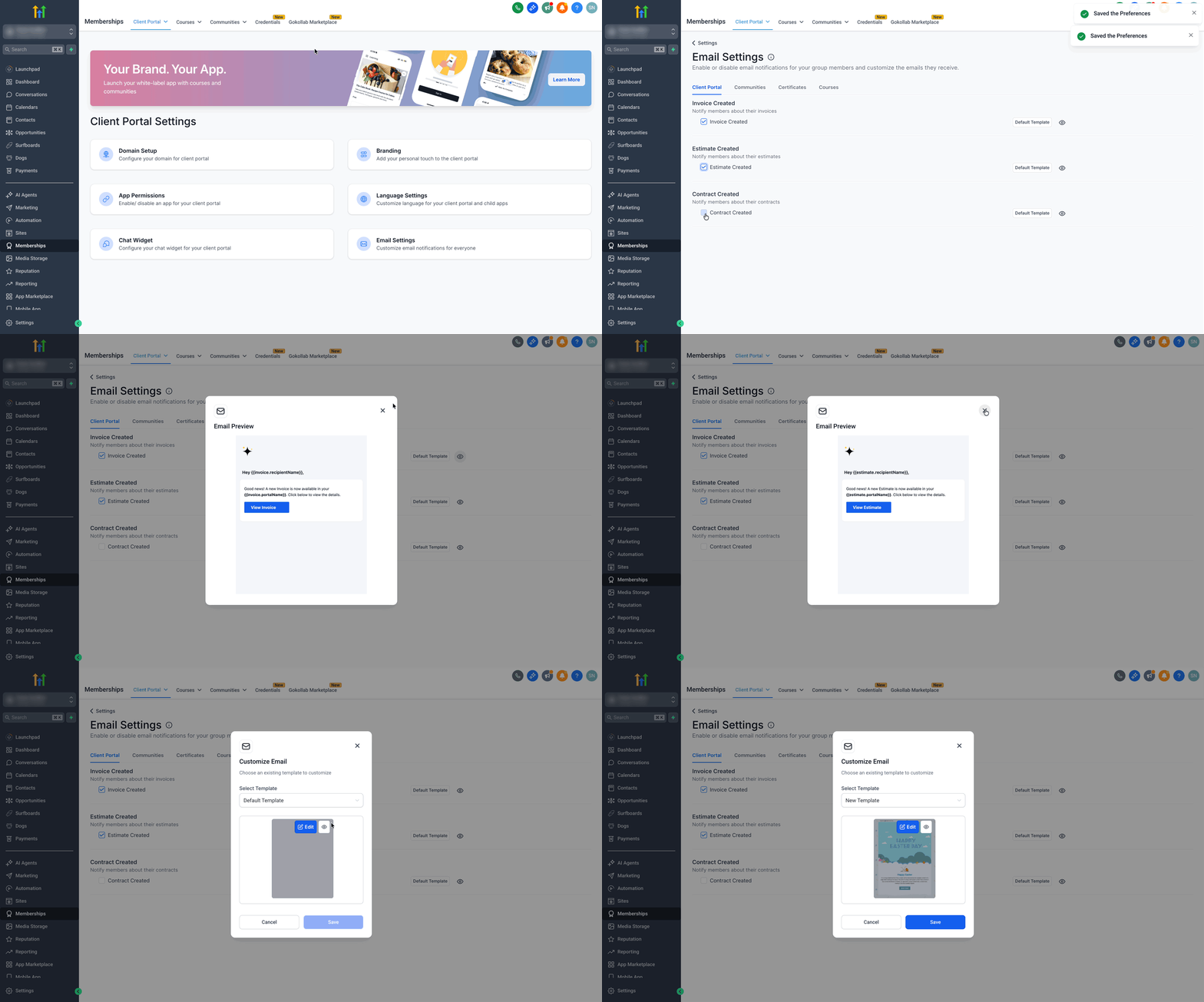
- Click on Email Settings > Client Portal.
- Turn email notifications on or off as needed for Invoices, Estimates, and Contracts.
- Press the eye icon to preview the selected email template.
- Click the Default Template button to pick a new template or edit the existing one.
Manage email alerts for users
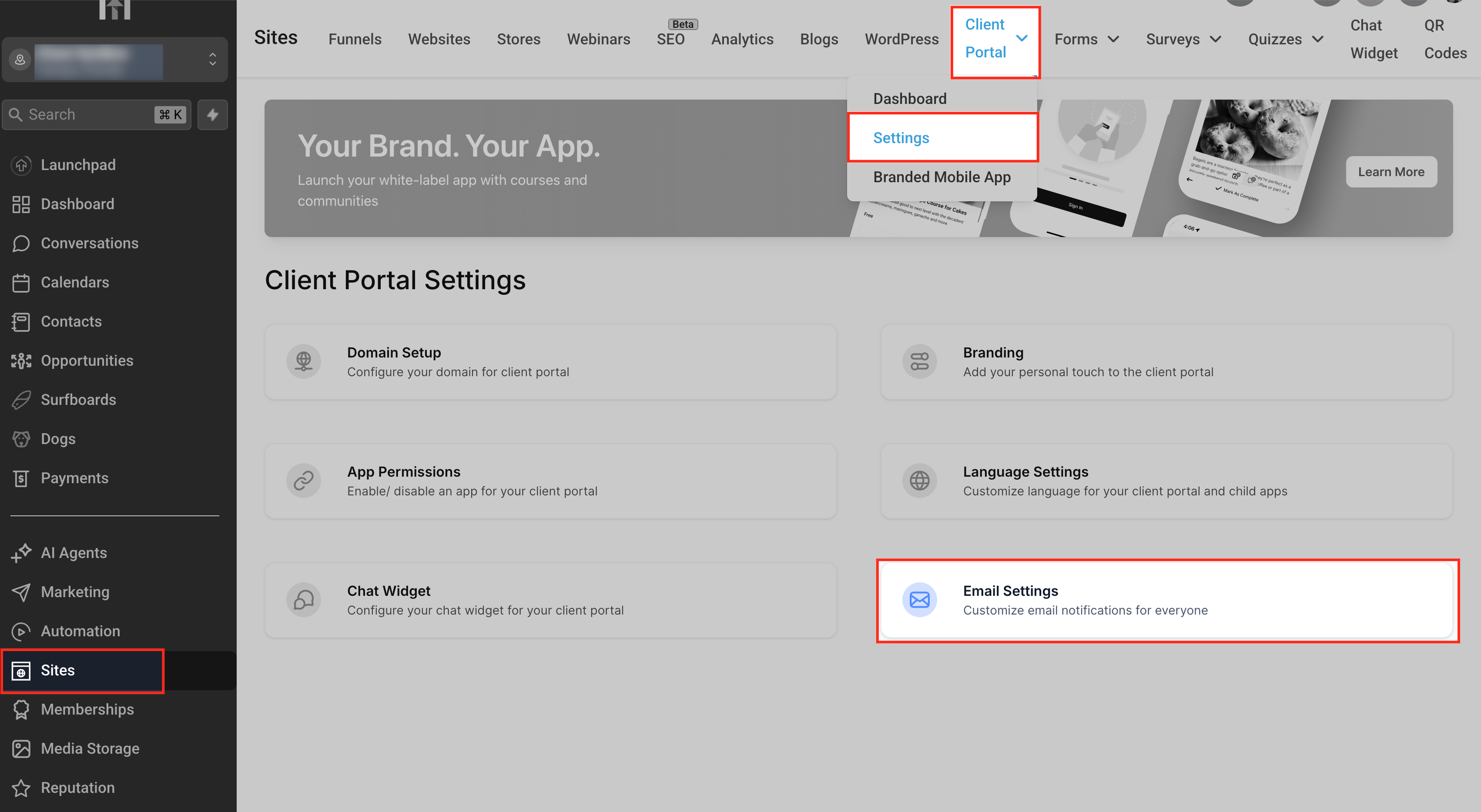
- From the left navigation, choose Sites.
- Hover over the Client Portal tab at the top of the screen.
- Select Settings from the dropdown menu.
- In the Client Portal Settings screen, click Email Settings to open the notification list.
05What it looks like in HighLevel
06Settings that matter
- Email Settings > Client Portal. Controls whether email alerts are sent for invoices, estimates and contracts and lets the owner choose the template used.
- Default Template button. Opens the editor where the owner can create or modify the email template applied to notifications.
07How it connects to the rest of HighLevel
- Step by step guide to activate the client portal Client portal setup
- Details on customizing email templates for the portal Edit email templates
- Overview of notification options inside the portal Portal notifications
Michael's take

Email notifications for invoices, estimates & contracts feel like a small convenience that can keep a service business from playing telephone with clients.
A boutique marketing agency that sends proposals and contracts regularly will find this useful. I would set the template to match the agency’s branding and then let clients opt out if they prefer a different channel.