
01Who this is for
- Service managers who need a single record for each customer address to monitor work progress.
- Field technicians who rely on scheduled visits and checklists stored in the job.
- Small home repair businesses that must track estimates, invoices and payments per job.
02Jobs in field services, explained
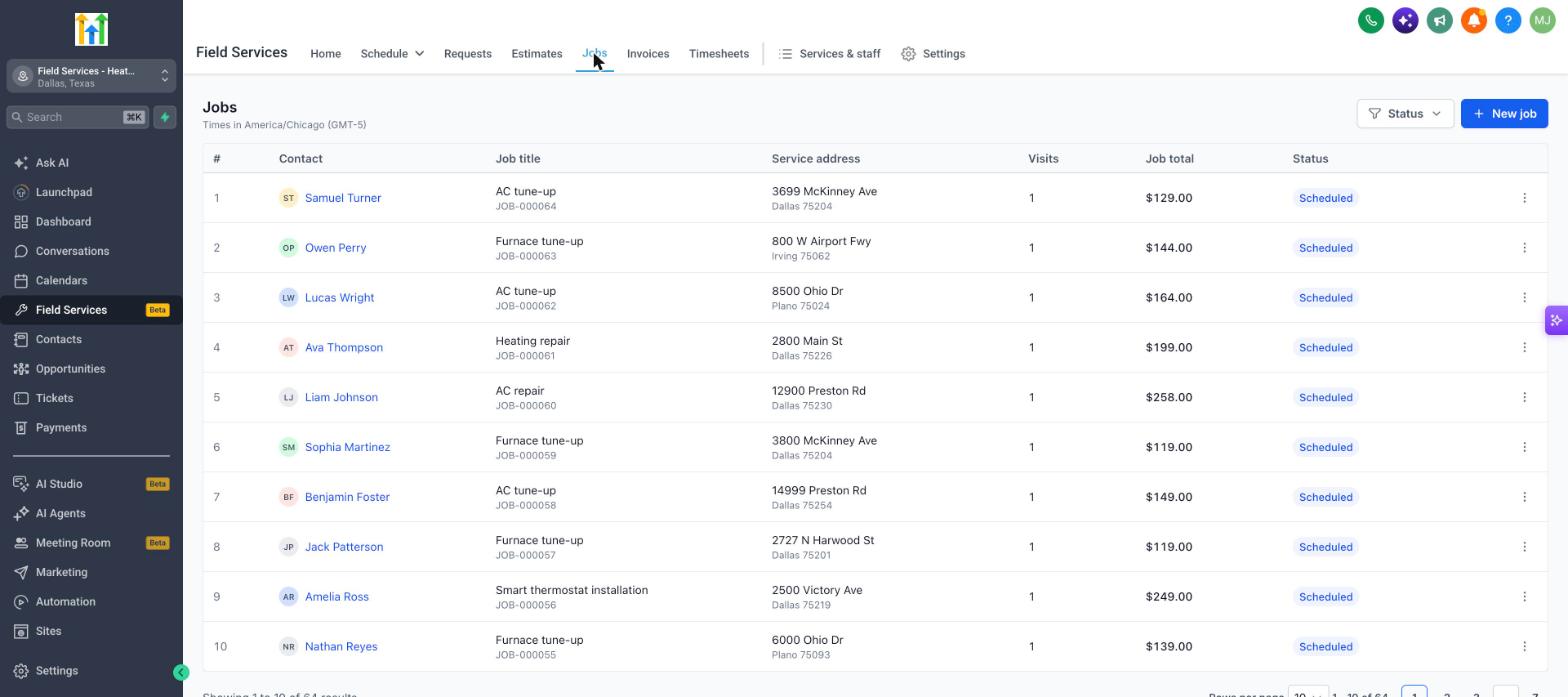
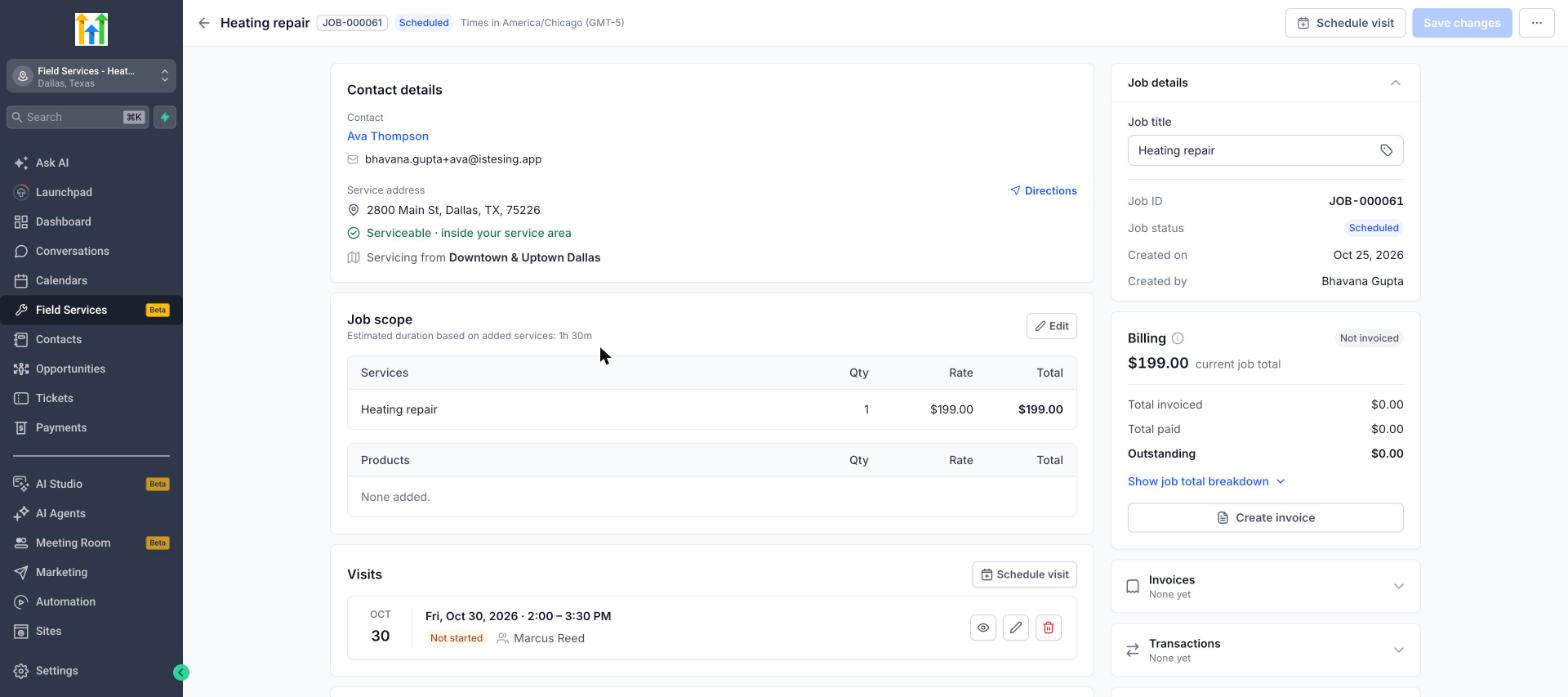
Jobs are the core record in HighLevel Field Services. Each job ties a customer, service address and a title to the services or products required. The job aggregates all visits, checklists, invoices and payments, providing a full history of the work.
The job lives under the Field Services section in the left navigation. From the Jobs list you can open a card that shows the header, contact details, scope, visits, checklists, billing and notes. All edits are saved with a Save button, and the job status updates automatically based on visits and billing.
Staff can work with jobs from the web interface or the mobile app. The mobile app lets technicians create jobs, schedule or reschedule visits, update statuses, fill checklists and start timers, with changes syncing back to the web view.
03How businesses use jobs in field services
- Plumbing company. The owner creates a job for each faucet repair location, adds the required parts as products, and schedules a first visit for assessment. After the work is completed, they generate an invoice from the job and close it, keeping the whole record for future reference.
- HVAC service firm. Field managers add a new job for a furnace replacement, attach the service address and select the replacement service. They later add multiple visits, one for inspection and another for installation, directly on the job page.
- Pool maintenance business. Technicians use the mobile app to open an existing job, check the scoped services, update the visit status after cleaning, and add notes or checklist items while on site. The office sees the updates right away.
04Before you start
- Field Services must be enabled in a private beta for the account.
- A contact and a service address are required to start a job.
05How to set up and use jobs in field services in HighLevel
Create a new job record
- Open the Jobs page under Field Services and click New job.
- Select the desired Contact and choose the Service address for the job.
- Enter a Job title; the system defaults to the Contact's full name.
- Add any Services or Products, specifying quantity and rate for each. Services are optional for creating the job.
- Press Save to store the job in the system.
- Optionally schedule a visit now or postpone scheduling from the job page later.
Close, cancel or delete an existing job
- Open the job you want to modify from the Jobs list.
- Click the three dot menu in the top right corner of the job page.
- If you select Close job, make sure no upcoming or incomplete visits remain; resolve them first.
- Select Cancel job to stop future visits while keeping history of completed visits.
- Select Delete job to permanently remove the job.
06What it looks like in HighLevel
07Things to know before you rely on it
- Field Services is currently in a private beta and only selected accounts can use it.
- If a service address lies outside defined service areas, the job is flagged for review.
- A visit must contain at least one service; otherwise the system cannot calculate duration or assign staff.
- A job cannot be closed while it still has upcoming or incomplete visits; those must be resolved first.
- Job status is generated automatically by the platform and cannot be set manually.
08How it connects to the rest of HighLevel
- Enable the Field Services private beta and set up mobile access Field Services beta
- Overview of the Field Services Home page Field Services home
- Add staff, assign services and define service hours for Field Services Field Services staff
Michael's take

Jobs in Field Services are worth the effort for any small business that sends technicians to customer sites. They keep the entire job life cycle. From scope to invoice. In one place.
Don’t try to close a job while a visit is still pending.