
01Who this is for
- Car rental companies can switch Rentals on for locations that need to accept vehicle bookings.
- Equipment rental firms can keep Rentals off for sites that only sell products and not rentals.
- Property managers can enable Rentals only for properties that are available for short term stays.
02Rentals, explained
Rentals is a scheduling system inside HighLevel that tracks inventory, supports bookings that span hours, days, weeks or months, and applies pricing rules. The feature lives under Calendar Settings for each subaccount and can be turned on or off from Agency Settings.
When Rentals is active, a subaccount can create listings, define categories, set inventory quantities, and accept payments through the booking flow. If the toggle is off, the rental calendar and related booking pages are hidden for that location.
03How businesses use rentals
- Car rental agency. The agency enables Rentals for the subaccount that handles vehicle reservations. It then creates car listings and configures pricing rules. The toggle ensures the location can accept rental bookings through the public booking page.
- Equipment rental business. The business turns Rentals on for the warehouse subaccount that rents tools. After activation, it adds equipment listings, tracks quantity, and lets customers book tools for multiple days.
- Vacation property manager. The manager activates Rentals for the subaccount that lists vacation homes. With Rentals enabled, each property appears on the booking page, and the calendar shows availability across weeks.
04How to set up and use rentals in HighLevel
Enable or disable Rentals for a single subaccount
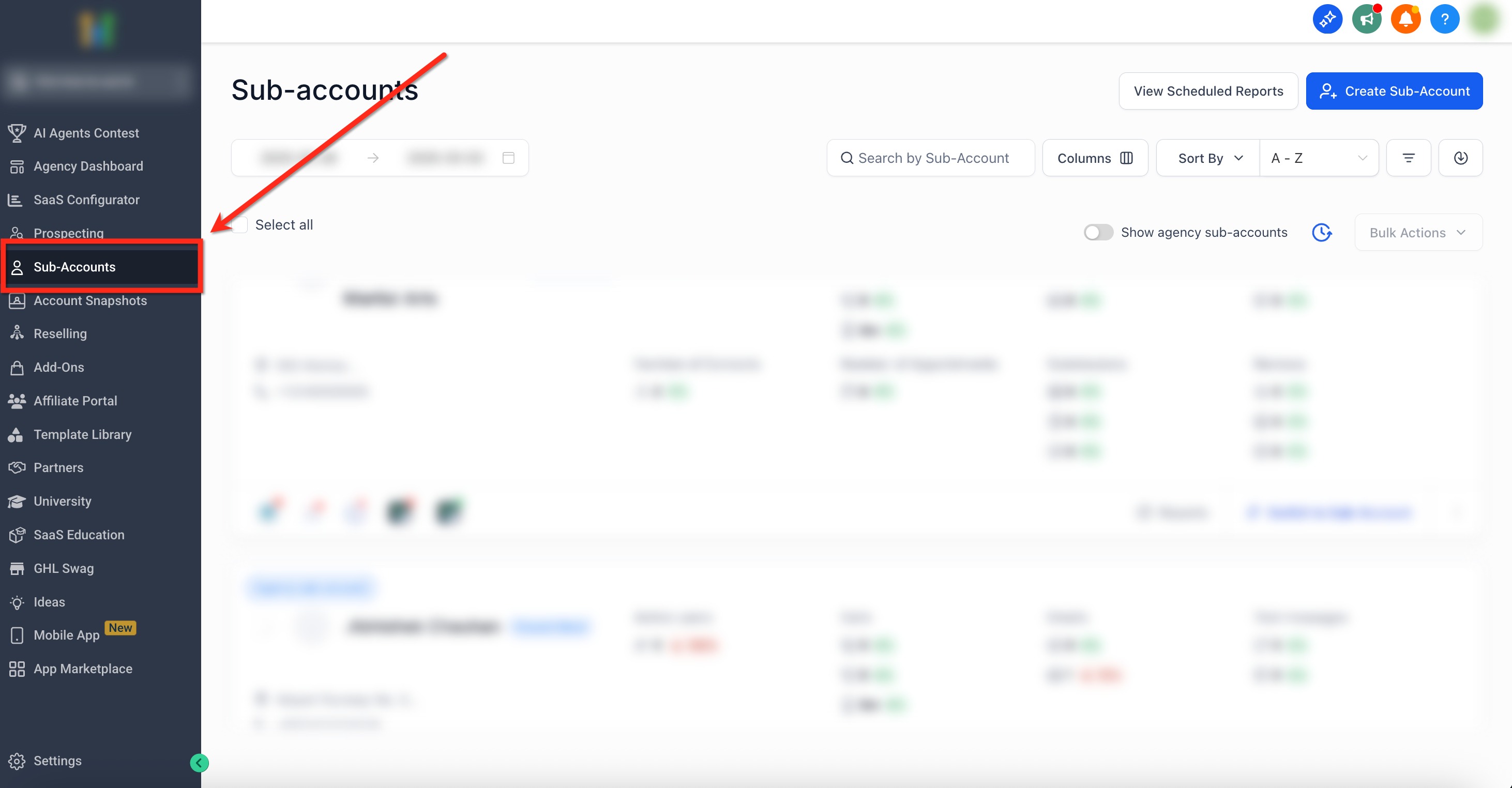
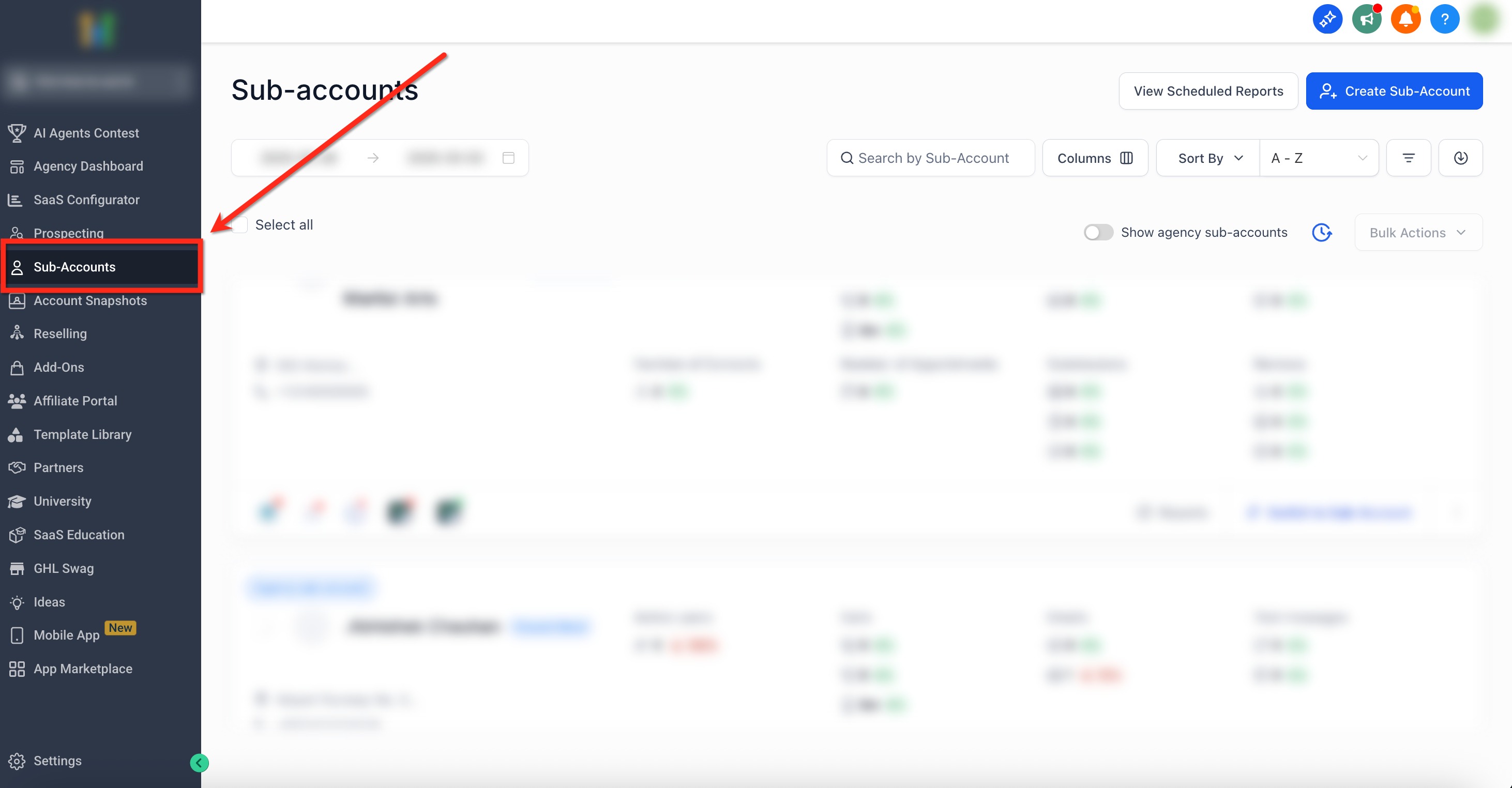
- Open the Agency dashboard and click the Subaccounts tab on the left navigation.
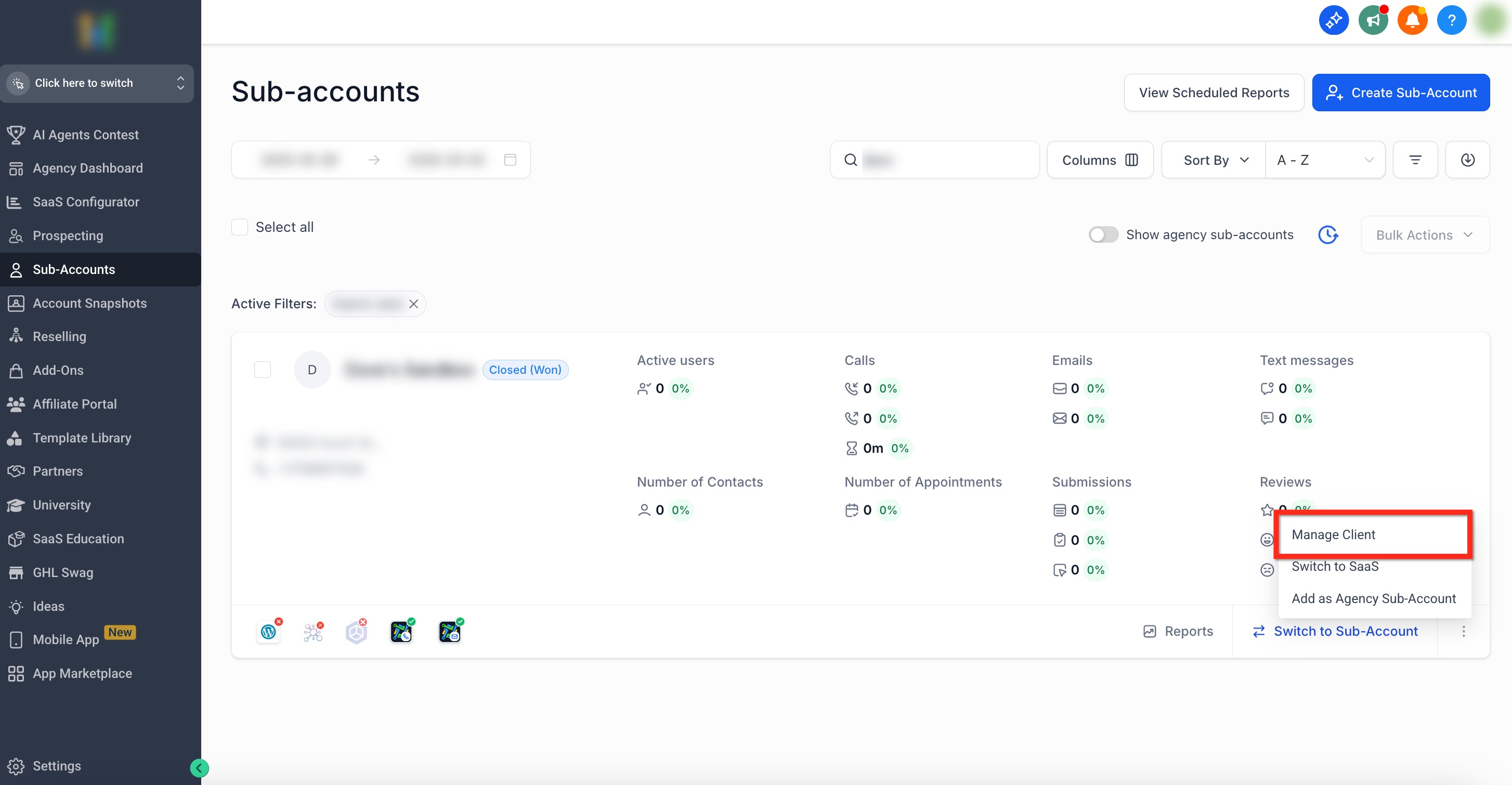
- Search for or scroll to the desired subaccount, click the three dots icon in the lower right of its panel, and choose Manage Client.
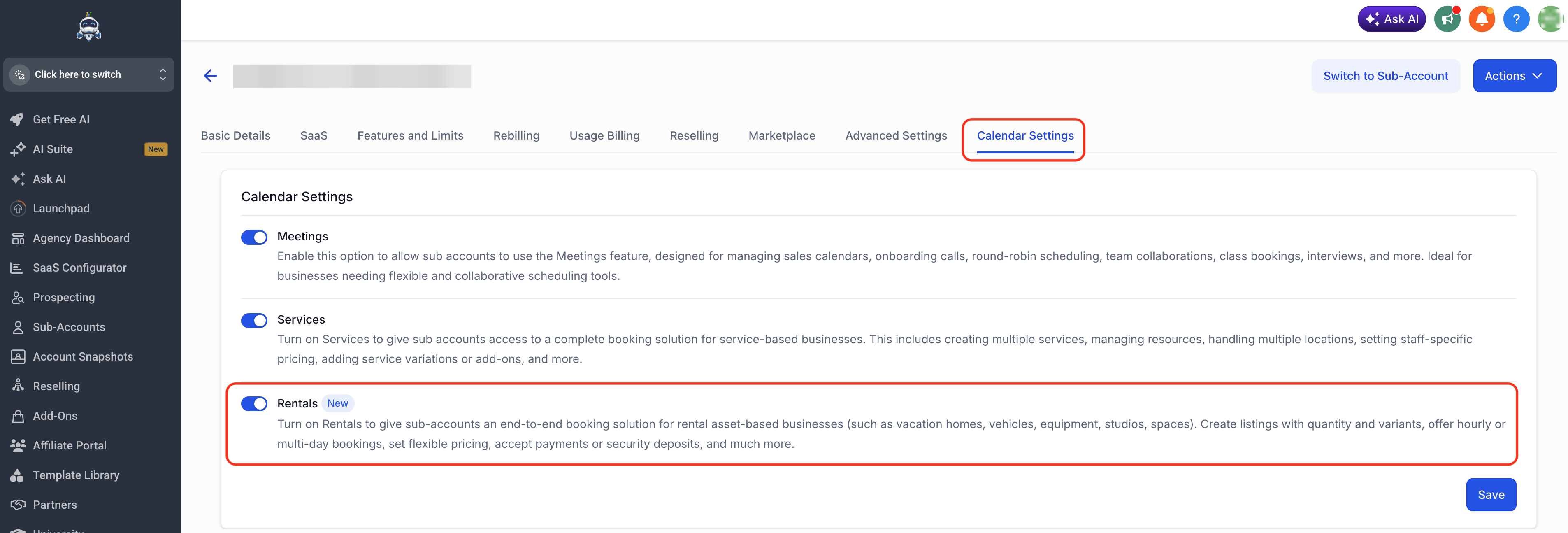
- Select Calendar Settings from the top navigation bar.
- Use the toggle to turn Rentals on or off.
- Click the blue Save button to apply the change.
Enable Rentals for multiple subaccounts at once
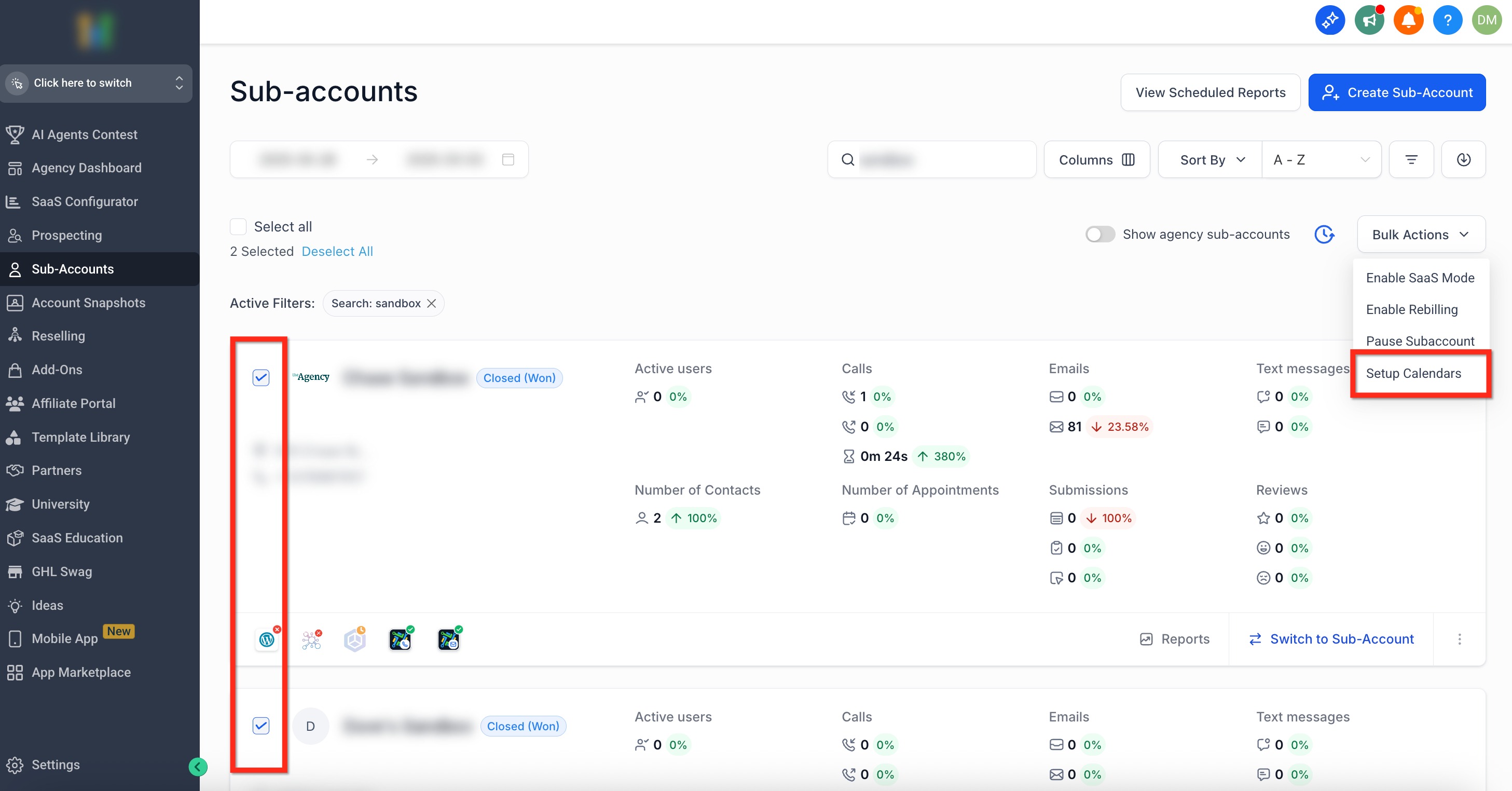
- Open the Agency dashboard and click the Subaccounts tab on the left navigation.
- Check the boxes next to each subaccount you want to modify, then click Bulk Actions in the upper right.
- From the drop down menu select Setup Calendars.
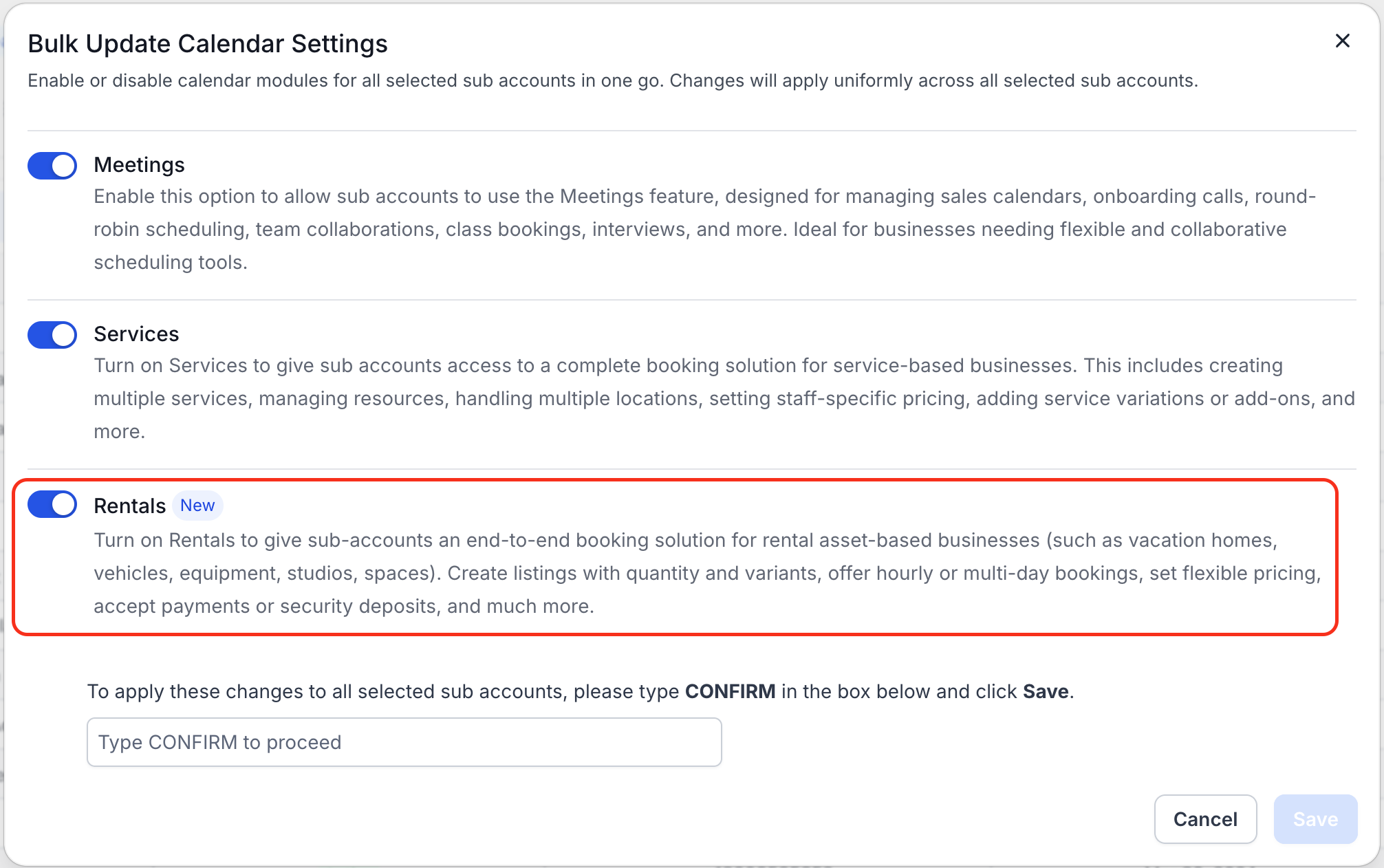
- Toggle Rentals on for the selected accounts.
- Type CONFIRM and click the blue Save button to apply the changes.
05What it looks like in HighLevel
06Settings that matter
- Rentals. Controls whether the rental scheduling features are available for a subaccount. Turning the toggle on enables listings, inventory, pricing and booking pages; turning it off hides those functions.
07Things to know before you rely on it
- Rentals is enabled by default for all new locations.
- The feature is currently in beta; functionality may change before the general release.
08How it connects to the rest of HighLevel
- Overview of Rentals and how to get started Rentals overview
- Create and edit rental listings Listings guide
- Configure pricing and discounts for rentals Pricing settings
- Global Settings for Rentals Global rentals settings
- HighLevel pricing and plans Pricing page
Michael's take

Michael ReimerFounder of CRM Pros, HighLevel Commander and Certified Admin
Rentals is a good fit if you actually rent out assets.
Anyone whose business isn’t built around rentals can safely skip it.
Get More InformationOpens on HighLevelPublished November 2, 2026 · Updated November 16, 2026