
01Who this is for
- Founders of service businesses that serve local customers and need all appointments in one time zone to avoid confusion.
- Marketing managers who schedule webinars for a single regional audience and want to keep times consistent.
- Operations staff in tourist areas where visitors often come from many zones and the business prefers a fixed schedule.
02Contact timezone, explained
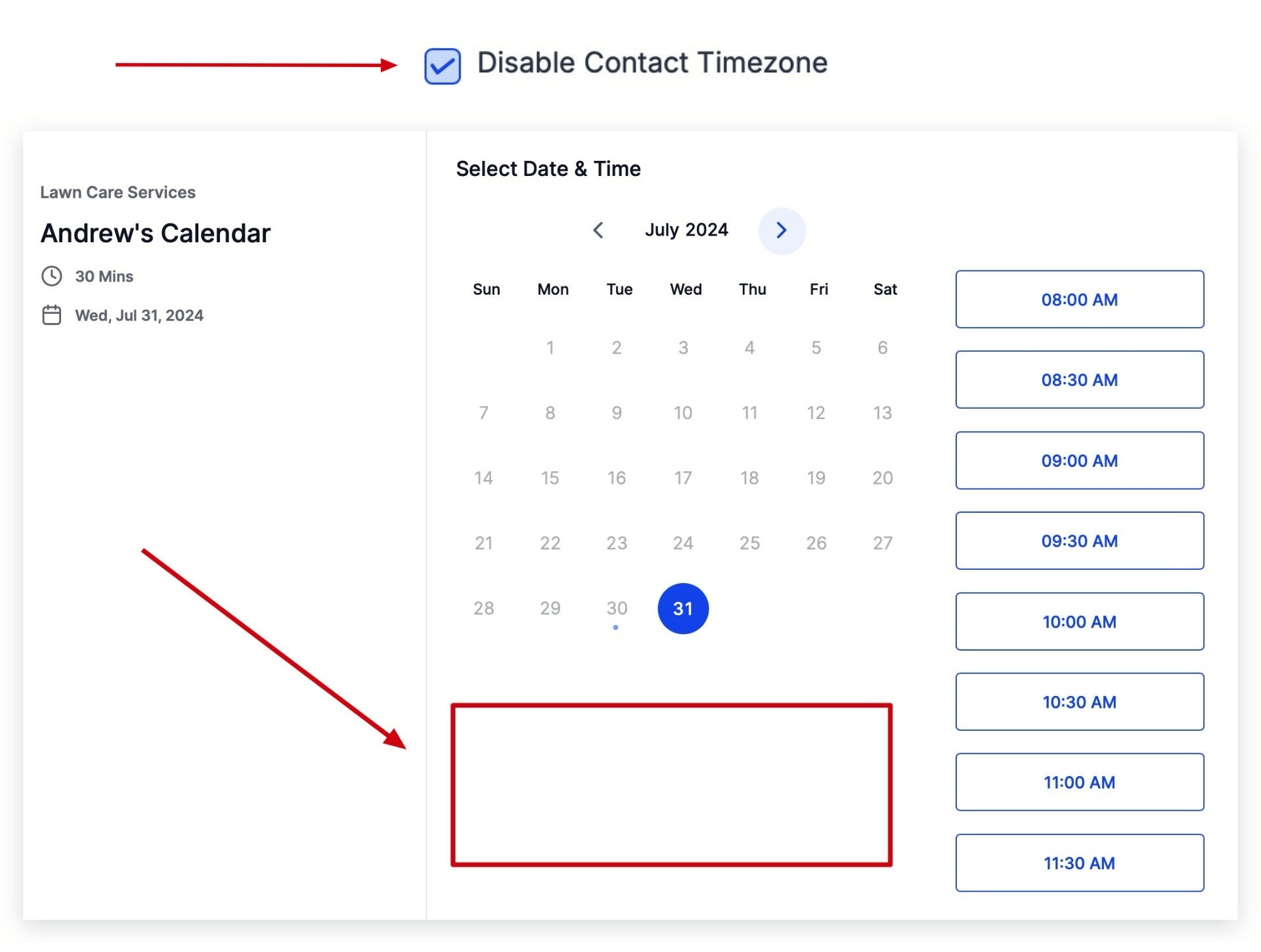
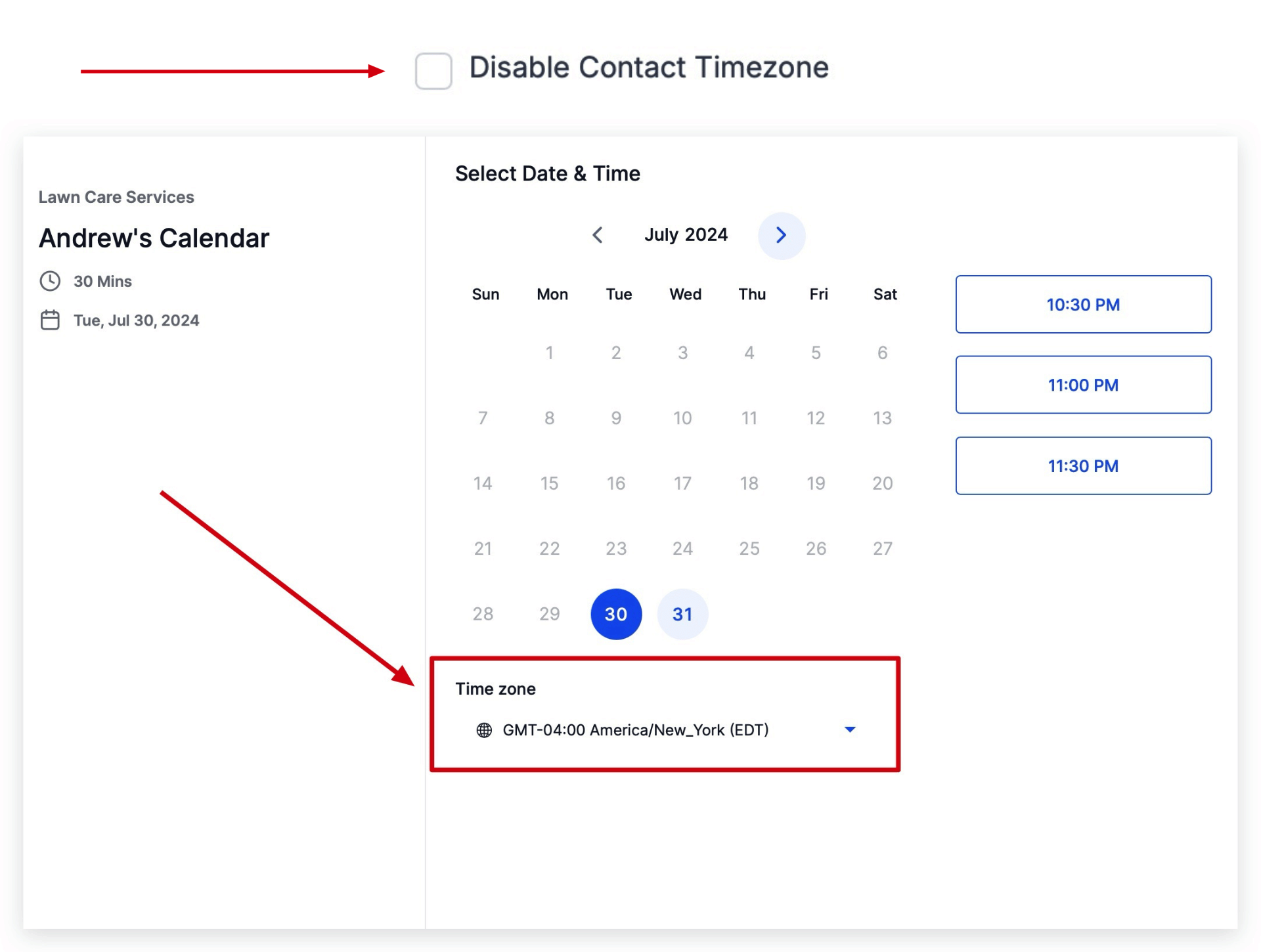
The platform shows a time zone selector on the booking widget when the contact timezone feature is active. When disabled, the selector disappears and the system uses the subaccount's time zone for every booking. This setting is part of the Business Profile configuration and applies to all calendars linked to that subaccount.
The business time zone itself is stored in the Business Profile under the address section. It defines the base time reference for all appointments, reminders, and automated notifications when the contact timezone option is turned off.
03How businesses use contact timezone
- Dental practice. A dental office sets the business time zone to Pacific time and disables the contact time zone option. Patients can book appointments only in Pacific time, preventing mix ups across time zones.
- Consulting firm. A consulting firm that works with clients in a single state configures the subaccount time zone and turns off the contact selector so all meetings align with the office schedule.
- Boutique hotel. The hotel disables the contact time zone to ensure guests booking spa services see times only in the hotel's local zone, regardless of the guest's location.
04How to set up and use contact timezone in HighLevel
Disable contact timezone
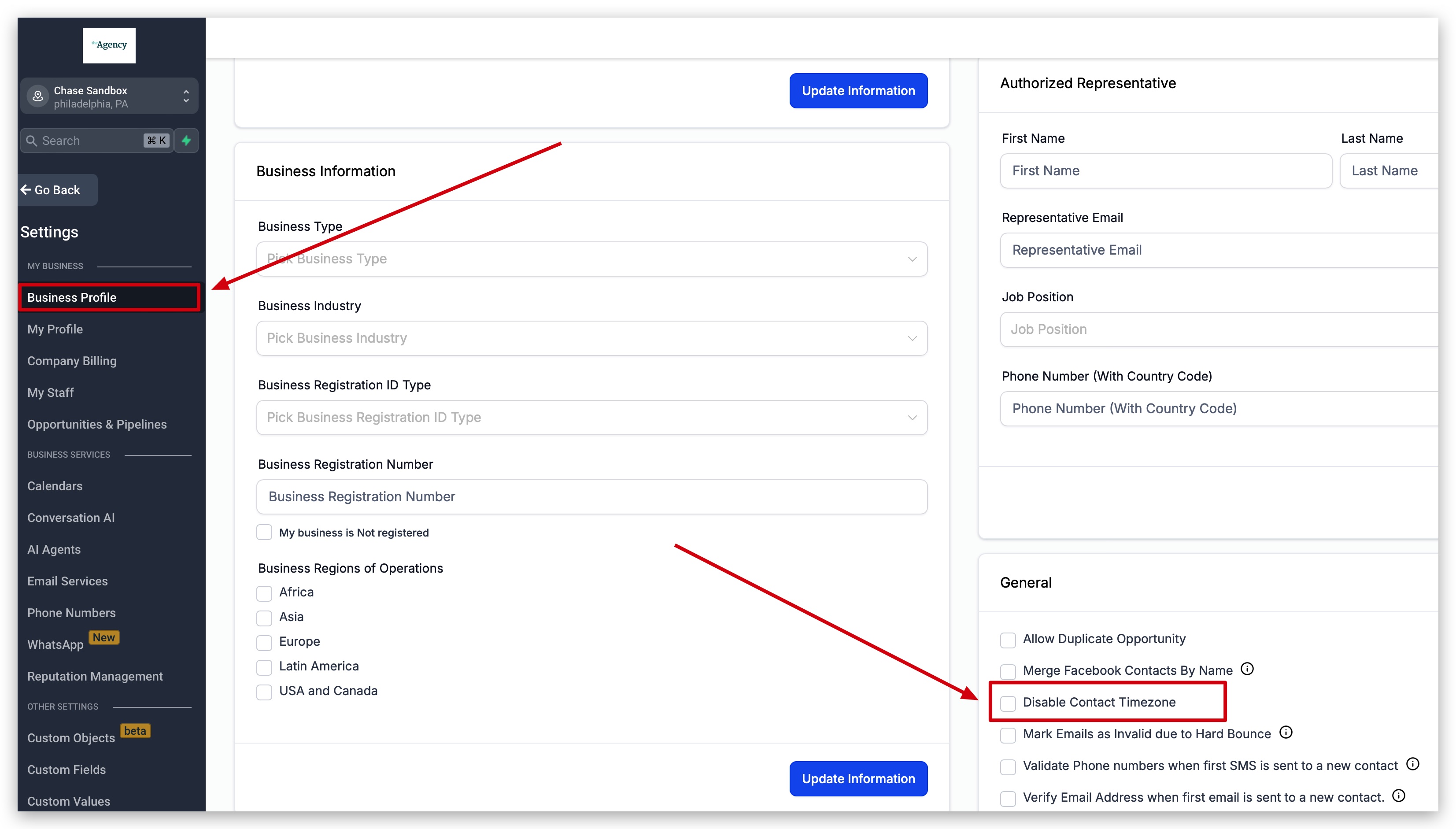
- Open Settings > Business Profile.
- Scroll down to the General section on the right side of the screen.
- Check the Disable Contact Timezone box.
Set business timezone (subaccount)
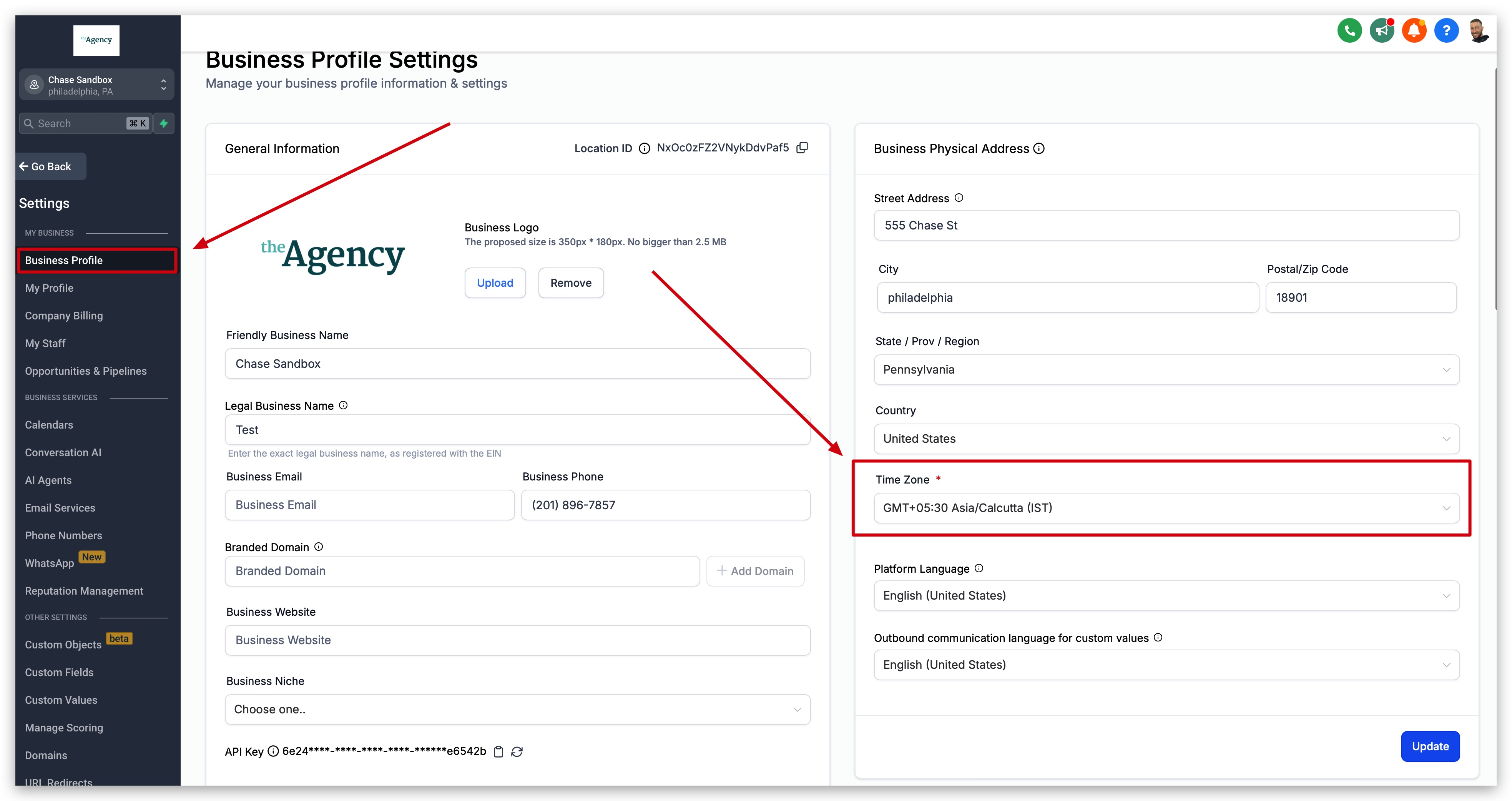
- Open Settings > Business Profile.
- Find the Time Zone field under the Business Physical Address options.
- Select the correct time zone for the subaccount.
05What it looks like in HighLevel
06Settings that matter
- Disable Contact Timezone. Controls whether contacts can choose a different time zone when booking an appointment.
- Time Zone. Defines the default time reference for all appointments in the subaccount.
07Things to know before you rely on it
- The contact timezone feature is enabled by default; disabling it removes the time zone dropdown from the calendar widget.
- The setting applies only to the selected subaccount and does not affect other subaccounts.
08How it connects to the rest of HighLevel
- Learn how to show multiple calendars without a group calendar. Multiple calendars
- Set up a group calendar to share availability across staff. Group calendar
- View pricing and plan options for HighLevel. Pricing
Michael's take

Disabling contact timezone is a straightforward way to lock all bookings to your set location time.
If you run a shop that only serves locals or you’re near a time zone border, you may want to skip this feature and keep the default setting.