
01Who this is for
- Founders who need a fast way to launch their first client booking calendar, because the assistant reduces manual configuration.
- Small business owners managing multiple staff members, since the wizard gathers team members and assignment logic in one flow.
02Calendar setup assistant, explained
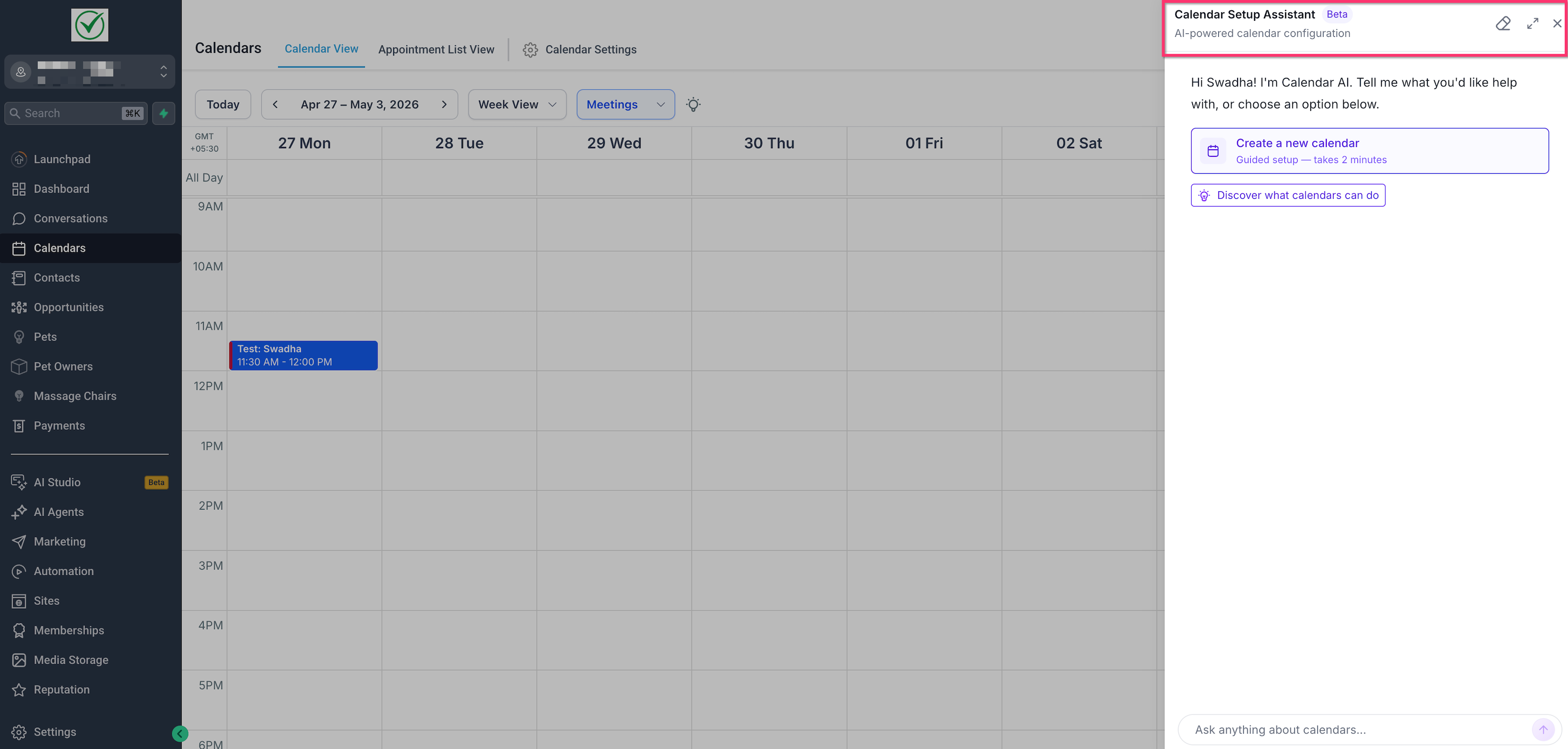
The assistant lives in the Calendars workspace and opens as a side panel for eligible accounts. You start a conversation by selecting a suggested use case or typing your own request. The AI then asks only the questions required for the chosen scenario, such as calendar purpose, name, team members, location, availability, duration and buffer settings.
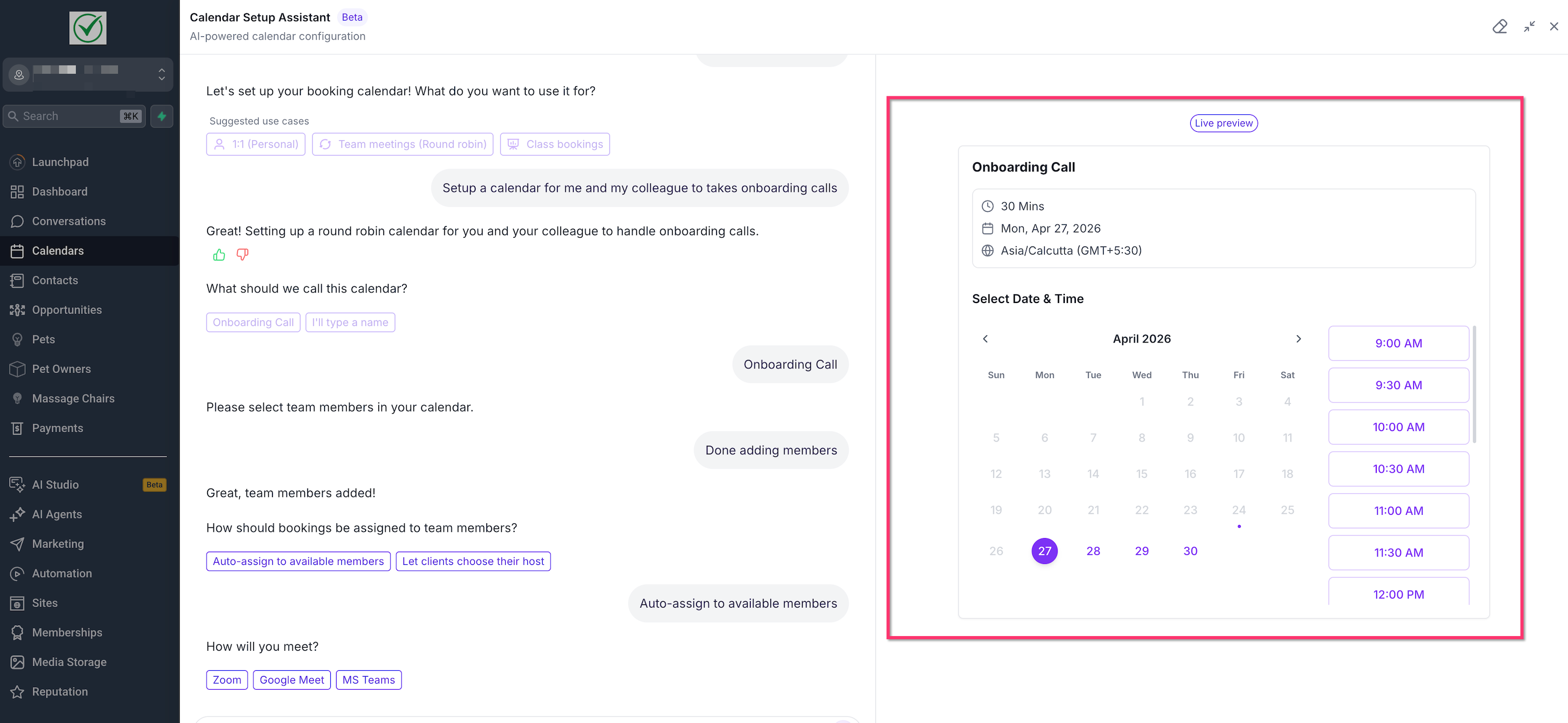
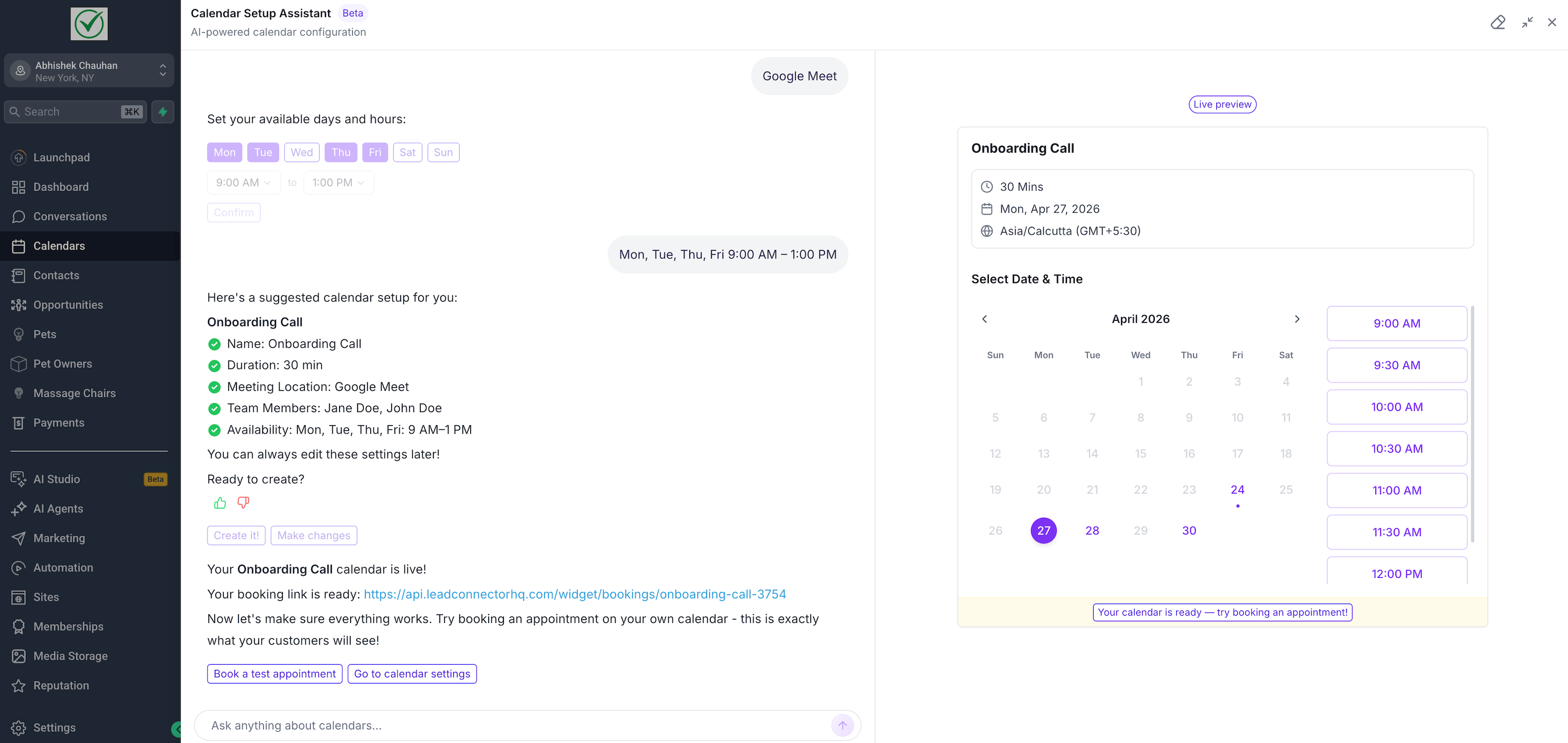
As you provide answers, a live preview shows how the booking page will appear to clients, including name, duration, timezone and available slots. When the assistant has enough information it summarizes the proposed setup. You confirm the summary, create the calendar, receive a booking link, and can immediately book a test appointment to verify the experience. After creation, the calendar appears in standard calendar settings where you can edit any detail.
03How businesses use calendar setup assistant
- Coaching practice. The coach selects a 1:1 appointment use case, adds themselves and any co coach as team members, chooses a virtual meeting location, sets availability, and lets the assistant generate the booking link. A test booking confirms the client view before sharing the link.
- Fitness studio. The studio selects a class booking option, inputs the class name, assigns multiple instructors, selects the studio address as the meeting location, and lets the assistant build the calendar. The preview shows the class schedule and the studio can test a booking to ensure slots appear correctly.
- Consulting firm. The firm types a request for onboarding calls, adds several consultants as team members, picks auto assign logic so calls go to the next available consultant, sets buffer times, and lets the assistant create the calendar. After creation the firm reviews the generated link and runs a test appointment to verify the flow.
04Before you start
- User must have access to the Calendars area in HighLevel.
- User must hold calendar permissions that allow creation or editing of calendars.
- Account must be eligible for Calendar Setup Assistant during the rollout.
05How to set up and use calendar setup assistant in HighLevel
Create a calendar with Calendar Setup Assistant
- Go to Calendars in HighLevel.
- Open the Calendar Setup Assistant panel.
- Click Create a new calendar.
- Choose a suggested use case or type a free form request.
- Answer the assistant’s setup questions.
- Add team members when prompted.
- Select the booking assignment logic if the option appears.
- Pick a meeting location.
- Set the available days and hours.
- Review the suggested calendar configuration summary.
- Click Create it to generate the calendar.
- Examine the generated booking link.
- Click Book a test appointment to verify the booking flow.
- Click Go to calendar settings for any further adjustments.
06What it looks like in HighLevel
07Settings that matter
- Calendar name. Defines the title shown on the booking page and in the calendar list.
- Appointment duration. Sets the length of each booking slot.
- Meeting location. Specifies where the appointment will take place, such as a virtual meeting link or physical address.
- Team members. Lists the staff who can be assigned to appointments.
- Availability. Controls the days and hours that the calendar shows as open for booking.
- Assignment logic. Determines how bookings are assigned to team members, either automatically or by client choice.
- Buffers. Adds time before or after appointments to prevent back to back scheduling.
- Date range. Limits the calendar to a specific start and end date.
- Notifications. Manages email or SMS alerts for new bookings and changes.
- Custom booking page settings. Allows further tweaks to the appearance and behavior of the booking page.
08Things to know before you rely on it
- Calendar Setup Assistant may only be visible to accounts that are eligible during the rollout phase.
- If the assistant does not appear, the user’s role may lack the required calendar permissions.
- The test booking option is only available when the feature is enabled for the created calendar.
09If something goes wrong
- Calendar Setup Assistant panel is not visible in Calendars. Verify that the account is eligible for the rollout and that the user has calendar creation permissions.
10How it connects to the rest of HighLevel
- Set weekly and date specific hours for your calendar Calendar availability
- Customize the look of the booking widget Widget customization
- Embed a calendar on your website with HTML code Embed calendar
Michael's take

I find the assistant helpful for small businesses that need a functional booking page without digging through many settings.
One mistake to avoid is skipping the test booking step, which can hide missing availability or broken meeting links.