
01Who this is for
- Founders who need a way to capture new work even when staff are unavailable, because the AI receptionist can take requests via chat.
- Service businesses that rely on local search, because Google organic booking lets prospects book straight from their Google listing.
02AI receptionists and Google organic bookings, explained
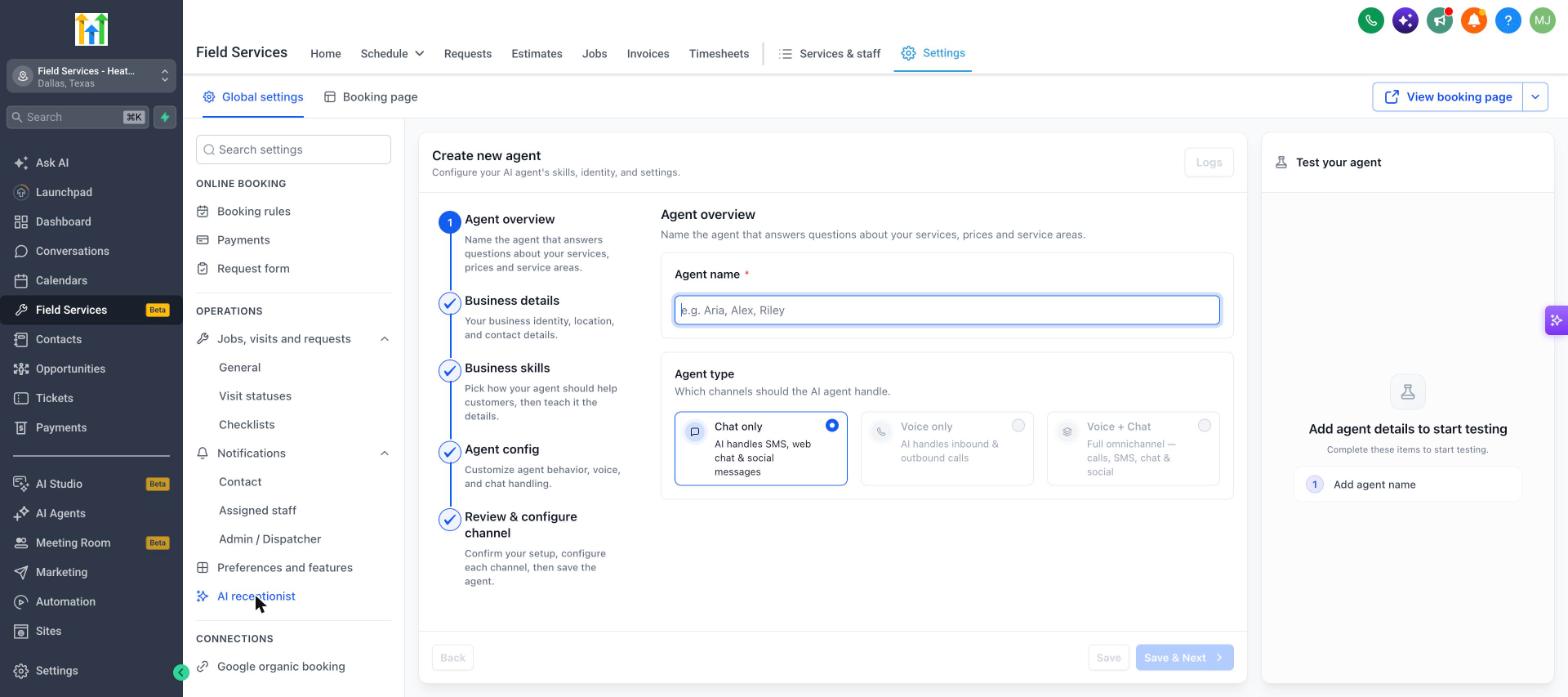
The AI receptionist works in chat channels such as SMS, web chat and social messages. It replies to inquiries about services, prices and service areas, and records request details for follow up. Voice capabilities are not yet available.
Google organic booking links your Field Services services to the Google Business Profile you manage. When a user books from Google, the appointment respects your service areas, selected services and staff availability.
Both features are accessed through Field Services > Field Services Settings > Global settings and are currently offered in a private beta to eligible accounts.
03How businesses use AI receptionist and Google organic booking
- Plumbing company. The plumber creates an AI receptionist to answer common pricing questions and collect service requests via SMS while crews are on a job. They also connect Google organic booking so homeowners can schedule repairs directly from the plumber’s Google listing.
- Home cleaning service. The cleaning business configures the AI receptionist to explain service packages and capture new bookings through web chat. Enabling Google organic booking adds the cleaning options to the business’s Google profile, allowing customers to book a cleaning slot without visiting the website.
- Landscaping firm. The landscaper sets up the AI receptionist to provide area coverage details and price estimates in chat. By linking Google organic booking, potential clients browsing Google can choose a landscaping service and book an appointment that fits the firm’s staff calendar.
04Before you start
- Field Services must be enabled for the account as part of the private beta.
- A Google Business Profile that you own or manage is required before connecting Google organic booking.
05How to set up and use AI receptionist and Google organic booking in HighLevel
Create AI receptionist
- Navigate to Field Services > Field Services Settings > Global settings.
- Under Operations, click AI receptionist.
- Follow the five steps in the Create new agent wizard (Agent overview, Business details, Business skills, Agent config, Review & configure channel).
- Use the Test your agent panel to try the agent before turning it on.
- Click Logs to review past conversations.
- Click Save & Next to finish the setup.
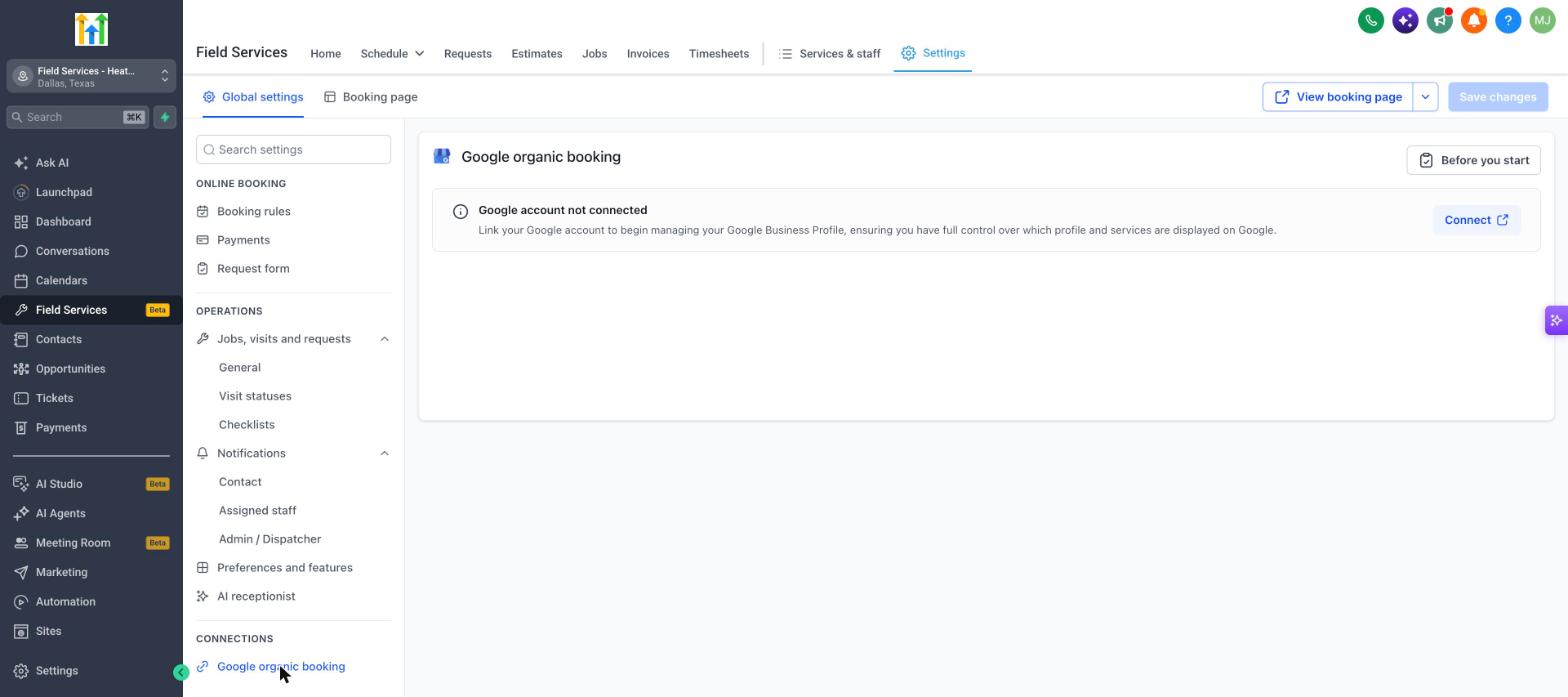
Connect Google organic booking
- Navigate to Field Services > Field Services Settings > Global settings.
- Under Connections, click Google organic booking.
- Click Before you start to review required items.
- Click Connect and sign in with the Google account that manages your Google Business Profile.
- Select the profile and the services you want to display on Google.
- Note: Until you connect, the page shows Google account not connected.
06What it looks like in HighLevel
07Settings that matter
- AI receptionist. Controls the chat only AI agent that answers customer questions and records service requests.
- Google organic booking. Enables customers to book appointments directly from the linked Google Business Profile.
08Things to know before you rely on it
- The AI receptionist is limited to chat channels; voice and combined voice plus chat agents are not yet available.
- Field Services and both connections are in a private beta and only accessible to selected accounts.
09How it connects to the rest of HighLevel
- Enable Field Services beta and set up mobile access Field Services beta
- Overview of the Field Services Home page Field Services home
- HighLevel pricing and plans Pricing
Michael's take

Great for field service teams that need 24/7 chat capture.
Skip it if you don’t have a Google Business Profile or aren’t in the Field Services beta.