
01Who this is for
- Agency owners and admins can list templates to monetize expertise and control which subaccounts can see them.
- Subaccount users can install templates to launch chat or voice agents without recreating supporting assets.
- Developers building AI agents can package their work for sale and reach the HighLevel community.
02AI agent marketplace templates, explained
The Marketplace hosts bundles that combine an AI agent with the assets it needs, such as workflows, calendars, custom fields, custom values and optionally a knowledge base. When a template is installed, HighLevel creates those assets in the target subaccount so the agent works immediately.
Templates appear in the AI agents section under Conversation AI or Voice AI. Users can preview a Conversation AI bot in an embedded chat widget before installing. After installation, assets can be edited, duplicated or removed, and Voice AI agents can be disabled by removing their phone number.
03How businesses use AI agent marketplace templates
- Dental practice. A dental office installs a Conversation AI template that includes scheduling workflows and custom fields for patient details. After installation the practice updates the greeting and ties the workflow to its existing calendar.
- Real estate agency. The agency adds a Voice AI template that routes inbound calls to agents. It activates the bot by assigning a phone number, then later disables it by removing the number while keeping the configuration.
- SaaS startup. A startup purchases a support ticket AI template that bundles a chatbot, custom fields for issue type and a workflow that creates tickets. The team customizes the fields to match its product terminology.
04The numbers and rules that matter
- Comprehensive packaging: May include workflows, calendars, and Custom Fields/values.
- On the Publish screen, set Knowledge Base to Include to bundle it, or Exclude to publish without a Knowledge Base.
05Before you start
- You must be logged in as an Agency Owner or Admin to publish a template.
- A Conversation AI or Voice AI agent must exist before you can list it as a template.
- You need subaccount access to install a template from the Marketplace.
06How to set up and use AI agent marketplace templates in HighLevel
Publish a template (creator)
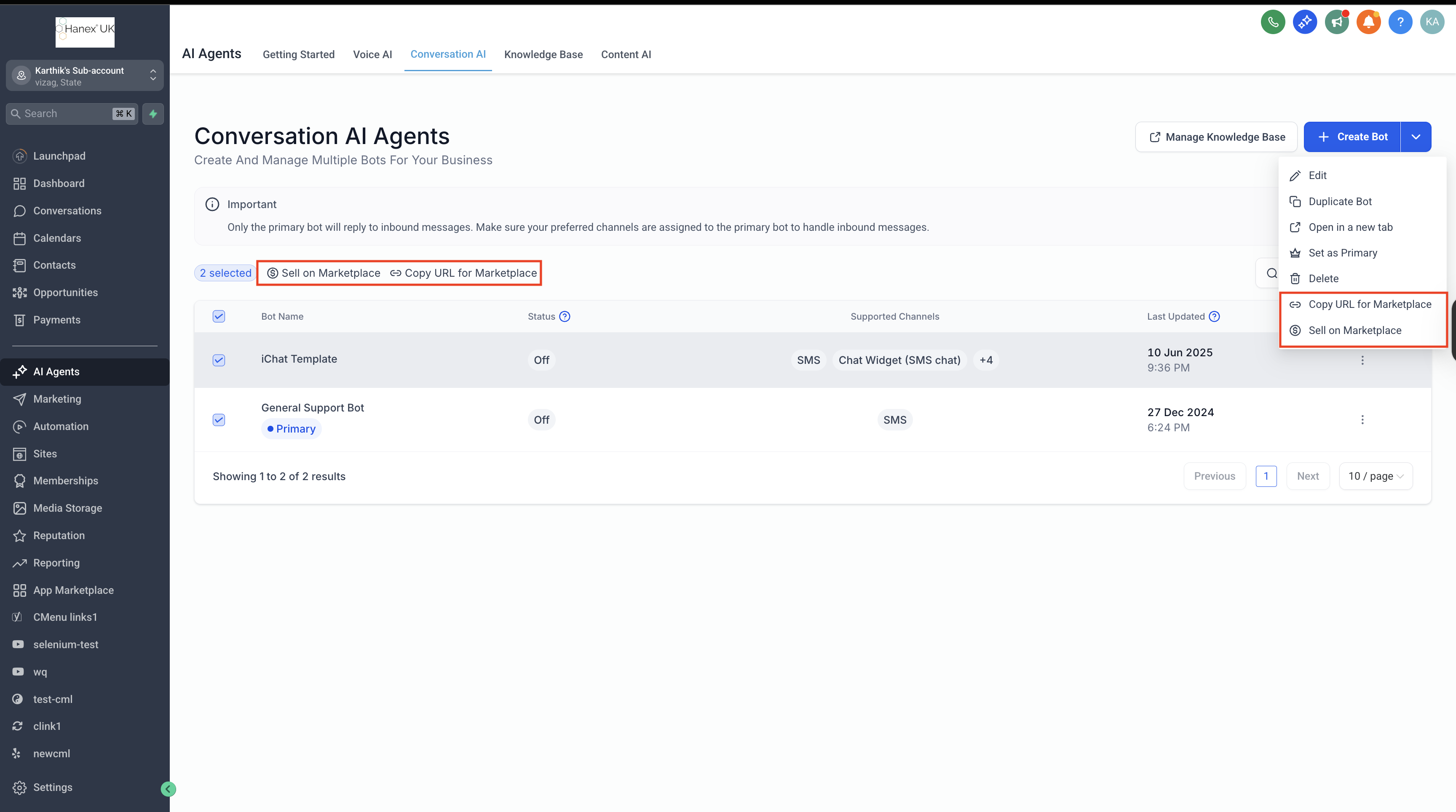
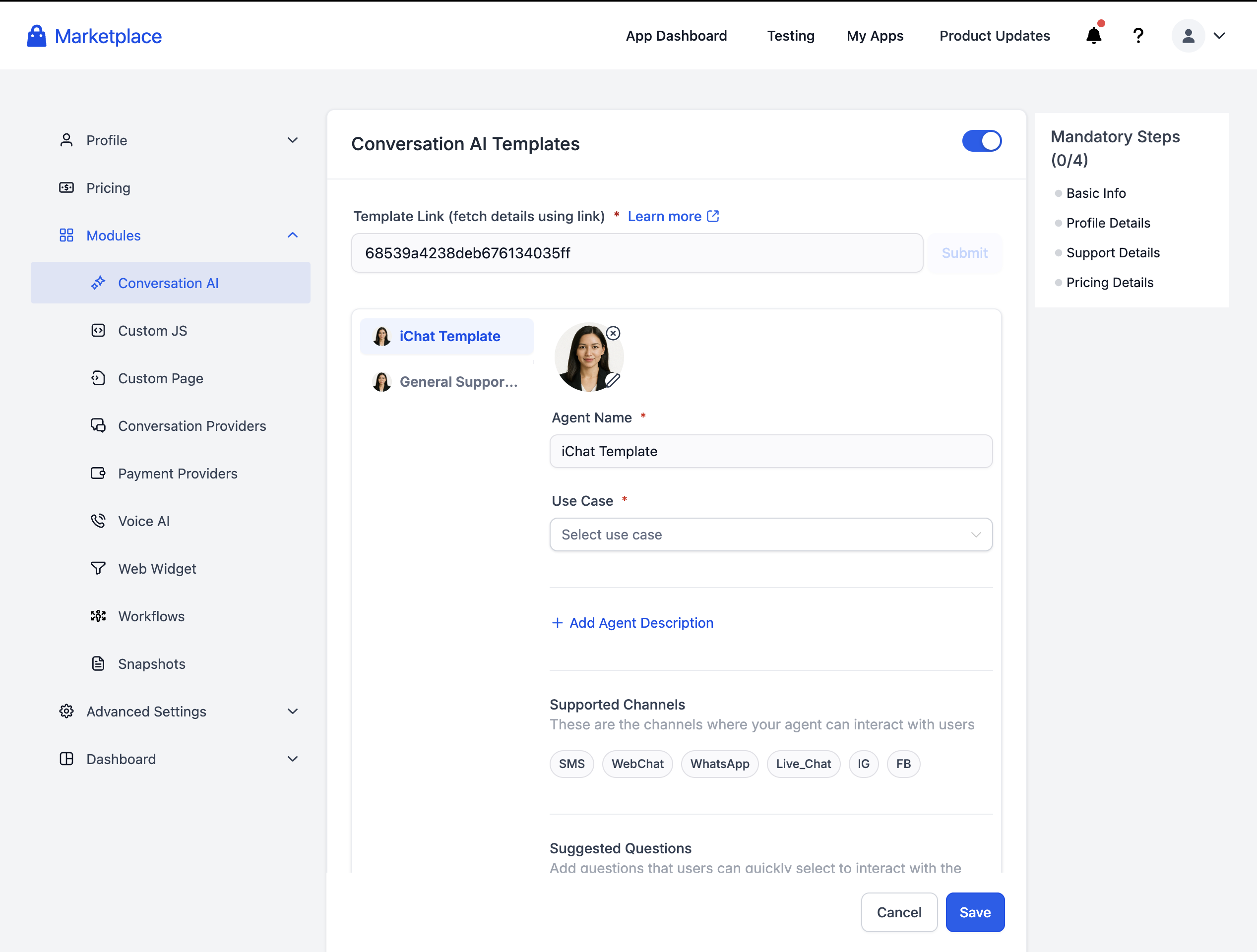
- In Conversation AI or Voice AI select the agent and click Sell Template on Marketplace.
- Follow the deep link to the Developer Portal and sign in or sign up.
- Fill any remaining listing fields and submit the template for review.
- Wait for approval; once approved the template becomes discoverable according to its visibility settings.
Discover and install a template (buyer)
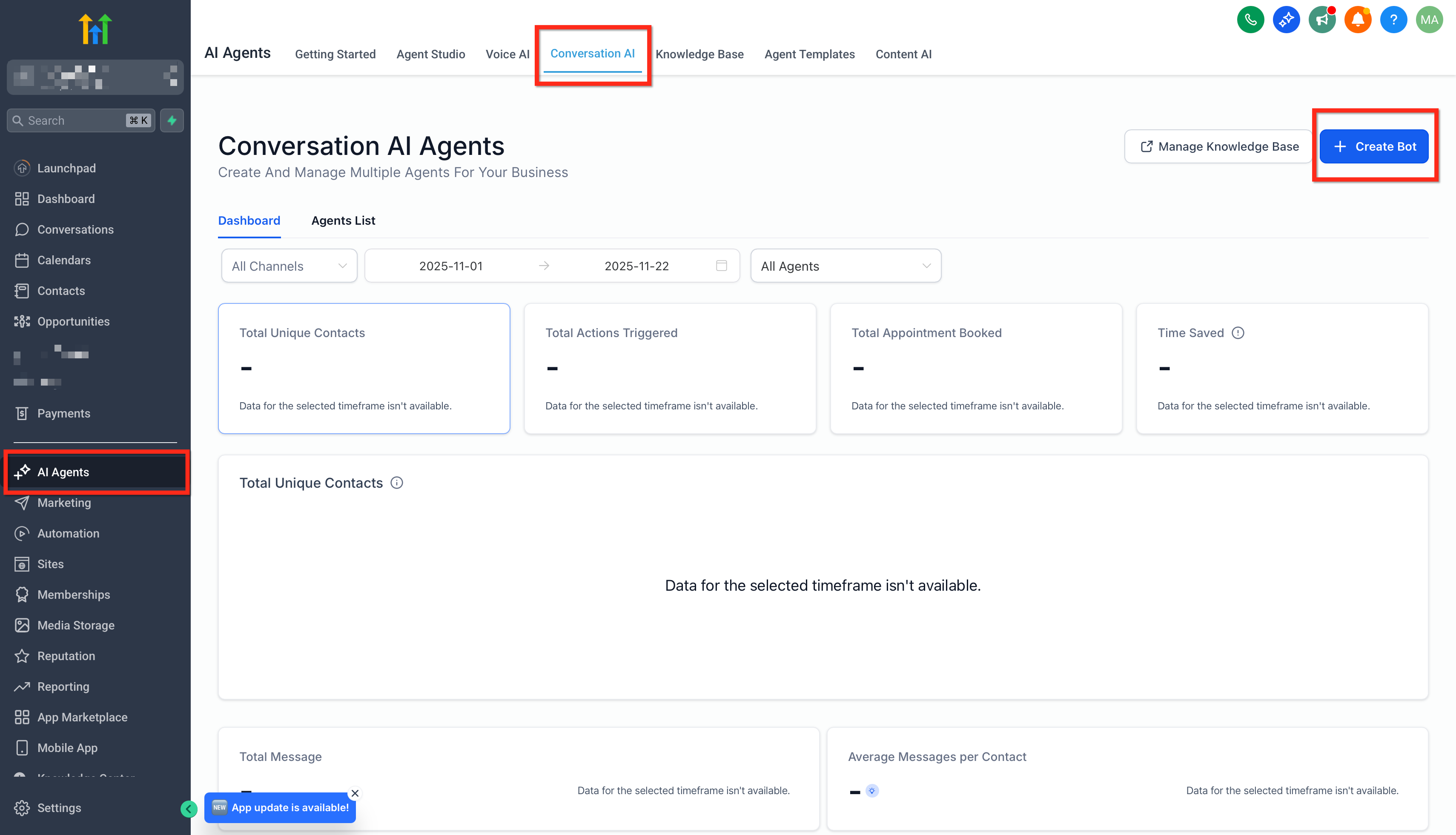
- In your subaccount go to AI agents > Conversation AI or Voice AI and click Create Bot/Agent.
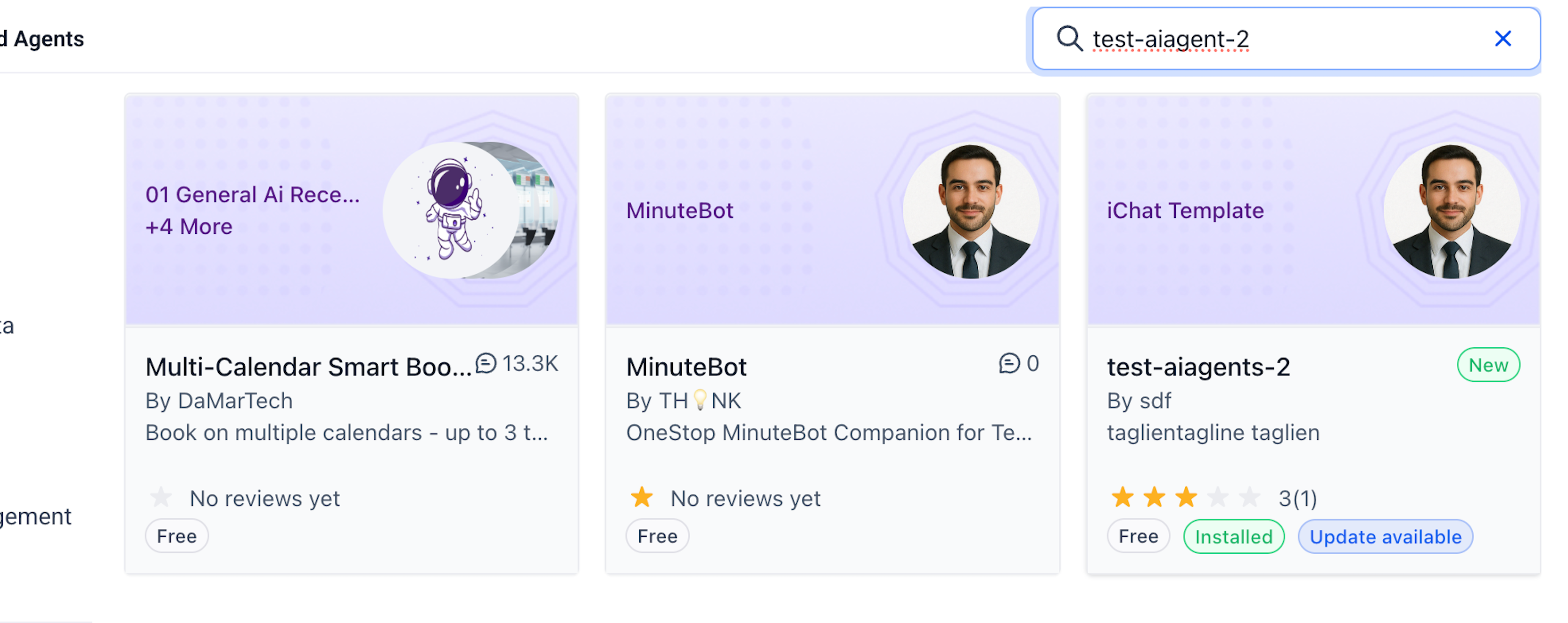
- Choose Prompt Based Bot > Marketplace Templates and browse the catalog.
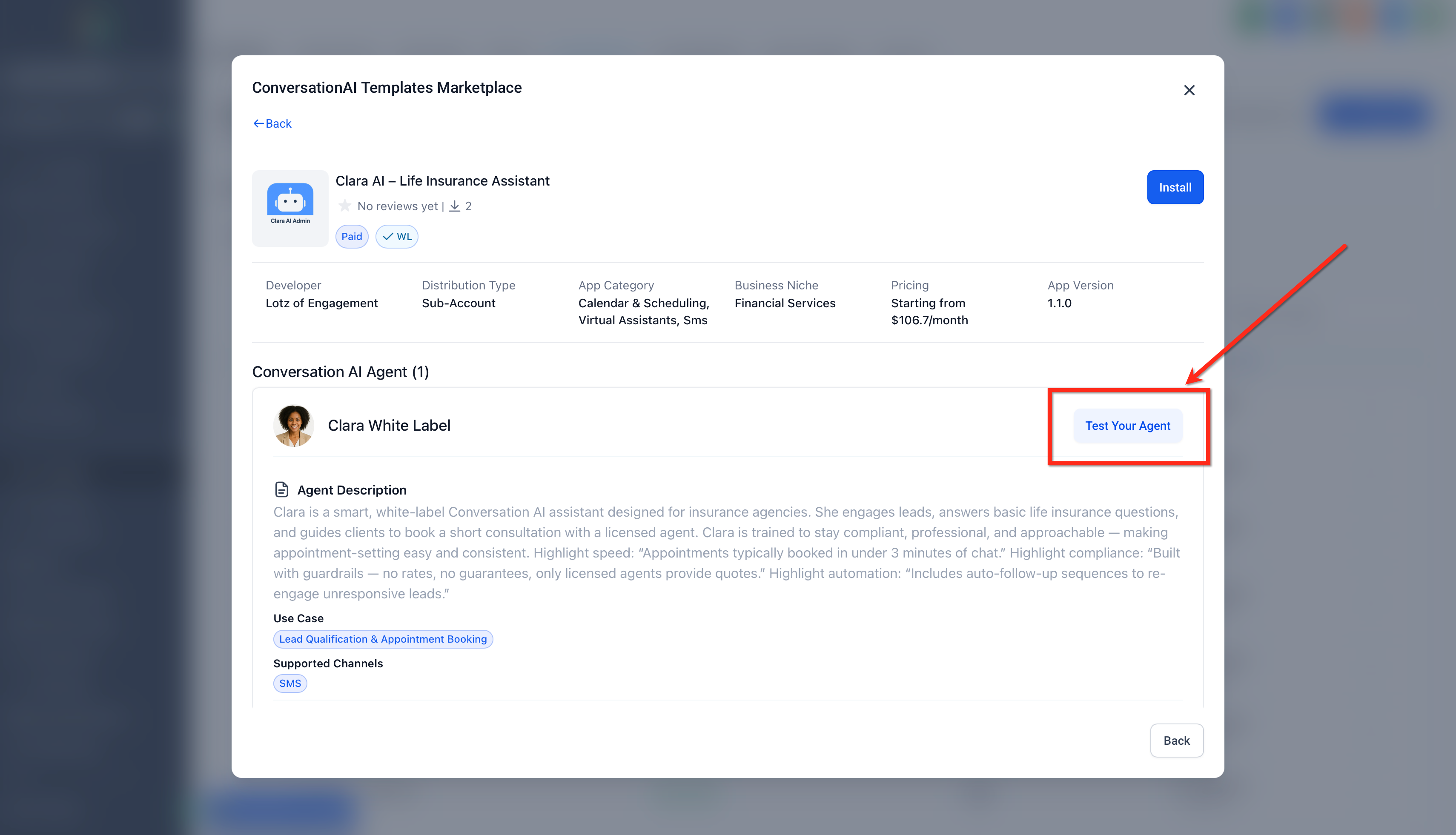
- Open a card to review its avatar, use case, description, install count and rating.
- For Conversation AI, test the bot using the embedded chat preview.
- Click Install and follow the prompts to confirm the packaged assets and finish installation.
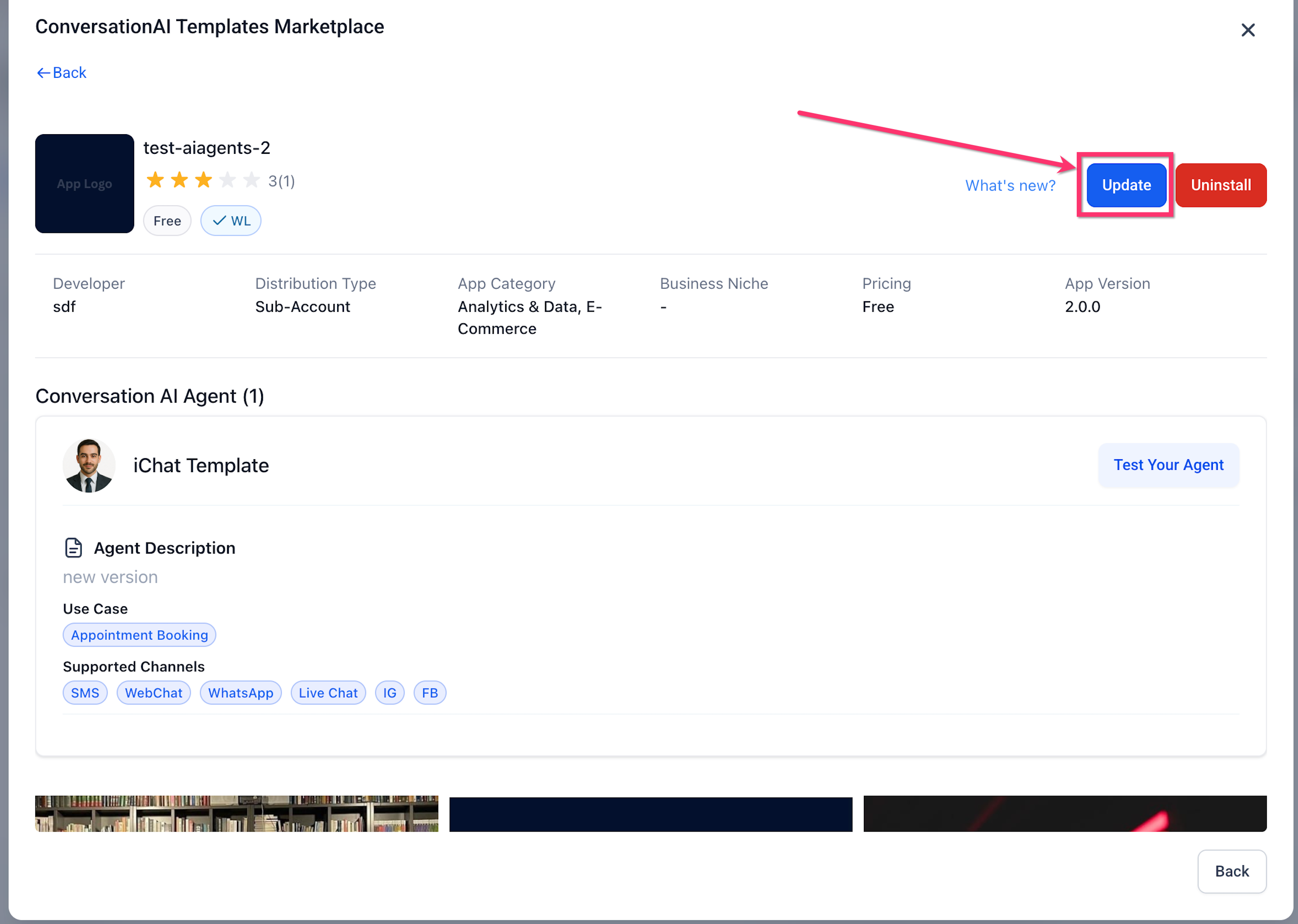
Update an installed template
- Open the installed app in the Marketplace.
- Review the available update information.
- Click Update when ready to apply the newer version.
07What it looks like in HighLevel
08Settings that matter
- Knowledge Base. Controls whether the template includes the associated knowledge base when published. Selecting Include bundles the knowledge base with the agent; Exclude publishes the agent without it.
09Things to know before you rely on it
- Voice AI agents do not yet have a pre install chat preview; only Conversation AI offers an embedded preview.
- Updates appear only when the developer releases a newer version of the app that contains the template.
- Templates should use conflict free names for assets; renaming key identifiers after install can break workflow references.
10How it connects to the rest of HighLevel
- Explore all app marketplace features All App marketplace features
- Set up and test workflow actions for marketplace apps Marketplace workflow actions
- Review HighLevel pricing and plans HighLevel pricing
Michael's take

Michael ReimerFounder of CRM Pros, HighLevel Commander and Certified Admin
I find that using the marketplace templates can simplify deploying AI Agents across multiple client accounts.
Read the full details on HighLevel →Published November 2, 2026 · Updated November 16, 2026