
01Who this is for
- Founders who need consistent brand voice across AI generated content, because saved tones reduce repeated prompts.
- Marketing agencies that manage multiple client profiles, as memories keep client specific details ready for each conversation.
02Ask AI memories, explained
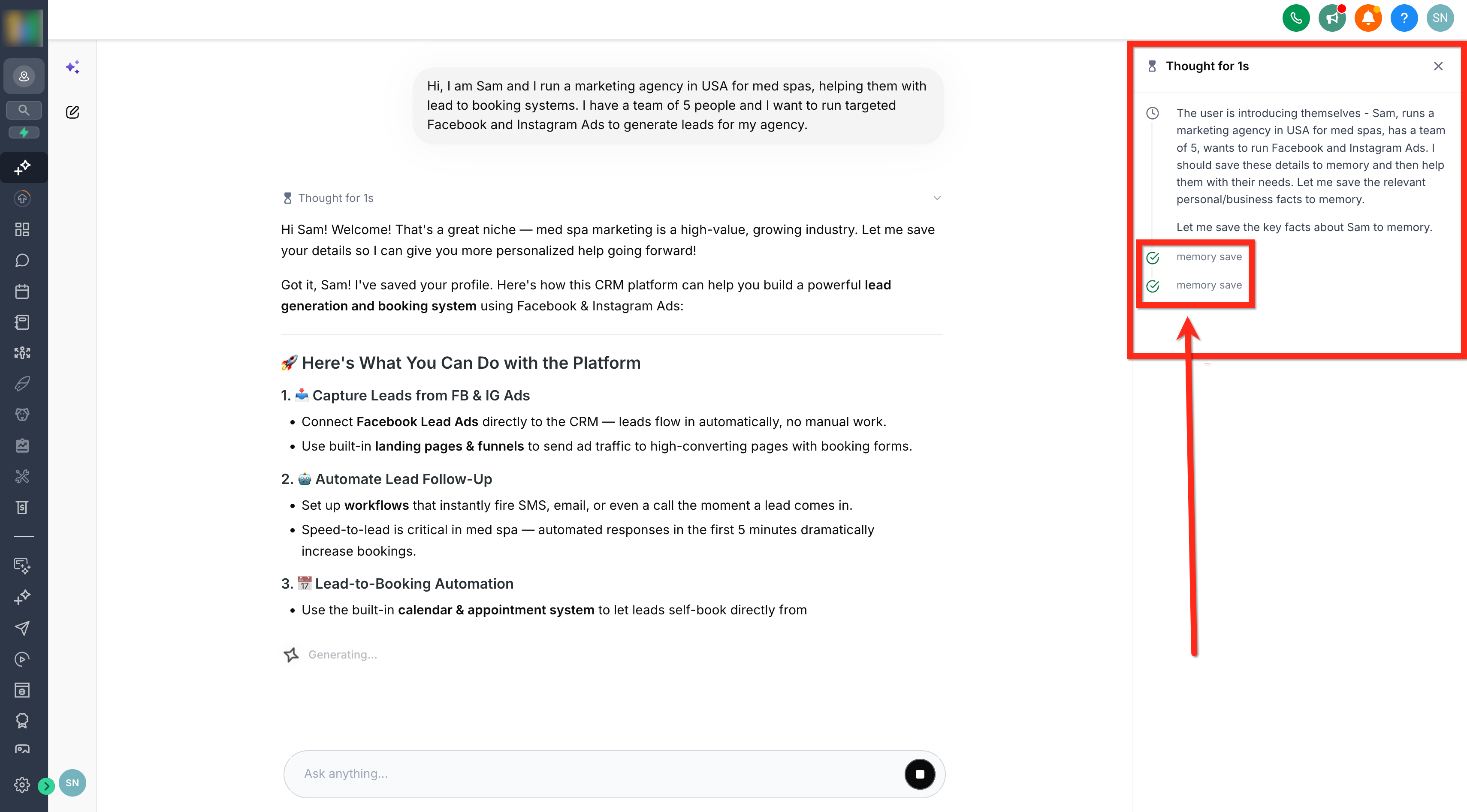
Ask AI Memory captures reusable facts from your interactions with the Ask AI assistant. After a user message, the system can identify a meaningful piece of information, like a role, location, or preferred formatting, and store it as a memory. The memory remains attached to your user profile and may include optional company or location tags.
When you start a new Ask AI chat, the platform pulls the most recent stored memories and adds them to the request automatically. The assistant then uses that context to shape its response, without announcing that a memory was used. Memories are separate from chat history, smart session memory, feedback, or AI actions.
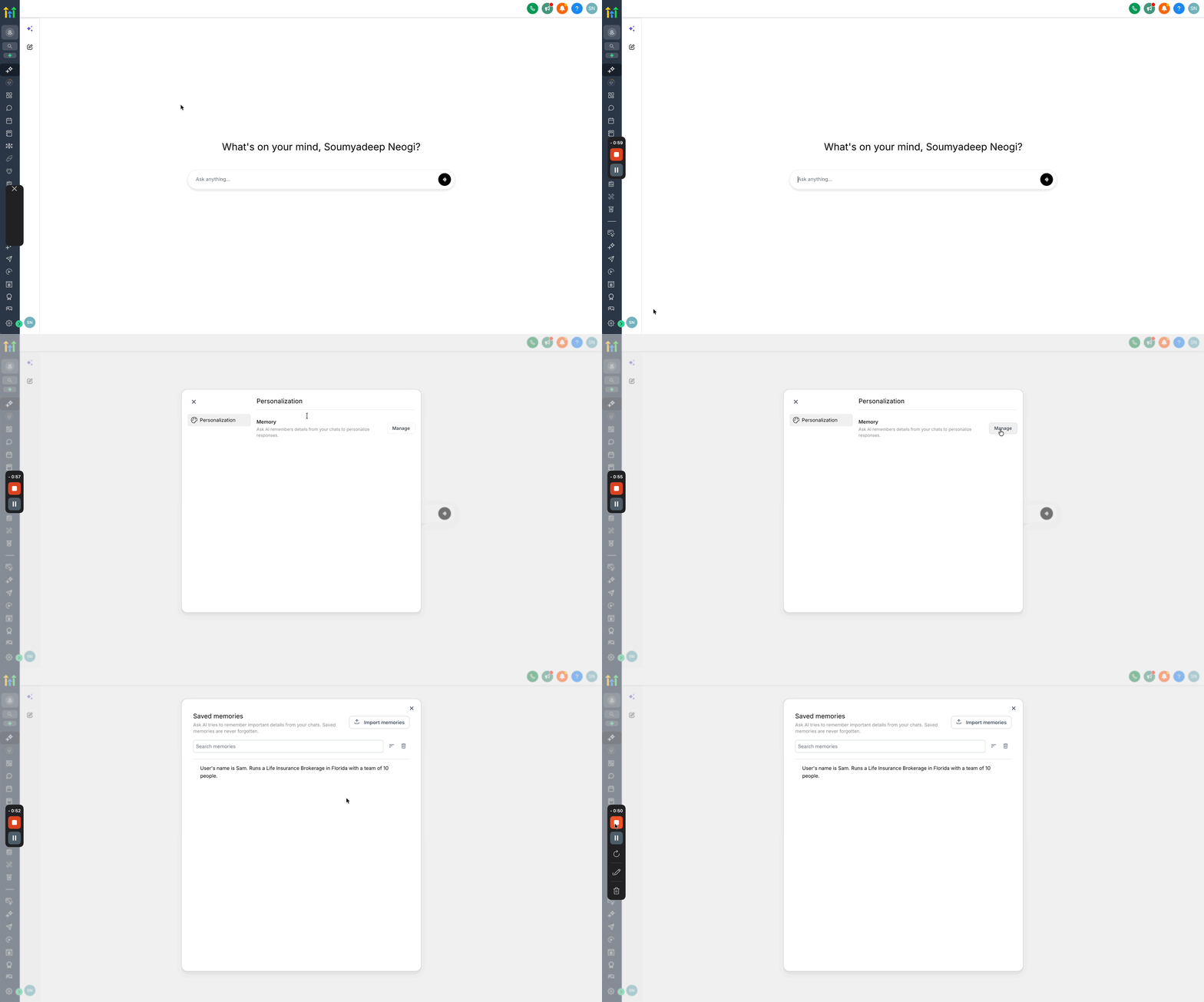
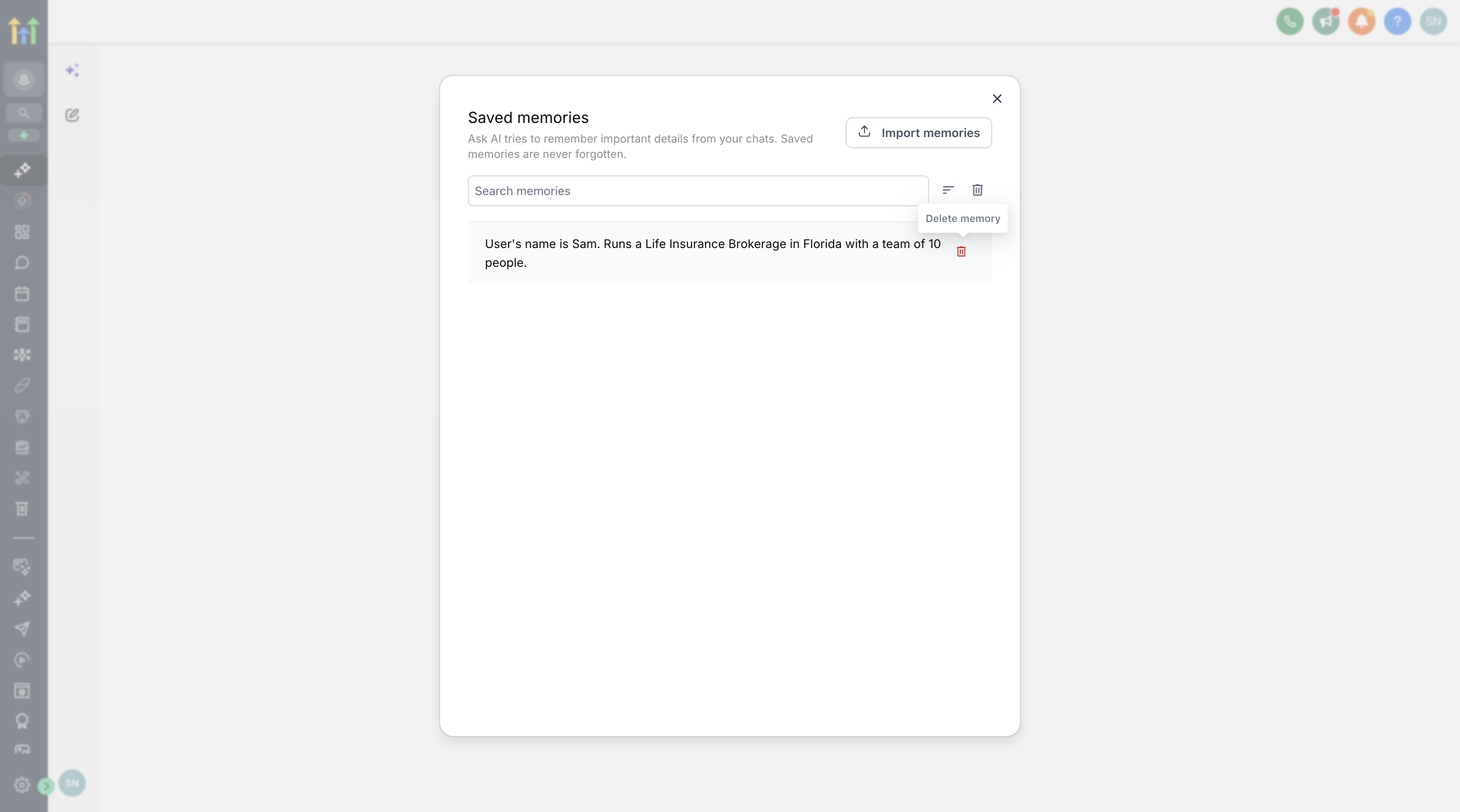
You find the memory controls inside the Ask AI interface under Account > Personalization > Memory > Manage. From there you can view, delete, or import memories, giving you full control over the saved context.
03How businesses use Ask AI Memory
- Consulting firm. The firm saves its primary service offerings and preferred report format as a memory. When a consultant asks Ask AI to draft a proposal, the assistant automatically applies the saved service list and formatting rules, eliminating the need to repeat those details each time.
- Ecommerce store. The store records its shipping policy and brand tone in memory. When Ask AI generates product descriptions or email copy, it uses the stored policies to keep language consistent with the brand without re entering the policy each session.
- SaaS startup. The startup imports a set of feature explanations from a previous AI provider. After importing, Ask AI can reference those explanations when answering support tickets, ensuring the same technical details are used across all conversations.
04The numbers and rules that matter
- Memory V1 uses the 20 most recent memories in AI requests.
- Users can import up to 100 memories at once.
05How to set up and use Ask AI Memory in HighLevel
Set up Ask AI Memory
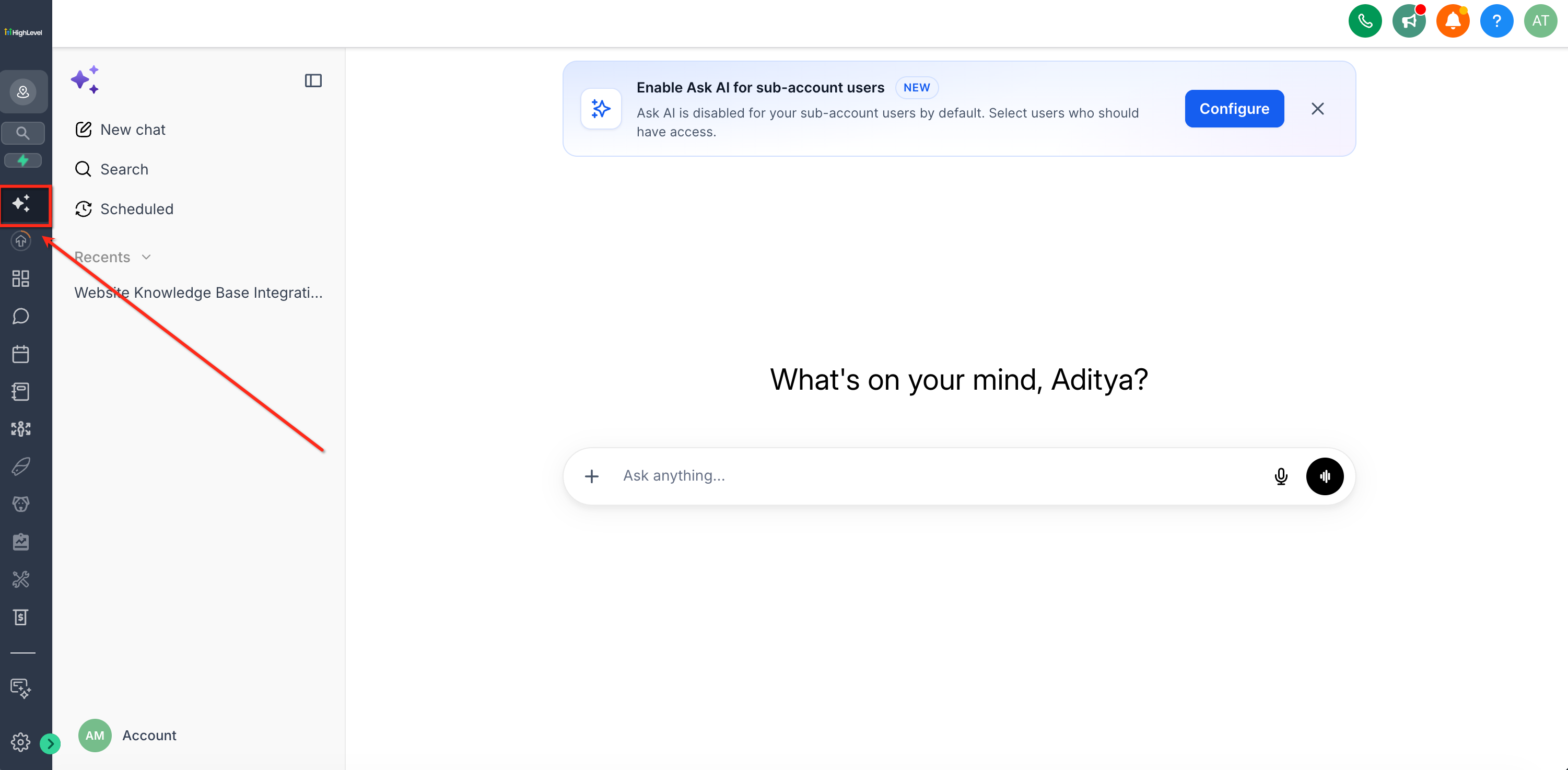
- Open Ask AI in HighLevel.
- In the menu, choose Account then Personalization.
- Pick Memory and then Manage.
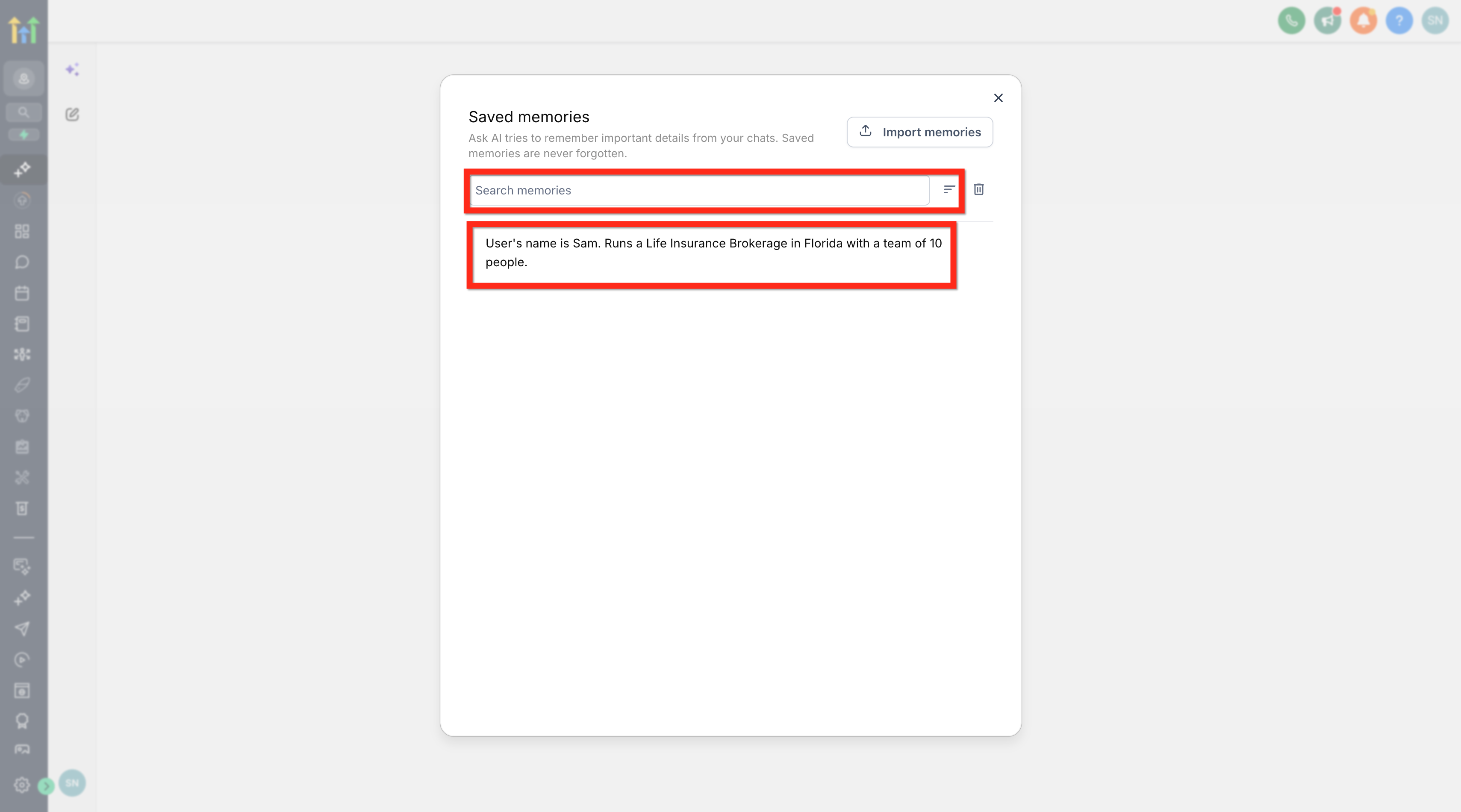
- Search the list or scroll through saved memories.
- Delete any memory that is outdated or no longer needed.
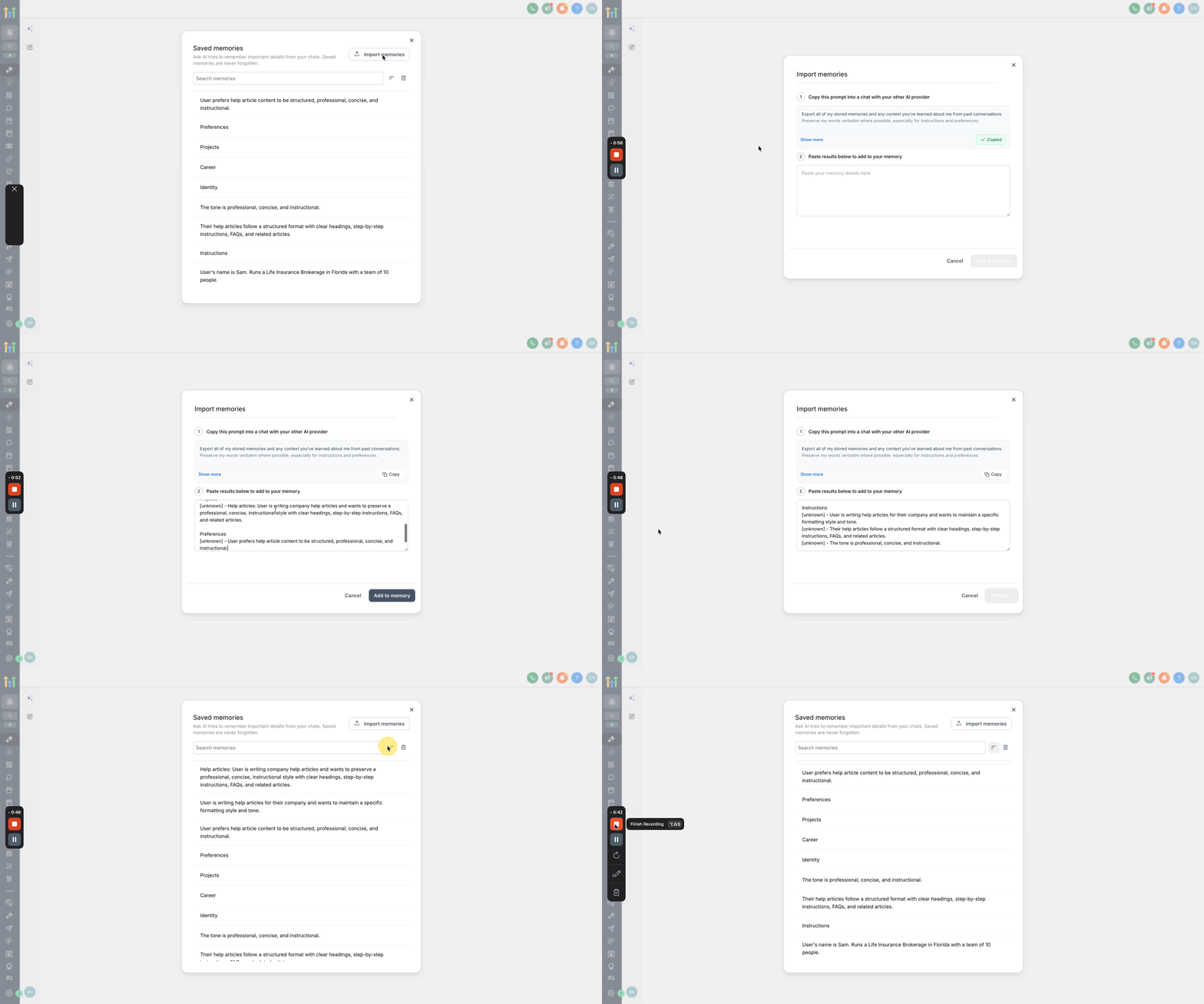
- To bring in external memories, click Import memories.
- Copy the generated prompt and paste it into the other AI provider.
- Take the returned memory details and place them in the import field.
- Press Add to memory to finish.
06What it looks like in HighLevel
07Settings that matter
- Memory. Defines where saved reusable context is stored and managed for the current user.
- Import memories. Enables uploading memory entries from supported external AI providers.
08Things to know before you rely on it
- Memory V1 includes the 20 most recent memories in each Ask AI request.
- You can import up to 100 memories at once.
- Ask AI does not store every message; it saves only one meaningful fact per user message.
09How it connects to the rest of HighLevel
- Generate a contact summary using Ask AI Contact summary guide
- Create and attach a Knowledge Base with Ask AI Knowledge Base guide
- Ask AI sessions: pricing details Pricing guide
Michael's take

When the same business details, tone or workflow instructions keep popping up in every Ask AI chat, the memory feature can be helpful. It lets you set those points once and get answers that match your context without retyping.
If you only need occasional, one off help or you’re dealing with highly sensitive data that shouldn’t be reused, the feature can add little value. In those cases you might prefer to type the context each time rather than maintain a stored memory.