
01Who this is for
- Marketing managers who maintain service or pricing pages can train the bot on those exact pages, improving answer relevance.
- Support teams with FAQ or help center articles benefit from automatically syncing their documentation into the Knowledge Base.
- Small business owners with blogs or policy pages can quickly expand the bot’s knowledge without manual copy pasting.
02Web URLs and Links, explained
Web URLs and Links is a feature that imports web page content into a Knowledge Base for Conversation AI. After you provide a URL, HighLevel crawls the page (or a group of pages) and stores the text as source material. The bot then references this material when responding to customers.
The feature lives under the Bot Training section of the platform. You can choose between three crawling modes, Exact URL, All URLs in this Domain, and All URLs with this Path, to control how many pages are fetched. Once the crawl finishes, you select the URLs you want to train, start the training process, and watch the URLs appear in the Uploaded Links Table with a status that indicates success or failure.
03How businesses use web URLs and Links
- SaaS startup. The team enters the pricing page URL using Exact URL mode, trains that single page, and ensures the bot can quote current subscription costs. They refresh the link when pricing changes.
- Dental practice. The practice selects All URLs in this Domain to pull service descriptions, insurance information, and policy pages. After reviewing the fetched list, they train the relevant pages so the bot can answer appointment and payment questions.
- Ecommerce retailer. The retailer uses All URLs with this Path for the /blog section. They train the set of blog articles that explain product usage, allowing the bot to provide helpful tips drawn from those posts.
04The numbers and rules that matter
- Train up to 4,000 web URLs in a single Knowledge Base.
- Supported crawling modes: Exact URL, All URLs in this Domain, All URLs with this Path.
05How to set up and use web URLs and Links in HighLevel
Set up web URLs and links
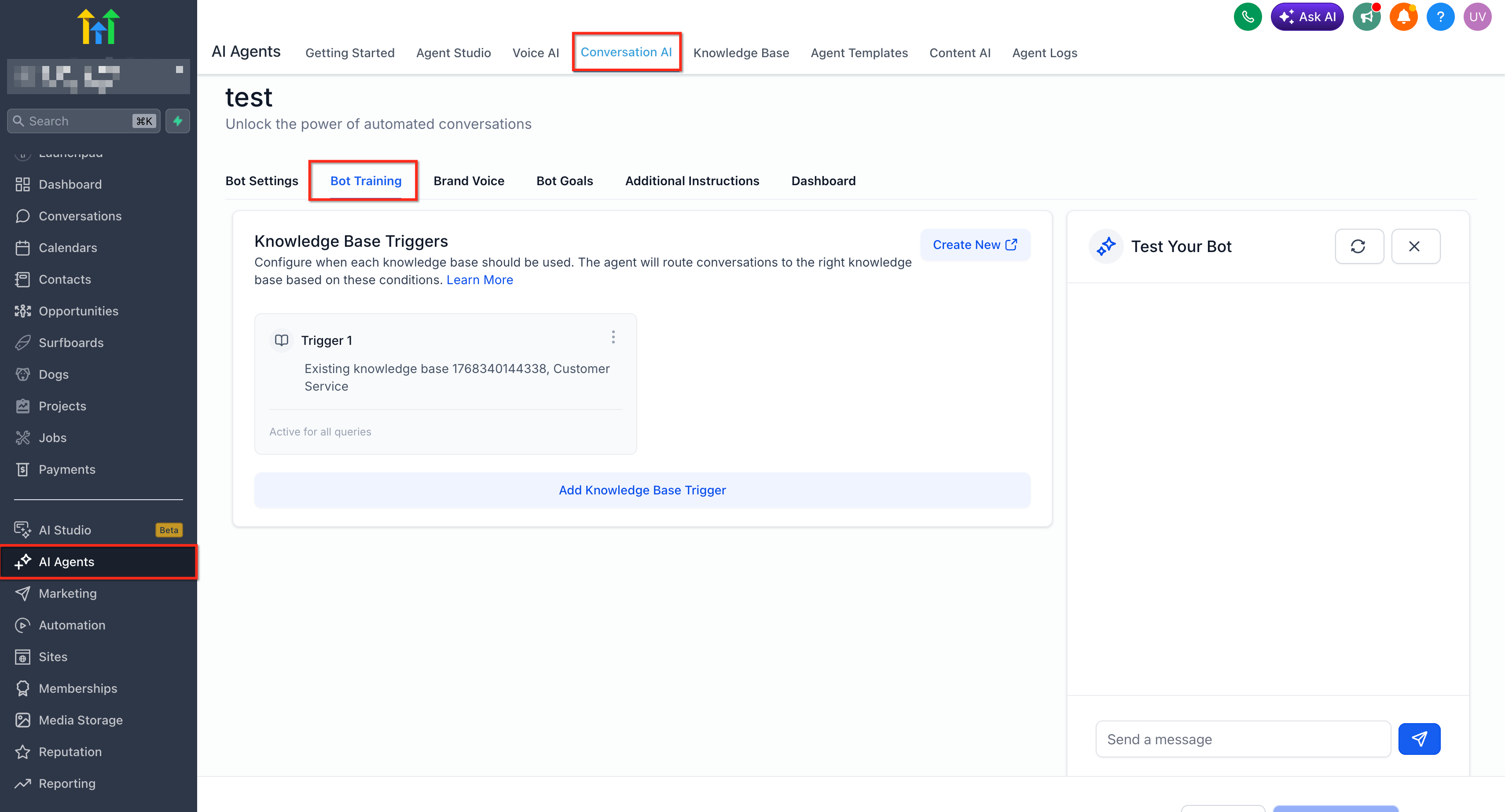
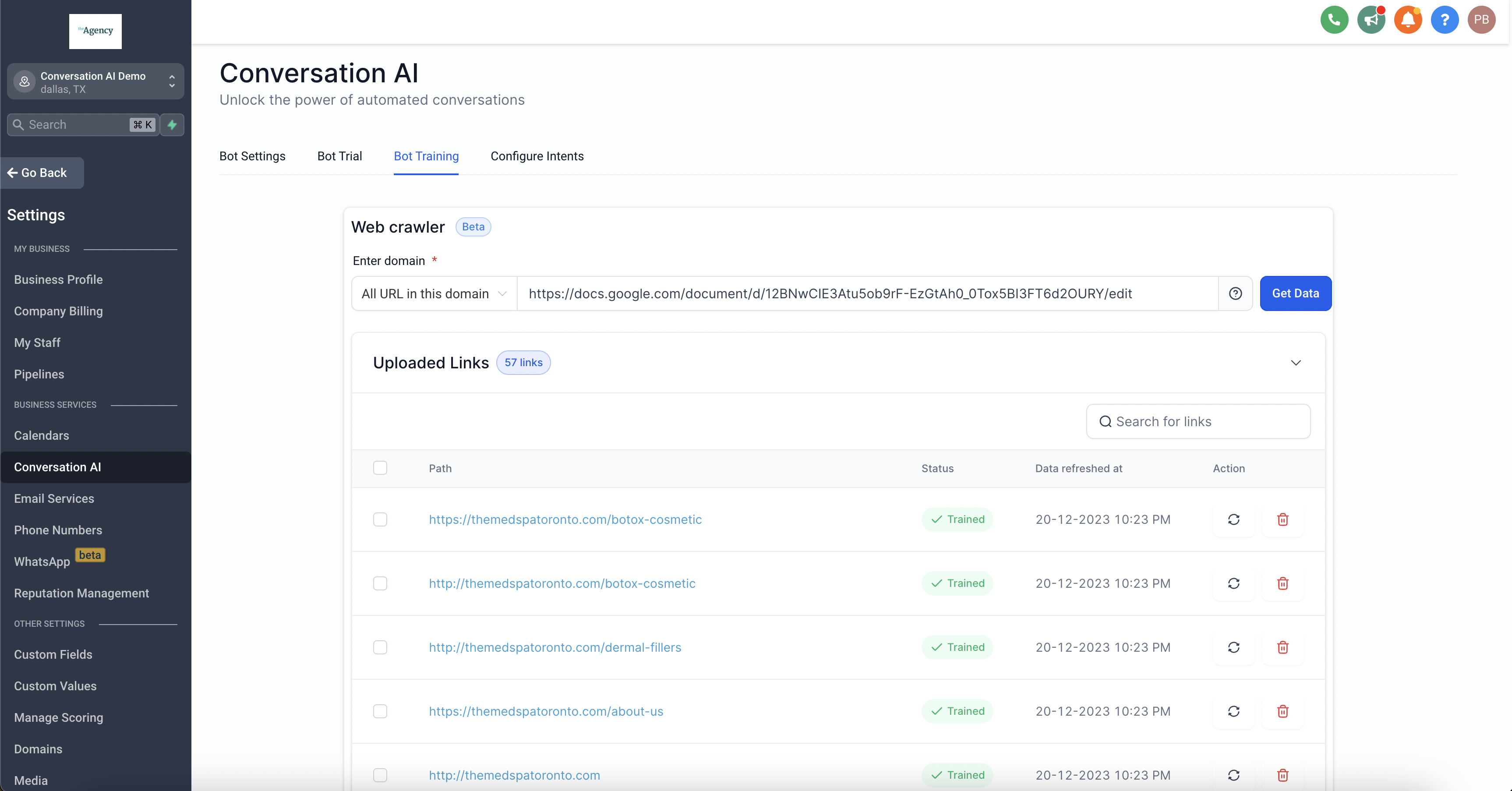
- Open the Bot Training area in HighLevel.
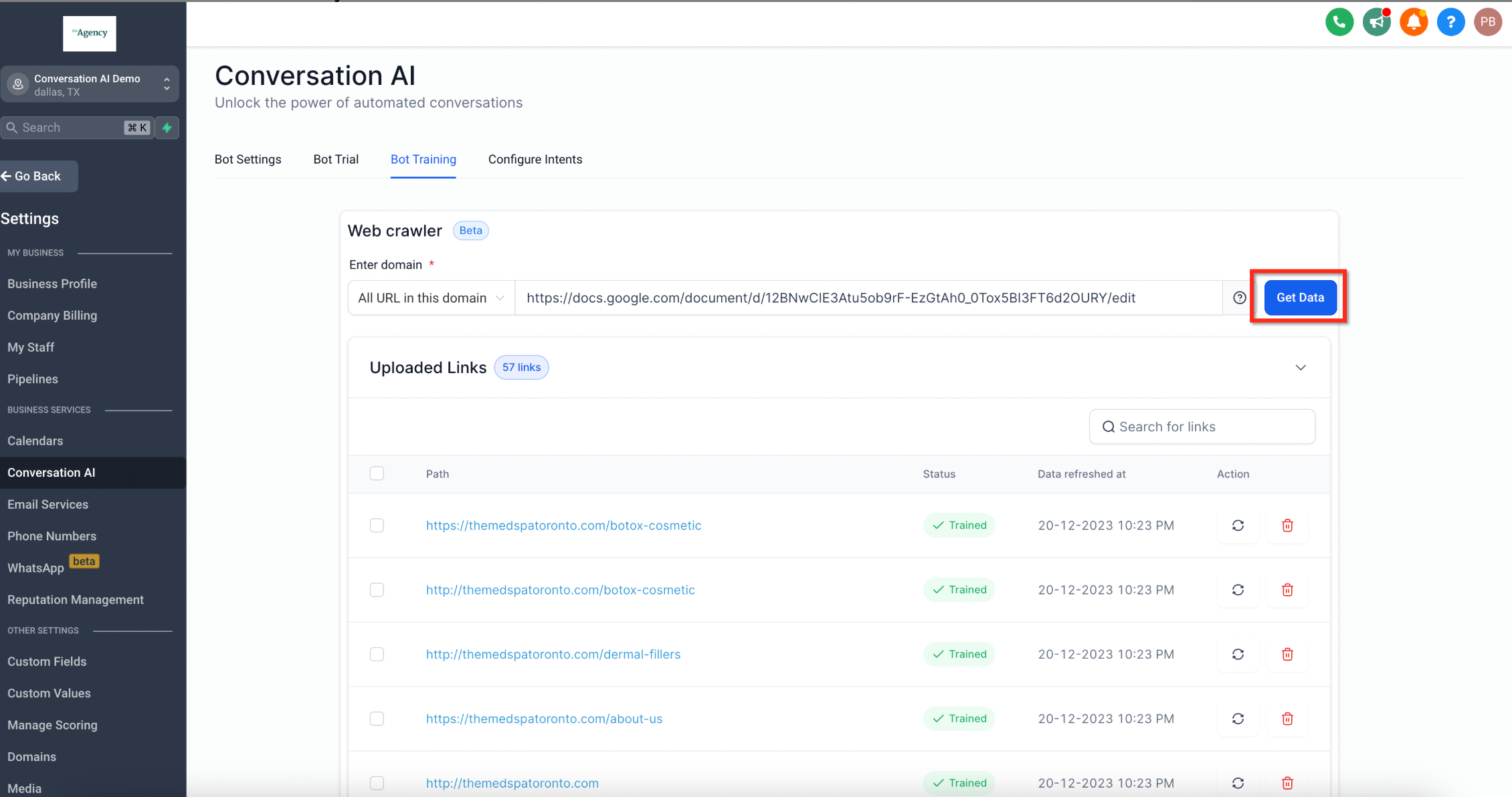
- Input the complete web address, beginning with https://.
- Pick a crawling mode: Exact URL, All URLs in this Domain, or All URLs with this Path.
- Press the Get Data button.
- Allow HighLevel time to retrieve and scan the pages.
- Examine the list of URLs that were retrieved.
- Mark the URLs you want to use for training.
- Press the Train Bot button.
- Wait for the chosen URLs to show up in the Uploaded Links Table.
- Verify that each URL shows a Trained status before using the bot.
06What it looks like in HighLevel
07Settings that matter
- Exact URL. Limits the crawl to a single specified page, training only that page’s content.
- All URLs in this Domain. Collects every discoverable page under the given domain, letting you select which to train.
- All URLs with this Path. Finds pages that contain the entered path segment, allowing batch training of a site section.
08Things to know before you rely on it
- A maximum of 4,000 web URLs can be trained in a single Knowledge Base.
- Training may fail if a page cannot be accessed or parsed; failed URLs must be refreshed or removed.
09If something goes wrong
- A URL shows a Failed status after training.. Confirm the page is reachable and contains crawlable content, then use the refresh option or delete the link if it is no longer needed.
10How it connects to the rest of HighLevel
- Learn how to train a Conversation AI bot Training your Conversation AI Bot
- Use Knowledge Base triggers with Conversation AI Knowledge Base Triggers
- Explore all AI Employee capabilities All AI Employee features
Michael's take

Web URLs and Links feel like a convenient shortcut rather than a massive overhaul. If you already keep good information on your site, pulling that directly into the bot aligns answers with what customers see online.
A local service firm with a detailed service page, pricing sheet, and FAQ section can use Exact URL for the pricing page and Path crawling for the /services section. That way the bot answers cost questions and guides prospects through the same service descriptions they read on the website.