
01Who this is for
- Sales managers can shape bot replies at key buying moments, improving the chance to present offers or case studies.
- Customer support teams gain control over FAQ delivery, ensuring the bot supplies accurate policy details when needed.
- Real estate agencies can trigger property listings after a lead shares budget, location and preferences.
02Knowledge Base triggers, explained
Knowledge Base Triggers sit inside each Conversation AI agent. Every agent has one Always On trigger that holds general content such as brand messaging, pricing ranges, business hours and common FAQs. In addition, the agent can hold up to three Smart Triggers that activate when a specific condition written in plain English is satisfied during a chat.
When a condition matches, the associated Smart Trigger supplies its attached Knowledge Bases, up to seven per trigger, to the AI’s response generation. If none of the Smart conditions fire, the Always On trigger continues to provide answers. This layered approach blends custom logic with the AI’s natural language capability.
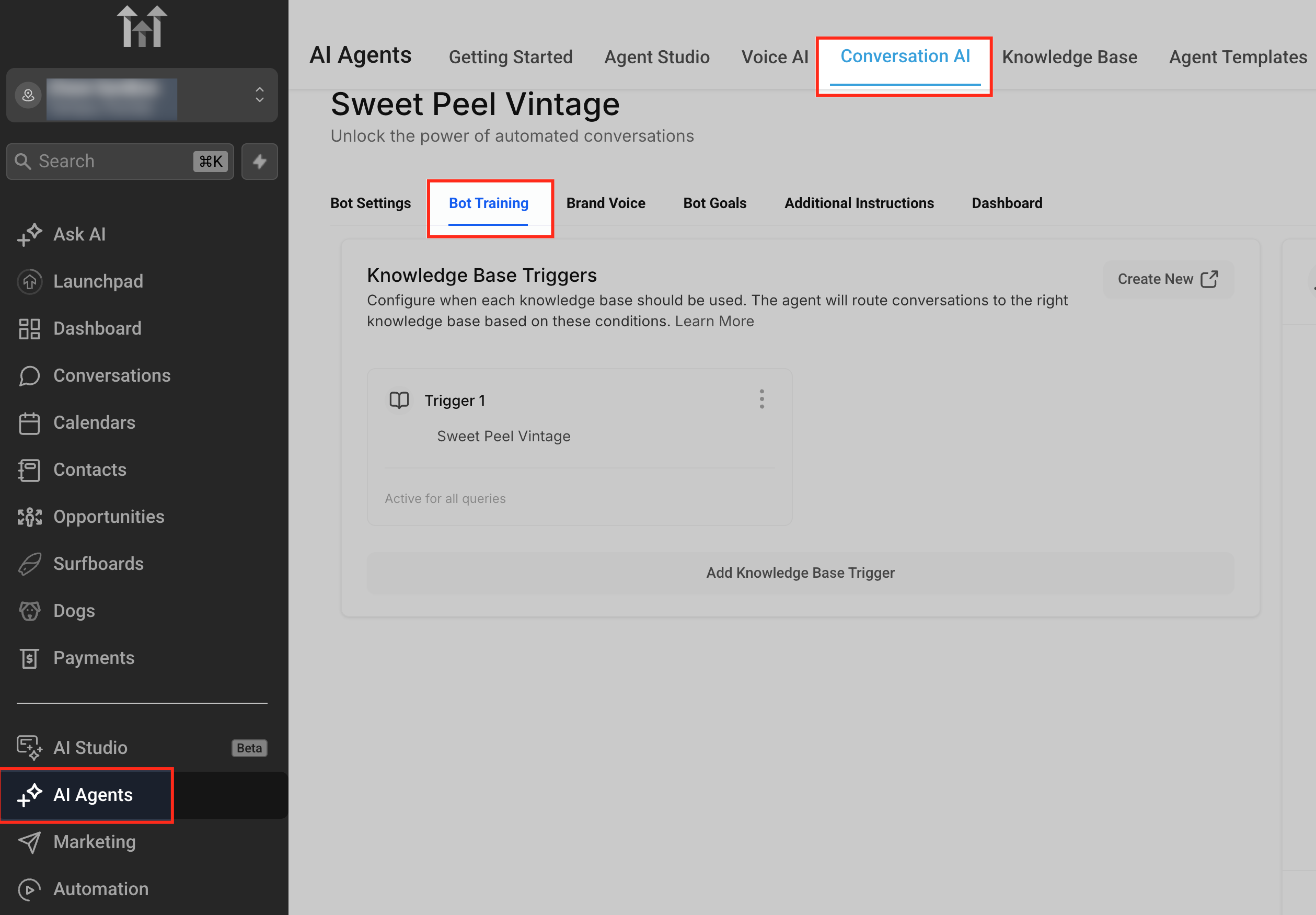
The feature is accessed through the Bot Training tab of a Conversation AI agent, under AI Agents > Conversation AI.
03How businesses use Knowledge Base triggers
- Real estate brokerage. The brokerage creates a Smart Trigger that activates after a prospect mentions budget, location and property type. The trigger attaches a Knowledge Base containing relevant listings, so the bot replies with appropriate properties at that moment.
- High ticket SaaS provider. The provider adds a Smart Trigger that fires when a user expresses hesitation or raises an objection. The attached Knowledge Base holds case studies and testimonials, enabling the bot to share credibility evidence automatically.
- Customer support team. When a user asks about refund policies, a Smart Trigger activates a Knowledge Base with the company's policy details, ensuring the bot delivers precise information right away.
04The numbers and rules that matter
- Each Conversation AI agent includes 1 Always On trigger for general knowledge.
- Up to 3 Smart Triggers can be added per agent.
- Up to 4 triggers total (1 Always On + 3 Smart Triggers).
- Up to 7 Knowledge Bases can be attached per trigger.
05Before you start
- User must have Conversation AI training permissions.
- A Conversation AI agent must already exist in the account.
06How to set up and use Knowledge Base triggers in HighLevel
Configure smart Knowledge Base triggers
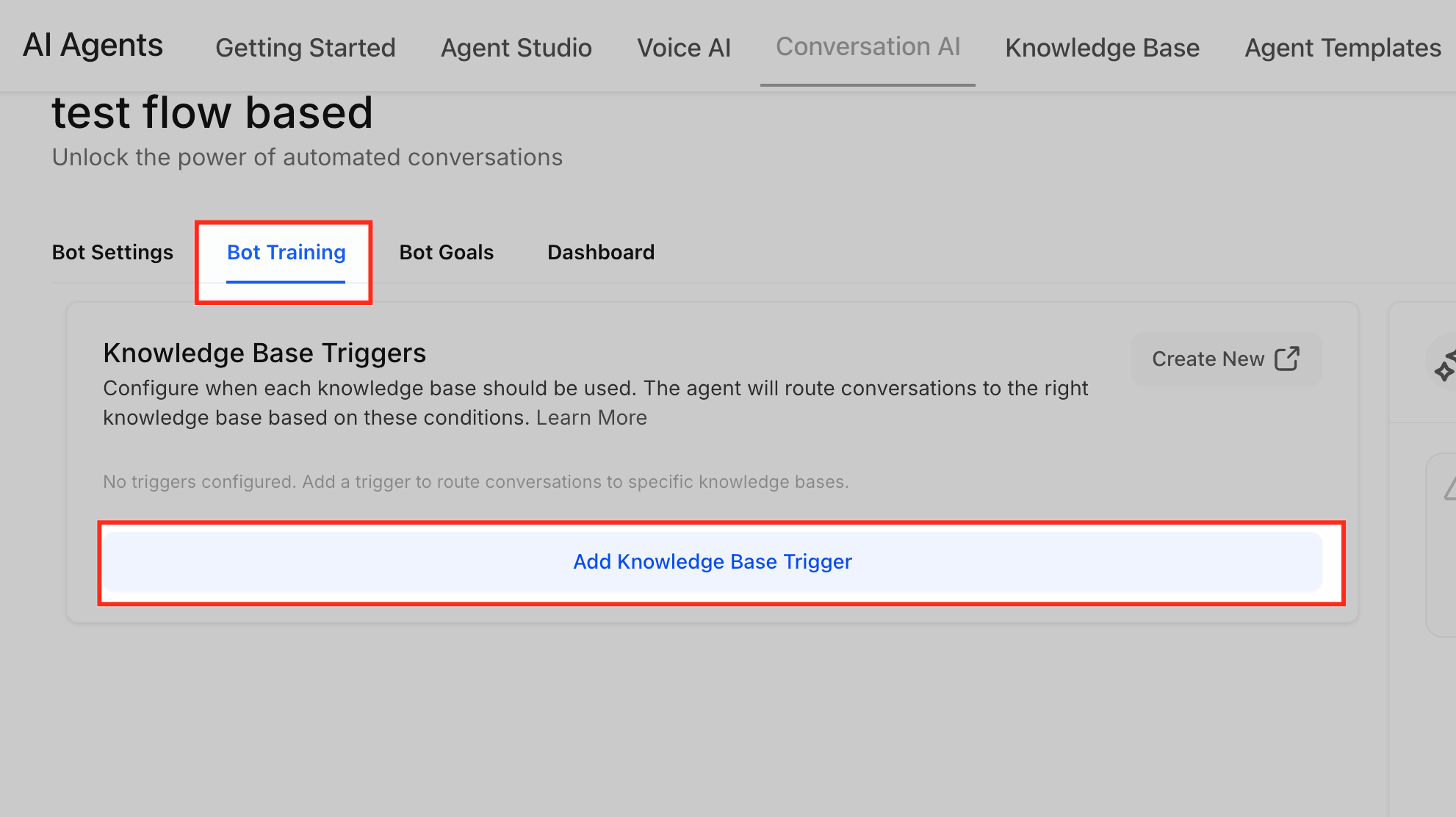
- Open AI Agents > Conversation AI, select the desired agent, and go to the Bot Training tab.
- Verify that the Always On trigger includes only broad Knowledge Bases and remove any highly specific content, then save.
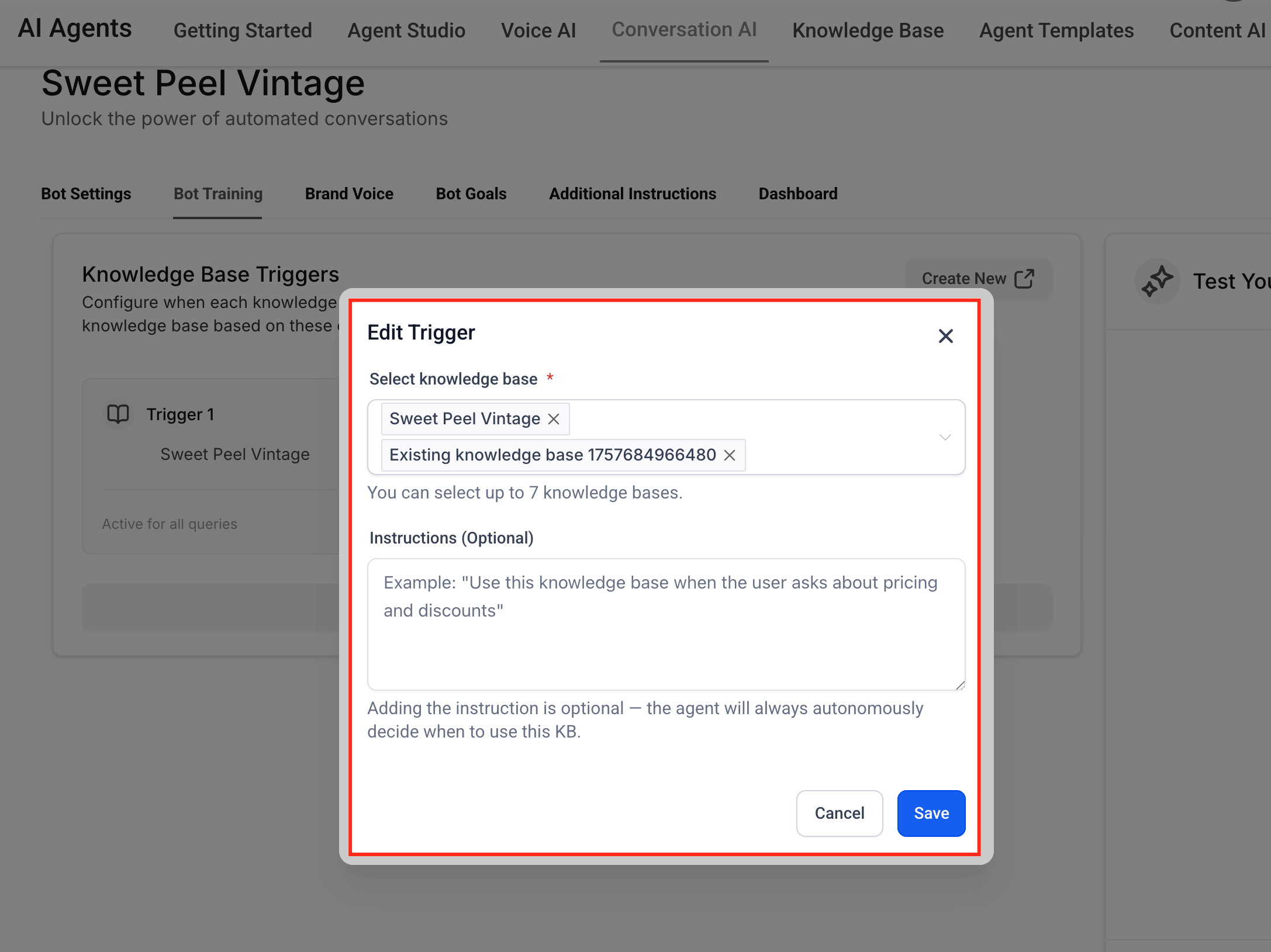
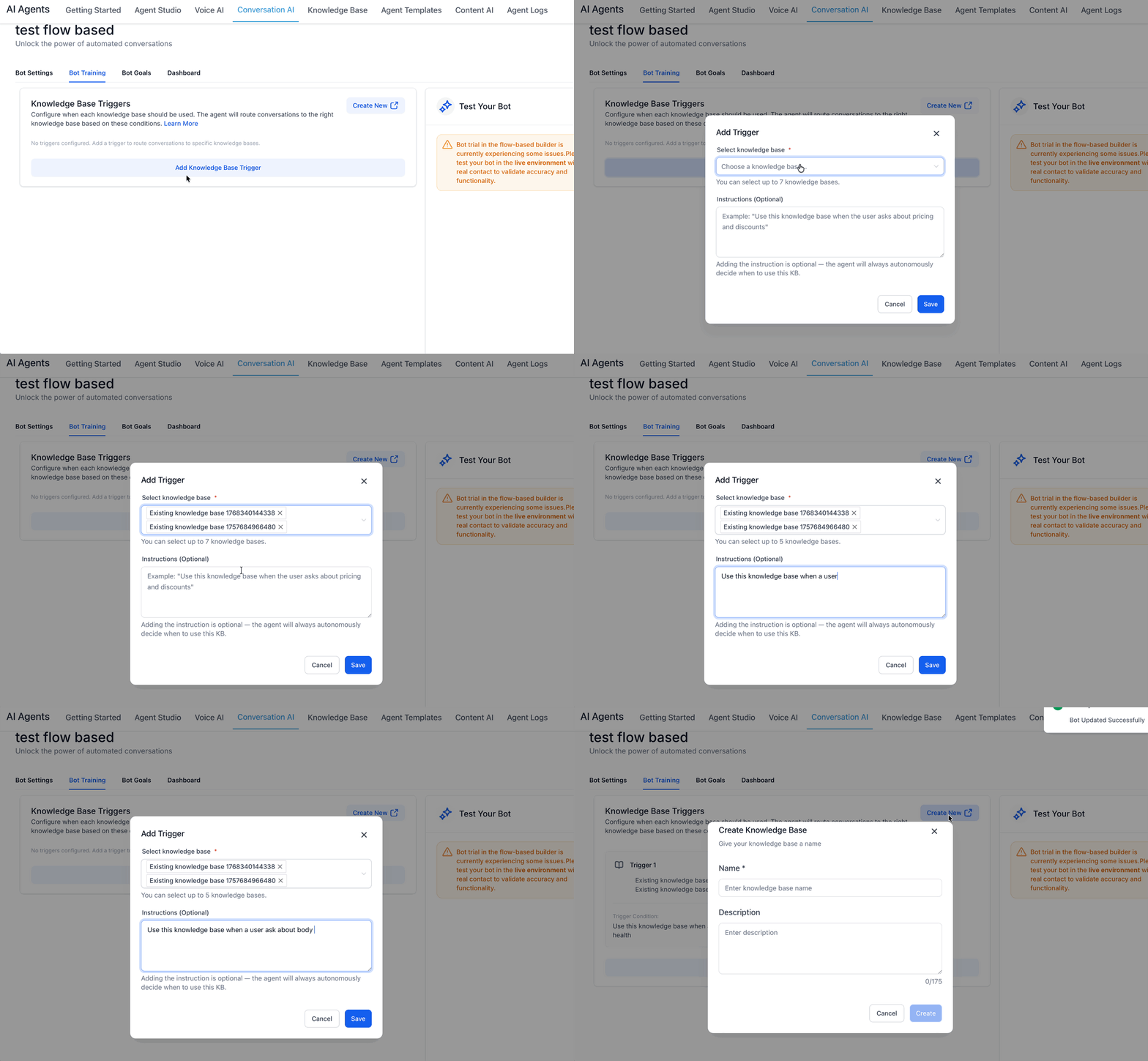
- Click Add Trigger, give the new Smart Trigger a clear name, and write its condition in plain English.
- Select up to seven relevant Knowledge Bases for the Smart Trigger, keep them focused on the trigger’s purpose, and save.
- Enter Preview mode, run simulated conversations, confirm that the trigger fires at the intended moment, and adjust the condition if needed.
- Repeat the Add Trigger process to create additional Smart Triggers, covering stages such as qualification, objections, pricing, or booking.
07What it looks like in HighLevel
08Settings that matter
- Always On Trigger. Provides baseline Knowledge Base content that the AI uses whenever no Smart Trigger conditions are met.
- Smart Trigger. Activates when its defined plain language condition matches the conversation, directing the AI to use its attached Knowledge Bases.
- Knowledge Base attachment. Associates up to seven Knowledge Bases with a trigger, determining which content the AI can draw from when that trigger fires.
09Things to know before you rely on it
- Each agent can have a maximum of four triggers: one Always On and up to three Smart Triggers.
- A single trigger can hold no more than seven Knowledge Bases.
10How it connects to the rest of HighLevel
- Training your Conversation AI Bot Conversation AI training guide
- Response Info for your AI Message in HighLevel AI message response details
- Conversation AI new query detection flow in HighLevel Query detection flow
Michael's take

Knowledge Base triggers can feel risky if you let them run without clear conditions. Overlapping rules or too many content sources can cause the bot to give confusing answers. Keep the logic simple and test each trigger before you rely on it for live chats.
When used carefully, the feature gives you precise control over high impact moments, letting you surface offers or case studies exactly when a prospect is ready. This relevance can help improve conversion rates and support experiences.