
01Who this is for
- Marketing managers can keep AI answers aligned with current promotions and branding.
- Customer support leads gain control over policy and service details the bot references.
- Small business owners can refine AI knowledge without changing the public site.
02Website content review, explained
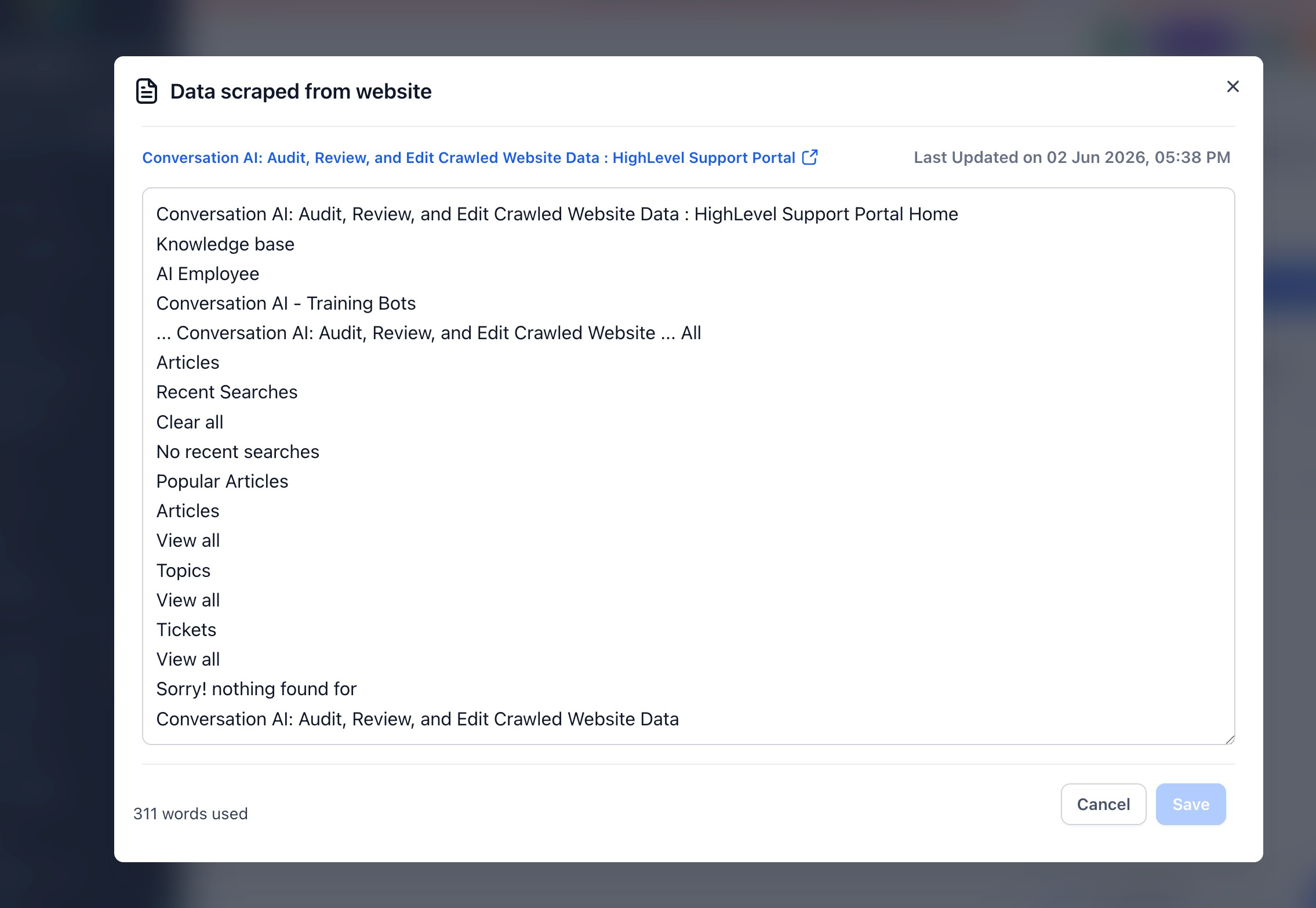
The feature displays the material that the platform’s web crawler gathered from a website source. You can edit this material directly inside HighLevel, removing or adding text as needed.
Changes affect only the source that Conversation AI uses for replies. An edited flag appears on the source to show that manual updates exist. Refreshing the source later may replace those edits, so you should review before re crawling.
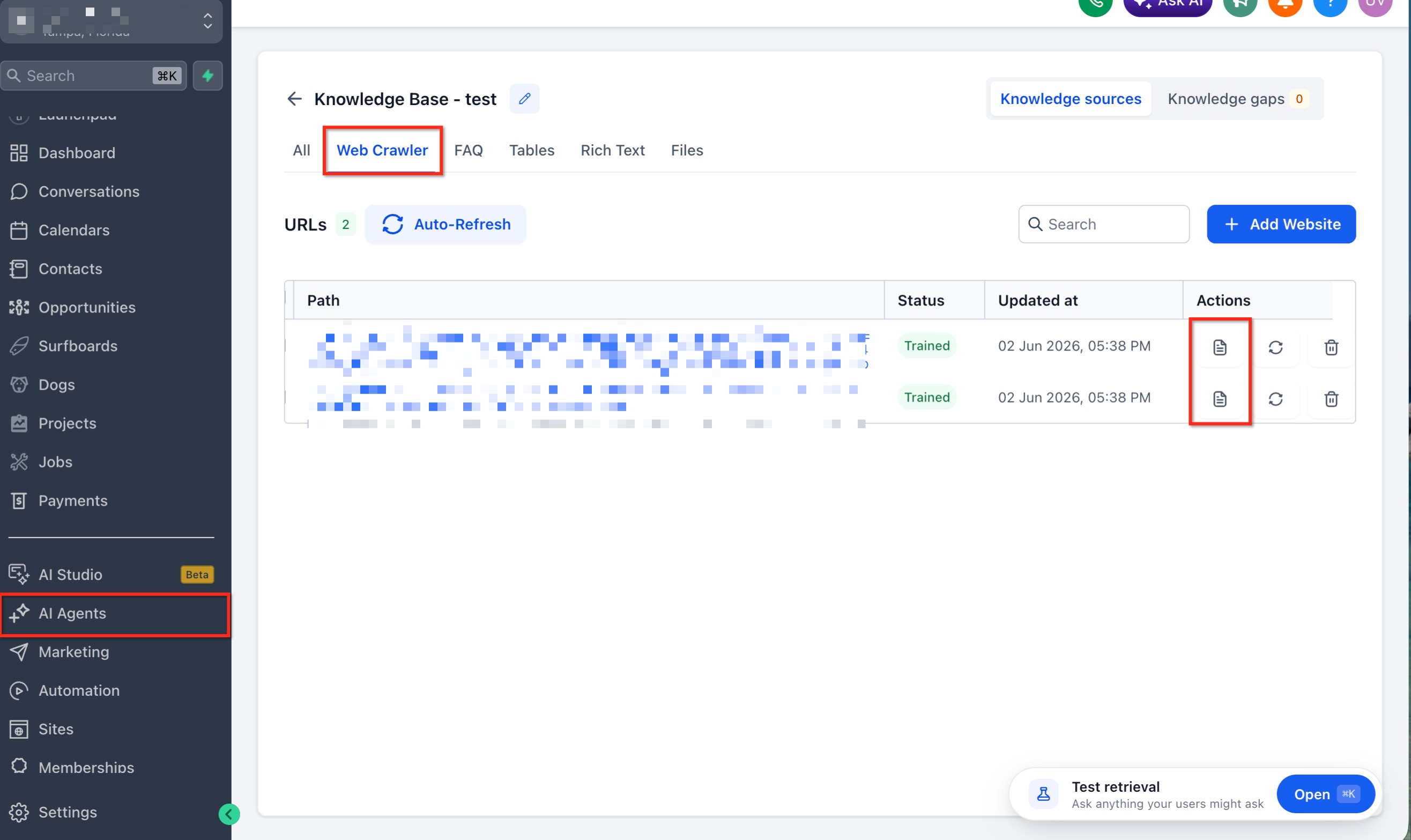
You find the review tool within the Conversation AI Bot Training or Knowledge Base settings. From there you select the specific URL entry and open the content editor.
03How businesses use website content review
- Ecommerce store. The store edits product page excerpts that the AI cites, removing old sale language and adding current shipping details. After saving, the bot references the updated copy when shoppers ask about delivery.
- Dental practice. The practice removes generic navigation text from the crawled site and adds clear office hour notes. The bot then provides accurate schedule information without showing unrelated menu items.
- SaaS startup. The startup inserts missing feature descriptions into the crawled help pages. When prospects ask about capabilities, the AI pulls the newly added context to form complete answers.
04How to set up and use website content review in HighLevel
Edit website source for Conversation AI
- Open the Conversation AI Bot Training or Knowledge Base settings area.
- Find the website address listed among imported crawler sources.
- Select the content review button next to that address.
- Read through the captured website text.
- Delete any outdated, irrelevant, duplicate, or confusing parts.
- Insert any missing information that will help the AI answer questions.
- Save the modifications.
- Confirm that an edited marker appears on the source entry, if available.
- Ask the AI typical customer questions to verify the changes are reflected.
05What it looks like in HighLevel
06Things to know before you rely on it
- Refreshing a website source can overwrite any manual edits you have made.
- Auto Refresh schedules may replace edited content if enabled for a source.
- There is no single click undo; you must re edit or re crawl to revert changes.
07How it connects to the rest of HighLevel
- Use this guide to add or change the URLs that the AI can crawl. Web URLs and links
- View which sources the bot used for a specific answer from the conversation view. AI response info
- Learn how the bot decides when to run a new query based on updated knowledge sources. Query detection flow
Michael's take

When your AI is answering customers with outdated promotions or wrong hours, a quick edit of the crawled site content can fix the problem without any website redesign.
If your site rarely changes or you already keep the live pages perfect, spending time in the content review pane can feel like extra work. In those cases the feature brings little benefit beyond the occasional clean up.