
01Who this is for
- Customer support teams benefit because the bot can more reliably identify support requests versus new sales questions.
- Marketing managers gain smoother conversations when the AI tracks follow up queries and keeps context.
- Small business owners appreciate that the improvement works automatically, so no extra setup time is needed.
02Conversation AI new query detection flow, explained
Conversation AI examines the latest customer message together with the recent dialogue to decide if the contact is continuing a topic, asking a fresh question, or shifting to a different subject. The decision influences which training material, Knowledge Source or bot instruction is used for the reply.
The flow runs inside the regular Conversation AI configuration area. It uses existing bot goals, personality, FAQs, web crawled content and uploaded files. No separate toggle or migration step is required, and the bot’s existing workflows remain unchanged.
03How businesses use the new query detection flow
- Support team. The team can send sample messages that ask about an issue, then follow up with additional details. The AI will treat the second message as a continuation, pulling the correct training content and responding in context.
- Sales department. Agents can test inquiries that move from product features to pricing options. The AI detects the topic shift and selects the appropriate Knowledge Source before replying.
- Service provider. The provider can simulate a client who first asks about scheduling and later asks about cancellation policy. The AI recognizes the new request and uses the relevant Knowledge Base entry to answer.
04How to set up and use the new query detection flow in HighLevel
Review Conversation AI setup
- Open the Conversation AI settings to see the active bot, its channels and response options.
- Check that the bot’s goals, personality and extra instructions clearly state the desired tone and information.
- Verify that Web Crawler content, custom responses, FAQs and other training data are correct and current.
- Make sure each Knowledge Source holds up to date material and is organized for easy retrieval.
- Send test messages that include follow ups, topic changes and brand new questions to see how the bot replies.
- If a reply seems off, open the AI response details, locate the source used, and update the training or Knowledge Source as needed.
05What it looks like in HighLevel
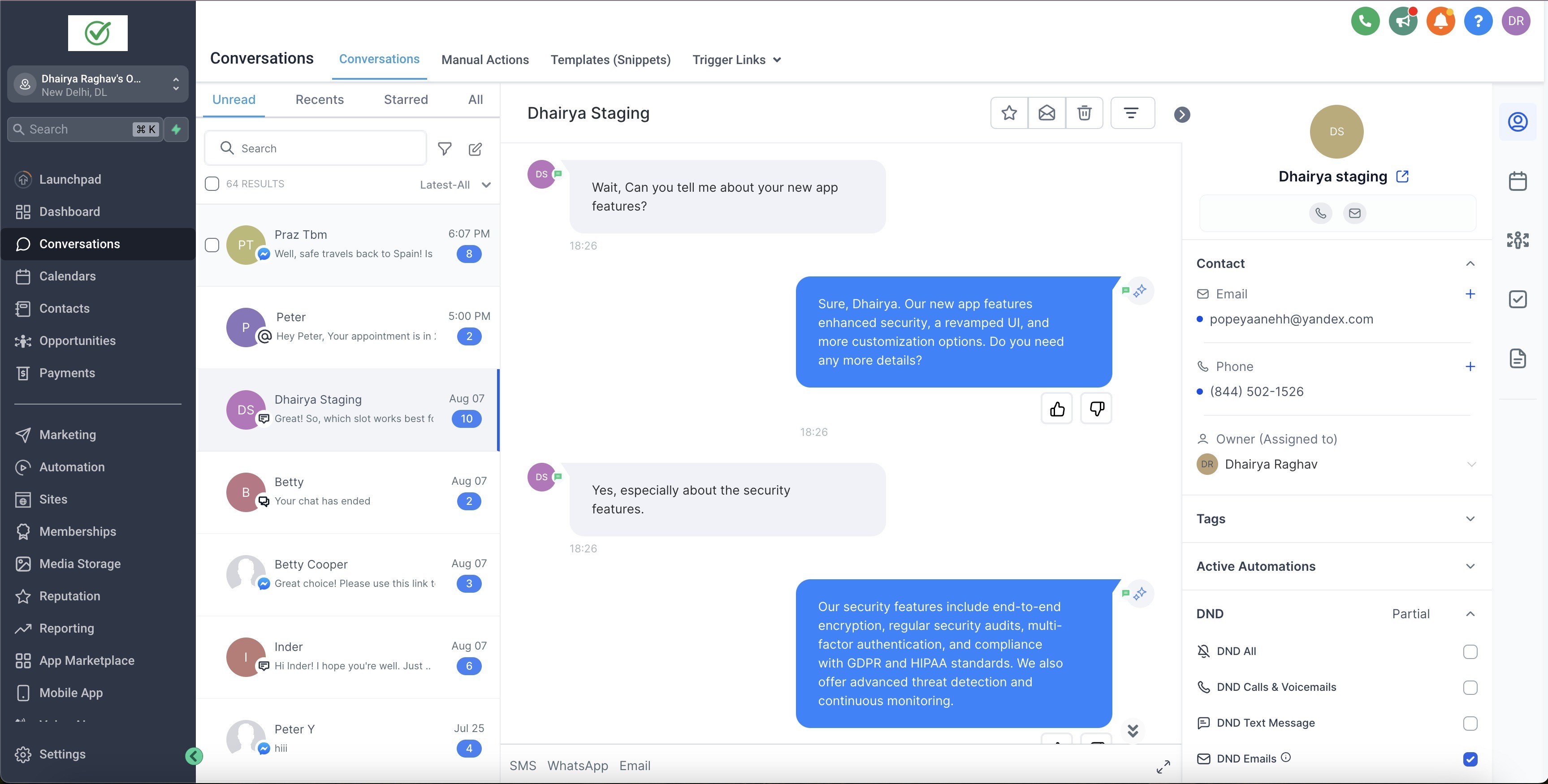
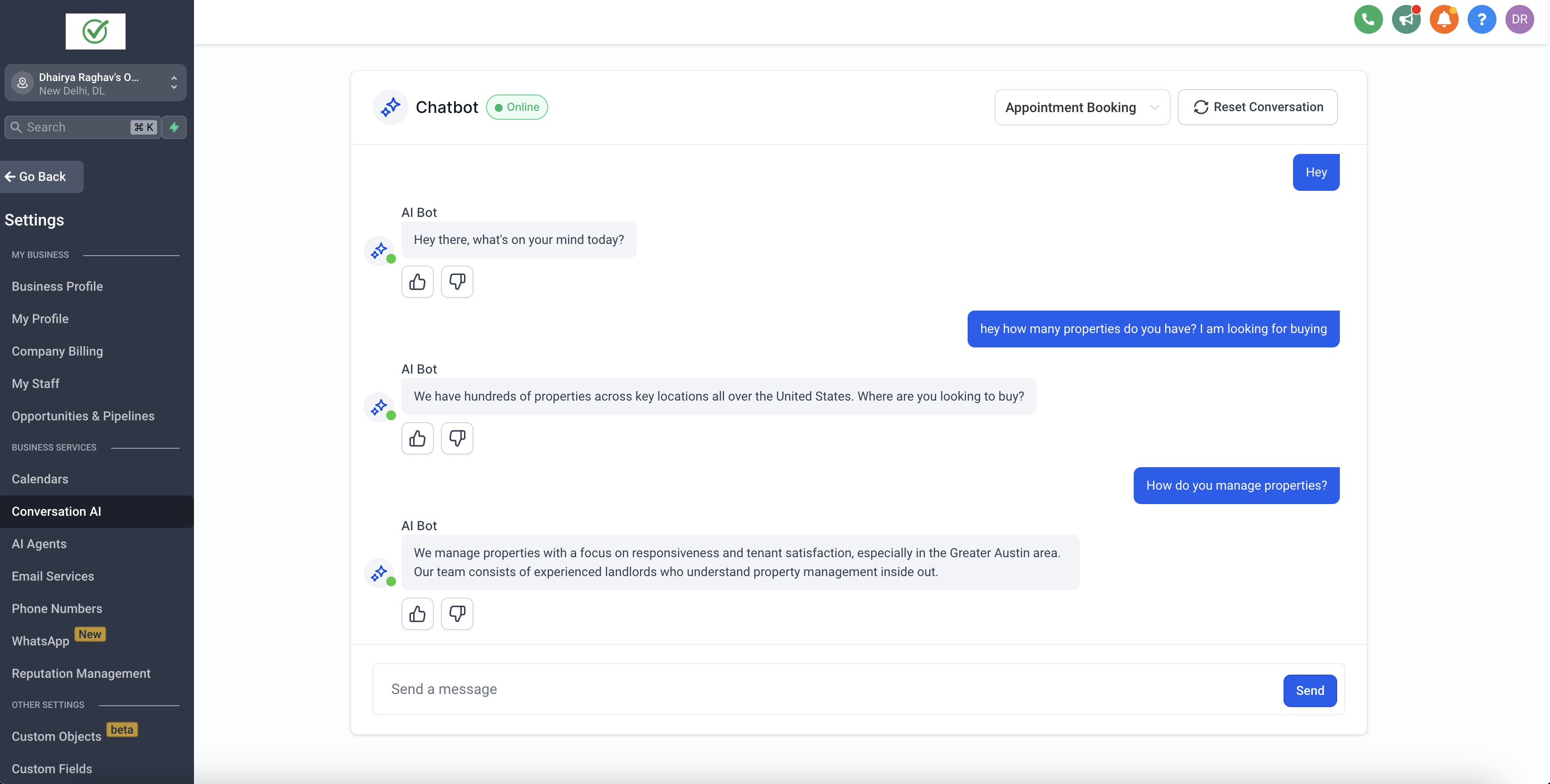
06Things to know before you rely on it
- The flow activates automatically; no new toggle or migration is required.
- Existing bot configuration, training data and Knowledge Sources remain in place.
- Retraining the bot is not mandatory, though refreshed content can improve outcomes.
- The improvement does not replace Knowledge Base Triggers or workflow actions.
07If something goes wrong
- The bot returns an inaccurate answer.. Open the response information, identify which training data or Knowledge Source was used, then correct that content and test again.
08How it connects to the rest of HighLevel
- How to review and edit website content used by Conversation AI Review website content
- Training your Conversation AI Bot Bot training guide
- How to use Knowledge Base triggers in Conversation AI Knowledge Base triggers
Michael's take

The new query detection flow feels like a small convenience that can make a noticeable difference in how naturally your bot talks. It doesn’t require any extra toggles, but it does give the bot a better sense of whether a user is following up, changing topics, or starting fresh.
I think businesses that receive many follow up questions could find it useful. The bot can keep the thread coherent when a client asks for more detail, and it can smoothly jump to a new issue when the conversation shifts.