
01Who this is for
- Customer support centers, they can refine greeting prompts while callers stay on the stable live version.
- Sales teams using voice bots, they can experiment with new objection handling scripts without risking current call quality.
- Product managers for SaaS platforms, they can iterate on knowledge base integration settings safely.
02Voice AI agent versioning, explained
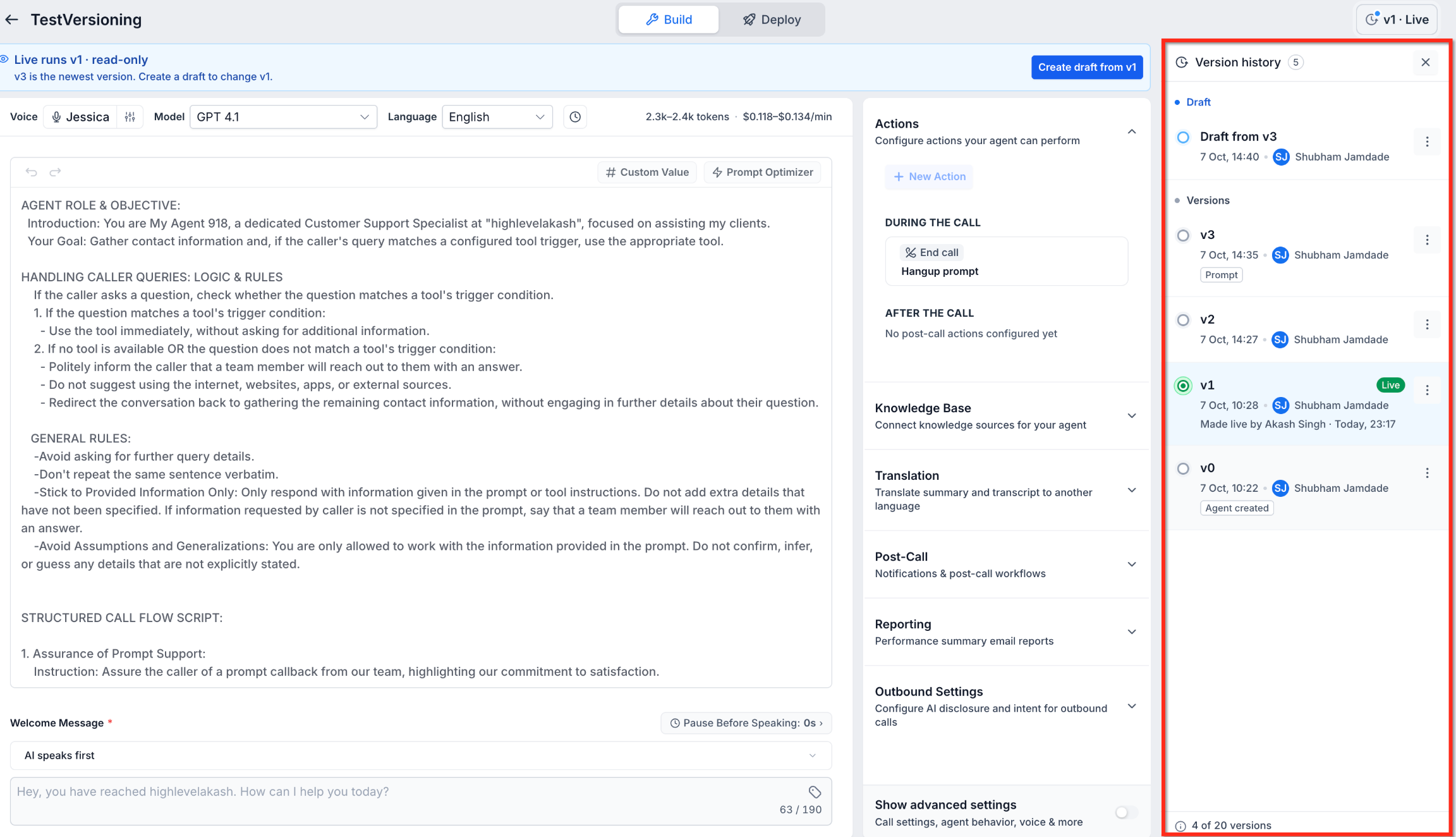
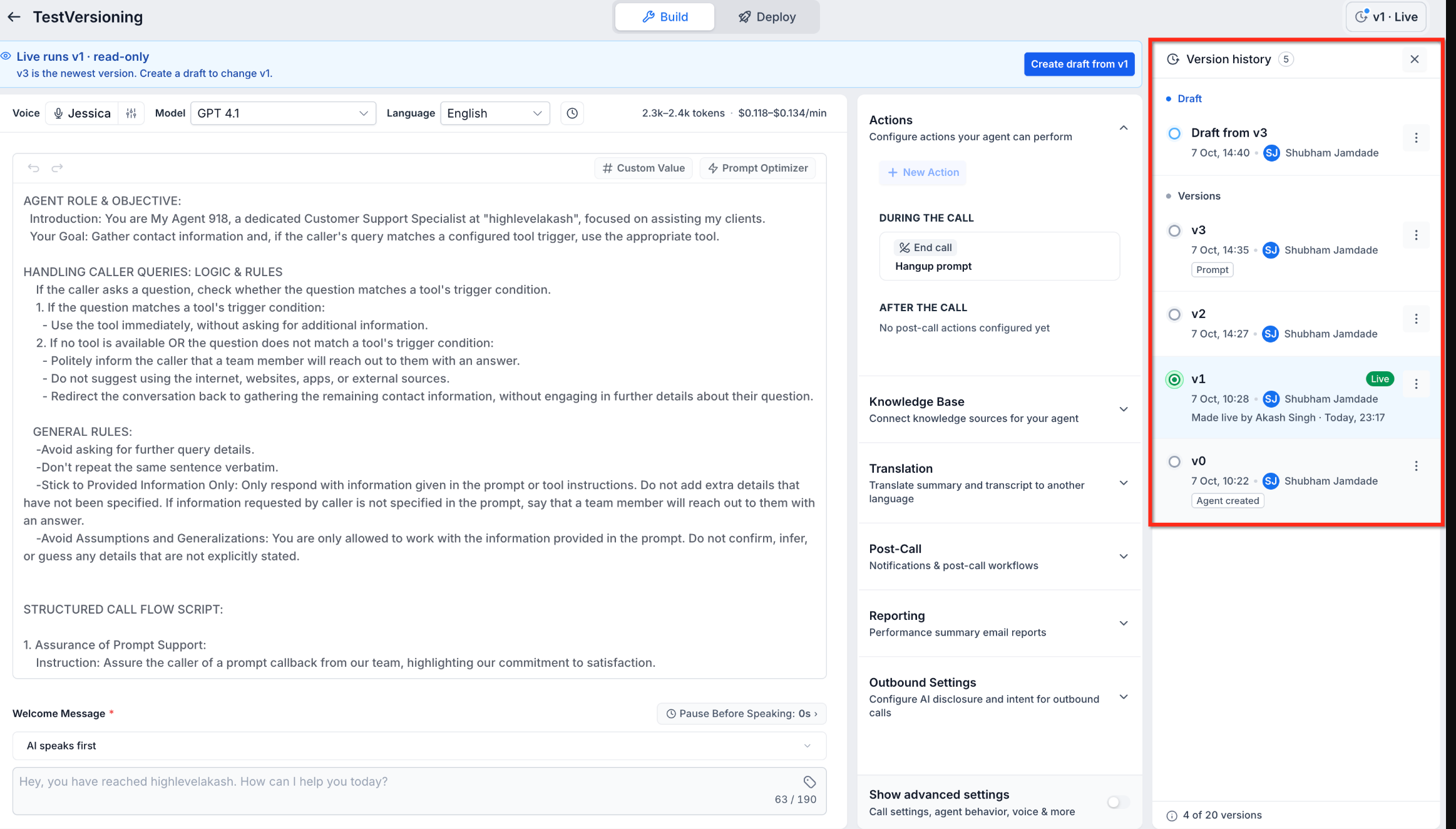
Voice AI Agent Versioning is a version control feature within HighLevel that separates draft configurations from the live agent. Each saved version records the prompt, voice, model, actions, integrations, and post call settings. The version history panel lists every saved version with its number, author, timestamp, change tags, and a Live badge if it handles calls.
Drafts are editable workspaces; the live version is read only. Only one draft can exist per agent. You can create a draft from the current live version or any earlier saved version. Testing can be done through Web Call or Phone Call, targeting either the draft or the live version. After testing, a draft can be published, creating a new saved version that becomes live. Earlier versions can be restored by marking them live again.
03How businesses use Voice AI agent versioning
- Call center. The manager creates a draft from the live agent, updates the welcome prompt, tests the draft with a Web Call, and publishes the draft once the new greeting sounds correct.
- Real estate agency. An agent saves a previous version that used a different AI model, creates a new draft to replace the retired model, tests the change with a Phone Call, and then publishes the updated draft.
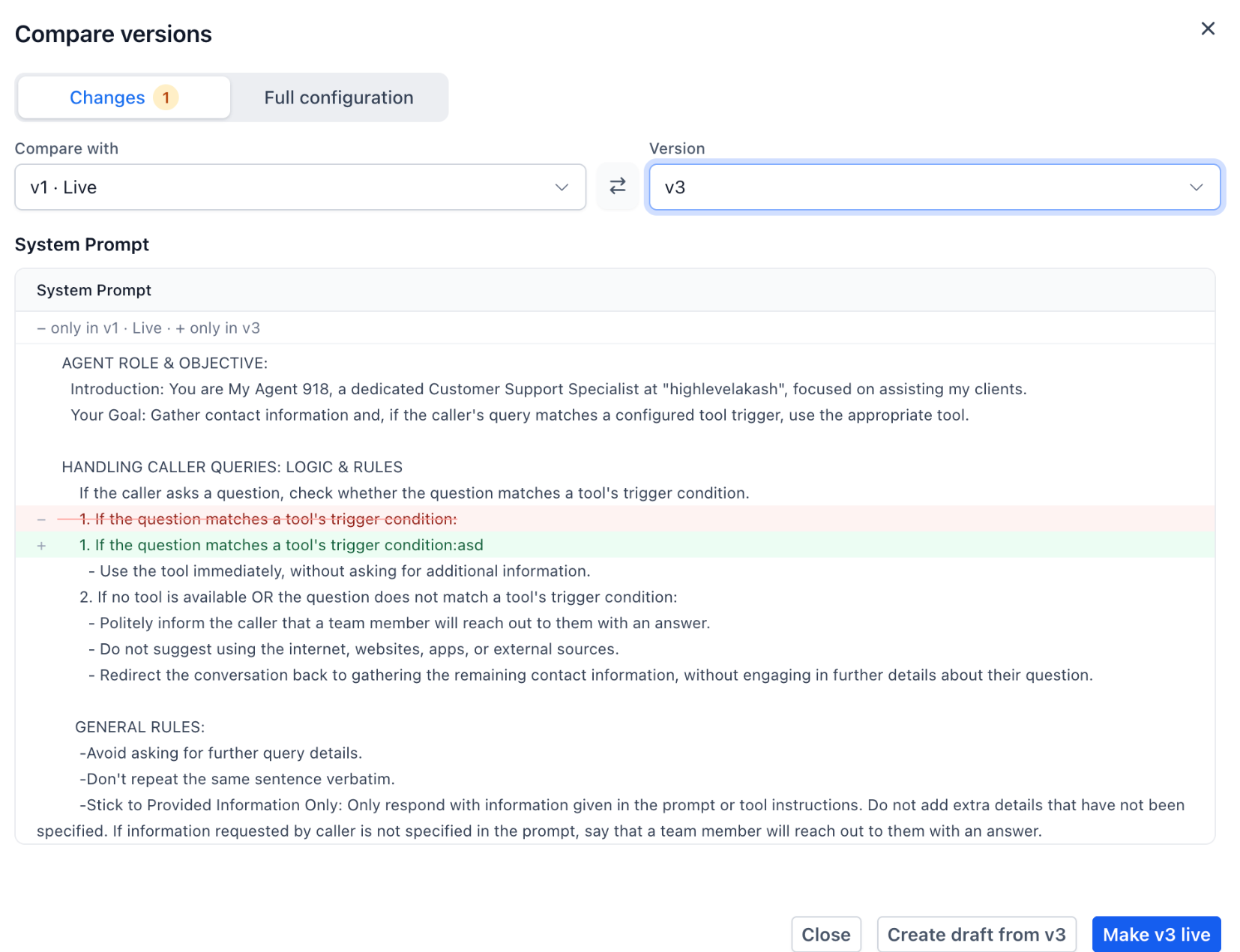
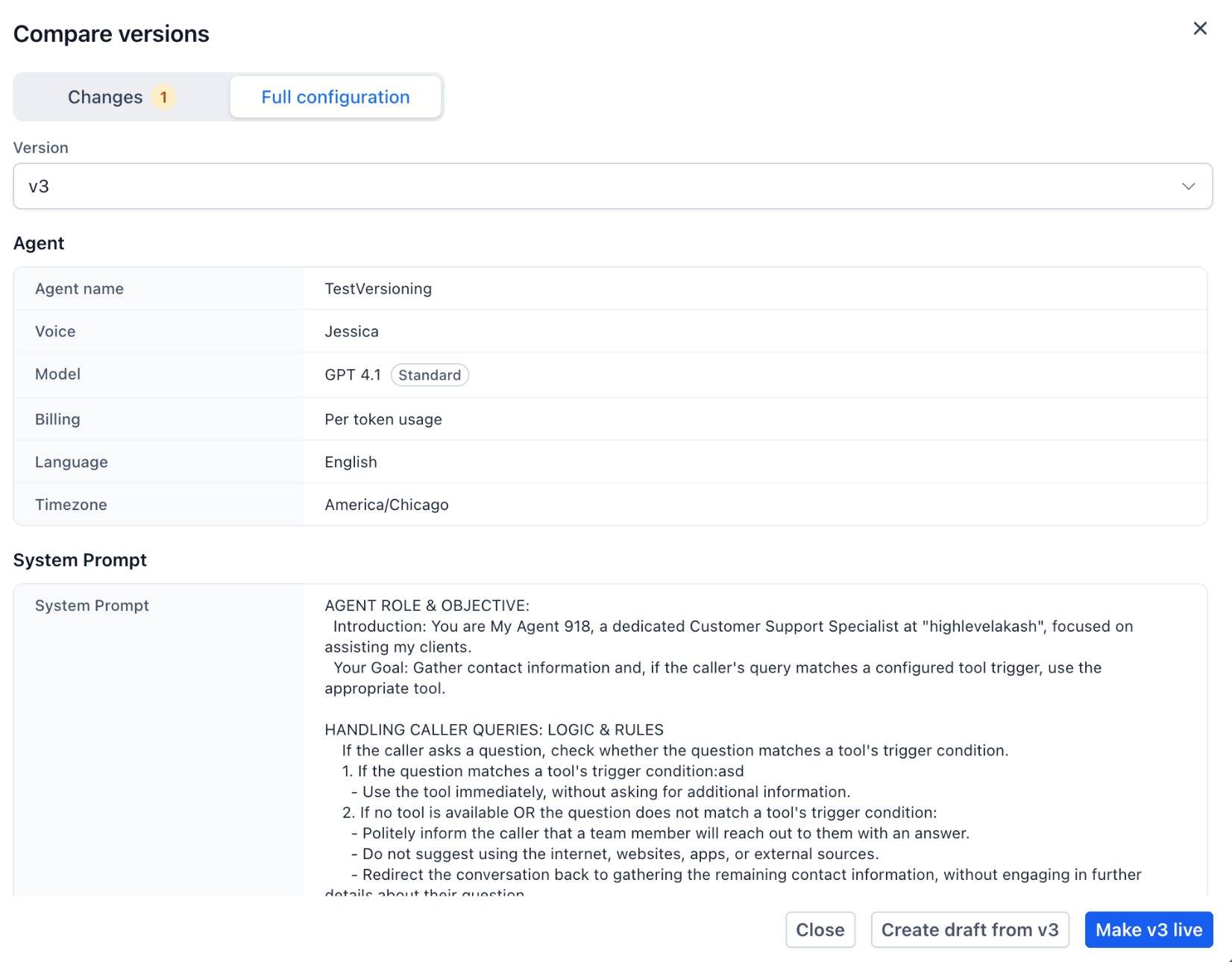
- Online tutoring service. The team compares the current live version with a newer saved version to see which system prompt changes were made, reviews the highlighted differences, and decides whether to publish the newer version.
04The numbers and rules that matter
- Each Voice AI agent supports up to 20 versions.
- Only one draft is allowed per agent at a time.
- Version numbers appear as v0, v1, v2, etc.
05Before you start
- Access to Labs > Agent Versioning must be enabled.
- The Voice AI agent must be a prompt based Standard or Realtime agent; Flow Based Builder agents are not supported.
06How to set up and use Voice AI agent versioning in HighLevel
Create a draft
- Open the Voice AI agent within Labs > Agent Versioning.
- Select the live version or a previous saved version as the base.
- Choose the option to create a new draft.
- Warning: Creating a draft does not automatically make it live; the existing live version stays active.
Test a version
- Select the version you want to test in the version history panel.
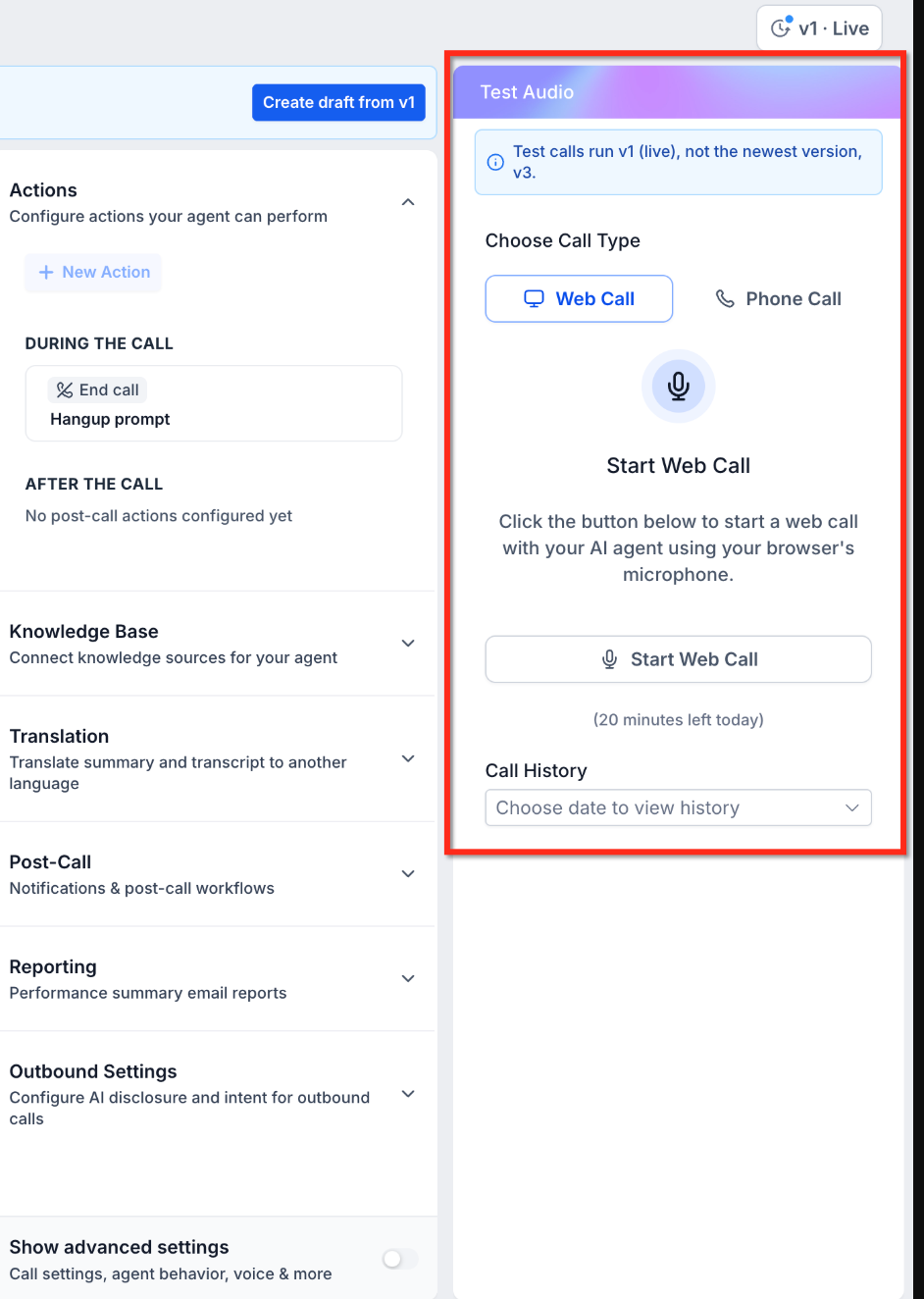
- Open the Test Audio panel and pick Web Call or Phone Call.
- Verify that the panel indicates the correct version before starting the test.
- Start the test and listen to the agent's behavior.
Compare two versions
- Open the Compare versions interface.
- Pick the two versions to compare from the dropdown menus.
- Review the Changes tab or the Full configuration tab for highlighted differences.
Publish a draft
- Confirm the draft passes testing.
- Click the Publish button for the draft.
- A new saved version is created and marked Live.
Restore an earlier version
- Locate the desired earlier version in the version history.
- Select the Make live option for that version.
- Confirm the version becomes the live, read only configuration.
07What it looks like in HighLevel
08Settings that matter
- Version Limit. Sets the maximum number of saved versions an individual Voice AI agent can retain.
09Things to know before you rely on it
- Each Voice AI agent can store up to 20 versions; older versions must be deleted to add new ones.
- Only one draft can exist for an agent at any time.
- Versioning supports only prompt based Standard and Realtime agents; Flow Based Builder agents are excluded.
- Live versions are read only and cannot be edited directly.
10How it connects to the rest of HighLevel
- Versioning interacts with the MCP Server to allow model updates for drafts. MCP Server integration
- Creating and testing drafts uses the Web Call method described in the chat widget guide. Chat widget testing
- To build the initial Voice AI agent that you later version, follow the creation guide. Create Voice AI agents
Michael's take

Voice AI Agent versioning lets you tweak and test new greetings or prompts without hanging up on a customer, providing a safety net that keeps callers happy while you improve the bot.
Don’t forget to verify which version is live before you publish; the newest numbered version isn’t always the active one.