
01Who this is for
- Founders building a support bot who need to test cost effective models without recreating the bot.
- Customer service agencies that want a fallback model to keep replies running if a provider drops.
02Claude and Gemini models, explained
The feature adds Anthropic Claude and Google Gemini to the list of AI providers in the Conversation AI editor. When enabled, the model selector shows the new options together with the existing OpenAI choices. Each agent can have its own primary model and, if desired, a secondary model that automatically takes over when the primary model cannot respond.
The configuration lives inside the agent editor under the Build tab. Switching providers does not alter any existing prompts, actions, knowledge bases, or channel settings. Model costs are displayed next to each option, letting you compare pricing before you save.
03How businesses use Claude and Gemini models
- Digital marketing agency. The agency enables Claude support in Labs, then picks Claude Opus as the primary model for its lead generation bot. It optionally sets Gemini Flash as a fallback to ensure continuity during provider outages.
- Online tutoring platform. The platform creates a new Conversation AI agent, selects Gemini 3.8 Flash as the primary model for handling subject specific questions, and leaves the secondary model unset because the primary meets performance needs.
- Healthcare appointment service. The service selects Claude Sonnet as the main model for scheduling dialogs and adds Claude Haiku as a secondary model, guaranteeing a response path if the primary model experiences latency.
04The numbers and rules that matter
- Cost indicators range from $ to $$$$ in the model dropdown.
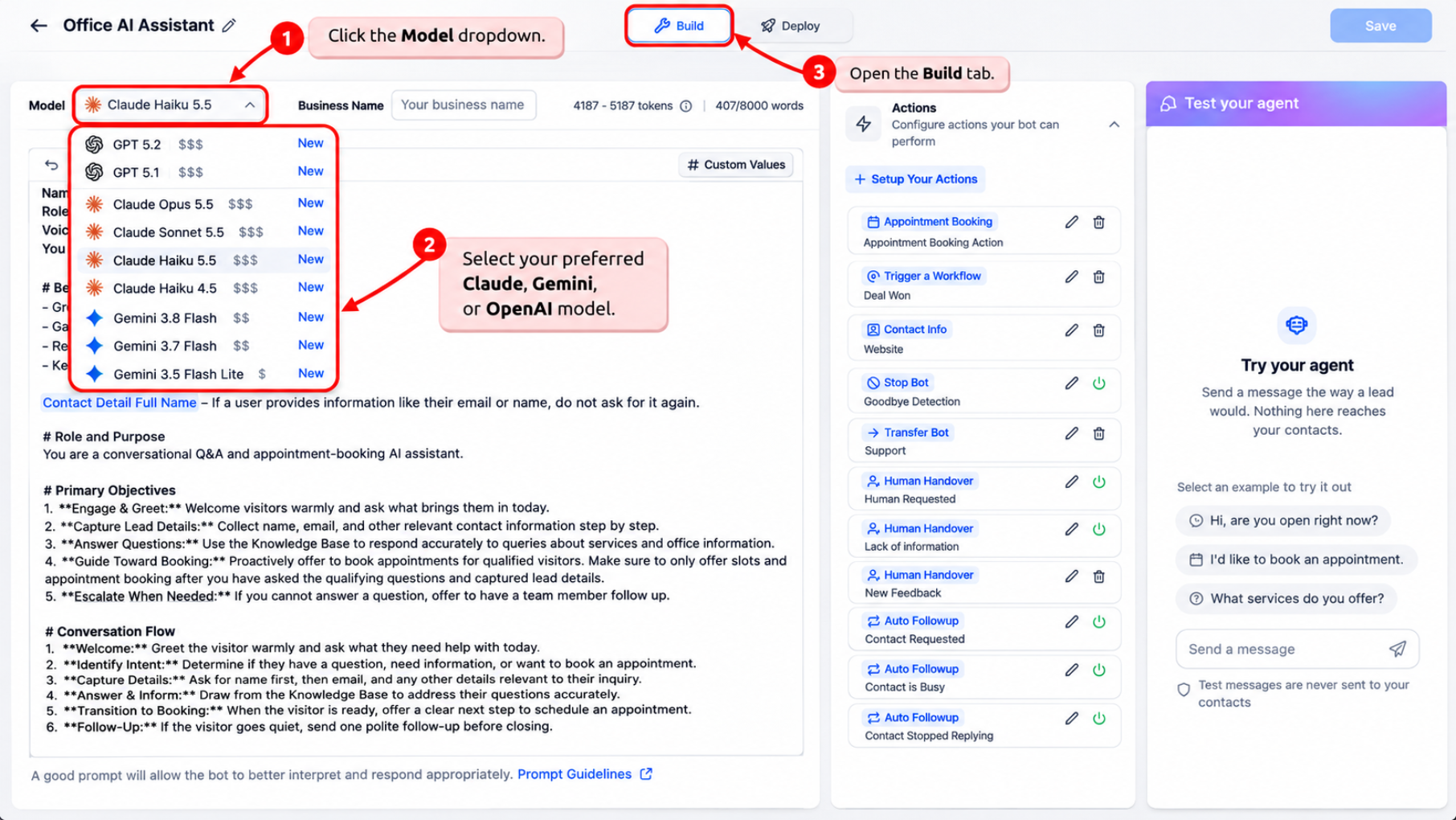
- Seven models are added: Claude Opus 5.5, Claude Sonnet 5.5, Claude Haiku 5.5, Claude Haiku 4.5, Gemini 3.8 Flash, Gemini 3.7 Flash, Gemini 3.5 Flash Lite.
05Before you start
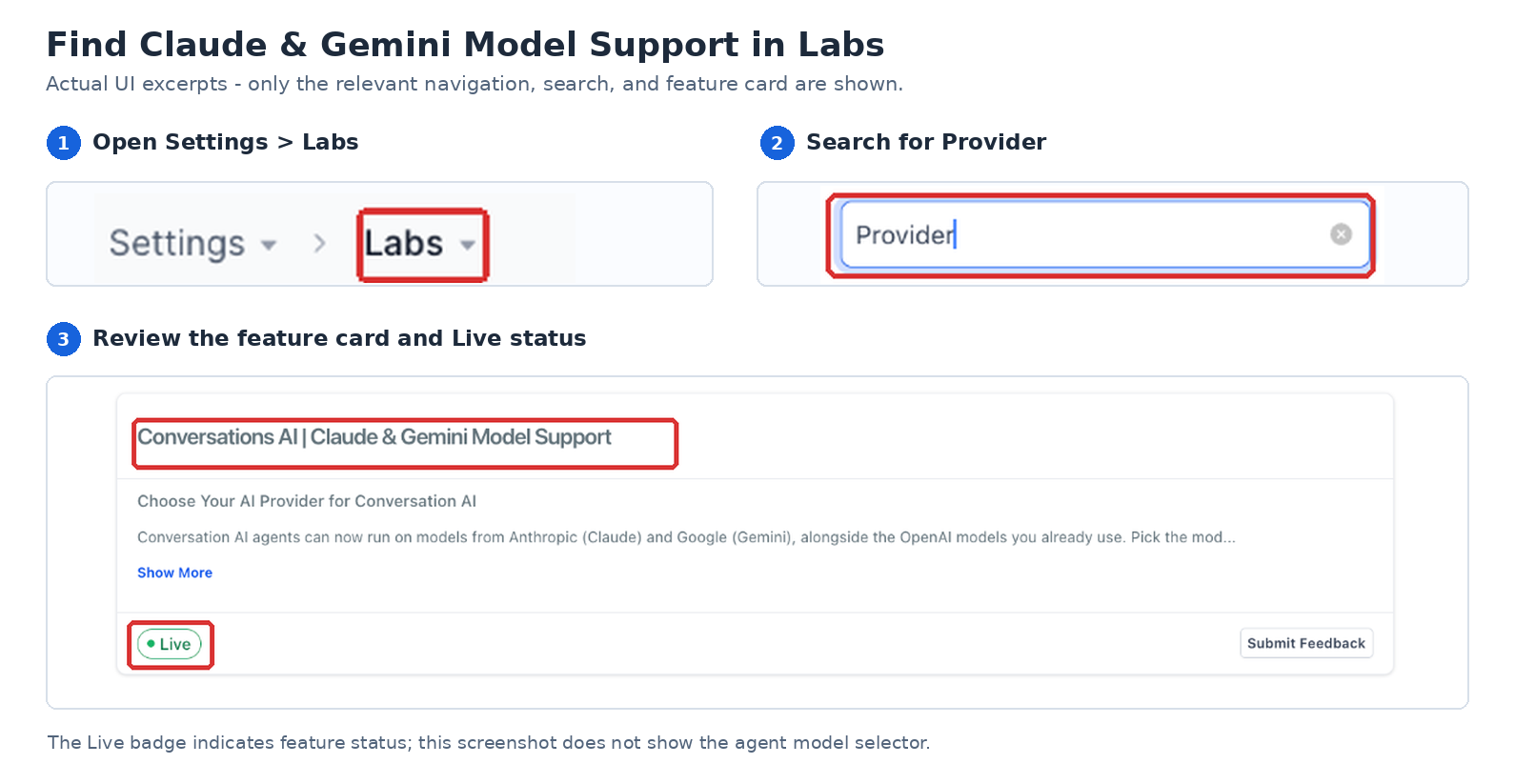
- Activate Conversations AI Provider Support in Settings > Labs.
- Create or open the Conversation AI agent you intend to modify.
06How to set up and use Claude and Gemini models in HighLevel
Enable Claude and Gemini support
- From the subaccount view, open Settings in the left navigation.
- Select Labs from the Settings options.
- Find the toggle labeled Conversations AI Provider Support.
- Turn the toggle on to activate the new providers.
Select a primary model for an agent
- Navigate from the subaccount view to AI Agents > Conversation AI > Agents List.
- Click the agent you wish to edit.
- Open the Build tab for that agent.
- Press the Model dropdown control.
- Choose the desired Claude, Gemini, or OpenAI model.
Configure an optional secondary fallback model
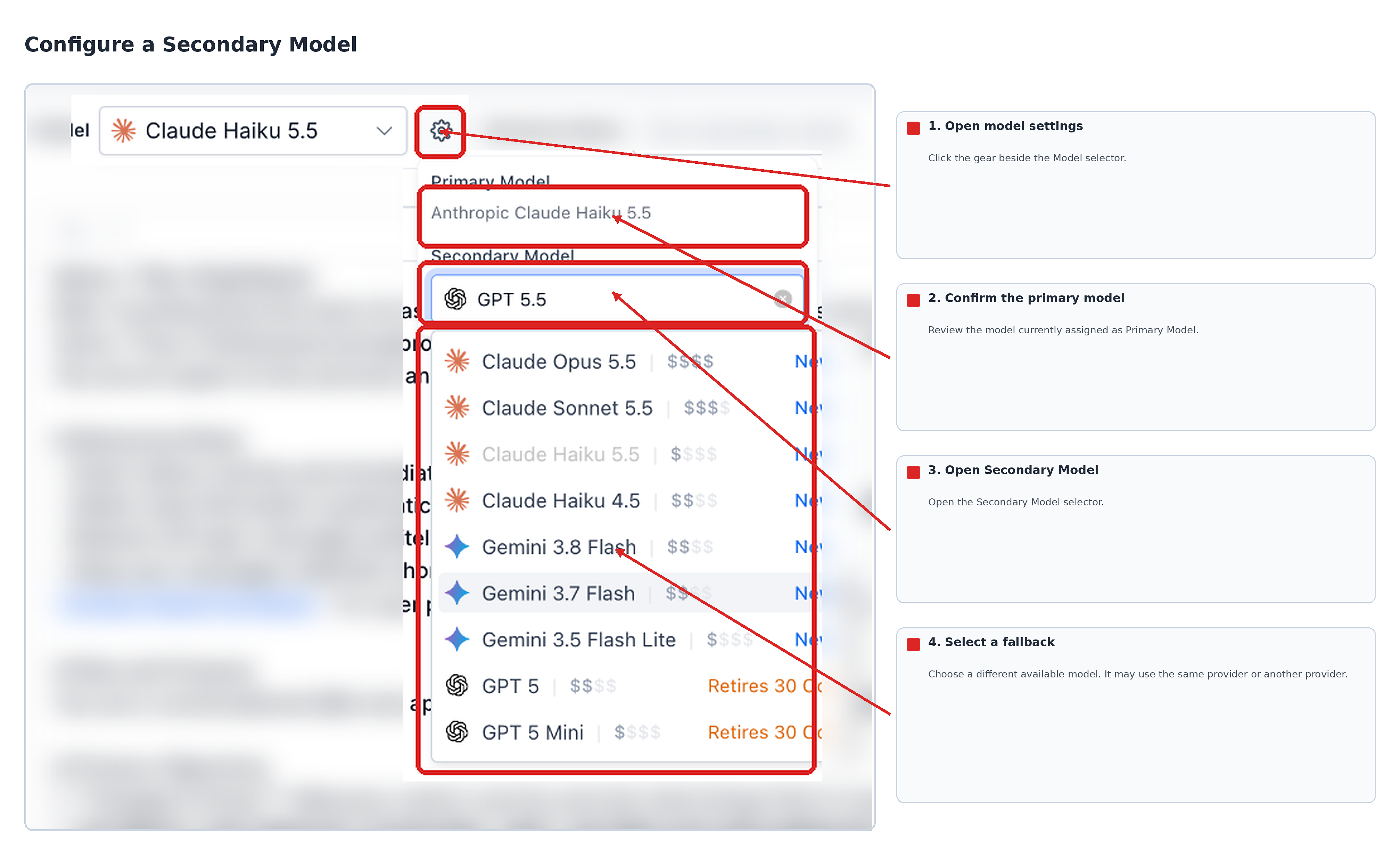
- Click the gear icon next to the Model dropdown.
- Confirm which primary model is currently set.
- Open the Secondary Model dropdown menu.
- Select a different model to serve as the fallback.
Test the agent and save the configuration
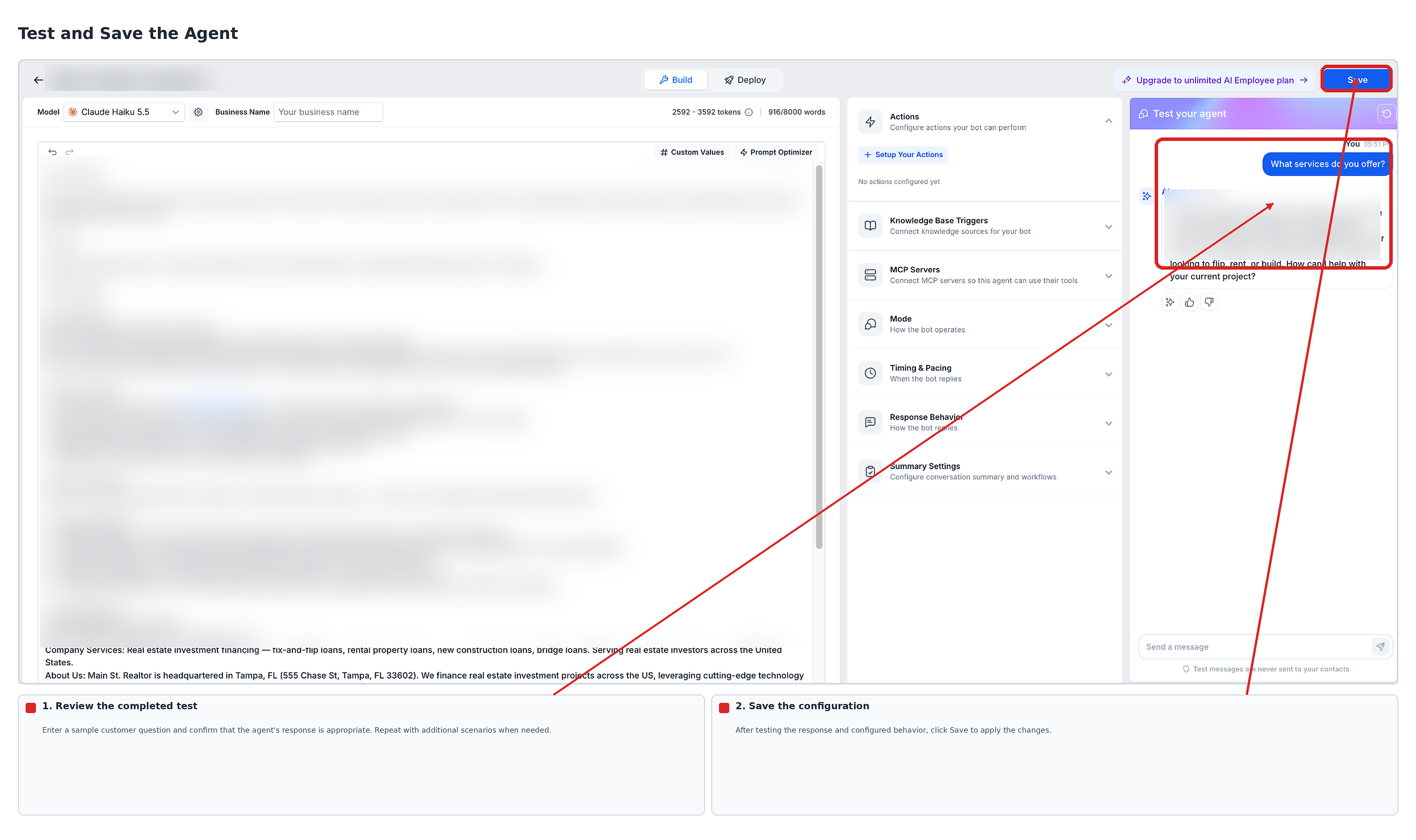
- In the Test your agent panel, type a sample customer question or pick a suggested prompt.
- Review the reply and verify that any configured actions execute correctly.
- Run additional scenario tests, such as appointment requests, if relevant.
- Click Save to store the new model settings.
07What it looks like in HighLevel
08Settings that matter
- Conversations AI Provider Support. Controls whether Anthropic Claude and Google Gemini appear as model options in the Conversation AI editor.
- Model dropdown. Allows selection of the primary AI model that generates the agent’s responses.
- Secondary Model dropdown. Lets you choose a distinct fallback model that activates automatically if the primary model is unavailable.
09Things to know before you rely on it
- The secondary model must be different from the primary model.
- Model pricing varies; refer to in app cost indicators for each option.
- Provider support must be turned on in Labs before new models become selectable.
- The list of available Claude and Gemini models may be updated over time.
10How it connects to the rest of HighLevel
- View current pricing for each AI model to compare costs. AI model pricing
- Change a model using natural language commands in Build with AI. Switch model via Build with AI
- Set goals for Conversation AI agents that work with the chosen model. Bot goals overview
Michael's take

Claude and Gemini support is a nice addition for teams that need more model variety. Skip it if you are happy with a single OpenAI model and don’t need fallback.
Only enable the providers when you’re ready to test each model’s response style and cost. Verify the secondary model is different before you save.